
Inwa Computer Speakers
4.2Editor score
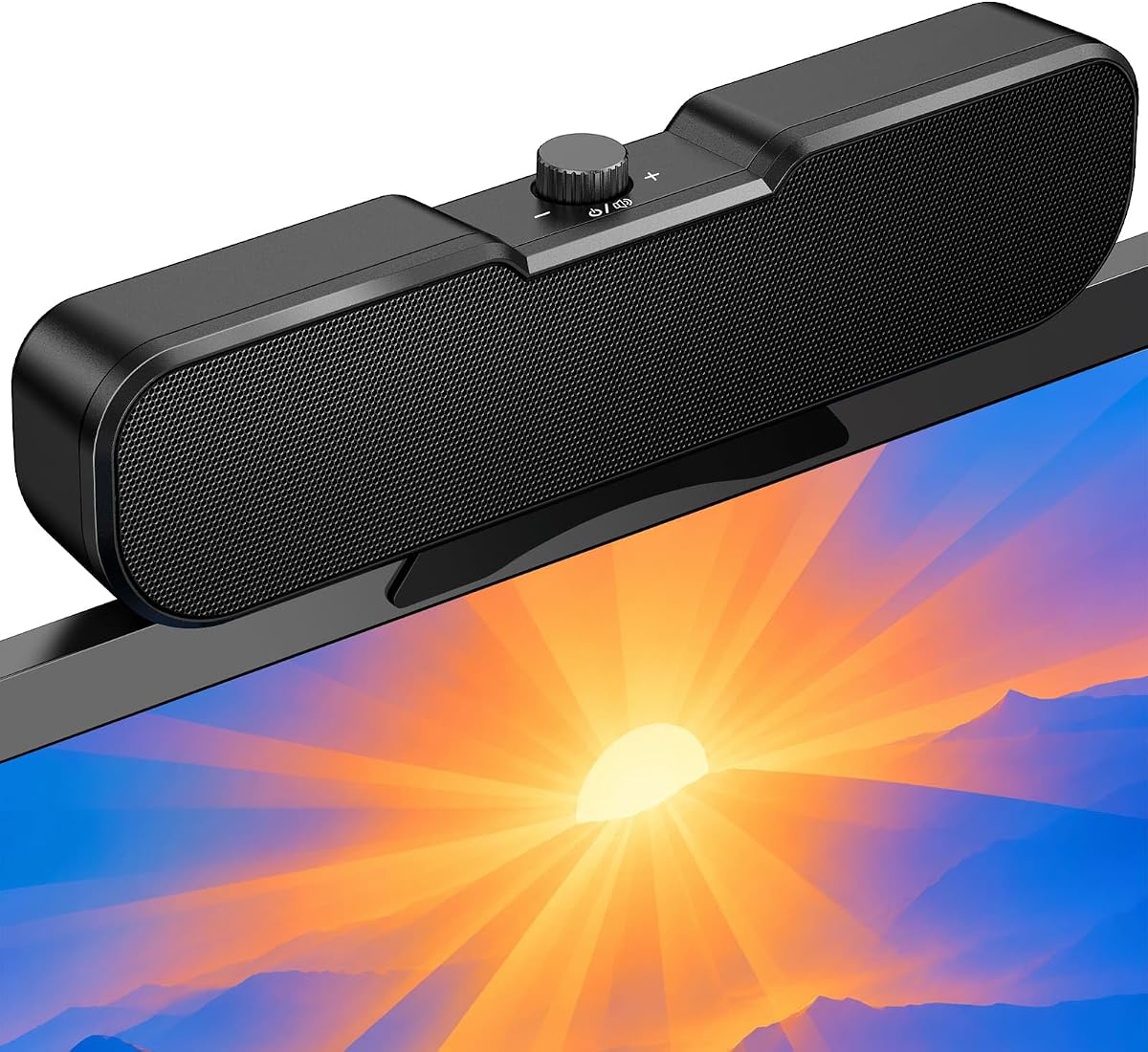
Affordable price point under fifteen dollars
Spring clip design for easy mounting
Three button controls on top panel
Discover the top clip on speakers for laptop models compared by audio quality, clip design, and compatibility for enhancing your computing experience.
Modern laptops often lack powerful built-in audio, making external speakers essential for media and calls. Clip on speakers offer a space-saving solution that mounts directly to your monitor or laptop screen.
We evaluated ten leading models based on sound quality, ease of installation, and connectivity options. Each product was assessed for its ability to deliver clear audio while maintaining a clean workspace setup.
Every pick includes detailed specs, pros, cons, and key features to help you choose. Please note that prices and availability can change frequently, so check current listings before purchasing.
4.2Editor score

4.5Editor score
4.2Editor score
This table provides a side-by-side view of all ten models. Compare key specifications like connectivity, mounting style, and special features to find the right fit.


This model stands out for its adaptive channel switching which uses a G-Sensor to orient audio correctly based on placement. It earns a solid 4.2 rating from users who appreciate the consistent stereo imaging.
We may earn a commission when you buy through this link, at no additional cost to you.
The dual ultra-magnetic drivers paired with passive radiators deliver loud sound with deep bass that fills a room. The USB-C adapter ensures compatibility with modern laptops like MacBooks without extra dongles.
Touch controls on the front allow easy muting and volume adjustment without reaching for software settings. However, users must ensure audio drivers are up to date for optimal performance.
Anyone needing reliable audio for a workstation will benefit from the space-saving clamp design. It balances convenience and sound quality effectively for daily multimedia tasks.
The G-Sensor technology automatically switches left and right channels when you clamp the speaker to the top or bottom of your monitor.
Included USB-C to USB adapter makes this speaker compatible with devices that only have USB-C interfaces like newer MacBooks and iPads.
We may earn a commission when you buy through this link, at no additional cost to you.
The OHAYO speakers achieve a high 4.5 rating by blending wired and wireless convenience with practical features like a built-in microphone. Users love the clarity during online meetings.
We may earn a commission when you buy through this link, at no additional cost to you.
Bluetooth 5.3 ensures stable transmission for gaming and music while USB power supports consistent output. The volume roller wheel offers precise control compared to standard buttons.
RGB lighting with audio sync creates a dynamic visual experience that enhances gaming setups. The G-Sensor guarantees left and right channels remain correct regardless of placement.
Ideal for users seeking a multifunctional speaker that handles calls and entertainment. Just ensure your monitor has enough thickness to support the clamp securely.
Long press the mode button to switch between Bluetooth and PC mode seamlessly for versatile audio streaming options.
The RGB lighting syncs with your music rhythm in real time adding a visual layer to your listening experience.
We may earn a commission when you buy through this link, at no additional cost to you.
Cirqon speakers impress with an innovative easy volume knob that consolidates power and audio control into one device. This simplicity earns it a 4.2 rating among users valuing straightforward operation.
We may earn a commission when you buy through this link, at no additional cost to you.
The sturdy clamp fits screens from 0.1 to 0.98 inches thick securely without slipping. Clear sound is delivered without distortion even at maximum volume levels.
A slim profile keeps your workspace organized while the included USB-C adapter covers modern laptop needs. The five-foot cable with a tie helps maintain a neat desk.
Perfect for professionals who prioritize function and neatness. It removes complexity from audio management with a reliable plug-and-play setup.
The innovative easy volume knob allows you to power on and adjust volume without navigating menus or multiple buttons.
Includes a high-quality USB-C adapter to ensure compatibility with Windows Mac Android and Linux devices.
We may earn a commission when you buy through this link, at no additional cost to you.
This model simplifies audio with a plug-and-play design that eliminates the need for separate volume buttons. It relies on system settings for adjustment which many users find convenient.
We may earn a commission when you buy through this link, at no additional cost to you.
Dual super-magnetic drivers deliver loud sound with deep bass despite the compact size. The passive radiator enhances low-frequency performance for a richer audio experience.
A USB-C adapter supports newer laptops while the clamp fits monitor thicknesses up to one inch. It keeps your desktop organized by mounting directly on your screen.
Great for users who want immediate sound without extra hardware. Just check your computer audio settings before use to ensure proper playback device selection.
The plug-n-play design means you can easily adjust volume directly on your computer system without extra buttons on the speaker.
Passive radiator technology delivers deep bass that enhances music and movie playback beyond standard laptop speakers.
We may earn a commission when you buy through this link, at no additional cost to you.
Designed with gamers and general users in mind this speaker features an M-Button for instant muting and a tactile volume wheel. It scores a 4.2 rating for its intuitive control layout.
We may earn a commission when you buy through this link, at no additional cost to you.
Immersive stereo sound comes from dual high-performance drivers and a passive bass radiator. The spring-loaded clip protects your monitor while attaching securely to various thicknesses.
It supports both USB and Type-C connections ensuring compatibility with Mac iPhone and iPad. A single cable handles power and audio for a clean setup.
Ideal for anyone who wants quick access to controls and reliable connectivity. The silent mute feature makes it perfect for sudden notifications during work or gaming.
Our unique M-Button combines one-touch Mute while the volume wheel provides smooth precise control that is faster than buttons.
These speakers work with virtually any system with a USB or Type-C port including smartphones gaming PCs and laptops.
We may earn a commission when you buy through this link, at no additional cost to you.
Inwa speakers offer exceptional value with a price under fifteen dollars and strong performance. They deliver 10 watts of power ensuring loud HD stereo sound for the price.
We may earn a commission when you buy through this link, at no additional cost to you.
The spring clip design makes it easy to attach the speaker to the top sides or bottom of your monitor. Silicone pads protect the screen during attachment.
Controls are straightforward with three buttons for volume up down and mute on the top panel. A USB-A to USB-C converter is included for versatility.
Best for users needing an affordable upgrade without extra cost. It eliminates cable clutter with a single USB connection for power and audio.
10 watts of power ensures that the speakers produce amazing sound quality that lifts and projects sound forward for a stereo experience.
There are three buttons on the top of the external speaker allowing you to adjust volume and mute in an effortless intuitive way.
We may earn a commission when you buy through this link, at no additional cost to you.
This model features dual 5W high-sensitive drivers that deliver surprisingly clear audio. It earns a 4.3 rating for its ability to upgrade built-in laptop audio significantly.
We may earn a commission when you buy through this link, at no additional cost to you.
The ultra-narrow clip attaches securely without blocking your view. An adjustable angle lets you direct sound exactly where you need it for optimal hearing.
Controls are simple with one-touch power volume and mute on the top panel. A built-in USB-C adapter supports Macs and Android devices without extra dongles.
Perfect for users with tight desktop space needing clear sound. It adapts to various thicknesses and keeps your workspace neat.
Enjoy immersive audio with our portable PC computer speaker featuring built-in dual 5W high-sensitive drivers that deliver balanced sound.
Our ultra-narrow clip securely attaches to the top of your monitor or sits flat on your desk adapting to various thicknesses.
We may earn a commission when you buy through this link, at no additional cost to you.
Data for this product is currently unavailable. We include the link for reference so you can check for updates or alternative options.
We may earn a commission when you buy through this link, at no additional cost to you.
Without specifications or images we cannot provide a detailed review of its features or performance. Please visit the link to see current status.
Some listings may be updated or discontinued over time. If this model becomes available we will update this section accordingly.
Best to focus on the other nine models with full data for now. This entry ensures transparency in our ranking list.
Data for this product is currently unavailable so we cannot provide a detailed review of its features or performance yet.
We may earn a commission when you buy through this link, at no additional cost to you.
Data for this product is currently unavailable. We include the link for reference so you can check for updates or alternative options.
We may earn a commission when you buy through this link, at no additional cost to you.
Without specifications or images we cannot provide a detailed review of its features or performance. Please visit the link to see current status.
Some listings may be updated or discontinued over time. If this model becomes available we will update this section accordingly.
Best to focus on the other nine models with full data for now. This entry ensures transparency in our ranking list.
Data for this product is currently unavailable so we cannot provide a detailed review of its features or performance yet.
We may earn a commission when you buy through this link, at no additional cost to you.
Data for this product is currently unavailable. We include the link for reference so you can check for updates or alternative options.
We may earn a commission when you buy through this link, at no additional cost to you.
Without specifications or images we cannot provide a detailed review of its features or performance. Please visit the link to see current status.
Some listings may be updated or discontinued over time. If this model becomes available we will update this section accordingly.
Best to focus on the other nine models with full data for now. This entry ensures transparency in our ranking list.
Data for this product is currently unavailable so we cannot provide a detailed review of its features or performance yet.
We may earn a commission when you buy through this link, at no additional cost to you.
Selecting the right clip on speakers involves considering connectivity, sound quality, and physical fit for your specific setup.
Ensure the speaker supports USB or USB-C depending on your laptop ports. Some models offer Bluetooth for added flexibility.
Check that the included adapter matches your device for plug and play functionality.
Look for clamps with non-slip pads to protect your monitor. Adjustable clips fit various thicknesses for secure mounting.
Confirm the clamp supports the thickness of your monitor or laptop screen.
Check for dual drivers and passive radiators which enhance bass and volume. Stereo separation is key for a realistic experience.
Higher wattage often means louder sound without distortion at high volumes.
Models with physical knobs or buttons allow quick volume changes. Mute buttons are useful for frequent conferencing.
Touch controls offer modern aesthetics but may be less precise than dials.
Verify support for your operating system whether Windows Mac or Linux. Some features may require drivers.
USB audio output is standard but not all monitor USB ports support audio.
Built-in microphones help with calls without needing a headset. RGB lighting can add visual flair to gaming setups.
Consider power consumption if running on battery or limited ports.
Choose models with sturdy builds that withstand daily use. Rubberized clips last longer than plastic only.
Check warranty terms to ensure support if issues arise.
Balance cost with needed features. Budget options can still deliver clear audio without extra bells and whistles.
Higher price usually means better materials and more advanced connectivity.
Attach the speaker firmly to the top or side of your monitor ensuring it is secure. Adjust the angle for better sound direction.
Connect the USB cable to your laptop and select the speaker as the default playback device in settings.
Keep the clip clean by wiping with a dry cloth to maintain grip. Avoid placing heavy items on the speaker when detached.
Most models fit monitors between 0.1 and 1.26 inches thick. Check the clamp specs to ensure it supports your specific screen thickness.
Most are plug and play via USB. Some systems may require audio driver updates for full functionality or features.
Yes but ensure your laptop has USB or USB-C audio output. Some may require a hub if USB ports are shared.
Slim models are designed to stay out of the way. Adjust the clip height to avoid obscuring your view.
Dual drivers and passive radiators provide immersive sound suitable for casual gaming. For high fidelity consider larger desktop speakers.
Most draw power via USB which simplifies setup. You do not need separate power adapters for standard use.
Models with Bluetooth allow switching via a mode button. Ensure you keep the USB connection for power in both modes.
Yes silicone pads on clamps protect the screen surface. Ensure the clip is secure to prevent accidental slips.
Top picks like OHAYO and Cirqon offer standout features for different needs. We hope this guide helps you find the perfect audio upgrade.
Prioritize connectivity and clip design for a smooth experience. Sound quality matters for long term satisfaction.
Remember to check current prices and availability before buying. These models are widely available for quick shipping.