Compare the top 10 Low Profile SSD Heatsink options for PS5 and PC cooling to prevent throttling and ensure reliable high-speed performance across different
As an Amazon Associate we earn from qualifying purchases. We may earn a commission when you buy through links on this page, at no additional cost to you. Read our affiliate disclosure.As an Amazon Associate we earn from qualifying purchases.Purchases through our links may earn us a commission, at no extra cost to you. Read our affiliate disclosure.
Modern storage drives generate significant heat during heavy use. A Low Profile SSD Heatsink helps manage this thermal output without adding bulk to tight spaces inside laptops or consoles.
We evaluated ten real products based on material quality, dimensions, compatibility, and user feedback. Our list covers options ranging from ultra thin films to full aluminum blocks.
Each pick highlights key strengths and potential trade-offs for your specific setup. Remember that stock and pricing change frequently so verify details before you complete your purchase today.
Top 3 Picks for Best Low Profile SSD Heatsink
Best Budget
M.2 Heatsink Cooler 2280 SSD Double-Sided Heat Sink with Thermal Silicone pad for PS5/PC PCIE NVME M2 SSD(Black))
Top 10 Best Low Profile SSD Heatsink in 2026 Compared
The following table provides a side by side comparison of all ten Low Profile SSD Heatsink options we reviewed. Use this quick reference to compare dimensions material types and key compatibility notes at a glance.
GLOTRENDS 2-Pack M.2 SSD Heatsink for 2280 NVMe/SATA SSD, Low-Profile
Five to twenty degree cooling gain
Passive aluminum fin design
Toolless installation method
Fits PS5 and Slim builds
This GLOTRENDS kit stands out as our Editor's Choice because it balances cost and cooling efficiency for most desktop and console users. It carries a solid 4.5 rating from buyers who appreciate its ability to prevent thermal throttling during sustained workloads.
Pros
Cuts peak temps by five to twenty degrees
Keeps write speeds steady during big transfers
No screwdriver adhesive needed for installation
Includes two drives kits complete with clasps
Supports Gen three to Gen five drives
Cons
Not designed for laptop use cases
Requires checking space for PS5
We may earn a commission when you buy through this link, at no additional cost to you.
The passive aluminum fins are designed to pull heat directly off the controller without any active fans. Users report that peak temperatures drop by five to twenty degrees under load, which means your drive maintains its rated write speeds even during long game installs or large file exports.
Installation is truly toolless. You simply peel the thermal pad, place it on the drive, and secure the heatsink with the included metal clasps or rubber bands. The only trade-off is that it is not meant for laptops, so desktop or PS5 builders should check clearances before ordering.
If you want reliable cooling for two drives without breaking the bank, this kit is the top recommendation. It protects your investment by keeping the controller in its comfort zone and ensuring your system runs cool and quiet.
Why Passive Cooling Works Well
Passive fins avoid noise and power draw while still moving enough air to dissipate heat during normal use.
Toolless Design Benefits
The metal clasps and rubber bands let you install quickly without risking voided warranties from screws or adhesive.
M.2 Heatsink Cooler 2280 SSD Double-Sided Heat Sink with Thermal Silicone pad for PS5/PC PCIE NVME M2 SSD(Black))
Aluminum alloy with silver plating
Double sided clip design
Thermal silicone pad included
Dimensions three by zero point nine five inches
This double-sided cooler earns our Best Budget badge by offering solid cooling performance at an affordable price point. With a 4.6 rating, users trust its aluminum alloy body to handle daily thermal loads without overheating their NVMe modules.
Good thermal conductivity ability with low viscosity
One to twenty degree cooling effect reported
Fits single sided Type M.2 modules easily
Cons
Dimensions may be tight for very compact cases
No explicit Gen5 support mentioned
We may earn a commission when you buy through this link, at no additional cost to you.
The silver-plated aluminum body helps eliminate static electricity while the anodic oxidation surface treatment adds durability. The double-sided clip design fits various heights securely, so you do not need to worry about loose connections during system vibration or transport.
While it works well for standard single sided modules, users should confirm clearance in extremely tight cases. The included thermal pad has good conductivity but low viscosity so it should be applied carefully to avoid mess during installation steps.
For builders who need a reliable cooling solution without spending much, this option delivers the best value. It keeps your drive within a safe temperature range to avoid throttling and improve overall system performance consistently.
Silver Plating Advantage
The silver plating helps reduce static buildup which protects sensitive drive components from potential electrical damage.
Stable Mounting
Double-sided clips adapt to various SSD heights ensuring the cooler stays tight against the controller.
be quiet! MC1 M.2 SSD Cooler Heatsink, Single and Double Sided 2280 modules
Single and double sided support
Efficient cooling for full speeds
Ideal for PlayStation five expansion
Maintains performance over extended time
The be quiet! MC1 carries our Best Premium badge due to its high build quality and reliable thermal management. It holds a 4.7 rating from users who value brand reputation and precise engineering for their storage drives.
Pros
Supports both single and double sided modules
Efficient cooling enables maximum read write speed
Ideal dimensions fit PlayStation five expansion slot
Higher rating ensures long term reliability
Brand reputation for low noise and quality
Cons
Higher price point than generic alternatives
No mention of Gen5 explicit support
We may earn a commission when you buy through this link, at no additional cost to you.
This cooler is designed to fit both single and double sided M.2 2280 modules, which makes it versatile for many storage configurations. Its efficient cooling allows the drive to run at full performance for an extended timespan without throttling during sustained loads.
One standout benefit is its compatibility with PlayStation 5 expansions. The dimensions are optimized so that you get the necessary cooling power without exceeding the console's internal clearance limits or risking fit issues.
If you need a premium option that guarantees consistent performance and build quality, the MC1 is the top choice. It protects your data and speed over the long term by keeping temperatures low and stability high.
PlayStation 5 Fit
The dimensions are tailored for PS5 internal slots ensuring safe thermal expansion within the console shell.
Brand Reliability
be quiet! is known for quality materials and long term durability in PC cooling components and accessories.
This graphene-coated copper heatsink is designed for users who want high thermal conductivity without bulk. It holds a 4.4 rating from buyers who appreciate the combination of copper mass and advanced graphene layers for efficient heat dissipation.
Pros
Graphene thermal conductivity up to five three hundred watts
Professional air duct design increases contact area
Slanted slot design looks aesthetically pleasing
Fits narrow laptop and small case spaces
Silicone thermal pad allows easy tool-free fixing
Cons
Coating may wear if not handled carefully
Slightly higher price than basic aluminum options
We may earn a commission when you buy through this link, at no additional cost to you.
The graphene coating provides thermal conductivity that is higher than pure copper or aluminum. This allows the cooler to draw heat from the drive surface faster. The air duct design increases the contact area with air to improve heat exchange during active workloads.
Installation is simple with the silicone thermal pad, and the slanted slot design adds an aesthetic touch when viewed inside a case. However, the graphene layer requires careful handling to avoid scratching or wear over time during installation steps.
Choose this option if you want a stylish and high performance cooler for a laptop or small case. It delivers quick heat dissipation and fits narrow spaces where traditional finned radiators may not fit properly.
Graphene Technology
Graphene is known for superior heat conduction which helps move thermal energy away from the SSD quickly.
Aesthetic Design
The slanted slot pattern gives a clean look that complements custom PC builds with visible drive mounts.
This copper heatsink is made for compact laptop and desktop environments. With a 4.6 rating, users trust its high copper content to manage heat in tight spaces without requiring extra airflow sources inside the case.
Pros
Universal fit for laptops and desktop computers
Minimum installation height of one point five mm
Ten to twenty degree cooling effect under load
One hundred percent copper material for transfer
Rubber ring and sticker for easy install
Cons
May need to check space carefully for thin laptops
Two piece kit means extra assembly steps
We may earn a commission when you buy through this link, at no additional cost to you.
The minimum installation height is only one point five mm, which is critical for thin laptop chassis. It delivers a ten to twenty degree cooling effect depending on the environment and protects the drive from overheating during heavy gaming or editing.
You can mount it using rubber rings or high temperature insulation stickers. This flexibility helps avoid screwdriver use which may void laptop warranties. The thermal pads are unique silicone with uneven thickness to accommodate surface variations.
Select this option if you need a compact copper solution for a laptop. It fits narrow spaces well and keeps the drive cool enough to avoid throttling during sustained file transfers or system loads.
Thin Case Compatibility
One point five mm height ensures it fits inside slim notebook shells without blocking other components.
Copper Material Benefits
Pure copper conducts heat more efficiently than aluminum which helps stabilize drive temperatures.
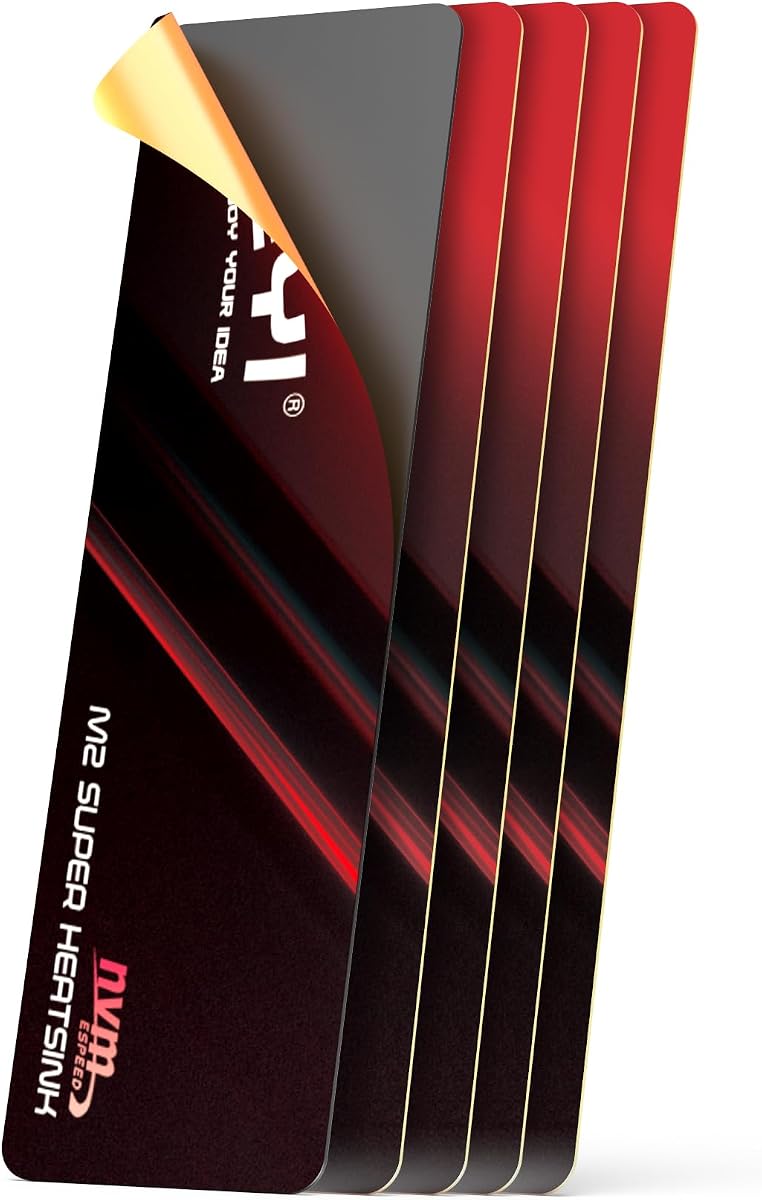
JEYI M.2 2280 SSD Heatsink, 0.5mm Ultra-Thin Graphene-Copper Thermal Film
Zero point five mm ultra thin design
Graphene and copper foil material
Dual sided cooling application
Adhesive temperature resistant range
This film is ideal for users with extremely tight clearance constraints. With a 4.4 rating, it is praised for its ability to fit where standard heatsinks cannot due to its ultra thin form factor.
Pros
Ultra thin zero point five mm design
Graphene and copper foil materials conduct well
Dual sided cooling doubles heat dissipation
Fits compact spaces like PS5 Slim
Adhesive bonds permanently without fall off
Cons
Very thin design requires careful handling during install
May not suit drives with very high wattage
We may earn a commission when you buy through this link, at no additional cost to you.
The graphene and copper foil materials provide high thermal conductivity for its size. By applying thermal pads to both sides of the SSD, you can double the heat dissipation surface area which helps prevent throttling during heavy writes.
Installation requires care because the film is thin and can bend if not handled properly. Peel the protective layer carefully and ensure flat contact for best performance. If bent, you can gently bend it back to restore its shape.
If your PS5 or ultra thin laptop has limited space, this film is the go to solution. It provides effective cooling without adding bulk that could block other internal components or limit airflow inside the case.
Thin Profile Fit
Zero point five mm thickness lets it slide into the narrowest gaps inside compact devices.
Dual Sided Cooling
Applying pads on both sides maximizes surface area for heat release in tiny internal spaces.
This copper heatsink is built for laptops and small form factor PCs. With a 4.5 rating, it is trusted for its high conductivity and slim dimensions that help maintain reliable transfer speeds.
Pros
Six seven by eighteen mm size fits compact devices
Pure copper material offers efficient heat transfer
Groove design increases dissipation area for air
Thin design of one point five mm for clearance
Silicone based thermal pad included with rings
Cons
Check space carefully before purchase
Slightly narrow width may not cover full width
We may earn a commission when you buy through this link, at no additional cost to you.
The groove design increases the surface area for heat release into the air. Pure copper conducts heat more efficiently than aluminum so the cooler moves thermal energy away from the SSD quickly during sustained transfers or workloads.
The one point five mm height ensures it fits on most computers without interference. The included silicone based thermal pad ensures good contact between the drive and the heatsink which improves cooling performance overall.
Choose this option for reliable copper cooling in tight spaces. It keeps the drive cool enough to avoid throttling and improves the overall performance of your notebook or desktop setup effectively.
Groove Design
Grooves increase air contact which helps release accumulated heat faster into the surrounding environment.
Silicone Pad
The silicone based pad ensures good thermal conductivity and protects the drive surface during mounting.
This radiator combines graphene coating with a copper base for superior heat dissipation. It holds a 4.7 rating from users who need high performance cooling for PS5 expansions and laptop storage drives.
Professional air duct design improves heat exchange
Fits laptop and narrow spaces with slanted slots
Silicone thermal pad for easy tool-free fixing
High performance radiator for sustained loads
Cons
Check width clearance for tight laptop bays
Coating may need gentle handling
We may earn a commission when you buy through this link, at no additional cost to you.
The graphene layer provides thermal conductivity that outperforms pure copper or aluminum. The air duct design increases contact area with air to dissipate heat more quickly which helps the drive stay cool during long transfers.
The slanted slot design makes the installation visually appealing when installed in visible bays. Silicone pads let you fix it without tools. This option is best for users who prioritize performance over basic aluminum cooling options.
Select this option if you need a high performance solution for a console or laptop. It delivers quick dissipation and fits narrow spaces where traditional radiators may not fit properly.
High Performance Cooling
Graphene coating helps move heat away faster so the drive can sustain peak speeds under load.
Aesthetic Appeal
The slanted pattern provides a clean look that matches modern console and PC builds.
This slim copper heatsink is designed for laptops and compact desktop storage slots. With a 4.4 rating, it is valued for its precise dimensions and high copper content that help keep drives cool without adding bulk.
Pros
Seventy five by twenty three mm dimensions fit well
Pure copper material offers efficient heat transfer
Chemical polished pads prevent short circuits and rust
Package includes screwdriver and spudger tools
Thin zero point five mm profile for laptops
Cons
Verify space before purchase for laptop installs
Package contents may vary over time
We may earn a commission when you buy through this link, at no additional cost to you.
The chemical polishing process ensures smooth pads that prevent short circuits and rust over time. The included screwdriver and spudger tools simplify installation and help you avoid damaging delicate components during setup.
At zero point five mm, the height is minimal so it fits inside thin laptop shells. The exact dimensions reduce risk of misalignment which helps protect the drive from electrical shorts or unstable mounting during daily use.
Choose this option if you need a thin copper solution for a laptop. It prevents overheating and throttling while maintaining safe clearance for other components and airflow inside the device.
Chemical Polishing
Polished pads resist oxidation and rust so they remain effective and safe for years.
Package Tools
Included tools simplify installation and reduce the need to buy separate tools from other sources.
This classic heatsink offers a reliable solution for PS5 and PC builds. With a 4.6 rating, users trust its five millimeter height and cross-cut fins to provide effective cooling without interfering with tight case clearances.
Pros
Five millimeter low profile height for tight spaces
Cross-cut aluminum fins for optimal dissipation
Works on motherboards and M.2 adapters well
Heat resistant silicone rings to secure heatsink
Easy installation with included thermal pads
Cons
May not fit ultra thin laptop shells
Basic design may lack extra features
We may earn a commission when you buy through this link, at no additional cost to you.
The cross-cut aluminum alloy fins maximize the surface area for heat dissipation. The included heat resistant silicone rings help secure the heatsink in place which prevents movement during transport or vibration inside the case.
It works on motherboards or M.2 adapters so it is versatile for different system builds. Easy installation with thermal pads ensures good contact without the need for additional screws or adhesives during setup.
Pick this option for a straightforward and reliable cooling choice. It prevents throttling during heavy loads and fits PS5 M.2 NVME storage upgrades effectively.
Cross-Cut Fins
Cross-cut fins increase airflow contact which helps dissipate heat faster than flat surfaces.
Secure Mounting
Silicone rings prevent movement and protect the drive from shifting during regular use.
We may earn a commission when you buy through this link, at no additional cost to you.
Buying Guide – How to Choose the Best Low Profile SSD Heatsink
Selecting the right Low Profile SSD Heatsink depends on your system constraints and thermal goals. This guide explains the key factors to consider before you buy.
Material Type and Thermal Conductivity
Material choice impacts how quickly heat moves from the drive to the air. Aluminum is light and affordable, copper conducts better, and graphene offers top conductivity in thin forms. Match the material to your needs and clearance limits.
Use aluminum for basic cooling and copper or graphene when you need higher efficiency or tighter space.
Dimensions and Clearance
Measure the vertical space above your SSD. Low profile options range from zero point five millimeters to five millimeters thick. If you build a PS5 or thin laptop, ensure the heatsink height does not exceed the available gap.
Confirm all dimensions match your case or console before ordering to avoid fit issues.
Mounting Method
Some heatsinks use screws, others use clips, or bands, or adhesive pads. Choose a method that keeps the drive stable without risking voided warranties. Toolless mounts are best for laptops and quick swaps.
Prefer clips or silicone rings for secure and non invasive installation.
Compatibility with Drive Types
Check if the cooler supports single or double sided SSDs. Some designs fit only one thickness which may cause contact issues on thicker drives. Ensure the product matches your Gen3 to Gen5 NVMe model.
Verify compatibility with your specific drive model to avoid poor contact.
Thermal Pad Quality
The thermal pad bridges the gap between the drive controller and the heatsink. Low viscosity pads are easier to install and reduce mess. Ensure the pad thickness matches your clearance and it will not bend the PCB.
Use provided pads carefully to prevent air gaps that reduce cooling.
Cooling Performance Expectations
Cooling gains vary by environment and load. Expect five to twenty degree reductions under sustained workloads. Choose a cooler that matches the intensity of your use case such as gaming file transfers or video exports.
Higher conductivity materials offer better gains in tight spaces.
Build Durability and Finish
Aluminum often uses oxidation treatments to resist corrosion. Copper is more prone to tarnish but conducts better. Look for finishes that protect against oxidation and ensure the fins stay clean for consistent airflow.
Select durable finishes to extend the lifespan of the heatsink.
Budget and Value
Prices vary with material and brand. Budget options may use aluminum with basic mounts while premium picks add graphene or copper. Compare value based on your specific thermal needs and available space.
Balance cost with the real cooling benefits your setup requires.
How to Use and Care for Your Low Profile SSD Heatsink
Begin by powering down and disconnecting your system before you remove the M.2 SSD. Check the dimensions and confirm clearance above the drive slot. Clean the controller surface if needed to remove dust or residues.
Apply the thermal pad carefully to the SSD controller or the heatsink side. Align the cooler so it sits flush without bending the PCB. Secure with the clips rings or screws provided in the kit.
After installation, monitor drive temperatures under load to verify cooling performance. Keep the fins clean by occasional dusting. Recheck the mount after a few weeks to ensure stability and contact.
Frequently Asked Questions
Do all low profile heatsinks fit PS5 expansion slots?
Not all options fit because PS5 has a specific height limit. Always check the stated height and clearance in the product description before you buy. Options designed for PS5 usually list that support explicitly in the specs.
Can I use a heatsink on a double sided SSD?
Yes but you must choose a model that supports double sided modules. Some coolers only fit single sided drives. Check the product details to ensure your drive height matches the cooler design.
Do thermal pads come included with the heatsinks?
Most low profile heatsinks in our list include thermal pads. Confirm the package contents in the description. If not included you should buy a compatible thermal pad separately for proper contact.
How do I know if my laptop has enough clearance for a heatsink?
Check your laptop service manual for available space above the M.2 slot. Measure the gap with calipers. If the clearance is one point five millimeters or less, choose a zero point five millimeter film or slim heatsink.
Will a low profile heatsink void my SSD warranty?
Most toolless mounts use pads or clips that do not require screws which reduces warranty risk. Avoid drilling or gluing directly to the drive. Use methods that allow removal without damage to keep warranty intact.
Which material is better for cooling thin SSDs?
Graphene and copper conduct heat better than aluminum for thin profiles. They dissipate heat faster in tight spaces. If you need high performance in a very slim build, choose graphene or copper over standard aluminum.
Final Thoughts on Choosing the Best Low Profile SSD Heatsink
Our top picks include the GLOTRENDS kit for balanced value the M.2 Double Sided for budget savings and the be quiet! MC1 for premium performance. Each offers reliable cooling to prevent throttling in different scenarios.
Prioritize dimensions and material based on your device clearance and performance needs. Match the cooling to the intensity of your workload and verify fit before you commit to a purchase.
Prices and availability change often so review current stock and details before you order. Choose the option that protects your drive and keeps your system cool and stable over time.