
GravaStar Mercury M1 Pro
4.5Editor score
26K DPI Sensor
4K Polling Rate
Tri-Mode Connectivity
This guide compares the top high DPI mice for 4K gaming precision featuring wireless options, optical sensors, and customizable controls for competitive play.
Finding the right high DPI mouse for 4K gaming precision is essential for serious gamers seeking pixel-perfect tracking and control during intense sessions.
We evaluated ten top models based on sensor accuracy, wireless latency, build quality, and ergonomics to help you choose the perfect tool for your setup.
Each pick highlights unique strengths and ideal use cases so you can match your gaming style with the right device while noting that availability may vary.
4.5Editor score

4.4Editor score
4.4Editor score
This side-by-side comparison helps you evaluate key specifications across all ten models to find the best fit for your high resolution gaming needs.
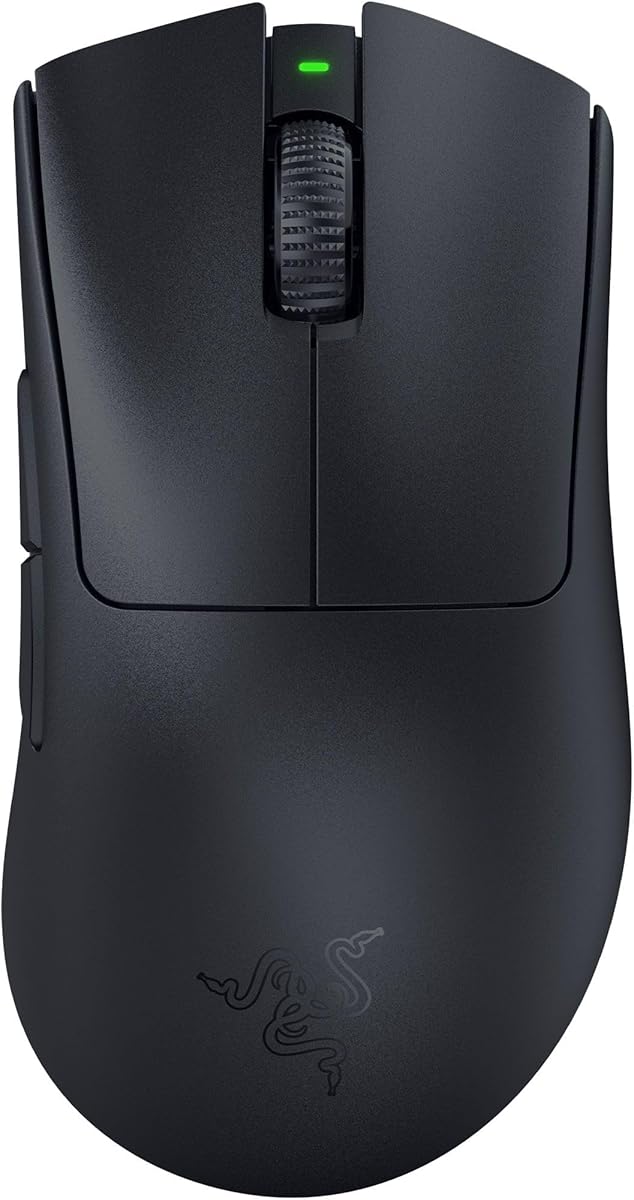




The Razer Basilisk V3 Pro stands out as a top-tier option for gamers needing high DPI precision on 4K displays. With a Focus Pro 35K Optical Sensor and up to 140 hours of battery life, it delivers consistent performance without frequent interruptions.
We may earn a commission when you buy through this link, at no additional cost to you.
Its 13 customizable controls allow deep personalization while the HyperScroll tilt wheel offers both free-spinning speed and tactile precision. The optical mouse switches ensure zero double-click issues and rapid actuation during intense matches.
While excellent, the true 8000 Hz polling rate requires separate accessories like the Mouse Dock Pro. Additionally, its ergonomic design favors larger hands so users with smaller grips might prefer lighter alternatives.
Gamers seeking a balanced wireless mouse with premium features and long-lasting comfort will find this model highly satisfying. It remains a reliable choice for competitive play and everyday desktop tasks alike.
The Focus Pro 35K sensor ensures flawless tracking even on glass surfaces thanks to intelligent functions and 1 DPI step adjustments.
Up to 140 hours of battery life on Razer HyperSpeed wireless means you can play non-stop without worrying about frequent recharging.
We may earn a commission when you buy through this link, at no additional cost to you.
The Razer DeathAdder V3 Pro is a streamlined choice for gamers who prioritize speed and agility. Weighing just 63 grams and featuring a Focus Pro 30K Optical Sensor, it offers effortless movement and accurate tracking on 4K screens.
We may earn a commission when you buy through this link, at no additional cost to you.
Its iconic ergonomic form has been refined based on feedback from esports pros ensuring comfort during long sessions. The optical switches provide rapid actuation and durability up to 90 million clicks without double-clicking issues.
Although it lacks RGB and has fewer buttons than other models, its performance focuses purely on competitive play. Some users might miss the tactile feedback of a scroll wheel with more features or RGB customization options.
This model is ideal for players who want a no-frills wireless mouse that excels at fast flicks and precise aim. Its lightweight build makes it a strong contender for tournament-ready setups.
At 63 grams this mouse reduces wrist fatigue and enables faster swipes favored by top players in competitive esports environments.
Razer HyperSpeed wireless delivers low latency connectivity that remains smooth and stable even in noisy wireless gaming environments.
We may earn a commission when you buy through this link, at no additional cost to you.
The Razer Basilisk V3 Pro Custom offers a blend of performance and personalization suited for immersive gaming experiences. It features a Focus Pro 30K Optical Sensor and up to 150 hours of battery life on Bluetooth modes.
We may earn a commission when you buy through this link, at no additional cost to you.
With 11 programmable buttons and 13-zone Chroma lighting you can tailor both function and aesthetics to match your setup. The HyperScroll tilt wheel adds versatility by switching between free-spin and tactile modes effortlessly.
While highly versatile the added features may increase weight slightly compared to ultra-light gaming mice. Also reaching the highest polling rates needs additional hardware which can add to the overall investment.
Gamers who value style and extensive customization will find this model rewarding. It balances everyday usability with high-performance traits making it suitable for varied workflows and gaming genres.
Over 16.8 million colors and 13 zones let you create unique lighting profiles that react to over 150 integrated games.
Choose between Bluetooth or Razer HyperSpeed wireless to optimize battery life or performance based on your current session needs.
We may earn a commission when you buy through this link, at no additional cost to you.
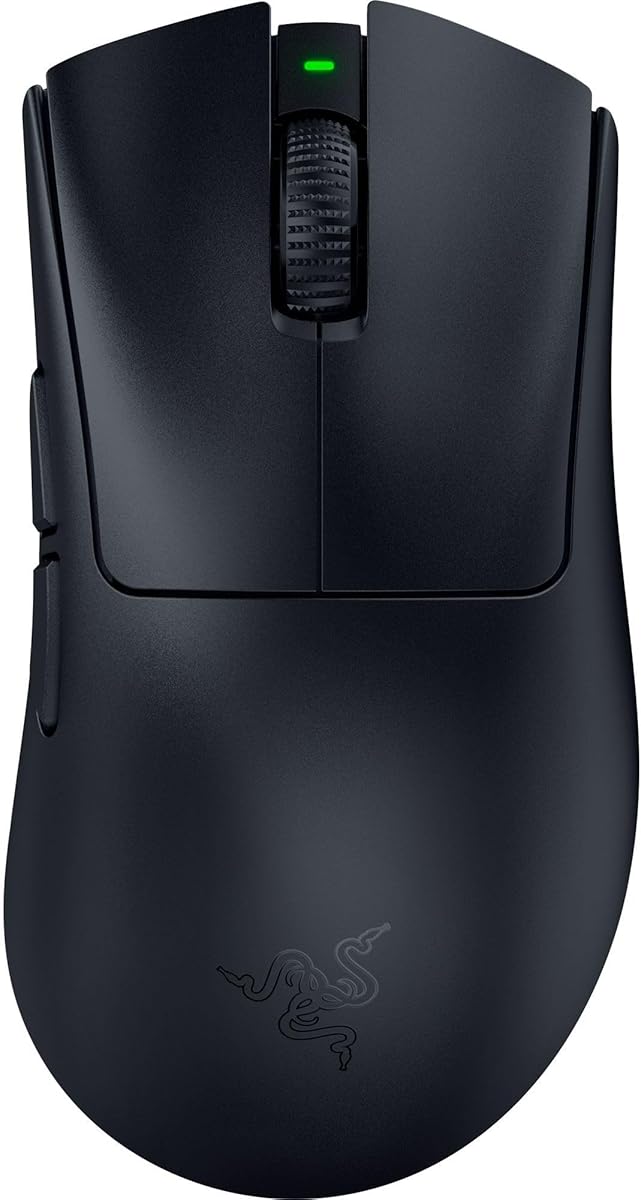
The Razer DeathAdder V4 Pro represents the pinnacle of wireless gaming mouse technology. Its 45K DPI Focus Pro Optical Sensor and 8K polling rate provide unmatched responsiveness for competitive gamers targeting pixel-perfect accuracy on 4K screens.
We may earn a commission when you buy through this link, at no additional cost to you.
Weighing only 56 grams it delivers ultra-light control ideal for fast-paced FPS titles. The Gen-4 optical switches and scroll wheel ensure durable tactile feedback with up to 100 million clicks.
The advanced features come at a premium price which might not suit all budgets. Casual users may not notice the differences between 1K and 8K polling in everyday tasks.
For serious competitors seeking every possible edge this model offers top-tier performance. Its combination of light weight and high polling rate makes it a standout choice for esports-level precision.
The 45K DPI sensor with 99.8% accuracy ensures reliable tracking across surfaces for shooters and MOBA gameplay.
Razer HyperSpeed Wireless Gen-2 delivers up to 8000 Hz polling for responsive input in high-stakes gaming scenarios.
We may earn a commission when you buy through this link, at no additional cost to you.
The GravaStar Mercury M1 Pro offers impressive performance for its price point. Equipped with a PAW3395 sensor and up to 26,000 DPI it delivers accurate tracking and a 4K polling rate for fast response times.
We may earn a commission when you buy through this link, at no additional cost to you.
Its magnesium alloy shell provides structural strength and a premium feel while tri-mode connectivity lets you switch between 2.4G Bluetooth or wired connections easily. The 200 hour battery life supports extended gaming sessions without interruption.
At 88 grams it is heavier than many ultra-light competitors which may affect speed in fast-paced games. The software is functional but lacks the polish of larger brands.
Budget-conscious gamers seeking robust build quality and modern polling speeds will find this model appealing. It balances cost and performance well for those upgrading from older wired peripherals.
The sculpted ergonomic form made of magnesium alloy reduces fatigue during long sessions while providing a unique aesthetic appeal.
Switch instantly between 2.4G Bluetooth and wired modes to adapt to different environments without losing connection stability.
We may earn a commission when you buy through this link, at no additional cost to you.
The ATTACK SHARK RS3 Ultra combines a premium carbon fiber shell with cutting-edge wireless performance. Powered by Nordic Nordic54L15 and supporting up to 52,000 DPI and 8K polling it delivers exceptional speed and accuracy.
We may earn a commission when you buy through this link, at no additional cost to you.
Its web-based driver allows customization without installing desktop software which simplifies setup and updates. With up to 800 hours of battery life and dual-layer skates it supports long gaming sessions with minimal friction.
Relying on a browser-based driver might inconvenience users without constant internet access. Also the limited physical buttons mean fewer quick-access options for complex game macros compared to heavier rivals.
Gamers who value ultra-lightweight designs and modern connectivity will appreciate this model. It stands out for its blend of aesthetic and high-performance specs at a competitive price.
The carbon-fiber hybrid shell provides enhanced structural strength and stable handling while keeping weight low at 63 grams.
Customize buttons DPI and macros directly through a web browser to avoid installing extra desktop software on your PC.
We may earn a commission when you buy through this link, at no additional cost to you.
The Logitech G502 Hero remains a staple for gamers preferring a wired connection and extensive customization. Its next-gen HERO sensor tracks up to 25,600 DPI with zero smoothing and 11 programmable buttons offer deep control.
We may earn a commission when you buy through this link, at no additional cost to you.
The adjustable weights let you personalize balance to match your grip and playing style. Mechanical switch tensioning provides crisp click feedback and consistent response during long play sessions.
Its wired design limits freedom of movement compared to wireless mice and the weight may fatigue wrists over time. Modern wireless alternatives offer similar sensor quality without the cable.
Users who prefer tactile feedback and precise weight control will find this model reliable. It delivers solid performance for both gaming and productivity tasks at an accessible price point.
Arrange up to five 3.6g weights to match your playing style and achieve a personalized balance configuration.
Fully customizable RGB lighting can synchronize with your gaming software to enhance visual immersion during matches.
We may earn a commission when you buy through this link, at no additional cost to you.
The Redragon M916 Wireless delivers impressive specs for its price with a 49g ultra-light build and 26K DPI sensor. Its 4K transmission tech ensures fast response times and low consumption for competitive gaming.
We may earn a commission when you buy through this link, at no additional cost to you.
Tri-mode connectivity allows switching between Bluetooth 2.4G and wired so you can adapt to any environment. Five programmable buttons and customizable tactical keybinds help streamline your workflow during gameplay.
Some users may find the lightweight construction too fragile or the software less polished than premium brands. Additionally the button layout offers fewer options compared to multi-button mice.
This model suits budget gamers wanting a lightweight wireless option with modern polling. It provides reliable performance for casual to semi-competitive play without overspending.
Weighing only 49 grams this mouse offers the fastest cleanest and fully controlled movement with no extra effort during play.
Gear with BT and 2.4GHz nano receiver to offer the purest mouse moving experience and rise your KDA in games.
We may earn a commission when you buy through this link, at no additional cost to you.
The Razer Basilisk V3 Wired brings high-end features to a wired design. Its Focus plus 26K DPI optical sensor ensures pixel-precise accuracy and intelligent functions while the 11 programmable buttons add flexibility for macros.
We may earn a commission when you buy through this link, at no additional cost to you.
Optical switches Gen-2 deliver crisp execution at 0.2ms actuation with up to 70 million clicks. The HyperScroll tilt wheel lets you speed through content or switch to tactile mode for precision feedback.
Being wired means no battery worries but it limits movement range. Some users may prefer wireless freedom even at the cost of needing frequent charging.
Gamers seeking reliability and RGB customization without wireless cost will find this mouse satisfying. It remains a trusted option for those who prioritize consistent performance and tactile control.
Favored by millions worldwide the mouse supports the hand perfectly while buttons are optimally positioned for quick access.
Customize 11 Chroma zones with over 16.8 million colors to react dynamically with integrated games for greater immersion.
We may earn a commission when you buy through this link, at no additional cost to you.
The Logitech G703 Lightspeed offers pro-level wireless connectivity and proven sensor accuracy. The HERO 25K sensor delivers 1:1 tracking up to 25,600 DPI and zero smoothing for reliable precision on high-resolution monitors.
We may earn a commission when you buy through this link, at no additional cost to you.
Its lightweight comfort design includes rubber side grips and metal-spring button tensioning for consistent feedback. POWERPLAY wireless charging support ensures you never worry about battery life during extended use.
At 95 grams it is heavier than many modern gaming mice which could impact speed in fast flick scenarios. The POWERPLAY system also requires a separate purchase for full charging convenience.
Gamers valuing ergonomic comfort and trusted wireless performance will appreciate this model. It suits both casual and competitive users looking for a reliable everyday wireless mouse.
LIGHTSPEED wireless delivers pro-level responsiveness for high performance gameplay with battery life up to 35 hours.
Metal-spring button tensioning keeps primary buttons poised to trigger with less force for exceptional response.
We may earn a commission when you buy through this link, at no additional cost to you.
Selecting the right mouse requires understanding several key factors that impact accuracy speed and comfort during intense gaming sessions.
High DPI sensors allow precise tracking on 4K displays so look for optical sensors with at least 25K DPI and low smoothing to maintain pixel-level accuracy.
Prioritize sensors with 1-DPI adjustment and high IPS to ensure consistent performance during fast movements without jitter.
Polling rate determines how often the mouse sends data to your PC so 4K or 8K rates reduce input lag for competitive scenarios.
Ensure wireless mice support modern protocols like HyperSpeed or Lightspeed to match wired performance during critical moments.
Ergonomic shape and weight affect comfort and control so choose between lightweight designs for speed and heavier mice for stability.
Test grip style compatibility with your hand size to avoid fatigue during marathon gaming or work sessions.
Wireless convenience requires stable low-latency connections while wired mice eliminate battery concerns but limit movement.
Tri-mode mice offer flexibility to switch between Bluetooth 2.4G and wired based on your current activity needs.
More programmable buttons allow deeper macro integration essential for complex games or productivity workflows.
Look for intuitive software or web drivers to configure DPI levels macros and lighting without cluttered installations.
Long battery life ensures uninterrupted play so check rated hours per charge especially if wireless is your preferred mode.
Support for charging docks or POWERPLAY systems can simplify maintenance and extend usage across sessions.
Materials like carbon fiber or magnesium alloy add structural integrity and premium feel while maintaining lightweight performance.
Switches rated for 90 to 100 million clicks ensure longevity and reliable tactile feedback over time.
Balance cost with features since premium models offer 8K polling while budget options still deliver strong DPI and wireless stability.
Evaluate which specs truly impact your gameplay to avoid overspending on capabilities you won't fully use.
Begin by downloading the manufacturer's software or accessing the web driver to calibrate DPI settings and customize button mappings to your preferences.
Place the mouse on a consistent surface like a cloth or hybrid pad to maintain tracking accuracy and avoid sensor errors on reflective or uneven materials.
Regularly clean the sensor lens and skates with a soft dry cloth to prevent dust buildup and ensure smooth gliding across long gaming sessions.
For 4K gaming a DPI between 1000 and 4000 typically offers smooth tracking and control. Higher DPI settings like 25K are useful for quick movement but lower values reduce jitter for accurate aiming.
Modern wireless technology like 8K polling matches wired input speeds with negligible latency. Ensure your PC and mouse support the required dongle or protocol to achieve these rates.
Disable enhance pointer precision in Windows settings to prevent acceleration. Use the mouse software to set fixed DPI levels and ensure your polling rate matches your monitor's refresh rate.
Lag on high DPI can come from insufficient polling rate surface noise or outdated drivers. Update firmware and test different surfaces or reduce DPI slightly for smoother movement.
Lighter mice around 60 grams favor fast flicks and reduce wrist fatigue. Heavier mice may provide stability for tracking but can slow down quick movements in competitive scenarios.
Yes high DPI mice offer precise cursor control for productivity as well. Customizable buttons and ergonomics also benefit designers and professionals needing accuracy and comfort.
Optical switches typically last 90 to 100 million clicks with no double-click issues. They avoid physical contact for faster actuation and more consistent tactile feedback.
Recharge frequency depends on usage and polling rate but most last 100+ hours per charge. Using lower polling or RGB settings can extend battery life between charges.
The Razer Basilisk V3 Pro GravaStar Mercury M1 Pro and Razer DeathAdder V4 Pro lead the list with top-tier sensors wireless performance and customization options.
Prioritize ergonomics and polling rate to match your play style while considering build quality and battery life for long-term satisfaction and reliability.
Always verify current pricing and availability as deals change frequently and selecting the right model ensures optimal performance for your 4K gaming setup.