
1080P60 HDMI Video Encoder H.265/H.264 Live Streaming Encoder
4.0Editor score
Compact palm sized design
Browser based setup
Low bandwidth usage
OSD overlay support
Compare the top H265 H264 HDMI Iptv Encoders for 2026 including 4K and 1080p models with RTSP RTMP SRT protocol support and browser control options.
Selecting the right encoder is crucial for professional broadcasting and streaming setups. Modern devices support H.265 and H.264 compression to deliver high quality video over IP networks efficiently.
This guide evaluates ten leading models based on protocol support, resolution capabilities, and ease of use. We analyze hardware features, compatibility with major streaming platforms, and overall value for different user needs.
Each pick highlights key strengths and potential limitations to help you decide. Note that product availability and pricing can change frequently so verify details before purchasing your new streaming equipment.
4.0Editor score

4.5Editor score

4.3Editor score
The following table provides a side by side overview of the key specifications for each model. Compare resolution limits, protocol options, and unique features to find the exact fit for your workflow.



This URayCoder model leads our list with strong 4K support and versatile streaming options. It achieves a solid 4.5 rating from users who value professional features without complex software requirements.
We may earn a commission when you buy through this link, at no additional cost to you.
The device handles 4K inputs at 30fps and converts them efficiently to H.265 or H.264 streams. You can push content to YouTube Facebook or Twitch simultaneously using protocols like RTMP RTSP and HLS.
Users note the stable transmission quality and low latency performance. While the initial setup requires basic networking skills the intuitive web interface makes ongoing management simple for most scenarios.
It is ideal for broadcasters needing 4K clarity and multi platform output. If you require reliable professional grade encoding this model delivers consistent results for live events and content delivery.
The encoder maintains detailed visuals even at 4K resolutions ensuring your content looks professional on large screens.
Support for SRT HLS and RTSP allows you to adapt to various network conditions and streaming platforms seamlessly.
We may earn a commission when you buy through this link, at no additional cost to you.
This encoder stands out with a high 4.7 rating and extensive protocol support suitable for surveillance and streaming. It balances price and performance well for users needing NVR compatibility.
We may earn a commission when you buy through this link, at no additional cost to you.
The device supports 4K input and delivers high quality 1080P streams with minimal latency. You can connect it to various platforms including YouTube and Facebook directly from the hardware.
Users appreciate the dual audio inputs and the ability to manage streams remotely via a web interface. It works seamlessly with ONVIF compatible systems for broader integration options.
Choose this unit if you need reliable multi platform streaming and security system integration. Its feature rich design offers great value for both live streaming and monitoring applications.
ONVIF support makes it easy to connect with existing network video recorders and monitoring software.
HDMI embedded and line-in audio inputs allow you to mix sources for clearer sound quality.
We may earn a commission when you buy through this link, at no additional cost to you.
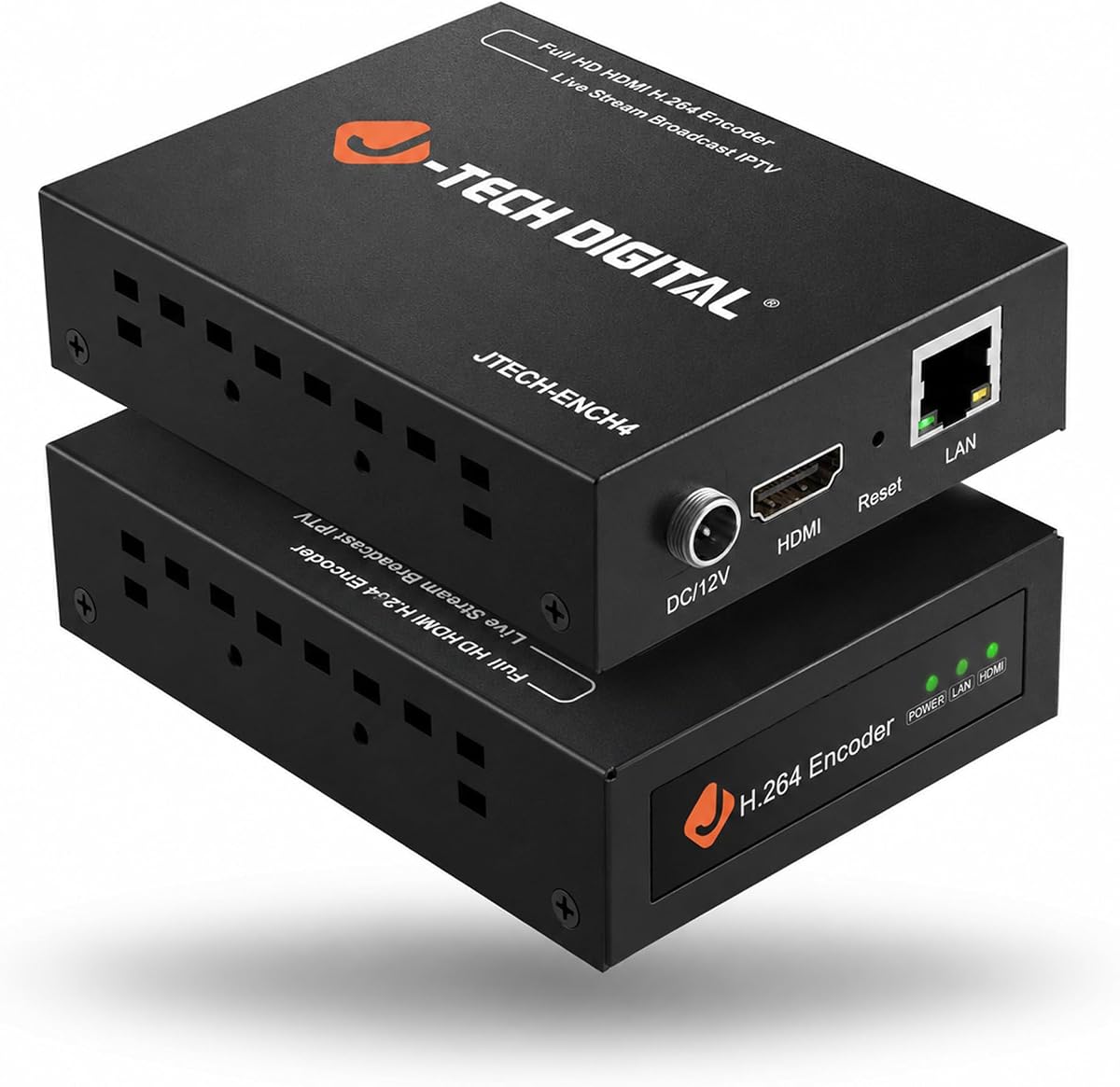
J-Tech Digital offers a premium encoder that accepts 4K 60Hz signals while outputting stable 1080P streams. It is praised for its flexible audio and visual controls via the web GUI.
We may earn a commission when you buy through this link, at no additional cost to you.
You can fine-tune contrast brightness and rotation remotely without touching the device. The main stream remains at high quality while substreams provide adaptive options for different viewers.
Audio customization includes bitrate management and layer selection which is rare in this category. Users value the lifetime technical support and US based service team for troubleshooting.
This encoder suits professional setups requiring high frame rate inputs. Its detailed control options make it a strong choice for broadcasters who want precise adjustments.
Handling 60Hz input ensures smooth motion capture for sports and fast-paced events.
Adjustable contrast and rotation settings let you tailor the output to your specific needs.
We may earn a commission when you buy through this link, at no additional cost to you.
This compact encoder is designed for simplicity and portability. It delivers broadcast quality 1080P streams without requiring any dedicated software or drivers on your computer.
We may earn a commission when you buy through this link, at no additional cost to you.
Users can configure streaming settings directly through a web browser which reduces setup time significantly. Its palm sized design fits easily behind monitors or in small equipment racks.
The unit supports major protocols like RTMP and HLS making it compatible with most streaming services. Low power consumption allows for 24/7 operation without overheating concerns.
It is perfect for casual streamers or those with limited desk space. If you need a plug-and-play solution this model removes the technical barriers to live broadcasting.
Its tiny footprint means you can mount it anywhere without cluttering your workspace.
No drivers or apps are needed so you can focus on streaming instead of IT tasks.
We may earn a commission when you buy through this link, at no additional cost to you.
This encoder is built for multi camera setups and enterprise use. It allows multiple HDMI inputs each capable of dual stream output for different destinations.
We may earn a commission when you buy through this link, at no additional cost to you.
Businesses benefit from SDK API and customization services such as logo printing and firmware development. The unit offers robust control over stream quality and protocol selection.
While it requires more investment it provides reliability and scalability for broadcast environments. Users report stable performance when pushing content to various streaming servers simultaneously.
Choose this model for professional production environments needing flexibility. It supports advanced workflows that standard consumer encoders cannot handle effectively.
Branding and firmware options allow you to tailor the device to your specific company requirements.
Handling multiple sources reduces the need for additional hardware in complex setups.
We may earn a commission when you buy through this link, at no additional cost to you.
This URayCoder unit focuses on stable 1080P delivery with efficient H.265 encoding. It is well received for its ability to handle HDCP sources seamlessly.
We may earn a commission when you buy through this link, at no additional cost to you.
The device outputs crisp video with realistic color reproduction suitable for live streaming and monitoring. It supports common protocols ensuring compatibility with most streaming services.
Users appreciate the low latency performance which keeps the stream in sync with the source. The intuitive interface allows quick setup without needing technical expertise.
Ideal for users needing reliable HD streaming with minimal hassle. It balances quality and ease of use effectively for everyday broadcasting needs.
Decryption support ensures protected content sources can be streamed without compatibility errors.
Reliable transmission means fewer drops and interruptions during live events.
We may earn a commission when you buy through this link, at no additional cost to you.
This model stands out for its Power over Ethernet capability which simplifies cabling in AV setups. It also includes analog audio input for external mixers.
We may earn a commission when you buy through this link, at no additional cost to you.
The encoder accepts 4K inputs and supports broadcasting to multiple platforms. Users can add logos or custom no signal images to the stream for branding purposes.
It is designed for venues like churches or event spaces where clean power and data lines are preferred. The OS control ensures a polished look for viewers.
Great for professional AV installations requiring simplified wiring. The extra inputs and PoE support add convenience that reduces overall setup complexity.
PoE means one cable provides both power and data reducing clutter behind the rack.
The analog audio input allows you to connect mixers for better sound mixing.
We may earn a commission when you buy through this link, at no additional cost to you.
This encoder supports a wide array of protocols including ICECAST for audio streaming. It accepts 4K inputs and delivers dual audio options for enhanced sound quality.
We may earn a commission when you buy through this link, at no additional cost to you.
Users can manage the device via a web interface that supports real time viewing of stream status. It is compatible with most major streaming platforms and servers.
The dual audio inputs allow mixing of embedded and external sounds. The high protocol support makes it flexible for specialized network configurations.
Best for advanced users needing specific audio protocol support. It combines 4K visual quality with robust networking options.
ICECAST support makes this unit unique for radio style audio broadcasting over IP.
Input flexibility allows you to add commentary or ambient sound to video streams.
We may earn a commission when you buy through this link, at no additional cost to you.
This portable encoder is ideal for mobile streaming scenarios. It weighs only 32g and draws power from USB which eliminates extra adapters.
We may earn a commission when you buy through this link, at no additional cost to you.
You can control it remotely via a cloud system and edit OSD text in real time. This feature is useful for adding dynamic info during live events.
Its small size allows installation in tight spaces. Users praise its efficiency and ability to work with third party decoders.
Perfect for on the go broadcasting where space is limited. The cloud controls add value for teams managing multiple devices.
Tiny size and USB power make it easy to carry and deploy in different locations.
Real time OSD editing lets you change text instantly without interrupting the stream.
We may earn a commission when you buy through this link, at no additional cost to you.
This encoder has a perfect 5.0 rating from users who value simplicity and performance. It supports H.265 encoding to maintain quality with low bit rates.
We may earn a commission when you buy through this link, at no additional cost to you.
Dual streams allow different resolutions for different viewers. Telnet and Web UI access offer multiple ways to manage the device.
It is ideal for internal networks with bandwidth limitations. The unit adapts to LAN WAN constraints without compromising visual clarity.
Top choice for reliable 4K delivery over constrained networks. Its simple management tools make it friendly for various technical levels.
Low bitrate encoding keeps stream quality high even on limited connections.
Choose between Web UI and Telnet for management based on your preference.
We may earn a commission when you buy through this link, at no additional cost to you.
Choosing the right encoder involves balancing resolution needs, protocol support, and budget. We explain the main factors to consider.
Look for encoders that match your source input. Some units support 4K 60Hz input but output only 1080P. Ensure the model can handle your camera or deck resolution.
Prioritize 4K input support if you need future proofing. Otherwise 1080P models save cost and bandwidth while remaining sharp.
Verify that the device supports RTMP RTSP SRT or HLS. These determine where you can send your stream. Most platforms require RTMP but SRT offers better network resilience.
Choose a model with multiple protocols for flexibility. You may need to switch between YouTube and private servers later.
Some encoders only take embedded HDMI audio. Others add a 3.5mm line-in for mixers. This matters if you need external microphones.
Dual audio inputs give you control. Use them to balance background music with commentary.
PoE enabled models simplify cabling by combining power and data. Standard units use power adapters. Decide based on your rack setup.
PoE is ideal for remote locations. Standard power works for desktop use.
Check if the encoder has a browser based control page. This removes the need for desktop software. It also allows remote management.
A good web UI simplifies setup. Ensure it allows bitrate and resolution adjustments.
Look for features to add logos or scrolling text. This is useful for branding during live events. Not all models allow this.
OSD customization adds a professional touch. Check if it supports real time editing.
Low latency is vital for interactive streaming. Some units introduce delay due to buffering. Check specs for latency claims.
Lower latency is better for chat or Q&A. Use SRT to reduce delays on bad networks.
Manufacturers often offer one year warranties. Some include lifetime technical support. This helps if firmware updates fail.
Check support hours and location. Local teams can resolve issues faster.
Connect your HDMI source to the encoder and plug it into power. Access the web interface using the default IP address found in the manual.
Enter your streaming details like server URL and key. Test the stream with VLC by accessing the output IP. Adjust bitrate to match your upload speed.
Keep the unit ventilated to prevent overheating. Update firmware periodically to fix bugs. Reset settings if you encounter network conflicts.
H.265 provides better compression efficiency allowing you to stream higher quality video at lower bitrates. It reduces bandwidth by up to 50 percent compared to H.264 while maintaining clarity.
Yes most models operate independently once configured. They stream directly to servers via Ethernet. You only need a browser to set them up initially.
Some encoders accept 4K 60Hz input but output 1080P 60Hz due to hardware limits. If you need full 4K 60 output ensure the specs confirm this capability.
Yes PoE models require a PoE enabled switch to receive power through the Ethernet cable. Standard switches will only provide data without power.
SRT is a protocol that reduces packet loss on unstable networks. It keeps your stream smoother during live events where internet conditions vary.
Most encoders allow you to upload a PNG file via the web interface. You can position it on the video frame using OSD settings.
The stream will pause or buffer until connectivity returns. Some models record locally but most do not store data permanently without extra steps.
You can use these as external encoders sending data to OBS via IP. However OBS has its own software encoding built in for simpler setups.
We highlighted ten reliable options ranging from compact 1080P units to robust 4K models. Each was chosen for its streaming protocol support and ease of use.
Prioritize models that offer the resolution and protocols you need today. Consider PoE and multi-channel features if you plan to expand later.
Verify current availability and pricing before ordering. Product details can change so review the latest specs to ensure the best fit.