
uni USB C to Ethernet Adapter
4.6Editor score
Driver Free Operation
Stable 1Gbps Connection
Lightweight Aluminum Casing
This guide compares the top 10 Ethernet adapters for Android phones to help you find reliable wired connectivity for gaming, streaming, and stable internet
Modern Android phones often lack built-in Ethernet ports, making wired connections challenging without an adapter. A good adapter ensures stable internet for gaming and streaming without Wi-Fi interruptions.
We evaluated ten top-rated USB-C and Micro USB adapters based on speed, compatibility, build quality, and value. Our list includes options for budget users and those needing premium features like power delivery.
Each pick highlights key strengths and potential trade-offs to help you decide quickly. Prices and availability may change, so check current listings before purchasing to ensure you get the best deal.
4.6Editor score

4.5Editor score

4.6Editor score
This side-by-side comparison highlights the key specifications and features of all ten selected adapters to help you quickly identify the best fit for your device needs.




This BENFEI adapter stands out for its reliability and speed, earning a solid 4.5 rating. It provides consistent Gigabit Ethernet connections perfect for Android phones needing wired access.
We may earn a commission when you buy through this link, at no additional cost to you.
The braided nylon cable ensures longevity while the aluminum casing helps manage heat during long downloads or streaming sessions. Its compact design fits easily in pockets.
While it requires a CAT6 cable for full speed, this is standard for Gigabit networks. It is not compatible with the Nintendo Switch, limiting use cases slightly.
Ideal for Android users wanting stable internet without Wi-Fi interruptions. The 18-month warranty adds peace of mind for daily or travel use.
Designed specifically for plug-and-play connections, it provides Gigabit Ethernet even when wireless is inconsistent or over extended distances.
User-friendly non-slip design allows for easier plug and unplug with a snug fit for better signal transfer protection.
We may earn a commission when you buy through this link, at no additional cost to you.
This uni adapter offers excellent value with a high 4.6 rating and straightforward driver-free setup for Android devices. It delivers stable 1Gbps speeds for everyday internet needs.
We may earn a commission when you buy through this link, at no additional cost to you.
Its thoughtful design includes a non-slip grip and braided cable for durability. The aluminum casing ensures better heat dissipation during extended use.
It lacks Nintendo Switch compatibility and focuses on core performance rather than extra features. Still, it meets most Android wired connection requirements efficiently.
Perfect for budget-conscious users seeking reliability. The 18-month warranty and responsive service add significant value to this purchase.
Plug-and-play design connects USB-C devices to wired networks seamlessly even when wireless is unstable.
Compact and lightweight with non-slip features making it easy to connect without blocking adjacent ports.
We may earn a commission when you buy through this link, at no additional cost to you.
This adapter is a niche choice for older Android devices or Raspberry Pi units lacking Ethernet ports. It supports Micro USB OTG connections with driver-less Android operation.
We may earn a commission when you buy through this link, at no additional cost to you.
It adds 10/100M wired network capability which is useful for basic tasks or legacy setups. The indicator light helps diagnose connection status quickly.
Android users must check if their device supports Ethernet menus in settings. Speeds are limited to Fast Ethernet rather than Gigabit performance.
Ideal for specific needs on older hardware. Verify compatibility before buying since most modern phones use USB-C instead.
Compatible with Android 4.0 or up for easy operation without requiring additional software installation.
Enables devices to share hard disk files and printers securely over a stable wired connection.
We may earn a commission when you buy through this link, at no additional cost to you.
This 2-in-1 adapter allows Android devices to stay charged while connected to a wired network. It supports up to 140W Power Delivery for fast charging.
We may earn a commission when you buy through this link, at no additional cost to you.
It is ideal for high-bandwidth tasks like 4K streaming with low latency and minimal power loss. The braided cable adds strain resistance.
Chromecast with Google TV compatibility makes it a strong choice for smart home setups. The aluminum housing improves durability and cooling.
Great for users who need power and internet simultaneously. Ensure your device supports PD charging to maximize this feature.
Integrated USB-C PD port supports up to 140W power delivery keeping devices charged during heavy use.
Built with lightweight aluminum housing for improved durability and heat dissipation during daily use.
We may earn a commission when you buy through this link, at no additional cost to you.
UGREEN delivers exceptional reliability with a 4.7 rating and broad device support including Android, Switch, and Windows. Setup is straightforward and driver-free on most systems.
We may earn a commission when you buy through this link, at no additional cost to you.
Its aluminum alloy case dissipates heat faster than plastic while the LED indicator shows status at a glance. It is compact and easy to carry.
Linux users may need to install drivers manually which adds a small hurdle. Standard 1Gbps speeds are sufficient for most general needs though.
A top pick for versatility and build quality. Great for travelers who need one adapter for multiple devices.
Supports fast speeds up to 1000Mbps perfect for work, gaming, streaming, or downloading with stable connection.
Adds a Gigabit RJ45 port to devices without built-in Ethernet for reliable access when WiFi is unavailable.
We may earn a commission when you buy through this link, at no additional cost to you.
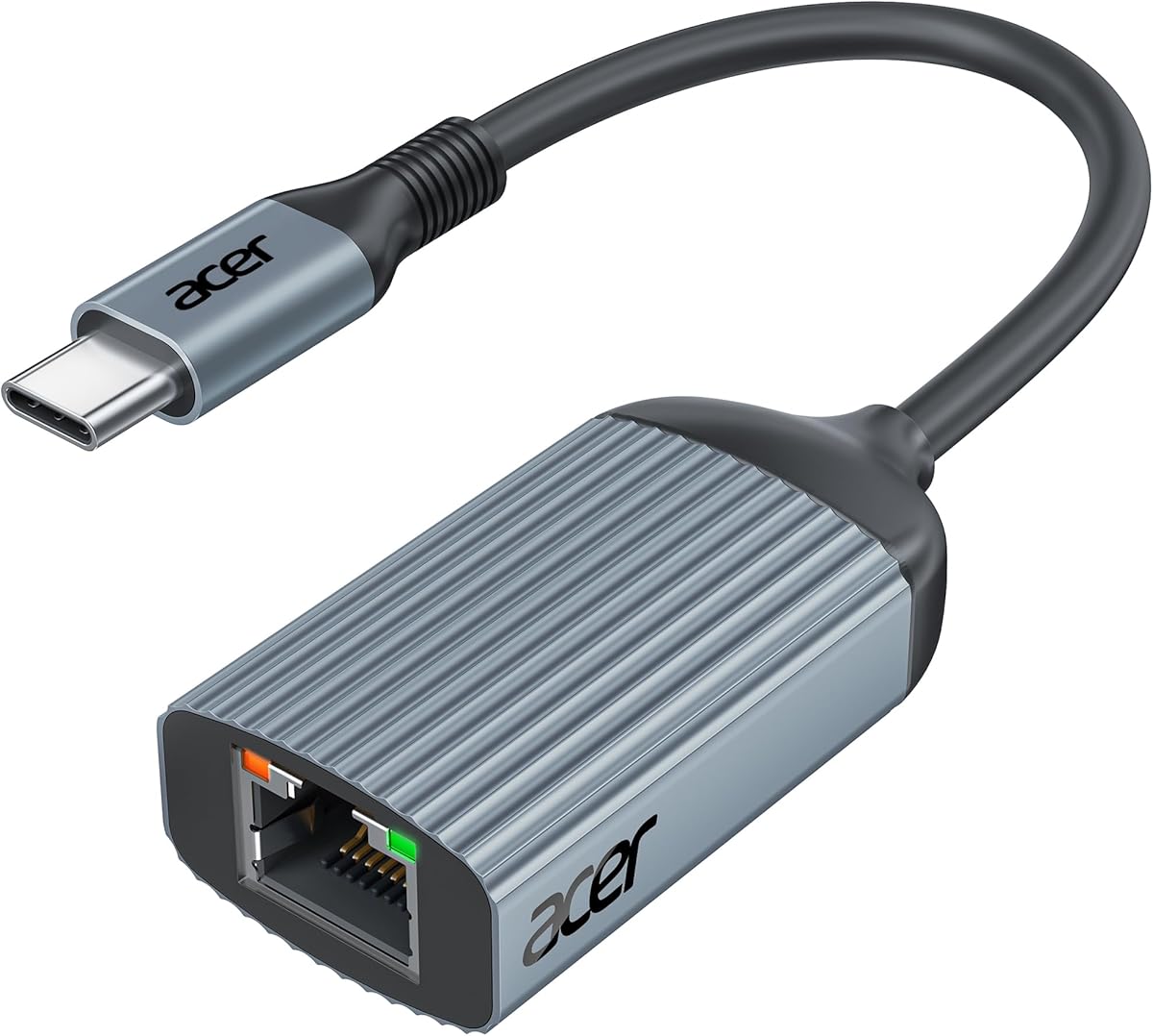
Acer offers a simple, effective solution with a 4.4 rating and updated chipset for low power consumption. It works flawlessly for stable internet on phones and tablets.
We may earn a commission when you buy through this link, at no additional cost to you.
Its strong design includes two indicators for quick diagnosis and heat-dissipating aluminum. It fits easily into a travel bag for work.
It focuses on basic functionality without extra ports like charging. Still it meets the core need of a stable wired connection well.
Good for users preferring minimalism and reliable performance. The hassle-free warranty adds confidence to the purchase.
Updated RTL8153B chip ensures peak run at full speed consuming low power and reducing heat dissipation.
Adopts high-quality aluminum and reinforced ports resistant to frequent plugging and unplugging for lasting durability.
We may earn a commission when you buy through this link, at no additional cost to you.
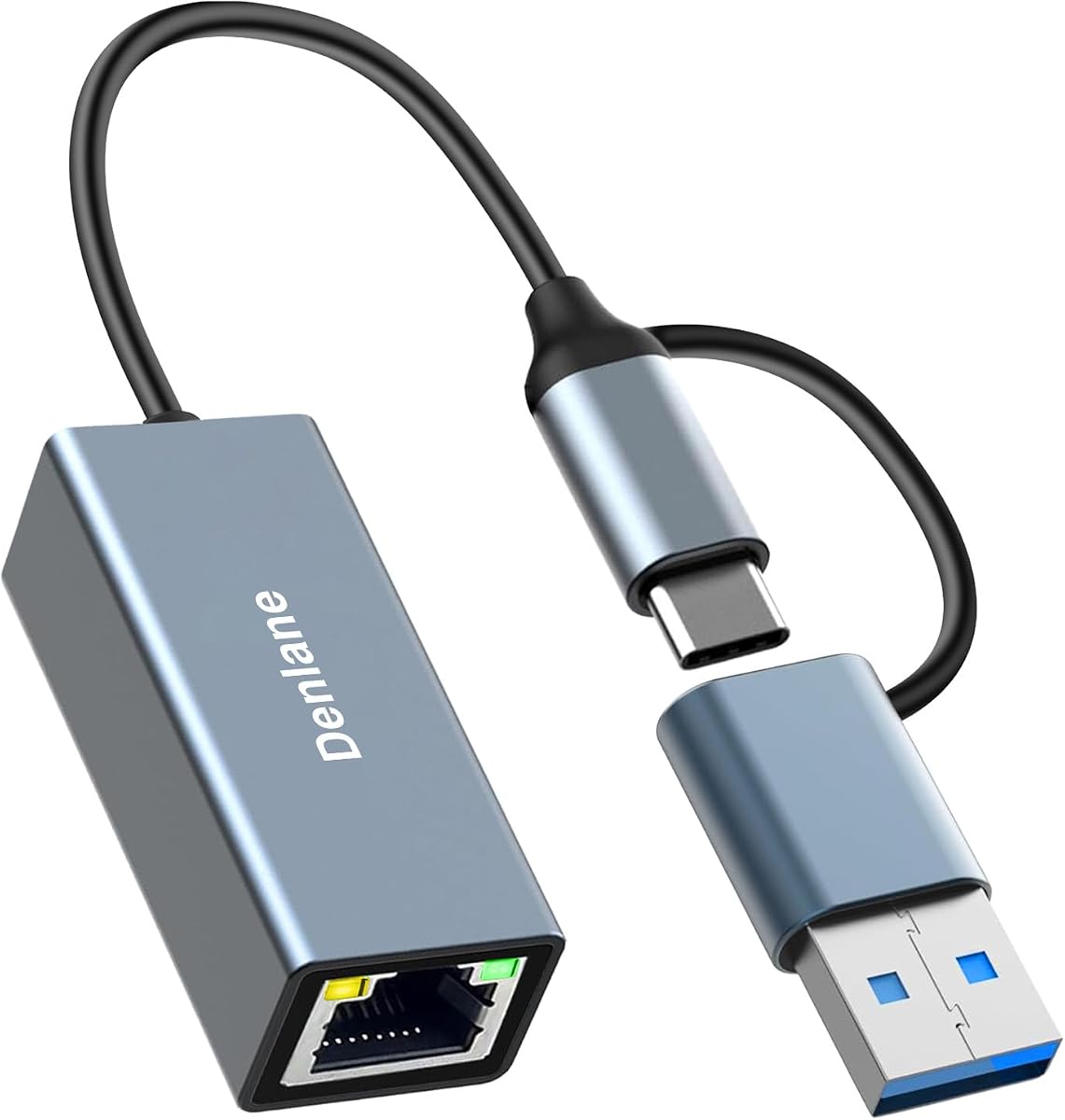
This adapter features a unique dual-interface design supporting both USB-A and USB-C for versatile connection scenarios. It delivers stable 1000Mbps network speeds for gaming.
We may earn a commission when you buy through this link, at no additional cost to you.
Its soft adjustable cable withstands over 10,000 bends and connects easily to laptops or mobile phones. The aluminum alloy build feels sturdy and smooth.
It is slightly larger due to the dual connectors but remains functional for various devices. A solid choice for older ports too.
Ideal for households with mixed USB types. Ensure you have the correct cable type for your Android device.
Unique design meets various scenarios using USB A or USBC interface for excellent performance up to 1Gbps.
Cable is soft and adjustable tested to be bent more than 10,000 times for long-lasting durability.
We may earn a commission when you buy through this link, at no additional cost to you.
Monoprice offers the highest speed at 5 Gbps with a perfect 5.0 rating. It is perfect for devices supporting faster connections than standard Gigabit.
We may earn a commission when you buy through this link, at no additional cost to you.
Its robust aluminum housing withstands daily wear and tear while remaining compact for travel. Installation requires no drivers for most systems.
It is powered by the USB-C port needing no extra adapters. This makes it easy to use with Android phones directly.
Best for power users needing maximum throughput. Check device compatibility to ensure it supports speeds above 1Gbps.
Faster connection than over Wi-Fi with robust aluminum housing that withstands daily wear and tear.
Requires no drivers for Windows, macOS, Chrome OS, or Android devices making setup instant.
We may earn a commission when you buy through this link, at no additional cost to you.
This adapter features a unique RJ45 male plug design connecting to your daily USB-C cable for wired network access without carrying extra gear.
We may earn a commission when you buy through this link, at no additional cost to you.
It supports 1000Mbps auto-negotiation with a compact aluminum shell for efficient heat dissipation. Overcurrent protection safeguards your devices.
You must have your own USB-C cable to use it which adds a step. Linux systems also need manual driver downloads.
Great for travel and business trips needing reliable networks. The design eliminates bulky separate Ethernet cables effectively.
Break the limit of traditional dongles by connecting daily USB-C to C data cable to access wired network.
Tiny lightweight size fits easily in laptop sleeve and smooth aluminum housing delivers premium texture and fast heat dissipation.
We may earn a commission when you buy through this link, at no additional cost to you.
UGREEN provides future-proof performance with 2.5Gb support and a 4.6 rating. It enables devices to run at full speed for immersive gaming.
We may earn a commission when you buy through this link, at no additional cost to you.
Its updated Realtek chip ensures peak run at low power. The sleek aluminum design includes indicator lights for clear status at a glance.
It requires 2.5Gb capable routers to achieve full speeds which might need network upgrades. But it flexibly works at 1Gb too.
Best for users ready to upgrade their network speeds. A solid investment for modern devices and streaming needs.
Supports internet speed of up to 2.5Gb enabling devices to run at full speed for unbelievable fast downloads.
Equipped with updated RTL8156BG chip ensuring network always at peak run with low power and stable performance.
We may earn a commission when you buy through this link, at no additional cost to you.
Choosing the right adapter involves considering speed, connector type, build quality, and specific features like power delivery.
Most adapters offer Gigabit speeds up to 1Gbps which is standard for streaming and gaming. Higher speed options like 2.5G or 5Gbps exist but need compatible devices.
Prioritize Gigabit speed for stable downloads. Only look beyond if your router and network support higher speeds.
Modern Android phones use USB-C connectors. Verify your device has a USB-C port for compatibility. Older devices might use Micro USB adapters.
Ensure the connector matches your phone. USB-C is the standard for current models and future-proofing.
Aluminum housings dissipate heat better than plastic during long sessions. Braided cables offer better durability and bend resistance over time.
Look for aluminum cases and reinforced cables for longevity and better heat management during heavy use.
Most Android devices support driver-less connections via USB OTG. Ensure the adapter works immediately without software installation.
Choose drivers-free options to avoid compatibility issues. Most modern adapters are plug-and-play.
Some adapters support charging while connected. This is useful if your phone drains battery quickly during internet use.
Select adapters with PD ports if you need to charge and connect simultaneously.
Brands often offer warranties between 12 to 18 months. Good customer service helps resolve connection issues quickly.
Check warranty duration and support availability before buying. Reliable service adds value.
Gigabit speeds often need CAT6 cables. Ensure your Ethernet cable matches the adapter requirements for full performance.
Verify cable standards before use. Poor cables limit adapter speed to lower rates.
Compact and lightweight designs are essential for travel. Adapters should fit easily in bags or pockets.
Prioritize slim profiles for easy carrying. Bulkier adapters may obstruct other ports.
Connect the adapter to your Android phone's USB-C or Micro USB port. Ensure the connection feels snug before inserting the Ethernet cable.
Insert an Ethernet cable into the RJ45 port on the adapter. Wait a few seconds for the device to recognize the wired network.
Keep the adapter dry and clean. Avoid bending the cable sharply near the connector to ensure long-term durability and reliability.
Older Android phones often use Micro USB connectors. You need a specific Micro USB OTG Ethernet adapter for those devices. Modern models support USB-C adapters directly.
Most modern Android devices support driver-less USB OTG connections automatically. Adapters usually work right out of the box without installing software.
Standard adapters do not charge but some support Power Delivery. Look for adapters with a USB-C PD port to charge and connect at the same time.
Slow speeds often result from using CAT5 or damaged cables. Ensure you use a CAT6 or higher cable and check your router's capabilities.
Not all adapters are Switch compatible. Check the product description for specific Nintendo Switch support since some models exclude it.
Check Settings under Wireless & Networks for an Ethernet menu. If your device supports USB OTG wired Ethernet usually works fine.
Aluminum dissipates heat better which helps maintain stable performance during long use. It is generally more durable than plastic casings.
Restart your device and try a different Ethernet cable. If issues persist contact customer service under the warranty period for assistance.
This guide highlights top picks ranging from budget-friendly options to premium high-speed adapters. Each offers reliable connectivity for gaming streaming or work.
Prioritize build quality and speed needs when selecting an adapter. USB-C models work best for modern Android devices.
Check current prices and availability before purchase. Small changes in stock or cost may affect your choice.