Compare the top 10 Linksys Mesh WiFi System models for whole home coverage, speed, and smart features to find the perfect networking solution for your house.
As an Amazon Associate we earn from qualifying purchases. We may earn a commission when you buy through links on this page, at no additional cost to you. Read our affiliate disclosure.As an Amazon Associate we earn from qualifying purchases.Purchases through our links may earn us a commission, at no extra cost to you. Read our affiliate disclosure.
Finding the right networking solution for your home is crucial in today's connected world. A reliable mesh system ensures that every corner of your house has strong, stable internet access without dead zones or frustrating interruptions during daily activities.
We have analyzed the latest offerings from Linksys to bring you a comprehensive list of their top mesh WiFi solutions. This guide covers everything from budget-friendly options to high-performance models designed for large homes and heavy usage scenarios.
Each pick highlights key features, coverage areas, and performance capabilities to help you make an informed decision. Please note that availability and specific model variations may change over time, so checking current listings is always recommended before purchasing.
Top 3 Picks for Best Linksys Mesh WiFi System
Best Budget
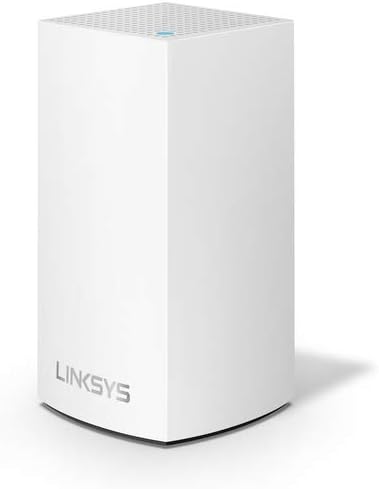
Linksys Velop Micro 7 Dual-Band BE5000 Wi-Fi 7 Mesh System | 4 WiFi Streams up to 5 Gbps | 6600 sq.ft. Coverage | Supports Internet Plans up to 2.5 Gbps | 3-Pack
Top 10 Best Linksys Mesh WiFi System in 2026 Compared
The following comparison table provides a side-by-side look at all ten models included in this guide, highlighting their coverage areas, device capacity, and key technological features to help you distinguish between them quickly.
ProductsSpecificationsEditor scorePrice
1
Best Budget
Linksys Velop Micro 7 Dual-Band BE5000 Wi-Fi 7 Mesh System | 4 WiFi Streams up to 5 Gbps | 6600 sq.ft. Coverage | Supports Internet Plans up to 2.5 Gbps | 3-Pack
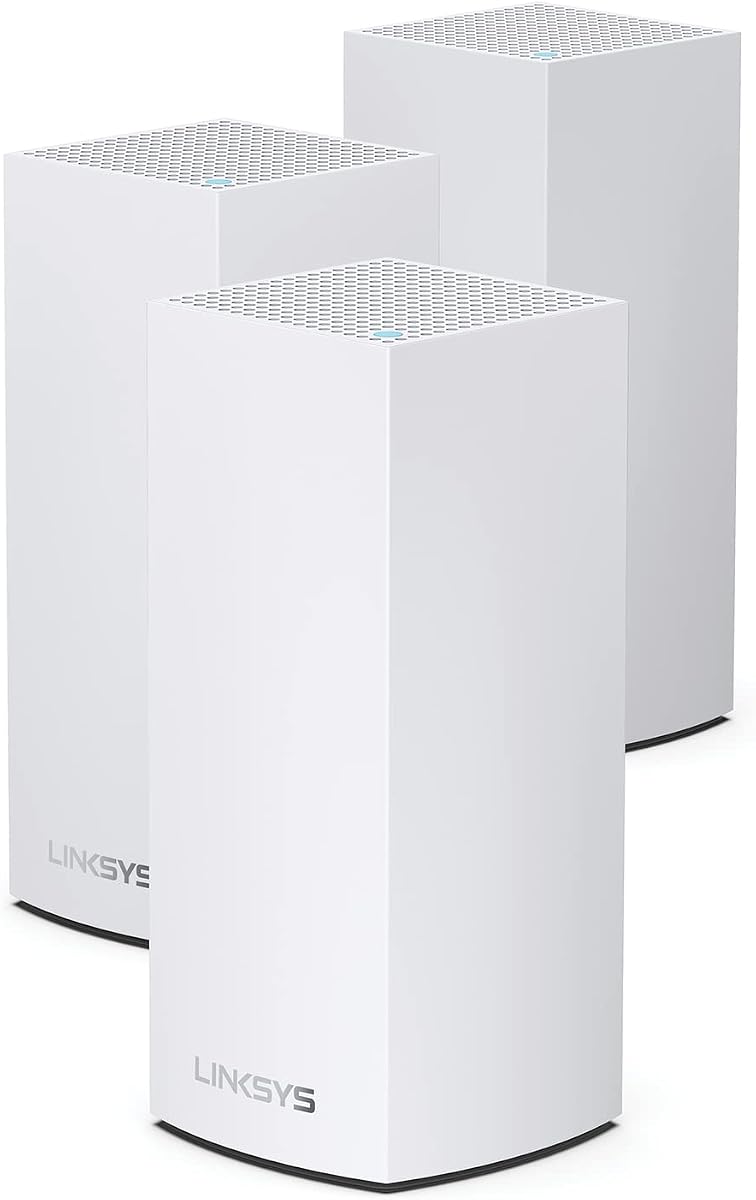
Linksys Multi-gig Micro Mesh WiFi 6 System | Connect 100+ Devices | Up to 5,000 Sq Ft | Speeds of up to 3.0 Gbps | 3Pk | No App Required | 2024 Release
Linksys Velop Micro 7 Dual-Band BE5000 Wi-Fi 7 Mesh System | 4 WiFi Streams up to 5 Gbps | 6600 sq.ft. Coverage | Supports Internet Plans up to 2.5 Gbps | 3-Pack
WiFi 7 Technology
6600 Sq Ft Coverage
2.5Gbps Internet Support
Instant Pair Button
The Linksys Velop Micro 7 represents the cutting edge of home networking with its support for WiFi 7 technology. It is rated highly for its ability to handle fast internet plans and multiple devices without slowing down. The system focuses heavily on user privacy and ease of use right out of the box.
Pros
Fast WiFi 7 speeds
Easy instant setup
Strong privacy features
Eco-friendly design
Cons
Premium price point
May be overkill for small homes
We may earn a commission when you buy through this link, at no additional cost to you.
This system offers impressive speeds up to 5 Gbps and covers large areas effectively thanks to its mesh architecture. It supports internet plans up to 2.5 Gbps with its built-in auto-sensing port. The Instant-Pair button eliminates the need for an app during setup, and it avoids tracking personal data.
While the performance is exceptional, the price reflects the premium technology inside. Users with smaller homes might not need this level of power, but it is future-proof for high-speed connections. It is an excellent choice for tech enthusiasts who want the latest standards.
If you need maximum speed and coverage for a large modern home, this system is a top contender. It ensures your network stays robust even as more smart devices enter your home. Check the current listing for the best deal before committing to the investment.
Advanced WiFi 7 Performance
WiFi 7 technology provides significantly faster speeds and lower latency than previous standards, making it ideal for streaming and gaming.
Privacy First Approach
The system does not collect personal data or browsing history, giving you full control over your network security without subscriptions.
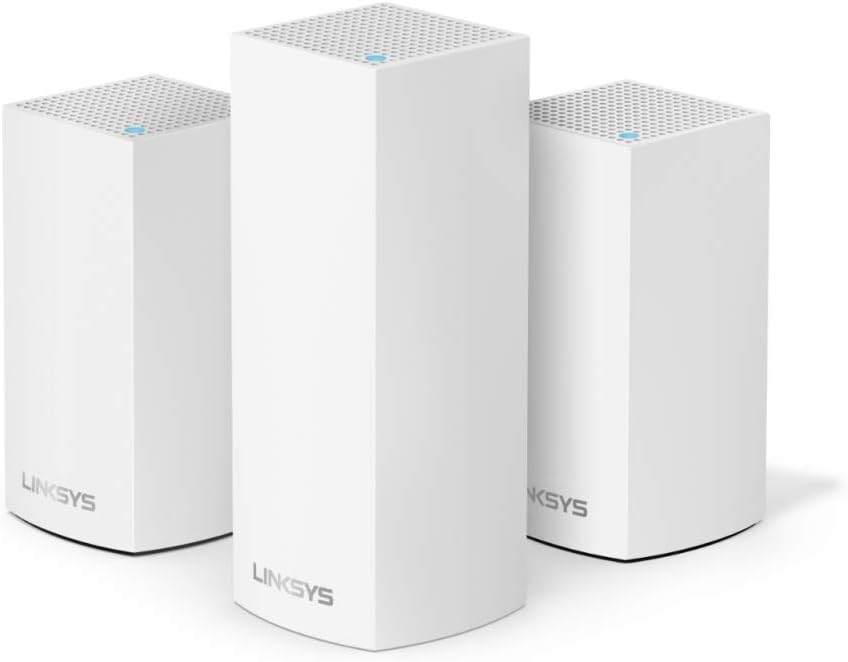
Linksys Atlas WiFi 6 Router Home WiFi Mesh System, Dual-Band, 6,000 Sq. ft Coverage, 802.11ax, 75+ Devices, Speeds up to (AX3000) 3.0Gbps – MX20MS3, 3-Pack
WiFi 6 Standard
6000 Sq Ft Coverage
75 Plus Device Support
Qualcomm Chipset
The Linksys Atlas WiFi 6 offers a balanced mix of performance and affordability for most households. It is designed to handle a high number of connected devices simultaneously without compromising speed. The coverage area is extensive, making it suitable for large homes.
Pros
Great value for price
Handles many devices
Stable connection
Easy app management
Cons
Setup requires app
Lower max speed than WiFi 7
We may earn a commission when you buy through this link, at no additional cost to you.
Powered by a Qualcomm chipset, this system ensures stable streaming and low latency for gaming. It supports over 75 devices and covers up to 6000 square feet. The Linksys App makes it easy to manage priorities and check connected devices from anywhere.
While it does not have the latest WiFi 7 specs, it delivers reliable gigabit speeds for daily tasks. The setup process is straightforward but does require the app. For families with many smart devices, this provides excellent reliability.
This system is a smart choice for those who want high performance without the premium cost of WiFi 7. It covers most home sizes and offers strong management features. Ensure your internet plan matches the speed potential for the best experience.
High Device Capacity
With support for 75 plus devices, this router handles busy households with multiple phones, tablets, and smart home gadgets easily.
Smart Management Tools
The mobile app allows you to view traffic and prioritize devices to ensure everyone gets the bandwidth they need.
Linksys Atlas WiFi 6 Router Home WiFi Mesh System, Dual-Band, 4,000 Sq. ft Coverage, 50+ Devices, Speeds up to (AX3000) 3.0Gbps – MX2000 2-Pack
WiFi 6 Standard
4000 Sq Ft Coverage
50 Plus Device Support
Dual-Band Operation
This 2-pack version of the Atlas WiFi 6 system is ideal for homes needing extensive coverage without the bulk of a 3-pack. It supports over 50 devices and delivers speeds up to 3.0 Gbps. The setup is quick using the app, and it ensures stable connectivity.
Pros
Affordable 2-pack option
Solid 4000 sq ft range
Reliable WiFi 6
Good for mid-sized homes
Cons
Limited to 50 devices
Requires app for setup
We may earn a commission when you buy through this link, at no additional cost to you.
The system uses advanced mesh technology to eliminate dead zones across up to 4000 square feet. It provides up to 4x more capacity than older routers, making it suitable for households with many connected items. The Qualcomm chipset ensures low latency.
While it is limited to 50 devices, this is sufficient for most families. It might need expansion for larger homes. The 2-pack offers a cost-effective entry into mesh networking while maintaining strong performance standards.
For those with mid-sized homes, this bundle offers a great balance of coverage and price. It provides reliable WiFi 6 speeds for everyday use. Check the current listing to see if the 3-pack is more cost-effective for your needs.
Efficient Mesh Coverage
Two nodes provide robust coverage for standard homes, effectively reducing signal loss and maintaining high speeds throughout the property.
Streamlined Connectivity
WiFi 6 technology ensures that devices connect smoothly even when multiple users are active at the same time.
Linksys Velop Tri-Band AC4400 Whole Home WiFi Mesh System- 2-Pack (Coverage up to 4000 sq. ft)
Tri-Band Technology
4000 Sq Ft Coverage
AC4400 Speed Class
2-Pack Configuration
The Linksys Velop Tri-Band AC4400 is a proven system for those needing reliable coverage in a 2-pack format. It supports speeds up to 4400 Mbps across three bands for better efficiency. This model covers up to 4000 sq ft effectively.
Pros
Tri-band reliability
Simple app control
Wide coverage area
Good for older devices
Cons
Older AC standard
May struggle with very high speeds
We may earn a commission when you buy through this link, at no additional cost to you.
Tri-band technology separates traffic to reduce congestion, which is beneficial for households with many devices. The app makes setup easy and allows control from anywhere. It is designed to replace existing routers and provide seamless whole home coverage.
While it is an older AC standard, it still handles most tasks well. It might not be ideal for multi-gig internet plans. However, for standard fiber or cable connections, it offers stable performance and good range.
This system is a solid choice for those who want reliability over the latest specs. It works well in typical homes and offers good management tools. Consider your internet plan speed before purchasing to ensure it matches.
Tri-Band Efficiency
Using three bands helps distribute traffic evenly so that your devices do not interfere with each other during heavy use.
Whole Home Control
The app interface allows you to monitor your network usage and control access easily from any location.
For those on a tight budget, this renewed Linksys mesh system offers a cost-effective way to get whole home coverage. It is ideal for smaller homes or apartments up to 1500 square feet. The setup is simple via the app.
Pros
Affordable renewed option
Easy setup
Covers small homes
Standard ISP compatibility
Cons
Limited to smaller areas
Renewed condition varies
We may earn a commission when you buy through this link, at no additional cost to you.
It connects to existing modems from any ISP and replaces your current router to improve coverage. The system supports 4K streaming and gaming with reliable performance. Since it is renewed, it has been tested to ensure functionality.
While it is smaller than other models, it serves small spaces well. It may not scale for larger properties. If you have a compact living space, this provides a practical and affordable networking solution.
This option is perfect for renters or small homeowners who need better WiFi without a big expense. It delivers reliable performance for basic to moderate usage. Check the condition rating and return policy before buying.
Cost-Effective Upgrade
Renewed products offer a way to access reliable networking gear at a fraction of the cost of new systems.
Small Home Focus
Designed for apartments and small houses, it ensures you do not pay for coverage you do not need.
Linksys Multi-gig Micro Mesh WiFi 6 System | Connect 100+ Devices | Up to 5,000 Sq Ft | Speeds of up to 3.0 Gbps | 3Pk | No App Required | 2024 Release
WiFi 6 Standard
100 Plus Devices
5000 Sq Ft Coverage
No App Required
This 2024 release emphasizes simplicity by removing the need for an app during setup. It supports over 100 devices and covers up to 5000 sq ft. The 3-pack configuration ensures wide coverage for large homes easily.
Pros
No app setup needed
Supports 100 devices
5000 sq ft coverage
2024 release model
Cons
Lower overall rating
Limited remote management
We may earn a commission when you buy through this link, at no additional cost to you.
The system delivers speeds up to 3.0 Gbps and is designed for households with many connected items. It aims to provide seamless coverage everywhere with easy installation. The lack of app requirement can be a relief for some users.
While it offers convenience, the rating is lower than other models. It might lack advanced features like deep remote management. However, if you want a straightforward setup for a large home, this is a strong candidate.
Ideal for those who prefer hardware-focused setups over app-based controls. It handles high device counts well. Verify the current features to ensure it meets your specific management needs.
Simplified Setup
Eliminating the app requirement means you can get online faster without downloading additional software on your phone.
High Device Support
With support for 100 devices, it keeps up with smart homes filled with cameras, speakers, and controllers.
Linksys Velop Pro 7 WiFi Mesh System | Three Cognitive Tri-Band routers | 10 Gbps Speeds | 9,000 sq. ft. Coverage| Connect 200+ Devices | 3 Pack MBE7003 | 2023 Release
WiFi 7 Standard
9000 Sq Ft Coverage
200 Plus Devices
Cognitive Mesh Tech
The Velop Pro 7 targets large estates with up to 9000 sq ft coverage and support for 200 plus devices. It features WiFi 7 technology for fast speeds and battery savings on devices. The cognitive mesh tech optimizes performance automatically.
Pros
9000 sq ft coverage
200 device support
Fast setup
Eco-friendly design
Cons
Lower rating
Very high cost
We may earn a commission when you buy through this link, at no additional cost to you.
This system aims to eliminate dead spots regardless of home layout. It includes privacy features and built-in safety tools for families. Setup is quick with the app guiding the process. The design is eco-conscious with recycled materials.
While the specs are impressive, the rating is lower than other models. The high cost might be prohibitive for many users. It is a specialized solution for those with very large properties needing extreme capacity.
Consider this if you have a massive home or office that standard routers cannot handle. It provides future-proof technology for heavy usage. Weigh the benefits against the price to see if it fits your budget.
Cognitive Mesh
The cognitive mesh system intelligently routes traffic to ensure the best performance across all areas of your home.
Large Property Ready
Designed specifically for large homes, it ensures consistent signal strength even in the furthest rooms.
Linksys Velop Triband AC4600 Intelligent Mesh WiFi Router Replacement System 3 Pack Coverage up to 5 000 Sq Ft
AC4600 Speed Class
5000 Sq Ft Coverage
3-Pack Configuration
Tri-Band System
This 3-pack system is a classic choice for medium to large homes needing consistent coverage. It provides up to 5000 sq ft coverage with tri-band AC4600 speeds. The system supports multiple devices and allows monitoring from anywhere.
Pros
High rating
5000 sq ft coverage
Complete tri-band set
Reliable mesh
Cons
Older AC6 standard
No WiFi 6
We may earn a commission when you buy through this link, at no additional cost to you.
It is designed to replace your existing router and provide intelligent mesh connectivity. The setup is easy using the Linksys app, which works on iOS and Android. Users appreciate its reliable performance over time.
While it uses an older AC standard, it remains a solid performer for daily use. It might not support the newest WiFi 6 features but offers stable speeds for most. High rating indicates user satisfaction.
This is a reliable option for those who do not need the absolute latest tech. It provides good range and speed for standard needs. Ensure your home size matches the coverage area.
Reliable Performance
The high rating reflects consistent performance that meets user needs for everyday streaming and browsing.
Whole Home Coverage
With three nodes, you can place them strategically to ensure every room gets a strong signal.
Linksys WHW0203 Velop Home Mesh Wi-Fi System Bundle (Dual/Tri-Band Combo) – Wi-Fi Router/Wi-Fi Extender for Whole-Home Mesh Network (3-Pack, White)
Combo Bundle
5000 Sq Ft Coverage
Dual Tri Band Mix
Extender Included
This bundle offers flexibility by mixing dual and tri-band nodes to cover up to 5000 sq ft. It is ideal for larger multi-story homes with over 5 bedrooms. The system replaces your router and connects to any ISP modem.
Pros
Flexible combo pack
5000 sq ft range
Includes extender
Good connectivity
Cons
Mixed band types
Older tech
We may earn a commission when you buy through this link, at no additional cost to you.
It provides fast reliable coverage for streaming and gaming. The setup is simple via the app, and the mix of nodes helps target specific areas of your home. This allows for strategic placement to maximize performance.
While it is an older bundle, it still delivers reliable performance for daily needs. The inclusion of an extender node helps with flexibility. It is a good option if you need a tailored approach to coverage.
If you have a larger home, this bundle gives you the tools to fill gaps effectively. Check compatibility with your current devices. Verify current pricing to see if it fits your budget.
Flexible Placement
Using a mix of dual and tri-band nodes allows you to place devices where they are most needed for better coverage.
Multi-Story Ready
Designed for large multi-story homes, it ensures you have strong signal on all floors without dead zones.
Linksys MX5503 Atlas Pro 6 Wi-Fi 6 Dual-Band Mesh System (3 Pack)
WiFi 6 Standard
160MHz Channels
Qualcomm Platform
3-Pack System
The Atlas Pro 6 brings the benefits of WiFi 6 to a 3-pack system for stable connectivity. It features 160MHz channels and a Qualcomm platform to reduce interference. This model is great for households needing consistent performance.
Pros
Stable platform
160MHz channels
3-pack coverage
Good compatibility
Cons
Average rating
Basic features
We may earn a commission when you buy through this link, at no additional cost to you.
It delivers higher speeds for more devices and covers typical home sizes well. The system focuses on reliability and stability for daily tasks. It works with most ISP modems and is easy to set up.
While it does not have advanced extra features, it gets the job done. It may not be the fastest option but is stable for standard use. It is a practical choice for families who want reliability over cutting edge tech.
If you need a reliable WiFi 6 upgrade without a premium cost, this is a solid pick. Ensure your devices support WiFi 6 to get the most out of it. Check current availability before buying.
Stable Platform
The Qualcomm platform ensures that your connection remains steady even with many active devices.
High Efficiency
160MHz channels help deliver faster speeds and better performance for connected smart devices.
We may earn a commission when you buy through this link, at no additional cost to you.
Buying Guide – How to Choose the Best Linksys Mesh WiFi System
Selecting the right mesh system depends on your home size, internet plan, and specific needs. Here are the key factors to consider when making your decision.
Coverage Area
The coverage area is the most critical factor. You need to ensure the nodes cover your entire home to avoid dead zones. Check the square footage support for each model to match your home size.
For large homes, a 3-pack is often necessary while smaller homes can get by with 2-packs or single systems.
WiFi Standard
Modern systems use WiFi 6 or WiFi 7 which offer better speeds and capacity. WiFi 7 is future-proof but costs more. If you do not need extreme speeds, WiFi 6 is sufficient for most.
Choose WiFi 7 if you have gigabit plans and many high demand devices to future-proof your network.
Device Capacity
More smart devices mean higher demands on your network. Systems supporting 100 plus devices are better for smart homes with many sensors and cameras. Check the device support limit for each model.
Select a system with capacity for your current devices plus future additions to avoid slowdowns.
Internet Speed Support
Your router should support your internet plan speed. Multi-gig ports are needed for plans over 1 Gbps. Ensure the model supports your current speed to avoid throttling.
Look for models with 2.5G ports if you have high-speed plans to get the most out of your subscription.
Ease of Setup
Some systems require an app while others use instant pairing. If you prefer app-free setup, look for models that do not need it. Ease of setup can save you time and frustration.
Choose a setup method that fits your comfort level with technology to ensure a smooth installation.
Privacy and Security
Security features like automatic updates and safe browsing are important for family safety. Some models do not require subscriptions for these features which adds value. Privacy policies vary by model.
Prioritize systems that protect your data and allow parental controls without extra monthly fees.
Eco-Friendly Design
Many models now use recycled materials and eco-friendly packaging. This reduces environmental impact and can mean lower energy use. Look for designs that align with sustainability goals.
Choose models with recycled materials to reduce waste and contribute to a greener environment.
Budget
Prices vary based on features and capacity. Decide your budget upfront to narrow down choices. Remember that higher cost does not always mean better for your specific needs.
Balance cost with features to find the model that offers the best value for your situation.
How to Use and Care for Your Linksys Mesh WiFi System
To start, plug the main node into your modem and press the setup button. Follow the app prompts or instant pair guide to connect it to your network. Place the node in a central location for best signal.
Add satellite nodes in areas with weak signal to extend coverage. Ensure they are powered and not blocked by thick walls. The system will automatically balance traffic between nodes for optimal performance.
Regularly check for firmware updates to keep your network secure. Clean dust off nodes and ensure vents are clear for proper cooling. This helps maintain stable speeds over time.
Frequently Asked Questions
Can I use a Linksys mesh system with my current ISP?
Yes, Linksys mesh systems are designed to work with any ISP modem. You simply replace your existing router with the main node to connect to your modem. Ensure your modem is in bridge mode if needed for best performance.
How many devices can a Linksys mesh system support?
Depending on the model, Linksys mesh systems can support anywhere from 50 to over 200 devices. Higher end models like WiFi 7 systems have more capacity for smart homes with many connected items.
Do I need an app to set up my Linksys mesh system?
Most models use the Linksys app for easy setup and management. However, some newer models feature an instant pair button that allows setup without an app for those who prefer it.
What is the difference between WiFi 6 and WiFi 7 mesh systems?
WiFi 7 systems offer faster speeds and lower latency than WiFi 6 models. They support more bandwidth and are better for high speed internet plans. WiFi 6 is still strong for most standard home needs.
Can I add more nodes to my Linksys mesh system later?
Yes, Linksys mesh systems are designed to be scalable. You can add extra nodes to expand coverage for larger homes or to fix weak spots in existing setups.
Do Linksys mesh systems require monthly subscriptions?
No, basic features like security and parental controls do not require monthly subscriptions for most Linksys models. Some advanced services may be optional but core functionality is free.
Final Thoughts on Choosing the Best Linksys Mesh WiFi System
The Linksys Velop Micro 7 leads the pack with WiFi 7 performance and privacy features making it a great premium option. The Atlas WiFi 6 offers excellent value with wide coverage and easy management for most households.
For those on a budget or with smaller homes, the Atlas 2-pack or renewed models provide reliable connectivity without extra cost. Consider your home size and number of devices when selecting the best fit.
Remember to check current pricing and availability as these can vary over time. Finding the right system ensures you have strong WiFi coverage throughout your home for all your digital needs.
Compare top J Hook Cable Support Clips for organized wiring. This guide reviews durability, material, size, and installation features to help you choose the