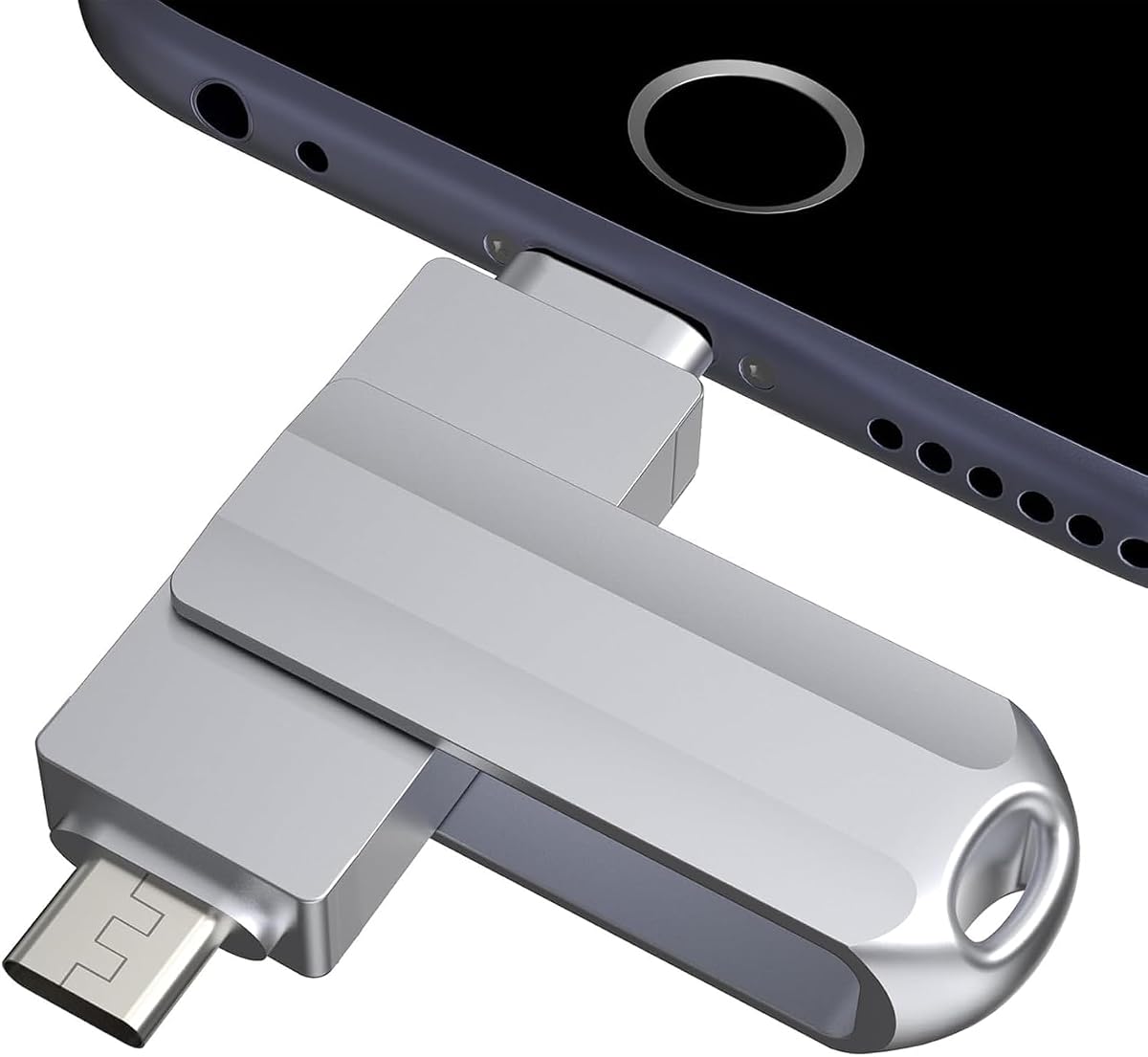
This guide compares the top flash drives for iPhone including MFi certified options and high speed models to help you choose the best storage solution for your
As an Amazon Associate we earn from qualifying purchases. We may earn a commission when you buy through links on this page, at no additional cost to you. Read our affiliate disclosure.As an Amazon Associate we earn from qualifying purchases.Purchases through our links may earn us a commission, at no extra cost to you. Read our affiliate disclosure.
Finding the right storage solution for your iPhone can be challenging when you run out of space. A high quality flash drive offers a reliable way to expand your capacity without relying on cloud subscriptions or expensive phone upgrades.
We compared ten top rated models based on compatibility speed and ease of use. Our analysis covers MFi certified drives USB-C options and multi port solutions to ensure you find a device that works seamlessly with your iOS ecosystem.
Each pick highlights key features like encryption backup apps and transfer speeds. Note that prices and availability change frequently so check the current listings before making your final decision to get the best value today.
Top 3 Picks for Best Flash Drives for iPhone
Best Budget
MFi Certified USB 3.0 Flash Drive 128GB for iPhone, 3in1 External Memory Photo Keeper Storage Stick for Picture/Video/Data Saver/Backup, High Speed Thumb/Jump/Hard Drives for iPhone/iPad/Android/PC
Top 10 Best Flash Drives for iPhone in 2026 Compared
Here is a side by side comparison of all ten products to help you quickly identify the right storage solution for your specific device and budget needs.
ProductsSpecificationsEditor scorePrice
1
Editor's Choice
USB Flash Drive for iPhone/iPad, MFi Certified 3in1, 256GB, Silver
MFi Certified USB 3.0 Flash Drive 128GB for iPhone, 3in1 External Memory Photo Keeper Storage Stick for Picture/Video/Data Saver/Backup, High Speed Thumb/Jump/Hard Drives for iPhone/iPad/Android/PC
MFi Certified Flash Drive 256GB for iPhone Thumb Drive Photo Stick, High Speed USB Memory Stick iPhone Flash Drive for Photos Videos, External Storage Jump Drive for iPhone/iPad/Android/PC (Blue)
MFi Certified 256GB Flash Drive for iPhone Photo Stick, USB Memory Stick High Speed iPhone Flash Drive, External Memory Storage USB Stick Thumb Drive for iPhone/iPad/Android/PC (Metallic Silver)
EATOP 256GB Flash Drive Intended for iPhone iPad, USB Photo Stick for Photo & Video Backup, External Phone Memory Storage, No App Required, Compatible with iOS, Android & PC, Rose Pink
USB Flash Drive for iPhone/iPad, MFi Certified 3in1, 256GB, Silver
MFi Certified for iOS
256GB storage capacity
3-in-1 connectivity
Metal durable housing
This MFi Certified flash drive stands out as the top choice for iPhone users needing reliable storage expansion. With a 4.4 rating and 256GB capacity it balances performance and security effectively. The metal build ensures durability while the dual connector design supports both old and new iPhones.
Pros
MFi Certified for iOS
Lightning and USB-C support
Automatic photo backup
File encryption available
Compact keychain design
Cons
Requires U-Disk app
Limited to iOS 12.1+
We may earn a commission when you buy through this link, at no additional cost to you.
Key strengths include the one click backup feature that saves photos directly to the drive via the app. Encryption options like Touch ID protect sensitive files. The automatic storage function saves time by saving camera captures in real time.
The main trade-off is the dependency on the U-Disk app for iOS devices which might be inconvenient for some users. However this is standard for MFi drives and ensures stable performance without compatibility issues.
If you want a secure and versatile drive for your iPhone this model is highly recommended. It works great for backing up photos videos and documents without using iCloud storage.
Secure Data Protection
The app allows you to encrypt files or the entire drive using Touch ID or a passcode for added security.
Versatile Connectivity
With USB Lightning and Type-C ports you can transfer files between iPhone iPad Android and PC easily.
MFi Certified USB 3.0 Flash Drive 128GB for iPhone
MFi Certified for iOS
128GB storage capacity
USB 3.0 speed
Metal durable housing
This drive offers excellent value for iPhone users who need a budget friendly storage solution. The 4.3 rating reflects reliable performance and the MFi certification guarantees compatibility with iOS devices. It features the same robust design as more expensive options but at a lower cost.
Pros
Affordable pricing
MFi Certified for iOS
Lightning and USB-C support
Keychain included
One click backup
Cons
Lower capacity at 128GB
Requires U-Disk app
We may earn a commission when you buy through this link, at no additional cost to you.
The USB 3.0 interface ensures fast transfer speeds for photos and videos. The one click backup feature simplifies the process of freeing up space on your phone. You can also share files directly to social media from the drive.
The only downside is the 128GB capacity which may not be enough for users with large media libraries. However for typical photo backup needs it provides ample space without breaking the bank.
For those looking for an affordable and reliable iPhone storage option this drive is a great choice. It covers all the basics you need without unnecessary expensive features.
Cost Effective Storage
At a lower price point this drive delivers essential MFi certified functionality for iPhone users on a budget.
Easy File Sharing
Share photos and videos directly from the drive to social media apps like Facebook with just one click.
SANDISK 256GB Phone Drive for iPhone USB-C Lightning Dual Connector
Made for iPhone Certified
256GB storage capacity
USB-C and Lightning ports
Password encryption
SanDisk offers a premium storage solution designed specifically for iPhone users with both Lightning and USB-C models. The Made for iPhone certification ensures seamless integration with iOS. This drive supports iPhone 15 and newer models with USB-C as well as older models.
Pros
Made for iPhone Certified
USB-C and Lightning support
Firmware updates available
Password protected encryption
Partial backup support
Cons
Higher price point
SANDISK app required
We may earn a commission when you buy through this link, at no additional cost to you.
Key strengths include robust backup features like manual or automatic options with progress tracking. The password protection adds a layer of security for sensitive files. Firmware updates keep the drive optimized for performance over time.
The higher price reflects the brand reliability and dual connector flexibility. It is a bit more expensive than third party options but offers peace of mind for iPhone users.
If you want a trusted brand with reliable performance this drive is worth the investment. It is ideal for users with iPhone 15 or older models needing versatile connectivity.
Optimized Firmware
The app allows you to update firmware to ensure optimal file management experience with your iPhone.
Partial Backup Support
Store important files even when storage is limited with partial backup support for your iPhone.
The Lexar D50E excels in speed with up to 400MB/s read rates. This makes it ideal for transferring large video files quickly. It features USB-A and USB-C connectors which work well for iPhone 15 and Macs but not Lightning iPhones.
Pros
High 400MB/s read speed
USB-A and USB-C connectors
Compact cable-free design
Durable metal housing
Lexar app support
Cons
No Lightning connector
Higher price
We may earn a commission when you buy through this link, at no additional cost to you.
Key strengths include the compact cable-free design and durable metal housing. The Lexar app provides a backup function for iOS and Android though iCloud backup is not supported yet. The 4.6 rating reflects excellent performance.
The main limitation is the lack of a Lightning connector so it is not suitable for older iPhones. If you have a USB-C iPhone this drive is a top performer for speed and durability.
For users with iPhone 15 or iPad Pro this drive offers fast reliable storage expansion. It is a solid choice for creatives who need quick access to large files.
Fast Data Access
Up to 400MB/s read speeds allow you to move high resolution videos quickly without waiting.
Robust Durability
The metal housing protects the connectors and ensures the drive lasts through daily travel use.
MFi Certified Flash Drive 256GB for iPhone Thumb Drive
MFi Certified for iOS
256GB storage capacity
USB Lightning and Type-C
Retractable connector
This drive features a unique retractable design that protects the connector from damage. It offers MFi certification and 256GB storage for iPhone users. The four port compatibility includes USB Lightning Micro USB and Type-C adapters for broad device support.
Pros
MFi Certified for iOS
Retractable connector design
Four port compatibility
One click backup
File encryption support
Cons
Lower rating at 4.1
App required for iOS
We may earn a commission when you buy through this link, at no additional cost to you.
Key strengths include the convenience of the retractable mechanism and one click backup. It works well with iOS devices and Android phones using OTG. The metal housing adds durability to the compact design.
The main trade-off is the lower rating compared to other options which may indicate occasional software issues. However for users who want a portable and versatile drive it remains a strong option.
If you value portability and want to avoid lost caps this drive is a good choice. It covers multiple device types with a single compact unit for easy travel.
Connector Protection
The retractable design keeps the connector safe and reduces the risk of loss or damage when not in use.
Four Port Support
Connect to computers phones and tablets with USB Lightning Micro USB and Type-C adapters included.
Lexar D40E 128GB Dual USB 3.2 Gen 1 Type-C Jump Drive
USB-A and USB-C
128GB storage capacity
100MB/s speed
360 swivel design
The Lexar D40E is a compact drive with a 360 swivel design for easy connector switching. It works well with USB-C iPhones and Macs. The lightweight metal enclosure makes it easy to carry daily without bulk.
Pros
360 swivel design
USB-A and USB-C ports
Lightweight and compact
No software needed
3 year warranty
Cons
No Lightning support
Lower transfer speed
We may earn a commission when you buy through this link, at no additional cost to you.
Key strengths include plug and play compatibility and the 3-year warranty. It offers 100MB/s transfer speeds which are decent for basic file backup. The swivel mechanism prevents lost caps.
The main limitation is the lack of Lightning support so it is only suitable for iPhone 15 and newer. If you need a compact and durable drive for USB-C devices this model fits well.
For users seeking a simple and reliable USB-C drive this option is a great choice. It combines durability with convenience for everyday file management tasks.
Swivel Convenience
The 360 degree swivel design allows easy switching between connectors without the need for caps.
Warranty Coverage
Backed by a 3-year limited warranty this drive offers long-term reliability and peace of mind.
512GB Flash Drive for iPhone/iPad, USB-C Photo Stick with USB-A Adapter
USB-C and Type-iOS
512GB storage capacity
USB-A adapter included
mFlash app support
This drive offers a massive 512GB capacity for users with large photo and video libraries. It features USB-C and Type-iOS connectors for iPhones. The included USB-A adapter allows connections to computers without cables.
Pros
512GB storage capacity
USB-C and Type-iOS connector
USB-A adapter included
mFlash app support
No cloud dependency
Cons
Requires mFlash app
Not compatible with Micro-USB
We may earn a commission when you buy through this link, at no additional cost to you.
Key strengths include the mFlash app for file management and the high storage limit. It works well for travel and school storage needs. The 4.5 rating reflects user satisfaction with capacity and ease of use.
The main limitation is the app requirement for iPhone backups which some may find restrictive. However for storing huge amounts of data it is unmatched in this price range.
If you need significant storage for your iPhone this drive is a top pick. It eliminates the need for cloud subscriptions by providing ample local space for files.
Large File Storage
With 512GB capacity you can store thousands of photos and videos without worrying about running out of space.
File Management
The mFlash app makes it easy to copy move and manage files on your iPhone or iPad.
MFi Certified 256GB Flash Drive for iPhone Photo Stick
MFi Certified for iOS
256GB storage capacity
USB Lightning and Type-C
Metal waterproof housing
This drive features a waterproof metal housing ideal for travel and outdoor use. It has MFi certification and 256GB storage. The USB Lightning and Type-C interfaces support a wide range of devices.
Pros
MFi Certified for iOS
Metal waterproof housing
80 MB/s read speed
File encryption available
Keychain design
Cons
Lower rating at 4.1
Requires app for iOS
We may earn a commission when you buy through this link, at no additional cost to you.
Key strengths include the waterproof design and encryption features. You can store photos and videos without iCloud. The 80 MB/s read speed provides decent performance for everyday backup tasks.
The main trade-off is the lower user rating which might suggest occasional connection issues. However the durability and storage capacity make it a good pick for active users.
If you need a rugged drive that can withstand elements this option is a great fit. It provides reliable storage for photos and files while on the move.
Waterproof Durability
The waterproof metal housing protects your data from spills and rough handling during travel.
Secure Encryption
Encrypt individual files on the drive to keep your important data secure and private.
SSK 256GB USB C Flash Thumb Drive up to 550MB/s Dual USB C+A Memory Stick
USB-C and USB-A ports
256GB storage capacity
550MB/s read speed
Zinc alloy durable shell
This SSK drive delivers ultra fast transfer speeds up to 550MB/s for large files. It has USB-C and USB-A ports for broad compatibility with Macs and Windows PCs. The zinc alloy shell offers protection against abrasion and falling.
Pros
Up to 550MB/s read speed
USB-C and USB-A ports
Plug and play support
Zinc alloy shell
Backward compatible
Cons
No Lightning support
Higher price
We may earn a commission when you buy through this link, at no additional cost to you.
Key strengths include the high speed and plug and play support without software. It works with most systems including Windows and Android. The 4.4 rating confirms reliable performance for high speed transfers.
The main limitation is the lack of Lightning support so it is for iPhone 15 and newer only. If you have a USB-C iPhone this drive offers the fastest transfer speeds available.
For users prioritizing speed this drive is unmatched in this category. It is perfect for moving large video files quickly between devices without bottlenecks.
Ultra Fast Transfers
With up to 550MB/s read speeds you can move large files ten times faster than traditional USB 3.0 drives.
Universal Compatibility
Works with most systems including Windows Mac and Android without requiring any software installation.
This drive offers a unique advantage by not requiring an app for iOS backups. It works directly with the Files app on iOS 13 and higher. This simplifies the process of transferring files without installing extra software.
Pros
No app required for iOS
USB and USB-C ports
Works with Files app
256GB storage capacity
Direct social sharing
Cons
Slower write speeds
Not compatible with Micro-USB
We may earn a commission when you buy through this link, at no additional cost to you.
Key strengths include the plug and play functionality and 256GB capacity. It supports USB and USB-C ports for iPhone iPad and Android. The rose pink design adds a stylish touch to the drive.
The main limitation is the slower write speeds compared to other drives which may take longer for large backups. However the ease of use makes it a strong pick for non technical users.
If you want a simple and straightforward storage option without app hassle this drive is ideal. It works great for basic file transfers between your iPhone and computer.
App Free Usage
Use the drive directly with the Files app on iOS without needing to download any extra software.
Social Media Sharing
Share files directly from the drive to social media apps with simple plug and play functionality.
We may earn a commission when you buy through this link, at no additional cost to you.
Buying Guide – How to Choose the Best Flash Drives for iPhone
Selecting the right flash drive requires considering several factors to ensure compatibility and performance with your device.
Compatibility Certification
Ensure the drive is MFi Certified or Made for iPhone to avoid compatibility issues and ensure stable data transfer. Non-certified drives may not work reliably with iOS devices or lack security features.
Look for drives that explicitly state MFi certification or compatibility with your specific iPhone model and iOS version.
Connectivity Options
Choose a drive with connectors that match your devices. iPhone 15 uses USB-C while older models use Lightning. Multi port drives offer flexibility for transferring files between different platforms.
Opt for 3-in-1 drives if you need to connect to both Lightning iPhone and USB-C Android devices regularly.
Storage Capacity
Determine how much space you need based on your media library size. A 128GB drive is sufficient for photos while 256GB or more is better for videos and large files.
Higher capacity drives cost more but reduce the need to manage space frequently for long trips.
Transfer Speeds
Faster transfer speeds save time when moving large video files. Look for drives with USB 3.0 or higher ratings and read speeds above 100MB/s.
For daily backups lower speeds are acceptable but high speed is essential for professionals working with 4K video.
Security Features
Encryption protects sensitive data from unauthorized access. Many drives offer password protection or app based encryption for personal files.
Choose a drive with encryption if you store important documents or private photos on the storage stick.
App Requirements
Some drives require a dedicated app to access files which may be inconvenient. Others work with the native Files app for simplicity.
Select a drive with minimal app dependency if you prefer a straightforward plug and play experience.
Durability and Design
Metal housing and waterproof designs protect the drive from physical damage. Keychain features prevent loss when traveling.
Prioritize durable builds if you plan to carry the drive frequently or expose it to harsh conditions.
Warranty and Support
A warranty provides peace of mind if the drive fails. Check the length of coverage and support options before buying.
Opt for drives with at least a 1-year warranty to ensure protection for your investment.
How to Use and Care for Your Flash Drives for iPhone
To use a flash drive with iPhone plug the connector into your device and open the associated app or Files app. Follow the on-screen instructions to select files for backup or transfer.
Safely eject the drive before removing it to prevent data loss. This is especially important on iOS where files may be in use during the transfer process.
Store the drive in a cool dry place away from extreme temperatures. Use the provided cover or case to protect connectors from dust and damage when not in use.
Frequently Asked Questions
Do I need an app to use these flash drives on iPhone?
Most MFi certified drives require a dedicated app for iOS to manage files securely. However some newer models work directly with the native Files app without extra software installation.
Can these drives work with both Lightning and USB-C iPhones?
Many drives have dual connectors supporting both Lightning and USB-C models. Check the product description to ensure it matches your specific iPhone generation.
How fast are the file transfers on these drives?
Transfer speeds vary but most high-quality drives offer at least 100MB/s. Some models reach up to 550MB/s for significantly faster video file transfers.
Are these flash drives secure for sensitive data?
Many drives offer encryption features like password protection or app based security to protect your files from unauthorized access when the drive is lost.
Can I watch videos directly from the flash drive on iPhone?
Yes many drives allow direct playback of videos stored on the stick using the provided app. This saves storage space on your phone itself.
Do these drives work with Android devices too?
Most drives with USB-C or Type-C connectors work with Android phones using OTG function. You may not need a separate app for Android transfers.
Final Thoughts on Choosing the Best Flash Drives for iPhone
The top picks offer a range of options from budget friendly to premium models. The MFi Certified drives are reliable for iPhone users needing secure and easy storage expansion.
Prioritize compatibility and speed based on your specific needs. If you use iPhone 15 look for USB-C options while older models require Lightning support.
Prices and availability change regularly so check current listings before making your purchase. Ensure the drive matches your device requirements for the best experience.
This guide compares the top hard shell carrying case for DJI Neo 2 options focusing on protection capacity and durability for professional and hobbyist…