
Thermalright AXP90 X36 Black
4.6Editor score
36mm total height
AGHP heat pipe tech
Quiet 92mm PWM fan
This guide compares the top Htpc CPU Cooler models for 2026 to help you find quiet low-profile cooling for small form factor builds.
Building a silent home theater PC requires careful component selection to avoid noisy fans disrupting your media experience. A dedicated Htpc CPU Cooler ensures your processor stays cool without adding unwanted sound to your living room setup.
We evaluated ten top-rated coolers based on height, noise levels, and compatibility with modern sockets. Each option offers unique advantages for compact cases where space is extremely limited and acoustic performance matters most.
Our list highlights the best choices across different budgets and build needs. Product specs and availability can change over time, so check current listings before making your final purchase decision for your specific system.
4.6Editor score

4.7Editor score

4.7Editor score
The following table provides a side-by-side look at the key specifications for all ten reviewed coolers to help you compare dimensions, fan sizes, and socket support quickly.





The IS-67-XT stands out as a high performer in the low profile category. It earns top marks for balancing cooling power with a slim 67mm footprint suitable for many HTPC cases.
We may earn a commission when you buy through this link, at no additional cost to you.
Six heat pipes and a large 120mm fan allow this cooler to handle moderate CPU loads quietly. Its PWM fan ensures automatic speed control without manual intervention.
While the height exceeds the thinnest options, it remains compact enough for most ITX builds. The extra space allows for better thermal dissipation than smaller rivals.
Buy this if you need strong cooling in a small case. It offers excellent value and reliability for daily media playback or light gaming tasks.
The six heat pipes and wide fan maximize surface area for efficient heat transfer away from the processor.
Compatibility spans recent Intel and AMD sockets ensuring easy upgrades without replacing the cooler.
We may earn a commission when you buy through this link, at no additional cost to you.
Noctua is famous for quality and the NH-L9x65 continues that legacy. It delivers reliable cooling with near silence making it perfect for media PCs.
We may earn a commission when you buy through this link, at no additional cost to you.
The slim 92mm fan uses PWM to adapt to CPU loads while keeping noise minimal. High end materials ensure long term stability.
Pricing is higher than budget alternatives but justified by durability and acoustic performance. Some might find the fan size limiting for very high TDP chips.
Choose this for the quietest operation possible. It suits users prioritizing acoustic comfort and build quality in their home theater systems.
Optimized fan blades and PWM control minimize audible noise during extended media playback sessions.
Solid construction and quality thermal paste ensure consistent performance over years of daily use.
We may earn a commission when you buy through this link, at no additional cost to you.
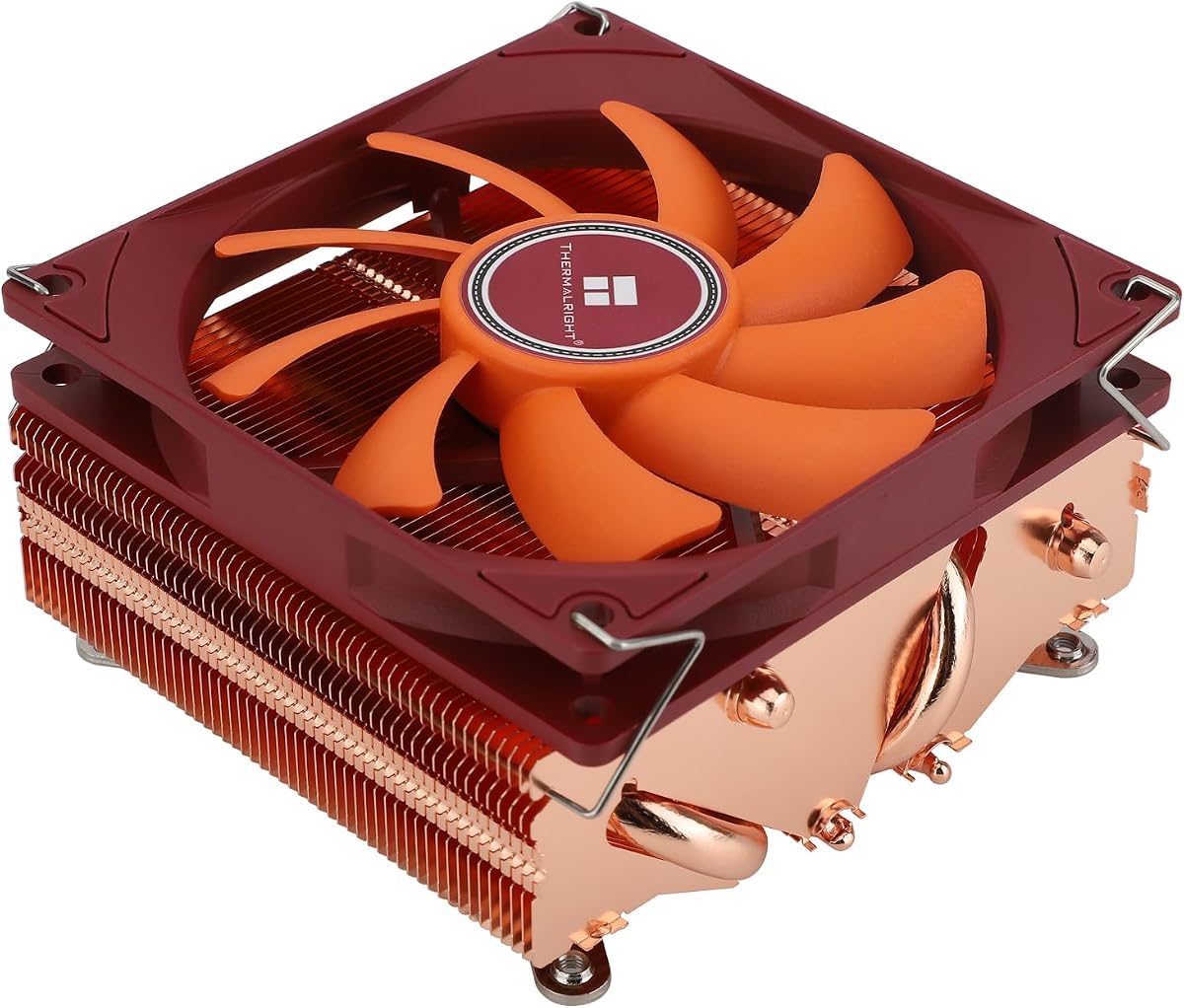
The AXP90 X36 offers an ultra low profile solution at a competitive price. Its 36mm height clears even the tightest HTPC cases with room to spare.
We may earn a commission when you buy through this link, at no additional cost to you.
AGHP technology ensures heat pipes work efficiently regardless of orientation. The slim fan keeps noise manageable under typical loads.
While it handles moderate TDP well it is not for high power CPUs. The aluminum fins may limit peak performance compared to copper.
Buy this if size is your main constraint. It provides reliable cooling for everyday tasks without breaking the bank.
At just 36mm tall this cooler fits into cases where standard low profile units would block RAM or PCIe slots.
Aluminum construction and standard fans keep costs down while maintaining adequate cooling for entry level builds.
We may earn a commission when you buy through this link, at no additional cost to you.
The IS-40-XT balances compact height with decent thermal capacity. Its 47mm profile fits well in ITX cases while providing more cooling than basic stock coolers.
We may earn a commission when you buy through this link, at no additional cost to you.
Four heat pipes help move heat away from the core efficiently. The upgraded mounting kit simplifies installation on modern motherboards.
Fans can get loud when pushing hard loads which may affect media viewing. Lower airflow limits performance compared to larger low profile units.
Choose this for slim builds needing better performance than stock. It is a solid middle ground between ultra thin and standard coolers.
The all black design blends neatly with dark chassis interiors for a clean build appearance.
Upgraded mounting hardware with back plate reduces installation time and frustration during assembly.
We may earn a commission when you buy through this link, at no additional cost to you.
The AXP90-X53 features pure copper for better heat transfer than aluminum. Its 53mm height suits many HTPC cases requiring extra clearance.
We may earn a commission when you buy through this link, at no additional cost to you.
AGHP technology ensures heat pipes work properly in vertical or horizontal mounting. This is useful for custom case layouts.
Copper adds weight which can stress small mounts if not secured well. Fan noise increases with higher RPM settings under load.
Buy this if you want copper benefits without high cost. It offers strong cooling for its class in compact chassis designs.
Pure copper fins absorb and dissipate heat more efficiently than standard aluminum alternatives.
AGHP upgrade allows correct orientation flexibility in complex ITX chassis layouts.
We may earn a commission when you buy through this link, at no additional cost to you.
The Peerless Assassin delivers tower-level performance at a budget price. While too tall for most HTPC cases it serves well in larger form factor systems.
We may earn a commission when you buy through this link, at no additional cost to you.
Six heat pipes and dual fans provide massive airflow for heat dissipation. AGHP ensures orientation efficiency in standard vertical mounting.
It will not fit slim HTPC enclosures so case size must be verified first. Larger chassis might benefit from this performance if noise is tolerated.
Choose this for performance focused builds needing maximum cooling. It is ideal for users prioritizing thermal headroom over acoustic quietness.
Dual 120mm fans and wide heatsink provide unmatched heat dissipation in standard PC chassis.
Sintered heat pipes with AGHP ensure consistent performance across different mounting orientations.
We may earn a commission when you buy through this link, at no additional cost to you.
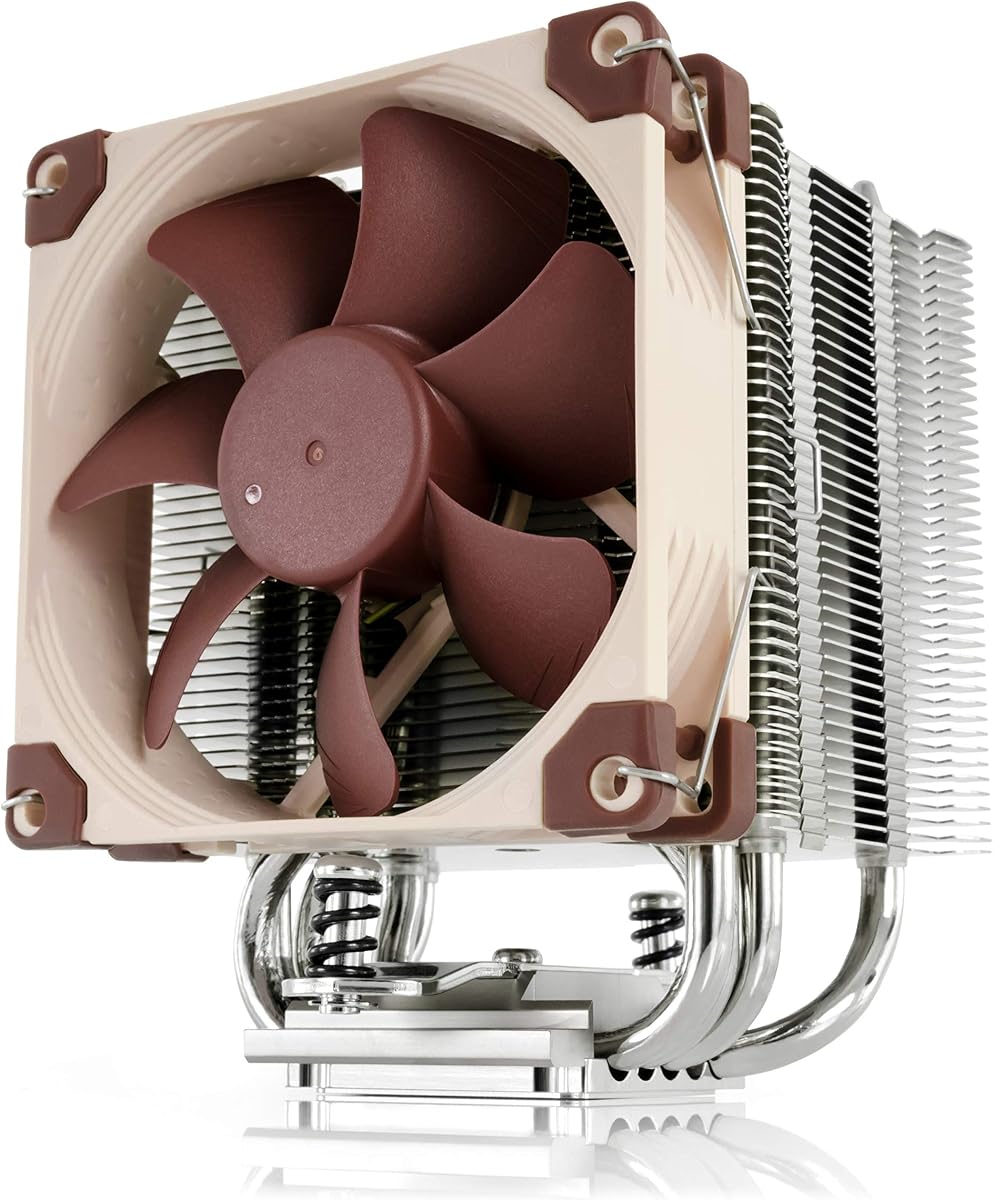
The NH-U9S offers a compact single tower design with strong cooling. It balances performance and footprint but remains too tall for ultra slim HTPC enclosures.
We may earn a commission when you buy through this link, at no additional cost to you.
The NF-A9 fan provides quiet operation with automatic speed control. Offset mounting helps avoid RAM clearance issues in some boards.
Premium pricing reflects Noctua quality but limits appeal for budget builders. Height may still clash with very small form factor cases.
Buy this for a quiet tower cooler in a compact chassis. It suits users needing more cooling than low profile but less space than dual tower.
Highly optimized fan design keeps noise levels low even at full speed.
Offset mounting option prevents RAM overhang on most current motherboards.
We may earn a commission when you buy through this link, at no additional cost to you.
The NH-L9a-AM4 is a specialized cooler for AMD AM4 systems with strict height limits. It is exceptionally quiet and fits almost any slim HTPC case.
We may earn a commission when you buy through this link, at no additional cost to you.
Its slim 92mm fan ensures silent operation during media playback. Thermal compound and mounting system are high quality standard.
Socket compatibility is narrow so AMD AM5 or Intel users need different options. Cooling capacity is modest suited for low TDP CPUs only.
Buy this for silent AM4 builds needing maximum clearance. It is a niche choice but excellent for its specific use case.
Designed specifically for AMD Ryzen AM4 CPUs to ensure optimal performance and fit.
Low-noise adaptor and optimized fan blades minimize audible vibration during operation.
We may earn a commission when you buy through this link, at no additional cost to you.
The NH-L12S offers wider cooling surface than standard low profile models. It provides superior performance with a 70mm height suitable for many HTPC cases.
We may earn a commission when you buy through this link, at no additional cost to you.
A large 120mm fan allows lower RPM and quieter operation for same cooling. Premium materials ensure long-term reliability.
Its width might limit RAM clearance in compact ITX boards. High price reflects top tier acoustic and thermal performance.
Buy this if you need top performance without tower size. It is a premium solution for serious home theater PC builders.
Larger footprint increases heat dissipation area for better overall thermal performance.
High quality fans and mounting hardware ensure reliable long-term operation.
We may earn a commission when you buy through this link, at no additional cost to you.
The X120 R SE offers solid performance in a traditional tower design. It is ideal for standard cases but not for low profile HTPC builds.
We may earn a commission when you buy through this link, at no additional cost to you.
AGHP heat pipes ensure consistent cooling regardless of case orientation. The fan provides strong airflow though it can be audible.
Height is too tall for compact HTPC enclosures limiting use to standard PC chassis. Budget pricing makes it accessible for many builders.
Buy this for standard mid or tower case builds. It is a reliable choice for general cooling needs without premium costs.
AGHP technology ensures heat pipes remain effective in vertical or horizontal orientations.
Standard 120mm fan delivers high airflow for effective heat dissipation.
We may earn a commission when you buy through this link, at no additional cost to you.
Selecting the right Htpc CPU Cooler requires balancing dimensions, noise, and cooling capacity for your specific case and processor.
Height is critical in HTPC cases because many have tight clearances. Look for coolers labeled low profile with height under 70mm to fit safely.
Always check your case spec and motherboard height limits before buying.
Noise matters more in living rooms than desktops. Choose PWM fans with low RPM ratings and decibel specs under 25dB for quiet operation.
Ultra slim fans may reduce noise but can limit cooling capacity.
Ensure the cooler supports your CPU socket such as AM4 AM5 or LGA1700. Some models offer offset mounting or broad platform support.
Verify socket support in the product details before purchasing to avoid installation issues.
Coolers with wide towers might block RAM modules on ITX boards. Low profile models often avoid this but check for overhang details.
Slim coolers reduce risk of overhang and simplify RAM upgrades.
Copper heat pipes and fins transfer heat better than aluminum. Models using pure copper or hybrid designs provide more cooling per height.
Copper improves thermal efficiency but may increase weight and cost.
Match the cooler's TDP rating with your CPU to avoid throttling or excessive noise. High TDP CPUs need more robust cooling solutions.
Check recommended CPU TDP limits in product specs for your processor.
Reputable brands like Noctua offer longer warranties and better materials. Quality builds last longer and perform consistently over time.
Higher quality often means better reliability and customer support.
Prices vary from budget models to premium units. Budget options work for moderate CPUs while premium options excel in quiet high performance.
Prioritize noise and height limits before budget to avoid compromises.
Ensure your cooler fits your CPU socket before installation. Match the mounting kit screws and bracket for your specific platform.
Apply thermal paste evenly on the CPU die and secure the mounting mechanism carefully to avoid uneven pressure on the processor.
Clean dust from fan blades and fins periodically using compressed air to maintain airflow and prevent overheating over time.
Most HTPC cases require coolers under 70mm height. Ultra slim builds may need models under 50mm to avoid blocking RAM or PCIe slots. Check your case specs first.
Not if you choose fans with PWM control. Many ultra slim options use 92mm fans that stay quiet under typical loads. Avoid models without PWM if noise is a concern.
Rarely because tower coolers are over 100mm tall. Only cases designed for mid towers will fit these. Use a low profile unit for SFF or HTPC builds.
Most come with pre-applied paste but replacing it ensures better contact. Clean old paste off the CPU before applying new paste for best thermal transfer.
Wide coolers may overhang memory slots on ITX boards. Choose low profile or offset models to avoid blocking. Check clearances in product details.
Clean every 3 to 6 months depending on dust levels. Use compressed air to remove debris from fans and fins to maintain performance and reduce noise.
We recommend the ID-COOLING IS-67-XT for balanced performance and the Noctua NH-L9x65 for premium acoustic comfort. Budget shoppers should consider the Thermalright AXP90 X36.
Prioritize case clearance and noise requirements when picking your model. Cooling capacity must suit your CPU TDP to avoid overheating.
Prices and stock vary so verify current listings before buying. Ensure socket and mounting compatibility match your motherboard for a smooth install.