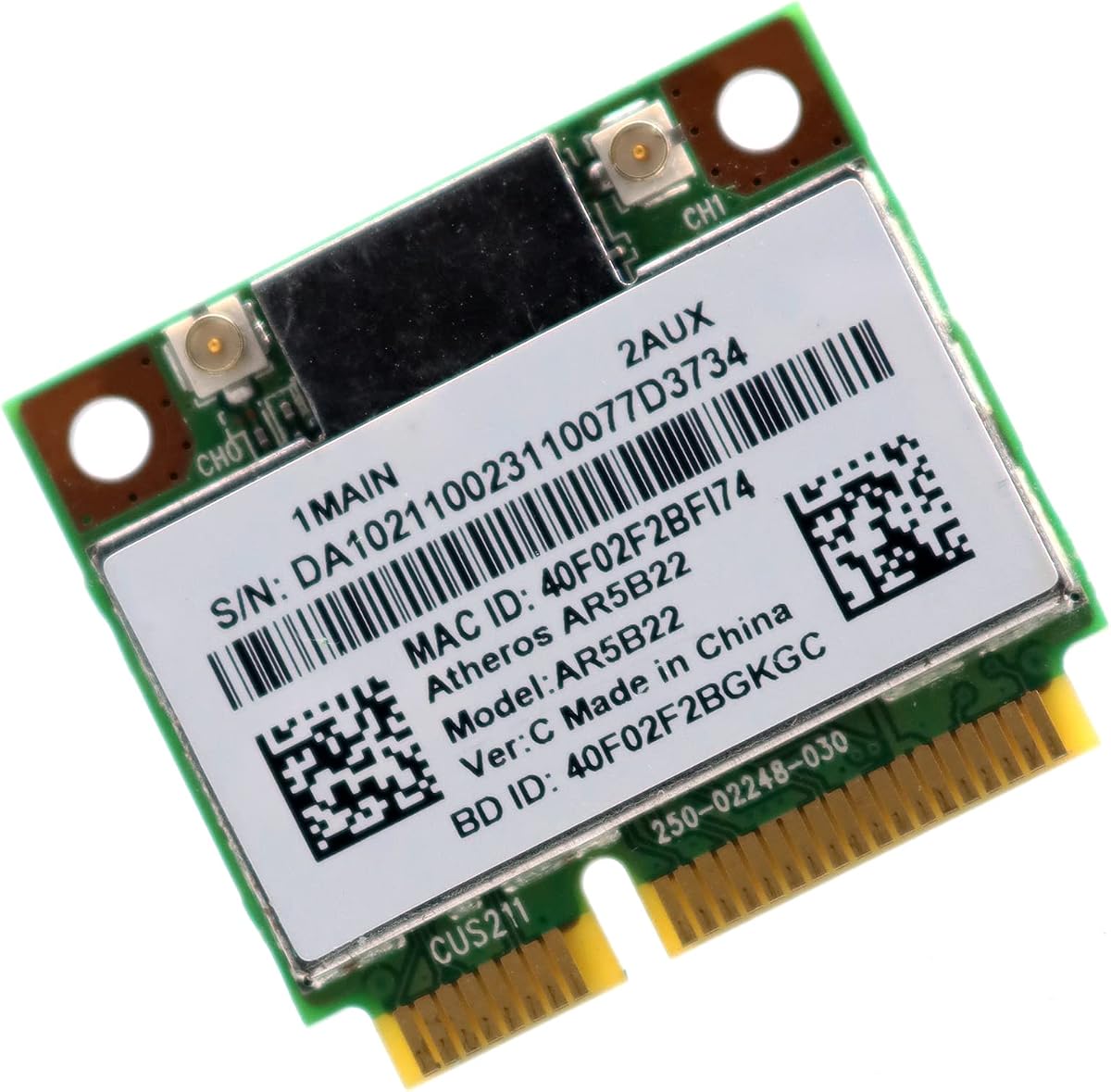
Deal4GO AR5B22 Half Mini PCie Card
4.7Editor score
Dual band 2.4GHz and 5GHz
Bluetooth 4.0 integrated support
Affordable price point for upgrades
This guide compares ten top Half Mini Pcie WiFi Bluetooth Card options for laptop upgrades, covering speed, compatibility, and features for 2026.
Upgrading your laptop network is essential for modern connectivity. The Half Mini Pcie WiFi Bluetooth Card offers a compact solution for adding wireless capabilities to older devices.
We evaluated ten products based on speed, compatibility, and reliability. Our list includes options from Intel, Qualcomm, and third-party brands to suit various needs and budgets.
Each pick highlights key specs and real-world performance. Prices change frequently, so check current listings before purchasing. Use this guide to find the right card for your setup.
4.7Editor score

4.3Editor score

4.5Editor score
The following table provides a side-by-side view of all ten products. It highlights key specifications to help you compare performance and compatibility at a glance.

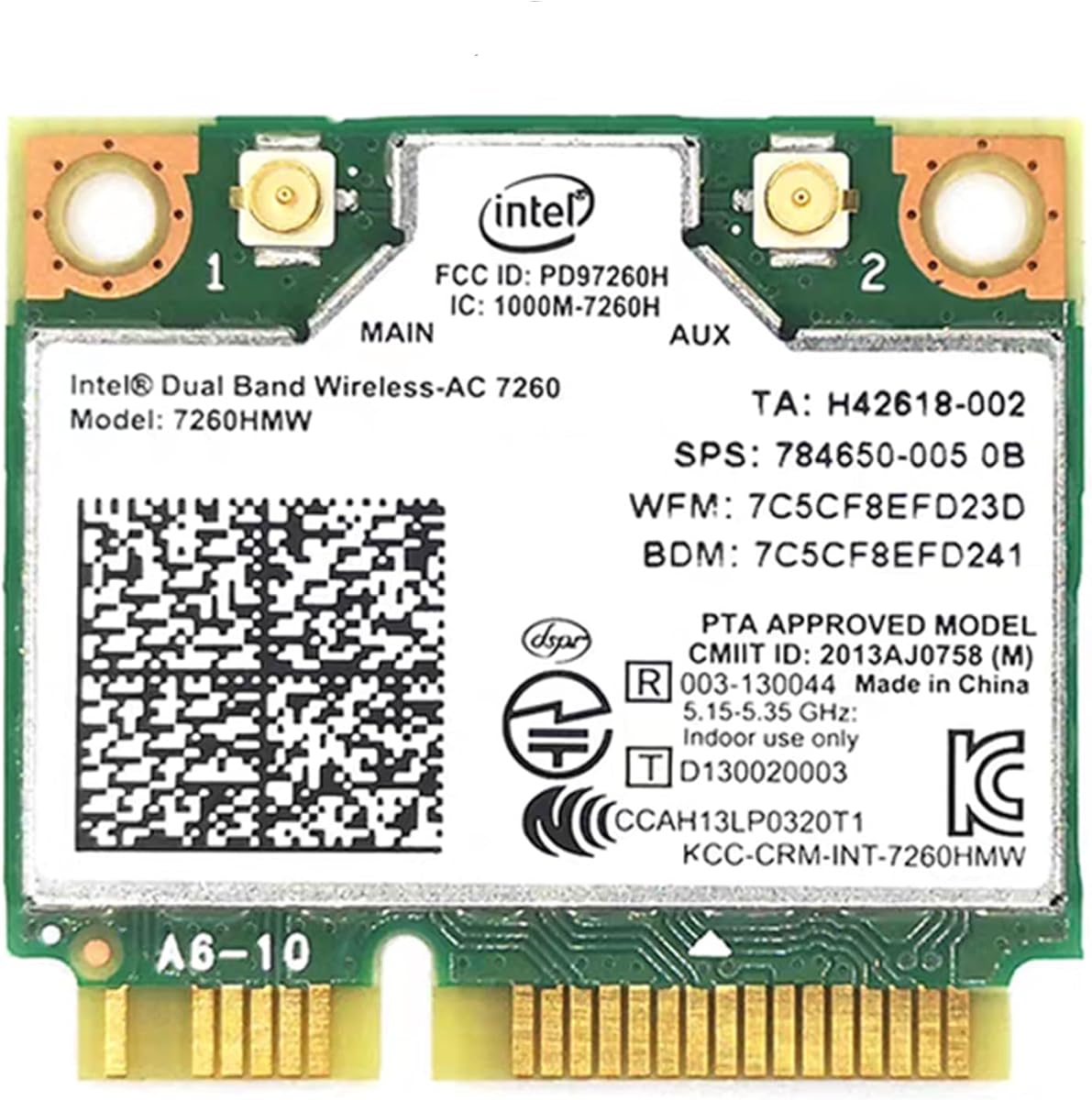
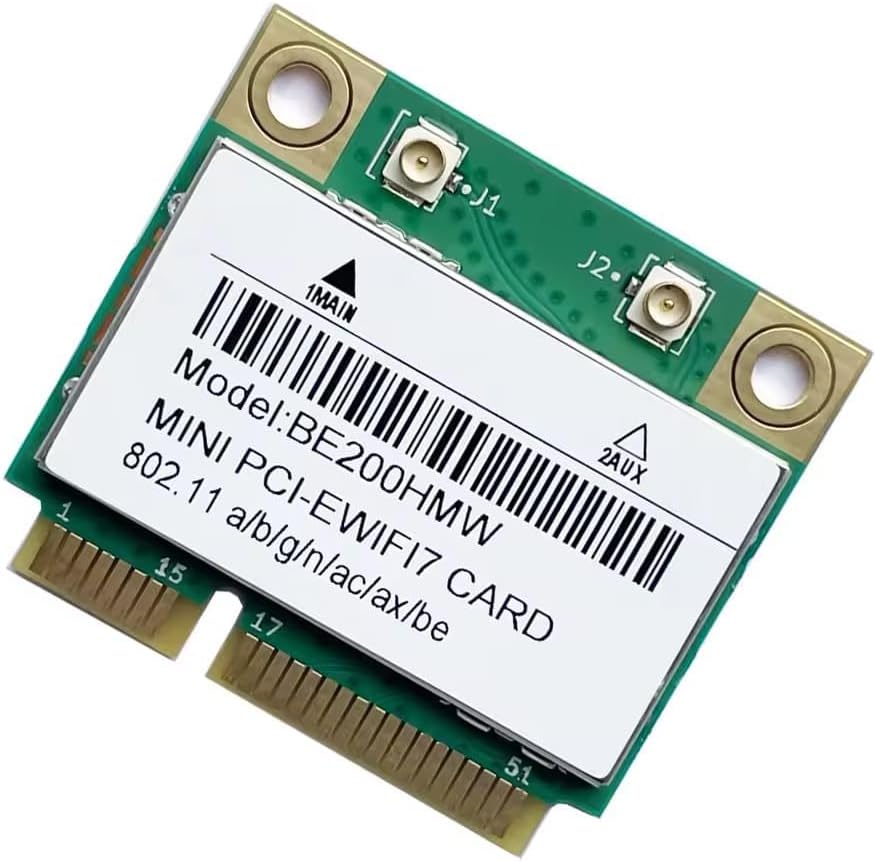


The 7260HMW Mini PCIe WiFi Card stands out as a reliable upgrade for older laptops needing modern connectivity. It offers dual band 802.11ac speeds up to 867 Mbps alongside built-in Bluetooth 4.0.
We may earn a commission when you buy through this link, at no additional cost to you.
Its standout qualities include stable performance for streaming and gaming. The card fits standard half mini PCIe slots and supports Windows 7 through 10, making it a versatile choice for various systems.
Trade-offs involve potential BIOS restrictions on some ThinkPad or HP models. Antennas might need to be sourced separately depending on the laptop model, but these are minor issues for the performance gained.
Buy this if you want a balanced upgrade with proven Intel chipset reliability. It is ideal for users seeking better range and speed without the complexity of newer Wi-Fi 6E cards.
The dual band design reduces interference by allowing 2.4GHz and 5GHz usage. This ensures smoother connections in crowded wireless environments.
Bluetooth 4.0 enables seamless peripheral connections. You can pair headsets, keyboards, and mice directly without needing extra dongles.
We may earn a commission when you buy through this link, at no additional cost to you.
The MQUPIN Dual Band card is designed to replace failing wireless modules in compatible laptops. It delivers speeds up to 867 Mbps with Bluetooth 4.0 for added functionality.
We may earn a commission when you buy through this link, at no additional cost to you.
Its key strength lies in its compatibility with many Dell, Acer, and Asus models. The card is lightweight and efficient, preventing corrosion and ensuring durability over time.
However, users must verify their motherboard USB bus status. If the bus is closed, Bluetooth will not function. Also, IBM Lenovo HP laptops often have whitelist restrictions.
This is a solid choice for budget-conscious buyers with compatible hardware. It restores wireless capability effectively for those needing faster speeds and Bluetooth connectivity.
With channel bonding and 80MHz bandwidth, data transmission is faster. This helps maintain speed even when multiple users are connected.
It works with Windows 7 to 10 and specific Linux versions. This flexibility makes it suitable for diverse computing environments.
We may earn a commission when you buy through this link, at no additional cost to you.
The Wireless BE200 Half Mini PCIe Network Card represents top-tier performance with speeds up to 5.8 Gbps. It includes Bluetooth 5.4 support for modern peripherals and enhanced security.
We may earn a commission when you buy through this link, at no additional cost to you.
Its standout features include support for WPA3 encryption and seamless integration with older laptops supporting the BE series. The card ensures lag-free gaming and fast downloads.
Trade-offs include the lack of included antennas and screws. You must check if your laptop supports the BE series to avoid compatibility issues with slots or BIOS.
Buy this if you want the fastest available speeds and latest standards. It is ideal for high-performance needs and future-proofing your network setup.
With 5.8 Gbps potential, downloads and streaming are incredibly smooth. This ensures minimal latency even during heavy usage.
Bluetooth 5.4 offers low-energy device support. It connects headsets and keyboards efficiently with improved range.
We may earn a commission when you buy through this link, at no additional cost to you.
The EDUP® Intel AX210HMW WiFi Card brings Wi-Fi 6E to laptops with mini PCIe slots. It offers tri-band speeds up to 5400 Mbps with Bluetooth 5.3 for seamless device connections.
We may earn a commission when you buy through this link, at no additional cost to you.
Key strengths include ultra-low latency and support for uplink MU-MIMO. This ensures high-speed connections even in congested environments like crowded networks.
Trade-offs involve needing to install drivers before use and checking for BIOS whitelist issues on specific laptops. Windows 10 and 11 are required for full functionality.
Buy this if you need next-gen connectivity and low latency. It is perfect for gamers and power users wanting the latest Wi-Fi standards.
Adding the 6GHz band provides exclusive channels. This reduces congestion and improves speed significantly over dual band.
Bluetooth 5.3 ensures stable and low-power connections. It supports modern devices efficiently for better user experience.
We may earn a commission when you buy through this link, at no additional cost to you.
The Deal4GO AR5B22 Half Mini PCie Card is a budget-friendly solution for restoring wireless function. It uses dual band 802.11n and includes Bluetooth 4.0 for versatile connectivity.
We may earn a commission when you buy through this link, at no additional cost to you.
It stands out for its price and compatibility with Windows XP through 10. The board is compact with IPEX MHF4 connectors for easy antenna attachment.
Trade-offs include lack of AC standard support which limits speed. Some laptops may require whitelist changes. But for basic browsing it performs well.
Buy this if cost is your main priority. It offers essential dual band and Bluetooth features at an affordable price point for older laptops.
At a low price, it restores wireless capability without breaking the budget. Ideal for students or basic home use.
The dual band support reduces interference. It allows better performance than single band alternatives for general use.
We may earn a commission when you buy through this link, at no additional cost to you.
This WiFi 6E Mini PCIe Card delivers speeds up to 5400Mbps with three bands. It includes Bluetooth 5.3 and supports 160MHz channel width for high performance.
We may earn a commission when you buy through this link, at no additional cost to you.
Key strengths include exclusive 6GHz channels that reduce interference. This makes it ideal for mesh systems and households with many connected devices.
Trade-offs involve needing a WiFi 6E router to use the 6GHz band. Also, it does not support older Windows versions. Always download drivers first.
Buy this for high-end wireless needs. It brings modern speeds and low latency to compatible laptops effectively.
The dedicated 6GHz band supports seamless streaming. This ensures consistent speeds even when the network is busy.
Bluetooth 5.3 offers four times the range of older versions. This improves connectivity for mobile peripherals.
We may earn a commission when you buy through this link, at no additional cost to you.
The MPE-AX3000H WiFi 6 Card provides dual-band 802.11ax speeds up to 2.4Gbps. It includes Bluetooth 5.2 and supports OFDMA and MU-MIMO for multi-device efficiency.
We may earn a commission when you buy through this link, at no additional cost to you.
Its strengths include handling multiple devices simultaneously without slowdowns. WPA3 security ensures safe network access for sensitive data.
Trade-offs include manual driver downloads and BIOS whitelist issues on Lenovo ThinkPad systems. Check service manuals before purchasing.
Buy this for reliable WiFi 6 performance. It is a solid choice for modernizing laptops with compatible hardware.
OFDMA and MU-MIMO allow 10+ devices to connect smoothly. This is crucial for smart home setups.
Bluetooth 5.2 offers stable and efficient connections. It uses less power than older Bluetooth versions.
We may earn a commission when you buy through this link, at no additional cost to you.
The BroadCom BCM943228HMB Half Mini PCIe card is designed for specific HP laptops. It offers dual frequency support and Bluetooth 4.0 for reliable network access.
We may earn a commission when you buy through this link, at no additional cost to you.
Its key strength lies in its perfect fit for HP models like 840 G1. It supports 802.11a/b/g/n with speeds up to 300Mbps.
Trade-offs include using older standards and lower speeds. It does not support AC. But for older laptops it provides stable functionality.
Buy this if you need a specific replacement for HP devices. It ensures compatibility and steady performance for legacy systems.
Designed for HP and Compac models it eliminates guesswork. The exact fit ensures secure installation.
Works with Windows XP to 10. This broad OS support suits older system needs.
We may earn a commission when you buy through this link, at no additional cost to you.
The Intel Dual Band Wireless-AC 7260 Half Mini Card is a trusted product from Intel. It offers solid AC wireless performance and Bluetooth capabilities for everyday tasks.
We may earn a commission when you buy through this link, at no additional cost to you.
Its strengths are reliability and consistent signal quality. Users praise its build quality and ability to handle standard streaming and browsing well.
Trade-offs include less detailed specs and older technology compared to newer standards. It is sufficient for basic use but lacks 6GHz support.
Buy this for a reliable standard upgrade. It suits users wanting proven hardware for general connectivity needs.
Intel quality ensures stable connections. This reduces dropouts and maintains consistent speeds.
Bluetooth support allows wireless peripherals. It adds convenience for keyboards and mice.
We may earn a commission when you buy through this link, at no additional cost to you.
The Intel Wireless-n 7260 7260hmw Bn Half Mini Pci-e card offers basic wireless functionality. It includes Bluetooth support and fits specific HP laptops well.
We may earn a commission when you buy through this link, at no additional cost to you.
Its strengths include affordability and compatibility with models like 717384. It restores basic Wi-Fi and Bluetooth for older systems.
Trade-offs involve slower speeds without AC support. It is best for light browsing rather than streaming or gaming.
Buy this for a basic budget repair. It is ideal for users needing simple wireless restoration on older HP devices.
At a low price, it restores essential function. It is perfect for light daily use.
Supports 802.11 b/g/n. This ensures basic internet access on supported laptops.
We may earn a commission when you buy through this link, at no additional cost to you.
Choosing the right card requires attention to slot type, standards, and OS support. This guide explains the key factors to ensure compatibility and performance.
Ensure your laptop has a Half Mini PCIe slot. Cards will not work in M.2 or CNVi slots without adapters. Check your laptop manual or open the case to verify.
Confirm that the card fits the physical dimensions of your slot. Mismatched slots prevent installation and can cause hardware issues.
Consider whether you need 802.11n, AC, or Wi-Fi 6E. Newer standards offer higher speeds and better performance in busy networks. AC and 6E are best for modern streaming.
Match the card speed with your internet plan. Overpaying for faster speeds than your plan provides is unnecessary unless you need local network performance.
Check the Bluetooth version supported by the card. Versions like 5.2 or 5.3 offer better range and efficiency than 4.0. This matters for connecting multiple peripherals.
Ensure your laptop motherboard supports Bluetooth via USB bus. Some systems disable Bluetooth on the card if the bus is not enabled.
Verify the card supports your OS version. Some cards require Windows 10 or 11. Others work with Linux or older systems. Check driver availability before purchase.
Ensure drivers are easy to install. Some cards need manual driver installation before use. Others install automatically.
Check the connector type on the card. Most use IPEX MHF4. Ensure your laptop antennas match these connectors. Missing antennas lead to poor signal range.
Note that some cards do not include antennas. You may need to source separate antennas for optimal performance.
Some laptops like Lenovo and HP have BIOS whitelists. They block third-party cards. Always check if your laptop model allows unbranded cards before purchasing.
If your laptop has restrictions, you may need to update BIOS or accept only specific brands. This ensures stable wireless function without errors.
Look for cards with reliable chips from Intel or Qualcomm. These offer better stability and longevity. Third-party brands may vary in quality.
Choose products with warranties for protection. One-year warranties or lifetime technical support reduce risk and ensure customer service availability.
Set a budget based on your needs. Basic cards are affordable while Wi-Fi 6E options cost more. Balance speed with your actual usage requirements.
Consider long-term value. Investing in newer standards like Wi-Fi 6E might save money later by avoiding another upgrade soon.
Before installing, shut down the laptop and disconnect power. Remove the battery if possible to avoid static discharge. Ground yourself before touching internal components.
Install drivers from the manufacturer website before inserting the card. This ensures the system recognizes the hardware immediately after installation.
Keep the card free of dust and heat. Ensure proper airflow in the laptop case. Regularly update drivers to maintain security and performance.
No. Many newer laptops use M.2 or CNVi slots instead. Older models from Dell, Asus, and Acer often support Half Mini PCIe. Always check your manual.
Only if your current card is slower than your internet plan. Upgrading to AC or Wi-Fi 6E improves wireless performance locally but cannot exceed ISP limits.
Download drivers before installing the card. Follow the installer steps on the manufacturer website. Reboot the laptop to finalize the setup.
Yes, desktops with mini PCIe slots can use these cards. Install the card into an available slot and connect antennas for wireless signal transmission.
Check if your motherboard has USB bus enabled. Some systems require enabling this in BIOS. Also ensure drivers are correctly installed for Bluetooth.
Generally no. Most Macbooks use proprietary connectors or M.2 slots. Compatibility is rare for standard Half Mini PCIe cards in Apple devices.
We highlighted ten cards ranging from budget-friendly to premium. The Deal4GO AR5B22 offers value while the EDUP® Intel AX210HMW delivers speed.
Prioritize compatibility and slot type when choosing. Ensure the card supports your laptop model and operating system before purchasing.
Prices change frequently. Check current listings to verify specs and cost. This guide helps you make an informed choice for your upgrade needs.