
SSK Portable SSD 1TB External Solid State Hard Drive
4.5Editor score
Lightweight 36.6g build
Supports 4K ProRes video
Includes USB-C and USB-A cables
Discover the top external SSD for MacBook Air options compared for speed, durability, and value to help you choose the perfect storage upgrade today.
Finding the right external SSD for MacBook Air means balancing speed with portability. You need a drive that keeps up with modern workflows without adding bulk to your daily carry or bag setup.
We compared ten leading models based on read write speeds, build quality, and real-world compatibility. Each option offers unique strengths for creators, professionals, and everyday users seeking reliable storage.
This guide shows you exactly what to expect from each pick including key specs and ideal use cases. Keep in mind that prices fluctuate frequently so check current listings before buying.
4.5Editor score

4.7Editor score

4.6Editor score
The following table offers a side-by-side comparison of all ten drives evaluated. It highlights key specifications like speed ratings, durability features, and physical dimensions to help you differentiate each model quickly.






The Samsung T7 Portable SSD stands out as the top choice for MacBook Air users needing reliable high-speed storage. With a 4.7 rating from thousands of verified buyers it delivers consistent performance for everyday tasks and professional workflows.
We may earn a commission when you buy through this link, at no additional cost to you.
Its PCIe NVMe technology ensures read speeds up to 1050MB/s which is nearly twice as fast as previous generations. This allows you to edit 4K videos directly from the drive without lag. The sturdy aluminum unibody construction provides shock resistance up to six feet making it ideal for travel.
While it lacks dedicated hardware encryption some users may find the software-based options sufficient. The drive also gets warm during heavy transfers though this does not impact performance. Overall the balance of speed size and durability makes it a safe recommendation.
If you need a dependable external SSD that works seamlessly with macOS and iOS the T7 is an excellent investment. It supports direct recording from cameras and smartphones which expands your creative possibilities significantly.
MacBook Air users can record and edit 4K 60fps video directly onto the T7 ensuring smooth performance during high-resolution projects.
The shock-resistant design and aluminum build protect data during accidental drops or rough handling in backpacks and bags.
We may earn a commission when you buy through this link, at no additional cost to you.
The SSK Portable SSD offers an affordable entry into high-speed storage without compromising on essential performance metrics. Its 4.5 rating reflects strong user satisfaction regarding value and reliability for casual and professional use.
We may earn a commission when you buy through this link, at no additional cost to you.
Weighing just 36.6 grams it is exceptionally light and easy to carry. The aluminum alloy case helps dissipate heat efficiently ensuring stable performance even during large file transfers. SLC caching maintains consistent write speeds for the first portion of the drive capacity.
Some users might miss dedicated management software like those found with premium brands. Additionally the lack of encryption features could be a concern for sensitive data. However for general storage needs it remains a competitive option.
This drive is perfect for students or freelancers who need extra space on a budget. Its compatibility with iPhone 15 Pro Res 4K video adds versatility for mobile creators working across devices.
The drive supports Apple ProRes HDR video capture allowing iPhone users to capture high-quality footage directly onto external storage.
A slim aluminum case ensures the drive stays cool during extended use preventing thermal throttling and performance drops.
We may earn a commission when you buy through this link, at no additional cost to you.
For professionals who need maximum speed the Samsung T9 delivers top-tier performance with read speeds up to 2000MB/s. Its 4.6 rating highlights its reliability for heavy-duty tasks like large dataset transfers or 8K editing.
We may earn a commission when you buy through this link, at no additional cost to you.
The Dynamic Thermal Guard technology actively manages heat to maintain consistent speeds during long sessions. This prevents the slowdowns often seen in portable drives under sustained load. Samsung Magician software provides easy firmware updates and drive health monitoring.
To get full speeds you need a USB 3.2 Gen 2×2 port which newer MacBook Air models support. Older systems will see lower speeds but the drive remains backward compatible. The price is higher but justified for power users.
Choose the T9 if you need the fastest portable storage available for your workflow. It ensures you spend less time waiting for files to load and more time creating content on your MacBook Air.
The Thermal Guard system adapts to usage patterns to keep the drive cool and performance steady even under heavy workloads.
Samsung produces all components in-house including DRAM and NAND ensuring high quality and consistent performance across batches.
We may earn a commission when you buy through this link, at no additional cost to you.
The SanDisk 2TB Extreme Portable SSD offers a balance of high capacity and rugged durability perfect for users with large media libraries. With a 4.6 rating it is trusted by professionals who work in challenging environments.
We may earn a commission when you buy through this link, at no additional cost to you.
Its IP65 rating means it can withstand water flow and dust contact making it safer for outdoor use. The 3-meter drop protection adds confidence if you accidentally drop the drive. Password protection with 256-bit AES encryption keeps sensitive files secure.
The Memory Zone app helps manage files automatically though some users prefer native OS tools. The carabiner loop allows you to attach it to a backpack reducing the risk of losing it. However the price reflects the higher capacity.
This drive is ideal for photographers and videographers who need reliable storage in the field. The durability features ensure your data stays safe even when your working conditions are less than perfect.
IP65 water and dust resistance plus drop protection make this drive suitable for travel and field work in various conditions.
Hardware encryption ensures your private files are protected without requiring complex software setup on your MacBook Air.
We may earn a commission when you buy through this link, at no additional cost to you.
The Lexar ES3 1TB Portable SSD is designed for users who prioritize slim form factors and secure data storage. With a 4.4 rating it delivers reliable performance for daily backups and file transfers.
We may earn a commission when you buy through this link, at no additional cost to you.
At just 10.5mm thick it fits easily into a pocket or wallet. The included Lexar DataShield software adds a layer of security with AES encryption for sensitive files. Plug-and-play compatibility means you can start using it immediately.
The drive does not highlight drop resistance like other rugged models so extra care is advised during transport. Users with older Macs might need a USB-A adapter since only Type-C is included. Otherwise it is a solid portable choice.
If you need a discreet and secure drive for everyday tasks the ES3 fits the bill. It works well with a wide range of devices including phones and cameras making it versatile for mixed usage.
DataShield software encrypts your files to protect against unauthorized access while maintaining ease of use for daily workflows.
The slim profile ensures the drive is unobtrusive and easy to carry in a pocket alongside other essentials.
We may earn a commission when you buy through this link, at no additional cost to you.
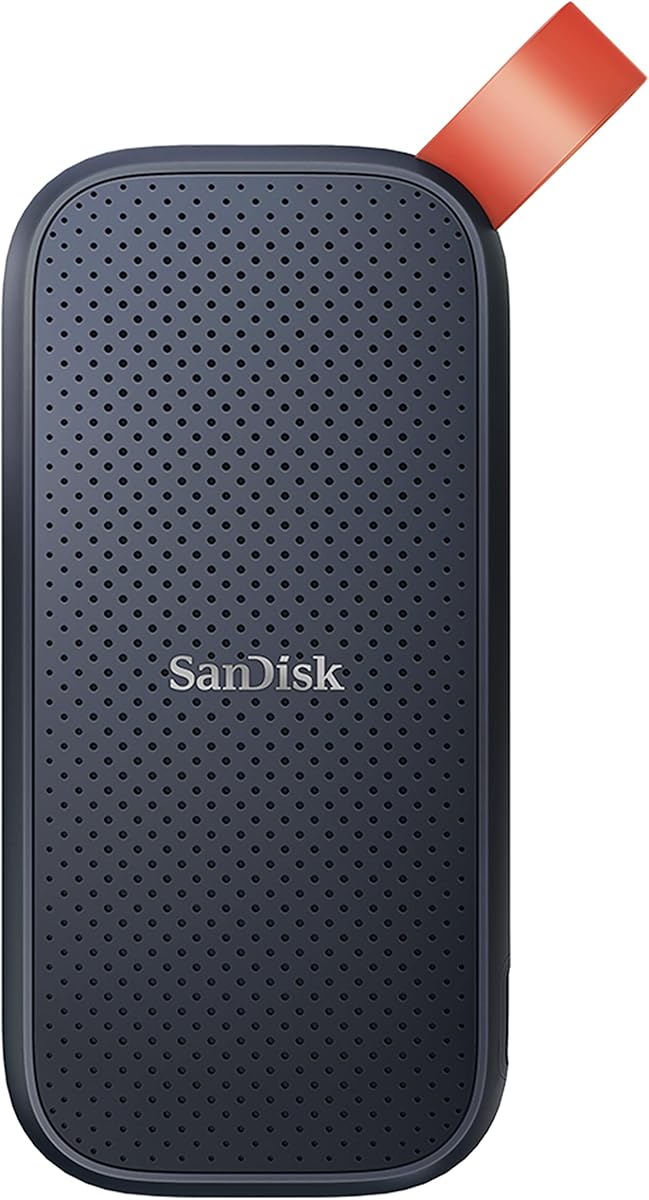
The SanDisk 1TB Portable SSD provides a solid balance of speed and durability for everyday storage needs. It holds a 4.5 rating from users who appreciate its straightforward design and reliable performance over time.
We may earn a commission when you buy through this link, at no additional cost to you.
While slower than newer NVMe models its 800MB/s read speed is still sufficient for most file transfers and photo backups. The tough rubber hook lets you secure it to a belt loop or bag to avoid misplacing it.
This model is an older version so it lacks some of the advanced features like app integration found in newer drives. However for simple backup tasks it remains a trusted option. The price point often makes it attractive for budget-conscious buyers.
Select this drive if you need a dependable storage solution for non-intensive tasks. It works seamlessly with Mac and PC systems ensuring compatibility across different work environments.
Backed by SanDisk's reputation for quality this drive ensures consistent performance for basic data storage and transfer needs.
The integrated hook makes it easy to attach your drive to your gear reducing the risk of leaving it behind during travel.
We may earn a commission when you buy through this link, at no additional cost to you.
The Lexar 2TB ES3 External SSD provides significant storage space with fast transfer speeds ideal for large media libraries. Its 4.5 rating reflects satisfaction with its balance of capacity and performance for professional and personal use.
We may earn a commission when you buy through this link, at no additional cost to you.
Built-in double layer graphite sheets conduct heat away from the drive core keeping it cool during transfers. The 2-meter drop resistance adds confidence for travel and daily carry. The included USB-C/USB-A cable enhances compatibility across devices.
Unlike some competitors it does not include built-in encryption tools which might be a drawback for secure data handling. The weight is manageable though higher than lighter 1TB options. Overall it delivers strong value for the storage provided.
This drive is best for users who need plenty of space without sacrificing speed. It supports a wide range of devices ensuring flexibility if you switch between Mac and PC systems regularly.
Graphite heat dissipation layers help maintain safe operating temperatures during high-speed file transfers and intensive use.
With 2TB of space you can store extensive video projects and photo archives without constantly managing free space.
We may earn a commission when you buy through this link, at no additional cost to you.
The Lexar 1TB Go Portable SSD stands out with a built-in hub offering extra connectivity for users with multiple peripherals. Its 4.5 rating highlights its utility for creators who need extra ports alongside storage.
We may earn a commission when you buy through this link, at no additional cost to you.
Its ultracompact design fits easily into a pocket while delivering fast 1050MB/s read speeds. The hub adds four USB-C ports allowing you to connect multiple devices to your MacBook Air without extra dongles. Support for Apple ProRes footage adds value for video pros.
The hub may need separate power for certain high-demand devices which can limit portability slightly. Also the 1TB capacity may be tight for large video projects. However the versatility it offers is unique in this category.
This drive is perfect for freelancers and on-the-go professionals who need a multi-tool storage solution. It simplifies your desk setup while ensuring you have enough space for essential files.
Four additional USB-C ports on the hub allow you to connect keyboards and mice alongside your drive.
Supports 4K ProRes video capture and playback for efficient workflows during high-quality media creation.
We may earn a commission when you buy through this link, at no additional cost to you.
The SanDisk 1TB Extreme PRO Portable SSD is a high-performance option for users needing rapid file transfers. With a 4.5 rating it offers proven speed and durability for demanding professional tasks and daily backups.
We may earn a commission when you buy through this link, at no additional cost to you.
Its forged aluminum chassis acts as a heatsink supporting consistent speeds during heavy use. The IP65 rating and 3-meter drop protection make it robust for field use. AES hardware encryption keeps sensitive data secure without software overhead.
As an older model it might not have the latest firmware optimizations or app updates. Availability can be limited compared to newer models. However performance remains strong for most high-speed storage needs.
Consider this drive if you want top-tier read speeds in a rugged package. It supports creative professionals who need to manage large files quickly while on the move.
The aluminum chassis dissipates heat efficiently allowing sustained high-speed transfers without throttling.
Hardware encryption ensures your sensitive files remain private and accessible only to authorized users.
We may earn a commission when you buy through this link, at no additional cost to you.
The SanDisk 2TB Extreme Portable External SSD holds a high 4.8 rating reflecting exceptional user satisfaction with its reliability and durability. It is a classic choice for users prioritizing security and storage over maximum speed.
We may earn a commission when you buy through this link, at no additional cost to you.
Its IP55 rating offers protection against water and dust making it suitable for outdoor work environments. The shock-resistant core protects data during drops. A 3-year limited manufacturer warranty adds peace of mind for long-term use.
The 550MB/s read speed is slower than newer NVMe options so large file transfers may take longer. It uses USB 3.1 which may not leverage full potential on newer Macs. However its build quality remains excellent.
Choose this drive if you need a reliable backup for important files in tough conditions. The high rating suggests it is a trusted product for general storage and archival purposes.
A 4.8 rating indicates customers consistently find this drive dependable and long-lasting for everyday storage needs.
A 3-year warranty protects your investment ensuring support for any manufacturing defects over several years of use.
We may earn a commission when you buy through this link, at no additional cost to you.
Selecting the right external SSD involves considering several factors like speed capacity and durability. This guide breaks down what matters most to help you find the perfect match for your workflow.
Transfer speed determines how quickly files move between your MacBook Air and the drive. Look for USB 3.2 Gen 2 or Gen 2×2 drives offering read speeds above 1000MB/s for 4K editing.
Prioritize drives with NVMe technology to ensure you are not bottlenecked by older SATA limitations during intensive tasks.
Storage capacity depends on your file types. Photographers may need 1TB minimum whereas video editors often require 2TB or more to avoid constant file management.
Consider future growth and whether you plan to archive large projects externally rather than relying solely on internal SSD space.
For travelers or field workers durability is key. Look for shock resistance ratings and water or dust proofing like IP65 to protect your drive from accidents.
An aluminum unibody design helps dissipate heat and provides better physical protection than plastic cases.
Ensure the drive uses USB-C to match your MacBook Air ports. While most modern drives are cross-platform check if any proprietary software is required for macOS.
Plug-and-play drives without needing drivers are ideal for seamless integration with macOS Time Machine backups.
Weight and dimensions matter if you carry the drive daily. Aim for drives under 50 grams and compact shapes that fit easily in a pocket or slim bag.
Some models include clips or carabiners which add convenience for securing the drive to your gear.
If you store sensitive client data look for drives with hardware encryption or password protection. AES 256-bit encryption is the standard for secure storage.
Avoid relying solely on third-party apps if the drive offers built-in encryption for better system-level security.
Fast drives can generate heat during sustained transfers. Look for thermal guard technologies or graphite layers that help manage temperature to prevent throttling.
Aluminum bodies naturally dissipate heat better than plastic ensuring stable performance during long editing sessions.
A good warranty reflects manufacturer confidence. Look for at least a 3-year limited warranty that covers replacement for manufacturing defects.
Check the brand's reputation for customer support to ensure you can resolve issues quickly if the drive fails.
Connect the drive directly to a USB-C port on your MacBook Air using the provided cable. Wait for the drive to appear on your desktop before opening files to ensure proper recognition.
Regularly update the drive firmware using manufacturer tools to fix bugs and improve performance. Keep the drive in a protective case when not in use to avoid scratches and impacts.
Always eject the drive safely using the macOS eject button before unplugging it to prevent data corruption. Avoid exposing the drive to extreme temperatures or moisture unless it is specifically rated for rugged use.
The Samsung T7 Portable SSD is widely recommended for MacBook Air users due to its fast speeds and compact design. It works seamlessly with macOS and supports direct video recording for creators.
Most modern external SSDs come with USB-C cables which plug directly into your MacBook Air. Check the product specs to ensure it includes the correct cable for your ports before buying.
Yes you can use any compatible external SSD as a Time Machine backup drive. Ensure the drive is formatted correctly in macOS Disk Utility for optimal performance.
For photo editing 1TB is a good starting point. Video editors should consider 2TB or more to accommodate large raw files and project archives without constant cleanup.
NVMe SSDs are significantly faster than SATA models offering quicker file transfers and application loading. They are generally worth the extra cost for professional workflows on modern Macs.
Yes many external SSDs support direct video editing. Ensure the drive has read speeds above 1000MB/s to handle 4K footage smoothly without frame drops.
Our top picks include the Samsung T7 for overall performance the SSK for budget buyers and the Samsung T9 for premium speed. Each offers distinct advantages based on your specific needs and workflow.
When choosing prioritize transfer speed and durability if you work on the go. For home users capacity and price may be more important factors to consider for long-term storage needs.
Prices and availability change frequently so always check current listings before purchasing. Verify compatibility with your specific MacBook Air model to ensure you get the most out of your new drive.