
Yilador Webcam Cover 3 Pack
4.3Editor score
Three pack value bundle
Thin and stylish profile
Strong adhesive hold
This guide compares the top 10 laptop webcam covers for privacy and security, analyzing design, thickness, and compatibility to help you choose the best fit
Protecting your digital privacy has become essential in an era where hackers can remotely activate webcams without your knowledge. A reliable laptop webcam cover acts as a simple physical barrier, ensuring that your camera lens remains blocked when not in use. This small accessory provides peace of mind for anyone concerned about unauthorized surveillance on their personal or work devices.
We have evaluated ten highly rated webcam covers based on their build quality, ease of installation, and compatibility with various devices. Our analysis focuses on ultra-thin designs that do not interfere with closing laptop lids, as well as options that offer different installation methods like adhesive or clip-on styles. Each product offers unique benefits depending on your specific privacy needs and device type.
Each pick in this list highlights key features, pros, and cons to help you make an informed decision quickly. We include detailed specifications and usage instructions to ensure you select a cover that fits your laptop, tablet, or external webcam perfectly. Please note that prices and availability are subject to change, so verify current details before purchasing your chosen item.
4.3Editor score

4.5Editor score
4.3Editor score
The following table provides a side-by-side comparison of all ten webcam covers evaluated in this guide. It highlights key specifications such as material, thickness, pack size, and device compatibility to help you quickly identify the best option for your needs.


The CloudValley Laptop Camera Cover Slide stands out as the top choice for users seeking a premium and reliable privacy solution. With a high rating and exceptional feedback, this cover combines a durable metal construction with an ultra-thin profile that ensures your laptop can close securely. It is designed to provide peace of mind without compromising the sleek look of your device.
We may earn a commission when you buy through this link, at no additional cost to you.
One of the strongest features of this cover is its 0.023-inch thickness made from space aluminum alloy. This material choice not only adds a touch of sophistication but also ensures the cover is robust enough to withstand daily sliding. The installation process is straightforward, requiring alignment with the webcam and a firm press to secure it in place.
While the cover performs exceptionally well, there are a few trade-offs to consider. The package includes only two covers, which might not be enough if you need to protect multiple devices simultaneously. Additionally, like many adhesive-backed options, removal could potentially leave residue if not done carefully, though the design aims to minimize this risk.
This product is ideal for professionals and students who prioritize privacy and aesthetics. If you want a cover that blends seamlessly with your laptop and offers reliable protection against unauthorized access, the CloudValley model is highly recommended. It effectively balances functionality with style to meet modern security needs.
The space aluminum alloy material provides a durable and sleek finish that complements modern laptop designs while ensuring long-lasting privacy protection.
At only 0.023 inches thick, this cover does not interfere with closing your laptop lid, allowing you to maintain your device's portability.
We may earn a commission when you buy through this link, at no additional cost to you.
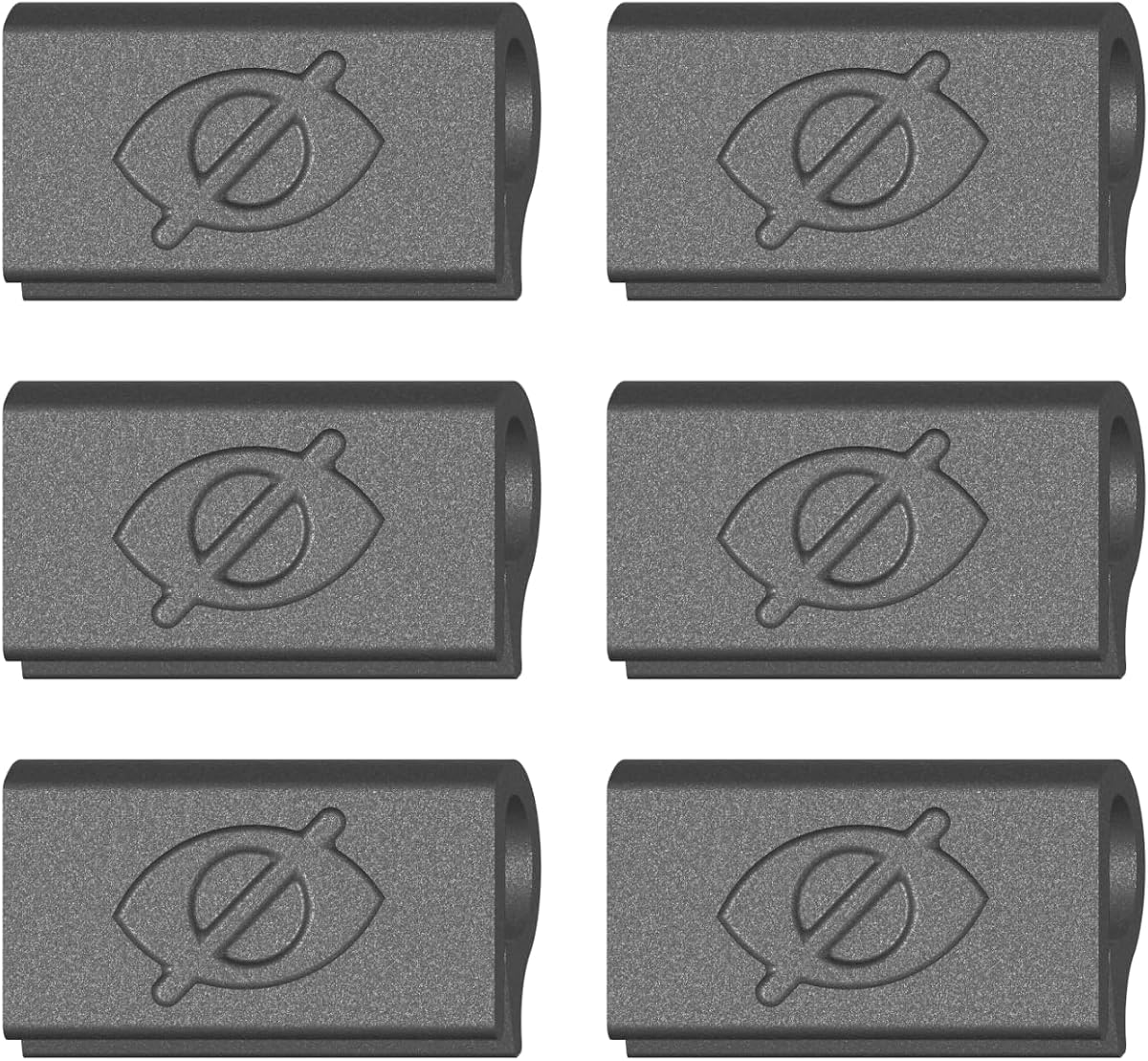
The Yilador Webcam Cover 3 Pack offers exceptional value for those looking to secure privacy across multiple devices without spending much. Its low price point and inclusion of three units make it a practical choice for families or shared workspaces. The covers are designed to be thin enough to avoid hindering laptop closure while providing effective security.
We may earn a commission when you buy through this link, at no additional cost to you.
These covers feature an ultra-thin design that is stylish and functional, enhancing the laptop's appearance. The upgraded adhesive ensures a strong hold that resists peeling over time, providing reliable protection. The installation involves cleaning the surface, applying the cover, and pressing firmly for a short duration to ensure a secure bond.
However, there are some limitations to be aware of. The product is not suitable for MacBooks released after 2023 or devices with protruding front cameras. Users with full-screen or notch-style tempered glass screen protectors might also find compatibility issues. Additionally, the plastic material may not be as durable as metal alternatives over the long term.
If you need an affordable solution for several devices and your laptop does not have a notch or protruding camera, this is an excellent choice. It balances cost and performance well, making privacy accessible to everyone. Just be sure to check device compatibility before purchasing to ensure a smooth installation experience.
Getting three covers in one pack allows you to protect multiple devices or share with others while keeping costs extremely low.
The upgraded adhesive technology ensures the cover stays firmly in place without damaging your device or leaving residue upon removal.
We may earn a commission when you buy through this link, at no additional cost to you.
The Webcam Cover Slide Clip-On represents a premium approach to privacy by eliminating adhesive entirely. Made in the USA, this cover uses flexible TPU material to clip onto the bezel of your laptop, offering a secure fit without sticky residue. It is an ideal choice for users who frequently swap devices or dislike permanent adhesives.
We may earn a commission when you buy through this link, at no additional cost to you.
The push-on installation is incredibly simple, requiring you to press the cover onto the bezel with one finger. This method ensures no prying or flexing is needed, protecting your device from potential damage. The thin profile allows your laptop to close completely and enter sleep mode without interference, maintaining full functionality.
While this cover excels in design, it is specifically built for laptops and may not work with tablets, phones, or devices in thick cases. The reliance on a clip-on mechanism means it requires a standard bezel to hold in place, which might not be present on all modern ultra-thin laptops. However, for those who prioritize residue-free usage, it is unmatched.
This product is perfect for professionals and users who value high-quality materials and easy removal. If you want a cover that you can trust to be free from adhesive issues and made locally, this is a top contender. It combines practicality with a commitment to quality, making it a smart investment for privacy.
By using a clip-on mechanism, this cover avoids sticky residue completely, making it safe for any device and easy to remove whenever needed.
Made from flexible TPU and manufactured in the USA, this cover ensures durability and reliability for long-term privacy protection.
We may earn a commission when you buy through this link, at no additional cost to you.
For users with external Logitech webcams, this cover offers a specialized solution tailored to specific models like the C920x and C922. It provides not only privacy protection but also care for the camera lens by preventing dust fall and scratches. The design ensures that your webcam remains stylish while functioning securely when not in use.
We may earn a commission when you buy through this link, at no additional cost to you.
The cover features an easy flip mechanism that allows it to be turned 180 degrees and removed if needed. This flexibility adds a layer of convenience, enabling you to access the camera quickly when required. Installation is simple, attaching securely to your webcam without leaving any residue behind, ensuring a clean setup.
While the product is highly rated, it is limited to specific Logitech models, meaning it cannot be used on built-in laptop cameras. Additionally, purchasing a single unit might be less convenient if you own multiple cameras. However, for those invested in the Logitech ecosystem, the precise fit and added lens care make it a superior option.
This is a highly recommended choice for creators and professionals using Logitech webcams. It addresses the unique needs of external camera users with a design that prioritizes both privacy and hardware care. If you want reliable protection for your streaming or video conferencing setup, this cover is a practical addition.
Beyond privacy, this cover protects your camera lens from dust and scratches, ensuring high-quality video performance over time.
The flip mechanism allows for 180-degree rotation and easy removal, giving you control over your camera usage whenever needed.
We may earn a commission when you buy through this link, at no additional cost to you.
This six-pack option provides an excellent volume of coverage for multiple devices or backup needs. Designed with a focus on privacy security, these covers are ultra-thin at 0.022 inches, ensuring they do not affect the closing of your laptops. The flexible ABS material offers durability without fragility, making them suitable for daily use.
We may earn a commission when you buy through this link, at no additional cost to you.
Installation is straightforward, involving cleaning the screen, aligning the cover with the camera, and pressing hard for a few seconds. The strong adhesive ensures the cover does not fall off, keeping your privacy secure. This product is compatible with a wide range of devices, including laptops, tablets, and Apple devices, offering versatile protection.
The main trade-off is that the adhesive might be strong, requiring careful removal to avoid damage. Additionally, the covers are generic and may not match specific device aesthetics as closely as custom options. However, the quantity and reliability make up for these minor drawbacks for users seeking bulk privacy solutions.
If you need to protect several devices at once or want spares for the future, this six-pack is a smart purchase. It balances cost, durability, and ease of use effectively. For anyone prioritizing quantity and essential privacy features, this cover provides solid value and reliable performance.
With six covers included, you can protect multiple devices or share with family and coworkers without worrying about running out.
At 0.022 inches thick, this cover is nearly invisible on your device and ensures your laptop can close properly without interference.
We may earn a commission when you buy through this link, at no additional cost to you.
This package offers a versatile solution with nine covers in three sizes, ensuring you have the right fit for any device. Whether you need to cover a laptop, tablet, or phone, the variety of sizes ensures compatibility. The ultra-thin design guarantees that the cover remains unnoticeable even when the laptop lid is closed.
We may earn a commission when you buy through this link, at no additional cost to you.
Installation is easy, requiring a clean surface and a firm press to secure the cover. The adhesive is designed to be removable without leaving traces, making it suitable for devices you may resell. It is compatible with most laptops, smartphones, and desktops, offering a one-stop privacy solution for your entire tech setup.
While the variety is a major plus, users might find the mix of sizes slightly complex to manage initially. Also, as with many adhesive covers, there is a slight risk of residue if removed improperly. Despite these minor issues, the quantity and size options make this a practical choice for diverse needs.
Ideal for families or office environments where multiple devices need protection, this pack covers all bases. It provides an all-in-one privacy solution that saves time and effort. If you want flexibility and quantity in one purchase, this set is a convenient and reliable option.
With large, medium, and small options, you can find the perfect fit for every camera lens on your devices without extra purchases.
The adhesive is formulated to be easily removed from devices without leaving any traces or damage to the screen or surface.
We may earn a commission when you buy through this link, at no additional cost to you.
This clip-on cover solves the problem of sticky residue by using a flexible design that grips your bezel without adhesives. It slides open and closed easily, providing simple privacy control that you can manage effortlessly. The product is made in the USA, reflecting a commitment to quality and durability over mass production.
We may earn a commission when you buy through this link, at no additional cost to you.
The value of this pack lies in its reusability and cleanliness. You can keep one on your laptop, another on your tablet, and share the rest with others. However, it is designed to be used while your laptop is open, and it may need to be removed to close the device depending on thickness.
While it avoids residue, the fit might not be ideal for devices with very slim bezels or heavy cases. Users must ensure the clip can grip securely to avoid the cover falling off. Despite this, the clean installation and domestic manufacturing make it a strong option for those who hate sticky adhesives.
If you value clean installation and domestic production, this cover is a thoughtful choice. It balances usability with a lack of adhesives to protect your device's surface. For anyone tired of gunk on their screens, this clip-on solution offers a clean and reliable alternative.
By eliminating adhesives entirely, this cover ensures your screen and bezel remain clean and free from sticky residue over time.
Designed and manufactured in the USA, this cover offers higher quality control and durability compared to offshore mass-produced items.
We may earn a commission when you buy through this link, at no additional cost to you.
This cover combines privacy protection with personality through its cute pattern design. It features a larger opening to ensure compatibility with various camera types, including those on MacBook Pros. The ultrathin profile ensures that it sits flush against your device without hindering the closing of your laptop lid.
We may earn a commission when you buy through this link, at no additional cost to you.
Installation involves cleaning the surface and pressing firmly to ensure the adhesive holds well. The larger aperture prevents the cover from blocking the camera unnecessarily when open, addressing common user feedback on smaller covers. This functional design enhances user experience while maintaining style.
While the patterns add fun, they might not suit every professional setting. However, the practicality of the large opening and thin profile remains consistent across designs. It is a great way to personalize your privacy solution while ensuring functionality is not compromised in the process.
If you want to add a personal touch to your privacy setup, this is a great option. It balances style with practicality effectively for daily use. For anyone looking to make security more fun, this cover offers a unique and useful choice.
The enlarged opening ensures the cover does not block the camera view when open, providing a better user experience.
Fun patterns allow you to personalize your device while maintaining essential privacy security features.
We may earn a commission when you buy through this link, at no additional cost to you.
This slider cover provides effective privacy protection for popular Logitech webcams like the C920 and C930e. It conveniently blocks your camera lens, ensuring that your privacy remains intact during downtime. The design is known as a webcam lid or protector, offering a simple yet effective barrier against intruders.
We may earn a commission when you buy through this link, at no additional cost to you.
The slider mechanism allows you to easily cover and uncover the lens with a slide of your finger. It is a cost-effective alternative to OEM parts, providing reliable performance without a high price tag. This makes it an accessible choice for anyone using these common webcam models for calls or streams.
The limitation lies in its specificity; it only fits certain Logitech models and may not work with others. Additionally, you get a single cover per pack, which might be limiting if you have multiple cameras. However, the fit and function are highly rated, making it a top pick for Logitech users.
For those using Logitech webcams, this slider offers reliable privacy at a reasonable price. It ensures your camera is covered securely when not in use. If you value convenience and cost-effectiveness, this cover is a solid investment for your external camera setup.
The simple slider design allows for quick and easy covering of the lens, ensuring privacy with minimal effort.
As an alternative to OEM parts, this cover offers high-quality privacy protection at a fraction of the price.
We may earn a commission when you buy through this link, at no additional cost to you.
This cover features adorable plant-themed designs that appeal to nature lovers and those who want a unique look. The slim profile ensures it fits snugly on laptops like the MacBook Pro without interfering with closure. It is simple to apply and remove, leaving no sticky residue behind, making it safe for your device.
We may earn a commission when you buy through this link, at no additional cost to you.
The six-pack provides ample coverage for multiple devices or as gifts for friends. Its thin design allows you to close your laptop properly, maintaining portability and sleek aesthetics. It is designed to protect your online privacy while adding a touch of style to your tech accessories.
While the plant theme is charming, it may not appeal to every professional environment. However, the practical features like the slim profile and residue-free removal remain effective. The large size ensures compatibility with various screen sizes, including those on iMacs and iPads.
If you love plants and want a cover that reflects your personality, this is a great choice. It offers both style and security effectively for daily use. For anyone looking to personalize their privacy tool, this cover is a fun and functional option.
The plant-themed patterns make this cover a unique accessory that adds charm to your laptop while keeping it secure.
With a slim and slim profile, this cover ensures your laptop closes properly without any interference from the privacy shield.
We may earn a commission when you buy through this link, at no additional cost to you.
Selecting the right webcam cover involves considering several factors to ensure compatibility and durability. This guide outlines key aspects to evaluate before making your purchase decision.
Ensure the cover fits your specific device model. Some covers are designed for laptops only, while others work with tablets and phones. Check if your device has a notch or protruding camera before purchasing.
Verify compatibility details to avoid returns and ensure a secure fit on your device.
A thin profile is crucial for laptops so the cover does not prevent the lid from closing. Look for covers that are under 0.05 inches thick to maintain portability.
Prioritize ultra-thin designs to ensure your device remains sleek and functional.
Covers typically use adhesive or clip-on mechanisms. Adhesive offers a permanent hold but might leave residue, while clip-on options are removable but require a bezel.
Choose based on whether you want a permanent or removable privacy solution.
Materials range from plastic to metal like aluminum alloy. Metal options tend to be more durable and sleek, while plastic is lightweight and affordable.
Invest in higher-quality materials for long-term durability and better aesthetics.
Some packages include single units while others offer multi-packs. Consider how many devices you need to protect to determine the best value.
Opt for multi-packs if you have multiple devices to ensure cost efficiency.
Many covers come in plain black or with patterns. Choose a design that matches your personal style or professional setting.
Select a style that complements your device without compromising privacy.
Look for covers that allow easy sliding or flipping. A smooth mechanism ensures you can quickly access your camera when needed.
Prioritize covers with easy mechanisms for convenience during daily use.
The primary function is to block the camera lens completely. Ensure the cover is opaque and does not have gaps that might allow light or vision.
Confirm that the cover provides complete visual blocking for maximum privacy.
To install a webcam cover, first clean the surface around your camera lens with a soft cloth and alcohol wipe to remove dust and oils. For adhesive covers, peel off the backing and press firmly for at least 10 to 30 seconds to ensure a strong bond.
Once installed, slide the cover closed when you are not using the camera to prevent unauthorized access. Open it only when you need to participate in video calls or recording sessions. Ensure the mechanism moves smoothly without forcing it to prevent damage.
To remove the cover, gently peel it off using a soft tool if adhesive was used. Avoid using sharp objects that might scratch your screen. If residue remains, clean it with a small amount of adhesive remover or warm soapy water and dry thoroughly before reapplying.
Yes, most webcam covers are safe for MacBooks, but you should check compatibility with newer models that have notched screens. Traditional models without notches generally work well with thin covers. Always verify the product description to ensure it mentions MacBook compatibility.
If the cover is designed to be ultra-thin, it should not affect your laptop's ability to close. However, thicker covers might prevent the lid from fully shutting. Look for covers under 0.05 inches to ensure they fit without interfering.
Some webcam covers are designed to fit phones and tablets, but many are optimized for laptops. Check the product specifications to see if it lists compatibility with mobile devices. Universal packs often include various sizes to fit different screen types.
Gently peel the cover off slowly at an angle. If adhesive remains, use a soft cloth with a little adhesive remover or warm soapy water to clean the surface. Avoid harsh chemicals that might damage your device's finish or screen coating.
Using a webcam cover is generally legal and is even encouraged for privacy. Some countries suggest it as a security measure. It does not violate any laws as long as it is used for personal privacy protection and not for malicious purposes.
High-quality covers are designed to protect the lens from dust and scratches. Low-quality covers might have rough edges that could cause wear. Choose products made from smooth materials to ensure long-term safety for your camera lens.
Yes, a physical webcam cover blocks the camera lens from seeing, making it impossible for hackers to view you even if they gain access. It is a simple and effective physical barrier against digital intrusion and spyware.
A shutter typically flips open or slides to cover the lens, while a slider moves horizontally. Both provide the same privacy function. Choose based on personal preference for the mechanism that feels most convenient for your usage.
We have reviewed ten top webcam covers ranging from ultra-thin metal designs to affordable multi-packs. The CloudValley Laptop Camera Cover Slide stands out for its premium build, while the Yilador pack offers excellent value. Clip-on options provide residue-free convenience for users who dislike adhesives.
When choosing a cover, prioritize compatibility with your device and ensure the profile is thin enough to allow closing. Consider how many devices you need to protect and whether you prefer a permanent or removable solution. Balance between durability and design will help you find the perfect fit.
Prices and availability may change frequently so check current details before finalizing your purchase. Privacy is essential in today's digital world, and a simple cover can provide significant peace of mind. Take action to secure your devices today by selecting a cover that meets your needs.