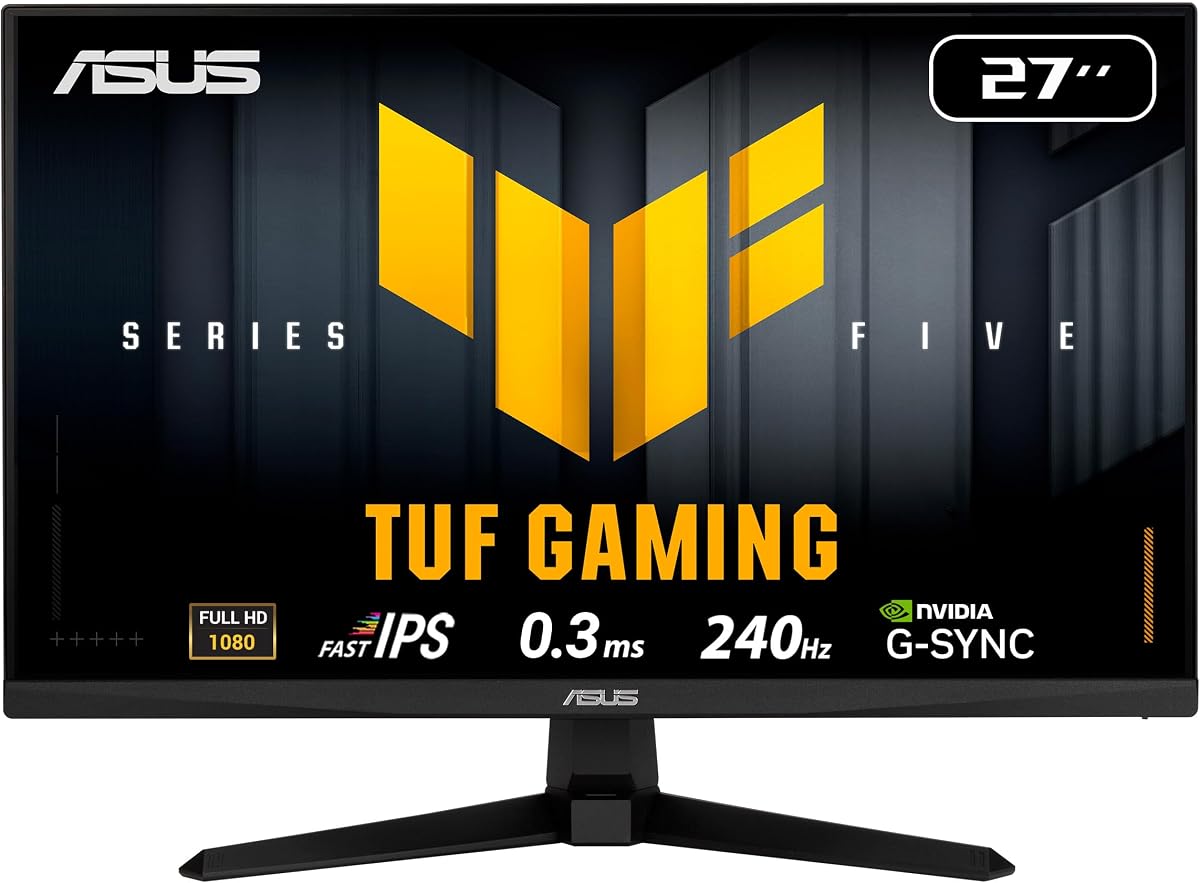
ASUS TUF Gaming VG279QM5A
4.5Editor score
Fast IPS technology
G-SYNC compatible
ELMB SYNC feature
Finding the right display for tactical shooters requires precision and speed. A 240Hz monitor for competitive Valorant ensures your inputs translate instantly to screen actions. This guide helps you navigate the best options available today.
We evaluated ten top-rated models based on response time, panel quality, and adaptive sync support. Our analysis focuses on how each display handles fast-paced scenarios common in ranked matches. Every product listed meets strict criteria for performance.
Each pick highlights specific strengths like color accuracy or refresh rate capabilities. Note that pricing fluctuates frequently due to market demand and promotions. Always verify current offers before making your final decision to secure the best value.
4.5Editor score

4.7Editor score

4.8Editor score
As an Amazon Associate we earn from qualifying purchases.
This section provides a side-by-side look at the specifications and key attributes of all ten models. Use this table to quickly identify which screen fits your specific hardware and playstyle needs.



The Dell 24 240Hz Gaming Monitor offers a balanced mix of speed and image quality for competitive play. With a 4.7 rating, it stands out for its reliable performance in fast-paced shooter scenarios.
We may earn a commission when you buy through this link, at no additional cost to you.
Its Fast IPS technology ensures that colors remain vivid even when viewing from angles during intense sessions. The 0.5ms response time minimizes blur when tracking enemies across the screen effectively.
While the stand lacks height adjustment, the tilt function allows enough flexibility for most setups. The TÜV certification adds peace of mind regarding long-term eye comfort during extended gaming.
This monitor is ideal for players who prioritize smooth motion and accurate colors without breaking the bank. It delivers consistent performance that supports climbing the ranks in tactical shooters.
The 99% sRGB coverage ensures that map details and enemy outlines are rendered with high fidelity for better situational awareness.
AMD FreeSync Premium eliminates screen tearing by synchronizing the refresh rate with your graphics card output seamlessly.
We may earn a commission when you buy through this link, at no additional cost to you.
This AOC model brings extra detail to your battlefield with its QHD resolution. Players who want clearer visuals while maintaining high frame rates will appreciate this combination.
We may earn a commission when you buy through this link, at no additional cost to you.
The 0.3ms MPRT response time is among the fastest available, ensuring minimal ghosting during quick movements. Adaptive-Sync technology keeps gameplay fluid across both AMD and NVIDIA cards.
You will need a capable graphics card to drive the higher resolution at maximum refresh rates. The larger 27-inch screen also requires more desk space than smaller alternatives.
Ideal for serious competitive players who have the hardware to support higher pixel counts. It offers a premium viewing experience without sacrificing the speed needed for ranked matches.
The 2560×1440 resolution makes it easier to spot distant enemies and read text on in-game HUDs clearly.
Game Mode presets and Shadow Control help adjust brightness and contrast for darker corners in maps.
We may earn a commission when you buy through this link, at no additional cost to you.
For those pushing hardware limits, this monitor offers up to 300Hz refresh rates over DisplayPort. It delivers a fluid experience for players with high-end systems.
We may earn a commission when you buy through this link, at no additional cost to you.
Color performance is strong with 120% sRGB coverage, ensuring maps look vibrant and true to life. Multiple ports allow easy connection to various peripherals or secondary setups.
The warranty and support network may not match larger established manufacturers. Some users might prefer a more recognized brand for long-term reliability concerns.
This choice suits enthusiasts who want maximum refresh capabilities at a competitive price point. It is a solid pick for FPS-focused setups where raw speed is the priority.
Built-in CrossHair and game-specific modes help optimize visuals for different genres easily.
Image optimization reduces visual noise to keep the picture clean during fast action sequences.
We may earn a commission when you buy through this link, at no additional cost to you.
This monitor introduces a curved design to improve immersion during competitive sessions. The ultra-slim base saves valuable desk space for keyboard and mouse movement.
We may earn a commission when you buy through this link, at no additional cost to you.
With a 124% sRGB color gamut, colors appear vivid and engaging. The game-ready OSD allows quick adjustments without pausing your match for long periods.
As a newer brand, verified review data is currently limited. Users should expect standard VA panel contrast which might not suit all color-critical tasks.
Best for gamers who want unique design features alongside solid performance metrics. It balances aesthetics with functionality for those looking for something different.
The slim base allows you to tuck your keyboard underneath when not in use efficiently.
Triple eye protection reduces strain during marathon gaming sessions with flicker-free tech.
We may earn a commission when you buy through this link, at no additional cost to you.
The ASUS TUF line delivers reliability and speed at an accessible price point. This model combines a 27-inch screen with fast IPS technology for competitive needs.
We may earn a commission when you buy through this link, at no additional cost to you.
ELMB SYNC technology allows you to use motion blur reduction alongside variable refresh rates. This dual advantage helps maintain clarity while keeping frames smooth across the board.
The stand is functional but lacks extensive ergonomic adjustments like swivel or height. Audio output is minimal, so a headset is necessary for full audio immersion in games.
This is a great entry point for competitive players needing high specs without premium costs. It offers professional-grade features that stand up to intense daily usage.
ELMB SYNC ensures clear visuals even when using adaptive sync to prevent tearing effectively.
TUF Gaming A.I technology provides smart enhancements to improve your overall gaming experience.
We may earn a commission when you buy through this link, at no additional cost to you.
With a 4.8 rating, this MSI model stands out for its exceptional build quality and performance. The rapid VA panel optimizes color and brightness for dark maps.
We may earn a commission when you buy through this link, at no additional cost to you.
AI Vision reveals details in shadowed areas which is crucial for spotting opponents hiding in corners. The 0.5ms GtG response time ensures smooth transitions without ghosting artifacts.
VA panels can sometimes show more ghosting than IPS, though this model mitigates that well. Ergonomic adjustments are limited, requiring external stands for full customization.
This premium choice is perfect for gamers who value visual clarity and high ratings. It delivers professional performance that supports winning in competitive environments reliably.
AI Vision enhances brightness in dark zones to reveal hidden enemies more clearly.
Software solutions reduce blue light emission to protect your eyes during long sessions.
We may earn a commission when you buy through this link, at no additional cost to you.
This AOC monitor offers a native 240Hz rate that can be overclocked to 260Hz. It targets players who need every frame advantage possible in high-stakes ranked matches.
We may earn a commission when you buy through this link, at no additional cost to you.
Adaptive-Sync ensures fluid visuals without tearing across your GPU. The flicker-free technology helps reduce strain during long nights of grinding for rank.
The stand only offers tilt adjustments which may limit comfort for some users. Power efficiency is a plus, keeping energy costs lower over time.
It is a strong contender for those prioritizing frame rate capabilities above all else. The combination of speed and sync technology supports a seamless competitive experience.
Graphical OSD menu and G-Menu software make tuning settings quick and intuitive.
Standard mode keeps power usage efficient while maintaining optimal display brightness levels.
We may earn a commission when you buy through this link, at no additional cost to you.
This monitor focuses on immersion with its 1500R curved panel. The curve helps reduce eye strain by keeping screen edges at a uniform distance.
We may earn a commission when you buy through this link, at no additional cost to you.
Color coverage is robust with 93% DCI-P3 gamut support. Shadow booster tools help brighten dark areas so you do not miss enemies in shadows.
VA panels may show slight ghosting in fast-moving scenes compared to IPS. Height adjustment is absent, so you might need a separate stand for optimal positioning.
Good for users wanting a unique setup without spending a fortune. The curved design adds a distinct feel to your competitive gaming environment.
Black level adjustment helps you see enemies hiding in dark corners of the map.
DCI-P3 coverage ensures rich and vivid colors for a more immersive visual experience.
We may earn a commission when you buy through this link, at no additional cost to you.
This compact 24-inch model offers excellent ergonomics with a height-adjustable stand. The Fast IPS panel ensures crisp visuals for quick reactions during gameplay.
We may earn a commission when you buy through this link, at no additional cost to you.
With 99% sRGB coverage, colors remain accurate for content creation tasks too. DisplayWidget Center software simplifies on-screen display adjustments significantly.
The price is higher than non-TUF competitors but justified by the build quality. You may want to check connectivity options if you have multiple consoles or PCs.
Ideal for desk setups where space is limited but performance cannot be compromised. It delivers reliable competitive features in a more manageable form factor.
DisplayWidget Center allows mouse-driven adjustments without diving into menus constantly.
Backed by a 3-year warranty that offers peace of mind for long-term usage.
We may earn a commission when you buy through this link, at no additional cost to you.
Striking a balance between size and performance, this 25-inch model fits many setups well. The 0.3ms GTG response provides sharp visuals for fast gameplay.
We may earn a commission when you buy through this link, at no additional cost to you.
G-SYNC compatibility ensures tear-free output when using NVIDIA graphics cards. Vibrant color accuracy ensures the game world looks as intended by developers.
The stand lacks some ergonomic features found on pricier alternatives. Port selection is standard which might limit connectivity for multi-device users.
It is a solid recommendation for gamers needing a reliable mid-size display. The 3-year warranty adds confidence in its long-term durability and support.
ELMB SYNC technology helps eliminate ghosting and tearing for sharp visuals.
Complimentary Adobe Creative Cloud subscription adds extra value for creators.
We may earn a commission when you buy through this link, at no additional cost to you.
Selecting the right display involves understanding key specifications that impact performance. This guide breaks down the most important factors to consider.
Refresh rate determines how many times per second the screen updates images. For competitive Valorant, 240Hz is the sweet spot to see smoother motion and faster reactions.
Higher refresh rates provide a distinct advantage in tracking moving targets and reducing perceived lag.
Response time measures how quickly a pixel changes color. Lower values like 0.5ms or 1ms minimize ghosting and motion blur during fast scenes.
Look for GtG or MPRT specs to ensure clarity when tracking enemies across the screen.
IPS panels offer better color and viewing angles while VA panels provide higher contrast. TN panels are fast but lack color quality which may not suit all users.
Most modern options use Fast IPS technology to balance speed with image quality.
FHD (1080p) is standard for high refresh rate gaming as it is easier to drive at high frame rates. QHD offers more detail but demands more from your GPU.
Ensure your graphics card can maintain high FPS to fully utilize the monitor capabilities.
FreeSync and G-SYNC prevent screen tearing by synchronizing the monitor rate with GPU output. This keeps visuals smooth even when frame rates fluctuate.
Choose a monitor that supports your specific graphics card brand for optimal performance.
A good stand allows height and tilt adjustments to reduce neck strain during long sessions. VESA mount compatibility gives you flexibility to use third-party arms.
Comfort is essential for maintaining focus over hours of gameplay.
DisplayPort 1.4 is usually required to run 240Hz at full resolution. Ensure your monitor has the necessary ports for your GPU setup.
Extra HDMI ports can be useful for connecting consoles or secondary devices.
Flicker-free and low blue light certifications reduce eye strain. These features are helpful for players who game for extended periods daily.
Certifications like TÜV Rheinland add trust to the manufacturer claims about comfort.
Connect the monitor using the DisplayPort cable provided to ensure full 240Hz capability. Adjust settings in your GPU control panel to match the max refresh rate.
Clean the screen with a soft microfiber cloth to avoid scratches or damage to the coating. Do not use harsh chemicals that might harm the panel surface.
Periodically update the monitor firmware through the manufacturer website to get bug fixes and performance improvements. Check settings regularly to optimize for new game updates.
While 144Hz is playable, 240Hz provides smoother motion and helps in quick reactions. It is ideal for competitive players aiming for higher performance in ranked matches.
IPS panels generally offer a good balance of speed and color. TN panels are faster but have poor viewing angles and color accuracy.
Yes you can run it at lower refresh rates. However you lose the smooth motion benefits designed for competitive play.
To utilize 240Hz you need a GPU capable of pushing high frame rates. Otherwise you won't see the full benefit of the high refresh.
Use adaptive sync features like FreeSync or G-SYNC to match frame rates. This prevents visual tearing during fast action.
Curved monitors offer immersion but are not essential for competitive performance. Flat panels provide better accuracy for precise mouse movements.
We compared ten top monitors offering high refresh rates tailored for competitive gaming. Each model provides unique strengths in speed, color, or design.
Prioritize response time and panel type to ensure smooth visuals. Your choice should match your hardware capabilities and ergonomic preferences.
Verify current deals and specifications before buying to get the best value. Prices change often so checking current offers helps secure the right screen.