
GDSTIME 40mm x 40mm
4.7Editor score
Affordable 2-pack
Hydraulic bearing
24V compatible
This guide compares the top 40mm cooling fans for servers, 3D printers, and electronics based on performance, noise, and reliability.
Finding the right cooling solution for compact electronics is essential for maintaining performance and longevity. Fourty millimeter fans are the standard for tight spaces in servers, routers, and 3D printers where airflow is critical.
We evaluated ten top-rated models based on airflow, noise levels, bearing types, and build quality. Our analysis focuses on real-world compatibility and durability to help you choose the most reliable option for your specific application.
Each pick includes detailed specifications and pros and cons to highlight unique strengths. Prices and availability change frequently so check the links for the latest updates before making your final purchase decision.
4.7Editor score
4.8Editor score

4.8Editor score
The following table provides a side-by-side look at the key specifications and features of all ten selected fans to help you compare them quickly.


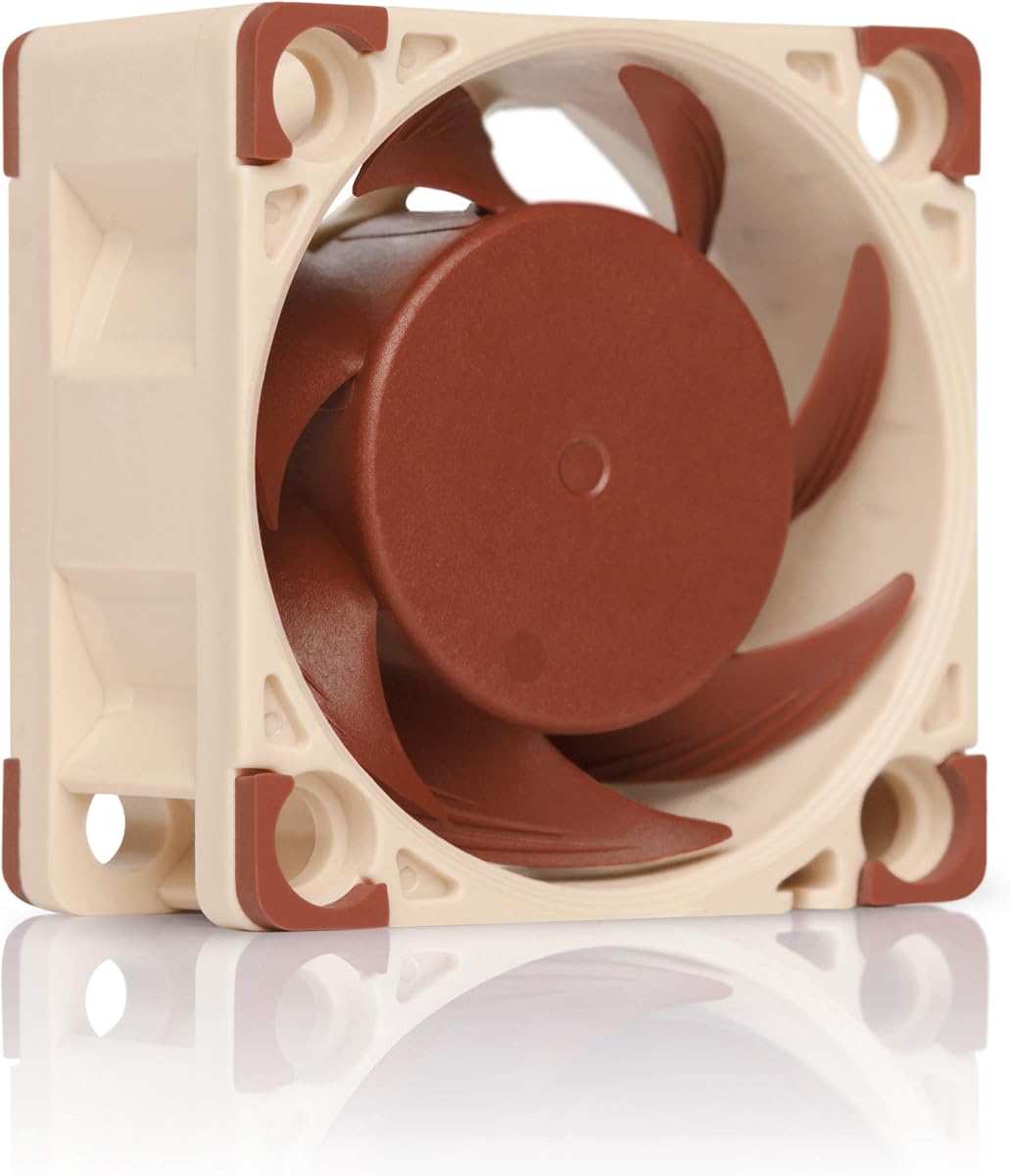
This fan is a top-tier choice for users needing reliable and silent cooling in 1U servers and network gear. It boasts a 4.8 rating and is known for its exceptional balance of airflow and noise levels.
We may earn a commission when you buy through this link, at no additional cost to you.
The Flow Acceleration Channels and Advanced Acoustic Optimisation frame significantly reduce turbulence. This design ensures high static pressure and efficient heat removal without creating annoying noise.
While the price is higher than generic brands, the reliability and included accessories justify the investment. The Low-Noise Adaptor allows for even quieter operation if needed.
It is best for professional setups where uptime and silence are critical. If you want the quietest and most durable 40mm fan available, this is the clear winner.
The frame design and blade shape work together to minimize aerodynamic noise for a truly silent experience.
Comes with an OmniJoin adaptor set to connect to proprietary headers found in many enterprise devices.
We may earn a commission when you buy through this link, at no additional cost to you.
This 2-pack offers an affordable way to upgrade cooling in multiple devices without breaking the bank. The dual ball bearing construction provides durability that exceeds typical sleeve bearing fans.
We may earn a commission when you buy through this link, at no additional cost to you.
The high 6200 RPM speed ensures rapid heat dissipation even in tight enclosures. The slim 10mm profile makes it easy to fit into space-constrained electronics like DVRs and routers.
Noise levels are slightly higher than premium models, but acceptable for non-silent applications. The package includes essential connectors that simplify the replacement process.
Ideal for hobbyists or small businesses needing multiple reliable fans. If you need a budget-friendly dual pack with decent longevity, this is a solid pick.
Dual ball bearings are less prone to wear and tear compared to standard sleeve bearings for longer life.
The 10mm thickness allows installation in shallow cabinets where 20mm fans simply will not fit.
We may earn a commission when you buy through this link, at no additional cost to you.
This is the perfect replacement for noisy 10mm fans found in 3D printers and network switches. The 4.8 rating reflects its consistent performance and quiet nature across various applications.
We may earn a commission when you buy through this link, at no additional cost to you.
The FLX version allows speed adjustment via Low-Noise Adaptors. This gives you control over airflow and noise levels without needing a PWM header.
While it lacks PWM, the included adapters provide enough flexibility for most users. The build quality is exceptional and ensures reliability over many years.
Best for 3D printer users needing a quieter part cooler. If you require a slim, reliable Noctua fan, this model is an excellent choice.
Supplied Low-Noise Adaptors allow you to tune the fan speed for maximum airflow or silent operation.
Flow Acceleration Channels maintain efficiency even with the thinner 10mm blade design.
We may earn a commission when you buy through this link, at no additional cost to you.
Designed specifically for RC model cars these fans offer unmatched RPM for motor cooling. They prevent overheating in 1/8 and 1/10 scale motor setups effectively.
We may earn a commission when you buy through this link, at no additional cost to you.
The metal construction ensures they withstand the vibration and heat of high-speed racing. The carbon fan cover protects the blades and improves safety during operation.
These are not suitable for general electronics due to noise and design. However, for RC enthusiasts needing reliable motor cooling, they are highly effective.
Best for hobbyists running high-performance RC motors. If your RC motor needs serious cooling this is the dedicated solution.
The extreme RPM effectively cools brushless motors that generate significant heat under load.
The plug is reverse polarity protected to prevent damage during installation in RC vehicles.
We may earn a commission when you buy through this link, at no additional cost to you.
This pack is a budget-friendly solution specifically designed for 24V 3D printers like the Ender 3 series. It offers reliable cooling for hotends without the high cost of premium brands.
We may earn a commission when you buy through this link, at no additional cost to you.
The hydraulic bearing is resistant to wear and provides a quiet operation. A 24V rating ensures compatibility with the board power output of many popular printers.
While the service life is shorter than industrial fans it is sufficient for most hobbyist use. The included extension cables simplify connecting to tight spaces.
Best for 3D printer owners on a budget. If you need a direct replacement for a 24V system this pack is an excellent value.
Ideal direct replacement for broken hotend cooling fans on Creality and other 24V printers.
Wear resistant hydraulic bearing construction provides an extended service life of 40000 hours.
We may earn a commission when you buy through this link, at no additional cost to you.
This five-pack provides a convenient bulk solution for cooling multiple small electronic devices. The hydraulic bearing design keeps noise low while providing decent airflow for general purposes.
We may earn a commission when you buy through this link, at no additional cost to you.
The 30cm cable offers flexibility for routing wires in complex setups. It works well for fans like Raspberry Pi and small PC cases where space is tight.
It is a cost-effective way to stock up on replacement fans. While performance is not top-tier, the price per unit is very competitive.
Best for bulk replacement needs or DIY projects. If you need multiple fans for different gadgets this is a practical buy.
The 30cm cable gives you plenty of length to route the fan where needed comfortably.
Hydraulic bearings eliminate the need for oiling and ensure smooth operation over time.
We may earn a commission when you buy through this link, at no additional cost to you.
This model combines the slim profile of the A4x10 with modern PWM control for 24V systems. It is ideal for upgrading cooling in 24V 3D printers for better temperature control.
We may earn a commission when you buy through this link, at no additional cost to you.
The included NA-AC9 adaptor makes it compatible with common 3D printer headers. The speed is controlled automatically to maintain cooling efficiency while keeping noise low.
Premium build quality ensures it lasts for the long haul. The 150,000 hour MTTF is a testament to its reliability and robust construction.
Best for 3D printer users needing 24V PWM. If you want the best control for a 24V printer this is the top choice.
The 24V PWM design allows for precise speed control via 3D printer mainboards.
Includes a specialized adaptor for popular 3D printers to simplify connection and setup.
We may earn a commission when you buy through this link, at no additional cost to you.
This 20mm version delivers high airflow while maintaining the quiet reputation of Noctua fans. It is perfect for 1U server cases where 20mm depth is available.
We may earn a commission when you buy through this link, at no additional cost to you.
The FLX design gives you manual control over speed using Low-Noise Adaptors. This flexibility ensures you can balance performance and noise without PWM.
Despite the higher price the reliability and performance are unmatched. The anti-vibration mounts reduce vibration transmission to the chassis.
Best for 1U server upgrades. If you need a quiet and reliable 20mm fan this one stands out.
Low-Noise Adaptors allow you to manually tune speed for maximum airflow or silence.
The frame is engineered to minimize turbulence and keep noise levels exceptionally low.
We may earn a commission when you buy through this link, at no additional cost to you.
This fan is a powerful option for applications requiring high static pressure. It is suitable for cooling radiators or enclosures with restrictive airflow.
We may earn a commission when you buy through this link, at no additional cost to you.
The high 15000 RPM max speed allows for rapid heat removal. Ball bearings ensure it can handle high speeds reliably over time.
While it is thicker than 10mm or 20mm fans it is necessary for certain industrial setups. The PWM control allows for quiet low-speed operation.
Best for industrial or heavy-duty cooling. If you need high pressure this is a great choice.
The wide speed range lets you regulate from quiet to very high performance.
Two ball bearings hold the impeller for resistance against heat and dust.
We may earn a commission when you buy through this link, at no additional cost to you.
This fan offers the best of both worlds with a slim profile and PWM control. It is perfect for systems needing automatic speed adjustment in tight spaces.
We may earn a commission when you buy through this link, at no additional cost to you.
The broad 1000-5000 RPM range ensures it can run quietly when idle and fast when needed. The Low-Noise Adaptor allows for even lower speeds if desired.
Noctua quality ensures minimal noise even at high RPM. The advanced frame design maximizes airflow efficiency for a 10mm fan.
Best for compact systems needing PWM. If you want automatic control in a slim fan this is the top choice.
The 4-pin PWM connection allows the system to adjust fan speed based on temperature.
Advanced Acoustic Optimisation keeps noise levels low even with the slim blade design.
We may earn a commission when you buy through this link, at no additional cost to you.
Choosing the right fan depends on several technical factors that influence performance and longevity.
Fans typically run on 12V or 24V. Check your device specifications before buying to ensure compatibility.
Always match the voltage of your fan to your device power output.
Hydraulic bearings are quiet but have shorter lifespans than ball bearings. Ball bearings are more durable for high RPM use.
Choose ball bearings for industrial and hydraulic for quiet domestic use.
PWM fans use 4-pin headers while older fans use 3-pin Molex or 2-pin connectors. Verify your motherboard or board connector.
Ensure the connector matches your port for automatic speed control.
While width and depth are standard 40mm thickness varies. 10mm fans fit slim spaces while 20mm or 28mm offer better airflow.
Measure your enclosure depth before purchasing to avoid fit issues.
Higher RPM usually means more noise. Premium fans use advanced blade shapes to balance this better.
Prioritize low decibel ratings for office or home use.
Mean Time To Failure indicates expected lifespan. Premium brands offer over 150k hours while budget brands may offer 30k to 50k hours.
Look for high MTTF for critical or continuous operation.
PWM allows software control while FLX uses physical resistors. Decide if you need dynamic speed adjustment or fixed speeds.
Choose PWM for smart control and FLX for simple static setups.
High-quality plastic and metal frames reduce vibration and noise. Avoid cheap models that vibrate heavily.
Check for anti-vibration mounts and sturdy housing.
Install the fan ensuring airflow direction points to where heat needs to be removed. Marked arrows on the frame indicate the correct direction.
Secure the fan using the included screws or mounts to prevent vibration. Loose fans often cause rattling noise over time.
Keep the fan free of dust by cleaning the blades periodically. Dust buildup increases noise and reduces cooling efficiency.
The main difference is the voltage required to power the motor. 24V fans are common in modern 3D printers while 12V is standard for PCs and servers. Never connect a 24V fan to a 12V source as it will not spin.
PWM fans allow for more precise speed control which can save power and reduce noise. DC fans rely on voltage changes which can be less efficient. PWM is generally preferred for modern setups.
No, thickness must match the available space. A 20mm fan will not fit into a 10mm clearance slot. Always check dimensions before installation.
Mean Time To Failure is a rating that estimates how long the fan will last before failing. Higher numbers indicate a longer expected lifespan.
Loud noise can be caused by dust, poor mounting, or high speed. Ensure it is mounted securely and check for debris on the blades.
Mounts are highly recommended for reducing noise transmission to the case. They are essential for quiet operation in sensitive environments.
We have reviewed the top 40mm fans for various needs ranging from server racks to 3D printers. The Noctua options lead in quality while budget packs offer excellent value.
Prioritize voltage compatibility and noise levels based on where you will place the device. A slightly more expensive fan often pays off in longevity and silence.
Prices fluctuate so check the links for the most current pricing and availability before finalizing your purchase.