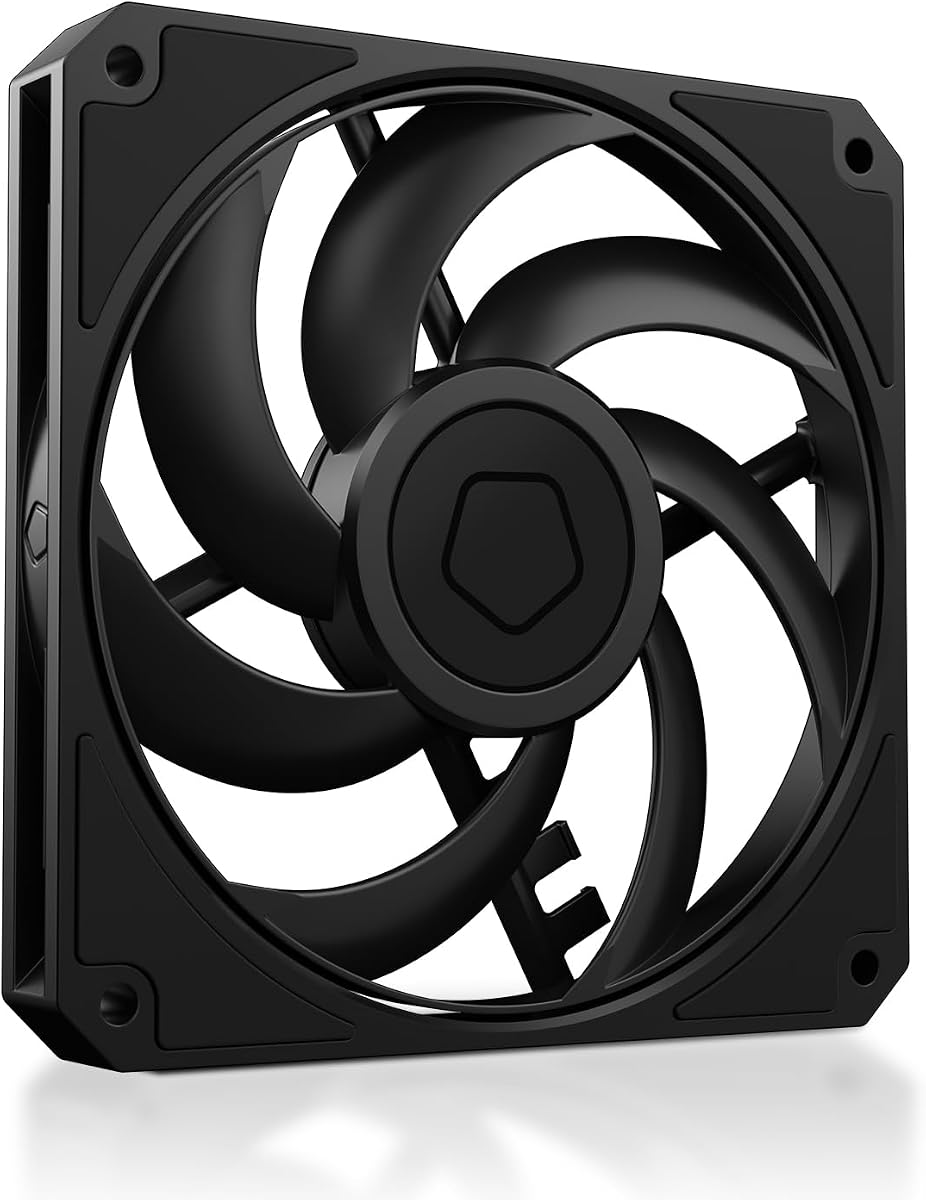
ID-COOLING AM-120-SLIM
4.8Editor score
59.6 CFM airflow
500-2500 RPM range
Hydraulic bearing
This guide compares the top low profile case fans for small builds, focusing on airflow, noise, and thickness to help you choose the right cooling solution.
Low profile case fans are essential for builders working with compact enclosures where standard fans simply will not fit. These slim units provide crucial airflow while maintaining a minimal footprint to ensure thermal performance stays high in restricted spaces.
We evaluated ten leading models based on static pressure, noise levels, and build quality to determine which ones offer the best value. Our analysis covers various sizes and control methods to help you find the perfect match for your specific hardware needs.
Each pick highlights key strengths like silent operation or high pressure to guide your decision-making process effectively. Please note that product availability and pricing can change rapidly so always verify current details before making your final purchase decision.
4.8Editor score

4.9Editor score

4.8Editor score
The following table provides a side-by-side comparison of all ten selected fans to help you quickly identify the model that best fits your specific cooling requirements and build constraints.



This premium slim fan stands out as the top choice for builders prioritizing silent operation without sacrificing cooling power. It holds an impressive 4.9 rating from users who praise its ability to move air quietly even under high pressure constraints.
We may earn a commission when you buy through this link, at no additional cost to you.
The advanced acoustic optimization frame and flow acceleration channels work together to reduce turbulence and noise. Its 120x15mm profile makes it perfect for tight spaces like HTPCs or low-profile CPU coolers where standard thickness would cause interference.
While the cost is higher than budget options the build quality justifies the investment. The included anti-vibration mounts and extension cables ensure easy installation and long term reliability which matters for critical system components.
Buy this fan if you need the best balance of quiet and performance for small form factor builds. It is ideal for enthusiasts who value premium engineering and want a fan that will last for years.
The flow acceleration channels guide air smoothly through the blades to minimize disruptive noise frequencies.
At just 15mm thick it fits coolers and cases where standard 25mm fans simply cannot be installed.
We may earn a commission when you buy through this link, at no additional cost to you.
This fan offers incredible value for money making it the top budget pick for small form factor builds. It delivers strong airflow and static pressure at a price point that undercuts most competitors significantly while maintaining reliability.
We may earn a commission when you buy through this link, at no additional cost to you.
The 2.7 mmH2O static pressure makes it excellent for pushing air through radiators or dense heatsinks. Users appreciate the 4-pin PWM control which allows for automatic speed adjustments based on system temperature loads.
Though it lacks the premium finish of high-end models it performs admirably in real-world cooling tasks. The hydraulic bearing ensures smooth operation and reduces friction to extend the fan's usable lifespan over time.
Choose this if you need effective cooling on a tight budget for SFF or ITX cases. It is a practical solution for builders who prioritize raw performance over aesthetic refinement or brand prestige.
Its 2.7 mmH2O rating ensures it can push air through restrictive coolers efficiently.
Pricing remains highly competitive offering performance per dollar unmatched by most rivals.
We may earn a commission when you buy through this link, at no additional cost to you.
This is the premium all-black version of the acclaimed Noctua slim fan tailored for dark theme builds. It maintains the same exceptional quiet performance while adding visual customization options that appeal to style-conscious enthusiasts.
We may earn a commission when you buy through this link, at no additional cost to you.
The chromax.black.swap edition includes self-adhesive pads in multiple colors to match your build theme. Its 120x15mm profile ensures compatibility with low-profile CPU coolers and tight case layouts without sacrificing cooling efficiency.
While the price is higher than basic models the aesthetic flexibility and build quality justify the extra cost. It offers the same reliable engineering as the brown version but looks significantly better in modern black chassis.
Pick this fan if you want top-tier performance with a sleek black look for your system. It is ideal for users who value both silence and style in their compact computer builds.
Included multi-colored pads allow you to match the fan to your specific build palette.
It delivers the same superior airflow and noise characteristics as the original brown model.
We may earn a commission when you buy through this link, at no additional cost to you.
This pack of three slim fans provides excellent value for builders needing multiple units for a system. It balances cost and performance well making it a practical choice for full loop cooling setups requiring low profile units.
We may earn a commission when you buy through this link, at no additional cost to you.
Each fan delivers 15mm thickness ideal for cramped radiators or coolers. The 4-pin PWM connection allows precise speed control to keep noise down during light loads while ensuring max cooling when needed.
While individual units may not match premium build quality the sheer quantity offsets this for many users. It is a solid middle ground for those who need coverage without breaking the bank on high end options.
Select this pack if you are outfitting a small PC with multiple cooling points on a budget. It is perfect for users who prioritize having enough fans for a complete loop over single unit perfection.
The three pack covers front intake rear exhaust and radiator needs efficiently.
Blade shape is tuned to push air through restrictive heatsinks and filters.
We may earn a commission when you buy through this link, at no additional cost to you.
This model brings the slim profile benefit to a larger 140mm form factor for increased airflow potential. It suits cases with 140mm mounts that cannot accommodate standard thickness fans due to tight internal clearances.
We may earn a commission when you buy through this link, at no additional cost to you.
The motor is tuned for quiet operation across its RPM range to reduce noise pollution. At 16mm thick it offers slightly more height than 120mm units but still clears tight spaces that block regular fans.
Performance remains solid for airflow driven setups where static pressure is less critical. It provides a good balance of size and slimness for specific chassis constraints without premium pricing.
Choose this if your case supports 140mm mounting but requires a slim depth. It is ideal for those needing extra cubic feet per minute in a compact design without standard thickness penalties.
Larger size moves more air than 120mm fans within same height constraints.
Internal motor parts are refined to lower operational noise during use.
We may earn a commission when you buy through this link, at no additional cost to you.
This standard PWM version delivers proven reliability and quiet performance for demanding compact builds. It is a staple for enthusiasts who trust the brand for consistent thermal results over long periods.
We may earn a commission when you buy through this link, at no additional cost to you.
The included y-cable allows two fans to run on one header reducing clutter. Its slim 15mm height ensures it fits in tight areas while still providing strong cooling capabilities.
While it lacks the customizable look of other versions it excels in pure function. Users appreciate the smooth operation and low noise levels even when running at full speed under load.
Select this if you need a proven quiet fan for a low profile CPU cooler. It is a solid pick for those who prioritize function over form in their cooling solution.
Running two fans on one header reduces cable clutter inside small enclosures.
Design has been refined over years to ensure reliability and silent operation.
We may earn a commission when you buy through this link, at no additional cost to you.
This German engineered fan focuses on silent operation and efficient airflow for small cases. The optimized frame ensures peak performance even when installed on radiators with limited clearance space.
We may earn a commission when you buy through this link, at no additional cost to you.
Its rifle bearing promises 80000 hours of reliable life making it durable for long builds. The seven blades are designed to reduce noise while maintaining steady airflow for cooling components.
While it may not match premium pressure specs it offers a quiet and reliable option. It is great for users who want a balance of German quality and affordable pricing for their build.
Choose this if you value German engineering and a focus on silence. It is a practical choice for general case cooling where extreme pressure is not the main goal.
The frame is shaped to minimize turbulence and maximize airflow efficiency.
Rifle bearing technology extends service life to 80000 hours of operation.
We may earn a commission when you buy through this link, at no additional cost to you.
This fan offers balanced performance suitable for a variety of low profile cooling tasks. The vibration absorbing pads help reduce friction and noise during rotation for a smoother experience.
We may earn a commission when you buy through this link, at no additional cost to you.
The S-FDB bearing design helps extend service life while keeping operational noise low. At 15mm thick it fits into tight spaces without compromising the cooling capacity of your system.
While its max speed is lower than some competitors it prioritizes quiet and stability. It is a practical choice for builders seeking a reliable no-fuss fan for their cases.
Select this if you need a quiet and reliable fan for small form factor builds. It is ideal for users who value stability and low cost over peak speed numbers.
Absorbing pads at corners reduce vibration friction to lower overall noise.
Fluid dynamic bearing design helps maintain silence and extend fan lifespan.
We may earn a commission when you buy through this link, at no additional cost to you.
This model is perfect for very small builds where standard fans simply cannot fit physically. Its 14mm thin profile allows it to work with specific CPU coolers that require tight clearances.
We may earn a commission when you buy through this link, at no additional cost to you.
The chromax.black.swap edition offers a sleek black look with customizable pads to match your build. The HS-PWM control allows for semi-passive operation so it can stop spinning at low loads.
While it is small and costs more than larger fans its niche fit is unmatched. It is the go-to for those with extreme space constraints requiring a 92mm fan.
Choose this if you need a slim 92mm fan for a low-profile cooler. It is a specialized solution for users prioritizing form factor compatibility over raw airflow.
14mm thickness allows use with coolers like the NH-L9 series.
Stops at 0% PWM for near silent operation during light system usage.
We may earn a commission when you buy through this link, at no additional cost to you.
This version uses 3-pin Molex connection for manual speed control via adaptors. It offers fixed speeds to let users choose exactly how they want their system to behave.
We may earn a commission when you buy through this link, at no additional cost to you.
Included Low-Noise Adaptors allow stepping down to 1400 RPM or 950 RPM for silence. The build quality matches other Noctua models providing reliability and smooth airflow in tight spaces.
While lacking auto PWM it offers simplicity for users who prefer fixed settings. It is useful for those who do not need automatic temperature based speed adjustments.
Select this if you prefer manual control or have a motherboard with only 3-pin headers. It is a great choice for steady quiet cooling without complex control logic.
Fixed speeds allow users to set the fan behavior manually.
Included adaptors reduce speed to 950 RPM for maximum silence.
We may earn a commission when you buy through this link, at no additional cost to you.
Selecting the right slim fan requires understanding how physical dimensions and performance specs interact with your case.
Most standard fans are 25mm thick whereas low profile fans usually range from 15mm to 20mm. Measure the clearance between your mounting point and adjacent components to ensure a fit.
Always choose a fan that is thinner than your available clearance to allow for screw head space and vibration dampening mounts.
Fans come in 92mm 120mm and 140mm sizes. Your motherboard or case usually dictates the required width to match the mounting holes.
Match the width to your mounting holes to avoid needing adapters or causing airflow gaps around the fan frame.
PWM fans connect via 4-pin headers and allow your motherboard to adjust speed based on temperature. This saves power and reduces noise during idle loads.
Use PWM fans if your motherboard supports them; otherwise manual 3-pin fans with adaptors offer stable fixed speeds.
Static pressure is key for pushing air through radiators or dense heatsinks. High airflow fans move more air in open spaces without restrictions.
Prioritize static pressure for coolers and radiators; choose high airflow for general case ventilation without obstructions.
Noise is often measured in decibels or sones. Look for fans with fluid dynamic bearings to ensure smoother operation and less noise.
Check the noise rating at full speed to ensure it fits your quietness goals for your workspace.
Long life bearings like fluid dynamic or rifle bearings offer better durability. Many premium fans offer warranties covering defects over several years.
Select a fan with a proven bearing type to ensure reliability and consistent operation over time.
Quality fans include screws and anti-vibration mounts to reduce case vibration. These accessories help minimize unwanted noise during high speed operation.
Ensure the package includes the necessary screws and pads for secure and quiet installation.
Premium fans cost more but often deliver better efficiency and longevity. Budget options can work well if you check their static pressure ratings carefully.
Balance your budget with the performance needs of your specific build to find the best value.
Install the fan with the direction arrow pointing towards the desired airflow path. Most fans push air from the back towards the front or from bottom to top.
Use the anti-vibration pads or gaskets if provided to reduce noise caused by frame vibration on the chassis.
Periodically check your fans for dust buildup and clean them with compressed air to maintain optimal performance and longevity.
Not necessarily. Many slim fans are engineered to deliver equal cooling in restricted spaces. Look for static pressure ratings to compare real world performance.
Yes but ensure there is enough space for the radiator thickness plus the fan. Check total clearance before mounting to avoid interference issues.
The Noctua NF-A12x15 series is optimized for these coolers. Their specific flow acceleration channels work best with compatible radiators.
Usually standard screws work but some brands include longer ones. Check the package to ensure you have enough screws for your setup.
Measure the distance between the mounting surface and the nearest obstacle. Subtract about 2mm to allow for screw head and mount clearance.
PWM allows better dynamic control of speed and noise. Use PWM if your motherboard supports it for optimal efficiency.
Higher prices often reflect better bearings and advanced design. These features improve longevity and noise performance significantly.
Yes if the header supports it. Use a splitter cable to avoid overloading the motherboard header with too many fans.
The Noctua NF-A12x15 PWM stands out as the top choice for overall performance and silence. The ID-COOLING AM-120-SLIM offers the best value for those on a tight budget.
Prioritize static pressure and thickness to ensure compatibility with your specific hardware constraints. Balance noise levels with cooling needs based on where you will use the fan.
Always check the latest pricing and availability before purchasing to secure the best deal for your build.