
TP-Link ER605
4.4Editor score
Five Gigabit Ports
USB WAN Backup Support
Advanced Security Features
This guide compares the top dual wan router models for reliability and speed, featuring detailed reviews of business grade options for seamless internet
Finding a reliable dual wan router is essential for businesses and power users who cannot afford internet downtime. These devices manage multiple connections to ensure your network stays online even if one provider fails. Selecting the right model requires understanding port types, security features, and throughput capabilities to match your specific needs.
We evaluated ten top rated dual wan routers based on performance, security, and ease of use. Our analysis covers gigabit and multi-gigabit options from leading brands like TP-Link, NETGEAR, and ASUS. Each product was assessed for its failover speed, load balancing efficiency, and overall value for money in professional settings.
Each pick in this list highlights key strengths and potential limitations to help you decide. We include detailed specs and real world usage scenarios for every router featured. Please note that prices and availability can change frequently so verify current details before purchasing your next network device.
4.4Editor score

4.2Editor score

4.3Editor score
The following table provides a side-by-side comparison of all ten dual wan routers reviewed in this guide. Use this overview to quickly identify port configurations, security capabilities, and management features across different price points and performance tiers.



The TP-Link ER605 stands out as a reliable choice for small businesses needing robust failover capabilities. With a rating of 4.4 stars it offers excellent value for its price range. Its ability to handle multiple connections ensures your network stays operational during outages.
We may earn a commission when you buy through this link, at no additional cost to you.
Key strengths include five gigabit ports allowing for versatile connectivity configurations. The support for USB WAN via 4G modems provides an extra layer of redundancy. Advanced security features like DoS defense and IP filtering protect your data effectively.
Trade-offs include the lack of built-in WiFi which requires separate access points. The QoS options are functional but not as granular as premium enterprise models. However these limitations are acceptable for most standard office environments.
This router is ideal for small offices prioritizing reliability and cost efficiency. It delivers consistent performance without demanding complex setup. We recommend it for anyone seeking a straightforward dual wan solution.
With one WAN plus two WAN/LAN and two LAN ports you can customize your network layout easily.
Support for multiple VPN protocols ensures secure remote access for your team members.
We may earn a commission when you buy through this link, at no additional cost to you.
The Peplink B-One delivers enterprise-grade performance for branch offices requiring seamless connectivity. Its rating of 4.4 reflects high user satisfaction with its robust features. The SpeedFusion technology ensures smooth video calls even during network transitions.
We may earn a commission when you buy through this link, at no additional cost to you.
Standout capabilities include integrating with Starlink and multiple ISPs simultaneously for balanced loads. The dual-band Wi-Fi 6 provides fast wireless speeds alongside wired connections. Automatic firmware updates keep your network secure without manual intervention.
The higher cost may be a barrier for smaller setups but reliability justifies the investment. Initial configuration can be complex compared to consumer routers requiring careful planning. These trade-offs are typical for professional grade networking equipment.
Ideal for businesses needing uninterrupted connectivity and advanced load balancing. It is perfect for environments where downtime translates to significant revenue loss. Consider this if you prioritize stability over budget constraints.
This feature bonds multiple internet connections for consistent performance and seamless failover.
Effortlessly connect Starlink alongside traditional ISPs for hybrid redundancy solutions.
We may earn a commission when you buy through this link, at no additional cost to you.
The Cudy R700 offers exceptional value with OpenWRT support allowing deep customization. With a 4.4 rating it is highly regarded by tech-savvy users. Its ability to connect up to five ISPs provides outstanding redundancy for minimal cost.
We may earn a commission when you buy through this link, at no additional cost to you.
Key features include a complete VPN suite supporting WireGuard and OpenVPN easily. The five gigabit ports enable extensive network segmentation and traffic routing. Web GUI and cloud management options simplify monitoring across multiple sites.
The user interface may feel less polished than established brands like TP-Link. Warranty coverage is shorter than some competitors limiting long-term support assurance. However these are minor issues given the extensive feature set at this price.
Perfect for enthusiasts and small businesses needing maximum connectivity options. It suits those comfortable with custom firmware or advanced networking. Choose this for flexibility and broad ISP support.
Full support for OpenWRT unlocks advanced controls and community developed packages.
Connect up to five ISPs ensuring your network stays online even with multiple failures.
We may earn a commission when you buy through this link, at no additional cost to you.
The ASUS ExpertWiFi EBG15 provides commercial-grade security suitable for SMEs needing remote management. Its 3.8 rating suggests mixed user experiences but solid core functionality. The easy Bluetooth setup simplifies initial configuration significantly.
We may earn a commission when you buy through this link, at no additional cost to you.
Strengths include VLAN assignment for enhanced security and traffic separation. Three WAN ports support load balancing across multiple lines effectively. Commercial-grade IPS and intrusion prevention keep threats at bay automatically.
Some users report limitations in port flexibility and overall stability over time. The lower rating indicates potential firmware issues or setup hurdles for non-experts. These concerns should be weighed against the security benefits offered.
Best for small offices needing basic dual wan with strong security. It is suitable for teams valuing app-based management. Consider if security features outweigh connectivity needs.
Deep packet inspection helps block malicious traffic with high precision and speed.
Control your network anywhere using the ExpertWiFi mobile app for quick changes.
We may earn a commission when you buy through this link, at no additional cost to you.
The ASUS RT-BE88U brings next-generation WiFi 7 tech with powerful dual wan capabilities. Its 4.3 rating reflects strong performance for future-proofing networks. The two 10G ports support high-bandwidth applications and data transfers effectively.
We may earn a commission when you buy through this link, at no additional cost to you.
Key features include AI WAN detection ensuring always-on internet through versatile options. The quad-core CPU handles demanding tasks and multiple SSIDs simultaneously. AiMesh compatibility allows seamless expansion across larger homes or offices.
The cost and power requirements might be significant for standard business setups. It is best suited for environments needing maximum speed and low latency. These demands are acceptable for performance-oriented users.
Ideal for advanced setups requiring cutting-edge WiFi and wired speeds. It suits users planning for future network upgrades. Consider for high-throughput needs.
Blazing-fast throughput boosts performance for demanding applications and devices.
Smart detection ensures stable connectivity by managing multiple internet sources automatically.
We may earn a commission when you buy through this link, at no additional cost to you.
The NETGEAR PR60X delivers high-performance hardware for SMEs requiring remote management and security. With a 4.2 rating it is trusted for enterprise-level reliability. Its 10G multi-gigabit ports ensure fast data transfer for modern applications.
We may earn a commission when you buy through this link, at no additional cost to you.
Strengths include Insight cloud management for anytime anywhere network monitoring. Secure remote access via multiple VPN protocols keeps data safe efficiently. Integration with NETGEAR Pro WiFi simplifies broader network setups.
The high price point and Insight subscription requirement may deter small businesses. Complexity can be challenging for less technical administrators. These factors balance the premium features and robust performance provided.
Best for growing businesses needing advanced management and multi-gigabit speeds. It suits environments integrating multiple NETGEAR products. Consider for enterprise readiness.
Manage your network remotely with flexible tools for rapid troubleshooting and insights.
Multiple VPN options ensure secure client connections from any location.
We may earn a commission when you buy through this link, at no additional cost to you.
The Omada ER707-M2 offers centralized cloud management for multi-site networks efficiently. A 4.4 rating highlights its effectiveness in handling high session counts. Its multi-gigabit WAN ports support faster internet connections than standard options.
We may earn a commission when you buy through this link, at no additional cost to you.
Standout features include centralized control via Omada app for all network sites. High VPN support ensures secure connections for remote workers. The 5-year warranty provides confidence in long-term hardware reliability.
Optimal performance usually requires a dedicated controller adding to system complexity. Users need some networking knowledge for effective configuration. These hurdles are minimal given the scalability and robust features.
Ideal for businesses managing multiple locations needing unified control. It suits growing networks needing reliable VPN and session handling. Consider for centralized management needs.
Manage entire network infrastructure from a single interface for easy oversight.
Support for 500,000 concurrent sessions ensures stability for busy environments.
We may earn a commission when you buy through this link, at no additional cost to you.
The Linksys LRT224 is a proven business router with reliable dual wan failover features. Its 4.0 rating shows consistent performance for basic enterprise needs. It supports load balancing to optimize multiple internet connections effectively.
We may earn a commission when you buy through this link, at no additional cost to you.
Strengths include support for up to 50 IPsec tunnels for site-to-site VPN. The firewall throughput provides decent protection for small office environments. The interface remains straightforward for easy daily management.
The design feels dated compared to newer cloud-managed alternatives. It lacks modern Wi-Fi integration and advanced threat protection. These gaps may not matter for wired-only networks prioritizing simplicity.
Best for small offices needing basic WAN redundancy and VPN. It suits legacy setups avoiding complex new interfaces. Consider for stable, simple needs.
Up to 50 IPsec tunnels support secure connections for remote teams.
Optimize bandwidth across connections for reliable internet and better performance.
We may earn a commission when you buy through this link, at no additional cost to you.
The D-Link DSR-250V2 emphasizes compliance and lifetime protection for regulated sectors. A 2.9 rating suggests significant user dissatisfaction despite its compliance features. It fits government and strict regulatory environments well with NDAA standards.
We may earn a commission when you buy through this link, at no additional cost to you.
Key strengths include enterprise-grade encryption options for sensitive data. Failover and load balancing ensure continuous connectivity for remote teams. The lifetime warranty offers unique long-term support benefits.
Low ratings indicate potential setup difficulties or firmware issues. The interface may be less intuitive than competitors causing frustration. These concerns must be balanced against regulatory compliance advantages.
Best for organizations requiring TAA/NDAA compliance and strong encryption. It suits public sector and regulated businesses. Consider compliance over ease of use.
Meets TAA and NDAA requirements for agencies needing enhanced trust and security.
Limited lifetime warranty provides long-term confidence in hardware reliability.
We may earn a commission when you buy through this link, at no additional cost to you.
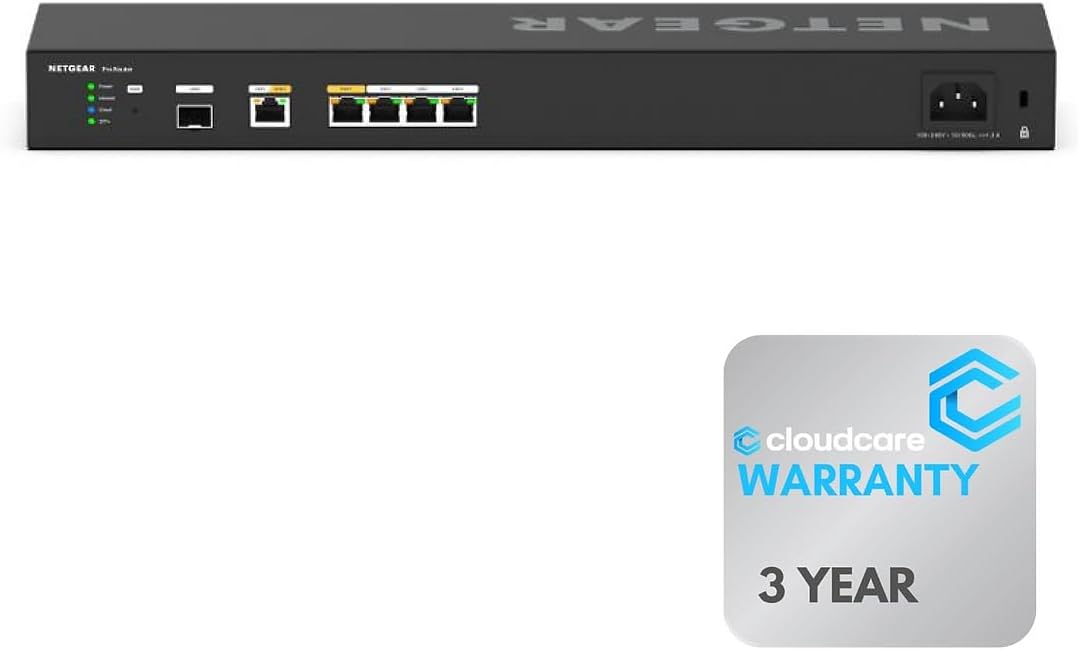
This Cloud Care version of the PR60X offers enhanced warranty support and professional hardware. Its 4.6 rating shows strong performance and value for users prioritizing support. Six 10G ports provide maximum speed for demanding network configurations.
We may earn a commission when you buy through this link, at no additional cost to you.
Strengths include Insight cloud management for seamless monitoring anywhere. Cloud Care warranty simplifies claims and adds value over standard options. The rack-mount design suits organized professional server rooms.
The cost is high and requires proper rack space for installation. It is best suited for environments needing high-density gigabit connectivity. These needs justify the investment for professional setups.
Ideal for enterprises needing max-speed ports and strong support coverage. It suits professional data rooms requiring reliability. Consider for high-performance setups.
Simplified claim process ensures your products are warrantied easily after purchase.
Six 10G ports deliver maximum speed for demanding performance needs.
We may earn a commission when you buy through this link, at no additional cost to you.
Selecting the right dual wan router involves evaluating several technical factors to match your network needs. This section breaks down the key features you should prioritize for optimal performance and reliability.
Modern routers offer various port configurations including Gigabit and Multi-Gigabit speeds. Ensure your router supports your ISP speeds and future expansion plans. Look for dedicated WAN and LAN ports to manage traffic effectively.
Choose a router with ports matching your current and future bandwidth requirements to prevent bottlenecks.
Failover speed determines how quickly your network switches to a backup connection when primary internet fails. Fast failover is crucial for VoIP and video conferencing to avoid dropped calls. Test specs or reviews for failover times to ensure business continuity.
Prioritize routers with instant failover capabilities to minimize disruption during internet outages.
Load balancing distributes traffic across multiple internet connections to optimize speed and reliability. Some routers offer round-robin while others use weighted balancing based on speed. This feature is essential for high-traffic environments needing stable connectivity.
Look for flexible load balancing settings that let you control traffic distribution according to ISP performance.
Strong security includes firewalls, IPS, and VPN capabilities to protect your network from threats. Business routers should support multiple encryption protocols like IPsec and WireGuard. Additional features like content filtering and intrusion prevention enhance overall network safety.
Ensure your router includes commercial-grade security features to protect sensitive business data effectively.
VPN support is vital for remote access and secure site-to-site connections. Check the number of supported tunnels and protocols like OpenVPN or L2TP. High tunnel counts are necessary for larger teams with distributed workforces.
Select a router that supports the number of VPN tunnels required by your organization size.
A user-friendly web interface or cloud app simplifies network configuration and monitoring. Cloud management allows remote access which is convenient for distributed teams. Look for tools that provide detailed logs and easy troubleshooting options.
Choose a management system that fits your team expertise level and remote access needs.
Scalability ensures your router can grow with your business needs over time. Consider models that support VLANs and additional access points easily. Modular designs help you add features without replacing hardware.
Prioritize routers with modular features to accommodate network growth without additional investments.
Long warranty periods and accessible support reflect manufacturer confidence in product quality. Check if support includes firmware updates and technical assistance. Some models offer limited lifetime warranties for added peace of mind.
Verify warranty details and support availability to protect your investment long term.
Begin by connecting your primary and secondary internet sources to the designated WAN ports. Configure the failover or load balancing settings according to your preferred strategy. Ensure all devices are properly connected to LAN ports or Wi-Fi networks.
Regularly update the firmware to maintain security and performance stability. Use the management interface to monitor traffic and troubleshoot issues promptly. Keep a backup of your configuration settings to simplify recovery after resets.
Place the router in a well-ventilated area to prevent overheating during extended use. Avoid placing it near electronic interference sources that could degrade signal quality. Periodically restart the device to clear memory and optimize performance.
Dual WAN failover automatically switches your network to a backup internet connection when the primary one fails. This ensures continuous connectivity for critical applications like VoIP and email. Most business routers handle this process without user intervention.
Not necessarily, you can configure one as primary and another as backup for failover. Alternatively you can use both simultaneously for load balancing to maximize bandwidth. The best choice depends on your specific business needs.
Many models include USB ports for connecting 4G or 5G modems as backup internet. This provides flexibility when wired connections are unavailable or unreliable. Always check the router documentation for supported modem compatibility.
Load balancing distributes traffic across multiple connections simultaneously to improve speed. Failover uses one active connection and switches to another only when the primary fails. Load balancing offers better performance while failover focuses on reliability.
Yes but they are typically optimized for business needs and may be complex. Some models support basic failover useful for gamers or remote workers. Consider simpler consumer options if your needs are basic.
Not always but managed switches enhance VLAN capabilities and traffic control. For advanced network segmentation managed switches integrate well with dual wan routers. Basic setups can function with unmanaged switches effectively.
We reviewed ten reliable dual wan routers offering different strengths from budget-friendly to premium performance. The TP-Link ER605, NETGEAR PR60X, and ASUS RT-BE88U stand out for distinct use cases. Each model addresses specific connectivity needs ensuring your network remains resilient.
Prioritize features like failover speed security capabilities and management tools when deciding. Match the router capacity to your business size and growth plans for long-term value. Consider whether cloud or local management best suits your team workflows.
Prices and availability change so verify current details before making a purchase. Use this guide to find the perfect dual wan router for seamless connectivity. Investing in the right hardware safeguards your operations from internet disruptions.