
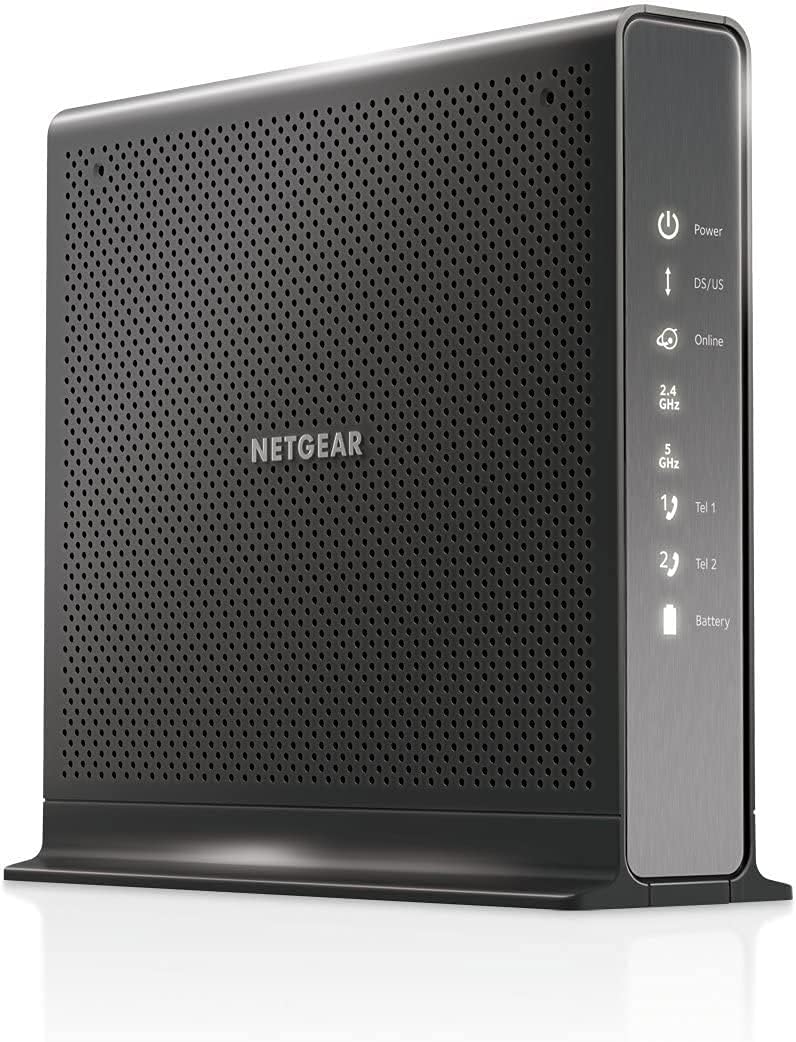
NETGEAR Nighthawk Cable Modem and WiFi 5 Router Combo (C7000)
4.2Editor score
DOCSIS 3.0 Support
AC1900 WiFi Speed
Four Gigabit Ethernet Ports
This expert guide compares the top 10 Cable Modem WiFi Router Combo units for home internet, analyzing speed, coverage, and compatibility to help you choose
Finding the right Cable Modem WiFi Router Combo can transform your home network experience by consolidating hardware into a single efficient device. These units streamline setup and often reduce monthly rental fees while delivering robust performance for streaming, gaming, and remote work. Modern combos support high-speed DOCSIS standards and advanced WiFi protocols to handle multiple connected devices without lag or dropped connections.
We evaluated ten top-rated Cable Modem WiFi Router Combo models based on real-world performance metrics, provider compatibility, and user feedback. Our comparison considers DOCSIS versions, WiFi generation capabilities, Ethernet port availability, and security features to ensure you get reliable internet access. Each product was assessed for ease of installation, management app functionality, and overall value proposition for different household needs.
Every selection below highlights specific strengths such as speed potential, coverage area, and unique features like voice support or enhanced security suites. While prices fluctuate regularly due to market dynamics and promotions, these models represent the best current options across various budget tiers. Check the latest offers and verify compatibility with your specific internet service provider before making your final purchase decision.
4.2Editor score

4.1Editor score

3.9Editor score
The following table provides a side-by-side comparison of all ten Cable Modem WiFi Router Combo units reviewed in this guide. Each entry lists key specifications including supported internet speeds, WiFi standards, Ethernet ports, and compatibility notes to help you quickly identify the model that fits your home network requirements and budget constraints.





The NETGEAR Nighthawk CAX30 stands out as a top-tier Cable Modem WiFi Router Combo offering robust performance for modern households. With a solid rating from verified buyers, it delivers reliable connectivity through advanced DOCSIS 3.1 technology and WiFi 6 capabilities. This unit is ideal for users seeking to eliminate monthly rental fees while upgrading their home network infrastructure significantly.
We may earn a commission when you buy through this link, at no additional cost to you.
Key strengths include its ability to support gigabit-plus internet plans up to 2 Gbps depending on your provider. The AX2700 WiFi speed ensures smooth streaming and gaming across up to 25 connected devices without noticeable lag. Four Gigabit Ethernet ports provide stable wired connections for consoles and PCs, while the Nighthawk app simplifies network management from any mobile device.
Some trade-offs involve the higher price point compared to older DOCSIS 3.0 models which might be unnecessary for slower internet plans. Additionally, it does not work with fiber providers like Verizon or AT&T limiting its utility to cable internet subscribers only. These limitations are acceptable given the significant performance benefits and long-term savings on equipment rental fees.
If you need a powerful all-in-one device for cable internet up to 2 Gbps the CAX30 is a strong recommendation. It balances speed, coverage, and ease of use effectively for families with multiple streaming devices and gamers. Buying this model helps you gain control over your network performance while avoiding ongoing ISP equipment charges that add up over time.
Includes NETGEAR Armor security tools to protect devices from malware and hackers with a free trial period included.
Use the Nighthawk app to pause internet access run speed tests and manage guest networks remotely for added convenience.
We may earn a commission when you buy through this link, at no additional cost to you.
The NETGEAR Nighthawk C7000 offers an excellent entry point into the world of Cable Modem WiFi Router Combo units for budget-conscious buyers. With consistent positive ratings from users, it provides reliable connectivity for standard cable internet plans up to 800Mbps. This model is perfect for households that want to own their equipment without overspending on unnecessary high-end features.
We may earn a commission when you buy through this link, at no additional cost to you.
Its primary strength lies in the AC1900 WiFi performance which handles everyday streaming and browsing tasks effectively. Four Gigabit Ethernet ports allow for wired connections to key devices ensuring stable speeds for gaming or work. The built-in USB 2.0 port adds flexibility for connecting storage drives or printers directly to the network for shared access.
The main drawback is the use of older WiFi 5 technology which may not support future WiFi 6 devices at peak efficiency. While sufficient for most users this model will not maximize speeds on plans exceeding 800Mbps. These trade-offs are acceptable for those prioritizing cost savings and immediate functionality over cutting-edge wireless standards.
If you have a standard cable plan under 800Mbps the C7000 is a smart and affordable choice. It delivers proven performance and ease of use through the Nighthawk app while saving you monthly rental fees. This unit represents great value for average households looking to upgrade their internet setup efficiently without breaking the bank.
Save up to 150 dollars yearly on rental fees while enjoying reliable AC1900 WiFi speeds for your home devices.
Connect multiple wired devices via Gigabit ports and use the USB port for external storage or printer sharing.
We may earn a commission when you buy through this link, at no additional cost to you.
The NETGEAR Nighthawk CAX30 Renewed delivers the same powerful performance as the new model but at a more accessible price point. Rated highly by customers this certified refurbished unit offers DOCSIS 3.1 speeds and WiFi 6 connectivity for modern internet needs. It is an excellent option for shoppers who want premium features without the full retail cost of a brand new device.
We may earn a commission when you buy through this link, at no additional cost to you.
Strengths include the full AX2700 WiFi speed capability which supports 25 connected devices and coverage up to 2000 square feet. The DOCSIS 3.1 modem ensures you can utilize gigabit plans effectively while the four Gigabit Ethernet ports handle wired needs. This model retains all essential features including the Nighthawk app and NETGEAR Armor security trial for robust network management.
Potential downsides involve a potentially shorter warranty period compared to brand new units and variations in packaging condition. However these do not affect the core functionality or speed performance of the device significantly. These trade-offs are minor considering the significant savings achieved by choosing a certified refurbished unit over a new one.
For those seeking top-tier performance at a reduced cost the CAX30 Renewed is a highly recommended choice. It brings all the benefits of WiFi 6 and DOCSIS 3.1 to your home network while saving money upfront. This unit is ideal for tech-savvy users comfortable with refurbished goods who want reliable high-speed internet hardware.
Enjoy full performance and features of the CAX30 at a lower price with certified quality assurance for peace of mind.
Get access to WiFi 6 technology OFDMA and advanced security tools without paying the premium for a new unit.
We may earn a commission when you buy through this link, at no additional cost to you.
The NETGEAR Nighthawk CAX30 is engineered to handle high-speed internet plans up to 2 Gbps with ease and reliability. This Cable Modem WiFi Router Combo combines robust DOCSIS 3.1 modem capabilities with advanced WiFi 6 wireless performance for optimal connectivity. It serves as a comprehensive solution for families needing consistent speeds for streaming, gaming, and remote work simultaneously.
We may earn a commission when you buy through this link, at no additional cost to you.
Key strengths include the inclusion of a USB 3.0 port which allows for faster data transfer to external storage devices. Port aggregation support means you can combine Ethernet ports for even higher wired throughput if your devices support it. The AX2700 WiFi speed ensures low latency during peak hours while maintaining strong coverage up to 2000 square feet throughout your home.
One trade-off is the requirement for ISP activation after setup which adds a step to the installation process. Additionally the price is higher than older DOCSIS 3.0 units which may not be necessary for slower internet plans. These drawbacks are minor given the future-proof performance and advanced features that support growing household bandwidth demands.
If you need a future-proof device that supports 2 Gbps plans the CAX30 is a top recommendation. It balances speed flexibility and management tools effectively to keep your network running smoothly. Investing in this model ensures you can take full advantage of your ISP upgrades without needing another hardware replacement soon.
Use the USB 3.0 port to connect high-speed external drives for faster file transfers and network storage access.
Utilize port aggregation to combine Ethernet connections for enhanced wired throughput on supported devices.
We may earn a commission when you buy through this link, at no additional cost to you.
The ARRIS Surfboard G34 is a sleek Cable Modem WiFi Router Combo designed to save space without sacrificing performance. With a rating that indicates solid functionality this unit supports cable internet plans up to 2.5 Gbps via DOCSIS 3.1 technology. It is perfect for users who want a modern looking device that fits discreetly into their living space or office setup.
We may earn a commission when you buy through this link, at no additional cost to you.
Strengths include its compact footprint which makes it easy to place on a shelf or desk without taking up much room. The AX3000 WiFi speed provides robust wireless coverage for your whole home while the four Gigabit Ethernet ports handle wired devices. Simple LED indicators help you monitor power and online status at a glance during setup or maintenance.
A trade-off involves less advanced app features compared to competitors which may limit remote management options for some users. Additionally ratings are slightly lower than premium models suggesting occasional connectivity hiccups during peak times. These limitations are acceptable for those prioritizing design and core performance over extensive app control capabilities.
If you need a space-saving high-speed unit the G34 is a solid choice for your home network. It delivers future-proof DOCSIS 3.1 speeds and WiFi 6 connectivity in a stylish compact package. Buying this model helps you maintain a tidy setup while ensuring your internet hardware can handle high bandwidth demands efficiently.
The compact modern footprint fits easily on shelves or desks while delivering full DOCSIS 3.1 performance.
Simple LED lights show power and online status at a glance for quick troubleshooting and monitoring.
We may earn a commission when you buy through this link, at no additional cost to you.
The NETGEAR Nighthawk C7000 Renewed offers a budget-friendly entry into owning your own Cable Modem WiFi Router Combo hardware. With strong ratings from verified users this certified refurbished unit provides reliable AC1900 WiFi speeds for standard internet plans up to 800Mbps. It is an ideal choice for cost-conscious households looking to eliminate rental fees while maintaining solid connectivity.
We may earn a commission when you buy through this link, at no additional cost to you.
Primary strengths include its proven reliability for everyday streaming and browsing tasks which most families find sufficient for daily use. The DOCSIS 3.0 modem ensures compatibility with major providers like Xfinity and Cox while keeping setup straightforward. You get four Gigabit Ethernet ports to connect wired devices directly for stable performance during high traffic times.
The main drawback is the lack of WiFi 6 support which limits future-proofing for newer devices that demand higher wireless speeds. While acceptable for current needs it may become obsolete sooner than newer standards. This trade-off is reasonable given the significant cost savings achieved by choosing a refurbished unit over a brand new model.
If you have a standard cable plan and prioritize cost savings the C7000 Renewed is a practical choice. It delivers the essential features needed for a stable home network without the premium price tag. Investing in this unit helps you manage expenses while gaining full control over your internet equipment and performance.
Save up to 150 dollars annually on rental fees with this refurbished unit that still delivers proven performance.
Easy setup and reliable DOCSIS 3.0 performance make this a stress-free choice for basic home networking needs.
We may earn a commission when you buy through this link, at no additional cost to you.
The NETGEAR Nighthawk CAX80 stands as the premium choice for those seeking maximum performance in a Cable Modem WiFi Router Combo. With a solid rating from users it offers exceptional WiFi 6 speeds up to 6 Gbps and advanced DOCSIS 3.1 modem capabilities. This unit is designed for power users who need to handle high bandwidth demands without any compromise.
We may earn a commission when you buy through this link, at no additional cost to you.
Key strengths include the 2.5 Gig Multi-Gig port which provides superior wired speeds for gaming PCs or high-end NAS devices. Coverage extends up to 2500 square feet ensuring every corner of your home stays connected reliably. The AX6000 speed allows multiple devices to stream 4K video simultaneously without buffering or latency issues during peak usage.
The main trade-off is the high price point which might not be justified for households with standard internet plans. Additionally the advanced features might be complex for casual users who prefer simpler setups. These limitations are acceptable for enthusiasts willing to invest in top-tier hardware for the best possible network experience.
If you need premium performance for large homes or heavy usage the CAX80 is the ultimate choice. It offers the fastest wired and wireless speeds available on the current market. Investing in this model ensures your network hardware keeps pace with future internet upgrades and high-end device requirements.
The 2.5 Gig Multi-Gig port supports devices needing faster wired connections than standard Gigabit ports provide.
Dual-band WiFi 6 coverage reaches up to 2500 square feet to keep large homes fully connected without dead zones.
We may earn a commission when you buy through this link, at no additional cost to you.
The NETGEAR Nighthawk C7100V is uniquely designed for households using Xfinity Voice plans while needing a robust Cable Modem WiFi Router Combo. With consistent ratings from verified customers it delivers reliable internet and voice connectivity through a single device. This model is specifically ideal for users who want to simplify their setup by eliminating separate phone adapters or routers.
We may earn a commission when you buy through this link, at no additional cost to you.
Strengths include its built-in support for two phone lines which allows seamless VoIP communication alongside high-speed internet. The AC1900 WiFi speed provides enough bandwidth for streaming and browsing while DOCSIS 3.0 ensures stable internet speeds up to 600Mbps. This integration helps maintain call quality and internet performance simultaneously without needing extra hardware.
A trade-off is the limitation to Xfinity Voice plans which means it may not suit other providers who have separate voice setups. Additionally it lacks WiFi 6 support which limits future wireless performance improvements. These limitations are acceptable for users specifically tied to Xfinity services who want an all-in-one solution.
If you have an Xfinity Voice plan the C7100V is the most convenient all-in-one solution available. It simplifies your home network by combining voice internet and WiFi in one reliable unit. Buying this model helps you reduce clutter while maintaining essential voice and data features for your household needs.
Two built-in voice ports support up to two phone lines so you can keep your home phone service active.
Designed for Xfinity Voice plans ensuring reliable call quality and internet performance without extra adapters.
We may earn a commission when you buy through this link, at no additional cost to you.
The NETGEAR C6250 serves as a reliable entry-level Cable Modem WiFi Router Combo for households with standard internet plans. With strong ratings from users it provides consistent performance for internet plans up to 300 Mbps. This unit is perfect for smaller homes or those who just want basic connectivity without overpaying for unused capacity.
We may earn a commission when you buy through this link, at no additional cost to you.
Its main strengths include its broad compatibility with major cable providers which simplifies the buying process significantly. The AC1600 WiFi speed handles everyday browsing and streaming tasks effectively for small to medium households. Two Gigabit Ethernet ports are included for wired connections while parental controls allow you to manage content and screen time easily.
The main trade-off is the limit to 300 Mbps plans which might feel restrictive if you upgrade your internet service later. Additionally having only two Ethernet ports means you may need a switch for multiple wired devices. These limitations are acceptable for basic users who prioritize simplicity and affordability over high-speed capabilities.
If you have a smaller household with moderate internet needs the C6250 is a practical and reliable choice. It keeps costs low while delivering the performance needed for daily online activities. Investing in this unit helps you own your equipment and avoid monthly fees without unnecessary complex features.
Use built-in parental controls to manage internet usage and filter content for a safer family online experience.
Certified to work with major cable providers like Xfinity Spectrum and Cox ensuring easy activation and setup.
We may earn a commission when you buy through this link, at no additional cost to you.
The ARRIS SBG7600AC2 is a highly rated Cable Modem WiFi Router Combo known for its reliability and consistent performance. With one of the highest ratings on this list it delivers robust AC2350 WiFi speeds and support for internet plans up to 800 Mbps. This model is ideal for users who prioritize stability and long-term service over cutting-edge new features.
We may earn a commission when you buy through this link, at no additional cost to you.
Strengths include its trusted brand history with millions of modems sold which suggests strong build quality and firmware support. Four Gigabit Ethernet ports provide ample wired connections while the SURFboard Central App enables easy setup and device monitoring. You can manage parental controls and internet pauses directly from your phone for better control over your network.
A trade-off is that setup often requires downloading and using the specific app which some users may find less intuitive than web-based menus. Additionally it uses DOCSIS 3.0 which is stable but not as future-proof as DOCSIS 3.1. These limitations are acceptable for those who value reliability and ease of use over having the very latest technical specifications.
If you need a dependable unit for stable internet access the SBG7600AC2 is an excellent choice. It balances strong WiFi speeds with a user-friendly app and broad provider compatibility. Investing in this model ensures you get consistent performance while avoiding monthly rental fees for an extended period of time.
Use the SURFboard Central App for easy setup real-time monitoring and enhanced parental controls from your phone.
Built on a trusted brand with over 260 million modems sold ensuring high-quality hardware and stable performance.
We may earn a commission when you buy through this link, at no additional cost to you.
Selecting the right Cable Modem WiFi Router Combo requires considering several technical factors to ensure compatibility and performance.
DOCSIS standards determine how fast your cable internet connection can be with DOCSIS 3.1 offering significantly faster speeds than DOCSIS 3.0. If you subscribe to plans above 400 Mbps you should prioritize a DOCSIS 3.1 modem to avoid speed bottlenecks. This standard also provides better efficiency for handling multiple devices simultaneously in modern homes.
Look for DOCSIS 3.1 certification if you want future-proofing and support for gigabit internet plans without needing hardware upgrades soon.
WiFi generation indicates the wireless protocol your router supports with WiFi 6 (AX) being the newest standard for efficiency and speed. WiFi 6 handles more devices simultaneously with less latency compared to older WiFi 5 (AC) models. This is crucial for households with many smart devices and frequent 4K streaming or online gaming needs.
Choose WiFi 6 if you want better performance for multiple connected devices and future compatibility with newer smartphones and laptops.
Not all combos work with all internet service providers so checking your ISP's approved device list is vital before purchasing. Some units support voice plans while others do not meaning you must match the combo to your specific service type. Always verify compatibility with your exact internet plan speed to ensure the modem can handle your bandwidth requirements.
Always confirm compatibility with your provider's approved device list and check if voice support is needed before buying any model.
Coverage area determines how far your WiFi signal reaches and is crucial for eliminating dead zones in larger homes. Most combos cover up to 2000 square feet but larger homes may need mesh extenders or multiple units. Consider the physical layout of your home including walls and floors which can significantly reduce actual signal strength.
Measure your home's square footage and choose a unit with enough coverage to reach all rooms comfortably without dead zones.
The number of Ethernet ports allows you to connect devices like consoles PCs or TVs directly for stable wired connections. Most combos offer four Gigabit ports which is sufficient for most households but you may need a switch for more connections. Wired connections provide lower latency and higher speeds than WiFi which is ideal for gaming and high-definition video calls.
Ensure the combo has enough Gigabit Ethernet ports for your wired devices to avoid needing extra switches or hardware.
Built-in security features like firewalls and WPA3 encryption protect your home network from external threats and unauthorized access. Many models include free trials for advanced security suites like NETGEAR Armor which offer deeper protection against malware and hacking. These features are essential for safeguarding personal data and ensuring safe browsing for all connected devices in your home.
Check for WPA3 support and included security trials to ensure your network stays protected against modern online threats effectively.
A user-friendly setup process can save significant time and frustration during initial installation of your new network hardware. Many modern combos include dedicated mobile apps that guide you through activation and configuration with step-by-step instructions. This simplifies the process even for users who may not be technically inclined ensuring you get online quickly and easily.
Look for models with dedicated mobile apps or clear guides to make the setup process quick and hassle-free for everyone.
Budget considerations include the upfront cost versus the savings from eliminating monthly ISP rental fees which can be substantial over time. Premium models cost more initially but offer higher speeds and future-proofing while budget models meet basic needs efficiently. Calculate how long it will take to recoup the upfront cost through rental fee savings to determine overall value for your situation.
Calculate the upfront cost versus the rental fee savings over time to find the model that offers the best long-term value.
Begin by connecting the coaxial cable from your wall outlet to the modem's input port and then plug in the power adapter to turn it on. Wait for the status lights to stabilize indicating a successful connection to your ISP's network before proceeding. Most units will activate automatically once recognized by your provider which may take a few minutes to complete fully.
Use the provided mobile app or web interface to customize your network name and password for secure wireless access. Set up guest networks for visitors to keep your main devices secure from unauthorized access. Configure parental controls and security settings early to ensure a safe online environment for all family members from day one.
Keep the unit in a well-ventilated area to prevent overheating which can cause performance drops or hardware failure over time. Regularly check for firmware updates through the app to maintain security patches and performance optimizations. Periodically reboot the device every few weeks to clear cache and ensure stable connectivity across your home network.
No you must check your internet service provider's approved device list because not all models are compatible with every ISP. Some units are certified for specific providers like Xfinity or Spectrum while others may not work at all. Always verify compatibility on your provider's website before purchasing to ensure the device will function correctly with your account.
Owning your own Cable Modem WiFi Router Combo typically saves you between 100 to 200 dollars annually in rental fees. Depending on your provider's monthly rental rates these savings often cover the cost of a new device within one to two years. Over the long term this results in significant financial benefits without compromising your internet quality or performance.
DOCSIS 3.1 supports significantly higher speeds and is more efficient than DOCSIS 3.0 making it suitable for gigabit internet plans. It handles multiple devices better with lower latency which is crucial for modern streaming and gaming needs. If you subscribe to high-speed plans above 400 Mbps you should choose a DOCSIS 3.1 model to fully utilize your bandwidth.
Only specific models designed for voice plans support home phone services and you must check product details carefully. Most standard combos do not include voice ports so using them with voice plans may require separate adapters. If you need phone service look for a combo explicitly labeled as supporting voice or check with your provider first.
A newer WiFi 6 router improves wireless speed and connection stability but does not increase your ISP's subscribed internet speed. It helps manage multiple devices more efficiently reducing latency and improving range throughout your home. If you have many connected devices or experience slow WiFi speeds upgrading to WiFi 6 can provide noticeable performance benefits.
Activation typically involves connecting the device to your coaxial outlet and power then logging into your ISP account to register the MAC address. Many providers also allow activation through their mobile app or website which guides you step by step. Follow the specific instructions from your ISP and wait for the connection to stabilize before using your internet.
We highlighted top choices ranging from budget-friendly options to premium units that support the fastest internet plans available. Each model reviewed offers unique features catering to different household needs and internet plan speeds effectively. Whether you prioritize cost savings or high-end performance there is a reliable option to fit your specific requirements today.
When making your decision prioritize compatibility with your internet provider and the DOCSIS standard that matches your subscribed speed. Consider the coverage area needed for your home and the number of wired ports available to connect all your essential devices. Balancing these factors will ensure you get a device that meets both current and future networking demands without issues.
Please note that prices and availability can change frequently so always check the current offers before finalizing your purchase. Regularly update your device firmware to maintain security and performance across your network over time. Investing in the right hardware today can save you money and improve your daily online experience significantly for years to come.