
Alienware 34 240Hz QD-OLED Curved Gaming Monitor – AW3425DW
4.5Editor score
QD-OLED panel technology
0.03ms response time
DisplayHDR TrueBlack 400
Choosing the right curved gaming monitor can transform your entire gaming experience. Alienware offers a range of ultrawide displays designed to immerse you in virtual worlds with sharp visuals and smooth performance.
We compared ten leading Alienware curved monitors based on resolution, refresh rate, panel technology, and user ratings. This list covers everything from budget-friendly options to premium OLED models for serious gamers.
Each pick highlights key strengths and ideal use cases for different player types. Keep in mind that prices and availability change frequently, so verify current deals before making your final purchase decision.
4.5Editor score

4.6Editor score

4.6Editor score
As an Amazon Associate we earn from qualifying purchases.
Here is a side-by-side comparison of all ten monitors to help you quickly identify the right fit for your setup and budget.





This Alienware 34 Curved Gaming Monitor earns our top spot for its balance of performance and value. With a 4.6 rating from users, it delivers fluid visuals and immersive gaming experiences.
We may earn a commission when you buy through this link, at no additional cost to you.
The WQHD resolution paired with a 180Hz refresh rate ensures crisp images and smooth motion during intense gameplay. AMD FreeSync Premium helps eliminate screen tearing for seamless performance.
While it lacks OLED technology, its IPS-like clarity and color accuracy make it a strong competitor. The 1500R curve enhances immersion without causing distortion during extended sessions.
Gamers seeking a reliable ultrawide experience will find this monitor an excellent investment. It stands out as the best all-around choice for most setups in 2026.
The 34-inch panel with 1500R curve wraps around your vision for deeper engagement.
180Hz refresh rate and 1ms response time keep motion smooth and responsive.
We may earn a commission when you buy through this link, at no additional cost to you.
The Alienware 34 240Hz QD-OLED Curved Gaming Monitor represents the pinnacle of display technology. Its QD-OLED panel delivers vibrant colors and deep blacks unmatched by traditional LCDs.
We may earn a commission when you buy through this link, at no additional cost to you.
With a 240Hz refresh rate and 0.03ms response time, this monitor is built for competitive gamers who demand lightning-fast performance. AMD FreeSync Premium Pro ensures smooth synchronization.
The 1800R curve enhances immersion while the DisplayHDR TrueBlack 400 certification provides stunning contrast for dark scenes. It is ideal for those who prioritize visual fidelity.
Though expensive, its combination of speed, color accuracy, and HDR performance justifies the investment. This is the best premium option for serious enthusiasts.
Experience 99.3% DCI-P3 coverage with rich, vibrant color reproduction.
240Hz refresh rate and 0.03ms response time deliver near-instant visuals.
We may earn a commission when you buy through this link, at no additional cost to you.
This Alienware 120Hz UltraWide Gaming monitor stands out as the best budget-friendly choice for ultrawide enthusiasts. It maintains high standards with WQHD resolution and reliable performance.
We may earn a commission when you buy through this link, at no additional cost to you.
NVIDIA G-Sync technology ensures smooth gameplay without tearing, making it compatible with a wide range of GPUs. The 120Hz refresh rate is sufficient for most gaming genres.
Its 1900R curve provides consistent viewing angles while the anti-glare coating reduces distractions. The customizable AlienFX lighting adds a stylish touch to your setup.
For those seeking quality without the premium price tag, this monitor offers excellent value. It remains a top pick for budget-conscious gamers in 2026.
Synchronized GPU and monitor display prevent screen tearing during intense action.
Set the mood with customizable lighting zones on the logo and stand.
We may earn a commission when you buy through this link, at no additional cost to you.
The Alienware AW3423DW Curved Gaming Monitor brings Quantum Dot OLED technology to the masses. It delivers true-to-life colors and deep blacks ideal for cinematic gaming experiences.
We may earn a commission when you buy through this link, at no additional cost to you.
With a 175Hz refresh rate and 0.1ms response time, it ensures fluid motion and instant responsiveness. NVIDIA G-SYNC ULTIMATE certification guarantees tear-free gameplay across various titles.
Its Legend 2.0 design features customizable stadium loop lighting and improved cable management for a tidy desk setup. Creator Mode offers precise color settings for content creators as well.
While OLED panels require care to prevent burn-in, the visual benefits are unmatched. This monitor is a solid choice for those prioritizing color accuracy and speed.
Delivers superior color performance and higher peak luminance than standard OLEDs.
Height adjustable stand and 360° ventilation ensure comfort and longevity.
We may earn a commission when you buy through this link, at no additional cost to you.
This bundle combines the powerful Alienware AW3423DW monitor with essential accessories to get you started immediately. It includes high-quality cables and a cleaning kit for convenience.
We may earn a commission when you buy through this link, at no additional cost to you.
The QD-OLED panel delivers exceptional color purity with deep blacks and precise highlights. A 175Hz refresh rate and 0.1ms response time ensure fluid, tear-free gameplay.
With 149% sRGB and 99.3% DCI-P3 coverage, the monitor provides accurate colors for both gaming and creative work. VESA DisplayHDR True Black 400 enhances dark scene visibility.
Ideal for buyers wanting a turnkey solution, this bundle simplifies setup. It is a great option for those who value completeness and color fidelity.
Includes premium cables and cleaning tools for immediate out-of-box usability.
Factory-calibrated Delta E <2 ensures professional color accuracy.
We may earn a commission when you buy through this link, at no additional cost to you.
This bundle offers the same high-performance monitor with extra accessories like a headphone extender and cleaning kit. It provides a comprehensive solution for gamers seeking convenience.
We may earn a commission when you buy through this link, at no additional cost to you.
The QD-OLED panel with 1800R curve wraps around your field of vision for maximum engagement. NVIDIA G-SYNC Ultimate ensures smooth, tear-free visuals even in fast-paced scenes.
Adjustable stand features tilt, swivel, and height options for ergonomic comfort during long sessions. Premium materials ensure durability and a sleek aesthetic on your desk.
Although ratings vary, the core monitor performance remains strong for enthusiasts. This bundle is suitable for those wanting a complete setup right from the box.
Includes DisplayPort, HDMI, headphone extender, and cleaning supplies.
Height, tilt, and swivel adjustments improve comfort for extended use.
We may earn a commission when you buy through this link, at no additional cost to you.
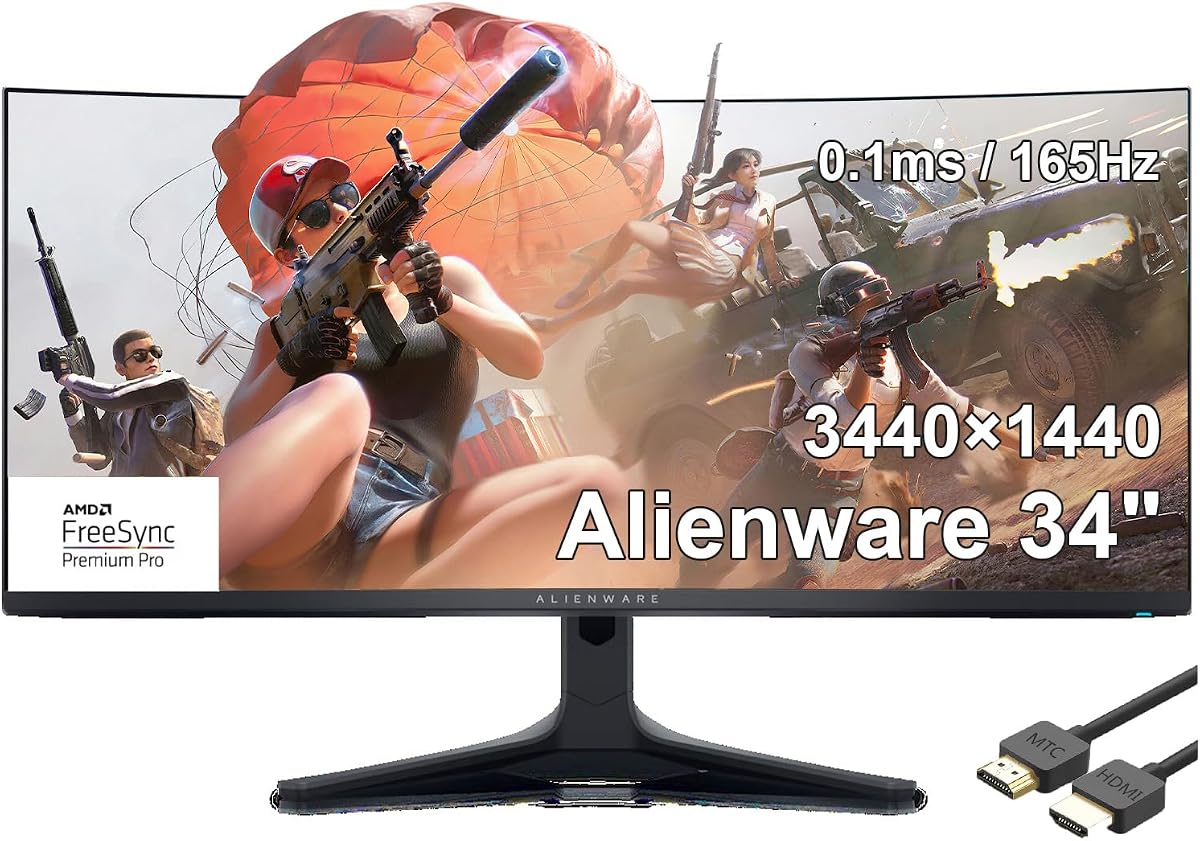
This monitor features AMD FreeSync Premium Pro, making it a strong choice for users with AMD GPUs. The QD-OLED panel ensures rich colors and smooth motion.
We may earn a commission when you buy through this link, at no additional cost to you.
With 1.07 billion colors and a 165Hz refresh rate, the display handles complex scenes with ease. The 0.1ms response time reduces ghosting and blurring during fast action.
Though user ratings vary, the technical specs remain competitive within the market. It includes an MTC HDMI cable for added convenience and connectivity.
Best for AMD users seeking deep color depth and reliable sync tech, this model offers solid performance. It is worth considering if you prioritize AMD ecosystem compatibility.
Optimized for AMD GPUs to deliver smooth, tear-free gaming experiences.
1.07 billion colors provide smooth gradients and lifelike image quality.
We may earn a commission when you buy through this link, at no additional cost to you.
The Alienware Aw3225Qf stands out with its 32-inch QD-OLED panel offering 4K Ultra HD resolution. This high pixel density provides exceptional sharpness for detailed visuals.
We may earn a commission when you buy through this link, at no additional cost to you.
QD-OLED technology ensures vibrant colors and deep blacks without the limitations of traditional LCD panels. The compact 32-inch size fits well in smaller setups while maintaining visual impact.
Its black and white design adds a modern aesthetic that complements various desk styles. While refresh rate details are limited, the resolution and color quality are top-tier.
Best for professionals and gamers needing 4K clarity in a smaller footprint, this monitor delivers quality. It is ideal for those prioritizing resolution and color fidelity over speed.
3840 x 2160 pixels provide razor-sharp detail and clarity.
32-inch panel balances screen real estate with desktop footprint.
We may earn a commission when you buy through this link, at no additional cost to you.
This Alienware model delivers a 280Hz refresh rate for ultra-smooth gameplay ideal for competitive shooters. Its 27-inch IPS panel provides clear visuals and fast response times.
We may earn a commission when you buy through this link, at no additional cost to you.
AlienVision overlays offer real-time visual enhancements like Night Vision and Clear Vision to boost gameplay. The integrated USB hub with charging ports adds significant connectivity utility.
Legend 2.0 design and AlienFX lighting maintain the iconic Alienware aesthetic with customizable zones. Its 5.0 rating reflects user satisfaction with speed and features.
Best for competitive gamers prioritizing speed over immersion, this monitor is a top choice. It excels in fast-paced scenarios and provides strong connectivity for peripherals.
Highest refresh rate ensures minimal lag and maximum responsiveness in games.
Hardware-based overlays enhance visibility in dark or obscured game scenes.
We may earn a commission when you buy through this link, at no additional cost to you.
While not an Alienware, this Samsung 40-inch monitor offers a massive WUHD display for immersive gaming. Its 1000R curve is the most curved option listed for maximum field of view.
We may earn a commission when you buy through this link, at no additional cost to you.
DisplayHDR 600 delivers contrast with deeper blacks and brighter whites for greater clarity. A 180Hz refresh rate and 1ms response time ensure ultra-smooth gameplay across titles.
The 21:9 screen ratio wraps around vision for next-level gaming experiences. It serves as a compelling alternative for those seeking maximum immersion beyond Alienware.
Best for gamers wanting extreme size and curvature, this monitor offers unique visual benefits. It is a strong competitor in the ultrawide curved market segment.
Large WUHD screen wraps around vision for next-level gaming experience.
Tight curvature maximizes field of view and screen presence.
We may earn a commission when you buy through this link, at no additional cost to you.
Selecting the ideal monitor involves evaluating specs that align with your gaming style and hardware.
Panel type dictates color accuracy, contrast, and response speed. QD-OLED offers vibrant colors and deep blacks, while IPS panels provide consistent viewing angles.
Choose QD-OLED for premium visuals or IPS for reliable color consistency at a lower cost.
Refresh rate measures how many times the screen updates per second. Higher rates like 240Hz ensure smoother motion in fast-paced games compared to 120Hz.
Opt for 180Hz or higher if you play competitive shooters where motion clarity matters.
Response time indicates how quickly pixels change color. Faster times like 0.1ms reduce ghosting and blur during rapid scene changes.
Look for 1ms or lower to maintain sharpness during intense gameplay.
Resolution determines image sharpness. WQHD (3440×1440) is ideal for 34-inch ultrawides, balancing detail and performance requirements.
Select WQHD for immersive 34-inch screens or 4K for detailed work on smaller displays.
Curve radius affects immersion. Tighter curves like 1000R wrap the screen around your field of view, while 1500R offers subtle curvature.
Choose 1800R for immersion without distortion during extended sessions.
Sync tech like FreeSync Premium Pro or G-SYNC prevents screen tearing. Ensure compatibility with your GPU brand for optimal performance.
Pick AMD FreeSync for AMD GPUs or G-SYNC for NVIDIA GPUs.
Adjustable stands improve comfort. Look for height, tilt, and swivel adjustments to avoid strain during long sessions.
Prioritize models with full ergonomic adjustments for desk setups.
Connectivity options ensure your devices work seamlessly. DisplayPort and HDMI support high refresh rates for next-gen consoles or PCs.
Verify you have the right cables for your desired refresh rate.
Start by mounting the monitor on a stable surface using the included stand. Ensure cables connect firmly to both the PC and power source.
Calibrate color settings using the onboard menu to match your content. Adjust brightness and contrast to suit ambient lighting conditions.
Clean the screen gently with a microfiber cloth to avoid scratches. Avoid harsh chemicals that may damage the anti-glare coating.
Yes, they offer premium build quality, vibrant visuals, and reliable performance. The curvature enhances immersion while features like G-Sync and QD-OLED provide competitive advantages.
The Alienware AW2723DF with 280Hz refresh rate is ideal for fast-paced shooters. Its low response time ensures minimal lag and smooth motion.
QD-OLED combines quantum dots with OLED technology for richer color saturation and higher brightness. It delivers more accurate colors compared to standard OLED.
Most models support both G-SYNC Compatible and FreeSync Premium. Always check the specifications to ensure compatibility with your specific GPU model.
Yes, curved ultrawide monitors wrap around your field of view. This reduces edge distortion and enhances immersion during long sessions.
Use pixel shift, screen savers, and vary content to avoid static images. Monitor brightness and take regular breaks to extend panel lifespan.
We identified top performers like the AW3425DWM, AW3425DW, and AW3420DW for their balance of performance and value.
Prioritize refresh rate and panel tech based on whether you play competitive games or immersive experiences.
Always check current pricing and deals before purchasing to get the best value in 2026.