
ARCTIC P12 Pro A-RGB
4.7Editor score
Extremely low price point
3000 RPM max speed
High static pressure design
This guide compares the top addressable RGB fans for PC builds, evaluating airflow, noise levels, and lighting sync options to help you choose the perfect
Addressable RGB fans have transformed how gamers and enthusiasts build their PCs. They offer stunning visual customization while delivering the airflow needed to keep components cool. Choosing the right mix of performance and style is essential for any modern gaming setup or workstation.
We evaluated ten leading models based on cooling efficiency, noise output, and lighting control. Our analysis covers bearing types, PWM capabilities, and connector compatibility. This list highlights the best options for various budgets and case configurations available today.
Each pick includes detailed specs, pros, cons, and real-world performance notes. We focus on how well these fans integrate with motherboards and software. Note that availability and pricing can change, so verify current stock before purchasing your next upgrade.
4.7Editor score

4.7Editor score
4.8Editor score
The following table compares key specifications across all ten models to help you quickly identify which fan meets your airflow, noise, and aesthetic requirements for your specific PC build.




The Thermalright TL-C12C-S ranks as the top pick for most builders due to its balanced performance and price. With a 4.7 rating from users, it delivers strong airflow without excessive noise. The S-FDB bearings ensure smooth operation over time.
We may earn a commission when you buy through this link, at no additional cost to you.
Its standout quality is the combination of high airflow and silent operation. The 66.17 CFM rating helps clear heat efficiently from your case. The ARGB lighting is soft and evenly distributed across the fan blades for a premium look.
Trade-offs include the lack of a dedicated controller in the box. You will rely on motherboard sync for lighting control. This is acceptable for most modern boards but may inconvenience those without compatible headers.
This fan is ideal for anyone seeking reliable cooling and aesthetic appeal without breaking the bank. It fits well in standard cases and works effectively as intake or exhaust. Highly recommended for general PC builds and upgrades.
The optimized blade design moves air effectively through dense radiators or mesh panels. This ensures your components stay cool even during heavy gaming sessions.
Noise levels stay under 25.6 dBA thanks to precise engineering. This makes it suitable for quiet workstations or bedroom gaming setups.
We may earn a commission when you buy through this link, at no additional cost to you.
The CORSAIR RS120 ARGB excels in simplifying internal wiring with its daisy-chain capability. This means you connect multiple fans with just one set of cables. It reduces clutter significantly inside your PC case.
We may earn a commission when you buy through this link, at no additional cost to you.
Key strengths include high static pressure and airflow. The fans push air effectively through radiators. The Magnetic Dome Bearing design minimizes vibration and noise during operation. Users appreciate the durability and performance under load.
Trade-offs involve reliance on CORSAIR software for best lighting control. Without it, functionality may be limited compared to direct motherboard sync. The price is also higher than generic alternatives in the market.
This pack is perfect for users invested in the CORSAIR ecosystem or those prioritizing clean builds. It offers robust cooling for liquid setups and cases needing focused airflow. A solid choice for performance enthusiasts.
Daisy-chain connectors allow you to link fans in series easily. This saves motherboard headers and keeps cable routing neat.
The RS series is designed to push air through restricted areas. It works exceptionally well on radiators and dust filters.
We may earn a commission when you buy through this link, at no additional cost to you.
The ARCTIC P12 Pro A-RGB offers incredible value for money while maintaining high performance standards. Its rating reflects user satisfaction with airflow and build quality. It is a favorite for budget-conscious builders needing serious cooling.
We may earn a commission when you buy through this link, at no additional cost to you.
Strengths lie in its impressive RPM range and pressure. You can push up to 3000 RPM for maximum airflow when needed. The Fluid Dynamic Bearing ensures longevity and smooth running even at high speeds.
Trade-offs include simpler lighting effects than premium rivals. At top speeds, it may produce more noise than low RPM models. However, PWM control allows you to balance speed and silence based on thermal needs.
Buy this if you need reliable cooling without overspending. It fits well in budget builds or as replacement fans for older cases. The performance per dollar makes it a standout contender in the market.
With speeds up to 3000 RPM, this fan handles heavy thermal loads. It is ideal for radiators that need strong air push.
Automated balancing reduces gaps and vibrations significantly. This results in a smoother operation and longer lifespan for the fan.
We may earn a commission when you buy through this link, at no additional cost to you.
The Thermaltake CT120 EX ARGB introduces a magnetic connection system that simplifies setup for many users. This innovation reduces the need for traditional plugs between fans. It aims to make building more intuitive and faster.
We may earn a commission when you buy through this link, at no additional cost to you.
Strengths include the bright 9 LED per fan setup. You get vibrant lighting with plenty of color options. The hydraulic bearing ensures quiet operation over time. It fits well in standard cases and radiators alike.
Trade-offs involve learning the magnetic alignment process. Improper connection may lead to issues later. Also, lighting relies heavily on motherboard sync software which varies by manufacturer.
This pack is great for those wanting unique connection technology. It offers a balance of style and function. If you value a clean build with innovative features, this model deserves serious consideration.
Magnetic daisy-chaining reduces physical connectors. This streamlines your build process and looks sleek internally.
Optimized hydraulic bearings reduce friction and noise. You get consistent performance without annoying sounds during use.
We may earn a commission when you buy through this link, at no additional cost to you.
This 6-pack is unique because it includes both forward and reverse fans. This solves the common issue of reverse fans having poor lighting. You get consistent visuals even when fans intake from the bottom.
We may earn a commission when you buy through this link, at no additional cost to you.
Key strengths are the included controller and high LED count. Each fan has 28 bright ARGB LEDs for vibrant colors. The HDB bearings ensure quiet operation. It is a complete kit ready to install immediately.
Trade-offs include a slightly lower user rating due to controller complexity. Some users prefer direct motherboard sync. However, the versatility of having a mix of fan types makes up for this minor issue.
Buy this if you want a full case overhaul with reverse capability. It is especially useful for modern cases with bottom intakes. The included hardware makes it a convenient all-in-one solution.
The mix of four forward and two reverse fans covers all bases. You can optimize intake and exhaust without buying separate fans.
With 28 LEDs per fan, lighting is more vivid. The prism design enhances reflection for a stunning look.
We may earn a commission when you buy through this link, at no additional cost to you.
The 3-pack version of the TL-C12C-S offers flexibility for smaller cases. It retains the same high performance and quiet traits as the 5-pack. This is ideal if you only need a few fans for your build.
We may earn a commission when you buy through this link, at no additional cost to you.
Strengths include the proven S-FDB bearing and airflow. It keeps noise levels low while moving air efficiently. The lighting is bright and synchronized easily via motherboard headers. Users report high satisfaction with cooling results.
Trade-offs are minimal but include the lack of a controller. You rely on existing system features for color control. This is standard for this brand but may not suit all preferences.
This pack is best for modest upgrades or smaller setups. It provides excellent value without overpaying for unused fans. A smart choice for budget builds needing extra airflow.
Performance matches the larger pack exactly. You get the same quality per fan in a smaller quantity.
Buying three fans saves money compared to singles. It is a cost-effective way to upgrade specific spots.
We may earn a commission when you buy through this link, at no additional cost to you.
This 5-pack provides enough fans for a full case setup plus CPU cooler. It ensures maximum airflow distribution throughout your system. The intelligent temperature control simplifies speed management significantly.
We may earn a commission when you buy through this link, at no additional cost to you.
Strengths include the high airflow volume and quiet performance. It keeps components cool even during peak loads. The S-FDB bearings add reliability and longevity. Users love the seamless integration with modern motherboards.
Trade-offs include needing multiple PWM headers or splitters. If your board lacks enough ports, you may need extra cables. However, the included wiring is robust and manageable.
Buy this if you need complete cooling overhaul. It is ideal for large cases or multi-radiator setups. The performance justifies the quantity needed for serious thermal management.
Five fans cover front, top, back, and side intakes. This ensures no hot spots remain in your case.
PWM control adjusts speed based on real-time needs. This saves energy and reduces noise when cooling is not critical.
We may earn a commission when you buy through this link, at no additional cost to you.
The dual-pack version is perfect for smaller setups needing a couple of high-quality fans. It offers a balance of speed and reliability. The hydraulic bearings ensure silent operation even at higher speeds.
We may earn a commission when you buy through this link, at no additional cost to you.
Strengths include the anti-vibration mounting and daisy-chain support. You get robust performance with minimal noise. The design focuses on durability and consistent airflow. It works well for radiator or case cooling.
Trade-offs include slightly lower speed than other options. Some may find lighting modes limited. However, it remains a strong choice for mid-range builds.
This pack is ideal for compact builds needing two specific fans. It offers quality without excessive cost. A reliable option for targeted cooling needs.
Two fans provide targeted airflow where needed most. Great for small form factor cases.
Solid frame and anti-vibration mounts prevent wobble. This ensures long-term stability.
We may earn a commission when you buy through this link, at no additional cost to you.
This 3-pack includes a useful PWM splitter for easier setup. It solves the common header shortage issue for many users. The high rating reflects strong user satisfaction with ease of use.
We may earn a commission when you buy through this link, at no additional cost to you.
Strengths include the included wiring accessories and balanced design. You get solid cooling without extra purchases. The hydraulic bearings maintain low noise levels effectively. It is a complete package ready to install.
Trade-offs involve moderate top speed compared to high-performance rivals. But for general cooling, it is perfectly adequate. The convenience outweighs minor speed differences.
Buy this if you want a hassle-free fan upgrade. It is a great choice for general case airflow. The included splitter adds significant value to the kit.
The 3-way PWM splitter simplifies connections. You save money and time by not buying extra adapters.
A rating of 4.8 indicates high reliability. Users trust this brand for consistent quality and performance.
We may earn a commission when you buy through this link, at no additional cost to you.
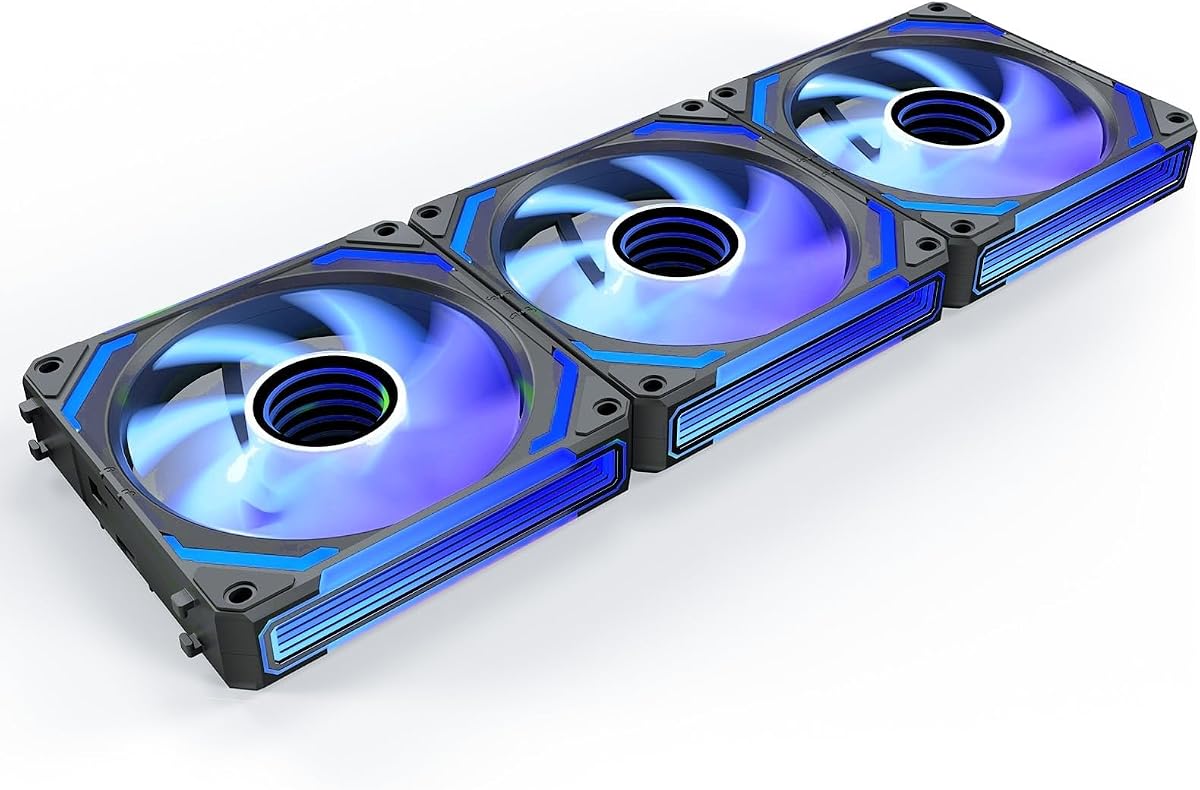
The AsiaHorse COSMIQ offers a unique infinity mirror lighting effect unmatched by others. It turns your PC into a visual masterpiece. The reverse blades ensure the light faces outward when installed as intake.
We may earn a commission when you buy through this link, at no additional cost to you.
Strengths include the music sync mode and quiet operation. You get dynamic lighting that reacts to audio. The FDB bearings keep noise low even at high speeds. It combines aesthetics and function perfectly.
Trade-offs include a higher price tag. Some may find the controller adds cables. However, the visual payoff is worth the cost for modders.
This pack is best for showpiece builds and streaming rigs. If you value looks above all else, this is the pick. A premium choice for enthusiasts wanting unique visuals.
The infinity mirror effect creates a glowing tunnel. It enhances the case look significantly.
Music sync makes lighting dance to sound. It adds an interactive element to your setup.
We may earn a commission when you buy through this link, at no additional cost to you.
Selecting the right addressable RGB fans involves considering airflow, noise, and compatibility. These factors ensure you get cooling that fits your case and motherboard while delivering the visual experience you desire.
Airflow measured in CFM determines how much air the fan moves. Static pressure measures its ability to push air through resistance like radiators or dust filters. High airflow is best for open cases, while high pressure suits radiators.
Check CFM and mm-H2O ratings to match your cooling needs.
Noise is measured in decibels (dBA). Lower numbers mean quieter fans. High RPM fans often generate more noise. Look for fans with bearings designed for quiet operation like fluid dynamic or magnetic bearings.
Prioritize low dBA ratings if you value a quiet environment.
Addressable RGB requires 5V 3-pin headers. Check if your motherboard supports this or if you need a hub. Some fans come with controllers. Others rely on software like Corsair iCUE or motherboard utilities.
Verify header types before buying to ensure compatibility.
Bearings affect lifespan and noise. Fluid Dynamic Bearings (FDB) are durable and quiet. Sleeve bearings are cheaper but may wear faster. Magnetic or ceramic bearings offer high performance.
FDB or magnetic bearings are preferred for longevity.
Daisy-chain connectors allow multiple fans to plug into one port. This saves motherboard headers. It simplifies cable management. Not all fans support this. Check if the pack includes the cables.
Opt for daisy-chain fans to reduce cable clutter.
Most fans are 120mm but cases vary. Ensure your case supports 120mm or 140mm mounts. Check mounting holes depth. Some cases need thin fans. Others allow thicker high-performance ones.
Measure your case before buying to ensure fit.
Reverse fans have blades designed to look good when pushing air in. Standard fans look bad from the back. Reverse fans are useful for bottom or side intakes where blades face outward.
Get reverse fans if aesthetics matter for all angles.
Packs of 3 or 5 often offer better value per fan. Single packs are for replacements. Balance features against cost. Some expensive fans offer unique lighting or cooling advantages.
Evaluate value per fan rather than total cost.
Install fans correctly by noting airflow direction arrows. Intake fans push air into the case while exhaust fans push it out. Ensure the frame aligns with screws to prevent vibrations.
Connect RGB cables to the correct 5V 3-pin header. Do not force 12V RGB connectors into ARGB headers as this damages components. Check polarity if unsure to avoid short circuits.
Regularly dust fans to maintain cooling performance. Use compressed air to clean blades and bearings. Check mounting screws occasionally to ensure they remain tight and do not rattle.
Standard RGB fans light up in one color across all LEDs. Addressable RGB fans allow each LED to show a different color. This enables effects like rainbows or breathing. It requires specific motherboard headers.
Not always. Some fans connect directly to motherboard headers. Others include a controller hub. Check your board to support 5V 3-pin ARGB. If not, a controller is necessary for color sync.
Reverse fans have blades facing the light. When installed on a case bottom intake, the blades are hidden and the LED hub faces outward. This ensures lighting is visible from all angles.
Yes but lighting may not sync without extra software or hubs. Airflow will work regardless. It is best to stick to one brand or use third-party hubs for unified lighting control.
Use compressed air to blow dust off blades. Hold fans still so they do not spin from air pressure. Wipe the case frame with a microfiber cloth. Avoid liquids inside the case.
This is often due to mismatched motherboard software settings. Ensure you are using the correct 5V setting in BIOS. Check if the cable is connected to the 5V header not 12V RGB.
The Thermalright TL-C12C-S stands out as the top pick for most users. It balances performance price and noise. The ARCTIC P12 Pro offers the best budget choice for cooling power.
Prioritize airflow needs and lighting control when selecting your fans. Ensure compatibility with your motherboard before purchasing. Choose reverse fans if you want consistent aesthetics.
Prices and stock levels change frequently. Check current deals and availability before buying. Your perfect cooling setup awaits with the right fan selection.