
HP 255 G10
4.3Editor score
AMD Ryzen 7 7730U Processor
64GB High-Bandwidth RAM
2TB PCIe SSD Storage
Explore our expert guide comparing the top laptops with 64GB RAM for professionals, creators, and power users needing massive multitasking power in October
Finding a laptop with 64GB RAM is essential for demanding workflows like video editing, data analysis, and heavy virtualization. This guide highlights models that balance power with portability for modern professionals.
We evaluated each device on processor speed, memory architecture, storage capacity, and display quality. Our comparison ensures you find a machine that handles intensive tasks without slowing down during critical work moments.
Each pick showcases specific strengths like battery life, screen resolution, or connectivity options. Prices and availability change frequently so verify current details before purchasing to secure the best deal for your needs.
4.3Editor score
4.5Editor score

4.0Editor score
This side-by-side comparison outlines key specifications for every selected laptop helping you quickly identify which model matches your performance requirements and budget constraints this year.




The HP 255 G10 offers a rare combination of high memory capacity and affordable pricing making it ideal for budget-conscious professionals needing heavy multitasking power.
We may earn a commission when you buy through this link, at no additional cost to you.
Its AMD Ryzen 7 processor paired with 64GB RAM ensures smooth performance across multiple browser tabs spreadsheets and virtual machines without noticeable lag during daily workflows.
While the display lacks peak brightness the anti-glare coating reduces eye strain significantly during long office hours keeping productivity high even in varied lighting conditions.
Buyers seeking maximum storage and memory on a budget should prioritize this model as it delivers enterprise-grade features at a price point accessible to small businesses.
With 64GB RAM you can run dozens of applications simultaneously without slowdown ensuring complex data tasks remain fluid and responsive throughout the workday.
The 2TB PCIe SSD provides ample space for large files while delivering rapid read write speeds that keep system operations snappy and efficient.
We may earn a commission when you buy through this link, at no additional cost to you.
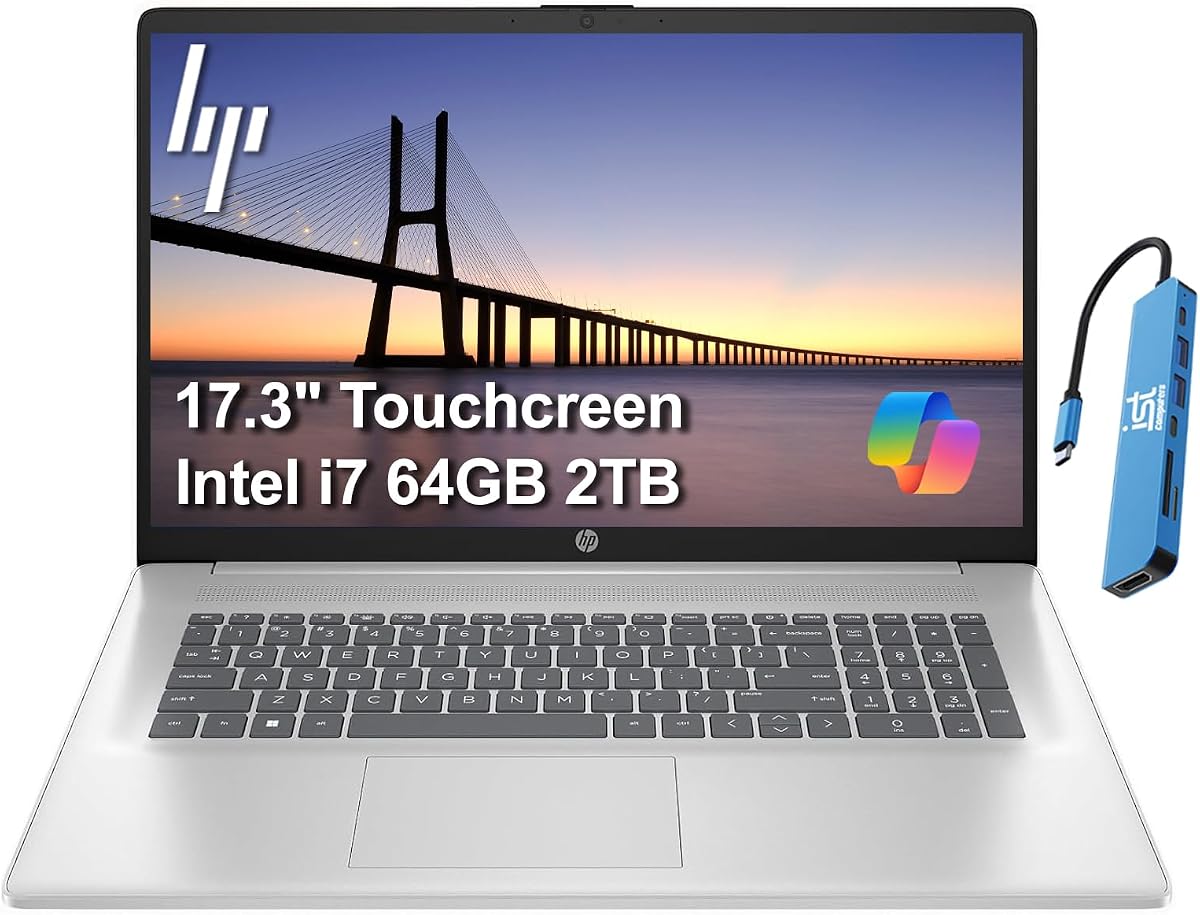
The HP Essential 17t combines a spacious touchscreen with powerful internals creating a desktop replacement that feels responsive and versatile for creative and business workloads.
We may earn a commission when you buy through this link, at no additional cost to you.
Its 13th Gen Intel Core i7 processor handles demanding tasks while the 64GB RAM supports complex virtual environments and large dataset processing effortlessly during peak usage.
The larger form factor increases weight but provides a comfortable keyboard layout and ample screen real estate for managing multiple windows simultaneously without external monitors.
Professionals who prioritize screen size and touch input will appreciate this device especially when paired with the reliable performance of Intel Iris Xe Graphics for light media tasks.
The HD+ touchscreen allows intuitive navigation and quick interactions with documents or designs reducing reliance on external peripherals for presentations and creative work.
Integrated fingerprint readers provide secure quick access protecting sensitive business data while ensuring you can start your workflow immediately without password delays.
We may earn a commission when you buy through this link, at no additional cost to you.
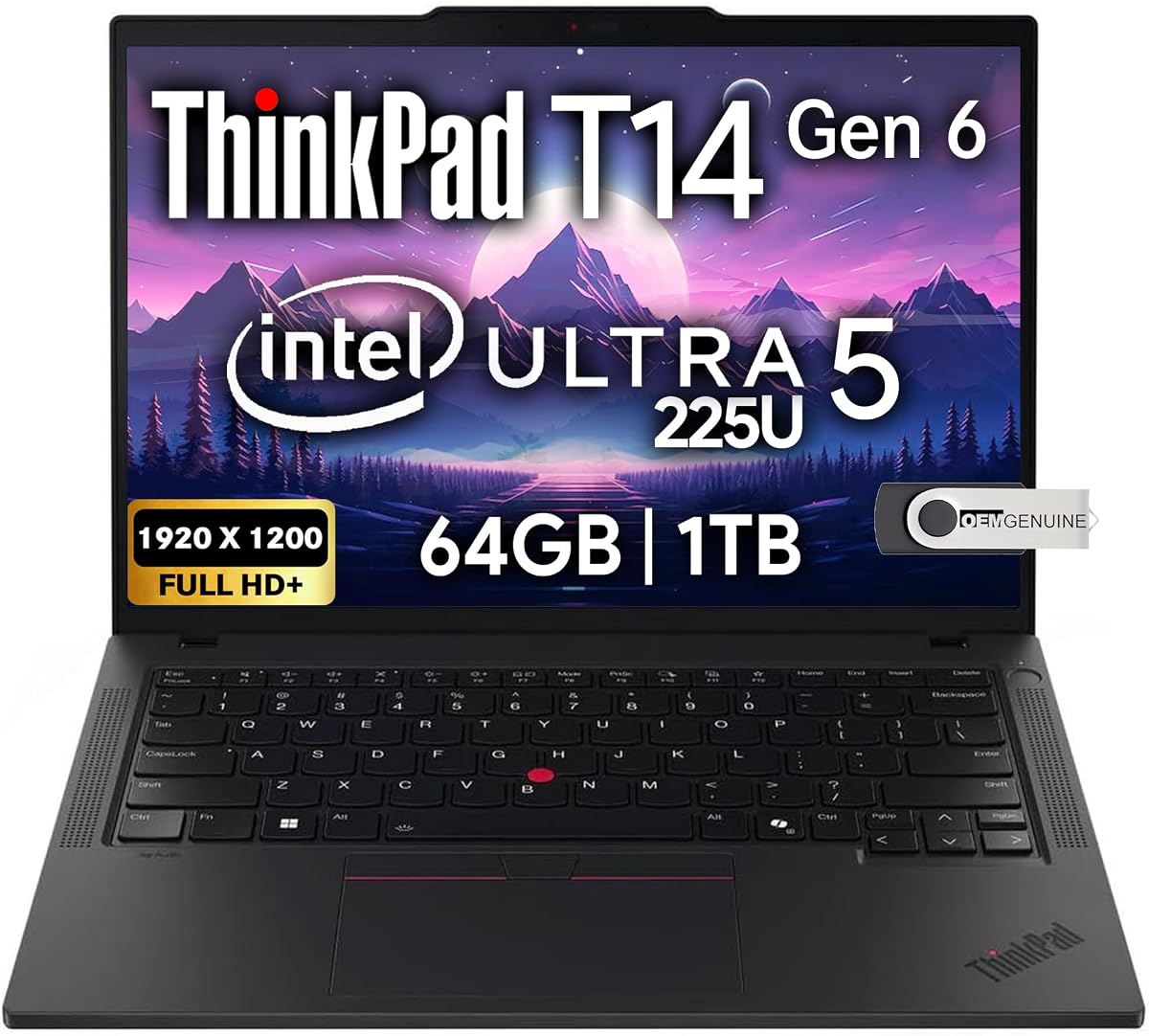
This ThinkPad model stands out for its robust build quality and next-generation DDR5 memory which ensures long-term reliability and speed for enterprise users demanding consistent performance.
We may earn a commission when you buy through this link, at no additional cost to you.
The 64GB DDR5 RAM works alongside Intel Ultra architecture to deliver efficient multitasking and AI-accelerated workflows making it suitable for modern development and analytics environments.
Despite its compact 14-inch form factor the device offers extensive connectivity via Thunderbolt 4 allowing users to connect high-speed docks and multiple displays without sacrificing portability.
If you need a machine that withstands daily travel and delivers fast data throughput this ThinkPad justifies its premium price through superior engineering and extended warranty support.
MIL-STD 810H certification ensures the chassis resists shocks and extreme conditions protecting internal components during frequent travel between client sites or offices.
Thunderbolt 4 connectivity supports high-speed data transfer and video output making it ideal for users working with external storage or multiple monitors daily.
We may earn a commission when you buy through this link, at no additional cost to you.
Designed for productivity this HP laptop offers a large display and included peripherals that streamline office work without requiring immediate additional purchases or setup costs.
We may earn a commission when you buy through this link, at no additional cost to you.
The 10-Core Intel Core i5 processor delivers solid performance for daily tasks while 64GB RAM ensures smooth operation when handling multiple applications and browser sessions.
Its 17.3-inch screen provides ample vertical space for spreadsheets reducing scroll needs and improving visibility for detailed financial analysis or project planning activities.
Students and office workers seeking an all-in-one solution will value the pre-installed software and accessories which simplify the transition from purchase to daily productivity.
The inclusion of Microsoft Office and PLUSERA earphones offers a complete start package allowing users to focus on tasks immediately upon receiving the device.
High resolution combined with a 16:9 aspect ratio maximizes vertical workspace making it easier to view complex documents and code without external monitors.
We may earn a commission when you buy through this link, at no additional cost to you.
This laptop targets premium users who demand top-tier visual fidelity and connectivity with its OLED panel and Wi-Fi 7 support ensuring vivid color reproduction and fastest wireless speeds.
We may earn a commission when you buy through this link, at no additional cost to you.
The 14-Core Intel Core 9 processor handles heavy media processing tasks while 64GB RAM supports professional rendering applications and complex simulations without throttling performance.
While OLED screens consume more power than LCDs the vibrant visuals and deep blacks enhance creative workflows making it a strong choice for designers and video editors.
Investors seeking a high-end device with cutting-edge connectivity will find this model delivers exceptional quality and future-proof features for demanding multimedia and business needs.
The 2K OLED touchscreen delivers perfect blacks and wide color gamut critical for accurate image editing and immersive viewing experiences in professional settings.
Wi-Fi 7 ensures minimal latency and maximum throughput for cloud collaboration and large file transfers keeping your workflow uninterrupted during critical deadlines.
We may earn a commission when you buy through this link, at no additional cost to you.
The HP 17 Laptop features a modern design with ergonomic improvements that boost comfort during long typing sessions while the large display aids productivity and media consumption.
We may earn a commission when you buy through this link, at no additional cost to you.
Powered by Intel Core 7 architecture and 64GB RAM this system handles multitasking and content creation tasks with stability ensuring responsive performance for students and professionals.
Privacy features like the built-in shutter on the webcam add security for remote workers while the wide bezel design improves viewing angles for collaborative tasks.
Those prioritizing screen size and storage will appreciate the 2TB drive and 17-inch display offering a desktop-like experience that remains portable enough for occasional travel.
The lift hinge design improves airflow and typing angle reducing strain on wrists and maintaining optimal thermal performance during extended use.
Integrated Intel graphics and a bright IPS panel deliver vibrant visuals for streaming and presentations without requiring external display equipment.
We may earn a commission when you buy through this link, at no additional cost to you.
This model offers excellent value for those needing large memory capacity without paying for premium features making it perfect for general home and office tasks.
We may earn a commission when you buy through this link, at no additional cost to you.
The Ryzen 3 7330U provides energy efficiency and enough power for standard applications while 64GB RAM allows for heavy multitasking that older systems might struggle to handle.
With a sleek thin design the laptop maintains portability despite its performance capabilities and the full HD display ensures clear text and visuals for reading and browsing.
Budget-focused buyers should consider this option as it delivers essential high-end specs at a competitive price point suitable for small businesses or students.
AMD Ryzen architecture ensures lower power consumption and heat generation which helps maintain battery life and system stability during daily work.
Delivering 64GB RAM and 1TB SSD at a lower price allows users to allocate savings toward accessories or software upgrades as needed.
We may earn a commission when you buy through this link, at no additional cost to you.
Designed for students and business users this laptop features a responsive touch screen and backlit keyboard that enhance productivity and usability in varied environments.
We may earn a commission when you buy through this link, at no additional cost to you.
The AMD Ryzen 5 processor paired with 32GB RAM handles standard multitasking and web research efficiently while the 1TB SSD ensures quick access to files and programs.
Although it has less RAM than other options it remains sufficient for most educational tasks and streaming while maintaining a lightweight form factor for carrying between classes.
Buyers seeking a balance of performance and portability will find this model ideal for daily academic work and general productivity without exceeding budget limits.
The touchscreen supports intuitive navigation for presentations and digital notes making it easier to interact with course materials and collaborative tools.
A dedicated Numpad and backlit keys ensure typing comfort and speed even in dimly lit lecture halls or offices without needing extra peripherals.
We may earn a commission when you buy through this link, at no additional cost to you.
This model stands out with high customer satisfaction and a versatile design that combines touch interaction with powerful hardware for creative and business workflows.
We may earn a commission when you buy through this link, at no additional cost to you.
The 8-Core Ryzen 7 processor and 64GB RAM handle demanding software smoothly while the 2TB SSD provides plenty of room for large projects and media libraries.
Features like the Copilot key streamline AI-assisted tasks and the privacy shutter on the webcam adds security for remote workers and online meeting participants.
If you need a balanced laptop with strong storage and RAM this device delivers reliable performance and modern features that enhance everyday work and study.
The dedicated Copilot key provides instant access to AI assistance helping draft emails and summarize reports quickly to boost daily productivity.
Fast charge technology allows rapid battery recovery ensuring you stay connected for long periods without being tethered to a power outlet.
We may earn a commission when you buy through this link, at no additional cost to you.
This laptop prioritizes workspace efficiency with a large IPS display and bundled accessories making it a practical choice for professionals who spend hours typing and analyzing data.
We may earn a commission when you buy through this link, at no additional cost to you.
The AMD Ryzen 5 processor ensures smooth performance for routine business tasks while 64GB RAM handles multitasking across multiple applications without performance degradation.
Anti-glare technology protects eyes from strain during long work sessions and the included wireless mouse enhances comfort providing a complete setup out of the box.
Professionals needing reliable performance and extra screen space will appreciate this model for its ability to support detailed spreadsheet work and document editing with ease.
A 17-inch display reduces the need for external monitors when reviewing large documents or multi-tab workflows improving focus and reducing clutter.
Including a wireless mouse and keyboard bundle saves time and money ensuring users can start productive work immediately after unboxing.
We may earn a commission when you buy through this link, at no additional cost to you.
Choosing a laptop with 64GB RAM requires balancing performance with portability and battery life to ensure the device meets your specific professional or creative needs.
The processor determines how effectively the system utilizes that 64GB RAM. Look for modern multi-core CPUs such as Ryzen 7 or Intel Core Ultra series to ensure that large memory capacity translates into real-world speed and efficiency.
Prioritize devices that offer DDR5 RAM if possible because it provides higher bandwidth and better power efficiency than DDR4 ensuring smoother multitasking and faster data processing.
Fast NVMe SSDs are critical for handling large datasets quickly. A 1TB or 2TB SSD ensures you have ample space for operating system files applications and project data without needing external drives constantly.
Ensure the storage uses PCIe Gen 4 or newer to prevent bottlenecks that could slow down application loading times and file transfer speeds during intensive work.
For professionals who spend hours reading or editing high-resolution displays are essential. OLED or high-brightness IPS panels reduce eye strain and provide accurate color representation for design work or presentations.
Select a screen size based on your portability needs; 14-inch laptops offer mobility while 17-inch models provide a more comfortable workspace for complex spreadsheets or multitasking.
Rich connectivity options like Thunderbolt 4 USB-C and HDMI allow you to connect external monitors docking stations and peripherals efficiently. This flexibility is crucial for building a productive desktop-style workspace.
Check for Wi-Fi 6 or 7 support to ensure stable and fast network connections especially when working with cloud services or large files on remote servers.
If you travel frequently look for laptops with military-grade certification or sturdy metal chassis. Durability ensures that your device survives daily transport and accidental drops without hardware failures.
Also check the warranty coverage for memory and storage upgrades since many models with 64GB RAM have third-party upgrades that may require separate warranty validation.
Windows 11 Pro provides enterprise security and remote desktop features essential for business users. Ensure the system supports Copilot or AI features to enhance productivity and simplify repetitive tasks.
Verify the OS license is genuine to avoid security risks and ensure smooth updates. Some models may come with Home versions which lack certain management tools needed for enterprise environments.
High-performance laptops with 64GB RAM often consume more power so check battery ratings carefully. Look for models that promise at least eight hours of real-world usage to last through a workday.
Lightweight designs are beneficial if you commute often. However balance portability with thermal performance to ensure the device does not throttle speed during heavy workloads.
While many modern laptops have soldered RAM check if the storage is upgradeable. This flexibility allows you to increase capacity later without replacing the entire machine.
Consider brands with strong customer support networks to ensure quick resolution of any hardware issues. Extended warranties are valuable investments for devices meant for long-term professional use.
Maintain optimal performance by regularly clearing cache and uninstalling unused applications. Keep your operating system and drivers updated to ensure security patches and stability improvements are always applied.
Avoid exposing the laptop to extreme temperatures or humidity which can degrade internal components. Use a cooling pad if you work with high-temperature tasks to prevent thermal throttling.
Protect the display with a screen protector and clean it with a microfiber cloth to avoid scratches. Ensure you back up your data regularly using cloud services or external drives to prevent data loss.
For typical web browsing and office work 16GB is usually sufficient. However if you run multiple virtual machines or work with large datasets 64GB ensures smooth multitasking and future performance longevity.
Many modern laptops have soldered RAM making upgrades difficult. Always check if the model allows RAM expansion before purchasing. Some business-grade models support upgrades but consumer laptops often do not.
Most modern games run well with 16GB of RAM. The extra memory mainly benefits streaming and background tasks. If you plan to stream or edit video simultaneously then 64GB adds value.
High-memory laptops often run more background services. Ensure you enable a firewall and review app permissions. Windows 11 Pro offers robust security features to protect sensitive business data from threats.
A fast SSD ensures quick data swapping when RAM is full. Pairing 64GB RAM with a PCIe SSD prevents bottlenecks and ensures applications load quickly during intensive workloads.
Some manufacturers only cover the base system leaving upgrades under third-party warranties. Always verify the warranty terms for memory and storage components before making significant investments in hardware upgrades.
The HP 255 G10 and Lenovo ThinkPad T14 Gen 6 stand out as top choices offering exceptional value and durability for professionals needing reliable performance and massive memory capacity.
Prioritize models with strong SSD speeds and modern processors to ensure your investment remains relevant as software demands grow. Choose the screen size that matches your workflow comfort needs.
Always verify current availability and warranty terms before purchase as specs can vary between batches. These models offer a solid foundation for demanding workflows in 2026 and beyond.