
EZ AD Digital Signage Display Player
4.1Editor score
Free plan available
4K content support
Cloud-based management
Digital menu displays have transformed how businesses communicate with customers. Modern screens offer dynamic content, real-time updates, and engaging visuals that static signs cannot match. Choosing the right display involves considering size, brightness, and software capabilities.
We evaluated ten top-rated digital signage solutions based on performance and ease of use. Our analysis covers desktop monitors, kiosk setups, and media players. Each product was assessed for screen quality, connectivity options, and content management features.
Each pick highlights specific strengths for different business needs and environments. From compact tabletop units to large wall-mounted screens, these options cater to varied spaces. Please note that specifications and availability may change over time.
4.1Editor score

3.8Editor score

3.4Editor score
As an Amazon Associate we earn from qualifying purchases.
The following table provides a side-by-side comparison of all ten products to help you quickly identify key specifications and features for your specific business requirements.


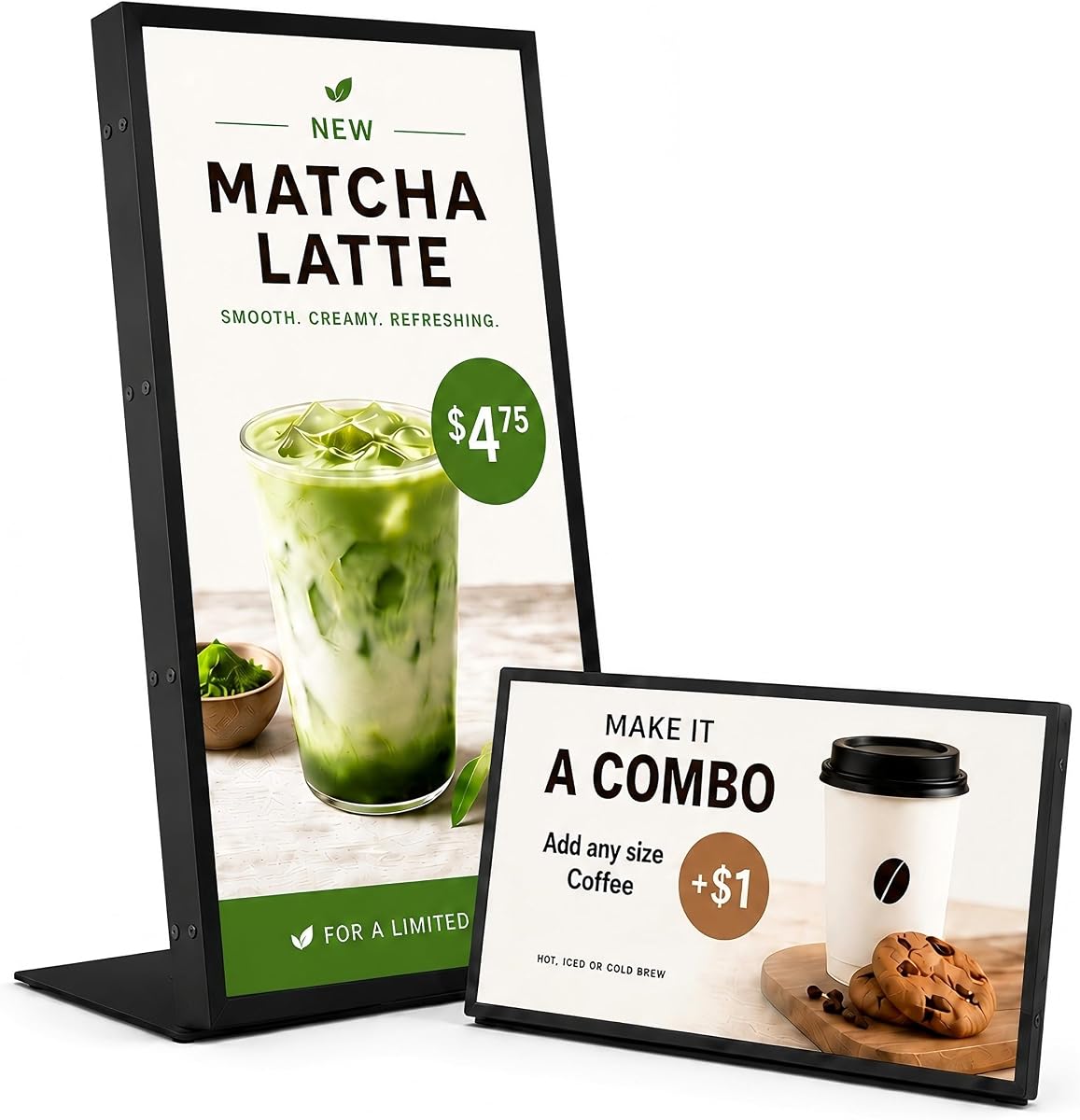


This 18.5-inch digital menu board stands out as a robust solution for small to medium businesses seeking reliable digital signage. With a rating reflecting its commercial focus, it delivers clear visuals and flexible content management without complex setup requirements.
We may earn a commission when you buy through this link, at no additional cost to you.
The unit features 700 nits of brightness ensuring menus remain visible even in well-lit environments like cafés or retail counters. Its Android 12 system with 2GB RAM and 32GB storage supports stable playback while the lifetime free CMS allows remote updates from any device.
While the screen resolution is 720P HD rather than full high definition, this is acceptable for close-range viewing on countertops. The lack of FHD is a minor trade-off for the affordability and the included lifetime cloud management features.
This display is ideal for coffee shops, bakeries, and reception desks where dynamic content enhances customer engagement. Its sturdy stand and commercial-grade construction ensure it can handle daily use while maintaining a professional appearance.
The included cloud CMS enables remote content updates without additional software costs. You can schedule playlists and manage multiple screens from a PC or smartphone easily.
700 nits brightness ensures the screen is clearly visible in bright indoor spaces. This prevents content from looking washed out during daytime business hours.
We may earn a commission when you buy through this link, at no additional cost to you.
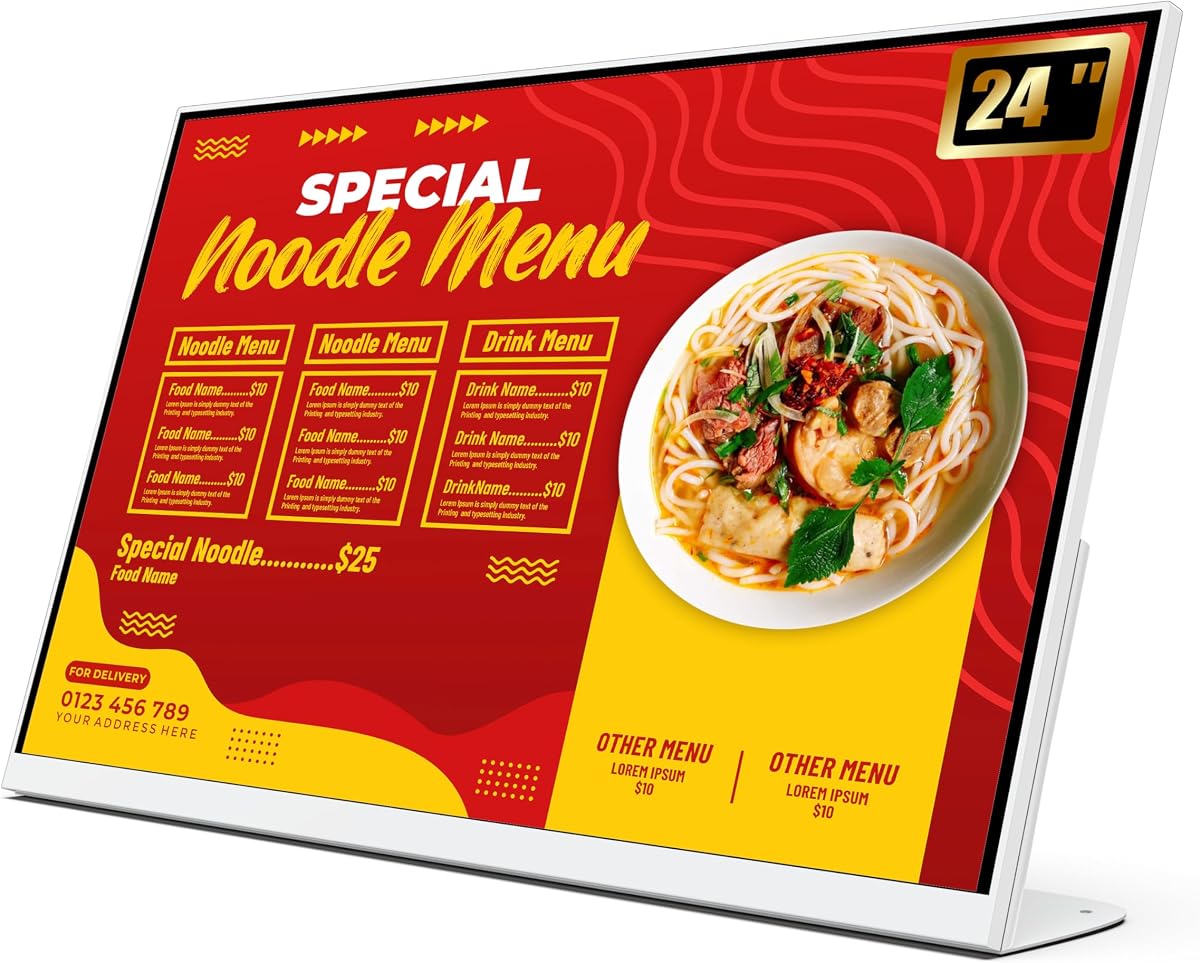
This 24-inch desktop display offers full high definition visuals that make it ideal for retail stores and restaurants needing clear product imagery. Its 5.0 rating indicates strong customer satisfaction with performance and reliability.
We may earn a commission when you buy through this link, at no additional cost to you.
The FHD 1920×1080 resolution ensures vivid colors and sharp text which are critical for displaying detailed menus or promotional materials. The Android system supports easy app installation and centralized content management for remote updates.
While it lacks multiple Ethernet ports, the combination of USB, APP, and PC remote updates provides flexible options. The compact design saves counter space while still offering a large enough screen for effective customer communication.
Businesses looking for a reliable countertop solution with high visual quality will find this unit well-suited. It handles continuous operation efficiently and supports various content formats for diverse marketing needs.
Full high definition resolution restores product colors accurately for vibrant displays. This ensures customers see items exactly as intended without color distortion.
The Android CMS allows centralized control over multiple screens from one location. Updates to promotions or menus can be pushed remotely saving time and effort.
We may earn a commission when you buy through this link, at no additional cost to you.
This 32-inch digital signage kiosk is designed for versatility and mobility making it perfect for temporary setups or rotating displays. Its 4.6 rating reflects high performance in demanding environments like exhibitions or trade shows.
We may earn a commission when you buy through this link, at no additional cost to you.
The IPS display offers a 178-degree viewing angle ensuring content is clear from various positions in busy areas. Its foldable design with built-in wheels makes transportation and setup straightforward without requiring heavy lifting.
Users should note that continuous operation may generate some noise from internal cooling fans. Additionally, while it supports wall mounting, a separate stand is often needed for optimal positioning compared to standalone units.
For businesses that need to move displays between locations or set up at events, this model is highly recommended. It combines robust connectivity with a user-friendly content management system for efficient operation.
Built-in wheels and a foldable structure allow easy relocation. This feature is essential for temporary promotions or multi-location businesses.
The IPS screen maintains accurate colors even at extreme viewing angles. This ensures consistent branding and clarity for customers approaching from different directions.
We may earn a commission when you buy through this link, at no additional cost to you.
This digital signage player offers exceptional value by providing a free plan with extensive features for businesses starting with digital menus. Its 4.1 rating suggests reliable performance for converting existing TVs into digital displays.
We may earn a commission when you buy through this link, at no additional cost to you.
The free plan supports all image and video formats while unlocking full capabilities with premium upgrades. A vast video gallery with over 250,000 options provides immediate content variety without needing external design resources.
The main limitation is that it functions solely as a media player requiring a separate television or monitor. Users upgrading to premium plans gain advanced templates but the base unit remains a cost-effective entry point.
Small businesses or those with existing displays will find this player particularly useful. It simplifies content creation and management through cloud tools and mobile apps ensuring smooth operation.
The free plan includes tech support and unlimited content uploads. This lowers the barrier to entry for businesses testing digital signage solutions.
4K content support ensures high-quality video playback on compatible displays. This capability enhances promotional impact and visual engagement significantly.
We may earn a commission when you buy through this link, at no additional cost to you.
This 10.1-inch tabletop touchscreen kiosk is perfect for interactive menus and product showcases at close range. Its 4.0 rating reflects solid functionality for businesses seeking direct customer engagement without complex hardware.
We may earn a commission when you buy through this link, at no additional cost to you.
The compact structure keeps the screen within easy reach for browsing and tapping. WiFi and USB connectivity allow flexible content transfers and updates without needing wired connections to a local server.
While the small screen size is ideal for counter placement, it may limit the detail visible from a distance. The touch interface can also struggle slightly in very bright environments but remains functional.
Ideal for reception desks, salons, or retail checkout areas this unit enhances customer experience through interactivity. Its ease of use and portable design make it a flexible tool for various commercial settings.
The touch panel supports tap and swipe controls for easy browsing. This interactivity helps customers navigate menus or product information independently.
The space saving design fits on crowded counters without taking up valuable space. This allows for efficient placement at checkout or service points.
We may earn a commission when you buy through this link, at no additional cost to you.
This 18.5-inch countertop display offers full high definition visuals with tempered glass protection for busy environments. A 4.5 rating indicates it is well-regarded for its durability and display quality at checkout counters.
We may earn a commission when you buy through this link, at no additional cost to you.
The 1080P resolution and 700 nit brightness ensure clear text and images are visible to customers waiting in line. It includes landscape and portrait stands allowing flexible setup based on content orientation needs.
Users should note it is not a touchscreen unit limiting interactive capabilities compared to kiosk models. Additionally full remote management features may require an Ethernet connection depending on setup preferences.
Businesses needing a reliable non-touchscreen display for promotions and menu info at service points will benefit most. Its robust construction and scheduling features make it a practical choice for retail or cafe counters.
Full high definition resolution ensures crisp text and detailed images. This clarity is vital for displaying price lists or product features accurately.
The tempered glass front and metal housing withstand daily use and cleaning. This durability ensures the unit remains functional and looking professional over time.
We may earn a commission when you buy through this link, at no additional cost to you.
This 50-inch commercial screen delivers stunning 4K visuals and exceptional brightness for large lobby or retail installations. While rated lower due to setup complexity, its premium features justify the investment for high-impact branding.
We may earn a commission when you buy through this link, at no additional cost to you.
The 1000 nits brightness ensures visibility even in very bright spaces without glare. Ultra-narrow bezels allow seamless tiling of multiple screens creating an impressive wall of content for immersive displays.
The high cost and large physical footprint mean it is best suited for dedicated spaces with ample room. Users must also consider mounting requirements and power needs for such a large device.
For flagship stores or hotel lobbies requiring maximum visual impact this model is ideal. Its multi-zone capabilities allow simultaneous presentation of videos and social feeds enhancing engagement significantly.
4K UHD resolution provides crystal clear images that capture fine details. This level of quality elevates the perception of the brand and products.
The screen can be divided into zones showing different content types simultaneously. This allows for versatile layouts mixing menus, ads, and social media feeds.
We may earn a commission when you buy through this link, at no additional cost to you.
This 29-inch commercial display offers a balanced size for businesses needing more than a standard desktop but less than a full wall installation. Its lower rating suggests users should proceed with caution regarding reliability and support.
We may earn a commission when you buy through this link, at no additional cost to you.
The 700 nits brightness and Android system provide solid performance for dynamic menus and advertisements. It supports multiple content zones allowing flexible layouts similar to larger premium models.
However the lower rating indicates potential variability in build quality or software stability over time. Prospective buyers should verify warranty terms and return policies before purchasing to mitigate risks.
For small businesses seeking an affordable mid-size screen for promotional displays this unit offers functional capabilities. Its plug-and-play nature simplifies initial setup but long-term support may be inconsistent.
The 29-inch screen provides ample viewing area for counter or wall use. It bridges the gap between small tabletops and large commercial panels effectively.
The Android system enables easy app installation and content management. This ensures access to a wide range of software tools for customization.
We may earn a commission when you buy through this link, at no additional cost to you.
This digital signage player focuses on making content creation easy with built-in AI tools and a menu designer. Its 3.0 rating suggests that while features are promising, reliability may vary for consistent daily use.
We may earn a commission when you buy through this link, at no additional cost to you.
The AI image enhancer improves the quality of uploaded graphics ensuring they look professional on screen. PowerPoint upload support allows businesses to repurpose existing slides into digital menu content instantly.
Users should note that advanced tools require an upgrade plan which may increase total costs. Additionally feedback suggests the cloud platform might occasionally face connectivity issues requiring attention.
This player is ideal for businesses needing to create menus quickly without design expertise. The automated content posting and cloud features streamline operations significantly for small teams.
AI tools automatically improve image quality for optimized display results. This ensures that low-resolution files look sharp and clear on the screen.
The integrated designer allows layout creation without external software. This simplifies the process of building professional looking menu boards for staff.
We may earn a commission when you buy through this link, at no additional cost to you.
This media player offers solid hardware specifications with 4GB RAM ensuring smooth multitasking for digital signage content. Its 4.3 rating indicates strong reliability and performance for cloud-based systems.
We may earn a commission when you buy through this link, at no additional cost to you.
The Quad Core CPU and 16GB storage provide enough power for HD video playback without interruption. The built-in watchdog ensures the device reboots automatically if it crashes reducing manual intervention.
While 16GB storage is limited for large video libraries it is adequate for cached content. Users must rely on the cloud service for full functionality which may require ongoing subscriptions or account management.
Businesses needing a reliable player for cloud-driven menus will find this device robust. It supports both vertical and horizontal screens making it adaptable for various mounting orientations.
Four gigabytes of RAM ensure smooth switching between applications. This capability prevents lag when loading complex menus or video content.
The watchdog feature automatically reboots the device if it freezes. This minimizes downtime and ensures continuous playback for business hours.
We may earn a commission when you buy through this link, at no additional cost to you.
Selecting the right digital menu display involves balancing screen quality, size, and management features. This guide outlines the critical factors to consider for your business environment.
Screen size determines visibility distance while resolution affects text sharpness. For countertop use, 10 to 24 inches is ideal, whereas lobby displays need 32 inches or larger. Full high definition is recommended for detailed menus but HD may suffice for text-only content.
Prioritize size based on customer viewing distance and resolution for detail clarity.
Brightness measured in nits ensures content remains visible in well-lit spaces. Commercial displays typically range from 700 to 1000 nits. Brighter screens prevent washed-out images in environments like restaurants or retail stores.
Look for at least 700 nits for indoor commercial visibility to ensure clear menus.
A Content Management System (CMS) allows remote updates and scheduling of menus. Cloud-based options enable editing from anywhere while USB options are offline. Evaluate ease of use and whether the CMS includes templates or design tools.
Choose a CMS that fits your workflow and offers remote control flexibility.
Android systems provide app compatibility while players need external displays. Connectivity ports like HDMI, USB, and Ethernet determine how you link to networks. Ensure the device supports your preferred update methods like WiFi or LAN.
Verify OS compatibility and available ports to match your network requirements.
Commercial-grade construction ensures reliability during continuous operation. Metal housing and tempered glass protect against daily wear. Check for warranties and support options to guarantee long-term business continuity.
Prioritize durable materials and strong warranty terms for long-term operation.
Cost varies widely between players and all-in-one displays. While initial price is important consider total cost of ownership including software fees. Free plans may offer sufficient features for smaller businesses.
Balance upfront costs with long-term software fees to maximize value.
Mounting options impact where you place the display. Some units support vertical portrait modes while others are horizontal. Standards and wall mounts offer flexibility for different spaces.
Select units with flexible mounting to fit your layout preferences.
Energy-efficient displays reduce long-term operating costs. Heat dissipation technology ensures stable performance during continuous operation. Verify power requirements match your outlet capacity for safe usage.
Opt for energy-efficient models with proper cooling to avoid overheating.
Start by connecting the display to a stable power source and network. Install or log in to the content management system to begin uploading menus. Use provided templates to design layouts that match your brand colors and fonts.
Place the display in a location free from direct sunlight and heat sources. Clean the screen regularly with a soft microfiber cloth to remove dust and fingerprints. Avoid harsh chemicals that may damage the screen coating.
Update content regularly to keep menus fresh and engaging. Use scheduling features to show different items for breakfast, lunch, or dinner. Monitor the device occasionally to ensure it is functioning correctly and updating as planned.
A digital menu display is an electronic screen used to show menus, promotions, and information in businesses. It replaces printed signs with dynamic content that can be updated easily. These displays are common in restaurants, cafes, and retail stores.
Content is typically updated via a cloud-based management system or local USB drive. You can schedule changes and modify menus from a computer or smartphone. The process is designed to be user-friendly without needing technical expertise.
Many displays offer free plans with basic features but charge for advanced tools. Some units include lifetime free CMS while others rely on paid services. Check the specific product details before purchasing to understand ongoing costs.
Yes many units support USB playback or local storage for offline content. However cloud features like remote updates require internet connectivity. Ensure the display fits your connectivity needs based on your location and network access.
Digital displays offer flexibility to update prices and items instantly without reprinting. They also provide engaging visuals that can increase customer attention. Over time they can save money on printing costs and reduce waste.
Choose based on viewing distance and available space. Countertop displays range from 10 to 24 inches while larger screens are better for walls. Consider where customers will stand or sit to ensure visibility.
Selecting the ideal digital menu display depends on your specific business needs and environment. The products reviewed offer a range of sizes and features suitable for various settings from small cafes to retail stores.
Prioritize screen quality and content management ease to ensure smooth operations. A reliable system helps keep your menu accurate and engaging for customers every day.
Remember to verify current specifications and availability before finalizing your choice. This guide provides a comprehensive starting point for informed purchasing decisions.