
Acer Aspire 16 AI Copilot+ PC
4.2Editor score
Snapdragon X processor
45 TOPS NPU
16 inch WUXGA Display
AI laptops with NPU are transforming how we work by enabling faster on-device processing. These machines handle complex tasks locally without relying heavily on cloud servers for speed and privacy.
We evaluated ten leading models based on their neural processing power, display quality, battery life, and overall versatility. Our selection includes options from major brands tailored for different user needs.
Each pick highlights unique strengths like OLED screens, extended battery, or raw performance. Note that prices fluctuate frequently, so check current listings before making your final decision today.
4.2Editor score

5.0Editor score

4.6Editor score
As an Amazon Associate we earn from qualifying purchases.
This side-by-side comparison highlights the core specifications of our top ten selections. It helps you quickly identify which device matches your specific performance and portability requirements.



The ASUS Vivobook S16 stands out as a top-tier AI laptop with its perfect five-star rating. It delivers exceptional performance using the AMD Ryzen AI 9 processor for seamless on-device tasks.
We may earn a commission when you buy through this link, at no additional cost to you.
Its standout feature is the 16-inch OLED display that provides deep contrast and vivid colors. This makes it ideal for creators who need accurate visuals alongside powerful AI tools.
While the price is higher than some competitors, the build quality and performance justify the cost. The fast charging ensures you stay productive without long downtimes.
This device is perfect for professionals needing reliable AI acceleration and stunning visuals. We highly recommend it for those seeking a balanced high-end experience.
The OLED screen offers superior color accuracy and deep blacks for immersive media consumption.
With 50 TOPS NPU power, it handles local AI workloads efficiently without cloud dependency.
We may earn a commission when you buy through this link, at no additional cost to you.
The NIMO 16 is a powerhouse designed for serious developers and creators. It features a staggering 128GB of unified memory which eliminates bottlenecks for heavy tasks.
We may earn a commission when you buy through this link, at no additional cost to you.
Its Ryzen AI Max+ 395 processor combined with 50 TOPS NPU delivers desktop-grade performance in a laptop form. This allows smooth operation of local LLMs and 8K editing.
However, the device is heavy and expensive compared to standard notebooks. It sacrifices portability for raw power which may not suit casual users.
We recommend this for AI developers needing local compute power. It is an unparalleled tool for those who prioritize performance over weight.
Run massive local language models and diffusion tasks without relying on cloud fees.
Dual SSD slots and OCuLink ensure you can expand storage and graphics as needed.
We may earn a commission when you buy through this link, at no additional cost to you.
The Acer Aspire 16 AI offers incredible value for those seeking AI capabilities on a budget. It features a Snapdragon X processor that ensures efficient performance for daily tasks.
We may earn a commission when you buy through this link, at no additional cost to you.
Its 16-inch display with 100% sRGB covers is vibrant and detailed. This makes it a great choice for students and professionals who need a large screen without breaking the bank.
While storage is limited to 512GB, it can be upgraded later. The battery life remains strong ensuring you can work remotely for extended periods.
This model is ideal for budget-conscious buyers wanting future-ready AI features. It balances cost and performance better than most competitors in its class.
Snapdragon architecture delivers great battery efficiency and smooth multitasking capabilities.
The 120Hz refresh rate ensures smooth visuals for browsing and media consumption.
We may earn a commission when you buy through this link, at no additional cost to you.
The Acer Aspire 14 AI brings Copilot+ capabilities to a compact 14-inch chassis. It is powered by an Intel Core Ultra 7 processor that balances speed and efficiency well.
We may earn a commission when you buy through this link, at no additional cost to you.
Its standout feature is the impressive battery life which can last up to 22 hours. This makes it perfect for travelers who need reliable power without carrying heavy chargers.
The aluminum chassis feels durable yet lightweight for daily commuting. However the screen is smaller than other models which may affect multitasking comfort.
We suggest this for users who prioritize portability above all else. It delivers solid AI performance in a convenient package for on-the-go professionals.
Lightweight design ensures easy carrying while maintaining full Copilot+ functionality.
Built-in AI security features protect data while optimizing system performance locally.
We may earn a commission when you buy through this link, at no additional cost to you.
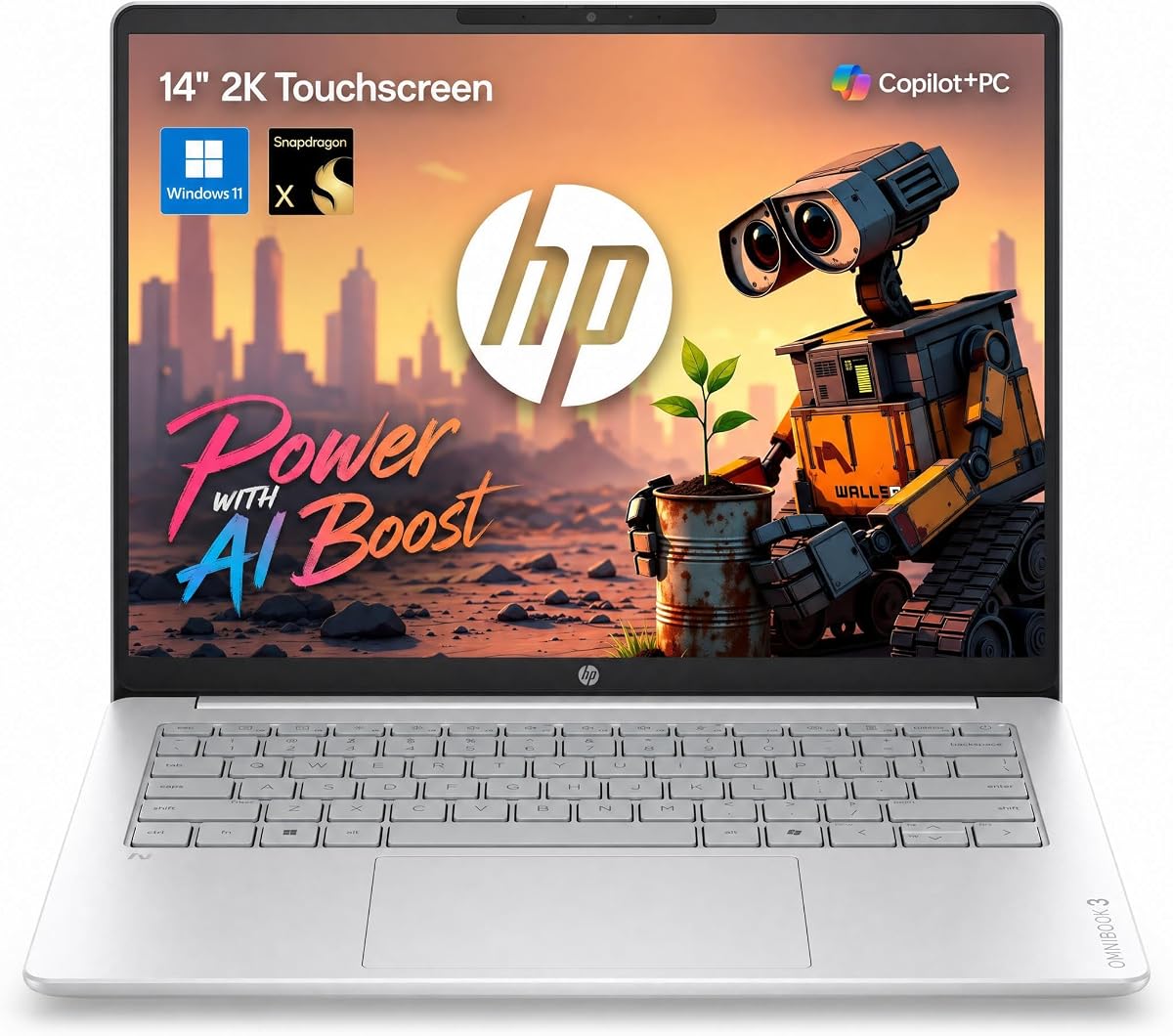
The HP OmniBook 3 14 offers a crisp 2K touchscreen that enhances interaction. Powered by Snapdragon X it delivers quick responsiveness for everyday AI tasks.
We may earn a commission when you buy through this link, at no additional cost to you.
Its 16:10 aspect ratio maximizes vertical workspace for productivity. The device is incredibly lightweight making it easy to handle during long work sessions.
While it has limited ports it includes essential connectivity like USB-C. The fast charging feature ensures you are back up quickly if the battery runs low.
We recommend this for users needing precise touch input for design or notes. It is a solid choice for creative professionals wanting flexibility.
Direct touch interaction speeds up navigation and content creation workflows.
FHD IR camera supports Windows Hello for quick and secure logins.
We may earn a commission when you buy through this link, at no additional cost to you.
The ASUS Zenbook A16 is a top contender with up to 80 TOPS NPU power. It handles demanding AI workloads with ease ensuring smooth performance.
We may earn a commission when you buy through this link, at no additional cost to you.
Its 3K OLED touchscreen offers vibrant colors and deep blacks for visual work. The high RAM capacity allows for heavy multitasking without lag or slowdowns.
While expensive, the build quality and advanced specs justify the investment. It is designed for those who demand the best AI capabilities available.
We recommend this for premium buyers needing maximum speed and visuals. It represents the cutting edge of portable AI technology today.
80 TOPS NPU ensures future-ready capabilities for local AI tasks.
3K OLED touchscreen provides unparalleled detail for media and work.
We may earn a commission when you buy through this link, at no additional cost to you.
The NIMO 17.3 Copilot+ AI is designed for those needing a large workspace. Its 17.3-inch display offers ample room for complex projects and multitasking.
We may earn a commission when you buy through this link, at no additional cost to you.
Powered by Ryzen AI 9 HX 370 it handles gaming and AI tasks well. The 144Hz refresh rate ensures smooth visuals for gaming and media.
Despite its bulk it remains portable enough for professional travel. The rich port selection allows for easy connection of various peripherals.
We suggest this for users who prefer a desktop-like experience on a laptop. It is ideal for those needing screen real estate and expandability.
Large 17.3 inch screen enhances efficiency for spreadsheet and design work.
USB4 support allows for high-speed data transfer and external GPU support.
We may earn a commission when you buy through this link, at no additional cost to you.
The HP Omnibook 16 2K is tailored for enterprise users needing secure systems. It comes with Windows 11 Pro and advanced security features for business environments.
We may earn a commission when you buy through this link, at no additional cost to you.
Its 2TB SSD provides massive storage for large files and datasets. The 32GB RAM ensures smooth performance during complex data analysis tasks.
While heavier than some models it offers stability and durability. The screen brightness is adequate for office use though it struggles outdoors.
We recommend this for businesses requiring reliable and secure AI laptops. It balances performance and practicality for professional teams.
Windows 11 Pro and hardware security support secure business workflows.
2TB SSD allows for extensive local storage of critical business data.
We may earn a commission when you buy through this link, at no additional cost to you.
The Dell 16 Plus brings Intel vPro and Core Ultra 9 for business needs. It offers reliable performance and security for professional environments.
We may earn a commission when you buy through this link, at no additional cost to you.
Its 16-inch display with narrow bezels provides a large workspace. The Wi-Fi 7 ensures connectivity speeds are future-ready and stable.
While it lacks Windows 11 Pro, the hardware is robust. The premium design ensures durability for frequent travelers.
We suggest this for professionals needing reliable business-grade performance. It delivers consistent performance for daily office and creative tasks.
Intel vPro platform provides advanced remote management and security features.
Sleek modular design enhances portability and durability for work.
We may earn a commission when you buy through this link, at no additional cost to you.
The HP 16 inch Touch AI connects well with modern peripherals and networks. It supports Wi-Fi 7 for stable high-speed internet access.
We may earn a commission when you buy through this link, at no additional cost to you.
Its interface is smooth and responsive for quick navigation. The device offers a good balance of weight and performance for daily tasks.
While the battery life is average the fast charge helps mitigate downtime. It is versatile enough for both home and office use.
We recommend this for users needing modern connectivity options. It is a solid choice for general productivity and media consumption.
Comprehensive ports allow for versatile connections to external displays.
2K display offers clarity for work and entertainment needs.
We may earn a commission when you buy through this link, at no additional cost to you.
Choosing the right AI laptop requires balancing several key factors to ensure you get the best experience.
The Neural Processing Unit (NPU) is crucial for local AI tasks. Look for models with at least 45 TOPS to ensure smooth Copilot+ experiences.
Higher NPU speeds mean faster AI responses and better multitasking capabilities.
A high-quality display enhances visual work and media consumption. OLED or 2K screens provide the best contrast and color accuracy.
Prioritize screens with good brightness and resolution for comfortable long-term use.
AI tasks often require substantial memory. Aim for at least 16GB of RAM to handle modern applications efficiently.
Sufficient storage ensures you can keep all your files locally without relying on cloud space.
Battery life is critical for productivity on the go. Look for laptops promising at least 18 hours of usage.
Fast charging features add convenience if you often find yourself needing quick power.
Consider the weight and size if you travel frequently. Laptops under 4 pounds are easier to carry daily.
Slim designs save space in bags without compromising performance significantly.
Modern ports like USB-C and Wi-Fi 7 ensure you can connect to fast networks. This reduces lag and improves data transfer speeds.
Check for necessary ports to avoid carrying multiple adapters for work.
Windows 11 offers the best support for AI features like Copilot+. Ensure the device runs this OS for full compatibility.
Enterprise versions provide additional security if you work in a business environment.
A good warranty protects your investment against defects. Look for at least one year of coverage from the manufacturer.
Reliable customer service ensures issues are resolved quickly if problems arise.
Keep your device updated to receive the latest AI features and security patches. Microsoft regularly rolls out improvements for Copilot+ devices.
Use the built-in AI tools to automate repetitive tasks like summarizing text. This enhances productivity by leveraging the NPU effectively.
Maintain battery health by avoiding extreme temperatures and using certified chargers. Proper care ensures long-term reliability of your hardware.
An NPU or Neural Processing Unit is a specialized chip designed to handle AI tasks. It improves efficiency for tasks like image recognition and language processing.
AI laptops process tasks locally for better privacy and speed. They enable advanced features like real-time translation and smart search.
Most support light gaming thanks to integrated graphics. High-end models with strong GPUs handle demanding titles more effectively.
Wi-Fi 7 ensures fast and stable connections but is not strictly necessary. It improves cloud sync but most AI tasks are processed locally.
Yes many models with sufficient RAM can run local language models. High memory capacity is key for handling complex models effectively.
Ideally look for at least 18 hours of battery life. This ensures productivity without needing frequent charging during travel.
We hope this guide helps you select the perfect AI laptop for your needs. Our top picks offer excellent balance between power and portability.
Prioritize NPU performance and display quality to ensure future-ready capabilities. Your choice should align with your specific usage scenarios.
Remember that prices can change quickly so check current listings before buying. We recommend acting soon to secure the best deal available.