
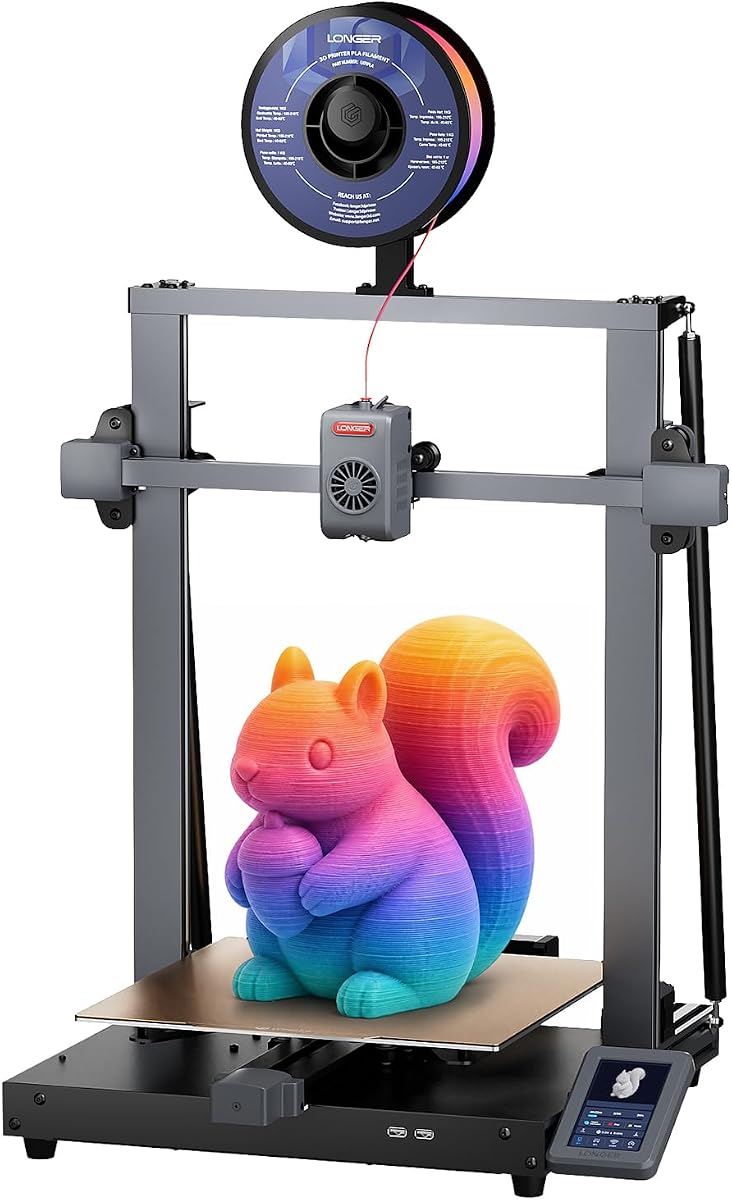
LONGER LK5 Pro 3
4.1Editor score
300x300x400mm build size
90 percent pre-assembled
Open source motherboard support
This expert guide compares the top ten FDM printers for large prints, evaluating build volume, speed, and reliability for professional and hobbyist users in
Finding the right FDM printer for large prints requires careful consideration of build volume, speed, and reliability. Whether you are creating industrial prototypes or massive art pieces, the machine you choose defines your output quality and efficiency. This guide explores the leading models available today to help you make an informed decision for your workflow.
We have evaluated ten standout printers based on their large format capabilities, motion systems, and user feedback. Each entry is selected for its ability to handle oversized models without sacrificing detail or stability. Our analysis focuses on features like auto-leveling, enclosure types, and filament compatibility to ensure you find a machine that meets your specific project demands.
Each review highlights key strengths, potential trade-offs, and ideal use cases for every printer on this list. You will find detailed breakdowns of build volumes, printing speeds, and material options to guide your selection process. Please note that product availability and pricing can change over time, so always verify current details before purchasing.
4.1Editor score

4.0Editor score

4.5Editor score
The following table provides a side-by-side comparison of the top ten FDM printers for large prints. It highlights critical specifications like build dimensions, maximum speeds, and unique features to help you quickly identify the best fit for your large-format printing needs.



The Creality Ender 5 Max stands out as a robust choice for users needing significant build volume. With its 400x400x400mm printing area, it handles oversized prototypes and multiple parts efficiently. The CoreXY system ensures speed and stability, while the all-metal frame reduces vibration for consistent results.
We may earn a commission when you buy through this link, at no additional cost to you.
Its 64-point auto leveling system simplifies setup and improves first-layer adhesion, making it accessible for various skill levels. The 1000W rapid-heating bed supports a wide range of materials including PLA, PETG, ABS, and ASA. The dual-gear extruder enhances reliability for continuous production tasks.
While it offers high speed and volume, it lacks native multi-color printing capabilities without additional hardware. The assembly process may require some calibration to achieve optimal performance. However, the benefits of such a large workspace often outweigh these minor drawbacks for serious creators.
This printer is ideal for print farms, engineers, and designers needing large format capabilities. If you prioritize build size and speed without sacrificing reliability, the Ender 5 Max is a strong contender. Its scalable design supports expansion through WLAN control for efficient fleet management.
The CoreXY structure delivers up to 700mm/s speed with high-torque motors, ensuring precise output even during rapid production. This system minimizes vibration and maintains accuracy across wide prints.
Designed for studios, the Ender 5 Max supports grouped management via WLAN, allowing users to monitor multiple printers efficiently with a tri-color status indicator.
We may earn a commission when you buy through this link, at no additional cost to you.
The Bambu Lab P1S is a user-friendly, enclosed printer designed for high-speed multi-color printing. It features an enclosed body that improves performance with advanced filaments like ABS and ASA. Automatic bed leveling and a 15-minute setup time make it accessible for beginners.
We may earn a commission when you buy through this link, at no additional cost to you.
With speeds up to 500mm/s, the P1S delivers quick results without compromising quality. When connected to the AMS, it supports up to 16 colors, enabling vibrant and complex prints. The auto bed leveling ensures consistent results with minimal manual adjustment.
Although it offers excellent speed and convenience, the build volume is smaller compared to other large format printers. The AMS system adds to the cost if not included. However, its reliability and ease of use make it a top pick for multi-color projects.
This printer is perfect for creators who need quick turnaround times and multi-color capabilities. If you value speed and ease of setup over maximum build volume, the P1S is an excellent choice. Its design supports both hobbyists and professionals alike.
Connecting the AMS allows for up to 16 colors, bringing designs to life with vibrant multi-material capabilities without manual filament swaps.
The user-friendly design ensures a hassle-free assembly experience, letting you spend more time printing and less time setting up.
We may earn a commission when you buy through this link, at no additional cost to you.
The LONGER LK5 Pro 3 offers exceptional value with its large 300x300x400mm build size. It comes 95 percent pre-assembled, reducing setup time significantly. The open source motherboard allows for customization and firmware upgrades, appealing to tech-savvy users.
We may earn a commission when you buy through this link, at no additional cost to you.
With a dual blower kit, it cools filament quickly to prevent deformation. The resume printing function ensures progress is saved during power loss. The 4.3-inch full color touch screen provides a modern interface for easy operation.
While it lacks full enclosure, it handles standard filaments well. Manual calibration may be needed for optimal performance. However, its cost-effective price and large volume make it a top choice for budget-conscious beginners.
Ideal for hobbyists needing large prints without breaking the bank. The open source nature allows for tweaks and improvements. If you want a large printer that is affordable and customizable, this model is worth considering.
The build size of 300*300*400mm provides ample space for large prints, reducing assembly steps for engineering projects.
Backed by open-source firmware, you can try fantastic ideas by changing the G code to suit your specific needs.
We may earn a commission when you buy through this link, at no additional cost to you.
The QIDI Max4 Combo delivers professional-grade performance with its 390x390x340mm build area. Its 65 degree heated chamber allows for industrial materials like ABS-CF and PC. With closed-loop motors, it achieves speeds up to 800mm/s with precision.
We may earn a commission when you buy through this link, at no additional cost to you.
It includes a high-flow hotend with a hardened steel nozzle, handling abrasive materials without wear. Dual AI cameras monitor for failures, pausing printing if issues occur. The expandable system supports multi-color printing with the QIDI BOX.
While expensive, it offers unmatched reliability and material versatility for serious projects. The Polar Cooler must be purchased separately, which adds to the cost. However, its build quality and speed make it a top choice for professionals.
This printer suits businesses needing large industrial parts and custom prototypes. If you require a machine that handles high-temperature materials efficiently, the Max4 Combo is ideal. Its advanced monitoring system minimizes risk and material waste.
The 65 degree heated chamber creates ideal conditions for high-temperature materials like ABS-CF and PPS-CF.
Built-in AI camera detects printing abnormalities and pauses instantly to save materials and time.
We may earn a commission when you buy through this link, at no additional cost to you.
The LONGER New LK10 Plus features a 320x320x400mm build volume, ideal for tall prototypes. Powered by Klipper firmware, it delivers 500mm/s speed with stability. The eddy current sensor ensures precise auto bed leveling.
We may earn a commission when you buy through this link, at no additional cost to you.
Its high-flow direct drive extruder supports various filaments like PLA, ABS, and TPU. Dual band WiFi enables stable remote control. The dual Z-axis design provides smoother movement for consistent results on vertical prints.
Without an enclosure, printing with high-temp materials may require modifications. However, the tall build height is perfect for parts that cannot be printed flat. Its speed and connectivity options are competitive for the price.
This printer suits makers needing tall objects like sculptures or engineering models. If you prioritize build height and speed, the LK10 Plus is a great option. Its smart features simplify remote monitoring and adjustments.
Featuring 320x320x400mm, it allows printing large models in one job to reduce assembly steps.
Powered by Klipper firmware, it delivers up to 500mm/s speed while maintaining stable quality.
We may earn a commission when you buy through this link, at no additional cost to you.
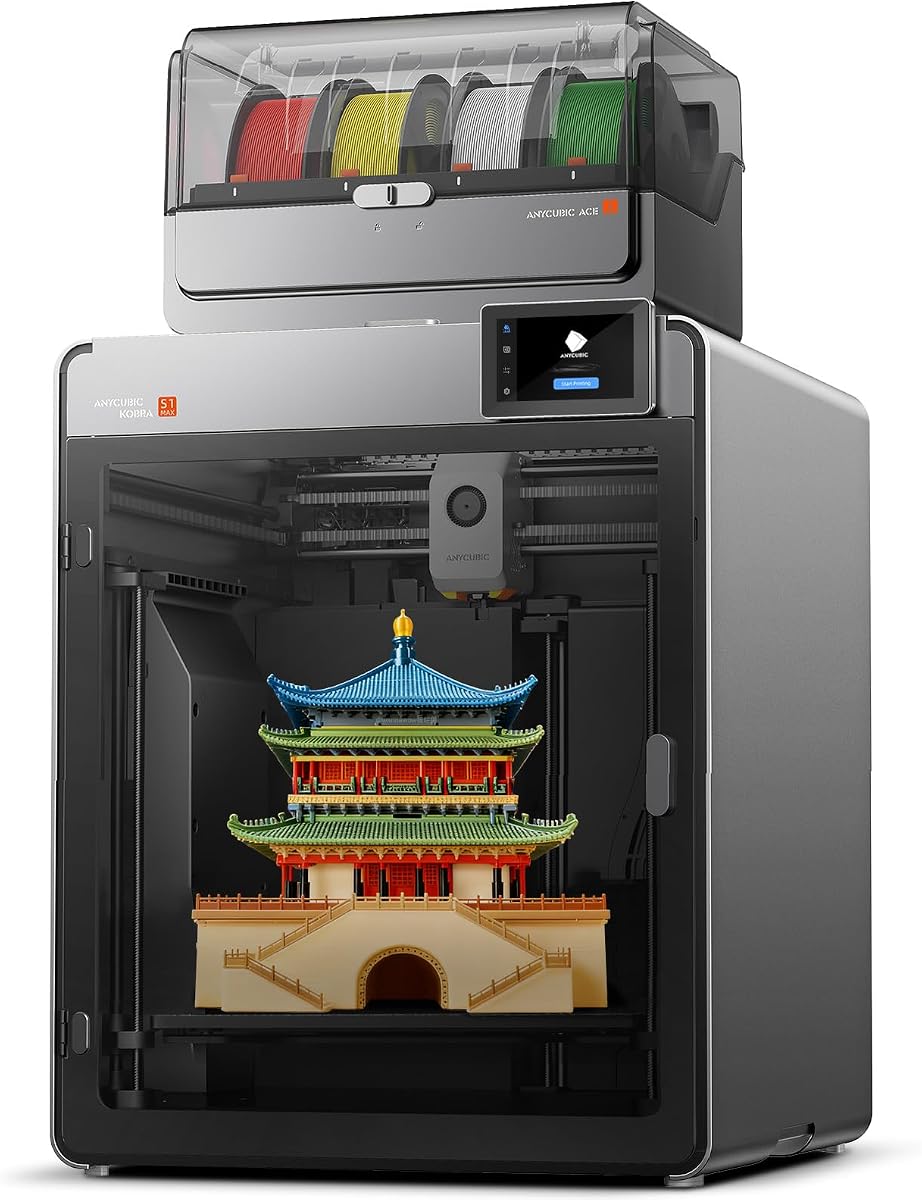
The Anycubic Kobra S1 Max Combo offers a large 350x350x350mm build volume for massive projects. Equipped with ACE 2 Pro, it supports multi-color printing out of the box. Its fully enclosed CoreXY system ensures smooth motion at speeds up to 600mm/s.
We may earn a commission when you buy through this link, at no additional cost to you.
Active vibration compensation reduces ringing for consistent high-speed quality. The 65 degree heated chamber supports PLA, ABS, and ASA with minimal warping. LeviQ 3.0 auto-leveling ensures a flawless first layer every time.
While its price is higher, it offers professional capabilities and multi-color versatility. The lack of user ratings currently makes it a newer model to evaluate. However, its specifications align with top-tier large format requirements.
This printer is ideal for creators wanting large prints with color variety. If you value speed and multi-material support, it is a strong contender. Its reliable extrusion system handles abrasive filaments easily.
Equipped with ACE 2 Pro, it delivers seamless 4-color printing right out of the box.
Active vibration compensation reduces ringing for consistent high-speed print quality.
We may earn a commission when you buy through this link, at no additional cost to you.
The Creality K2 Plus Combo features a 350mm cubic build volume with impressive 600mm/s speed. Its multi-color CFS system allows up to 16-color prints without manual swaps. Dual AI cameras monitor the chamber and toolhead for failures.
We may earn a commission when you buy through this link, at no additional cost to you.
A high-flow nozzle supports materials like ASA and PPA with a 350 degree operating temp. The Matrix frame structure eliminates resonance and deformation. With step-servo motors, it accelerates quickly for fast, precise prints.
While advanced, the setup and cost may be high for casual users. The reliance on CFS units adds expense. However, its speed and color capabilities make it a top choice for professionals.
This printer suits businesses needing fast, colorful large prints. If you want advanced monitoring and multi-color output, the K2 Plus is ideal. Its automation features reduce manual intervention during long prints.
With four CFS units hooked together, it is possible to deliver 16-color 3D prints saving the need for painting afterward.
One camera on the chamber side watches over spaghetti failure, while another is on the toolhead for flow rate optimization.
We may earn a commission when you buy through this link, at no additional cost to you.
The ANYCUBIC Kobra X offers native 4-color printing with expansion up to 19 colors using ACE 2 Pro units. It reduces filament waste by 81 percent, increasing efficiency for print farms. LeviQ 3.0 ensures a flawless first layer every time.
We may earn a commission when you buy through this link, at no additional cost to you.
Its AI camera provides real-time monitoring and spaghetti detection. The top-mount design saves space on the workbench. While its build volume is smaller than others, it maximizes efficiency for batch production.
The smaller build area may limit oversized projects, but it excels in batch printing. Its waste reduction is a significant benefit for cost control. For users needing color and efficiency, it is a smart choice.
Ideal for print farms needing multi-color efficiency. If you want to maximize profit margins with minimal waste, the Kobra X is worth considering. Its smart management app allows fleet control.
Kobra X support native 4-color and expansion up to 19 colors with 4 Ace 2 Pro.
Kobra X shortens filament change length by 81.25%, drastically reducing purge waste.
We may earn a commission when you buy through this link, at no additional cost to you.
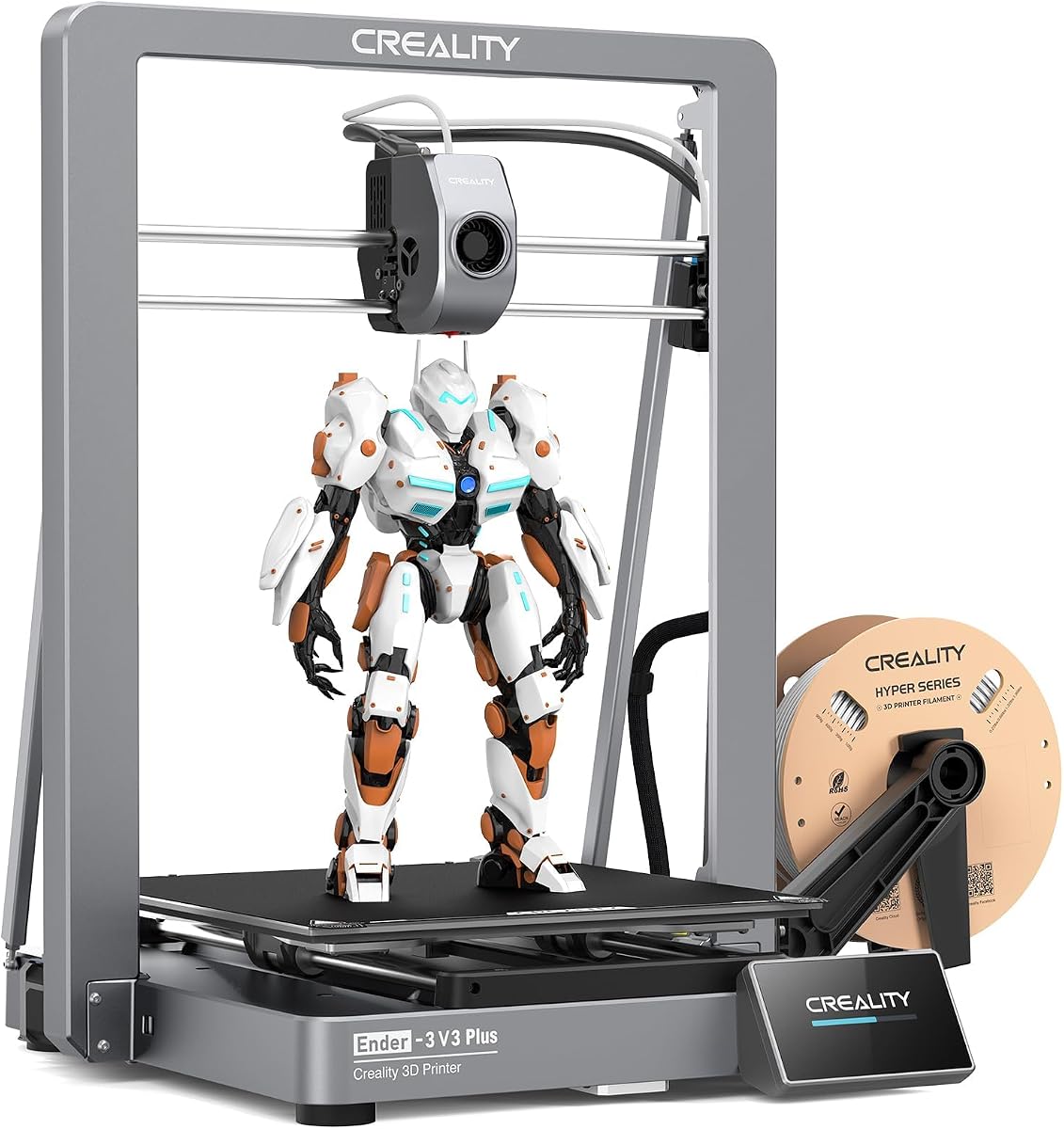
The Creality Ender 3 V3 Plus offers a 300x300x330mm build volume with CoreXZ motion. It supports 600mm/s speed, making prototyping fast and efficient. The tri-metal nozzle ensures smooth discharging and long life.
We may earn a commission when you buy through this link, at no additional cost to you.
Auto calibration features simplify setup significantly. One-tap leveling and auto input shaping tests ensure readiness. The rigid metal build with belt tension reduces wobbling during high-speed printing.
While build size is moderate, it covers most large-scale needs for home or office users. The CoreXZ system ensures stability without manual adjustments. Its speed and features make it competitive for its class.
Ideal for users seeking speed in a manageable size. If you need fast prototyping without large footprint, the V3 Plus works well. Its pre-assembled modules reduce setup time significantly.
Creality Ender 3 V3 Plus offers a decent 300*300*330mm build volume.
Ender 3 V3 Plus 3d printer with CoreXZ and Y-axis dual motors, supports a maximum printing speed of 600mm/s
We may earn a commission when you buy through this link, at no additional cost to you.
The Snapmaker U1 features a 4-toolhead system with 5-second tool changes for seamless multi-color printing. It reduces filament waste by 5X compared to traditional systems. Its CoreXY motion delivers speeds up to 500mm/s.
We may earn a commission when you buy through this link, at no additional cost to you.
True multi-material support allows mixing rigid and flexible materials in one print. Smart calibration ensures accuracy with minimal manual adjustment. The built-in model library and touchscreen make it beginner-friendly.
While its build volume is 270mm cube, the versatility and speed are unmatched. The high cost is offset by reduced waste and productivity. For multi-material creators, it stands out as a top choice.
This printer suits professionals needing complex prototypes. If you value multi-material capability and speed, the U1 is ideal. Its remote app control simplifies workflow management.
Snapmaker U1 multi-color 3D printer features four independent toolheads with filaments preloaded and preheated.
Automatic toolhead offset calibration, vibration compensation, fine-tuned extrusion, and perfect first-layer work together to deliver reliable print quality.
We may earn a commission when you buy through this link, at no additional cost to you.
Selecting the best FDM printer for large prints involves balancing build volume, speed, and reliability. This guide outlines key factors to help you find a machine that matches your specific requirements.
The most critical factor is the build volume, measured in millimeters. Look for dimensions that exceed your largest model sizes to avoid printing in parts. A larger bed allows batch printing which improves efficiency significantly.
Prioritize machines with cubic or rectangular areas that accommodate your typical project sizes.
High-speed printing reduces wait times for large models. CoreXY and similar motion systems provide stability at higher speeds. Acceleration rates also determine how quickly the printer can reach top speed.
Opt for models with speeds above 500mm/s for efficient production.
Large beds require precise leveling to ensure first-layer adhesion. Multi-point auto leveling systems compensate for bed warps automatically. This feature saves time and reduces failed prints.
Choose printers with multi-point auto leveling for reliability.
An enclosed design helps maintain temperature stability for advanced materials like ABS. This reduces warping and improves consistency. Open frames are cheaper but struggle with high-temp filaments.
Select enclosed printers if you need high-temp printing.
A robust extruder handles continuous printing and abrasive filaments. Dual-gear systems provide strong grip for smooth feeding. Reliable extrusion minimizes clogs during long prints.
Look for direct drive and dual-gear extruders for durability.
Check which materials the printer supports. Heated beds and chambers allow for PLA, PETG, ABS, and ASA. Nozzle materials must handle temperature and abrasion properly.
Ensure compatibility with your target materials for best results.
Wireless options like Wi-Fi enable remote monitoring. Networked control allows fleet management for multiple machines. Touch screens improve usability for settings adjustments.
Prioritize connectivity for easier management and monitoring.
User-friendly slicing software and monitoring apps simplify workflow. Open-source firmware allows customization for advanced users. Reliable software ensures consistent output quality.
Choose printers with intuitive software for better user experience.
Set up your printer on a stable surface to reduce vibrations. Ensure the build plate is clean and level before starting prints. Proper calibration prevents adhesion issues on large surfaces.
Regularly clean the nozzle and extruder to prevent clogs. Check belts and screws periodically for tightness to maintain accuracy. Lubricate moving parts to reduce wear over time.
Store filament in dry conditions to avoid moisture absorption. Adjust print settings based on material needs and environmental conditions. Use appropriate cooling to prevent warping on large prints.
The ideal build volume depends on your projects. Generally, 300mm or larger in all axes is preferred for large prints. This allows full prints without needing to split models or assemble parts.
Yes, higher speeds can impact quality if not stabilized. Use CoreXY or rigid frames to maintain accuracy. Adjust acceleration settings to prevent ringing on large prints.
An enclosure helps maintain temperature for materials like ABS. For PLA or PETG, it may not be essential. However, it improves consistency for large prints by reducing drafts.
Prevent warping by leveling the bed properly and using adhesives. Ensure the heated bed reaches the right temperature. An enclosed chamber helps maintain stable ambient temperatures.
Yes, many printers support multi-color with add-ons like multi-toolheads or multi-color systems. Check the printer specs for expansion compatibility if you need color variety.
Regularly clean nozzles and check belt tension. Inspect the frame for loose screws. Lubricate rods and replace worn parts to keep performance consistent.
This guide highlights the top ten FDM printers for large prints available in November 2026. Whether you need budget-friendly options or premium features, there are choices to suit various needs and budgets.
When selecting a printer, prioritize build volume, speed, and reliability. Consider multi-color capabilities if you need vibrant prints. Ensure the machine supports your target materials for consistent results.
Remember that prices and availability can change over time. Always verify current details before purchasing to ensure you get the best value for your specific project requirements today.