
Creality Space PI SE
4.4Editor score
Heats to 65°C fast
360° hot air circulation
Simple knob control
Compare the top 10 3D Printer Filament Dryer Box models for 2026. We evaluate drying speed, storage capacity, and sealing quality to help you choose the right
Maintaining dry filament is crucial for high-quality 3D prints. Moisture absorption leads to stringing, clogging, and poor layer adhesion. A dedicated dryer box solves these issues by actively removing humidity from your spools before and during printing.
We compared ten leading filament dryer boxes based on heating technology, capacity, user interface, and sealing performance. Our analysis focuses on real-world usability, temperature control accuracy, and how well each unit protects your investment in expensive materials.
Each pick highlights specific strengths like fast heating or multi-spool storage. Prices and availability change frequently so check current listings before buying. This guide ensures you find the perfect dryer for your specific printing needs and budget.
4.4Editor score

4.7Editor score

4.6Editor score
This side-by-side comparison highlights the key specifications of each model. Use this table to quickly identify capacity, heating power, and unique features before diving into detailed reviews.


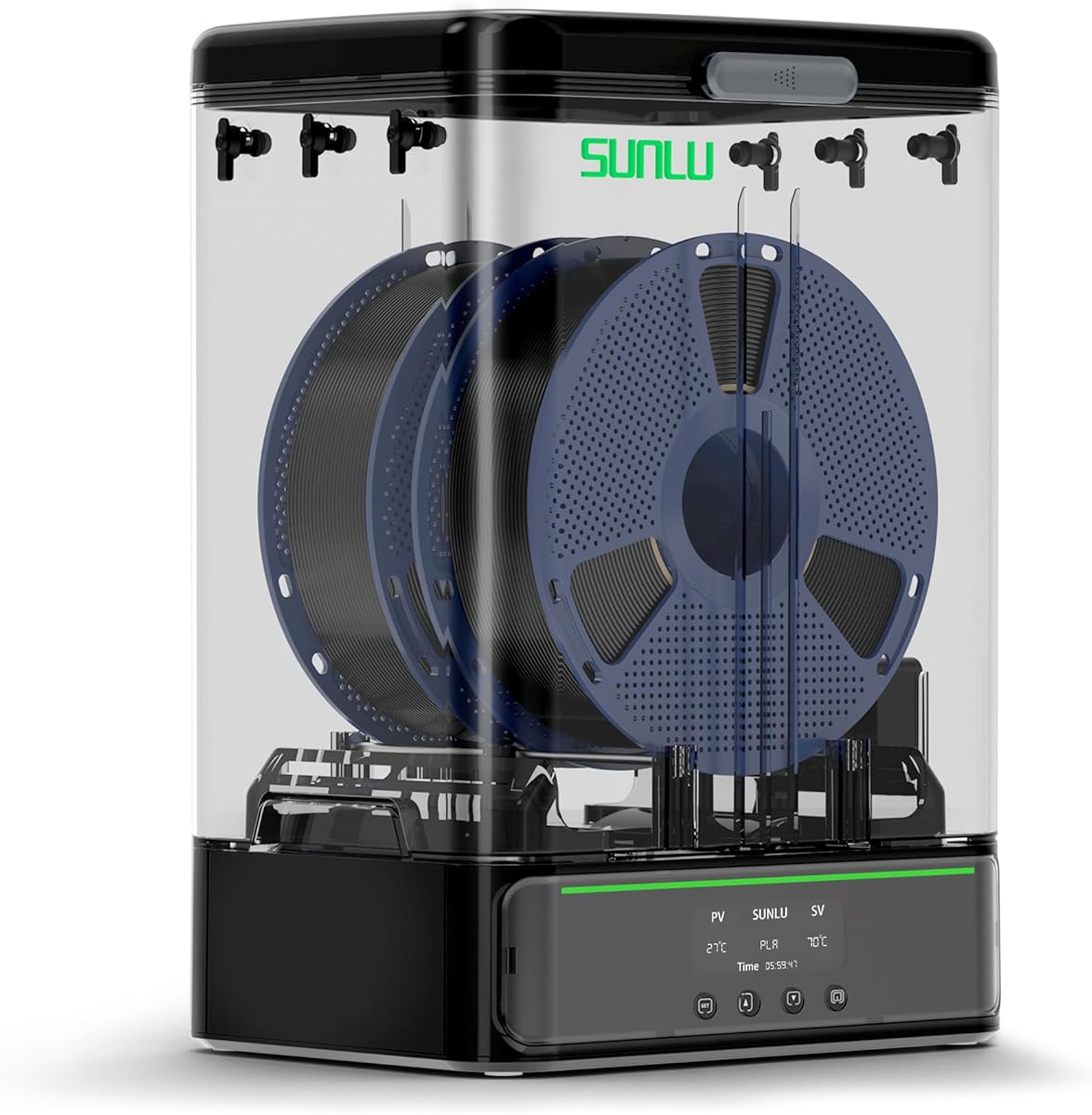


The SUNLU S4 stands out as a top performer with its impressive capacity and advanced features. It holds four standard 1kg spools allowing seamless transitions between colors without changing boxes. Its 350W PTC heater ensures rapid warming which is essential for frequent printers.
We may earn a commission when you buy through this link, at no additional cost to you.
Three built-in fans maintain consistent temperature across all spools. This prevents hot spots that could degrade sensitive materials. The auto humidity control feature starts drying when levels rise and stops when dry ensuring optimal conditions without constant monitoring.
While the price is higher than single spool units the capacity justifies the cost for serious users. The safety features including temperature switches add peace of mind during long overnight drying cycles.
This unit is ideal for farms or multi-color setups. If you need to keep multiple filaments dry simultaneously the S4 offers the best balance of speed and capacity on the market.
Holding four spools reduces the need to swap boxes frequently saving time and effort during long print jobs.
Triple-layer security with hardware and software protection prevents overheating and ensures safe unattended operation.
We may earn a commission when you buy through this link, at no additional cost to you.
The Creality Space Pi X4 is built for users who need to dry advanced materials quickly. Its dual heating chambers allow for faster moisture removal compared to single-chamber units. This is crucial for ABS and PC which require higher temperatures.
We may earn a commission when you buy through this link, at no additional cost to you.
The high 85°C capability unlocks drying for nylon and ASA that lower-temp dryers cannot handle effectively. The illuminated window lets you check spool status without breaking the seal and losing humidity control inside.
The touch interface is modern but requires a learning curve for optimal settings. The silicone seal is excellent at keeping moisture out once the box is closed and dry.
Choose this if you work with high-temp materials regularly. The speed and temperature range make it a powerful tool for professional or advanced hobbyist printing needs.
Two independent heating chambers remove moisture thirty percent faster than single chamber designs improving workflow efficiency.
The higher temperature range ensures even tricky engineering filaments are dry enough for consistent prints without bubbles.
We may earn a commission when you buy through this link, at no additional cost to you.
The Creality Space PI SE offers excellent value for those starting their filament drying journey. It heats up rapidly thanks to the improved PTC solution which circulates hot air evenly. The simple knob control makes operation intuitive for any user.
We may earn a commission when you buy through this link, at no additional cost to you.
It reaches 65°C within fifteen minutes ensuring your spools are ready quickly. The insulation cotton keeps heat inside and protects your hands from burns when checking the spool during printing.
While it only holds one spool it performs as well as more expensive models for standard materials. The countdown timer helps you track drying progress accurately without guesswork.
This is the smart choice for standard users printing PLA and PETG. It provides the core functionality of active drying without unnecessary complexity or high cost.
The upgraded PTC solution reaches target temperature rapidly reducing wait time before you can start printing.
A simple knob and display screen make setup and operation straightforward even for beginners.
We may earn a commission when you buy through this link, at no additional cost to you.
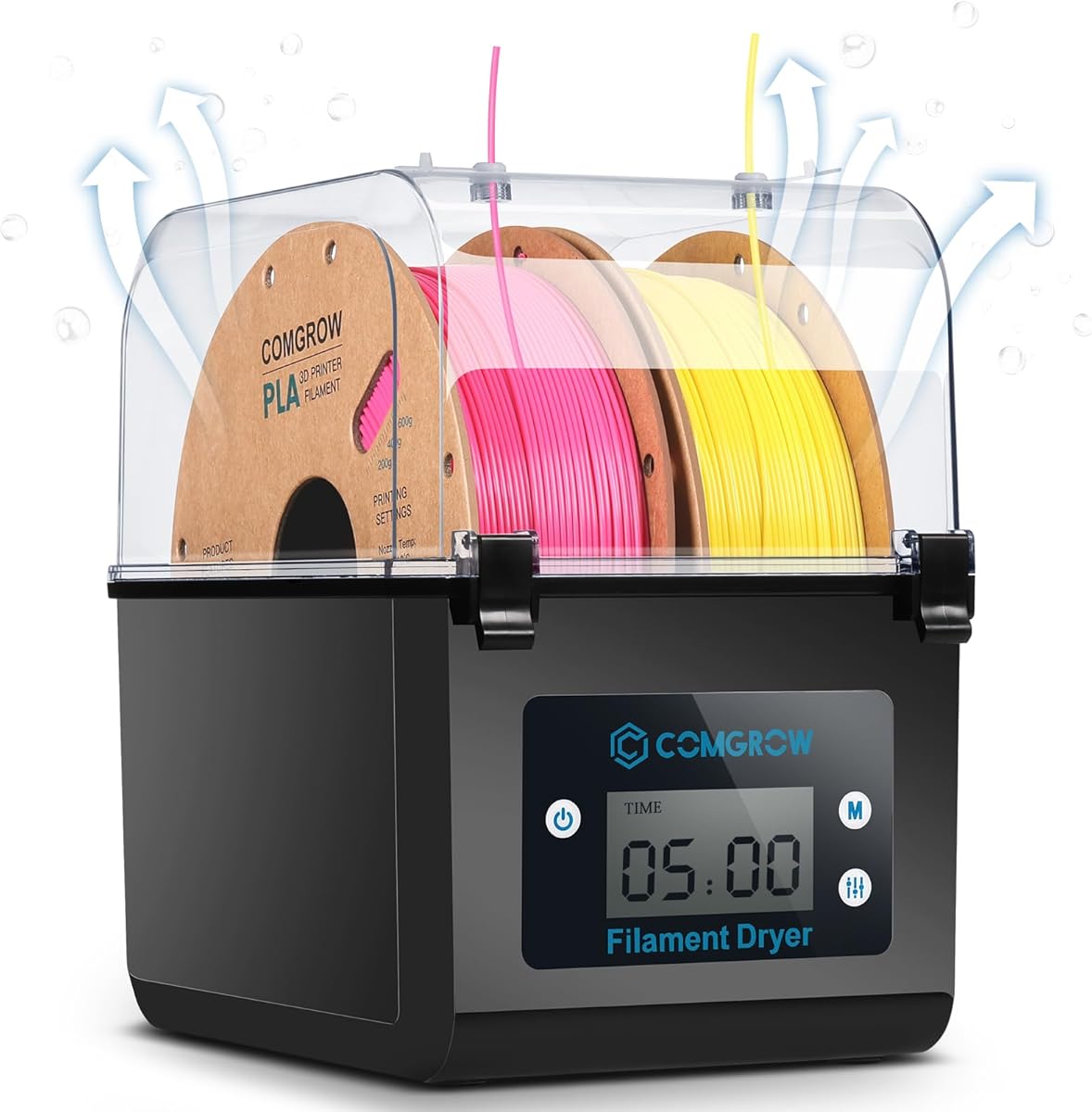
Comgrow provides a straightforward solution for keeping filaments dry during prints. The box holds two rolls which is convenient for dual extruder setups or frequent swaps. The Teflon tube ensures the filament feeds smoothly into the printer without resistance.
We may earn a commission when you buy through this link, at no additional cost to you.
Temperature and humidity are monitored in real-time via the LCD screen. This allows you to verify conditions before starting a long print run. The sealed design keeps moisture out when the machine is not in use.
The temperature limit is lower than some competitors which may be insufficient for some engineering materials. However for standard PLA and ABS it performs reliably to prevent stringing issues.
This unit suits users who need dual capacity on a budget. The simple controls and effective sealing make it a practical choice for regular printing tasks.
Holding two spools reduces the need to swap boxes often saving time during multi-color projects.
The included Teflon tube connects the dryer to your printer for uninterrupted filament supply.
We may earn a commission when you buy through this link, at no additional cost to you.
This Creality model stands out with its one-key temperature settings for twelve different filament types. You can easily switch between materials without memorizing specific numbers. The touch screen allows switching between Celsius and Fahrenheit for global usability.
We may earn a commission when you buy through this link, at no additional cost to you.
It supports high-performance composites like PA-CF and ASA due to the 70°C maximum temperature. The power-off memory function ensures you do not lose your settings if the power cuts unexpectedly during a drying cycle.
The 360-degree heating ensures even distribution so your spool dries uniformly from all sides. The timer allows up to 48 hours of continuous drying which is sufficient for very wet filaments.
Ideal for users who print various materials regularly. The preset modes simplify the process and ensure optimal drying for each material type automatically.
One-key settings remove guesswork by applying correct temperatures for common materials instantly.
Automatic memory retention after power outage saves your settings so drying resumes without manual reset.
We may earn a commission when you buy through this link, at no additional cost to you.
SUNLU has upgraded the S1 Plus with a dedicated fan design. This speeds up the discharge of excess water from the filament. The visual display shows temperature time and humidity clearly on a 2-inch LCD screen.
We may earn a commission when you buy through this link, at no additional cost to you.
The fan helps circulate air more effectively than passive heaters. This reduces the impact of wet weather on your printing environment. The temperature range is adjustable to suit different filament needs.
The unit is compact and fits well on most desks. It is suitable for standard materials like PLA and TPU where high temperatures are not required.
Choose this if you need a compact unit with active airflow. It offers good value for casual printers who need reliable moisture removal.
The built-in fan actively moves air to speed up moisture removal compared to passive units.
Real-time data on the screen lets you track drying progress visually without guessing.
We may earn a commission when you buy through this link, at no additional cost to you.
Polymaker Polydryer focuses on passive storage rather than active drying. It uses a sealed enclosure combined with desiccant support to protect filaments. The built-in hygrometer lets you track humidity without external tools.
We may earn a commission when you buy through this link, at no additional cost to you.
This is useful for keeping already dry filaments ready for use. You can feed the filament while it is stored inside. breaking the seal. This maintains the dry environment throughout printing pauses.
It does not have a heater so it cannot remove moisture from wet spools. You must use desiccants to absorb moisture over time. The seal is tight enough to prevent new moisture from entering.
Ideal for storage between jobs rather than active drying. It works best if you already use a dryer for pre-processing and just need a place to store spools.
The sealed design prevents humidity re-absorption ensuring spools stay dry between print jobs.
A built-in hygrometer helps you monitor conditions without needing separate devices.
We may earn a commission when you buy through this link, at no additional cost to you.
The SUNLU SP2 is designed for larger spools up to 3kg making it versatile for high-volume printing. It heats to 70°C in just fifteen minutes. The detachable base allows you to lift the drying part and store it separately.
We may earn a commission when you buy through this link, at no additional cost to you.
The HD LCD touch screen displays temperature time and humidity clearly. It includes a hygrometer and desiccant containers for monitoring. The rollers support different sized spools for flexibility.
The sealing performance is excellent with sliding latches and gaskets. This keeps the temperature stable and dry even when not in use. The quiet operation is a bonus for home offices.
This is the best choice if you use large 3kg spools frequently. The speed and size accommodation make it a powerful tool for serious users.
The roller system supports spools up to 3kg reducing waste from emptying smaller packages.
Fast heating to 70°C ensures your filament is ready quickly after installation.
We may earn a commission when you buy through this link, at no additional cost to you.
Sovol SH02 offers dual spool capability with easy one-key settings for nine filament types. The 150W heater heats up to 70°C with a built-in fan. It reaches 50°C in seven minutes which is efficient for quick drying.
We may earn a commission when you buy through this link, at no additional cost to you.
The sealing is thicker than previous models ensuring better protection against dirt and moisture. Smart safety protection includes an alarm if the fan stops preventing the module from burning out.
The adjustable range allows customization from 40°C to 70°C. The preset modes make it easy to start drying without manual tuning every time.
Good for users who print multiple types of filament and need dual capacity. The safety features provide reliability for daily use.
The 150W heater reaches 50°C quickly saving time before you can print.
Fan monitoring and temperature cutoffs prevent overheating and extend device life.
We may earn a commission when you buy through this link, at no additional cost to you.
The SUNLU S1 Plus White is a streamlined version for basic needs. It allows you to adjust temperature based on filament type and environment. The rollers inside the box allow you to print while drying without tangling.
We may earn a commission when you buy through this link, at no additional cost to you.
It is ultra quiet with less than 10dB noise. This ensures it does not disturb your work or home environment. The display shows temperature and time clearly.
The drying time can be set from 1 to 99 hours. Standard filaments usually need three to six hours. It removes moisture from damp filament effectively for standard prints.
This is a great entry-level option for beginners. It covers the basics well without unnecessary complexity.
Running at less than 10dB ensures no noise disruption during printing sessions.
Internal rollers guide the filament smoothly for uninterrupted printing while drying.
We may earn a commission when you buy through this link, at no additional cost to you.
Selecting the right dryer depends on your materials capacity needs and budget. We break down the key factors to help you make an informed choice.
Heating capacity determines how fast your filament dries. Units with PTC heaters like 200W or 350W reach target temperatures quickly. Look for models that heat up within 15 minutes for efficient workflow.
Prioritize higher wattage if you need rapid drying between prints.
Capacity refers to how many spools the box holds. Single spool units are compact but limit you to one color. Dual or quad spool boxes are better for multi-color or frequent switching needs.
Choose based on how many colors you use per project.
Different materials require different drying temperatures. PLA needs around 45-50°C while ABS and Nylon may need 65-80°C. Ensure the dryer reaches the maximum needed for your hardest filament.
Select a unit with at least 60°C if you use engineering materials.
Sealing prevents moisture re-absorption. Look for silicone gaskets and sliding latches. A tight seal keeps the interior dry even when the heater is off.
Check for descriptions of airtight or sealed design.
Control interfaces vary from knobs to touch screens. Touch screens offer better precision and presets. Knob controls are simpler and less prone to accidental changes.
Choose based on your preference for simplicity or advanced settings.
Safety features like automatic cutoff prevent overheating. Thermal switches or power-off memory are valuable for unattended drying. These ensure safe operation even if a timer fails.
Always look for at least one form of thermal protection.
Fan-assisted units circulate air for uniform drying. Passive heaters rely on convection which may leave cold spots. Fans reduce drying time and improve consistency.
Opt for fan-assisted models for better results.
Feeding tubes allow you to print while drying. Look for included Teflon or silicone tubes. Some boxes have specific ports to route filament to the printer.
Ensure the unit has an outlet compatible with your printer setup.
First place your spool inside the box and connect the exit tube to your printer. Ensure the tube is secure to prevent air leaks. Close the lid firmly and set the temperature according to your filament type.
Second let the unit run for at least six hours for new spools. Check the humidity reading to confirm dryness. If the reading is low the filament is ready to print.
Third clean the unit periodically to remove dust. Store the dryer in a dry place when not in use. Replace desiccants if your model includes storage compartments.
Typically four to six hours is sufficient for most spools. New spools might need longer if they were exposed to high humidity. Check the humidity monitor to confirm dryness before printing.
Yes most modern dryers have safety features allowing overnight use. Ensure the model has a timer or auto-off function for peace of mind. Check the manual for specific safety recommendations.
New sealed spools are usually dry enough. However if you store filament in humid conditions drying is recommended. If your prints show stringing try drying the filament first.
Active dryers use heat to remove moisture quickly. Passive boxes rely on desiccants to absorb moisture slowly. Active units are better for quick turnaround and wet spools.
Wipe the interior with a dry cloth to remove dust. Do not use water inside the electrical components. Check the outlet tubes for blockages regularly.
Yes if it seals well. Passive units are better for long term storage with desiccants. Active units maintain dryness during printing but should be sealed when idle.
We reviewed ten models from basic single spool to advanced multi-spool units. The SUNLU S4 offers the best capacity and automation. The Creality Space PI SE is the most affordable active option.
Prioritize temperature range and sealing if you print engineering materials. If you print standard PLA PETG a basic model will suffice. Safety features are non-negotiable for unattended use.
Prices fluctuate frequently so check current listings for deals. Ensure you select the model that matches your specific workflow needs. Investing in a quality dryer protects your filament and improves print success.