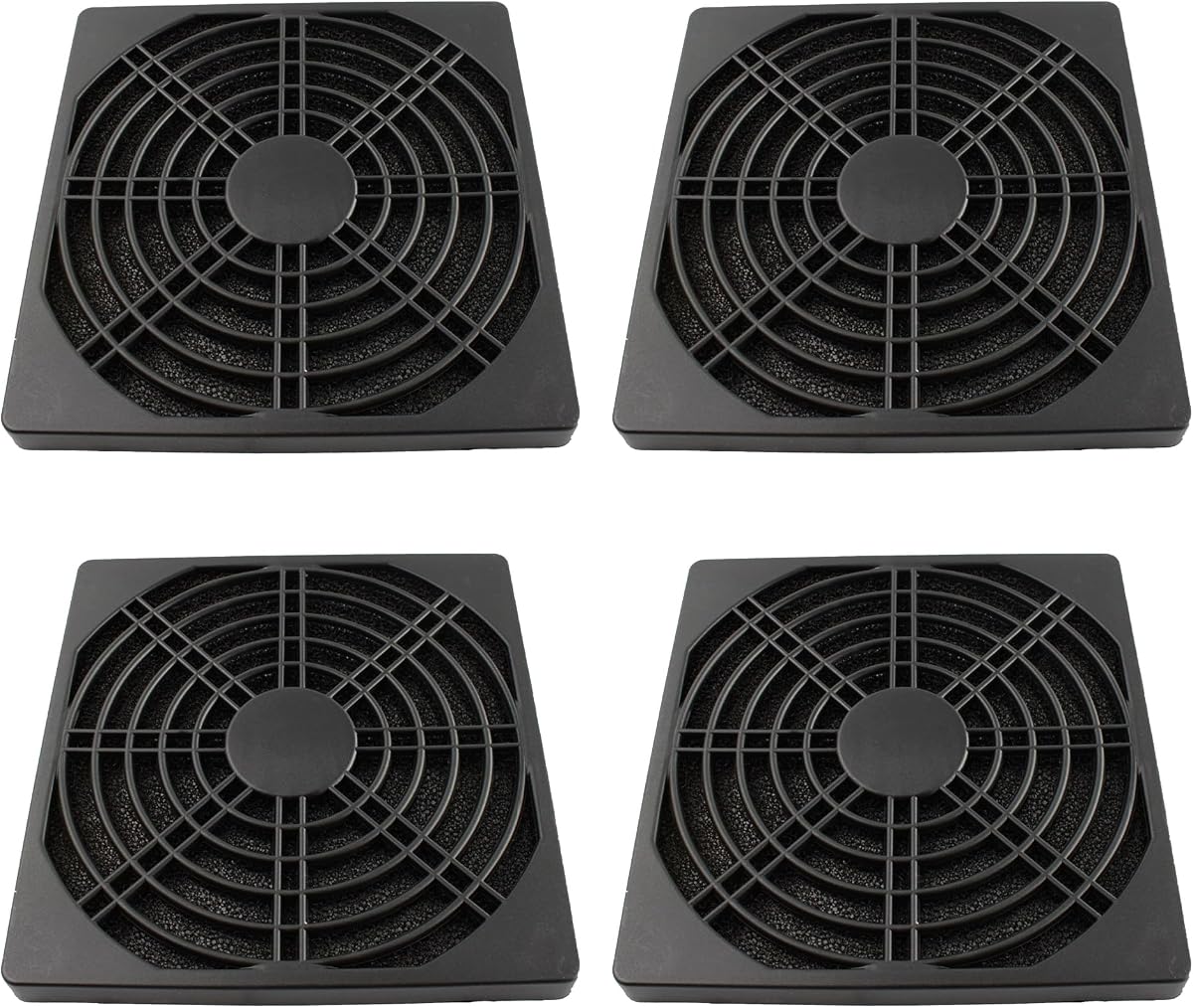
4 Pcs 120mm Black Square Plastic Cooling Fan Filter Cover
4.4Editor score
120mm square size
Durable plastic material
4 pack value
Keeping your computer clean is essential for longevity. Dust filters trap debris while maintaining airflow. A good filter balances protection with ventilation to prevent overheating and extend component life.
We evaluated ten top-rated options based on material quality, mesh size, and mounting ease. This list covers magnetic, DIY, and screw-in styles for various case types and fan sizes.
Each pick shows key features, pros, cons, and ideal use cases. Prices and availability change frequently, so verify current details before purchasing to ensure the best value for your build.
4.4Editor score

4.8Editor score

4.5Editor score
As an Amazon Associate we earn from qualifying purchases.
Compare all ten options side-by-side to find the perfect fit for your computer case. This table highlights key specifications like size, material, and mounting method for quick decision-making.


This magnetic dust filter ranks highest for its combination of durability and ease of use. It achieves a 4.8 rating from users who value tool-free installation and effective dust protection without compromising cooling.
We may earn a commission when you buy through this link, at no additional cost to you.
The ultra-fine mesh design captures small particles that typically settle on components, while the premium PVC material ensures the filter does not deform over time. The magnetic frame adheres strongly to steel cases, allowing you to remove it quickly for cleaning without tools.
While it works best on steel surfaces, users with non-steel cases may need to supplement with adhesive. The mesh size balances protection with airflow, though very dusty environments might require frequent cleaning to maintain optimal performance.
Ideal for builders seeking a reliable, reusable solution for standard 360mm x 120mm cooling ports. Its high quality and straightforward design make it a top choice for maintaining a clean PC environment.
The fine mesh blocks particles while allowing air to pass through, keeping internal components free from debris that can cause overheating.
The magnetic design lets you attach and remove the filter easily, simplifying maintenance tasks and cleaning routines.
We may earn a commission when you buy through this link, at no additional cost to you.
Budget-conscious builders will appreciate this simple yet effective solution for 120mm fans. It holds a 4.7 rating for its balance of cost and performance, providing basic dust protection without straining your wallet.
We may earn a commission when you buy through this link, at no additional cost to you.
Made from PVC, these filters are flexible and easy to cut if needed. They help reduce noise by smoothing airflow and prevent large debris from entering the case, extending fan lifespan. Their compact size fits standard slots perfectly.
The material is less robust than metal alternatives, so they may require careful handling. Some users report needing adhesive for non-magnetic cases, which adds a small step to installation but remains manageable.
Perfect for entry-level builds or systems with multiple 120mm fans requiring cost-effective protection. They deliver reliable performance for the price, keeping components cleaner and quieter over time.
These filters offer essential dust coverage at a low cost, making them ideal for systems where budget constraints are a priority.
By trapping debris before it reaches the fan blades, these covers help minimize wear and tear on cooling components.
We may earn a commission when you buy through this link, at no additional cost to you.
This premium set includes screws for secure mounting, appealing to users who prefer permanent fixtures over magnetic options. With a 4.5 rating, it stands out for its robust build and airflow-optimized mesh design.
We may earn a commission when you buy through this link, at no additional cost to you.
The 0.8mm mesh strikes a balance between dust capture and airflow, ensuring cooling remains efficient even under load. The included screws and reinforced holes provide vibration-proof security, while the raised edges protect against accidental contact with blades.
Installation is more involved than magnetic versions, requiring a screwdriver. In humid climates, the larger holes can trap moisture, but the washable design allows easy cleaning to maintain performance and prevent clogging.
Best for high-end builds needing durable, tool-attached filters. The 10-pack ensures you have enough coverage for multiple fans, while the included hardware simplifies setup for thorough protection.
The included screws allow for a permanent, vibration-resistant installation that magnetic filters cannot match for stability.
Raised edges and a rigid grid shield users from spinning blades, adding an extra layer of safety for households with pets or children.
We may earn a commission when you buy through this link, at no additional cost to you.
Constructed from thickened aluminum with a stainless steel mesh, these grills offer superior durability compared to plastic options. Their 4.7 rating reflects user satisfaction with their sturdy build and effective dust trapping capabilities.
We may earn a commission when you buy through this link, at no additional cost to you.
The metal frame provides structural integrity, resisting deformation over time. The ultra-fine steel mesh captures small debris while maintaining airflow, and the included screws ensure a secure fit on standard fan mounting holes.
Installation is straightforward but requires alignment with existing screw holes. The metal material is heavier, which may not suit lightweight cases, but it offers long-term reliability and protection against physical damage to fans.
Ideal for users prioritizing build quality and longevity. These grills are a robust choice for any PC setup, offering safety and protection without compromising on cooling performance.
The aluminum frame and steel mesh ensure the filter withstands physical stress and lasts longer than plastic alternatives.
The grill design acts as a finger guard, preventing accidental contact with fan blades during maintenance or cleaning.
We may earn a commission when you buy through this link, at no additional cost to you.
Designed for DIY enthusiasts, this filter provides a large sheet that you can cut to match unique case dimensions. Its 4.6 rating highlights the versatility of the 400x300mm mesh and included magnetic strips for easy installation.
We may earn a commission when you buy through this link, at no additional cost to you.
The 1mm hole size effectively prevents dust entry while allowing sufficient airflow. PVC material ensures flexibility, and the magnetic strips attach cleanly to metal surfaces without drilling. This makes it ideal for custom or non-standard case setups.
Cutting the mesh requires precision to avoid fraying, but the included strips simplify attachment. It works well for multiple devices, though users should ensure the magnetic backing is applied correctly for a secure fit.
Perfect for custom PC builders or those with non-standard cooling ports. The large sheet and magnetic options provide a tailored solution for maintaining cleanliness across various setups.
The large mesh allows you to trim it to any shape or size, ensuring coverage for unique or irregular intake areas.
Included magnetic strips let you attach the filter to metal cases without screws, simplifying the installation process significantly.
We may earn a commission when you buy through this link, at no additional cost to you.
This large PVC mesh filter offers extensive coverage for custom installations. With a 4.5 rating, it is praised for its flexible magnetic strips and ability to be easily trimmed for various intake areas without tools.
We may earn a commission when you buy through this link, at no additional cost to you.
The design ensures minimal airflow restriction while blocking dust effectively. Waterproof PVC allows easy cleaning by rinsing under water. The magnetic strips provide strong adhesion to steel surfaces, preventing accidental detachment during operation.
Cutting requires scissors and careful measurement to fit specific slots. Magnetic strength is generally good but may diminish with repeated removals, so handling with care extends the product life.
Best for custom or large intake areas needing flexible protection. Its washable nature and magnetic simplicity make it a practical solution for maintaining a dust-free case interior.
The cut-to-fit design lets you adapt the filter to any intake port size, offering versatility for non-standard cases.
Waterproof PVC allows simple rinsing to remove dust, keeping performance high without needing replacement.
We may earn a commission when you buy through this link, at no additional cost to you.
Ideal for systems with multiple fans, this 4-pack ensures you have enough filters for various intake ports. Its 4.4 rating reflects satisfaction with the standard 120mm fit and reliable dust trapping performance.
We may earn a commission when you buy through this link, at no additional cost to you.
The square design fits standard fans perfectly, allowing easy installation over intake ports. Durable plastic construction resists wear, and the fine mesh effectively prevents debris from entering the case while maintaining airflow.
Plastic materials may be less durable than metal, so handle during installation to avoid cracks. Limited to 120mm sizes, it may not suit larger or custom ports, but covers common needs well.
Best for users with multiple 120mm fans needing bulk protection. The affordable 4-pack delivers consistent quality and simplifies upgrading multiple intake points simultaneously.
With four units included, this set is perfect for covering all standard fans in a system without buying individual filters.
The 120mm square size matches most case fan openings, ensuring compatibility with a wide range of standard builds.
We may earn a commission when you buy through this link, at no additional cost to you.
For systems requiring extensive coverage, this 12-pack provides enough filters for multiple fans and replacements. It holds a 4.5 rating for its cost-effective bulk offering and reliable dust protection for standard 120mm ports.
We may earn a commission when you buy through this link, at no additional cost to you.
Made from PVC, these filters are lightweight and flexible, helping to keep fans clean and reduce noise. Their simple design allows easy placement over intakes, though users may need to source their own mounting solutions for secure fits.
The material is basic and may not last as long as heavier options. Without included screws, installation relies on fit or adhesive, which may not be as secure for heavy-duty use over long periods.
Best for bulk buyers covering multiple machines or systems with many intake fans. The large quantity ensures you have spares on hand for future needs or replacements.
Twelve filters offer significant value for multi-system setups, ensuring you have enough for replacements and additional ports.
By blocking dust from reaching sensitive components, these filters help prevent overheating and extend the lifespan of your PC.
We may earn a commission when you buy through this link, at no additional cost to you.
Designed for 140mm fans, this filter offers a perfect fit for larger intake ports. Its 4.4 rating reflects satisfaction with the magnetic convenience and effective dust trapping via ultra-fine mesh.
We may earn a commission when you buy through this link, at no additional cost to you.
The magnetic frame adheres securely to steel cases, enabling quick removal for cleaning. The fine mesh captures small particles effectively, though this may require more frequent maintenance in dusty environments to maintain airflow.
Non-steel cases may need adhesive for stable mounting. The mesh material is durable but prone to clogging if not washed regularly, so consistent upkeep is key to maintaining performance.
Ideal for systems using 140mm fans needing magnetic ease. The 5-pack provides ample coverage, making it a practical choice for those upgrading or covering larger cooling ports.
The magnetic frame ensures tool-free installation and removal, simplifying the cleaning process for larger fans.
A very tight mesh captures even small dust particles, keeping internal components clean and reducing noise over time.
We may earn a commission when you buy through this link, at no additional cost to you.
This magnetic set offers a versatile solution for 120mm fans, combining ease of use with reliable protection. It achieves a 4.5 rating for its magnetic frame, washable design, and ability to reduce fan noise.
We may earn a commission when you buy through this link, at no additional cost to you.
The magnetic frame installs easily on metal cases without tools, and the PVC material is washable with soap and water. Regular cleaning maintains performance, helping to reject dust entry and keep the interior of your PC tidy.
Adhesion strength depends on case quality, and bending must be avoided to prevent damage. Hand washing is required, which may be slightly more involved than rinsing, but ensures longevity of the material.
Best for users with 120mm fans seeking magnetic flexibility. The washable nature and quiet operation make it a practical, durable choice for maintaining a clean and efficient system.
Magnetic frames allow for effortless placement and removal on metal cases, reducing the need for screws or adhesive.
The washable PVC ensures the filter can be reused multiple times, offering long-term value and consistent protection.
We may earn a commission when you buy through this link, at no additional cost to you.
Selecting the right dust filter involves evaluating size, material, and mounting type. This section breaks down the key factors to consider for your specific PC build.
Ensure the filter matches your fan dimensions. Standard sizes like 120mm and 140mm fit most cases, but custom ports require DIY or cut-to-fit options.
Always measure intake ports before buying to avoid mismatches and ensure full coverage for dust protection.
Filters come in PVC, aluminum, or plastic. Aluminum is the most durable, while PVC and plastic are lighter and more affordable.
Consider material strength based on your case usage and how often you clean or replace filters.
Magnetic frames suit steel cases for quick removal. Screw-in options provide permanent security, while adhesive works for non-steel surfaces.
Choose mounting based on how often you plan to remove the filter for maintenance.
Finer mesh blocks smaller dust particles but may restrict airflow slightly. Coarser mesh allows better airflow but catches larger debris only.
Balance mesh fineness with your cooling needs to prevent overheating while keeping dust out.
Washable filters save money on replacements. Look for waterproof materials that allow rinsing without damage.
Filters that are easy to clean encourage regular maintenance, keeping your system running efficiently.
Buying in packs reduces cost per filter. Consider how many fans you need to cover and whether you want spares for future upgrades.
Bulk packs offer better value for multi-fan systems or households with multiple PCs.
Check if your case has steel or non-steel surfaces. Magnetic filters work best on steel, while others may require screws.
Verify case compatibility before purchase to ensure the chosen filter mounts securely.
Basic plastic filters are affordable, while aluminum or premium kits cost more. Set a budget based on protection needs and durability expectations.
Higher-quality materials may cost more upfront but last longer, offering better value over time.
First, measure your fan openings to select the correct size. For DIY filters, mark and cut the mesh to fit precisely before attaching.
Mount the filter using the chosen method. Magnetic types simply stick to steel; screw-in ones require alignment with holes; adhesive options need clean surfaces for best results.
Clean filters regularly by removing and rinsing with water. Let them dry completely before reinstalling to prevent moisture buildup and ensure optimal airflow.
Quality filters are designed to minimize airflow restriction. However, finer mesh may slightly reduce it. Choose filters with open mesh designs to balance dust protection and cooling performance effectively.
Magnetic filters offer easier removal for cleaning, making them convenient for regular maintenance. Screw-in options provide more secure, permanent mounting. Choose based on how often you clean your PC.
Yes, washable PVC filters can be reused multiple times. Rinse with water and let them dry completely before reinstalling. This saves money and reduces waste compared to disposable options.
Measure your case fan intake opening. Most use standard sizes like 120mm or 140mm. Custom cases may require DIY or cut-to-fit filters for proper coverage and fit.
Filters can smooth airflow, reducing turbulence noise. They also keep fans clean, which minimizes mechanical noise caused by dust buildup on blades over time.
Clean every 2-3 months depending on dust levels. More frequent cleaning is recommended in dusty environments to maintain airflow and prevent overheating issues.
Filters are recommended to prevent dust buildup, which can cause overheating and component failure. They are especially useful for long-term system stability and cleaner internal environments.
Most filters are for desktop PC cases. Laptops have different intake structures and may not fit standard filters. Check laptop manufacturer recommendations for dust protection solutions.
The Computer Case Fan Dust Filter with magnetic frame stands out as the top pick, offering a balance of durability and ease. For budget users, the 120mm plastic options provide value, while the EBOOT set offers premium features with screws.
Prioritize mounting type and size to match your case. Magnetic filters simplify maintenance, while screw-in types ensure permanence. Ensure mesh density aligns with your cooling and protection needs.
Always verify current prices and availability before buying. Regular maintenance ensures long-lasting performance, so choose filters that fit your cleaning routine and budget for best results.