
Tablet Android 7 inch
Lowest Price Point
7 Inch HD Screen
Lightweight Portable
Finding a reliable cheap WiFi tablet can be challenging with so many options flooding the market today. Consumers need devices that offer smooth performance without breaking the bank for everyday tasks like streaming and browsing.
We compared ten distinct models based on processor speed, RAM capacity, display quality, and connectivity features. Our analysis focuses on value for money while ensuring each device meets basic expectations for modern mobile computing needs.
Each pick highlights specific strengths and ideal use cases to help you narrow down your choice quickly. Please note that prices and availability can change frequently so verify current details before making a final purchase decision.

5.0Editor score

4.5Editor score
As an Amazon Associate we earn from qualifying purchases.
This side-by-side comparison breaks down the key specifications of each selected tablet to help you visualize the differences in storage, screen size, and connectivity options across the entire range.


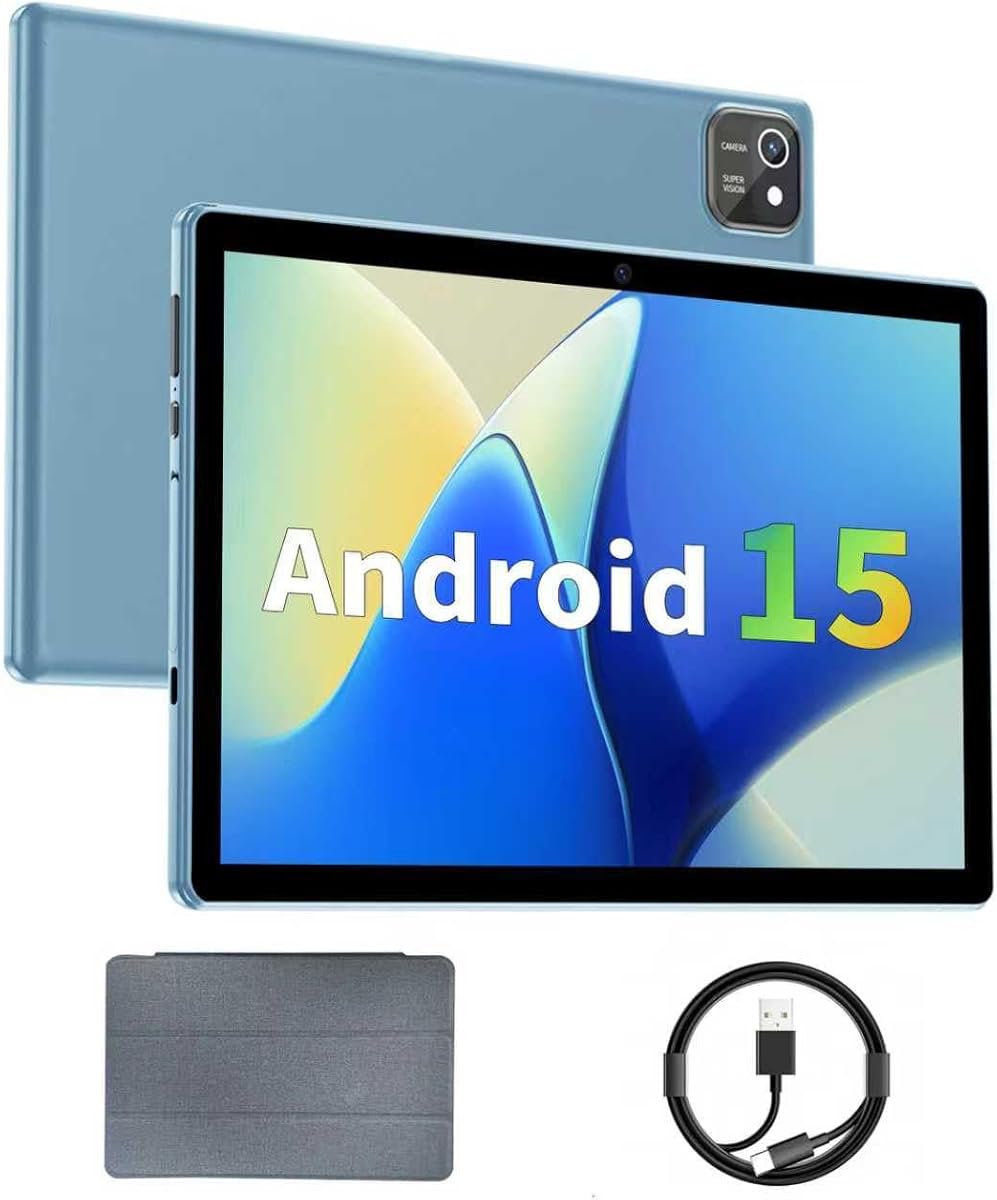
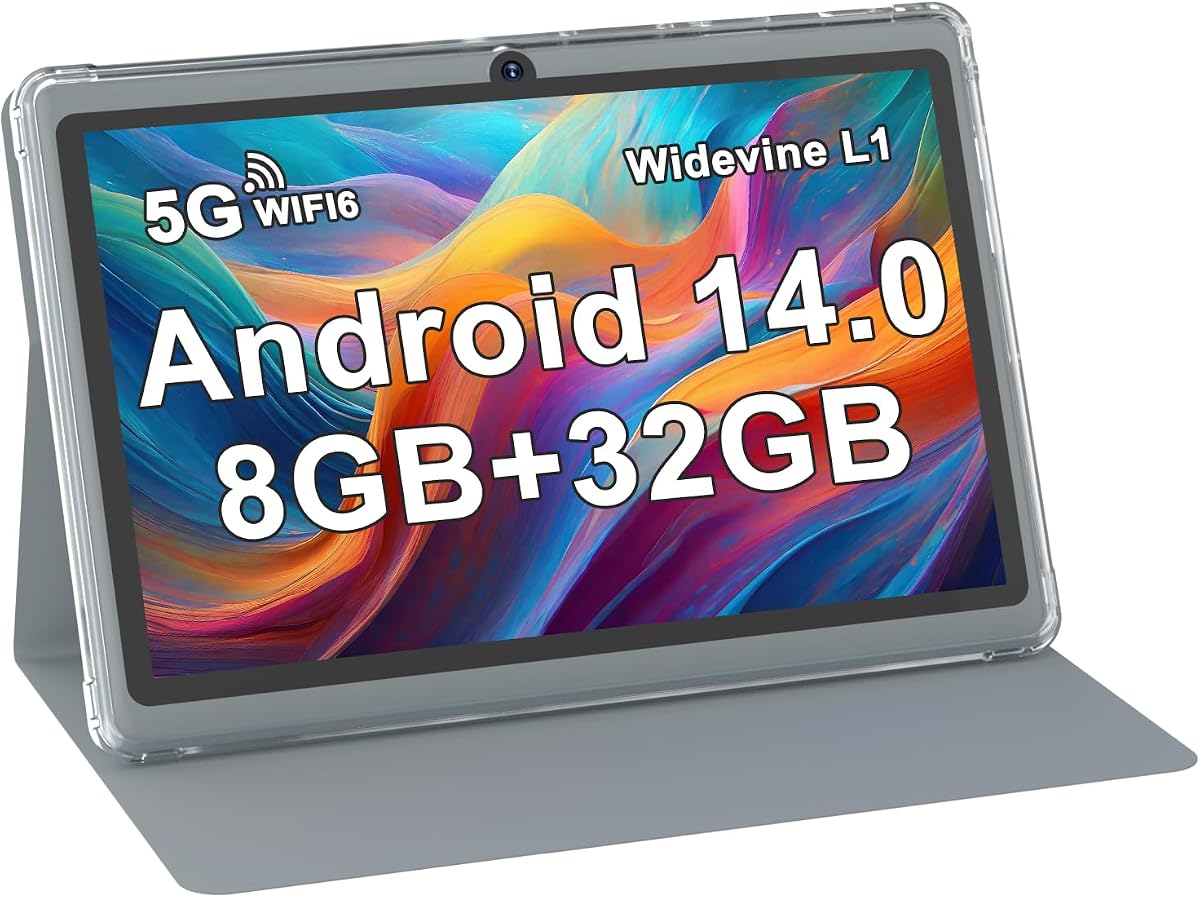


The Jeazans Tablet stands out as a top contender for those seeking a cheap WiFi tablet with premium features. Boasting a perfect rating and running on the latest Android 16 system, it offers a smooth user experience that rivals more expensive devices.
We may earn a commission when you buy through this link, at no additional cost to you.
Its standout quality lies in the massive 20GB RAM configuration which ensures seamless multitasking even with heavy apps running. The inclusion of Wi-Fi 6 and Widevine L1 means you get fast internet and access to high-definition streaming content without buffering issues.
While the brand might not be as well-known as others, the specifications speak volumes about its capability. The trade-off is primarily in brand support, but the hardware specs provide exceptional value for everyday entertainment and productivity tasks.
This device is ideal for users who want the latest software and strong connectivity without spending a fortune. We highly recommend it as the primary choice for anyone looking for a reliable and future-proof budget tablet option.
Running Android 16 ensures you have access to the newest security patches and features which is rare in budget devices.
Widevine L1 certification allows for HD streaming on supported services making it a great media consumption tool.
We may earn a commission when you buy through this link, at no additional cost to you.
For buyers focused strictly on minimizing cost, this 7 inch tablet offers the lowest entry point on our list. Despite the very low price tag, it remains GMS certified allowing you to download popular apps like Facebook and YouTube directly from the Play Store.
We may earn a commission when you buy through this link, at no additional cost to you.
The compact 7 inch screen makes it incredibly easy to carry in a bag or hold with one hand during long reading sessions. It is designed for basic tasks such as browsing the web and checking emails where high performance is not the primary requirement.
The main limitation here is the RAM which may struggle with demanding multitasking or heavy gaming. However for simple users who just need a secondary device for casual consumption, these compromises are acceptable given the financial savings.
We recommend this specifically for children or as a backup travel device where weight and price are the most critical factors. It proves that you do not need to spend a lot to get a functional and certified Android experience.
The 7 inch size and lightweight build make it perfect for carrying around during daily commutes or travel.
GMS certification ensures you can still access the full ecosystem of Google apps and services without restrictions.
We may earn a commission when you buy through this link, at no additional cost to you.
Although priced higher than the others, this tablet represents the best premium option for those who value display quality and brand reliability. The 10.1 inch Full HD screen delivers brilliant colors and sharp details that make watching videos a truly immersive experience.
We may earn a commission when you buy through this link, at no additional cost to you.
The build quality is exceptional with strengthened glass that is rated to be more durable than competitor models. This durability combined with a massive 13 hour battery life means it can easily last through a full day of use without needing a recharge.
The main trade-off is the Fire OS ecosystem which limits you to Amazon approved apps unless you do some technical configuration. For casual media consumers this is usually not an issue, but power users might miss the full openness of standard Android.
We suggest this for anyone who wants a reliable and durable media consumption device that will last for years. If you are invested in the Amazon ecosystem this offers the best balance of performance and screen quality in its class.
The Full HD display and long battery life make this an ideal device for binge watching shows on long trips.
Built in Alexa allows you to control smart home devices or play music hands free with simple voice commands.
We may earn a commission when you buy through this link, at no additional cost to you.
This Evermyth tablet impresses with its claim of 24GB RAM which is exceptionally high for a budget device. Running on Android 16 it ensures you have the latest interface and security features while the Wi-Fi 6 support guarantees fast internet speeds.
We may earn a commission when you buy through this link, at no additional cost to you.
The 10 inch HD IPS display includes low blue light technology which helps reduce eye strain during long reading or viewing sessions. This focus on user comfort combined with the raw performance specs makes it a very practical choice for daily work or study.
One aspect to keep in mind is that a significant portion of the RAM is virtual which may not perform exactly like physical RAM. Despite this the overall performance is smooth enough for most tasks and the price point justifies the specification choices.
We recommend this for users who need a versatile machine for multitasking and media consumption without breaking the budget. It is particularly suitable for students or home office workers who need a responsive device for various apps.
With 24GB of total RAM you can keep many apps open at once without experiencing slowdowns or lag.
The low blue light technology is designed to protect your eyes during extended periods of screen time.
We may earn a commission when you buy through this link, at no additional cost to you.
The aiprotablet model brings you the newer Android 15 system which offers better privacy controls and smoother performance than previous versions. With 12GB of RAM it handles everyday multitasking well and the 64GB storage ensures you have plenty of space for apps.
We may earn a commission when you buy through this link, at no additional cost to you.
The 6000mAh battery provides enough power for a full day of mixed usage which is crucial for a portable device. The 10 inch screen is comfortable for viewing content and the low blue light feature helps maintain comfort during extended use.
While it uses Wi-Fi 5 instead of Wi-Fi 6 the connectivity is still robust enough for most home networks and streaming needs. The main drawback is the generic nature of the brand which might mean less consistent software updates over time.
This is a solid choice for buyers who want a reliable daily driver with the latest software features at a low cost. It works well for students who need a device for reading textbooks and light productivity work.
Android 15 brings updated features and security improvements that keep your device safe and functional longer.
With support for up to 1TB of expansion you will never run out of space for photos and videos.
We may earn a commission when you buy through this link, at no additional cost to you.
Samsung brings its trusted engineering to this affordable option with a 90Hz display that makes scrolling and animations look smoother. The One UI 7 interface is polished and user-friendly making it easy to navigate for users of any experience level.
We may earn a commission when you buy through this link, at no additional cost to you.
The 8.7 inch size is a happy medium between the 7 inch and 10 inch models offering a portable yet comfortable viewing area. With a solid battery and decent specs it serves well as a primary device for casual users who want reliability.
The main caveat is that this is an international version which means it does not come with a warranty from local sellers. Additionally there may be some carrier settings that need adjustment but this does not impact core functionality or WiFi performance.
We recommend this for buyers who prioritize brand reliability and software quality over raw specs. If you want a device that is likely to receive updates and has a familiar ecosystem Samsung is a strong choice.
The 90Hz refresh rate makes interactions feel snappier and more fluid compared to standard 60Hz screens.
One UI is known for its stability and features which enhances the overall user experience significantly.
We may earn a commission when you buy through this link, at no additional cost to you.
This tablet from Cpad offers a good balance of power with its Octa-Core processor and modern Android 15 software. The 10.1 inch screen provides enough space for productivity tasks while the lightweight design ensures it is not a burden to carry around.
We may earn a commission when you buy through this link, at no additional cost to you.
The device is marketed as being light as paper which makes it very comfortable to hold for long periods during reading or browsing. The battery life is decent enough to handle a few hours of continuous use without needing a charge.
The main drawback is that the brand is less known which might lead to uncertainty regarding long-term software support. However for the price it offers competitive specifications that cover most basic needs for browsing and media consumption.
This is a great option for budget-conscious buyers who need a capable 10 inch device for home use. It is suitable for children or for general web browsing where top-tier brand support is not a strict requirement.
Weighing only 15 ounces it is easy to use one-handed and fits comfortably in small bags.
Android 15 optimizes battery efficiency so you get the most out of every charge.
We may earn a commission when you buy through this link, at no additional cost to you.
COOPERS offers a practical solution for those needing a standard 10 inch tablet without unnecessary complexity. It runs Android 15 which provides a stable base for apps and the dual cameras are handy for video calls or scanning documents.
We may earn a commission when you buy through this link, at no additional cost to you.
The 6000mAh battery supports a solid 8 to 10 hours of mixed use ensuring you can work or play through the day. The IPS screen offers vibrant colors and clear text making it a pleasure to read or watch videos on.
One limitation is the Bluetooth version which is 4.2 instead of the newer standards found in some competitors. While this does not affect basic connectivity it might limit compatibility with some very recent accessories that require newer protocols.
We recommend this for students or families looking for a straightforward and reliable tablet for general use. It balances performance and features well enough to handle everyday tasks without a high price tag.
With both front and rear cameras you can easily stay in touch with family or capture notes on the go.
The 6000mAh cell ensures you do not have to worry about charging every few hours.
We may earn a commission when you buy through this link, at no additional cost to you.
This model comes with a built-in protective case which adds significant value by saving you the cost of a separate cover. The 7 inch form factor is perfect for reading or light browsing and it fits easily into small pockets or bags.
We may earn a commission when you buy through this link, at no additional cost to you.
It features Wi-Fi 6 support which is a premium feature for a device in this price range ensuring fast and stable internet connections. The Android 14 OS provides a good balance of modern features and compatibility with standard apps.
The main downside is the 3000mAh battery which is smaller than the 10 inch models and might require more frequent charging. However for short sessions of use this is not a major issue and the portability makes up for it.
We suggest this for buyers who need a secondary device that is easy to carry and ready to use out of the box. It is ideal for children or for travel where durability and size are more important than screen real estate.
The included protective case means you do not need to buy extras to keep the device safe from scratches.
Wi-Fi 6 ensures you get the best possible speed from your home network even in crowded areas.
We may earn a commission when you buy through this link, at no additional cost to you.
HOTTABLET delivers a classic compact tablet experience with a focus on eye comfort and essential connectivity. The 7 inch screen is vibrant and the included case provides necessary protection which is a nice touch for general users.
We may earn a commission when you buy through this link, at no additional cost to you.
It supports dual-band WiFi which helps maintain a stable connection even when many devices are connected to your home network. Android 14 ensures you have access to the latest app updates and security patches for a safe experience.
The 3GB physical RAM might limit how many apps you can keep open simultaneously without reloading. However for most users who switch between a few apps this is acceptable given the low cost of the device.
We recommend this for budget buyers who want a simple and effective tool for browsing and video calls. It is a solid choice for families looking for a secondary device for kids or casual use.
The display reduces blue light to help keep your eyes comfortable during long reading or viewing sessions.
Bluetooth 5.0 ensures seamless pairing with headphones and other accessories for better audio experiences.
We may earn a commission when you buy through this link, at no additional cost to you.
Selecting the right cheap WiFi tablet requires understanding your specific needs and matching them to the device specifications to ensure you get the best value for your money.
The operating system determines the apps you can run and the security features available. Look for tablets running Android 14 or newer to ensure you have access to the latest updates and a smooth interface. Newer OS versions also tend to manage battery life and performance more efficiently than older ones.
Always check that the device runs a modern Android version to avoid compatibility issues with popular apps.
RAM is crucial for multitasking and storage dictates how many apps and files you can keep on the device. Aim for at least 4GB of RAM for smooth performance and 32GB of storage which can be expanded via microSD cards. Higher RAM means fewer slowdowns when switching between apps.
Prioritize expandable storage if you plan to store many videos or photos locally on the tablet.
The screen is where you interact with your content so resolution and size matter. A 10 inch screen is better for media consumption while a 7 inch offers more portability. Look for IPS panels which provide better color accuracy and viewing angles compared to standard LCDs.
Choose a size that fits your usage scenarios and prioritize IPS technology for better visual quality.
Wi-Fi 6 offers faster speeds and better performance in crowded environments compared to older standards. Ensure the tablet supports dual-band WiFi to connect to both 2.4GHz and 5GHz networks. Bluetooth version also matters for connecting to headphones and other peripherals efficiently.
Opt for Wi-Fi 6 if possible to future-proof your connection speeds and stability.
Battery capacity is measured in mAh and generally larger numbers indicate longer usage times. A 6000mAh battery is a good standard for a 10 inch tablet providing a full day of mixed usage. Check user reviews to confirm real-world battery performance aligns with claims.
Look for a battery capacity of at least 6000mAh to ensure you get a full day of usage.
A sturdy build ensures the device withstands daily wear and tear. Check for features like reinforced corners or glass screens that add protection. Many budget tablets now come with protective cases which can save you money and prevent damage.
Check if the tablet includes a case or has robust build materials to prevent accidental damage.
GMS certification guarantees access to the Google Play Store and popular apps. A tablet without this certification can be limited in its functionality and usability. Ensure the device has a clear warranty policy to protect your investment against defects.
Always verify GMS certification and warranty details before making your final purchase decision.
Balance the price with the features you actually need to get the best value. Sometimes paying slightly more for a better brand or warranty is worth it for long-term reliability. Compare multiple options to find the one that offers the most for your specific budget.
Evaluate the total cost of ownership including accessories and warranty to ensure true value.
Once you receive your new tablet start by updating the software to the latest version available. This ensures you have the most secure and stable experience from day one. Connect to your home WiFi network and sign in with your Google account to access your apps and data.
To maintain battery health avoid leaving the device plugged in for long periods after it reaches a full charge. Extreme heat and cold can also damage the battery so store the tablet in a moderate environment. Use the official charger to prevent electrical issues and ensure safety.
Keep the screen clean with a soft microfiber cloth to prevent scratches and maintain visibility. Avoid pressing too hard on the display as this can damage the touch sensors. Regularly clear unused apps and cache to keep the device running smoothly over time.
Yes most cheap WiFi tablets are perfectly capable of handling basic web browsing tasks. They are designed to load standard websites and stream video content without issues. Just ensure the model you pick has enough RAM to avoid sluggish scrolling.
If the tablet is GMS certified you can install apps from the Play Store without any issues. Most models listed above are certified ensuring compatibility with popular apps like YouTube and Facebook. Always check the product details to confirm certification status.
Budget tablets often have smaller batteries but usage time can be similar if the hardware is efficient. Look for models with at least 6000mAh capacity for a full day of use. Premium models may have better optimization but not always significantly more endurance.
Most cheap WiFi tablets support Bluetooth keyboards which are useful for typing longer documents. Check the Bluetooth version to ensure it is compatible with your preferred accessory. This feature turns the tablet into a light productivity machine.
The main difference is the screen size and portability. A 7 inch tablet is easier to carry and hold with one hand while a 10 inch offers more screen real estate for multitasking. Choose based on whether you prioritize travel or media consumption.
Many of the tablets listed support microSD card expansion to increase storage capacity. Look for models that explicitly mention expandable storage if you need to store many photos or apps. This is a cost-effective way to increase space without buying a new device.
Yes they are often great for children due to their durability and low cost. Many models come with protective cases which help prevent damage from accidental drops. You can also set up parental controls easily on modern Android versions.
We have reviewed ten affordable options ranging from compact 7 inch models to versatile 10 inch devices with varying features. The Jeazans Tablet stood out as the best overall for its modern software and powerful RAM configuration. For those strictly focused on price the 7 inch Android option offers the lowest entry point.
When choosing prioritize the features that matter most to your daily routine whether that is screen size or connectivity. Investing in a device with Wi-Fi 6 and a modern OS will save you from needing an upgrade sooner. Also consider the battery life to ensure it lasts through your typical usage day.
Prices and stock levels change frequently so always verify the current details before you make your purchase. Click on the links provided to check the latest offers and ensure the tablet meets your specific needs today. We hope this guide helps you find the perfect device at a great value.