
HP Ultrabook 14 Laptop
4.1Editor score
Affordable entry level pricing
14 inch anti glare screen
Free lifetime Office bundle
Finding a laptop with lifetime Microsoft Office included can save you significant money over time. These devices come pre-loaded with essential productivity apps like Word and Excel, ensuring you can start working immediately without additional setup costs.
We evaluated ten current models based on processor power, memory capacity, storage options, and display quality. Each selection offers a unique balance of features designed to meet the demands of students, business users, and home office workers alike.
Every pick highlights specific strengths such as battery life, portability, or specialized bundles. Note that availability and pricing fluctuate regularly, so checking the latest details before purchasing is always recommended to ensure you get the best current deal.
4.1Editor score

4.3Editor score

5.0Editor score
As an Amazon Associate we earn from qualifying purchases.
This side-by-side comparison examines every model to help you identify the right fit for your workflow. We look at core hardware specs and included software to simplify your decision process.


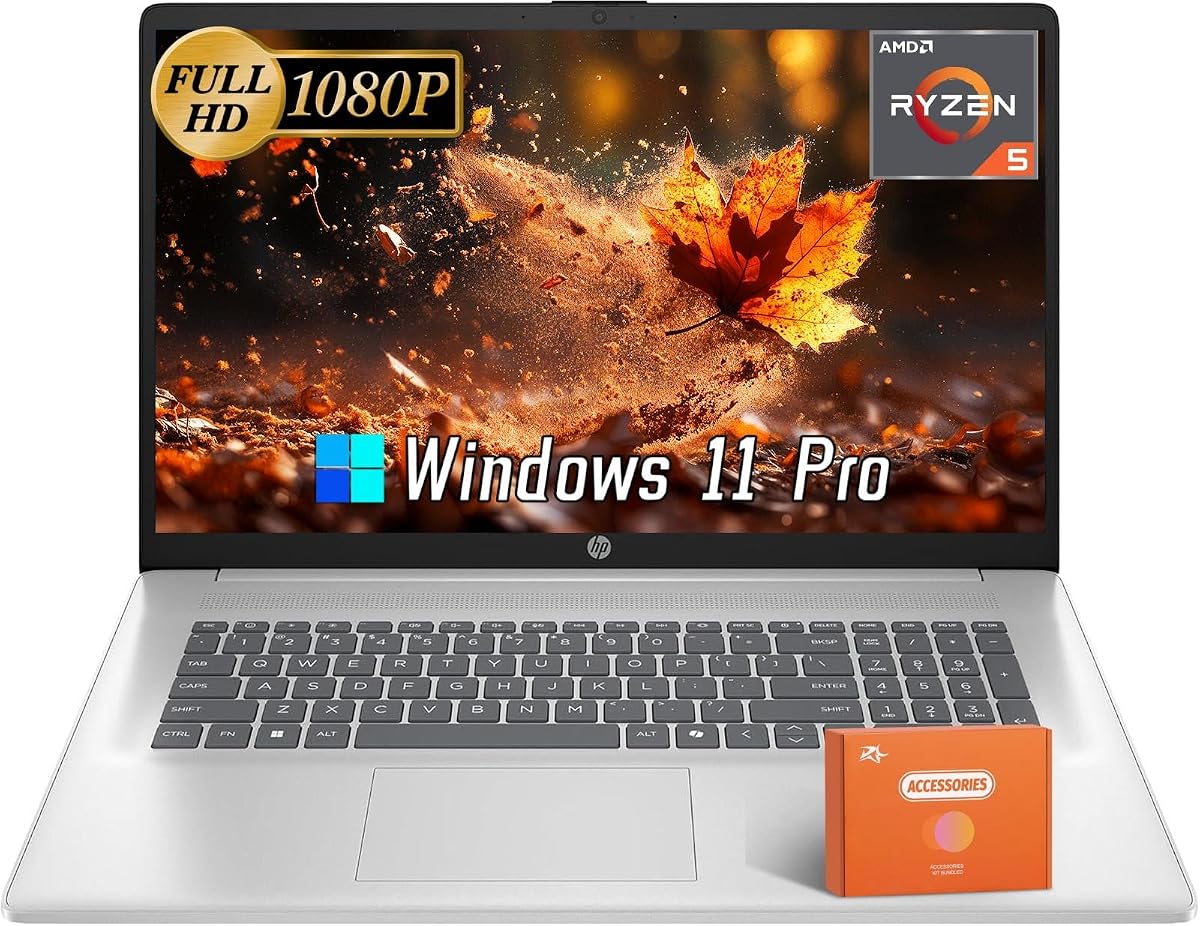


This HP 17 model stands out as a top choice for those needing a spacious workspace. With a 17.3 inch display and 16GB of RAM, it handles complex tasks with ease while keeping essential software ready out of the box.
We may earn a commission when you buy through this link, at no additional cost to you.
The 8-Core Intel i3 processor provides robust performance for daily business applications. You get significant storage capacity split between an internal SSD and an external drive, ensuring you have room for all your files without clutter.
While the device is bulkier than ultra-portables, the trade-off offers better ergonomics for long work sessions. The anti-glare screen reduces eye strain, making it suitable for office environments or shared workspaces.
Ideal for professionals and students who prioritize screen size and storage. This laptop offers a complete package that minimizes setup time and maximizes immediate productivity upon unboxing.
The 17.3 inch HD+ screen allows for split-screen workflows, enabling you to view documents and spreadsheets side by side without constant tab switching.
Windows 11 Pro and a lifetime Microsoft Office license mean you can start writing reports or analyzing data right away without purchasing extra software.
We may earn a commission when you buy through this link, at no additional cost to you.
Affordability meets utility in this HP 14 model. It packs a surprising amount of power into a slim chassis, making it an excellent companion for students moving between classes or remote workers needing portability.
We may earn a commission when you buy through this link, at no additional cost to you.
The 16GB RAM ensures smooth multitasking even with multiple browser tabs and applications open. The inclusion of Copilot AI adds a layer of intelligent assistance to help draft emails or summarize documents efficiently.
Storage is managed through a mix of internal UFS and an external drive, providing flexibility for different file types. The anti-glare display protects your eyes during long study sessions or video calls.
Perfect for budget-conscious buyers who need reliability. This laptop provides essential business features without the premium price tag, offering exceptional value for everyday tasks.
Copilot AI integration helps streamline workflows by offering quick suggestions and automated tasks, boosting productivity for users who rely heavily on digital tools.
The slim profile and lightweight build make it easy to slip into a backpack, ensuring you can work from anywhere without feeling weighed down by hardware.
We may earn a commission when you buy through this link, at no additional cost to you.
This model combines high-resolution visuals with powerful internals to deliver a premium experience. The 15.6 inch FHD screen offers crisp imagery ideal for detailed work, while the 1TB SSD ensures rapid access to all your files.
We may earn a commission when you buy through this link, at no additional cost to you.
Equipped with an 8-Core processor, it handles demanding applications smoothly. The 16GB RAM supports efficient workflow management, allowing you to switch between tasks without performance lag.
Portability is enhanced by a sleek design that remains easy to carry. Battery life supports all-day usage, meaning you can travel or work remotely without constant concern for power outlets.
Ideal for professionals seeking a balanced machine. It offers the visual clarity and speed needed for creative and administrative tasks alike, wrapped in a durable and attractive package.
The FHD display provides sharper text and more vibrant colors compared to standard HD screens, improving readability during long work sessions.
A 1TB PCIe NVMe SSD reduces boot times and application loading speeds, keeping your workflow uninterrupted and responsive throughout the day.
We may earn a commission when you buy through this link, at no additional cost to you.
Touch input adds a layer of interactivity to this business laptop. The screen allows for intuitive navigation and direct manipulation of content, which is particularly useful for presentations or creative markup tasks.
We may earn a commission when you buy through this link, at no additional cost to you.
Powered by a 12th Gen Intel Core i3 processor, it delivers reliable performance for standard office duties. The 16GB RAM ensures that multiple applications run concurrently without slowing down your system.
Storage is ample with a 1TB SSD, providing plenty of space for documents and media. Fast charging capabilities mean you can quickly top up the battery during short breaks to stay productive.
Best for users who prefer touch interaction. It offers a versatile interface that complements traditional keyboard input, making it a flexible choice for varied work styles.
The touchscreen allows for intuitive scrolling and selection, enhancing the overall user experience for tasks like reviewing documents or navigating menus.
Fast charging technology ensures you can regain significant battery power in a short time, minimizing downtime during busy schedules.
We may earn a commission when you buy through this link, at no additional cost to you.
This model focuses on essential features for everyday computing needs. The touchscreen capability provides an extra dimension of interaction that is valuable for note-taking or reviewing digital content.
We may earn a commission when you buy through this link, at no additional cost to you.
A 12th Gen Intel Core i3 processor handles web browsing and document editing with ease. The 12GB RAM offers sufficient headroom for moderate multitasking scenarios typical in student or entry-level work environments.
While storage is more limited than some rivals, the included external drive options help extend capacity for larger files. Windows 11 Pro adds an enterprise-grade layer of security to protect your data.
Suitable for basic academic or administrative work. It balances performance with usability, ensuring you have the core tools necessary for success without unnecessary complexity.
Touchscreen functionality allows for easier navigation through apps and websites, enhancing the usability for users who prefer direct interaction with content.
Windows 11 Pro ensures your data is protected with advanced encryption and isolation features, providing peace of mind for business users.
We may earn a commission when you buy through this link, at no additional cost to you.
A premium choice for those needing a large display area. The 17.3 inch screen provides ample space for complex spreadsheets and multiple windows, making it a great stationary replacement for desktop setups.
We may earn a commission when you buy through this link, at no additional cost to you.
Powered by an 8-Core processor, it delivers consistent performance for daily workflows. The 16GB RAM supports smooth operation even when running resource-intensive applications simultaneously.
Connectivity is robust with Wi-Fi 6 support ensuring fast and stable internet access. The HD+ display offers clarity for media consumption and professional tasks alike.
Best for users with a dedicated workspace. This laptop offers the screen real estate and power needed for sustained productivity without the constraints of a smaller form factor.
Wi-Fi 6 provides faster data transfer and better connection stability, which is crucial for video conferencing and cloud-based applications.
The 17.3 inch display allows you to keep multiple applications open simultaneously, reducing the need to switch tabs and improving overall efficiency.
We may earn a commission when you buy through this link, at no additional cost to you.
Featuring an AMD Ryzen 5 processor, this laptop delivers impressive performance for creative and data tasks. The 17.3 inch FHD display ensures vibrant visuals that enhance both work and entertainment experiences.
We may earn a commission when you buy through this link, at no additional cost to you.
With 16GB of RAM, multitasking remains fluid even under heavy loads. The AMD Radeon graphics provide better visual output compared to standard integrated solutions found in budget models.
Anti-glare coating protects your vision during extended use. The build quality supports professional environments where durability and clarity are paramount requirements for daily operations.
Ideal for users needing robust graphics and screen quality. It balances performance with comfort, making it a strong contender for media editing or detailed analytical work.
AMD Radeon graphics offer superior visual processing, allowing for smoother rendering of images and video content during creative workflows.
The anti-glare screen reduces reflections, making it easier to view content clearly in brightly lit rooms or near windows.
We may earn a commission when you buy through this link, at no additional cost to you.
This high-capacity machine is built for power users who require substantial resources. With 32GB of RAM and 2TB of storage, it handles complex datasets and vast file libraries effortlessly without performance bottlenecks.
We may earn a commission when you buy through this link, at no additional cost to you.
The 8-Core processor supports demanding workflows ensuring that applications run smoothly. Copilot AI assistance adds intelligent tools to streamline daily tasks and improve creative output efficiency.
Accessories like a USB hub and pouch add immediate value to the package. The large display accommodates extensive spreadsheets and multiple monitors for better workflow organization.
Best for professionals needing maximum storage and memory. It provides a desktop-level experience in a portable form factor, ideal for data-heavy roles.
32GB of RAM allows you to run dozens of browser tabs and heavy applications simultaneously without experiencing slowdowns.
2TB of SSD storage ensures you never run out of space for media files, project archives, or system backups.
We may earn a commission when you buy through this link, at no additional cost to you.
Designed for seamless integration into professional environments. The i5 processor provides reliable speed for business tasks, while the HD+ display ensures comfortable viewing for long periods.
We may earn a commission when you buy through this link, at no additional cost to you.
Intel Iris Xe graphics deliver improved performance for visuals and light multimedia tasks. The 16GB RAM supports efficient workflow management across various applications used daily.
Privacy features like a webcam shutter ensure security during meetings. The included USB hub allows you to connect more peripherals without occupying limited built-in ports.
Ideal for corporate or educational use. It offers a reliable blend of speed and screen size to support diverse operational requirements effectively.
Webcam shutters and robust Windows 11 Pro security settings protect your privacy and data during sensitive business operations.
The HD+ display offers a balance of resolution and size, suitable for viewing detailed documents without excessive eye strain.
We may earn a commission when you buy through this link, at no additional cost to you.
Selecting the right model requires understanding your specific needs regarding screen size, processing power, and portability. This guide breaks down key factors to help you make an informed decision.
The processor determines how quickly your laptop can handle tasks. Look for at least an Intel Core i3 or equivalent AMD Ryzen to ensure smooth operation during daily use.
Higher core counts like 8-core models offer better multitasking capabilities for demanding workflows.
RAM affects how many programs you can run at once. 16GB is a sweet spot for most users balancing performance and cost effectively.
If you run heavy applications, consider models with 32GB RAM to future-proof your device.
SSDs provide faster boot and load times than traditional drives. Aim for at least 512GB to store files and applications comfortably.
External drives bundled with some units offer flexible expansion without needing internal upgrades.
Screen size impacts portability and usability. 14 inch models are easiest to carry, while 17 inch screens offer better workspace for complex tasks.
Choose based on whether you prioritize mobility or screen real estate.
Windows 11 Pro provides enhanced security and management tools suitable for business environments. Ensure the device includes this version if you need advanced protection.
Standard Home versions may lack specific enterprise features required for corporate use.
Verify that the license is truly lifetime and not a subscription. Look for mentions of Office LTSC Professional Plus to confirm permanent access.
Pre-installed activation saves setup time and ensures software is ready immediately.
USB-C and Wi-Fi 6 provide fast data transfer and stable internet connections. Check that the laptop has enough ports for your peripherals.
Avoid models with limited ports if you use multiple external devices daily.
Long battery life ensures uninterrupted work during travel. Look for models promising 8 hours or more for all-day usability.
Fast charging support is a valuable addition for busy professionals.
Start by connecting your laptop to a power source and following the initial setup wizard. Ensure your network connection is stable to activate Windows and Office features correctly.
Regularly update your operating system to keep security patches current. Use the built-in update tools to download and install patches automatically for peace of mind.
Maintain battery health by avoiding deep discharges. If you store the laptop for long periods, charge it to 50 percent and keep it in a cool dry place.
It means you receive a perpetual license for a specific version of Office like 2024. You pay once and keep the software indefinitely without monthly fees. However, you do not get future feature updates like Office 365 subscribers.
Most models are designed for business and student work rather than gaming. While they can handle light games, they lack dedicated graphics cards required for high-end gaming performance.
Some models have soldered RAM that cannot be changed. Always check the specific product details or ask support about upgradeability before purchasing to ensure it meets future needs.
Usually, the software comes pre-installed and activated. Follow any provided user guides to ensure the license is properly tied to your device upon setup.
Pro offers enterprise features like BitLocker encryption and Remote Desktop. These tools are essential for businesses needing advanced security and management capabilities.
Wi-Fi 6 offers faster data transfer speeds and better stability in crowded network environments. It reduces latency during video calls and large file transfers significantly.
These ten models provide a range of options for users seeking reliable hardware paired with essential software. Each offers a unique combination of screen size and processing power to meet different needs.
Prioritize memory and storage if you handle large files regularly. For portability, consider lighter 14 inch models that still include necessary productivity tools.
Always verify the latest pricing and availability before purchasing. Deals change frequently so checking current offers can help you get the best value for your budget.