
MNN 15.6" FHD 60Hz Portable Monitor USB-C HDMI IPS HDR Gaming Laptop
4.3Editor score
Full HD 1080P Display
Lightweight Portable Design
Dual Type-C Ports
Smart Cover Included
Finding the right external monitor for your MacBook Neo can transform your productivity and creative workflow. Whether you need a portable screen for travel or a high-resolution display for design work, there are many options available today that offer excellent compatibility and performance.
We have carefully selected and analyzed ten top-rated monitors based on their compatibility with MacBook Neo, display quality, connectivity options, and overall value. This list includes a variety of sizes and specifications to suit different needs, from budget-friendly travelers to professionals seeking high-end visuals.
Each pick in this guide highlights key features, pros, cons, and specific use cases to help you make an informed decision. Please note that product availability and pricing can change frequently, so always verify the latest details before making your final purchase.
4.3Editor score

4.8Editor score
4.8Editor score
As an Amazon Associate we earn from qualifying purchases.
The following table provides a side-by-side comparison of all ten monitors selected for this guide. Review the key specifications and features to quickly identify which model best aligns with your specific requirements for portability, resolution, and connectivity.


The VisionOwl 16-inch portable monitor stands out as our top choice for MacBook Neo users due to its exceptional screen quality and seamless compatibility. With a 2.5K resolution and 144Hz refresh rate, it delivers sharp visuals and smooth motion that enhance both work and entertainment experiences.
We may earn a commission when you buy through this link, at no additional cost to you.
Its 16:10 aspect ratio is specifically designed to match MacBooks, eliminating black bars and providing a full-screen experience. The 8-bit plus 2FRC IPS display ensures accurate colors and high brightness, making it ideal for creative tasks like photo editing or design work.
While the monitor offers premium features, it may be slightly heavier than ultra-slim options, which could be a consideration for frequent travelers. Additionally, the price reflects its high-end specifications, which might be higher than budget alternatives but justified by the quality.
We recommend this monitor for professionals and creatives who need a reliable, high-performance secondary screen for their MacBook Neo. Its combination of resolution, aspect ratio, and build quality makes it a standout choice for boosting productivity on the go.
The 16:10 aspect ratio matches the MacBook Neo's display perfectly, allowing for natural screen mirroring without wasted space.
High color accuracy and brightness support professional editing tasks, ensuring your work looks correct across different devices.
We may earn a commission when you buy through this link, at no additional cost to you.
The MNN 15.6-inch portable monitor is an excellent choice for those seeking a budget-friendly external display without compromising on essential features. It offers Full HD resolution and solid connectivity options that work well with MacBook Neo systems.
We may earn a commission when you buy through this link, at no additional cost to you.
Its lightweight design and included smart cover make it easy to transport, whether you are commuting or traveling for business. The dual Type-C ports allow for versatile connections, and the plug-and-play functionality means you can set it up quickly without extra drivers.
While it does not match the brightness or refresh rate of higher-end models, it provides great value for everyday tasks like browsing, reading, and general productivity. The included cover adds durability, which is a nice touch for a budget product.
This monitor is perfect for students or casual users who need a secondary screen for multitasking but do not require professional-grade color accuracy. It balances cost and functionality effectively, making it our top budget pick.
Get the benefits of a dual-screen setup at a fraction of the cost of traditional monitors.
The slim profile and protective cover ensure the monitor stays safe during transit in your backpack.
We may earn a commission when you buy through this link, at no additional cost to you.
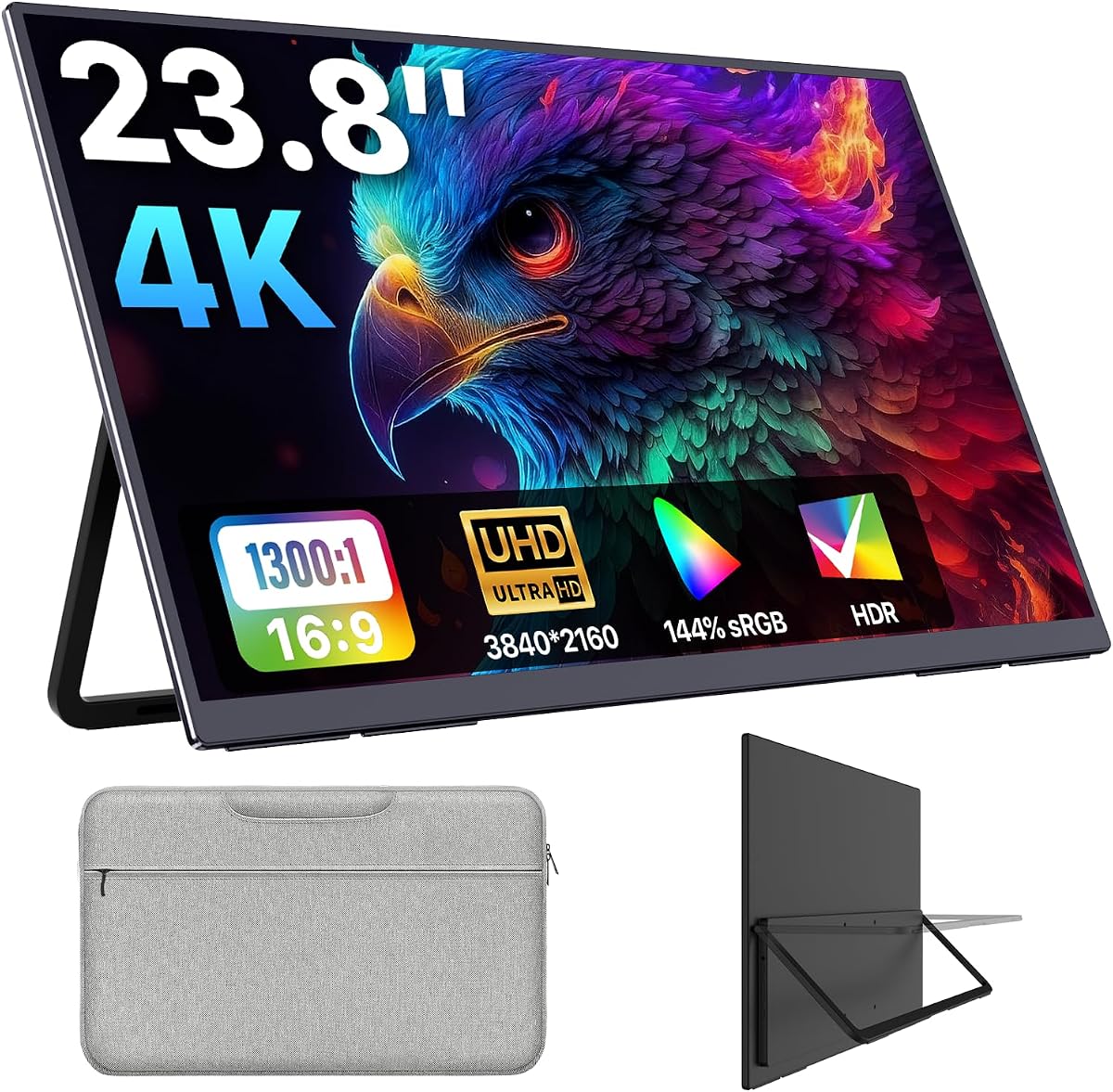
The Upperizon 23.8-inch monitor brings desktop-level display quality to a portable form factor. Its 4K resolution and wide color gamut make it a powerhouse for professionals who need detailed visuals and accurate colors for their work.
We may earn a commission when you buy through this link, at no additional cost to you.
With a massive screen real estate, this monitor is ideal for multitasking, allowing you to view multiple documents or applications simultaneously. The anti-glare coating reduces reflections, ensuring comfortable viewing even in bright environments like coffee shops or offices.
Due to its size, it is heavier than smaller portable monitors and requires more careful packing and desk space. The power requirements are also higher, so ensuring you have the correct adapter is important for stable performance.
We recommend this monitor for professionals in fields like design, video editing, or data analysis who need a large, high-resolution screen on the go. It is the best option for those prioritizing display quality over ultra-portability.
The large 23.8-inch screen mimics a standard desktop monitor, enhancing workflow efficiency significantly.
With 144% sRGB coverage, your creative work is displayed with true-to-life colors for reliable results.
We may earn a commission when you buy through this link, at no additional cost to you.
The InnoView 15.6-inch monitor is a versatile option that balances performance and convenience. It supports a wide range of devices including laptops and consoles, making it a flexible choice for various users.
We may earn a commission when you buy through this link, at no additional cost to you.
Its IPS panel ensures consistent viewing angles and colors, while the built-in speakers add convenience for media consumption. The protective case helps keep the screen safe during travel, and the smart cover doubles as a stand for easy positioning.
One downside is that the power cable is not included in the package, which might be inconvenient if you do not have the right adapter on hand. Additionally, the brightness is average, which could be an issue in very bright settings.
This monitor is suitable for users who want a reliable secondary screen for both work and entertainment without breaking the bank. It offers solid performance and good build quality for the price point.
Connect easily to laptops, phones, and game consoles thanks to multiple input options.
Integrated speakers save space and reduce the need for external audio devices.
We may earn a commission when you buy through this link, at no additional cost to you.
This InnoView model is designed for users who prioritize portability above all else. Its ultra-slim profile makes it easy to slip into a laptop sleeve or backpack, ensuring it does not add much bulk to your travel gear.
We may earn a commission when you buy through this link, at no additional cost to you.
The integrated stand allows for quick adjustments to your viewing angle, which is helpful when working in different environments. The protective sleeve ensures the screen remains safe from scratches and impacts during transit.
While the build quality is good, the brightness and contrast are not industry-leading, which means it might struggle in direct sunlight. However, for indoor use, it provides a clear and functional display for everyday tasks.
We recommend this for frequent travelers or students who need a lightweight solution for extending their workspace. It offers a great balance of convenience and basic functionality.
The slim design and included sleeve make packing and unpacking effortless for daily commutes.
The built-in stand lets you find a comfortable viewing angle without extra accessories.
We may earn a commission when you buy through this link, at no additional cost to you.
The cocopar 16-inch monitor is tailored for users who need smooth visuals, such as gamers or video editors. With a 144Hz refresh rate, it provides fluid motion that reduces blur during fast-paced activities.
We may earn a commission when you buy through this link, at no additional cost to you.
Its full metal chassis adds durability and a premium feel, while the VESA mountable feature offers flexibility for desk setups. The included speakers provide decent audio quality, making it a complete package for entertainment.
To get the most out of this monitor, you may need to use the included power adapter for optimal performance, which adds a slight complexity to the setup. However, the visual quality and build materials justify the extra effort.
This monitor is highly recommended for gamers and power users who value smooth scrolling and high resolution in a portable form. It stands out as a robust option in the mid-to-high range.
The 144Hz refresh rate ensures smooth scrolling and gaming without motion blur.
Constructed with a full metal chassis for enhanced durability and a premium look.
We may earn a commission when you buy through this link, at no additional cost to you.
ASUS is a well-respected brand in the monitor industry, and the ZenScreen reflects that reputation with reliable performance and eye care features. It is designed to reduce eye strain during long work sessions.
We may earn a commission when you buy through this link, at no additional cost to you.
The anti-glare surface helps in reducing reflections, making it easier to view the screen in various lighting conditions. The 3-year warranty provides peace of mind, which is often better than what competitors offer.
While it does not have the high refresh rates or premium finishes of some newer models, it offers a dependable experience for general use. The kickstand design is simple but effective for positioning the screen.
We recommend this for office workers or students who prioritize brand reliability and eye comfort over high-end gaming specs. It is a solid, trustworthy option for everyday computing.
TUV certified flicker-free technology helps reduce eye fatigue during extended usage.
A 3-year warranty offers better protection than the standard 18-month options.
We may earn a commission when you buy through this link, at no additional cost to you.
The KEFEYA extender is unique in its ability to attach directly to some laptop setups for a dual-screen experience. It aims to boost productivity by allowing multiple windows to be open simultaneously without switching views.
We may earn a commission when you buy through this link, at no additional cost to you.
It supports a wide range of devices and operating systems, making it accessible for many users. The ability to rotate 180 degrees means you can switch between landscape and portrait modes easily for different tasks.
When using HDMI, you may need to connect an extra power cable, which can be a minor inconvenience. Additionally, the 14-inch size is smaller than standard monitors, which might limit comfort for long sessions.
This product is ideal for developers or traders who benefit from having two active screens side by side. It offers a straightforward way to expand your workspace with minimal fuss.
Open multiple windows side by side to reduce time spent switching tabs and applications.
Rotate the screen to suit reading or coding needs with easy adjustment.
We may earn a commission when you buy through this link, at no additional cost to you.
The kksmart 18.5-inch monitor bridges the gap between portable and desktop sizes. It provides more screen real estate than typical 15-inch monitors while remaining transportable for travel.
We may earn a commission when you buy through this link, at no additional cost to you.
Its 100Hz refresh rate ensures smooth scrolling and decent gaming performance, and the frameless design offers a modern look that enhances immersion. The VESA compatibility adds flexibility for desk mounting.
While it offers a good balance, the increased size adds a bit of weight, which you should consider when packing for travel. The color gamut is good, though not as wide as higher-end premium models.
We recommend this for users who find 15-inch screens too small but do not want to commit to a 23-inch unit. It is a great middle ground for both work and entertainment.
Get more screen space without sacrificing too much portability compared to larger units.
VESA compatibility allows you to mount it on arms for a cleaner desk setup.
We may earn a commission when you buy through this link, at no additional cost to you.
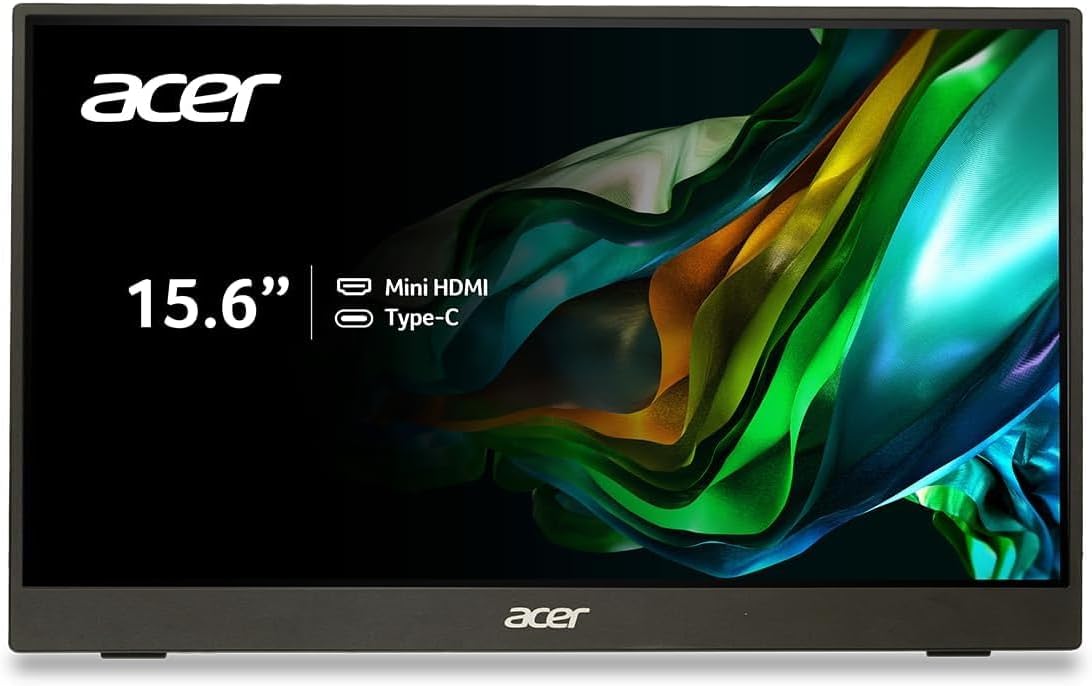
The Acer PM161Q is a straightforward portable monitor that gets the job done without unnecessary complications. It offers solid performance for basic tasks and maintains a slim profile for easy transport.
We may earn a commission when you buy through this link, at no additional cost to you.
With AMD FreeSync support, it can reduce screen tearing during gaming or video playback, enhancing the visual experience. The IPS panel ensures good viewing angles and color reproduction for everyday use.
Its ergonomic tilt is limited compared to some competitors, which might restrict some positioning options. However, for its price point, it delivers reliable functionality for general computing needs.
This monitor is suitable for users who want a simple plug-and-play solution from a trusted brand. It is a good choice for those on a budget who still need decent quality.
AMD FreeSync technology helps minimize screen tearing for smoother visuals.
Experience trusted build quality at a competitive price for casual users.
We may earn a commission when you buy through this link, at no additional cost to you.
Selecting the right external monitor involves considering several key factors to ensure it meets your specific needs for work, travel, or entertainment. This guide outlines the most important aspects to evaluate before making your purchase.
Screen size and resolution directly impact how much information you can view and how sharp your content appears. For portability, 15 to 16-inch screens are common, while 18 to 24-inch options offer more workspace. Higher resolutions like 2.5K or 4K provide greater detail, which is crucial for design work or reading text.
Choose a size that balances portability with comfort based on your typical usage environment. Higher resolution is worth the investment if you need detailed visuals for professional tasks.
Modern MacBook Neo laptops rely heavily on USB-C ports for power and data, so ensure the monitor supports USB-C with DisplayPort Alt Mode. HDMI is also useful for connecting to older devices or gaming consoles. Check if the monitor can be powered directly through the USB-C cable to reduce cable clutter.
Verify that the monitor has the necessary ports for your MacBook Neo and other devices. USB-C with power pass-through simplifies setup and reduces the need for additional adapters.
The refresh rate determines how smooth motion appears on screen, with 60Hz being standard and 144Hz offering smoother visuals for gaming or fast scrolling. Panel types like IPS provide better color accuracy and viewing angles compared to TN panels, making them ideal for creative work.
Select a refresh rate and panel type based on your primary use case. IPS is recommended for most users due to superior color performance and viewing comfort.
If you travel frequently, weight and thickness are critical factors. Look for monitors weighing under 2 pounds with slim profiles that fit easily into backpacks. Build quality materials like metal chassis or durable plastics protect the device during transit and extend its lifespan.
Prioritize lightweight designs and protective cases if you plan to carry the monitor often. Robust build materials ensure longevity and resistance to damage.
For creative professionals, color accuracy is vital. Look for monitors with wide color gamuts like sRGB or AdobeRGB and high bit depths. Calibration options or factory calibration can also help ensure colors remain consistent and true to life.
Choose monitors with high sRGB coverage if color precision is a priority for your work. This ensures your designs look correct across different displays.
Extended screen time can cause eye strain, so features like flicker-free technology and low blue light modes are beneficial. Anti-glare coatings help reduce reflections that force your eyes to work harder in bright environments.
Consider models with eye care certifications if you spend long hours working on your monitor. These features help maintain eye health and comfort.
Budget and value play a significant role in your decision. Compare features against the price to ensure you are getting a fair deal. Additionally, check the warranty period and return policies to protect your investment in case of defects.
Look for warranties longer than one year for added peace of mind. A reasonable return policy allows you to test the product and ensure it meets your needs.
Connect the monitor to your MacBook Neo using a USB-C cable for a plug-and-play experience. Ensure your MacBook supports DisplayPort Alt Mode for video output; otherwise, use HDMI with a separate power source. Configure your display settings in System Preferences to extend or mirror the screen.
Clean the screen gently with a microfiber cloth to avoid scratches. Do not use harsh chemicals or paper towels that could damage the anti-glare coating. Store the monitor in a protective sleeve when not in use to prevent impact damage and dust accumulation.
Adjust brightness and color settings to match your environment for optimal viewing comfort. Calibrate the display periodically if you do color-sensitive work to maintain accuracy. Proper care and setup will extend the lifespan and performance of your monitor.
Yes, most modern MacBook models support external displays through USB-C ports provided they support DisplayPort Alt Mode. Check your specific device specifications to confirm compatibility. Most monitors listed in this guide are designed to work seamlessly with MacBook systems.
For coding, a larger screen with high resolution like 2.5K or 4K helps display multiple lines of code comfortably. A 16-inch or larger monitor with IPS panels ensures clear text and reduces eye strain during long sessions.
Most of the monitors listed support HDMI or USB-C inputs compatible with consoles like PlayStation and Xbox. Verify the specific input options on the product page to ensure it matches your console's requirements for best results.
Many monitors can be powered via USB-C if your MacBook provides enough power, but some models recommend an external power adapter for stability. Check the product specifications to understand power needs for your setup.
Some monitors support VESA mounts for wall or arm installation. Look for models with VESA mounting holes and purchase the appropriate bracket. Ensure the monitor weight is within the mount's specified limits.
Monitors with high color accuracy and wide gamuts like 100% sRGB or higher are recommended for design. The VisionOwl or Upperizon models in this guide offer features suited for creative professionals needing reliable color.
Most monitors come with necessary cables like USB-C and HDMI, along with a protective case. However, power adapters might be sold separately. Always check the included accessories list before purchasing.
Choosing the right external monitor depends largely on your specific needs, whether you prioritize portability, screen size, or visual quality. Our top picks offer a range of options from budget-friendly travelers to premium professional displays.
Focus on features like connectivity and color accuracy that align with your daily tasks to get the most value. A good monitor enhances productivity and can significantly improve your overall workflow on the go.
Remember that prices and availability can change, so verify current details before making your purchase. We hope this guide helps you find the perfect monitor to complement your MacBook Neo.