
Apevia Venus 450W
4.0Editor score
Low cost option
Complete protection suite
Auto-thermally controlled fan
This guide compares the top 350W power supplies for efficiency, reliability, and value to help you choose the best unit for your desktop system.
Choosing a reliable power supply is critical for your desktop system stability. A good 350W PSU delivers consistent voltage, protects components, and operates quietly under load.
We compared ten top models based on efficiency ratings, protection features, build quality, and user feedback. This list covers ATX, Flex ATX, and ITX form factors for various build needs.
Each pick highlights key strengths and trade-offs to help you decide quickly. Prices and availability change frequently, so verify current offers before purchasing your new power unit.
4.0Editor score
5.0Editor score

The following table provides a side-by-side comparison of all ten power supply models. Review each set of specifications to find the unit that matches your case size and performance requirements.


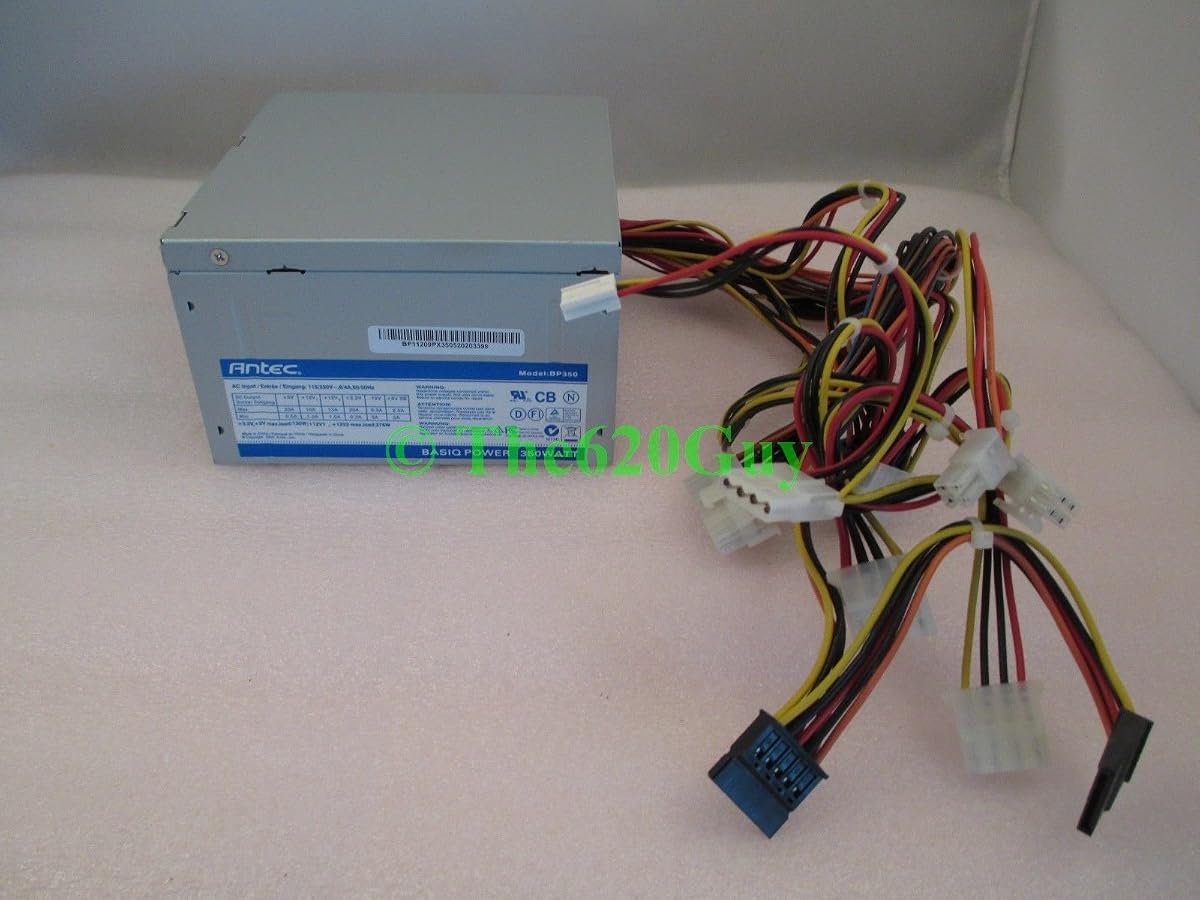
The Antec BP350 Basiq Power stands out as a top choice for budget desktop builds. With a perfect user rating, it delivers stable power reliably for everyday computing tasks without breaking the bank.
We may earn a commission when you buy through this link, at no additional cost to you.
This unit is built on Antec's years of experience in power supply manufacturing. It focuses on doing the job efficiently and reliably, making it a solid workhorse for entry-level users or budget system builders.
While it lacks modern high-efficiency certifications or modular cables, the trade-off is acceptable given the price point and reliability. The simple connector scheme ensures broad compatibility with older or standard ATX motherboards.
If you need a no-nonsense power supply for basic office or media PC tasks, this model is highly recommended. It satisfies demands of users who prioritize reliability and cost-effectiveness over extra features.
The Basiq line is known for providing solid quality at an unbeatable price. Users appreciate its straightforward design that avoids unnecessary complexities.
Antec uses high-quality internal components to ensure safety and longevity. This unit includes standard protections against over-voltage and short circuits.
We may earn a commission when you buy through this link, at no additional cost to you.
The Apevia Venus 450W offers a compelling option for those seeking maximum power per dollar. It provides a range of connector options to support various component setups in a compact ATX form factor.
We may earn a commission when you buy through this link, at no additional cost to you.
This unit features an auto-thermally controlled fan to manage noise and heat efficiently. It also comes equipped with a comprehensive protection system ensuring safety against common electrical issues during operation.
The main drawbacks are its basic internal build compared to premium units and standard fixed cables. However, for basic builds where budget is the primary constraint, these trade-offs are often acceptable.
Consider this unit if you are building a basic office PC or a secondary system. It delivers reliable power for low-to-mid range components while keeping costs minimal and setup simple.
The connector set includes multiple SATA and peripheral options. This flexibility allows you to connect various drives and older devices easily.
The fan speed adjusts based on internal temperature. This helps maintain quiet operation when system loads are light and cooling needs are lower.
We may earn a commission when you buy through this link, at no additional cost to you.
The Silverstone FX350-G-VT is designed for specialized compact builds using Flex ATX 1U cases. It delivers high efficiency with an 80 PLUS Gold certification, making it ideal for energy-conscious users.
We may earn a commission when you buy through this link, at no additional cost to you.
This unit supports continuous 24/7 operation at rated temperatures. It features a class-leading single +12V rail to ensure stable power delivery even under varying load conditions typical in small form factors.
The premium nature of this PSU comes with a higher price tag compared to standard ATX units. Fixed cables can also make routing inside tight cases slightly more challenging than modular designs.
Choose this PSU if you are building a mini PC or a specialized server. Its robust build and high efficiency rating make it a reliable choice for 24/7 workloads where stability is key.
The 80 PLUS Gold certification ensures minimal energy waste. This reduces electricity costs and lowers heat output for better system longevity.
Engineered for 24/7 operation, this unit is built for reliability. It maintains stable performance even during extended periods of continuous use.
We may earn a commission when you buy through this link, at no additional cost to you.
The Thermaltake Smart 500W provides excellent headroom for systems that may grow over time. Its 80 PLUS White certification ensures basic efficiency while the 120mm fan keeps noise levels low.
We may earn a commission when you buy through this link, at no additional cost to you.
This unit includes active PFC and comprehensive protections like OVP and SCP. These features help safeguard your components against voltage spikes or short circuits common in unstable power environments.
While it is rated at 500W, it fits the budget category well. The main trade-off is the lack of higher efficiency certification or modular cables, but the 5-year warranty adds significant peace of mind.
This PSU is suitable for mid-range builds that need reliable power without spending much. It balances performance and cost effectively, making it a versatile choice for many entry-level gamers.
The 120mm ultra-quiet fan ensures smooth acoustic performance. This is beneficial for office environments where noise levels must be kept minimal.
Industry-grade protections shield against common electrical failures. These safeguards help ensure your valuable hardware remains safe from power surges.
We may earn a commission when you buy through this link, at no additional cost to you.
The ARESGAME AGV Series offers solid Bronze efficiency in a standard 500W package. The all-black cabling ensures a clean look inside your case without colorful wires sticking out.
We may earn a commission when you buy through this link, at no additional cost to you.
It features an ultra-quiet 120mm fan that balances cooling with silence. The 5-year warranty suggests confidence in build quality and reliability over the long term for average usage.
Like many budget options, it uses fixed cables which can limit airflow or management in smaller cases. However, the cost savings and efficiency benefits often outweigh this minor inconvenience for most users.
If you want Bronze efficiency at a low price, this is a strong candidate. It is ideal for budget gaming rigs or general PCs where cost-effectiveness and decent efficiency are priorities.
The cables are all black without color contrast. This helps maintain a uniform aesthetic inside your PC build without mismatched wires.
The 5-year warranty provides good coverage for typical build lifespans. This reflects the brand's commitment to product durability and reliability.
We may earn a commission when you buy through this link, at no additional cost to you.
The Apevia ITX-PFC400W is designed specifically for compact Mini-ITX builds. Its fully modular design allows you to plug in only the cables you need, improving airflow in small cases.
We may earn a commission when you buy through this link, at no additional cost to you.
It supports active PFC and offers various connectors like PCIe and SATA. The design allows splitting connectors to match different motherboard power pin requirements for flexibility.
User ratings are mixed compared to other top picks. The small fan may struggle slightly with noise or heat under heavy loads in very tight enclosures, which is a common ITX trade-off.
Use this PSU if you are building a small form factor PC that requires modularity. It balances compactness with necessary power delivery features for modern component compatibility.
The fully modular cables help reduce clutter. This makes it easier to route wires neatly in restricted small form factor spaces.
Connectors can be split to match specific power needs. This flexibility is useful for motherboards with unique pin requirements.
We may earn a commission when you buy through this link, at no additional cost to you.
This model serves as a straightforward replacement for older systems needing a standard 350W supply. It fits standard ATX cases and provides basic power distribution for legacy components.
We may earn a commission when you buy through this link, at no additional cost to you.
It adheres to ROHS compliance standards ensuring environmentally friendly manufacturing. The unit is designed for basic utility rather than high performance or modern efficiency features.
Details are minimal compared to branded consumer units. This makes it harder to predict long term performance without user feedback, so verify compatibility before purchase.
Consider this for non-critical legacy systems where cost and basic compatibility are key. It may be suitable for industrial or older office PCs needing a simple swap.
Designed for older systems requiring standard ATX power. It ensures basic functionality for legacy components without extra features.
ROHS compliance indicates safer material usage. This meets basic regulatory requirements for environmental safety standards.
We may earn a commission when you buy through this link, at no additional cost to you.
This low energy power supply is ideal for basic desktop systems that do not demand high performance. The adjustable voltage switch allows it to adapt to different regions easily.
We may earn a commission when you buy through this link, at no additional cost to you.
It uses a double magnetic ring design for cleaner power. The fan speed is automatically controlled by thermal sensors to ensure quiet operation under varying loads.
While it lacks advanced certifications, the high user rating suggests consistent performance for its intended class. The clear connector marks make installation quick and straightforward.
Buy this for low power desktop computers in home offices or schools. It delivers reliable power for basic tasks while minimizing noise and energy consumption.
The 115/230V manual switch offers regional flexibility. This allows safe use across different electrical standards without adapters.
The unit is optimized for low consumption systems. This helps reduce electricity costs for machines that run constantly but idle most of the time.
We may earn a commission when you buy through this link, at no additional cost to you.
This Antec Basiq unit is a compact choice for entry-level desktop builds. Its 80mm fan ensures quiet operation in smaller cases where space is limited.
We may earn a commission when you buy through this link, at no additional cost to you.
It adheres to ATX12V V2.01 standards which are suitable for older or lower power motherboards. The brand reputation ensures that you get consistent quality even at a lower price point.
The main limitation is the older voltage specification compared to newer models. This means it might not deliver optimal power distribution for modern high-efficiency CPUs.
Choose this PSU for legacy systems or budget builds where size and cost matter. It provides reliable power for standard office tasks without unnecessary complexity.
The 80mm fan balances space and noise. This is ideal for smaller enclosures where airflow and sound levels are critical.
Adheres to V2.01 power standards. This ensures compatibility with older hardware platforms that rely on these specs.
We may earn a commission when you buy through this link, at no additional cost to you.
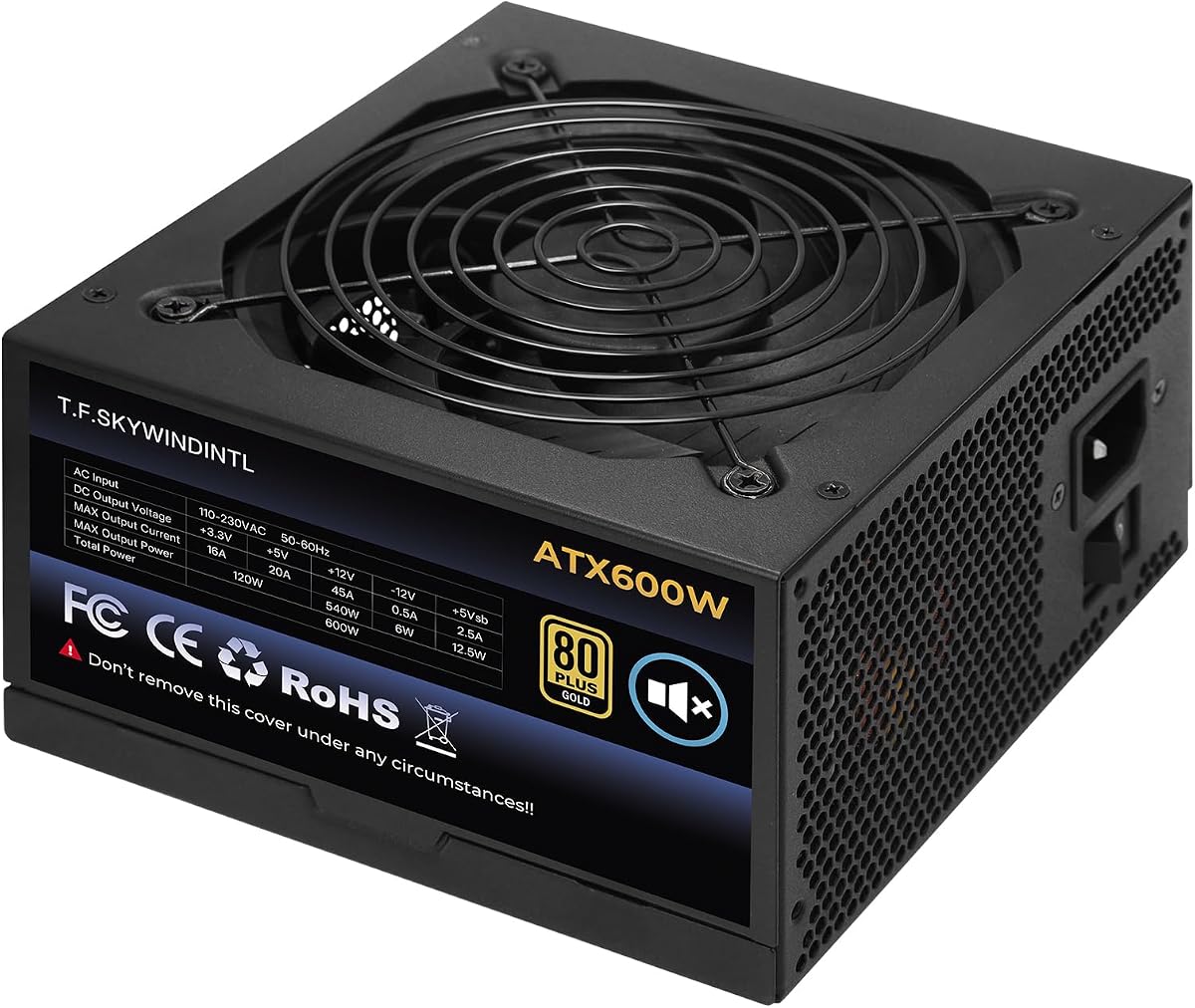
This unit offers 600W of power which is significantly higher than 350W minimum requirements. It delivers Gold efficiency and supports full range voltage for stable performance anywhere.
We may earn a commission when you buy through this link, at no additional cost to you.
The 125mm fan provides superior cooling and silence. With multiple protections including OVP and OTP, it ensures safety even under heavy gaming loads typical in enthusiast builds.
The higher wattage may seem unnecessary for a 350W search but offers future upgradability. The non modular cable design is a slight trade-off but keeps costs competitive.
If you plan to upgrade components later, this PSU is a great investment. It handles current low power needs easily while preparing your system for more powerful hardware.
The 600W capacity leaves ample room for upgrades. This saves you from replacing the PSU when adding a new graphics card or processor.
The 125mm fan ensures better heat dissipation. This helps maintain lower internal temperatures for more stable long-term system operation.
We may earn a commission when you buy through this link, at no additional cost to you.
Selecting the right power supply involves balancing wattage, efficiency, and features for your specific system needs.
Efficiency ratings like 80 PLUS Bronze, Gold, or White measure how much energy is wasted as heat. Higher ratings reduce electricity bills and heat output, improving overall system stability.
Look for at least an 80 PLUS Bronze rating for basic units to ensure reasonable efficiency without overspending.
Even if you search for a 350W PSU, ensure it meets your current component draw plus a safety margin. Running a PSU at its absolute maximum capacity can cause instability or noise.
Choose a unit that exceeds your estimated power needs by at least 10-20 percent to prevent strain on the components during peak usage.
Most desktop PCs use standard ATX power supplies, but compact systems might require Flex ATX or SFX units. Verify your case supports the size you are purchasing before buying.
Check the dimensions in the product description against your case manual to ensure a perfect physical fit without modification.
Ensure the PSU has the necessary connectors for your motherboard, GPU, and drives. Some basic models lack the PCIe connectors required for dedicated graphics cards.
Verify the 24-pin and CPU 4+4 pin connectors are present and split correctly if your motherboard uses smaller connectors.
Reliable power supplies include safety features like Over Voltage Protection (OVP) and Short Circuit Protection (SCP). These safeguard your components against electrical surges or failures.
Always choose a unit that lists multiple protection types to ensure your investment remains safe from unpredictable power issues.
Modular cables allow you to use only what you need reducing clutter and improving airflow. Non-modular units have fixed cables which may be harder to route in smaller cases.
If case space is tight, prioritize a modular design to maintain optimal cooling and a clean aesthetic inside your system.
Fans are critical for cooling but can generate noise. Look for units with larger fans or auto-thermal control which adjust speed based on load for quieter operation.
Prioritize silent fans if the PC will be in a living room or office where noise levels matter to you and others.
Reputable brands offer better quality control and customer support. A warranty of at least three years indicates confidence in the product's longevity and durability.
Check the warranty terms and the manufacturer's support reputation to ensure you are buying a reliable product backed by a trustworthy brand.
Before installation, ensure the power supply is fully disconnected from the wall outlet. Use an anti-static wrist strap or touch grounded metal to discharge static electricity from your body to prevent component damage.
Install the PSU securely in the designated case mount using the provided screws. Ensure the fan intake is not blocked by cables or walls to allow proper airflow through the unit.
Regularly dust the PSU vents using compressed air every few months. Accumulated dust can restrict airflow leading to higher internal temperatures and potential overheating over time.
350W is generally sufficient for very low-end builds or office PCs with integrated graphics. For gaming, you will need at least a 450W to 500W unit to handle dedicated graphics cards safely.
Certification ensures better efficiency and quality control. While not strictly mandatory, choosing a certified unit reduces energy waste and heat, helping your system run cooler and quieter.
You can use a PSU tester tool or a paperclip test on the 24-pin connector. If the fan spins immediately when plugged in, the unit likely has power but this does not guarantee voltage stability.
A failed PSU can prevent the PC from turning on or cause random shutdowns. In worst cases, unstable power can damage other components like the motherboard or hard drive if protections fail.
Yes, you can replace a PSU at any time as long as the new unit fits your case and connectors match your components. Ensure the new wattage supports your current and future hardware.
Noise usually comes from the cooling fan spinning fast due to heat or dust. Cleaning the fan or ensuring good airflow around the unit often reduces operational noise significantly.
We reviewed ten diverse options ranging from the reliable Antec Basiq to high-efficiency Silverstone models. Each offers unique benefits depending on your case size, component needs, and budget constraints.
Prioritize efficiency and protection features over raw wattage if you have a basic system. A stable power supply ensures your components last longer and operate without interruption during daily use.
Always verify current availability and pricing before making your final decision. Power supply markets change often so checking latest offers helps you secure the best value for your build.