
Hisense 85" U8 Series ULED Mini-LED 4K UHD Smart Google TV (85U8QG)
4.3Editor score
High brightness
Mini-LED backlight
165Hz refresh
Finding the right display for high-end PC gaming requires balancing resolution, refresh rates, and input lag. 8K TVs offer stunning clarity and support for next-generation consoles, making them compelling choices for immersive setups.
We evaluated ten top-rated models based on gaming features like variable refresh rates, auto low latency modes, and upscaling performance. Our analysis focuses on how well each TV handles fast-paced action and detailed textures.
Each selection below highlights key strengths, trade-offs, and ideal use cases for serious gamers. Please note that pricing and availability fluctuate frequently, so verify current details before making your final purchase decision.
4.3Editor score
4.5Editor score

3.8Editor score
As an Amazon Associate we earn from qualifying purchases.
This side-by-side comparison highlights the distinct features and capabilities of each selected television model to help you find the perfect match for your gaming setup.


The Sony Z9K Series stands out as a top-tier option for serious gamers seeking ultra-high fidelity visuals. With a strong focus on accurate processing and deep blacks, it delivers a cinematic feel even during fast action.
We may earn a commission when you buy through this link, at no additional cost to you.
Its Cognitive Processor XR optimizes contrast and color to ensure every detail is sharp. Features like Auto HDR Tone Mapping and an 8.5ms input lag make it particularly well-suited for next-gen console users.
However, the high cost and limited port selection can be barriers for some users. While excellent for premium setups, budget-conscious buyers may find better value in other brands offering similar resolution options.
If you want the best possible image quality and exclusive PlayStation features, this model is a top recommendation. It excels in handling high dynamic range content and maintaining clarity in dark game scenes.
Mini LED technology ensures deep blacks and natural colors without blooming around bright objects.
Exclusive features like Auto Genre Picture Switch optimize settings automatically for supported games.
We may earn a commission when you buy through this link, at no additional cost to you.
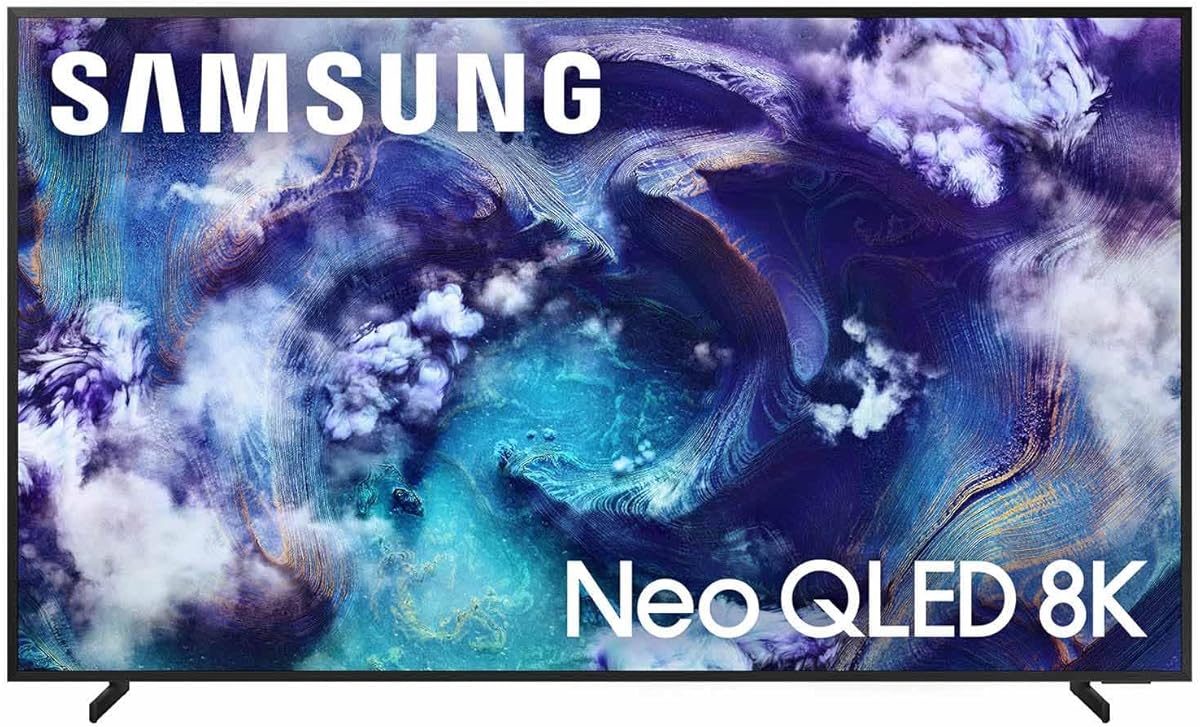
Samsung’s 2025 QN990F model brings powerful AI processing and impressive refresh rates to the PC gaming market. It balances performance features with design choices like wireless connectivity to reduce cable clutter.
We may earn a commission when you buy through this link, at no additional cost to you.
The NQ8 AI Gen3 processor transforms content into stunning 8K clarity. Motion enhancement and anti-glare coatings make it ideal for competitive gaming in well-lit environments without distracting reflections.
As a newer release, early user feedback remains limited. Buyers should verify current availability and support options since newer models often have evolving firmware and feature adjustments during the initial launch.
This model is perfect for gamers prioritizing refresh rates and clean setup aesthetics. Its capabilities for ultra-smooth motion make it a compelling choice for fast-paced competitive play.
Supports up to 4K at 240Hz for incredibly fast and fluid gameplay motion.
Wireless One Connect box transmits signals away from the TV to reduce visible cables.
We may earn a commission when you buy through this link, at no additional cost to you.
This 75-inch QN990F bundle includes essential protection services and cleaning tools for long-term display care. It targets users looking for peace of mind alongside high-end gaming visuals.
We may earn a commission when you buy through this link, at no additional cost to you.
Key features include AI Upscaling Pro and Glare Free technology to maintain clarity. The package adds an Amber Protection Plan which covers accidental damage and screen repairs beyond standard warranties.
Some reviewers note that the protection bundle increases the overall cost. Users should consider if extended coverage is necessary for their environment before committing to the bundle option.
Ideal for large living rooms or dedicated gaming spaces where screen safety is a priority. It ensures your investment remains protected while delivering immersive 8K quality visuals.
Includes a specialized cleaner kit and screen protection plan for durability.
The 75-inch NEO QLED panel provides expansive viewing for detailed game worlds.
We may earn a commission when you buy through this link, at no additional cost to you.
The Samsung QN900F combines powerful AI processing with a sleek metal design. It offers a strong balance of visual clarity and audio immersion for gamers seeking a complete entertainment package.
We may earn a commission when you buy through this link, at no additional cost to you.
Features like Object Tracking Sound+ and Neo Quantum HDR 8K Pro enhance depth. The 256 AI neural networks ensure content looks sharp and smooth even when playing lower resolution titles.
Some users find the menu system complex for quick adjustments. However, the anti-glare screen ensures stable image quality in bright rooms where other displays might struggle with reflections.
This TV is best for those who want premium build quality alongside solid gaming features. It delivers consistent performance and a stylish look that blends seamlessly into modern home setups.
Object Tracking Sound+ follows action on screen for immersive directional audio.
Glare Free technology minimizes distracting reflections from ambient lighting sources.
We may earn a commission when you buy through this link, at no additional cost to you.
The QN800D offers strong brightness and depth processing to make game scenes pop. It uses Real Depth Enhancer Pro to create a more dimensional viewing experience than standard models.
We may earn a commission when you buy through this link, at no additional cost to you.
Motion Xcelerator ensures ultra-smooth action with low lag. The Quantum Matrix Pro backlight delivers excellent detail in both dark and light scenes during fast-paced gameplay.
However, it lacks the advanced features of higher-end 2025 models. Some users may find the contrast slightly lower than Mini LED alternatives in very dark gaming environments.
Ideal for users needing a bright room performer with solid motion handling. It provides reliable upscaling and responsive gameplay for titles that require quick reactions.
Real Depth Enhancer Pro adjusts focal points for a more 3D-like perception.
Motion Xcelerator 165Hz ensures crisp visuals without lag during button-mashing.
We may earn a commission when you buy through this link, at no additional cost to you.
Samsung’s QN900D features the fastest refresh rates available for high-end competitive gaming. It combines this with an Infinity Air design for a nearly edgeless viewing experience.
We may earn a commission when you buy through this link, at no additional cost to you.
The AI Motion Enhancer Pro sharpens text and moving objects to prevent blur. Sound Pro and Dolby Atmos provide a full surround experience without extra hardware.
Users may find the OS requires setup time to maximize gaming features. However, the raw speed and image quality justify the investment for serious esports players.
Best suited for players needing maximum fluidity in competitive titles. It delivers top-tier performance with minimal blur even during the fastest camera movements.
240Hz refresh rates ensure uninterrupted action with zero lag or blur.
Object Tracking Sound Pro moves audio across the room with on-screen action.
We may earn a commission when you buy through this link, at no additional cost to you.
The Hisense E7 offers exceptional value with Mini-LED brightness and a 144Hz native refresh rate. It brings premium gaming features to a much lower price point than competitors.
We may earn a commission when you buy through this link, at no additional cost to you.
AI Picture adjusts settings scene by scene for optimal clarity. Dolby Vision IQ ensures accurate brightness in different lighting conditions to keep games looking great at any time.
Note that it is a 4K model rather than 8K, which suits most current PC setups. While not the highest resolution, it provides better motion clarity at a fraction of the cost.
Best for buyers needing a large display without breaking the bank. It offers strong performance for fast-paced games and solid HDR support for immersive visual experiences.
Native 144Hz keeps movement sharp and reduces blur during gameplay.
Fire TV OS provides easy access to popular streaming and gaming apps.
We may earn a commission when you buy through this link, at no additional cost to you.
LG’s C6 OLED delivers perfect blacks and instant pixel response for the deepest visual depth. It stands out as the best choice for dark room gaming experiences.
We may earn a commission when you buy through this link, at no additional cost to you.
Features like Brightness Booster Pro ensure visibility even in bright rooms. The 165Hz refresh rate supports high-performance gaming with variable refresh technologies for smooth play.
While OLED is prone to burn-in with static HUDs, care modes mitigate this risk. It remains unmatched for contrast and color accuracy compared to LCD or Mini-LED options.
Ideal for gamers prioritizing black levels and responsiveness over pure resolution. It provides a stunning cinematic feel for single-player adventures and story-driven titles.
Self-lit pixels create perfect blacks and vibrant colors for true depth.
0.1ms response time ensures immediate reactions to on-screen actions.
We may earn a commission when you buy through this link, at no additional cost to you.
The Sony BRAVIA 3 provides a large display with excellent voice control features via Google Assistant. It simplifies navigation and access to content for casual gamers.
We may earn a commission when you buy through this link, at no additional cost to you.
Triluminos Pro ensures over a billion accurate colors for vivid visuals. While not 8K, it offers strong upscaling and brightness for most gaming and streaming needs.
Its input lag is higher than dedicated gaming monitors so competitive play may suffer. However, for general entertainment and relaxed sessions, it offers solid performance.
Best for users who want a smart hub with great color quality. It handles streaming and casual gaming well without requiring complex setup or calibration.
Triluminos Pro displays over a billion colors for realistic scene depth.
Google TV organizes content and streaming services in one place.
We may earn a commission when you buy through this link, at no additional cost to you.
The Hisense U8 delivers exceptional brightness and a built-in surround sound system. It combines Mini-LED precision with high nits for impressive HDR gaming visuals.
We may earn a commission when you buy through this link, at no additional cost to you.
Features like Game Booster 288 and 165Hz refresh ensure fluid motion. The included subwoofer and up-firing speakers create immersive audio without extra gear.
While it lacks 8K resolution, its contrast and brightness rival more expensive models. It is a strong contender for large setups requiring robust audio and visual output.
Best for users seeking high brightness and audio quality in one package. It excels in HDR content and provides solid motion handling for competitive gaming titles.
Built-in 4.1.2 channel audio creates a surround theater experience.
5000 nits ensures vibrant highlights even in well-lit rooms.
We may earn a commission when you buy through this link, at no additional cost to you.
Selecting the right 8K TV involves evaluating technical specs that directly impact gameplay quality and visual clarity.
Native 8K resolution offers the highest pixel density for ultra-detailed game textures. However, most current PC games target 4K so strong upscaling processors are essential to fill the screen without losing clarity.
Look for TVs with advanced AI upscaling to enhance 4K content to 8K effectively.
Refresh rates determine how smoothly motion is rendered during gameplay. Higher refresh rates like 144Hz or 240Hz reduce blur in fast-paced competitive titles.
Check for Variable Refresh Rate (VRR) support to match your GPU frame rates for tear-free visuals.
Input lag is the delay between pressing a button and seeing action on screen. Low latency modes ensure responsive gameplay which is critical for competitive gaming.
Aim for TVs with input lag below 20ms to avoid noticeable delays during play.
Panel types like OLED or Mini-LED provide superior contrast and black levels compared to standard LED. This enhances visibility in dark game scenes and improves HDR quality.
OLED offers perfect blacks while Mini-LED provides higher brightness for daytime gaming.
HDMI 2.1 ports enable higher bandwidth for 8K resolution and high refresh rates. Ensure your GPU or console can utilize these ports to take advantage of TV specs.
Verify the number of HDMI ports to support multiple devices simultaneously without switching.
Reflective screens can distract during gameplay in bright rooms. Anti-glare coatings or matte finishes help maintain image clarity in well-lit environments.
Consider your room lighting conditions when selecting a panel to minimize unwanted reflections.
Sound adds immersion to gaming experiences and built-in systems vary widely. Look for features like Dolby Atmos or surround sound bars for better audio without external speakers.
High-quality audio complements visuals by providing directional cues and impactful sound effects.
A user-friendly smart interface allows easy access to streaming services and gaming apps. Voice control and responsive menus enhance the overall setup experience.
Choose a TV with a reliable OS to avoid laggy navigation between games and apps.
Set your PC output to match the TV native resolution and adjust HDR settings in the graphics control panel for best results.
Enable Game Mode in TV settings to reduce input lag and optimize display timing for real-time actions.
Clean the screen regularly with a soft microfiber cloth and avoid harsh chemicals to preserve the panel quality and coating.
8K TVs offer stunning detail but require powerful GPUs to render games at native resolution. For most users, 4K models provide better value while still delivering sharp images and high refresh rates.
Competitive gamers should aim for refresh rates of 144Hz or higher to minimize motion blur. Features like VRR help maintain smoothness when frame rates fluctuate during intense gameplay.
Use an HDMI 2.1 or DisplayPort cable to connect your PC to the TV. Ensure both the graphics card and TV support the desired resolution and refresh rate for optimal performance.
Larger screens provide immersive experiences but require adequate viewing distance to avoid eye strain. Choose a size that fits your room dimensions and allows comfortable seating.
Variable Refresh Rate syncs the TV refresh rate with the GPU frame rate to prevent screen tearing. It ensures smoother gameplay especially when performance varies between scenes.
Yes modern consoles support 8K output and benefit from features like Auto Low Latency Mode. TVs with console-specific modes optimize settings automatically for better performance.
Enable Game Mode in the TV settings to bypass image processing that causes delays. Check your graphics card settings to ensure performance modes are active for responsive input.
Our top picks highlight diverse options ranging from premium 8K models to high-value 4K alternatives with advanced features.
Prioritize features like refresh rates, input lag, and upscaling quality based on your gaming preferences and room conditions.
Check current prices and availability before purchasing as models and deals update frequently in the fast-moving tech market.