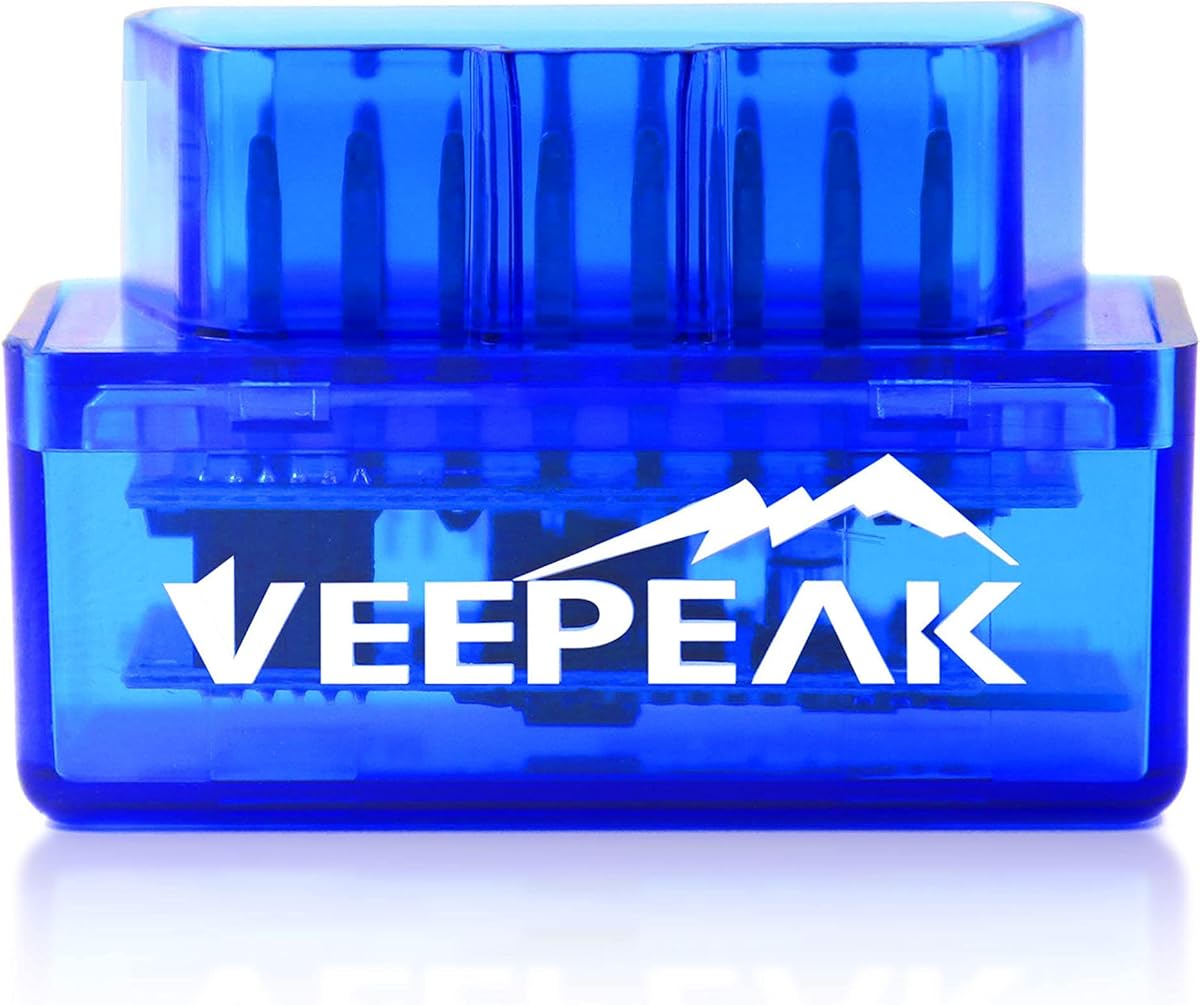
Veepeak Mini Bluetooth OBD2 Scanner
4.4Editor score
Affordable entry-level price
Compact and portable design
Compatible with Android only
This guide compares the top Android Obdii Scanner Tool options for 2026, evaluating features, compatibility, and performance to help you choose the right
Finding the right Android Obdii Scanner Tool can save you time and money on vehicle maintenance. These devices plug into your car to read error codes and monitor performance metrics wirelessly.
We evaluated ten leading models based on connectivity, app compatibility, diagnostic depth, and user feedback. Our goal is to highlight tools that offer reliable performance across various vehicle makes and models.
Each selection below details specific strengths and limitations to match your needs. Note that product availability and pricing may fluctuate, so verify details before purchasing to ensure the best value.
4.4Editor score

4.5Editor score

4.4Editor score
The following comparison table outlines key specifications for each selected Android Obdii Scanner Tool to help you quickly identify features like connectivity type, supported protocols, and specialized diagnostic capabilities.


The BlueDriver OBD2 Scanner stands out as a top pick for Android users seeking professional diagnostics without the clutter of a handheld tool. It offers a robust set of features backed by strong reviews and a no-subscription model.
We may earn a commission when you buy through this link, at no additional cost to you.
Its standout feature is the library of verified repair reports that match your specific vehicle VIN. This turns vague error codes into actionable steps, saving you from unnecessary part replacements and shop visits.
While it lacks support for diesel models outside select light-duty options, the coverage for major makes remains excellent. The Bluetooth connection is stable and allows for real-time monitoring while driving.
This tool is ideal for owners who want confidence in their vehicle's health without paying ongoing fees. It balances affordability with advanced capabilities effectively.
BlueDriver matches trouble codes to a database of verified fixes, giving you definitions, causes, and confirmed solutions for your specific VIN.
Beyond the check engine light, you can access ABS, SRS, transmission, and TPMS data on supported vehicles for a complete health overview.
We may earn a commission when you buy through this link, at no additional cost to you.
The OBDLink MX+ targets users who need deeper access to vehicle systems than generic scanners provide. It supports a wide range of OEM-specific protocols making it versatile for domestic and imported cars.
We may earn a commission when you buy through this link, at no additional cost to you.
Its enhanced OEM support allows you to read and clear codes in ABS, SRS, and TPMS modules on many vehicles. This level of detail is typically reserved for expensive professional tools.
The device includes over-voltage protection to prevent battery drain if left plugged in, a practical feature for long-term parking or extended diagnostics sessions.
Ideal for enthusiasts or mechanics who need reliable data across multiple platforms, this scanner delivers professional performance without the bulk of a traditional scan tool.
Designed for Ford, GM, Mazda, Nissan, and others, this tool offers enhanced support to unlock manufacturer-specific data not available on generic devices.
Built-in protection prevents battery drain if the device is left plugged in, ensuring your vehicle starts reliably even after long diagnostic sessions.
We may earn a commission when you buy through this link, at no additional cost to you.
For budget-conscious Android users, the Veepeak Mini offers a straightforward entry into car diagnostics. Its compact size and low cost make it an excellent first tool for checking check engine lights.
We may earn a commission when you buy through this link, at no additional cost to you.
It supports generic engine diagnostics and live sensor data, giving you immediate insight into issues like oxygen sensors or throttle position. This basic data helps you decide if a shop visit is necessary.
While it lacks ABS and SRS capabilities and doesn't support iPhones, it works well with apps like Torque and Car Scanner. These constraints are acceptable given its very low price.
Choose this if you need a simple, effective way to monitor engine health on Android without spending much money. It performs reliably for its intended basic tasks.
Read and clear check engine light codes and view live data like RPM and temperature using popular third-party Android apps.
Its small profile fits easily in a glovebox or backpack, allowing you to carry it everywhere for quick roadside checks.
We may earn a commission when you buy through this link, at no additional cost to you.
The Veepeak OBDCheck BLE is a versatile entry-level adapter that works seamlessly with both iOS and Android devices. It relies on Bluetooth Low Energy to ensure efficient connectivity without draining your phone's battery.
We may earn a commission when you buy through this link, at no additional cost to you.
It provides standard OBDII functions such as reading trouble codes, viewing freeze frames, and monitoring live data. This functionality covers the majority of check engine light issues for most daily drivers.
Advanced features like ABS or SRS are not directly supported, and specific apps dictate additional capabilities. However, for general diagnostics, it offers reliable performance at a budget-friendly price.
This adapter is a solid choice for users who want a universal device without investing in expensive dedicated hardware. Just ensure you download the correct app for your needs.
Supports Bluetooth Low Energy for both iOS and Android, allowing stable connections with less power consumption than classic Bluetooth.
Handles essential tasks like reading and clearing codes, checking I/M readiness, and viewing live data for 1996+ vehicles.
We may earn a commission when you buy through this link, at no additional cost to you.
The Veepeak OBDCheck BLE+ improves on the standard BLE model by adding classic Bluetooth support for certain Android apps. This flexibility ensures broader compatibility across the wide range of OBDII apps available.
We may earn a commission when you buy through this link, at no additional cost to you.
It offers access to advanced data like EV battery status and transmission temperature depending on your vehicle and app. For DIYers, this level of detail helps in monitoring specific components beyond just error codes.
Special reset functions like oil light or EPB are not supported, which aligns with its positioning as a mid-tier diagnostic tool. It handles basic monitoring effectively without extra hardware costs.
Select this adapter if you need a balance between price and capability for both iOS and Android users. Verify app profiles beforehand to maximize its potential.
Supports both Bluetooth LE and classic Bluetooth, expanding compatibility with various Android apps that may not support LE.
Depending on the app and vehicle, you can access specialized data like EV battery health and transmission temperature readings.
We may earn a commission when you buy through this link, at no additional cost to you.
The BlueDriver OBD2 Next-Gen builds on the popular Pro version with expanded coverage for newer model years and select light-duty trucks. It maintains the brand's commitment to no subscription fees and verified repair reports.
We may earn a commission when you buy through this link, at no additional cost to you.
Optimized for today's vehicles, it offers enhanced communication on select 2024+ Nissan and Mazda models. This makes it a strong candidate for owners of newer cars who need reliable diagnostics.
While it received a slightly lower rating compared to the Pro version in some user groups, it still provides extensive features like ABS and SRS access on supported vehicles.
Choose this if you drive a newer vehicle and want the convenience of the BlueDriver ecosystem. It is a reliable tool for staying updated with modern vehicle standards.
Optimized for 2024+ Nissan and Mazda models with enhanced communication to ensure accurate readings on newer vehicles.
Adds support for select light-duty trucks like F-250 and Silverado, making it useful for daily drivers and work vehicles.
We may earn a commission when you buy through this link, at no additional cost to you.
This OBD2 Scanner Diagnostic Tool features the latest Bluetooth 5.4 for a faster and more reliable connection. It comes with a dedicated free app that enhances usability for both novices and enthusiasts.
We may earn a commission when you buy through this link, at no additional cost to you.
It supports over 96% of makes and models from 1996 to present, ensuring wide usability. The intuitive app provides visual data charts that help beginners interpret vehicle status quickly.
The tool includes support for multiple languages, making it accessible globally. It focuses on comprehensive performance testing and helps users avoid unnecessary shop visits.
Ideal for new owners or those seeking an affordable tool with modern connectivity, this scanner offers a smooth user experience. Ensure you install the app correctly for optimal performance.
Uses upgraded Bluetooth 5.4 to provide faster pairing and a more stable connection with your smartphone.
Presents engine coolant, speed, and voltage data in clear charts that simplify understanding for non-experts.
We may earn a commission when you buy through this link, at no additional cost to you.
The ANCEL AD310 is a standalone device that does not rely on a phone. It features a large screen and a compact body making it easy to use without needing an app.
We may earn a commission when you buy through this link, at no additional cost to you.
It supports all OBDII protocols and provides fast and accurate reading of emission-related codes. Its sturdy construction ensures durability in a garage or workshop environment.
Since it does not connect wirelessly, it lacks advanced logging features. However, for quick checks, it is an efficient and simple solution recommended by many mechanics.
Choose this if you prefer a simple handheld tool without the complexity of phone apps. It remains a best-seller for reliability and basic functionality.
Supports KWP2000, J1850, ISO9141, and CAN protocols ensuring compatibility with most vehicles from 1996 onwards.
Features a large screen that displays results clearly without needing to connect to a separate smartphone device.
We may earn a commission when you buy through this link, at no additional cost to you.
The FOXWELL NT301 is a professional-style handheld scanner that offers features typically found in more expensive units. It includes a built-in speaker and live data graphing for real-time diagnostics.
We may earn a commission when you buy through this link, at no additional cost to you.
Its dedicated smog check helper allows you to verify readiness status instantly. This feature is valuable for ensuring your vehicle passes annual emissions testing without guesswork.
Unlike Bluetooth adapters, it stands alone and does not depend on your phone. While it lacks wireless convenience, it provides a robust tool for thorough engine checks.
Ideal for DIYers who want a physical device for smog checks and detailed engine analysis, this scanner offers great value. The lifetime updates ensure it stays relevant over time.
Uses a Red-Yellow-Green indicator to instantly tell you if your vehicle is ready for emissions testing.
Displays live sensor data in easy-to-read graphs helping you spot engine issues as they happen.
We may earn a commission when you buy through this link, at no additional cost to you.
The XTOOL A30D brings professional-grade bidirectional control to your smartphone. It allows you to actively test components like fuel pumps and valves, speeding up troubleshooting significantly.
We may earn a commission when you buy through this link, at no additional cost to you.
It supports 19 reset functions including EPB, oil, and TPMS resets. These tools are essential for routine maintenance without needing a shop visit.
While it requires a bit more setup than basic readers, the depth of system coverage justifies the effort. It is a powerful tool for advanced DIYers.
Choose this if you want to perform active diagnostics and resets. Its comprehensive feature set makes it one of the most capable scanners available.
Send commands directly to the ECU to test components like wipers or fuel pumps for accurate troubleshooting.
Includes specialized resets for TPMS, oil, and SAS among others to handle routine maintenance tasks easily.
We may earn a commission when you buy through this link, at no additional cost to you.
Choosing the right scanner involves balancing features with your specific vehicle needs and technical comfort level.
Connectivity determines how the scanner pairs with your phone. Bluetooth Low Energy is efficient for most apps, while classic Bluetooth may be required for specific older apps or Android versions.
Ensure the device supports the Bluetooth standard your phone and chosen apps require for a stable connection.
Many Bluetooth adapters rely on third-party apps. Some like Car Scanner or Torque are popular, but check if the adapter supports the specific app you need.
Verify if the device works with the app features you want such as detailed logging or vehicle-specific codes.
Generic OBDII scanners read engine codes, while enhanced tools can access ABS, SRS, and transmission modules. Determine which systems you need to monitor for your vehicle.
If your vehicle has complex systems, an enhanced scanner that supports manufacturer-specific protocols will be more useful.
Most tools work with 1996+ vehicles but compatibility with newer EVs or hybrids depends on the tool. Check the supported models list for your specific car make and year.
Ensure the scanner supports your vehicle's specific protocols like CAN-FD if applicable for accurate data reading.
Some tools require monthly fees for access to repair reports or advanced features. Others offer full access after a one-time purchase.
Look for tools with no ongoing costs to save money over the long term.
Features like bidirectional control, live graphing, or specific reset functions add value but may increase cost. Assess if these extras match your skill level.
Select advanced options only if you plan to perform specific maintenance tasks requiring them.
Handheld tools offer independence from phones but lack portability. Adapters are compact but rely on your phone for data display.
Choose based on whether you prefer a standalone screen or using your phone for diagnostics.
Regular firmware updates keep the tool compatible with new vehicles. Check if the manufacturer offers lifetime free updates.
Responsive customer support can be crucial if you face connection or compatibility issues.
Start by ensuring your vehicle's ignition is in the accessory or on position. Plug the scanner directly into the OBDII port located under the dashboard.
Connect your phone via Bluetooth through the app settings and wait for a stable connection before launching diagnostics. Keep the phone nearby to maintain a signal.
Store the scanner in a cool dry place when not in use. Avoid pulling cables or connectors to prevent physical damage to the ports.
Most tools work with gasoline cars manufactured in 1996 and later. However, specific support for hybrids, EVs, or luxury brands varies by model. Always check the product's compatibility list for your specific vehicle before purchasing.
Basic scanners typically only read engine codes. For ABS and SRS diagnostics you need an enhanced tool that supports these specific modules. Check the product specifications to ensure these advanced features are included.
Many tools require a one-time purchase with no ongoing fees. Some advanced services may offer optional subscriptions for detailed reports but basic functions remain accessible without monthly costs.
Most adapters support both platforms but some models are specific to Android or iOS. Ensure the product page explicitly states compatibility with your operating system before buying.
After pairing your scanner to the phone launch the compatible app and select the connect option. Navigate to the read codes section to view current and historical trouble codes.
Yes, many tools are designed with intuitive apps that simplify the diagnostic process. Look for models with visual data and verified repair reports to make the experience easier.
Ensure your vehicle is turned on and the port is clean. Try restarting the app or resetting the phone's Bluetooth settings. Consult the user manual for troubleshooting tips.
These tools can clear codes only if the underlying issue is fixed. If the problem persists the code will return. Use them to verify repairs after fixing the vehicle issue.
Selecting the right tool depends on your specific needs and budget. The BlueDriver Pro remains a top pick for its comprehensive features and no-fee model.
Consider your vehicle type and the systems you need to monitor when deciding between basic or enhanced scanners. Advanced features are valuable for complex troubleshooting tasks.
Always verify current pricing and availability as these factors change frequently. Check the latest details to ensure you make the most informed purchase decision.