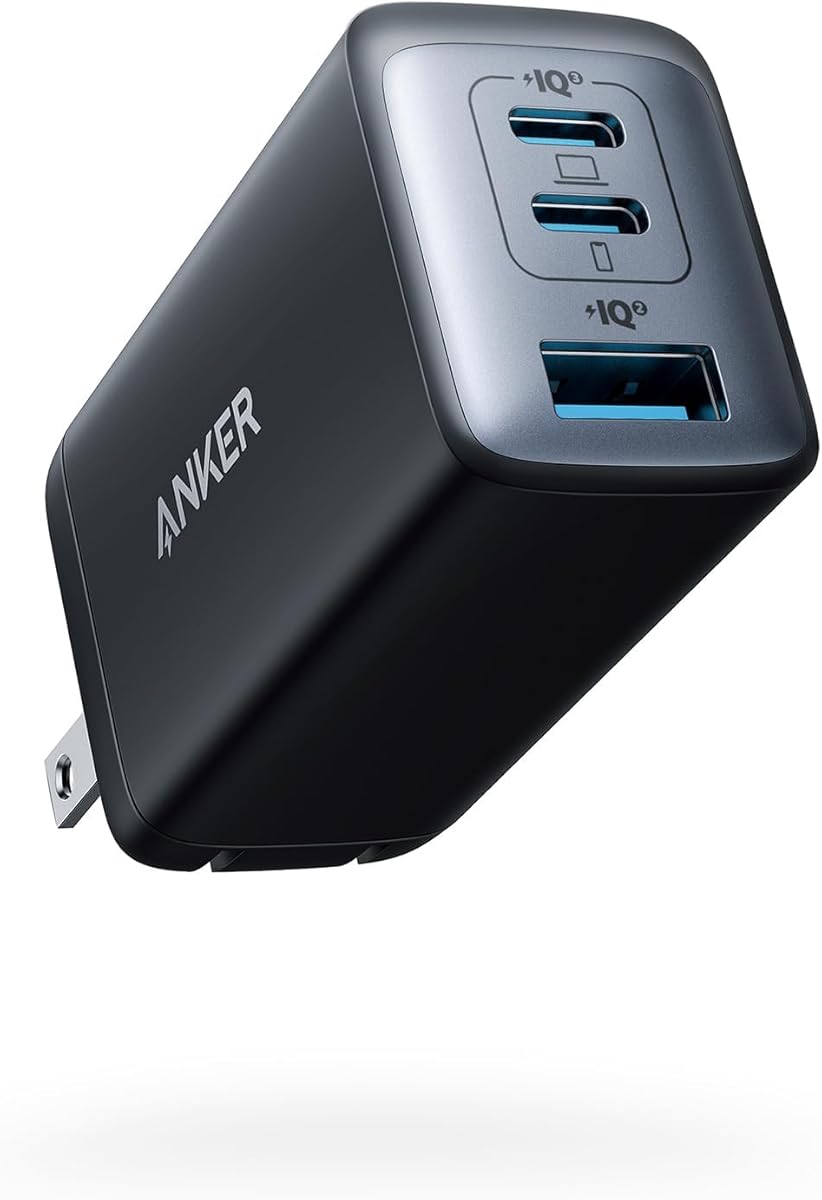
Anker 65W Max 3-Port USB C Charger Block
4.7Editor score
Compact Foldable Design
3-Port Fast Charging
GaN II Technology
This guide compares the top 10 Anker Gan Charger models for 2026, evaluating power output, port count, and compact designs to help you choose the right fast
Finding the right power solution for your devices is essential in a connected world. Anker Gan Chargers offer high efficiency and compact designs that meet modern charging demands. These chargers use advanced materials to deliver more power in smaller packages than traditional bricks. We review the best options available to ensure your tech stays powered up.
We analyzed ten distinct models based on power output, port configuration, and user feedback. Each charger was evaluated for its ability to handle multiple devices simultaneously without losing speed. Safety features and build quality were also key factors in our selection process. This list covers everything from travel-friendly blocks to desktop charging stations.
Each pick shows specific strengths like wattage, port types, and smart display features. We highlight how each model fits different needs from solo travelers to power users. Note that prices and availability change frequently so check current listings before buying. Our goal is to help you find a reliable charger that lasts.
4.7Editor score

4.6Editor score

4.6Editor score
This table provides a side-by-side comparison of all ten Anker Gan Charger models to help you quickly identify the best fit for your needs.





This charger stands out with 160W total power in a tiny footprint. It delivers consistent 140W to single laptops without throttling. The smart display and app integration set it apart from standard blocks. It is ideal for power users who need speed and versatility.
We may earn a commission when you buy through this link, at no additional cost to you.
The PowerIQ 5.0 system distributes power intelligently across devices. You can charge a 16-inch MacBook Pro at max speed while powering other gadgets. The real-time monitoring helps you manage energy use effectively. This model ensures your high-demand devices get the power they need.
While expensive, the convenience and power justify the cost for professionals. The app features add complexity but offer control over modes. It is slightly heavier than basic travel chargers. These trade-offs are acceptable given the high performance.
Professional users and tech enthusiasts should buy this model. It replaces multiple chargers with one powerful unit. We recommend it for those needing maximum speed and modern features.
It is as compact as an AirPods Pro case despite 160W output. This makes it easy to carry for travel or daily work.
AnkerSense View allows monitoring power in real time on screen. You can switch modes instantly via the app.
We may earn a commission when you buy through this link, at no additional cost to you.
This charger balances power and portability for travelers. It delivers 100W on USB-C for full laptop charging. The foldable prongs keep it easy to carry. You can charge three devices simultaneously without hassle.
We may earn a commission when you buy through this link, at no additional cost to you.
The design includes thick prongs for improved grip. It stays firmly connected even with tugging. Charging your 14-inch MacBook Pro to 50% in 30 minutes is quick. Power distribution is efficient for phones and tablets too.
It lacks the smart display of other Prime models. You have to guess output without real-time data. This is acceptable for a simple travel solution. The focus is on physical reliability and size.
Travelers and daily commuters will love this charger. It fits easily in bags or coat pockets. We recommend it for those needing reliable 100W charging on the go.
Thicker prongs ensure a firm connection to the wall. Drop-proof structure adds to durability.
USB-C port delivers full 100W for fast laptop power. Ideal for M3 Pro models.
We may earn a commission when you buy through this link, at no additional cost to you.
This model offers 140W for high-performance laptops. It charges 15-inch MacBook Air to 50% in 30 minutes. The color display provides detailed status. It is great for desk setups needing multiple outputs.
We may earn a commission when you buy through this link, at no additional cost to you.
ActiveShield 4.0 monitors temperature over 10 million times daily. This ensures safety during long charging sessions. You can see port details and temperature on screen. The 4-port layout supports diverse devices.
The unit is larger than compact travel blocks. It is better for desks than pockets. Price is higher than standard chargers but justified by features. Trade-offs are acceptable for high power.
Students and home office workers should buy this. It simplifies multi-device charging. We recommend it for those needing fast 140W support.
Two USB-C ports offer max 140W. Rapidly charge laptops in minutes.
High-definition color display shows charging status and temperature. Keeps you fully informed.
We may earn a commission when you buy through this link, at no additional cost to you.
This station delivers 250W for heavy usage. It supports four USB-C and two USB-A ports. You can power everything at once. The LCD shows status clearly. It is a desktop powerhouse.
We may earn a commission when you buy through this link, at no additional cost to you.
A smart control dial allows immediate energy adjustments. This ensures optimal speed for each device. The 16-inch MacBook Pro charges in 25 minutes. IoT features work with Anker app.
It is heavy and large for travel. The note warns against taking it on trips. Requires Wi-Fi 2.4 GHz for smart features. These limits apply only to portability.
Families or tech enthusiasts with many devices need this. It centralizes charging. We recommend it for permanent desk setups.
250W output supports multiple laptops and accessories. Great for productivity.
Smart control dial adjusts power output instantly. Optimize for each device.
We may earn a commission when you buy through this link, at no additional cost to you.
This charger is known for its HD display. It shows temperature and status clearly. The 100W output is steady on USB-C. It is 330% smaller than average. Great for those who want visual data.
We may earn a commission when you buy through this link, at no additional cost to you.
GaN tech sustains peak performance twice as long. You get fast charging for laptops. Low-Current Mode safely charges earbuds. The foldable plug aids portability. A cable is included.
The display is non-battery but adds weight. It may not suit minimalists. Cable length is 4.9 ft. These are minor trade-offs for convenience.
Visual learners and professionals need this. It offers control and safety. We recommend it for users wanting display insights.
High-definition display shows real-time details. Gives instant visibility.
Low-Current Mode protects small devices. Safely charges earbuds.
We may earn a commission when you buy through this link, at no additional cost to you.
This block is ideal for budget shoppers. It is 51% smaller than original MacBook charger. You get 67W on single USB-C. It handles 3 devices. A solid choice for daily use.
We may earn a commission when you buy through this link, at no additional cost to you.
ActiveShield 2.0 provides built-in protections. It charges phone and tablet together. Maximum output is 65W on two ports. The design is ultra-compact for travel. Warranty is 24 months.
It lacks advanced Prime features. You miss displays and app control. This is expected at this price. Trade-offs are acceptable for basic needs.
Everyday users and travelers should buy this. It offers best value. We recommend it for reliable 67W charging.
Ultra-compact design fits easily in any bag. Smaller than standard blocks.
Fast Charging for 3 Devices feature. Charge phone tablet and notebook.
We may earn a commission when you buy through this link, at no additional cost to you.
This model is perfect for students. It is the size of an AirPods Pro case. You get 65W for MacBook Pro. It charges phones fast. Simple and effective.
We may earn a commission when you buy through this link, at no additional cost to you.
GaN II technology increases frequency. It makes charger smaller without power loss. Power distributes efficiently between ports. It fits in bags easily. Warranty is 18 months.
It lacks smart screens. You rely on lights. This is fine for casual users. Trade-offs are acceptable for students.
Students and budget users should buy this. It is reliable. We recommend it for school use.
Single device gets 65W max. Full speed for laptops.
Stacked design makes it smaller. No power sacrifice.
We may earn a commission when you buy through this link, at no additional cost to you.
This station supports 200W for 6 devices. Each USB-C gives 100W. It charges two 14-inch MacBook Pros fast. It is built for desk stability. Safe for multiple devices.
We may earn a commission when you buy through this link, at no additional cost to you.
Proprietary system monitors temperature. It protects devices continuously. The charger is 4.4 × 3.0 × 1.4 in. It weighs 1.24 lb. A power cord is included. Warranty is 24 months.
It lacks smart display. You see no output data. This is acceptable for desk hub. Trade-offs are minor.
Families with many devices need this. It keeps tech ready. We recommend it for desk hubs.
When using two USB-C ports simultaneously each provides 100W.
Stays stable on your desk while charging up to 6 devices.
We may earn a commission when you buy through this link, at no additional cost to you.
This is one of the smallest blocks. It is 58% smaller than 61W charger. You get 65W for MacBook Pro. It charges Samsung phones. Foldable plug fits bags.
We may earn a commission when you buy through this link, at no additional cost to you.
PPS support enables fast charging. It charges phone 3× faster than 5W. GaN II tech boosts frequency. It is durable. Warranty is 18 months. Cable not included.
No cable is included. You must buy one. Single port limits devices. Trade-offs are acceptable for travel.
Travelers and minimalists should buy this. It is tiny. We recommend it for portability.
Charge Samsung phones at full speed with PPS. Up to 3× faster.
At 58% smaller than original 61W USB-C charger. Takes up less space.
We may earn a commission when you buy through this link, at no additional cost to you.
This charger covers 200+ countries. It has US UK and EU plugs. You get 100W for laptops. It detects voltage in 1 second. Ideal for worldwide travel.
We may earn a commission when you buy through this link, at no additional cost to you.
LCD screen monitors power and temp. Flat-plug design sits close to wall. It is 0.58 lb weight. A cable is not included. Service is 24-Exchange.
AU plug is not included. Price is higher than standard. These are acceptable for global use. Trade-offs are minor.
International travelers and business pros need this. It saves adapters. We recommend it for travel.
Built-in US UK and EU plugs. Not AU plug.
Detects local voltage in just 1 second. Wide input range.
We may earn a commission when you buy through this link, at no additional cost to you.
Selecting the right Anker Gan Charger depends on your specific power needs and device types.
Wattage determines how quickly devices charge. Look for 65W for laptops and 100W+ for high-performance machines. Ensure single-port speed matches your needs.
Choose high wattage for fast charging.
Consider how many devices you charge at once. 3-port models suit most users. 6-port stations work for households. Check USB-C and USB-A mix.
Match ports to your device count.
Travelers need compact designs. Some models fold prongs. Others are desktop-only. Check dimensions against your bag space.
Prioritize compact size for travel.
Look for ActiveShield tech. It monitors temperature. Overvoltage protection is key. Ensure NRTL certification. This protects your devices.
Safety features are essential for daily use.
Some chargers include screens. These show real-time data. App control allows mode switching. Decide if you need this visibility.
Screens add convenience but cost more.
Check if a cable is included. Some offer high-wattage USB-C cables. Others require separate purchase. Ensure cables match your device ports.
Verify cable inclusion in your order.
Anker offers 18 or 24-month warranties. Exchange service may apply. Check support terms. Good warranties protect your investment.
Choose models with solid warranty.
Plug the charger into a compatible wall outlet. Ensure voltage matches local standards. For travel models check plug type first.
Connect your devices using the included cable. If no cable is sold, buy one matching your device port. Ensure cables support high wattage.
Keep the charger cool and dry. Avoid covering it while charging. Periodically check cables for wear. Store folded prongs carefully.
Yes, they include ActiveShield systems. These monitor temperature and power. They adjust output based on device needs. Overvoltage protection prevents damage. They are designed for laptop safety.
Yes, most models support multi-device charging. Power splits intelligently between ports. Some prioritize laptop charging. Check wattage distribution for your specific model.
Yes, they support fast charging protocols. PPS support helps Samsung devices. They adapt to USB-PD for most phones. Ensure your phone supports fast charging.
Check labels on ports. Highest wattage ports are for laptops. Smaller ports are for phones. Smart models guide you via display. This ensures optimal charging.
Universal models cover most countries. They include US, UK, and EU plugs. Check AU compatibility if needed. Voltage detection handles regional standards. Always check specs before travel.
Displays use minimal power. They show real-time status. They do not drain battery significantly. Power is drawn from the charger. It is efficient for monitoring.
GaN is more efficient and smaller. It handles heat better. This allows higher power in less space. You get smaller blocks with more features.
Yes, use 5A certified USB-C cables. Lower-rated cables limit speed. Check if the cable is included. This ensures full power delivery.
Our top picks cover all user needs. The 160W Prime leads for power. The 67W GaN suits daily users. The 100W Travel model is compact.
Prioritize power output and port count. Match these to your devices. Look for safety tech for peace of mind. Ensure it fits your space.
Prices change often on Amazon. Check current listings before buying. Our guide helps find value. Stay informed for better tech.