
GETPALS Wireless Charger iPhone Charging Station
4.2Editor score
3 in 1 wireless design
Foldable and portable build
Safe charging with protections
This expert guide compares the top charging dock for multiple Apple devices including iPhone iPhone watch and AirPods to help you find the perfect solution for
Finding the right charging dock for multiple Apple devices is essential for modern tech users who value organization and efficiency in their daily routines. A good station reduces clutter while ensuring all your gear stays powered up.
We compared ten top rated models based on port count charging speed safety features and design compatibility. Our analysis focuses on real world performance and user friendly features that matter most for home and office setups.
Each pick below highlights unique strengths whether you need travel portability or heavy duty power for many gadgets. Note that product availability and offers can change so check current listings before making your final choice.
4.2Editor score
4.3Editor score

4.6Editor score
Here is a side-by-side look at all ten models to help you see which fits your needs best.


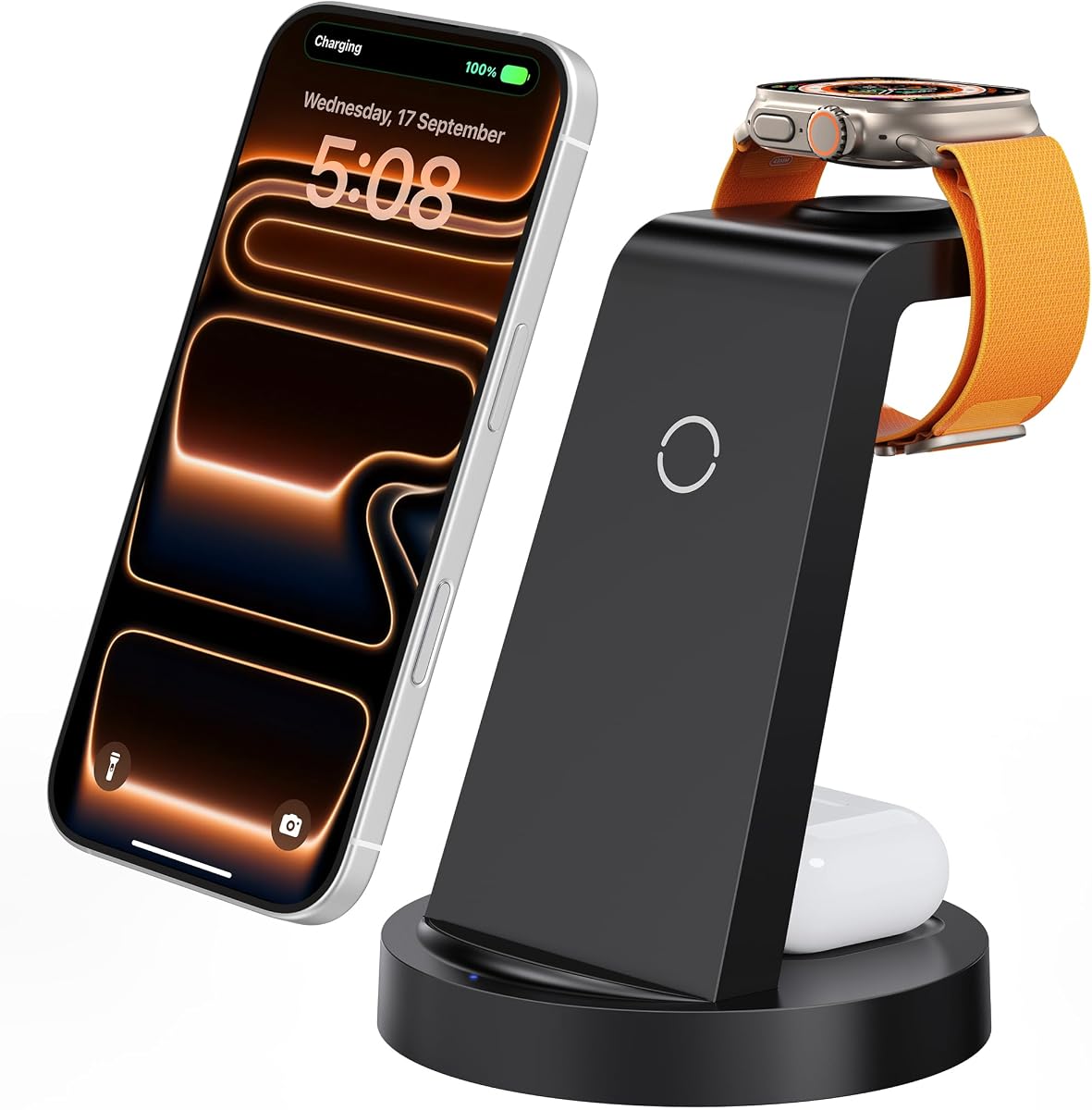


The GETPALS Wireless Charger Station ranks as an excellent budget option for those needing a simple 3-in-1 dock. It holds an iPhone, Apple Watch, and AirPods at once while keeping the nightstand tidy with its compact footprint.
We may earn a commission when you buy through this link, at no additional cost to you.
Its standout feature is the foldable design which makes it incredibly easy to pack for trips. The built-in safety features like overcurrent protection give peace of mind during overnight charging sessions.
Wireless speeds top out at 7.5W which is slower than fast chargers but adequate for overnight top-ups. The case-friendly compatibility works with cases under 0.16 inches so you do not need to remove them daily.
This dock is ideal for travelers or anyone seeking a low-cost entry into wireless Apple charging without sacrificing essential safety or organizational benefits for daily use.
The foldable lightweight structure fits easily into bags making it a reliable companion for business trips or weekend getaways.
Multiple safety protections guard against overvoltage and overheating to ensure your devices remain safe while powered overnight.
We may earn a commission when you buy through this link, at no additional cost to you.
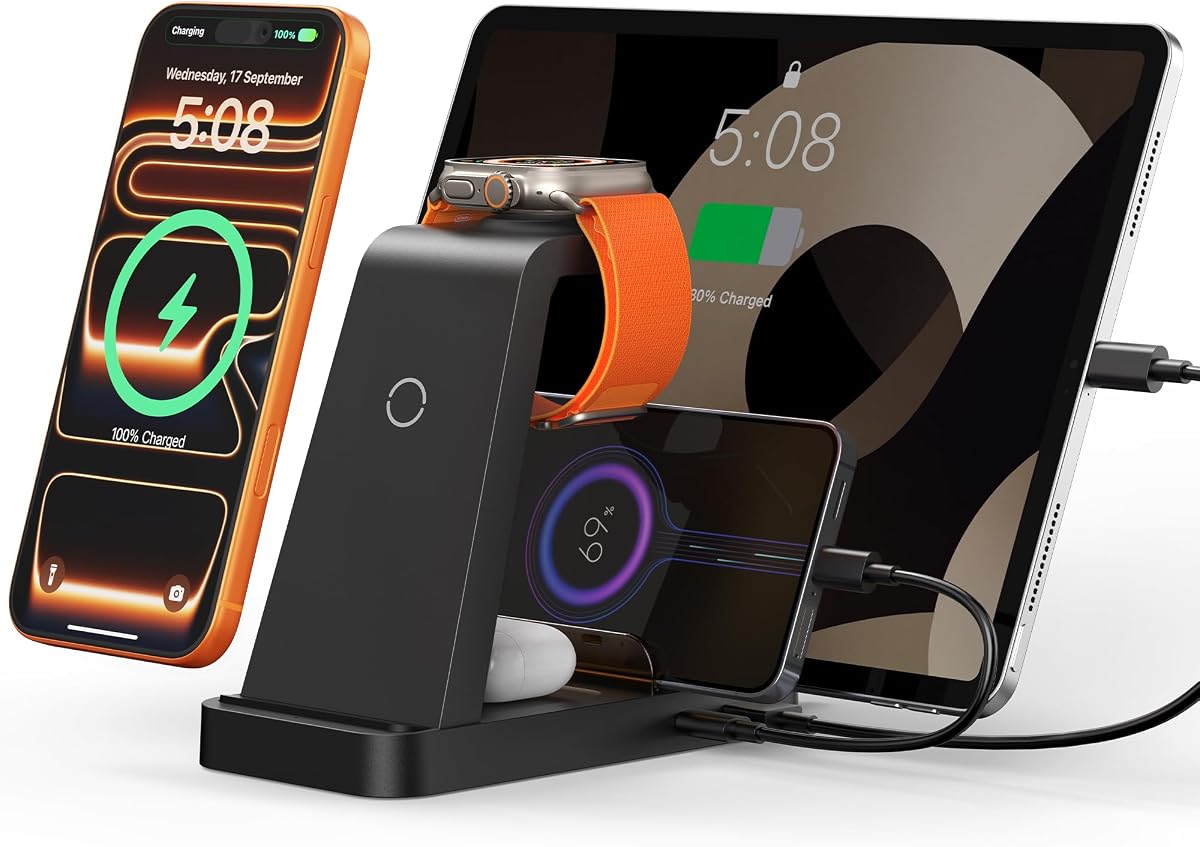
This 5-in-1 Charging Station offers a robust balance of power and organization for home offices or nightstands. It allows simultaneous charging for iPhone, Apple Watch, AirPods, iPad and other devices via multiple ports.
We may earn a commission when you buy through this link, at no additional cost to you.
The included 36W adapter ensures faster charging than original blocks enabling you to top up to five devices in just two to three hours. The partition design keeps devices orderly which reduces clutter significantly.
One trade-off is the requirement to remove phone cases during wireless charging to avoid speed issues. However the FCC certification and smart circuit design ensure reliable safe operation over time.
Choose this dock if you need to power multiple devices at once while keeping your workspace neat and efficient without buying separate chargers for each item.
The 36W adapter powers five devices simultaneously faster than typical single wall outlets for better daily efficiency.
Includes multiple cables for Lightning and Type-C devices making it ready for most modern gadgets right out of the box.
We may earn a commission when you buy through this link, at no additional cost to you.
The Anker MagGo 3-in-1 stands out as a premium solution for Apple users seeking top tier speed and alignment. It delivers full 15W power with MagSafe compatibility ensuring your iPhone charges quickly without slipping.
We may earn a commission when you buy through this link, at no additional cost to you.
Its official certification for Apple Watch means it can charge the Series 10 from zero to full in just over an hour. The adjustable angle feature enables StandBy mode for viewing time or widgets comfortably.
While more expensive than other options the build quality and speed justify the cost for power users who demand the best performance. The compact footprint fits well on any desk or bedside table.
Pick this dock if you value official MagSafe support and fast reliable charging for your key Apple gear without compromising on design or safety standards.
Full 15W power with magnetic alignment ensures consistent fast charging even while using compatible protective cases.
Official certification enables faster full charges for Apple Watch Series 10 making it a reliable nightly charging partner.
We may earn a commission when you buy through this link, at no additional cost to you.
This 320W Charging Station is built for power users with many gadgets needing constant power. It features ten ports including dual 65W USB-C slots capable of charging laptops alongside phones and tablets simultaneously.
We may earn a commission when you buy through this link, at no additional cost to you.
The smart chip technology detects connected devices to deliver optimal current avoiding overcharging while ensuring efficient charging. Including eight short cables means you can plug in nearly anything immediately without hunting for wires.
It is designed to keep cables and devices organized so your desk stays clean despite the high port count. However the size is large and it lacks wireless charging which may not suit nightstand users.
Choose this dock for family setups or offices where multiple users need to charge diverse devices at once without waiting for wall outlets.
Dual 65W ports can power MacBook Pro laptops enabling efficient charging for work machines alongside smaller devices.
Eight complimentary cables cover most needs so you can charge many devices immediately without extra accessories.
We may earn a commission when you buy through this link, at no additional cost to you.
The Acer Gadget 7-in-1 adds unique functionality by combining wireless charging with a smart clock that syncs time via Bluetooth. It charges up to six devices at once including phones, watches, and earbuds.
We may earn a commission when you buy through this link, at no additional cost to you.
Ambient lighting lets you customize warm or cool tones to match your room style making it a visual plus on any desk. The Bluetooth sync keeps time accurate automatically once connected to your phone.
You must ensure phone cases are under 2mm thickness for wireless charging to work properly which can be restrictive for some users. But the included ports cover many other gadgets to keep your setup tidy.
This dock is best for those who want a tidy desk that also acts as a functional clock and lighting accent while powering multiple devices.
Bluetooth synchronization ensures the clock displays the correct time automatically without manual adjustments.
Adjustable warm and cool lighting options let you match the dock to your preferred mood or room decor.
We may earn a commission when you buy through this link, at no additional cost to you.
This Anlmz 3-in-1 Charging Station is a compact reliable solution for standard nightstand charging. It holds iPhone, Apple Watch, and AirPods in a single footprint with a soft blue LED indicator that avoids harsh light.
We may earn a commission when you buy through this link, at no additional cost to you.
It includes an 18W adapter which provides stable power delivery for all three devices without overheating. The heat dissipation design supports safe daily use even with thicker cases up to 5mm.
Because it lacks MagSafe alignment you must center the phone on the pad for proper charging. However this design keeps the price affordable while still delivering essential features for Apple users.
Choose this dock if you need a simple affordable compact charger that works reliably and keeps your nightstand free from cable clutter.
Soft blue LED and heat dissipation ensure safe comfortable charging without disturbing sleep with bright lights.
Smart chipset switches to trickle mode when full to protect battery health and ensure long term reliability.
We may earn a commission when you buy through this link, at no additional cost to you.
This 3 in 1 Foldable Magnetic Charger is designed for travelers who need reliable Apple charging on the go. It uses magnetic alignment for iPhone 12 and above series ensuring secure placement while charging.
We may earn a commission when you buy through this link, at no additional cost to you.
Its foldable 180 degree design turns it into a phone stand quickly enabling media viewing during charging. The built-in protections manage heat and voltage to ensure safe operation in various environments.
The magnetic feature only works with 12 and newer models so older phones will need manual centering. The compact mat design is easy to slip into a suitcase for business or leisure trips.
Choose this dock if you frequently travel and want a lightweight magnetic solution that keeps your iPhone aligned without taking much space in your bag.
Magnetic suction ensures your iPhone stays perfectly aligned on the pad for consistent charging speeds.
Lightweight foldable mat fits easily into luggage without adding bulk for frequent travelers.
We may earn a commission when you buy through this link, at no additional cost to you.
The Lcssio 300W Charging Station is a robust desktop organizer for those who need to power laptops and phones together. Its GaN tech allows high power in a cooler efficient package that fits on any desk.
We may earn a commission when you buy through this link, at no additional cost to you.
Dual 65W ports mean you can charge two high wattage laptops simultaneously. The sturdy slots are wider to fit devices with cases and the rubber pads keep the dock stable during use.
While it does not offer wireless charging its wired versatility covers almost every modern device from tablets to power banks. It is a solid choice for shared workspaces needing speed and reliability.
Choose this dock if you need to power many devices at once with high wattage speeds and want a durable organizer that keeps cables tidy.
GaN technology ensures high power delivery while keeping the unit cooler and smaller than traditional chargers.
Wide sturdy slots hold thicker devices securely and protect your desk surface from scratches.
We may earn a commission when you buy through this link, at no additional cost to you.
This 600W Charging Station is designed for power users who need to charge many devices at once including multiple laptops. It combines a 10 port USB station with a 3-in-1 wireless dock for Apple items.
We may earn a commission when you buy through this link, at no additional cost to you.
Dual 100W USB-C ports can power any MacBook or high wattage laptop efficiently. The GaN 5 tech ensures safety and speed while the base features non-slip points to keep it stable on any desk.
The size is large so it works best on spacious desks where space is not a constraint. However the power capacity means you can consolidate almost all chargers into one device.
Choose this dock if you need maximum charging capacity and want to eliminate most cords from your desk with a single powerful hub.
Dual 100W ports ensure laptops receive enough power to charge quickly even under load.
Intelligent circuitry prevents overcharging and protects your expensive devices from power spikes.
We may earn a commission when you buy through this link, at no additional cost to you.
This 600W 3-in-1 Wireless Charger Stand is ideal for large families needing to charge phones, tablets, and laptops at once. It integrates a wireless 3-in-1 dock into a massive 12-port charging station.
We may earn a commission when you buy through this link, at no additional cost to you.
The GaN III chipset keeps temperatures low while delivering dual 100W power for laptops. The extra-wide laptop slot ensures even large cases fit without slipping making it secure for active daily use.
Soft LED indicators turn off after five seconds so they do not disturb sleep. It is a versatile gift that meets the needs of many users in a single unit.
Choose this dock if you need a single centralized solution to power many devices including laptops and Apple products while keeping your desk tidy.
Extra-wide slot accepts large devices and thick cases securely without requiring removal of protection.
LEDs turn off after five seconds to prevent light disturbance during overnight charging sessions.
We may earn a commission when you buy through this link, at no additional cost to you.
Selecting the right charging dock involves evaluating port count power output safety features and design fit for your space.
The first factor to consider is how many devices you need to power at once. Some docks offer three spots for iPhone, Watch and AirPods while others provide ten or more ports for laptops, tablets and phones. Match the port count to your actual daily devices to avoid unnecessary size or cost.
Choose a dock that supports every gadget you own daily without requiring extra adapters.
Wireless docks vary by speed and compatibility. Some offer standard Qi charging while others support MagSafe or Qi2 for faster alignment based charging. Check if your iPhone model supports magnetic alignment and if your Watch requires specific charging modules.
Verify that the dock supports MagSafe for 15W speeds if you own a newer iPhone and want fast consistent charging.
For wired devices, check wattage numbers like 65W or 100W to ensure laptop power. Slower ports may not charge high power laptops while charging. USB-C PD ports offer the most flexibility for modern Android and Apple devices.
Select USB-C ports with at least 65W to ensure laptops charge fully while connected.
Look for built-in protections like over-voltage over-current and temperature control. Quality docks include smart chips to detect devices and adjust power automatically. This prevents overheating and extends battery health for all connected gear.
Always pick docks with certified safety features to ensure long term reliability and safe operation.
Desk space varies so check the dimensions of the dock. Foldable or modular designs suit travelers while solid block units suit permanent setups. Consider how the dock will look on your nightstand or desk to maintain aesthetics.
Match the dock size to your space and travel habits to ensure it fits without clutter.
Wireless charging can be blocked by thick or metal cases. Some docks allow cases up to 5mm while others require removal. If you prefer not to remove cases daily, choose a dock that supports thicker cases or MagSafe alignment.
Check case thickness limits before buying to avoid frustration with wireless charging issues.
Some models include all needed cables and power bricks while others do not. This saves time and cost but verify compatibility. A dock without an adapter may require separate purchases for full use.
Choose models that include necessary adapters and cables to get started immediately.
Quality brands offer warranties from one to two years plus customer support. Check return policies and support hours to ensure help is available if issues arise. Good support adds confidence to the purchase.
Select a dock with solid warranty support for long term security.
Begin by plugging the dock into a stable wall outlet using the included power adapter. Ensure the dock sits on a flat dry surface to avoid overheating or instability during use.
Place your devices carefully onto the correct pads or slots. Center iPhones on wireless zones and ensure Apple Watch and AirPods are aligned with their respective holders to enable charging.
Periodically wipe the charging pads with a soft dry cloth to remove dust or lint that might block contact. Check that cables remain undamaged and do not run through hot surfaces to maintain safety over time.
Yes most multi device docks allow simultaneous charging for iPhone and Apple Watch along with AirPods. Ensure the dock has dedicated wireless spots for both to avoid interference and ensure proper charging.
It depends on the dock and case. Thin cases under five millimeters usually work but metal or thick cases may block charging. MagSafe docks work best with cases designed for magnetic alignment.
The fastest wireless speed available for iPhones is 15W using MagSafe or Qi2 tech. Standard Qi chargers typically cap at 7.5W which is slower for overnight top ups but still effective.
Yes many docks support wireless charging for Android devices with Qi support. Wired ports like USB-C can charge Android phones and tablets as well as laptops for broader device compatibility.
Yes reputable docks include safety features like trickle charging to protect devices. Always ensure the dock is certified by relevant bodies for safety and place it on a dry heat safe surface.
Look for compact foldable designs with magnetic alignment and low weight. Ensure it includes or accepts a small adapter for use abroad and fits easily in your bag.
Use a soft dry microfiber cloth to gently wipe the pads. Avoid liquids or chemicals that might damage the surface or sensors. Regular cleaning helps maintain contact speed.
In summary the GETPALS Wireless Charger offers the best budget entry while the 5 in 1 Charger Station provides excellent overall value. The Anker MagGo leads for premium needs with MagSafe alignment and certified watch charging.
Prioritize docks that match your device count and charging speed needs. Safety features and case compatibility matter for long term satisfaction and ease of daily use across different environments.
Always check current availability and offers as models can change. Reviewing the latest specs before buying ensures you get the best value for your specific home or office setup.