
HP Chromebook 14 Laptop
4.4Editor score
Intel Celeron N4000 CPU
13 Hour Battery Life
Lightweight Portable Design
Finding a reliable machine for audio work does not require a massive budget. Many creators need solid processing power and enough RAM to handle digital audio workstations without breaking the bank. This guide focuses on affordable options that deliver real value for musicians on a tight budget.
We evaluated ten laptops based on their CPU capabilities, memory capacity, and connection options essential for recording. Each model was reviewed for its ability to run music software smoothly while maintaining portability and battery life. Our goal is to highlight machines that balance cost with the performance musicians actually need.
Each pick below shows a specific strength, from entry level efficiency to robust multitasking potential. Prices and availability change frequently, so always verify the latest deal before buying. Use this list to narrow down your search for a cheap laptop for recording music that fits your workflow and financial limits.
4.4Editor score
4.3Editor score

5.0Editor score
As an Amazon Associate we earn from qualifying purchases.
This side by side comparison highlights the key specifications of each laptop to help you make an informed decision. We focus on processor speed, memory, storage, and connectivity to show which models offer the most value for audio recording tasks.


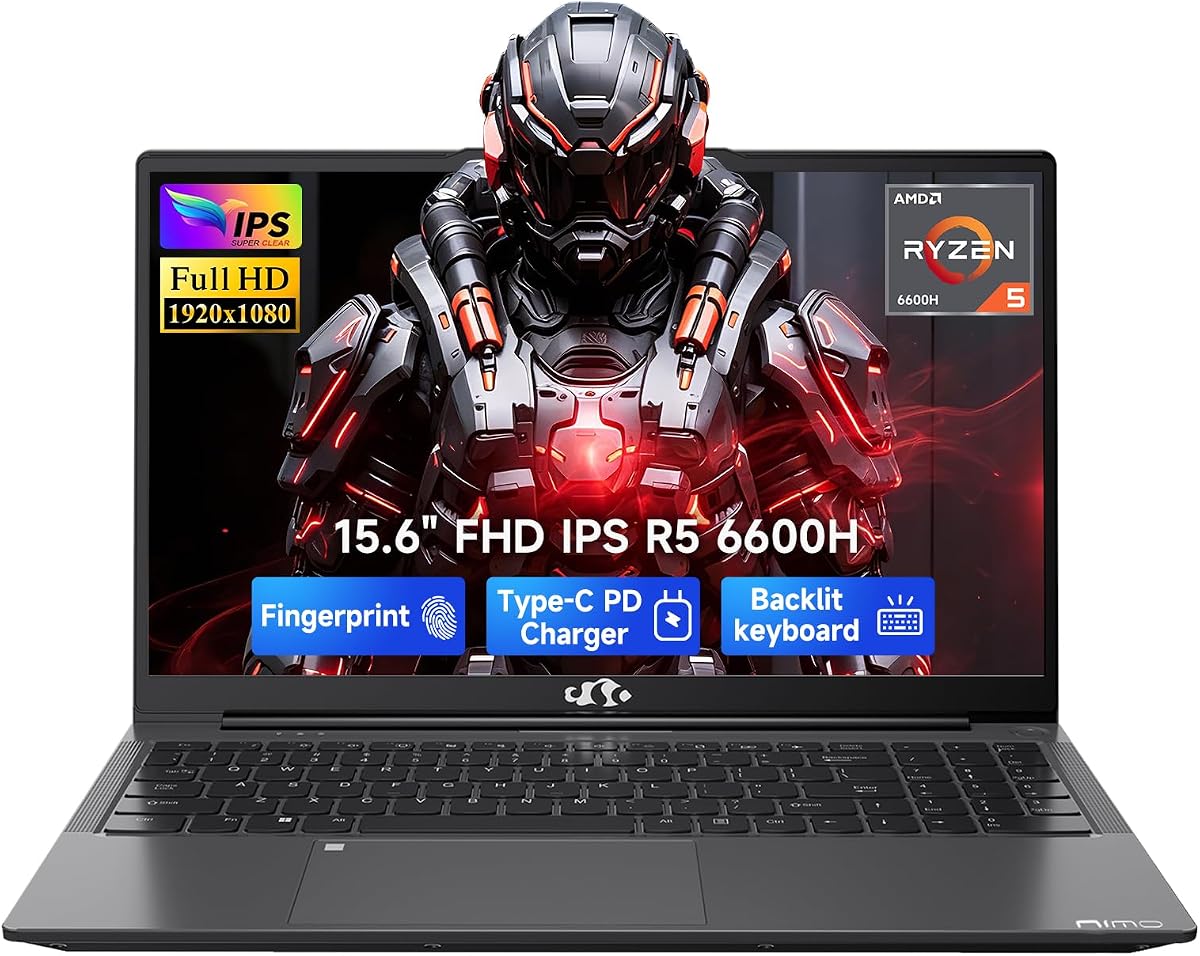
The NIMO 15.6 AI Creator Laptop stands out as a top choice for musicians seeking affordable power. With a rating of 4.3 stars, it delivers consistent performance for daily recording tasks. Its standout qualities include a robust CPU and substantial memory that handle digital audio workstations effectively.
We may earn a commission when you buy through this link, at no additional cost to you.
This model features an AMD Ryzen 5 6600H processor with six cores and twelve threads. This architecture supports smooth operation when running multiple virtual instruments and effects simultaneously. The 16GB DDR5 RAM ensures that loading large sample libraries does not cause system freezes during critical recording sessions.
While the machine is powerful, it does have trade-offs. The integrated Radeon 660M graphics are sufficient for general use but not for heavy video work. However, for audio recording where CPU cycles matter more than graphical rendering, these limitations are acceptable for most home studio setups.
Musicians needing a reliable machine for tracking and mixing should consider this laptop. It offers a balance of speed and storage that supports growing project files. Final recommendation is strong for users prioritizing processing power over ultra portability in a budget friendly package.
The 16GB DDR5 RAM allows users to run DAW software alongside communication tools and browsers without performance dips.
Multiple USB ports enable direct connection to audio interfaces and MIDI controllers without needing extra hubs.
We may earn a commission when you buy through this link, at no additional cost to you.
The HP Chromebook 14 Laptop offers an entry-level solution for those on a strict budget. It holds a solid 4.4 star rating for reliability in basic tasks. While designed for school and home use, its portability makes it interesting for simple mobile recording needs.
We may earn a commission when you buy through this link, at no additional cost to you.
This device uses an Intel Celeron N4000 processor paired with 4GB of RAM. It handles web based audio tools well but struggles with heavy desktop applications. The 32GB eMMC storage is minimal so cloud storage becomes essential for saving project files and media assets efficiently.
The main trade-off involves the operating system limitations. Chrome OS does not support all Windows based DAWs which restricts software choices. However, for basic audio recording or editing via browser apps the dual microphones and decent battery life provide unexpected value for casual users.
Students or hobbyists needing a lightweight machine for basic recording can benefit from this model. It excels in portability and battery endurance. The final recommendation is best for users who primarily rely on cloud services rather than heavy local processing power.
At just 3.24 lbs the laptop is easy to carry for impromptu sessions in various locations.
The up to 13 hours of battery life supports long sessions without needing constant access to power outlets.
We may earn a commission when you buy through this link, at no additional cost to you.
The 15.6 Inch Laptop Computer earns a perfect 5 star rating from users. It provides a balanced set of features for affordable music production. Its standout qualities include responsive multitasking capabilities and a sharp display that aids in visual mixing tasks.
We may earn a commission when you buy through this link, at no additional cost to you.
Equipped with 12GB of RAM this laptop runs faster than entry level models with 8GB. The Pentium Gold 6500Y processor supports smooth browsing and light audio tasks. The 128GB SSD ensures quick startup times though users may need to upgrade storage for large libraries.
While the display and RAM are strong points the processor speed may bottleneck complex projects. This trade-off is acceptable for basic recording needs where speed is not critical. The storage upgrade slot allows users to add more capacity as their projects grow over time.
Users looking for a reliable machine with good visual quality should consider this option. It offers a solid foundation for home studios. The final recommendation is for those who need a clear screen and decent memory without spending on high end hardware.
The FHD IPS display provides accurate colors and wide viewing angles helpful for detailed visual editing.
The built-in M.2 SSD slot supports storage upgrades up to 1TB for growing media collections.
We may earn a commission when you buy through this link, at no additional cost to you.
The Laptop 15.6 Inch provides a practical solution for users needing responsive performance. With a 4.2 star rating it balances cost and utility well. Its standout qualities include a privacy camera slider and anti-glare display that suit long working hours comfortably.
We may earn a commission when you buy through this link, at no additional cost to you.
This notebook features a Pentium Gold 6500Y processor and 12GB RAM for smoother multitasking than lower end models. The anti-glare coating reduces eye strain during mixing sessions. Connectivity options include USB-C and HDMI which allow easy connection to external monitors or interfaces.
Trade-offs involve the limited storage and processor speed. While 128GB SSD is fast it may fill up quickly with audio files. The processor can struggle with many tracks simultaneously but remains adequate for basic recording tasks without major lag or interruptions.
Students or home users needing privacy features and a clear screen will appreciate this device. It is portable enough for travel between locations. The final recommendation is for those who value screen quality and privacy tools alongside standard productivity needs.
The anti-glare coating reduces eye strain during extended use in various lighting conditions.
A built-in privacy slider lets you cover the lens when not in use for added security.
We may earn a commission when you buy through this link, at no additional cost to you.
The BLUEING 2026 Laptop Computer brings visual fidelity to the budget category. Rated 4.3 stars it emphasizes display quality for media work. Its standout qualities include a 100% sRGB color gamut and USB-C charging for modern convenience.
We may earn a commission when you buy through this link, at no additional cost to you.
Powered by a Pentium Gold 6500Y processor this laptop offers smooth performance for daily tasks. The 1080p FHD IPS display ensures vibrant visuals which helps when reviewing waveform graphics. Bluetooth 5.2 supports wireless peripherals that keep workspace clutter minimal during recording.
However 8GB RAM and 128GB SSD limit heavy multitasking. Users might face delays with large sample libraries. The trade-off is acceptable for basic recording needs where screen clarity and portability are prioritized over raw processing power for complex projects.
Creators needing accurate colors for mixed media work will find this model appealing. It balances performance and visual quality well. The final recommendation is for users who need a compact device with good display specs for general audio tasks.
The 100% sRGB color gamut ensures accurate color representation for visual media editing.
USB-C charging allows for convenient power connection using modern cables and adapters.
We may earn a commission when you buy through this link, at no additional cost to you.
The NIMO 15.6 AI Creator offers extensive connectivity and security features. It shares top specs with the top pick but includes extra usability options. Its standout qualities include a fingerprint reader and backlit keyboard for convenient operation in low light.
We may earn a commission when you buy through this link, at no additional cost to you.
With dual SO-DIMM slots users can upgrade memory further if needed. The 512GB SSD provides ample room for project files without needing external drives. The backlit keyboard aids typing in dim environments which is common during late night studio sessions.
Though robust the price is higher than other budget options. This trade-off is justified by the warranty and expandability features. For users needing security and upgrade potential the extra cost supports long-term value and professional reliability over time.
Professionals or students needing security and upgrade options should consider this model. It supports growth and daily comfort well. The final recommendation is for users who prioritize security and future-proofing alongside core audio recording performance.
Integrated fingerprint login helps you unlock faster without typing passwords repeatedly.
Dual SO-DIMM slots allow users to upgrade RAM up to 64GB as needs grow.
We may earn a commission when you buy through this link, at no additional cost to you.
The BLUEING 2026 Business laptop provides a balanced configuration for daily work. It holds a 4.2 star rating and focuses on usability and storage. Its standout qualities include a full-size ergonomic keyboard and 256GB SSD as a base storage.
We may earn a commission when you buy through this link, at no additional cost to you.
This model features 12GB RAM and 256GB SSD for efficient daily use. The storage capacity handles moderate project sizes without immediate need for expansion. The keyboard design enhances typing comfort during long documentation or scripting sessions.
Trade-offs involve the processor limits for complex processing. It handles everyday tasks well but may struggle with intensive audio work. However, the upgrade path for SSD ensures users can adjust capacity as their storage needs increase over time.
Business users or students needing storage capacity will find this useful. It balances typing comfort and file management well. The final recommendation is for those who need a practical machine with room for growth in a professional setting.
A full-size ergonomic keyboard and spacious touchpad enhance your typing and navigation experience.
You can upgrade the SSD to 4TB NVMe ensuring ample space for multiple workflows.
We may earn a commission when you buy through this link, at no additional cost to you.
The 15.6 Inch Laptop delivers dependable performance for students and professionals. It carries a 4.2 star rating and emphasizes privacy and display quality. Its standout qualities include a 170 degree hinge and built-in webcam cover for secure use.
We may earn a commission when you buy through this link, at no additional cost to you.
This laptop features 12GB RAM and 256GB SSD for smooth daily tasks. The wide viewing angles of the IPS display help during screen sharing sessions. The hinge design allows flexible positioning which aids comfort during long recording or editing sessions.
While storage and RAM are generous the battery life is modest. Users may need to stay near outlets for long work periods. The trade-off is acceptable for desktop replacement style use where quiet operation and display flexibility are priorities over mobile endurance.
Users needing privacy features and flexible display angles will find this model useful. It supports focused work well. The final recommendation is for those who value screen flexibility and privacy tools in a home or office setting.
The 170 degree hinge design allows flexible positioning for shared viewing.
Stay secure with the built-in webcam cover and enjoy quiet performance.
We may earn a commission when you buy through this link, at no additional cost to you.
The BLUEING 15.6 Laptop offers a practical storage solution for general users. Rated 4 stars it provides a solid base for audio work. Its standout qualities include a SATA PCIE 3.0 SSD and full-size keyboard layout for daily productivity.
We may earn a commission when you buy through this link, at no additional cost to you.
This model features 8GB RAM and 256GB SSD ensuring snappy daily tasks. The storage capacity handles moderate project sizes well. The SATA PCIE 3.0 SSD provides efficient file access speeds which reduce waiting times when opening software.
Trade-offs include moderate battery capacity and RAM limits. Heavy multitasking may not be smooth. However, for basic recording tasks the system delivers reliable performance. The privacy slider adds security for those working in public spaces regularly.
Users needing a reliable keyboard and storage balance will find this useful. It supports home or office use. The final recommendation is for those prioritizing storage capacity and input comfort for general audio and documentation tasks.
High-speed SSD ensures quick startups and snappy file access for efficient workflow.
A full-size ergonomic keyboard enhances your typing and navigation experience.
We may earn a commission when you buy through this link, at no additional cost to you.
The Amzboy 15.6 Laptop offers a quiet lightweight solution for light tasks. Rated 4.8 stars it emphasizes portability and silent operation. Its standout qualities include a fanless design and TF card expansion for added storage flexibility.
We may earn a commission when you buy through this link, at no additional cost to you.
This laptop weighs just 3.3 lbs and features a fanless solid-state design. This ensures absolute silent operation which prevents internal dust and noise interference. The TF card slot supports expansion up to 1TB adding massive space instantly without technical tools.
Trade-offs are significant for audio recording due to 4GB RAM. Heavy DAWs may struggle. However, for basic browser audio tasks or note taking the silent design is valuable. The USB-C PD charging supports fast power-ups on the go.
Users needing silent operation for light tasks should consider this model. It excels in quietness and portability. The final recommendation is for those prioritizing silence and travel comfort over heavy local processing capabilities.
The fanless solid-state design ensures absolute silent operation and prevents internal dust.
Features a hassle-free external slot supporting up to 1TB TF card expansion.
We may earn a commission when you buy through this link, at no additional cost to you.
The 15.6 Inch FHD Laptop provides reliable daily performance at a competitive price. It earns a 5 star rating and emphasizes expandability and security features. Its standout qualities include a Kensington lock slot and expandable storage for long-term use.
We may earn a commission when you buy through this link, at no additional cost to you.
This laptop uses a Comet Lake 5205U processor with 6GB RAM for online learning and basic tasks. The 128GB SSD ensures quick startup. The TF card slot supports expansion up to 512GB allowing archiving of projects without needing external drives.
Trade-offs involve the basic processor and storage. It is not for intensive multi-track work. However, the lock slot adds security for shared spaces and the thin profile aids travel. For simple audio tasks this machine remains steady.
Users needing secure storage and light performance will find this useful. It supports basic audio needs well. The final recommendation is for those who prioritize expandability and security for general daily computing tasks.
The integrated Kensington lock slot lets you tether the laptop to a desk.
The TF card slot supports expansion up to 512GB perfect for archiving projects.
We may earn a commission when you buy through this link, at no additional cost to you.
Selecting a laptop for music production requires balancing several technical factors to ensure your workflow runs smoothly without overspending.
The CPU is the engine of your music production setup. It handles the calculations for audio tracks and effects in real time. Look for at least dual-core performance with boost speeds that can sustain continuous load without thermal throttling. For budget options Pentium Gold or Ryzen 5 chips offer adequate power for entry-level studios.
Prioritize processors that balance core count with clock speed. More cores help when running multiple virtual instruments. Always check reviews for sustained performance under load rather than just peak speeds to ensure reliability during long recording sessions.
Memory capacity determines how many virtual instruments you can load simultaneously. 8GB is the minimum baseline for basic audio work. However 12GB or 16GB allows smoother multitasking with browsers and communication tools running alongside your DAW software. DDR5 memory offers faster data throughput than older DDR4 standards.
Ensure your laptop has open memory slots for future upgrades. This allows you to expand storage as your project needs grow. Always verify the maximum supported RAM capacity before purchasing to avoid limitations later.
Solid State Drives provide faster load times for samples and project files than hard disk drives. Look for at least 256GB capacity to accommodate essential libraries. If the laptop supports expansion via TF card or M.2 slots prioritize models that let you upgrade storage easily.
Fast file access reduces latency when opening large projects. Ensure the SSD uses NVMe or PCIE technology for speed. Always back up data regularly since local storage can fill quickly with audio tracks.
Music interfaces and MIDI controllers rely on USB connections. Ensure your laptop has enough USB-A or USB-C ports to connect all devices without needing a hub. HDMI support allows connection to external monitors which is useful for arranging complex sessions.
Bluetooth capability helps connect wireless headphones or speakers. Always verify port versions to ensure they support high-speed data transfer for reliable audio performance without dropouts.
Long recording sessions require reliable power. Look for models offering six or more hours of battery life. USB-C charging adds flexibility allowing you to use a single charger for multiple devices while traveling between locations.
Battery capacity in Wh matters more than mAh ratings. Higher capacity ensures consistent performance without needing constant outlet access. Always check real world reviews for battery duration.
A clear screen helps with visual editing of waveforms and automation curves. Full HD resolution is essential for clarity. Larger screens or good viewing angles reduce eye strain during long sessions. Anti-glare coatings help when working in varied lighting.
IPS panels provide better color consistency than basic TN panels. Prioritize display features that support comfortable viewing to maintain productivity over time.
A lightweight chassis makes it easier to transport your studio setup between locations. Thinner designs often improve portability but check thermal performance. Robust builds ensure the device survives daily commuting without damage.
Look for keyboards with backlights for use in dim studios. Solid hinges and durable materials extend the lifespan of your investment.
Reliable support matters when technical issues arise. Check for at least a one-year manufacturer warranty. Longer support windows provide peace of mind for long-term usage and help resolve hardware defects quickly.
Always verify service availability in your region. Good warranty coverage protects your investment against unexpected hardware failures.
Start by setting up your audio interface and installing necessary drivers before launching your DAW software. Ensure your system settings are optimized for low latency and power performance to prevent audio dropouts during recording sessions. This baseline setup ensures your hardware works seamlessly with your music software.
Keep your storage clean by regularly archiving finished projects to external drives or cloud storage. This practice prevents internal storage from filling up and maintaining system speed. Organize your audio samples into dedicated folders to avoid clutter during critical recording times.
Maintain your device by keeping it on a hard surface to aid ventilation. Avoid exposing the laptop to extreme temperatures to preserve battery life. Regularly update your operating system and drivers to ensure security and performance stability for future recording needs.
No a dedicated graphics card is not necessary for audio recording. Most music production tasks rely on CPU and RAM performance rather than graphical processing. Integrated graphics are sufficient for visual tasks within your digital audio workstation.
For basic music production 8GB of RAM is the minimum recommended. However having 12GB or 16GB allows smoother operation when multiple virtual instruments are loaded. This extra memory helps prevent system freezes during complex sessions.
Many budget laptops allow storage upgrades via M.2 or TF card slots. Check the specific model's technical specifications to confirm upgrade capabilities. Expanding storage helps manage growing project files without replacing the entire device.
USB ports are essential for connecting audio interfaces and MIDI controllers. Ensure your laptop has enough ports or use a reliable hub. HDMI connectivity supports external monitors which can be helpful for visual workflows.
Windows laptops offer a wider range of affordable options with upgrade capabilities. While macOS has strong music software compatibility budget Macs are rare. For strict budgets Windows provides better value with flexible hardware configurations.
Install the latest ASIO drivers for your audio interface. Adjust buffer sizes in your DAW to balance latency and CPU usage. Always plug into power rather than running on battery to ensure consistent performance during recording.
This guide presented ten solid options for musicians looking to record music without overspending. The top picks offer a mix of processing power memory capacity and display clarity suitable for home studios. Each model balances performance and cost to meet varying creative needs.
When prioritizing consider the processor and RAM for smooth DAW operation. Display quality and storage expansion also play vital roles in long term productivity. Always match the machine specs to your specific workflow requirements before buying.
Prices and availability change frequently so always verify the latest deal before purchasing. Checking current stock ensures you get the best value for your investment. Use these comparisons to find a reliable laptop that fits your musical journey.