
Laminator Machine 9-Inch Portable Thermal Laminater with Hot & Cold Modes
4.6Editor score
Compact portable design
ABS jam-release button
Quiet operation mode
Finding the right cold laminator machine ensures your sensitive materials stay protected without heat damage. Whether you are preserving old photos or protecting labels, the correct device delivers reliable results for home or professional use.
We evaluated ten top-rated models based on build quality, speed, ease of use, and versatility. Our comparison highlights key features like dual modes, jam prevention, and feed width to help you choose the perfect fit for your needs.
Each pick below showcases unique strengths tailored to different budgets and applications. Keep in mind that product availability and pricing can change over time, so verify current details before making your final purchase decision today.
4.6Editor score

4.7Editor score

4.5Editor score
As an Amazon Associate we earn from qualifying purchases.
This side-by-side comparison reviews every model in our list to highlight critical differences in size, speed, and functionality for informed decision-making.


The Qfun Laminator Machine stands out as a top choice for users needing a versatile 13-inch solution. With a strong rating of 4.7, it combines speed and precision in one package. Its dual hot and cold modes make it suitable for both standard documents and delicate items.
We may earn a commission when you buy through this link, at no additional cost to you.
Performance is enhanced by a fast 60-second warm-up and a high laminating speed of 450mm/min. The all-in-one design includes a cutter and rounder, keeping your workspace organized. NTC temperature control ensures bubble-free results while protecting your valuable documents from heat damage.
While the machine handles 3mil and 5mil pouches well, you must purchase self-adhesive sheets separately for cold lamination. The weight is higher than smaller desktop units, but the stability it provides during operation is a worthy trade-off for professional results.
This laminator is ideal for teachers, office staff, and craft enthusiasts who need speed and flexibility. If you want a complete kit that handles large posters and protects fragile photos without heat, this model delivers exceptional value and reliability.
The included cutter, rounder, and punch save desk space and keep tools organized inside the unit.
NTC control maintains consistent heat to prevent burning sensitive papers or creating bubbles during lamination.
We may earn a commission when you buy through this link, at no additional cost to you.
This 9-inch portable laminator offers a budget-friendly entry into cold and thermal lamination. Rated 4.6, it fits easily on small desks and travels well for on-the-go tasks. The dual modes allow you to switch between heat and pressure-based lamination as needed.
We may earn a commission when you buy through this link, at no additional cost to you.
Key strengths include its quiet operation and quick 3-minute warm-up time, which saves effort during busy sessions. The ABS jam-release button ensures you can clear stuck paper without damaging the document. Its compact footprint makes it perfect for students and home users.
The main limitation is the 9-inch width, which excludes larger documents like A3 or posters. Additionally, the cold mode requires self-adhesive sheets that are not included in the box. However, for standard documents and photos, the value remains high.
Ideal for classrooms and home offices, this machine balances cost and performance effectively. If you need a reliable tool for protecting IDs, cards, and papers without taking up much space, this is a smart economical choice.
Weighing less than a standard book, it can be moved between rooms or stored in a drawer when not in use.
The dedicated ABS button allows safe removal of stuck documents without force or tearing the pouch.
We may earn a commission when you buy through this link, at no additional cost to you.
The VEVOR 29.5 Inch Cold Laminator Machine is a heavy-duty solution for professional and commercial use. It earns a 4.5 rating for its robust metal build and manual operation that requires no electricity. This makes it perfect for locations with limited power access.
We may earn a commission when you buy through this link, at no additional cost to you.
Its standout feature is the massive 29.5-inch width, allowing it to laminate large posters and banners without cutting. The adjustable roller position handles various thicknesses, while the folding table aids storage. The manual hand crank ensures precise control over pressure and speed.
Manual operation means slower throughput compared to electric models, and the large size demands significant desk or floor space. It is not designed for quick document tasks but excels at high-quality, heat-free lamination for large format items.
Buy this machine if you frequently laminate wide banners, art prints, or large signs without heat. It offers a premium industrial experience with total manual control and extreme stability for demanding professional applications.
Thick metal materials provide superior stability to ensure flat, wrinkle-free lamination even on wide materials.
Operating without electricity means you can use this unit outdoors or in remote areas without outlets.
We may earn a commission when you buy through this link, at no additional cost to you.
Crenova Laminator Machine delivers fast results with a warm-up time of just 1 to 2 minutes. It carries a 4.6 rating and includes 10 pouches to get you started. Its dual modes make it easy to protect old photos or standard documents.
We may earn a commission when you buy through this link, at no additional cost to you.
The machine is designed for portability with a small footprint and light weight. It preserves photo colors well and features an ABS lever to clear jams. The switch between hot and cold is simple, allowing for quick task transitions.
Cold mode pouches are not included, and the width is restricted to A4 documents. A slight smoking during first use is normal due to vulcanization but does not impact safety. Users must allow time for this process to stabilize.
Choose this for home office tasks where speed and small size are priorities. It is excellent for laminating cards, letters, and small photos without wasting time waiting for the device to heat up fully.
With a 1-2 minute warm-up, you can start projects immediately without long waits during busy moments.
The laminating process keeps vivid colors alive, ensuring memories remain bright and clear over time.
We may earn a commission when you buy through this link, at no additional cost to you.
This 13-inch machine offers a high capacity with 50 sheets included in the box. It is rated 4.3 and supports up to 11×17-inch posters. The dual-mode system ensures both thermal and cold lamination options are available for varied needs.
We may earn a commission when you buy through this link, at no additional cost to you.
The speed of 355mm/min allows for quicker completion of tasks compared to standard models. The ABS button helps resolve jams quickly. With a paper cutter and corner rounder included, you get a functional kit for professional finishing.
Cold mode still requires you to buy self-adhesive pouches separately. The noise level can be higher than premium units, but for the price and included accessories, it remains a solid option for bulk projects at home or office.
This unit is a smart pick for those needing volume and width without paying premium prices. If you want a ready-to-use kit with enough pouches for large projects and fast warm-up, this delivers practical value.
With 50 pouches in the kit, you have enough material for multiple classes or large batches of documents.
The 355mm/min speed reduces wait times and boosts productivity when processing many documents in a row.
We may earn a commission when you buy through this link, at no additional cost to you.
This model is a comprehensive solution with an 11-in-1 kit that keeps tools organized inside the machine. It holds a 4.6 rating and features a fast 60-second warm-up. The wide 13-inch feed supports large documents like menus and posters easily.
We may earn a commission when you buy through this link, at no additional cost to you.
The dual-roller system and NTC control deliver bubble-free results. It runs quietly enough for schools and includes auto-shutoff for safety. The ABS jam-release mechanism protects your important papers from tearing during clearing.
While the cold mode requires separate adhesive pouches, the included 30 sheets cover most thermal needs. The unit is large but manages space efficiently with built-in storage. The warranty adds long-term reliability for professional users.
Perfect for teachers and office staff, this laminator offers speed and organization in one device. If you need a wide format machine with minimal setup and reliable temperature control, this model meets those demands effectively.
Built-in compartments store cutters and punches to prevent loss and keep your desk clutter-free.
Auto-shutoff and NTC sensors protect both the device and your documents from overheating or energy waste.
We may earn a commission when you buy through this link, at no additional cost to you.
The Scotch Thermal Laminator offers a professional finish with its two-heated roller system. Rated 4.7, it is known for creating bubble-free results on documents and photos. It is designed for users seeking reliability and a simple interface.
We may earn a commission when you buy through this link, at no additional cost to you.
It includes a release lever for quick pouch access and two temperature settings for different needs. The machine is ideal for protecting tear-proof paper items and operates at a steady speed. It is compact enough for dorm rooms and small desks.
This model lacks a cold mode, limiting it to standard thermal pouches. The width is restricted to 9 inches, which may not suit larger posters. However, for standard office tasks, it delivers consistent performance.
Choose this if you want a simple, trusted device for everyday document protection. It is a safe bet for students and home users who need quality results without complex features.
Two heated rollers ensure even lamination so your photos and documents look sharp and smooth.
One-button operation and clear indicators make it easy for anyone to use without technical knowledge.
We may earn a commission when you buy through this link, at no additional cost to you.
The YE381 offers a wide range of size compatibility from business cards to A3. It carries a 4.3 rating and includes a 3-in-1 trimmer for finishing edges. This model supports both thermal and cold lamination functions.
We may earn a commission when you buy through this link, at no additional cost to you.
Its double roller design ensures smooth lamination with low noise. The ABS button helps clear jams quickly. With 50 pouches included, you have enough material for initial tasks. The intelligent temperature control keeps the device safe during long use.
Speed is modest at 250mm/min, which is slower than top-tier models. Cold mode still requires separate adhesive sheets. But for users needing trimmer functions and low noise in a classroom, this is a solid option.
Buy this for schools or home offices where quiet operation and finishing tools are valued. It balances width and accessories well for general lamination needs without excessive noise.
Straight perforated and wave cutting patterns help you customize edges for professional presentations.
A quiet environment is maintained during operation so you can work without disturbing others nearby.
We may earn a commission when you buy through this link, at no additional cost to you.
This Scotch system provides heat-free lamination without requiring electricity. It is rated 4.4 and includes bonus cartridges for extended use. It is ideal for protecting heat-sensitive items like old receipts or thermal paper.
We may earn a commission when you buy through this link, at no additional cost to you.
The easy loading cartridge system simplifies the process for users. It delivers professional finishing results right at your workstation. The manual operation ensures no heat damage to fragile materials.
Using specific cartridges may be more costly over time compared to standard pouches. Manual rolling can be labor-intensive for large projects. However, for delicate items, the heat-free guarantee is a unique advantage.
This unit is best for archival work and protecting items sensitive to heat. If you need a simple, power-free solution for preserving delicate documents, this is a reliable choice.
You can laminate anywhere without needing an outlet which is useful for field work or old buildings.
The system protects items like old photos that could melt under thermal rollers.
We may earn a commission when you buy through this link, at no additional cost to you.
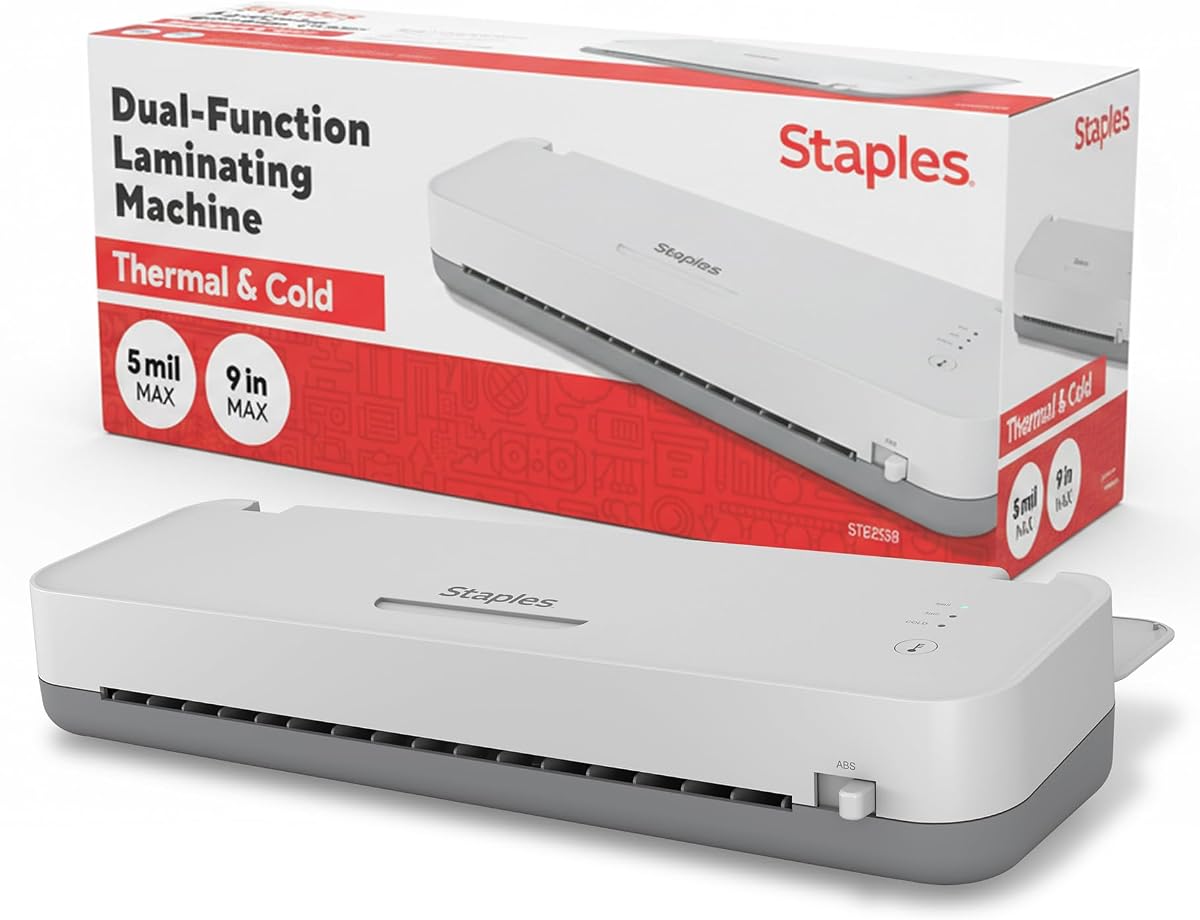
The Staples Laminating Machine provides wide format capacity with dual thermal and cold modes. It holds a 4.7 rating and features jam-free technology for hassle-free use. It is a strong alternative to bulkier units.
We may earn a commission when you buy through this link, at no additional cost to you.
Its 13-inch throat accommodates large documents efficiently at 12 inches per minute. The warm-up time is quick enough for office workflows. The dual modes provide flexibility for different paper types.
The warm-up time is moderate but acceptable for most tasks. It is priced higher than basic models but offers solid reliability and support. For business users, the stability and capacity are key benefits.
Select this for business presentations and reliable document protection. If you want a tool that handles wide documents and resists jams well, this is a trustworthy investment.
The internal design minimizes jamming so you rarely have to stop work or force stuck paper out.
A generous throat width allows you to laminate large presentation sheets without trimming them down.
We may earn a commission when you buy through this link, at no additional cost to you.
Selecting the right laminator requires understanding specific needs like document size and material type. This guide breaks down key factors to consider before purchasing.
The width determines the size of documents you can laminate. Standard 9-inch machines handle A4 files while 13-inch options accommodate posters. Choose based on your typical project size to avoid trimming paper.
Always check the throat width to ensure it fits your largest common document without cutting.
Thermal modes use heat and are standard for pouches. Cold modes use pressure only and protect heat-sensitive materials like receipts. Many modern machines offer both for versatility.
If you work with fragile items, ensure the machine has a dedicated cold mode feature.
Fast warm-up times save effort during busy work sessions. Most models range from 60 seconds to 5 minutes. Consider how often you start and stop the machine.
Choose a model with under 2 minutes warm-up for efficiency if you laminate frequently.
Jams can ruin documents. Look for ABS release buttons or reverse functions that let you clear paper easily. This protects both the machine and your work.
Prioritize units with quick-release mechanisms to handle errors without damage.
Machines often support 3mil to 5mil pouches. Ensure the machine matches the thickness of the pouches you prefer. Some units handle thicker pouches for extra protection.
Check specifications to confirm the supported mil range for your preferred supplies.
Metal construction offers better stability than plastic. Heavy-duty machines stay steady during operation which improves quality. Lightweight units are portable but may shake.
For professional results, opt for models with robust metal frames.
Quiet operation is important for classrooms or shared offices. Some machines are designed with noise reduction features. Check reviews for sound levels.
Select low-decibel models if you work in quiet environments.
Some kits include cutters and pouches which adds value. Others require you to buy extras. Evaluate the total cost including accessories.
Choose kits with useful tools like rounders to save on separate purchases.
Place the machine on a flat stable surface. Insert the pouch with the sealed edge first. Ensure the paper is centered and straight before starting. This prevents jams and ensures a clean seal.
Use the warm-up time to prepare your documents. Once the indicator light signals readiness, insert the item. Push firmly and consistently through the rollers. Do not force the paper if it jams.
Turn off the machine when done and let it cool down. Clean the rollers with a soft cloth regularly. Store in a dry area to prevent dust. Follow these steps to extend the life of your device.
Thermal laminators use heat to seal pouches while cold laminators use adhesive pressure. Thermal is standard for most documents but cold is needed for heat-sensitive materials. Many machines offer both modes for flexibility.
Most models warm up in 1 to 3 minutes. Some high-end machines take as little as 60 seconds. Always check the specific specifications of your unit for accurate timing.
Yes, cold lamination is ideal for old photos because it does not use heat. Heat can fade or damage aged paper. Use self-adhesive cold pouches to protect them safely.
Turn off the machine first. Use the reverse lever or ABS release button to gently pull the paper out. Never force the paper or you might damage the rollers. Always refer to your manual.
Most machines include thermal pouches but not cold adhesive ones. Cold pouches are often sold separately. Check the product details to confirm what is included in the box.
Yes, all models in this guide support photo lamination. Ensure you select the right mode. Thermal is fine for new photos while cold preserves aged prints from heat damage.
Use a soft dry cloth to wipe the rollers after use. Avoid using water or chemicals that could damage the rubber. Regular cleaning prevents dust buildup and ensures smooth operation.
We reviewed ten top options ranging from portable units to wide-format professional machines. The Qfun 13-inch model led our list with speed and included tools. Budget-friendly choices like the 9-inch portable model offer great value for home users.
Prioritize width and cold mode if you handle large posters or heat-sensitive items. Consider speed and jam prevention for frequent use in schools or offices. Select the machine that matches your typical document size and budget.
Prices and stock change often so check current listings before buying. Use the guide to find the right tool for your needs. A reliable laminator protects your documents for years to come.