
WAVLINK USB 3.0/USB C to HDMI Universal Video Adapter
4.4Editor score
Supports Up to 6 Monitors
Affordable Universal Video Solution
Compact Size with LED Status
This guide compares the top ten Displaylink adapters for Mac and Windows, helping you choose the best dual monitor docking station for your productivity needs.
Finding the right adapter to expand your workspace is essential for modern professionals. A reliable Displaylink Adapter transforms a single USB port into multiple high-resolution displays, enabling seamless multitasking across coding, finance, or creative workflows without native hardware limits.
We evaluated ten leading models based on compatibility, video output quality, charging speed, and driver reliability. Our comparison includes options for MacBook Air, Windows laptops, and hybrid setups, ensuring you find a solution that fits your specific operating system and peripheral requirements effectively.
Each pick highlights unique strengths like 4K support, power delivery, or port variety to guide your decision. Note that prices fluctuate frequently based on availability and promotions, so check current listings before purchasing to secure the best value for your workspace setup today.
4.4Editor score

4.5Editor score

4.8Editor score
This side-by-side comparison breaks down the key specifications of all ten selected Displaylink adapters to help you identify the best fit for your laptop model and display requirements quickly.



The Plugable Dual 4K HDMI Adapter stands out as a top-tier choice for professionals needing extra screens. With a high 4.5 star rating, it delivers dual 4K 60Hz displays from a single USB-C or USB-A port, making it versatile for various laptop generations.
We may earn a commission when you buy through this link, at no additional cost to you.
Its standout feature is the DL-6950 chipset which ensures smooth video transmission without needing external GPUs. The adapter supports extended or mirrored modes perfect for spreadsheets coding and multitasking while avoiding HDCP protected streaming limitations found in other DisplayLink models.
While it requires driver installation on Windows the process is straightforward and automated on ChromeOS. Mac users might find it less ideal compared to Mac-specific options but the robust build and lifetime support make it a reliable investment for business environments.
We recommend this adapter for hybrid workers needing consistent dual display setups across Windows and ChromeOS systems. Its balance of performance and reliability makes it a top pick for those prioritizing uptime and straightforward connectivity.
The included USB-A adapter ensures older laptops can connect directly without needing extra dongles making it easy to move between different office computers seamlessly.
Designed for IT departments this adapter meets deployment demands with a focus on stability and long-term performance that suits corporate workspaces effectively.
We may earn a commission when you buy through this link, at no additional cost to you.
The WAVLINK Universal Video Adapter offers exceptional value for users needing basic multi-monitor functionality without high costs. Boasting a 4.4 star rating it supports up to six monitors on PCs making it a versatile choice for expanding workspace setups significantly.
We may earn a commission when you buy through this link, at no additional cost to you.
Key strengths include audio input output jacks which allow direct microphone connection and support for 2560×1440 resolutions. This adapter works across Windows macOS ChromeOS and Linux systems providing broad compatibility for diverse environments while maintaining a compact profile.
Although it caps at 2.5K resolution which is lower than premium models it meets most office tasks effectively. Users should note driver installation is mandatory for all systems but once set up performance remains stable for daily multitasking needs reliably.
This adapter is ideal for budget conscious buyers needing to add one or two extra screens to existing machines. Its ability to scale up to six monitors makes it a standout choice for power users on a tight budget looking to maximize screen real estate.
The built-in 2.1CH microphone input lets you connect directly without needing a headset separate audio device for clear communication during video calls.
Support for up to six monitors per PC means you can build a massive workstation setup without needing multiple hubs or adapters cluttering your desk.
We may earn a commission when you buy through this link, at no additional cost to you.
The ACASIS Dual DP Adapter claims the top spot with a remarkable 4.8 star rating reflecting its superior performance for MacBook users. It delivers dual 4K@60Hz DisplayPort outputs from a single USB-C port solving native single-screen limitations on M1 and M2 chips effectively.
We may earn a commission when you buy through this link, at no additional cost to you.
Beyond video this adapter includes 100W power delivery to charge your MacBook while driving displays which keeps your workflow uninterrupted. The aluminum alloy design ensures heat dissipation and durability making it a premium choice for professionals needing stable high-resolution dual monitor setups.
It features three USB-A ports for peripherals reducing the need for additional hubs but users must prepare DP-to-HDMI cables if their monitors only have HDMI inputs. Despite requiring driver installation it bypasses macOS restrictions reliably offering true extended desktop modes for designers and power users.
This adapter is perfect for MacBook Pro and Air owners seeking a high-end docking solution that offers both video and power in one compact unit. Its high customer satisfaction score underscores its reliability and premium build quality for demanding workflows.
The 100W PD port provides enough power to keep your notebook fully charged during long work sessions while simultaneously driving two external displays.
By bypassing native single-screen limits this adapter enables dual extended displays on MacBooks which natively support only one external monitor for enhanced multitasking.
We may earn a commission when you buy through this link, at no additional cost to you.
The ACASIS USB C to Dual HDMI Adapter is a robust option for users needing high-resolution output without DisplayPort specific requirements. With a 4.3 star rating it supports dual 4K@60Hz displays via HDMI making it compatible with Mac M1/M2/M3/M4 and Windows laptops equally well.
We may earn a commission when you buy through this link, at no additional cost to you.
Key strengths include 100W power delivery and three USB-A ports which streamline your desk by combining charging peripheral connectivity and video in one hub. The sleek aluminum housing ensures durability and heat management while staying portable for travel between home and office.
Users should note it is not designed for gaming or HDCP content like Netflix but excels at productivity tasks. Installation of the DisplayLink driver is required and you must unplug only when the computer is off to ensure proper functionality and hardware safety.
This adapter is ideal for MacBook users needing HDMI compatibility and power delivery in a single portable unit. Its blend of features makes it a strong contender for those who want a clean setup without multiple cables or adapters cluttering their workspace.
The 100W USB-C PD port delivers fast charging speeds to keep your laptop powered up during extended work sessions without needing a separate power brick.
Its compact lightweight aluminum design slips easily into your bag making it ideal for remote workers who need reliable connectivity in different locations.
We may earn a commission when you buy through this link, at no additional cost to you.
The Plugable USB C to HDMI Adapter is recognized by MacWorld as a top choice for overcoming native display limits on MacBook Air and Pro models. It delivers two 4K 60Hz HDMI outputs from a single USB-C port providing a true three-screen setup with your laptop.
We may earn a commission when you buy through this link, at no additional cost to you.
Designed specifically for macOS productivity it supports macOS 11+ and requires the DisplayLink Manager app and permissions during setup. Windows and ChromeOS users enjoy plug-and-play convenience while Mac users benefit from the extensive support network provided by Plugable experts.
While it does not support HDCP content for entertainment it excels at office productivity coding and multitasking. Its reliability and robust support make it a trusted option for those who need consistent external display performance on Apple silicon machines without issues.
We recommend this adapter for Mac users needing reliable dual 4K displays and long-term technical support. Its focus on overcoming native hardware limits makes it a strategic purchase for those investing in a high-productivity Mac workflow.
Even base MacBook Air models limited to one external display natively can drive two extra screens simultaneously expanding workspace significantly without new hardware.
Plugable provides lifetime North American team support ensuring you have access to expert help whenever connectivity issues arise over the long term.
We may earn a commission when you buy through this link, at no additional cost to you.
The WAVLINK USB 3.0 or USB C Splitter offers versatile connectivity with a hybrid 2-in-1 cable designed for easy switching between USB-C and USB-A ports. It delivers dual 4K@60Hz simultaneous output making it suitable for high-resolution tasks on modern Windows and Mac systems.
We may earn a commission when you buy through this link, at no additional cost to you.
Key strengths include compatibility with Apple M1 through M5 Macs and Neo models while supporting extended or mirror modes effectively. The 12-month warranty plus extended coverage for registered members adds peace of mind for users investing in this dual display solution regularly.
Users should be aware that Linux Unix and iOS are not supported and driver installation is mandatory. However for those in the Windows macOS ecosystem this adapter provides robust dual-monitor performance ideal for web browsing and productivity applications.
This adapter is recommended for users needing a flexible cable solution to support two 4K displays across Mac and Windows laptops. Its hybrid cable design simplifies setup in mixed environments where port types may vary between different computers.
The included hybrid 2-in-1 cable allows easy connectivity to USB-C USB-A or Thunderbolt ports reducing the need for extra adapters when changing laptops.
Designed for seamless compatibility with Mac M1 to M5 it adds two extended screens to all supported Apple devices for greater productivity.
We may earn a commission when you buy through this link, at no additional cost to you.
The Sonnet DisplayLink Dual 4K HDMI Adapter stands out for supporting higher refresh rates like 144Hz on lower resolutions. It connects two 4K@60Hz displays or 1440p@144Hz to a single Thunderbolt or USB port expanding your onscreen work and play area significantly.
We may earn a commission when you buy through this link, at no additional cost to you.
Key strengths include audio support which allows for better multimedia experiences compared to silent adapters. It works well with M1 Pro Max and Ultra chips making it a reliable option for Mac users needing high-performance displays without native hardware limits.
While it supports higher refresh rates it requires driver installation for full functionality. The adapter includes a USB-A to USB-C connector for broader compatibility with different laptop generations ensuring versatile connectivity for various setups and workflows.
This adapter is ideal for users needing flexibility in refresh rates and resolution across two displays. Its ability to handle 144Hz makes it a good choice for those who prioritize smooth motion in certain tasks while maintaining productivity workflows.
Supporting up to 144Hz on 1440p screens offers smoother visuals for dynamic work environments compared to standard 60Hz displays on many adapters.
Integrated audio support ensures you can connect speakers or headphones directly for multimedia tasks without needing additional audio cables.
We may earn a commission when you buy through this link, at no additional cost to you.
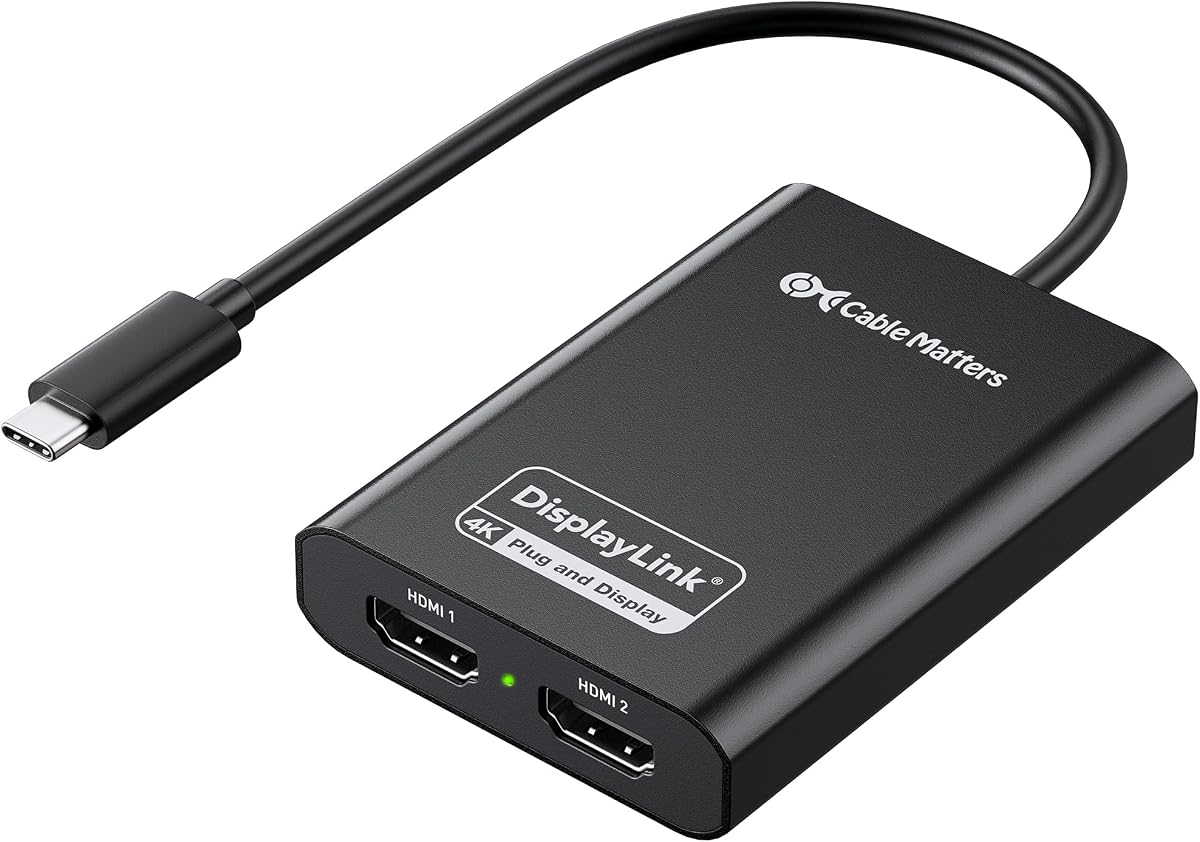
The Cable Matters USB C to Dual HDMI Adapter is a certified option designed to provide true dual extended displays on both Windows and macOS systems. It powers two crisp 4K@60Hz displays via HDMI 2.0 leveraging USB 3.2 bandwidth for smooth visuals without flicker.
We may earn a commission when you buy through this link, at no additional cost to you.
Key strengths include its durable aluminum housing that dissipates heat effectively and optimized performance for Windows 10 and 11 laptops with newer Intel CPUs. Mac users must install DisplayLink Manager and allow Screen Recording permissions but can benefit from breaking the single-display limit effectively.
While performance may vary based on CPU and bandwidth it remains a robust choice for productivity workflows. Note that HDCP is not supported so it is best suited for work rather than streaming entertainment content requiring protected playback on other services.
We recommend this adapter for Windows users seeking certified dual-display reliability or Mac users needing to expand their workspace beyond one external monitor. Its focus on eliminating flicker and providing smooth output makes it a practical solution for daily tasks.
Designed to perform best with 8th Gen Core i5 or newer Intel CPUs it ensures smooth high-resolution output on modern laptops.
The premium aluminum housing efficiently dissipates heat ensuring stable performance even during extended periods of heavy multitasking.
We may earn a commission when you buy through this link, at no additional cost to you.
The StarTech USB-A DisplayLink Mini Dock is ideal for enterprise users needing Ethernet alongside dual displays. It provides dual DP 4K@60Hz video output and a Gigabit Ethernet port making it a compact solution for work-from-home or small office setups requiring network reliability.
We may earn a commission when you buy through this link, at no additional cost to you.
Key strengths include automatic driver setup and wide device compatibility with USB-A laptops and Surface Pros. Its bus-powered design and 1ft cable reduce port strain and enhance portability for professionals who move between desks or travel regularly for work.
While it uses DisplayPort which requires DP to HDMI adapters for some monitors it is TAA compliant for government and enterprise procurement needs. The compact form factor ensures it stays discreet on crowded workspaces without adding excessive bulk to your portable gear.
This dock is perfect for businesses needing a reliable portable solution with network connectivity. Its focus on durability and compliance makes it a smart choice for IT departments deploying lightweight docking stations across various office environments.
TAA compliance ensures this dock meets procurement standards for government and enterprise environments requiring certified hardware solutions.
The flexible attached cable provides setup flexibility extending port reach to devices like USB-A Surface Pros without causing strain.
We may earn a commission when you buy through this link, at no additional cost to you.
The WAVLINK USB 3.0 & USB C Adapter features DL-Chip encryption technology making it a secure choice for corporate environments. It delivers dual 4K@60Hz visuals via USB-C or USB-A with a high 4.6 star rating reflecting strong customer satisfaction with its reliable performance.
We may earn a commission when you buy through this link, at no additional cost to you.
Key strengths include broad compatibility with Windows macOS and ChromeOS while excluding Linux and iPad to optimize security and stability. The encrypted DL-chip ensures enterprise-level data protection which is crucial for professionals handling sensitive information during daily operations.
While it requires driver installation and lacks support for iOS and Unix it offers robust 8-hour response support for technical issues. This balance of security and performance makes it a strong candidate for business users prioritizing data protection in their multi-monitor setups.
We recommend this adapter for secure corporate or private workspaces needing dual 4K displays with encrypted data transmission. Its dedicated support and encryption features provide the reliability and safety required for professional productivity environments.
Equipped with WAVLINK's encrypted DL-chip technology this adapter ensures enterprise-level data protection trusted for secure corporate environments.
Support is available via email and phone with an 8-hour response promise to resolve technical issues quickly during work hours.
We may earn a commission when you buy through this link, at no additional cost to you.
Selecting the right Displaylink Adapter involves considering your operating system, desired resolution, and required ports to ensure seamless integration with your workflow.
Different adapters support different operating systems so check if your device runs Windows macOS or ChromeOS before purchasing. Mac users must ensure they are willing to install drivers and grant permissions while some adapters focus on Windows performance.
Verify compatibility with your specific Mac chip like M1 or M2 as native limits vary and driver support impacts functionality across different device generations.
Look for adapters supporting dual 4K@60Hz for high-resolution multitasking or confirm if your needs only require 1080p or 1440p. Higher refresh rates like 144Hz may be available on some models but usually for lower resolutions.
Ensure the adapter matches the capabilities of your external monitors to avoid performance bottlenecks or flicker during extended usage sessions.
Decide between HDMI and DisplayPort based on your monitor inputs as some adapters only support one type requiring additional cables. USB-C and USB-A options matter for older laptops that may not have modern ports available for connection.
Consider USB-A ports included on the hub for peripherals like mice and keyboards to reduce cable clutter on your desk.
Some adapters include 100W power delivery which charges your laptop while driving displays reducing the need for a separate power brick. Ensure the PD port meets your device's charging wattage requirements for sustained usage.
Prioritize models with high wattage output if you plan to use the adapter while traveling or working in locations with limited power outlets.
Most Displaylink adapters require installing software to function which adds a setup step before use. Check if the driver is easy to install and if the manufacturer provides clear instructions for your specific operating system.
ChromeOS often supports plug-and-play functionality but Windows and macOS typically need manual installation to ensure video signals render correctly.
Aluminum alloy builds dissipate heat better than plastic which keeps performance stable during long sessions and adds durability for travel. Compact designs are essential for remote workers who carry adapters between home and office regularly.
Consider the length of attached cables to ensure they reach comfortably from your laptop to monitors without straining ports.
DisplayLink adapters generally do not support HDCP protected content so streaming services like Netflix may not work on external screens. This limitation is acceptable for productivity but may be a dealbreaker for entertainment focused setups.
Check product descriptions carefully to confirm HDCP support status if your workflow involves media consumption on secondary monitors.
Look for brands offering lifetime or long-term support to resolve connection issues or driver problems over time. A strong support team ensures you can rely on the adapter for years without needing replacements due to software glitches.
Premium adapters often come with more comprehensive warranties compared to budget options giving added peace of mind for investment value.
Begin by downloading and installing the DisplayLink driver software from the official manufacturer website to ensure all features are enabled correctly. Follow on-screen instructions to grant necessary permissions such as Screen Recording on macOS for the adapter to function.
Connect the adapter to a USB 3.0 or USB-C port on your laptop and attach your external monitors via HDMI or DisplayPort cables. Adjust display settings in your operating system to extend or mirror screens to optimize your workspace layout immediately.
Keep the adapter clean by wiping it with a dry cloth and avoid using it near excessive heat sources to maintain long-term performance. If you travel unplug the device when powered off to prevent potential electrical issues or data corruption during use.
Most adapters support M1 M2 and M3 chips but native support for external displays is limited on Apple Silicon without DisplayLink. You must install the DisplayLink Manager software and grant specific permissions to bypass these native restrictions effectively.
DisplayLink adapters are not recommended for gaming due to latency and lack of HDCP content support. They are optimized for productivity tasks like coding and spreadsheets rather than high-frame-rate video playback or interactive gaming.
DisplayLink adapters use software encoding to manage multiple screens which requires a driver to communicate between the USB port and the video card. Without this driver the operating system cannot detect or render the external displays correctly.
HDMI adapters connect directly to standard monitors while DisplayPort adapters may require converters for HDMI inputs. The choice depends on your monitor ports and desired refresh rates as DisplayPort often supports higher resolutions.
Some models include audio input and output jacks allowing direct connection to microphones or speakers. Check specific product specs to confirm audio support since many video-only adapters do not transmit sound through USB.
Most adapters support dual displays but some universal models allow up to six monitors with multiple connections. Check the product details to see if the adapter supports additional screens beyond the standard dual setup.
Most USB 3.0 adapters are bus powered meaning they draw power from the USB port. However if you need to charge your laptop while using displays look for models with 100W PD power delivery built in.
Netflix requires HDCP protection which DisplayLink adapters typically do not support. You may need to stream directly on your laptop screen or use a standard display adapter for entertainment content specifically.
The Plugable Dual 4K HDMI Adapter leads the pack with flexible connectivity and reliable dual-display performance for hybrid workspaces. Its support for ChromeOS and Windows makes it a top choice for users needing consistent output without complex setup steps.
Budget buyers should consider the WAVLINK Universal Video Adapter for its low cost and multi-monitor capabilities while MacBook users may prefer the ACASIS Dual DP Adapter for premium build and power delivery. Each option balances performance and value differently for diverse needs.
Always verify your specific laptop compatibility and display requirements before purchasing to ensure smooth integration. Prices change frequently so review current listings to secure the best deal for your ideal dual-monitor setup today.