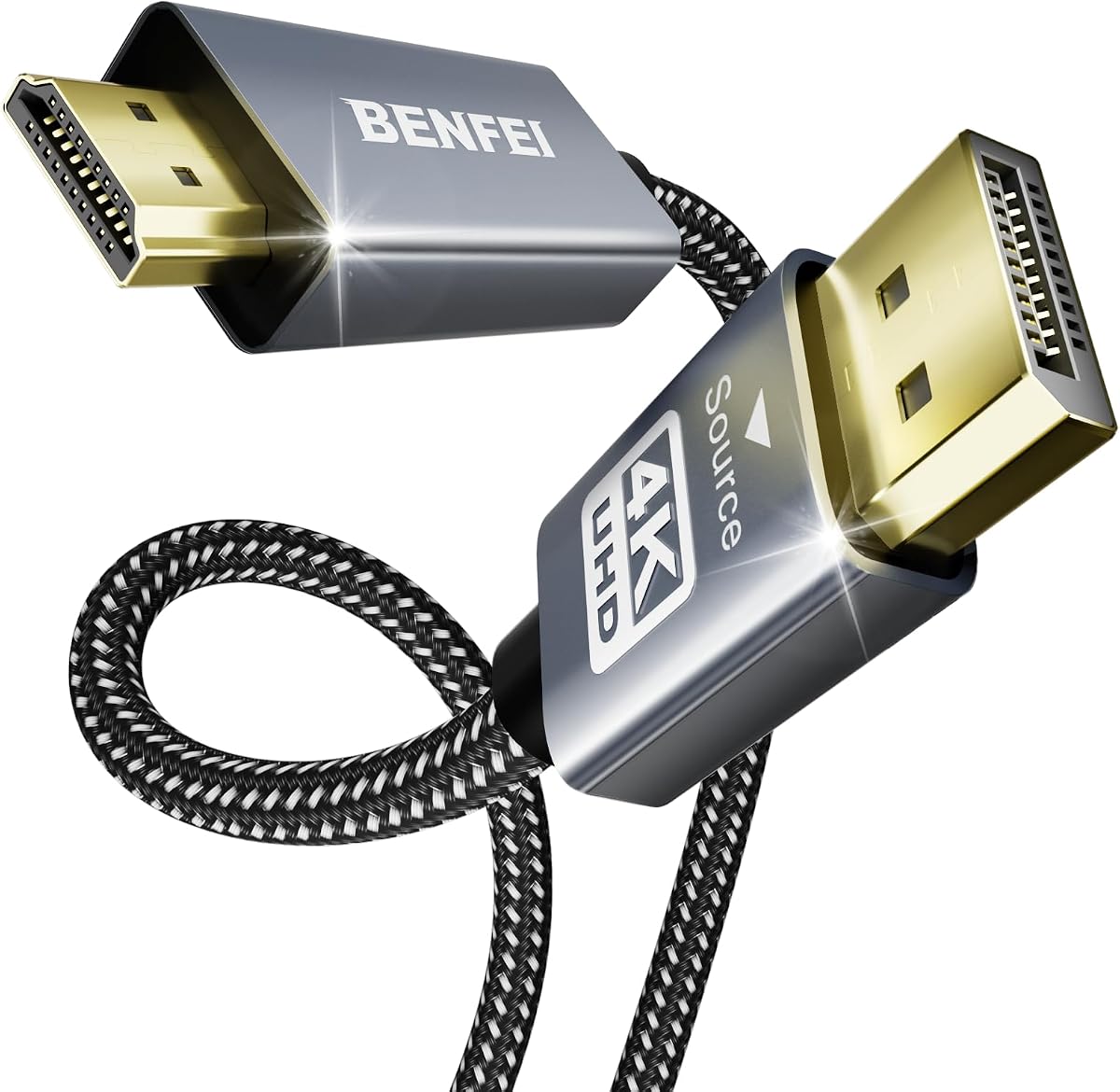
BENFEI 4K DisplayPort to HDMI 6 Feet Cable
4.5Editor score
Nylon braided jacket for durability
Supports up to 4K at 30Hz
Gold plated connector resists corrosion
This guide compares the top Displayport to HDMI Cable options for clarity, durability, and compatibility to help you choose the right connection for your setup.
Finding the right Displayport to HDMI Cable ensures your monitor or TV displays crisp video and synchronized audio without frustrating signal drops or compatibility issues.
We evaluated ten highly rated cables based on build quality, supported resolutions, shielding effectiveness, and user feedback to create a reliable list for your needs.
Each pick highlights key features and limitations so you can match the cable to your specific device while noting that availability and pricing may shift over time.
4.5Editor score

4.8Editor score

4.2Editor score
The following table offers a side by side overview of each model’s core specifications so you can quickly identify which cable meets your resolution and build requirements.


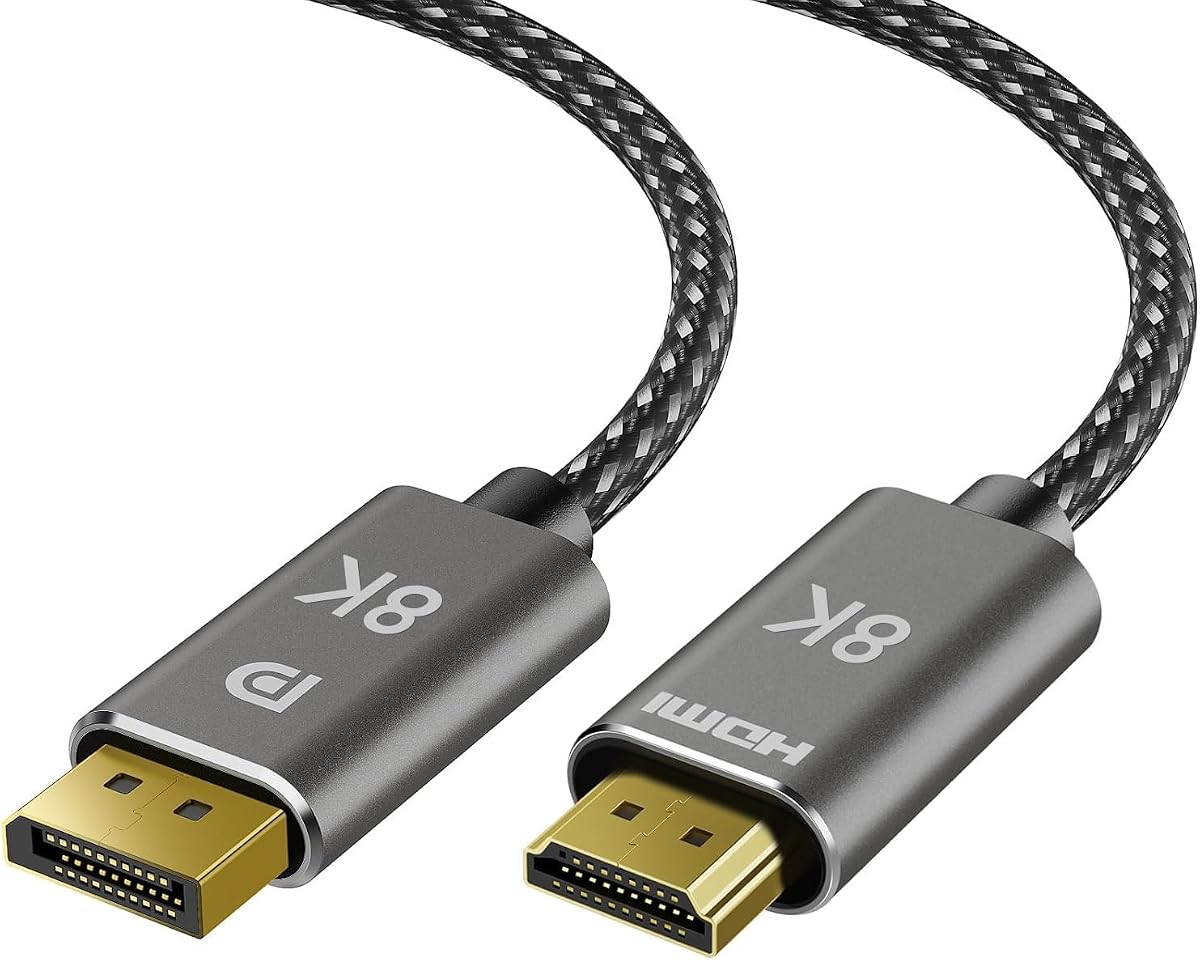
The UGREEN 4K DisplayPort to HDMI Cable stands out for its balance of performance and build quality with a 4.7 rating from users who value reliable signal transmission.
We may earn a commission when you buy through this link, at no additional cost to you.
It supports resolutions up to 4K at 30Hz and 1080P at 120Hz which makes it suitable for both work setups and casual gaming sessions on compatible displays.
While it does not support bidirectional use this limitation is standard for passive DP to HDMI cables and does not hinder typical PC to monitor or TV connections.
If you need a cable that offers high refresh rate support without breaking the budget this UGREEN model is a strong recommendation for most desktop and laptop users.
The ability to drive 1080P at 120Hz makes this cable ideal for smoother motion in games or video playback compared to standard 60Hz options.
The nylon braided jacket and aluminum case provide robust protection against daily wear while helping to dissipate heat during extended use sessions.
We may earn a commission when you buy through this link, at no additional cost to you.
The BENFEI 4K DisplayPort to HDMI 6 Feet Cable is a top pick for budget conscious shoppers who need a dependable connection for 4K displays at 30Hz.
We may earn a commission when you buy through this link, at no additional cost to you.
Its gold plated connectors and nylon braided jacket ensure long term durability while the 18 month warranty provides added peace of mind for your investment.
Although it lacks support for higher refresh rates like 120Hz it handles standard productivity and media tasks with stable performance and minimal signal loss.
For anyone needing a reliable and affordable cable for connecting a PC or laptop to an HDMI display this BENFEI model offers excellent value for money.
Despite its low price this cable includes professional shielding and a durable jacket that matches more expensive alternatives in daily use scenarios.
The included 18 month unconditional warranty ensures that any defects or issues are addressed quickly by friendly customer service teams.
We may earn a commission when you buy through this link, at no additional cost to you.
The Cable Matters 8K Unidirectional DisplayPort to HDMI 2.1 Cable is designed for users who need the latest video standards like 8K at 60Hz and HDR support.
We may earn a commission when you buy through this link, at no additional cost to you.
Its secure latch mechanism and braided jacket ensure a stable connection that stays in place even during transport or in crowded entertainment centers.
While it demands compatible hardware like a DisplayPort 1.4 GPU with DSC the resulting picture quality and color depth on supported displays are unmatched.
If you are building a high end home theater or workstation this premium cable delivers the bandwidth and features required for future proof performance.
Support for HDMI 2.1 features like HDR and Dolby Atmos ensures this cable can handle the latest content formats without needing an upgrade soon.
The DisplayPort latch prevents accidental disconnection which is critical for setups where cables are frequently plugged and unplugged or moved around.
We may earn a commission when you buy through this link, at no additional cost to you.
The Highwings 4K DisplayPort to HDMI cable delivers consistent 4K performance with multi layer shielding that reduces interference for stable audio and video streaming.
We may earn a commission when you buy through this link, at no additional cost to you.
Its 24K gold plated connectors enhance signal quality while the nylon braided wire adds flexibility and resistance to physical wear in active workspaces.
Users should note that high resolution transmission can cause the internal chip to heat up but this is normal and does not indicate a defect in quality.
This cable is well suited for users who need a reliable passive adapter for desktops and laptops without requiring advanced refresh rate features.
Multi layer shielding ensures that the signal remains clean and free from electromagnetic interference which is crucial for uninterrupted streaming and viewing.
The 24K gold plating on connectors resists oxidation and corrosion over time maintaining a clean connection interface for longer product lifespan.
We may earn a commission when you buy through this link, at no additional cost to you.
The Amazon Basics DisplayPort to HDMI Cable is a straightforward choice for users who need basic Full HD connectivity without unnecessary features or complex setups.
We may earn a commission when you buy through this link, at no additional cost to you.
It uses bare copper conductors and foil and braid shielding to ensure pure sound and high picture quality for standard office or home theater applications.
While it tops out at 1080p resolution this model is ideal for secondary monitors or projectors where maximum pixel density is not a primary requirement.
If you value brand reliability and a simple passive design this Amazon Basics cable offers a dependable solution for connecting computers to HDMI displays.
As an Amazon Basics product this cable benefits from the company's quality control standards ensuring consistent performance across every unit.
Being a passive cable means no external power is required making it simple to set up and use with any compatible DisplayPort source.
We may earn a commission when you buy through this link, at no additional cost to you.
The Warrky 4K DisplayPort to HDMI Cable impresses with its sleek aluminum alloy shell and five layer shielding that works together to minimize interference.
We may earn a commission when you buy through this link, at no additional cost to you.
Its nylon braided jacket can withstand over 16,000 bends which means it handles frequent plugging and unplugging without fraying or losing flexibility over time.
While it is strictly unidirectional the clear signal transmission and modern design make it a solid choice for home offices and entertainment setups.
For users who want a mix of style and performance this Warrky cable delivers reliable 4K video and audio without requiring extra adapters or power.
The slim lightweight aluminum alloy shell not only looks modern but also provides excellent corrosion resistance and heat dissipation during use.
This advanced shielding strategy ensures a pristine signal transmission path which helps avoid screen flicker or audio dropouts during long sessions.
We may earn a commission when you buy through this link, at no additional cost to you.
The JSAUX DisplayPort to HDMI Cable offers a ten foot length which provides extra flexibility for reaching distant monitors or TVs in larger rooms or offices.
We may earn a commission when you buy through this link, at no additional cost to you.
Its durable nylon exterior ensures the cable remains tidy and protected while supporting standard 4K at 30Hz resolution for crisp viewing across various displays.
Because of the extra length users may find it more cumbersome in small tight desks but the added reach is useful for conference rooms or entertainment setups.
If you need a longer cable that does not compromise on signal integrity this JSAUX model is a practical choice for connecting devices across a room.
The ten foot length allows you to place your PC or laptop further from the display without worrying about cable reach limitations or signal loss.
The durable nylon exterior helps keep the cable organized and protected against daily wear which is important when cables are moved frequently.
We may earn a commission when you buy through this link, at no additional cost to you.
The 8K DisplayPort to HDMI Cable 6 ft targets advanced users who need support for resolutions up to 8K at 60Hz or 4K at 240Hz with modern hardware.
We may earn a commission when you buy through this link, at no additional cost to you.
It features a braided jacket and optimized design for gaming and multimedia though it requires specific GPU models and driver updates to achieve peak performance.
While it does not support Variable Refresh Rate this limitation may affect competitive gamers who need smooth frame pacing but casual users may not notice.
If you have an advanced GPU and display setup this cable provides the bandwidth needed for ultra high resolution and refresh rate media consumption.
Support for 8K at 60Hz ensures this cable can handle the highest resolution content available today making it a great future proof investment.
The cable is optimized for 240Hz 4K TVs and 144Hz monitors which can provide smoother gameplay for those with compatible high refresh rate displays.
We may earn a commission when you buy through this link, at no additional cost to you.
The UGREEN 8K@60Hz Active Display Port to HDMI Unidirectional Cable stands out as a premium active adapter that delivers 32.4Gbps transmission rates for advanced setups.
We may earn a commission when you buy through this link, at no additional cost to you.
It supports 8K at 60Hz and 4K at 240Hz which makes it ideal for high end gaming monitors or professional workstations that demand maximum visual fidelity.
While active technology can be pricier than passive cables the plug and play experience without drivers ensures easy setup for most users seeking high performance.
If you need to connect a high end GPU to an HDMI 2.1 display this UGREEN active cable provides the bandwidth and stability required for peak performance.
Active circuitry inside the adapter ensures stable signal conversion for high bandwidth resolutions that passive cables cannot reliably support on their own.
Support for 32.4Gbps ensures that HDR content and high frame rates are transmitted smoothly without compression artifacts or color banding on supported screens.
We may earn a commission when you buy through this link, at no additional cost to you.
The Cable Matters 2-Pack DisplayPort to HDMI Cable offers excellent value for users who need two reliable cables for multiple monitors or backup use.
We may earn a commission when you buy through this link, at no additional cost to you.
It features secure latching connectors that prevent accidental disconnection and gold plated contacts for clean signal transmission across standard HD resolutions.
While it focuses on Full HD rather than 4K this pack is perfect for office environments where multiple connections are needed without high end video demands.
If you need to outfit a workstation or classroom with several HDMI connections this two pack provides a reliable and cost effective solution for all your devices.
Getting two cables in one package saves time and money when you need to connect multiple computers or want a spare cable on hand for backup.
The secure latch on the DisplayPort end ensures the cable stays firmly in place which is useful in busy office or public display setups.
We may earn a commission when you buy through this link, at no additional cost to you.
Choosing the right Displayport to HDMI Cable involves understanding your display needs and ensuring the cable supports your required resolutions and refresh rates.
Look for cables that explicitly support the resolution of your display whether it is 1080p Full HD or 4K at 30Hz for clear and sharp visuals.
Higher resolution support ensures you get the most out of modern monitors and TVs without losing detail or clarity in your content.
If you use your display for gaming or video editing choose a cable that supports higher refresh rates like 120Hz or 144Hz for smoother motion.
Standard cables often cap at 60Hz which can feel limited for fast paced content where fluid motion is critical for a good experience.
Most passive Displayport to HDMI cables are uni directional meaning they only send signals from a DisplayPort source to an HDMI display.
Confirm your source device has a DisplayPort output before purchasing since these cables will not work to connect HDMI sources like consoles to DP monitors.
Gold plated connectors help resist corrosion and ensure a clean signal path while nylon braided jackets add durability against daily wear and tear.
A strong build quality protects the internal wires from damage and extends the lifespan of the cable in active workspaces.
Cables with multi layer shielding foil or braid shielding reduce electromagnetic interference which keeps audio and video signals clear and stable.
Effective shielding is especially important if your cable runs near power cords or other electronics that could cause signal noise.
Select a length that fits your setup comfortably as shorter cables reduce clutter while longer ones offer flexibility for reaching distant displays.
Standard six foot cables work for most desks but ten foot options are better for living rooms or conference tables where distance varies.
Active cables include chips to boost bandwidth for 8K or high refresh rates while passive ones work well for 1080p and basic 4K needs.
Choose active only if your display demands more than standard HDMI bandwidth otherwise a passive cable will handle most common tasks efficiently.
Check for warranties like 18 month coverage to ensure peace of mind and reliable customer service if issues arise with signal or build.
A good warranty shows the manufacturer stands behind their product quality and helps you get replacements or help quickly if needed.
Connect the DisplayPort end to your computer or laptop and the HDMI end to your monitor or TV to start transmitting video and audio instantly.
Ensure your display settings are adjusted to support the cable's maximum resolution and refresh rate for the clearest picture and smoothest motion.
Store the cable loosely when not in use to avoid kinks and pull by the connectors to prevent damage to the internal wiring over time.
No most Displayport to HDMI cables are uni directional and will not work to connect HDMI sources like consoles to DisplayPort monitors. You would need an HDMI to DisplayPort adapter for that use case.
Yes all the listed cables support digital audio pass through for uncompressed 7.1 5.1 or 2 channel sound alongside video for a complete audio visual experience.
Most support up to 4K at 30Hz but some active models can handle 8K at 60Hz or 4K at 240Hz depending on the specific product and display hardware.
No these cables are plug and play devices that do not require any driver installation on your computer to transmit signals correctly.
Flicker may occur due to unsupported resolution settings poor shielding or interference. Check that your display resolution matches the cable's capabilities and avoid running the cable near power sources.
MacBooks require a USB-C to DisplayPort adapter or a specific USB-C to HDMI cable since they do not have native DisplayPort outputs. These cables work with PCs that have physical DisplayPort connectors.
Longer cables like ten foot options offer more reach but may be more susceptible to signal loss if not properly shielded. Choose high quality shielding for longer lengths to ensure stability.
Yes if your computer has multiple DisplayPort outputs you can use one cable per monitor to connect both screens. Some setups also allow using adapters to connect multiple displays via one port.
The UGREEN 8K Active cable leads our list for advanced users while the BENFEI and Cable Matters options provide strong budget and value alternatives for everyday tasks.
Prioritize resolution support and build quality to ensure your connection handles the demands of your display without losing clarity or stability during long sessions.
Check current prices and availability before buying since offers change often and the right cable will depend on your specific setup and budget at the time.