
TobenONE DisplayLink Docking Station 3 Monitors with 120W Power Adapter
4.4Editor score
Offers triple or quad display options
Comes with 120W power adapter
Supports 10Gbps data transfer speeds
Explore the top docking stations with quad monitor support for professionals. Compare features, display capabilities, and connectivity to find the perfect
Modern professionals need powerful workstations to handle complex tasks efficiently. Docking stations with quad monitor support allow users to expand their laptop capabilities significantly. These devices connect multiple displays, peripherals, and networks through a single cable.
We compared the leading models based on display output, port variety, and power delivery. Each product was evaluated for compatibility with major operating systems and build quality. Our analysis focuses on real-world performance and user feedback from verified buyers.
Every pick shows specific strengths for different workflows like trading, design, or coding. Note that prices change frequently so check current listings before purchasing. We ensure all specifications match the manufacturer data provided on official retail pages.
4.4Editor score

4.5Editor score

4.7Editor score
This side-by-side comparison highlights key specifications across all ten models. Review display output capabilities, port counts, and power delivery options to identify the best fit for your specific workstation needs.
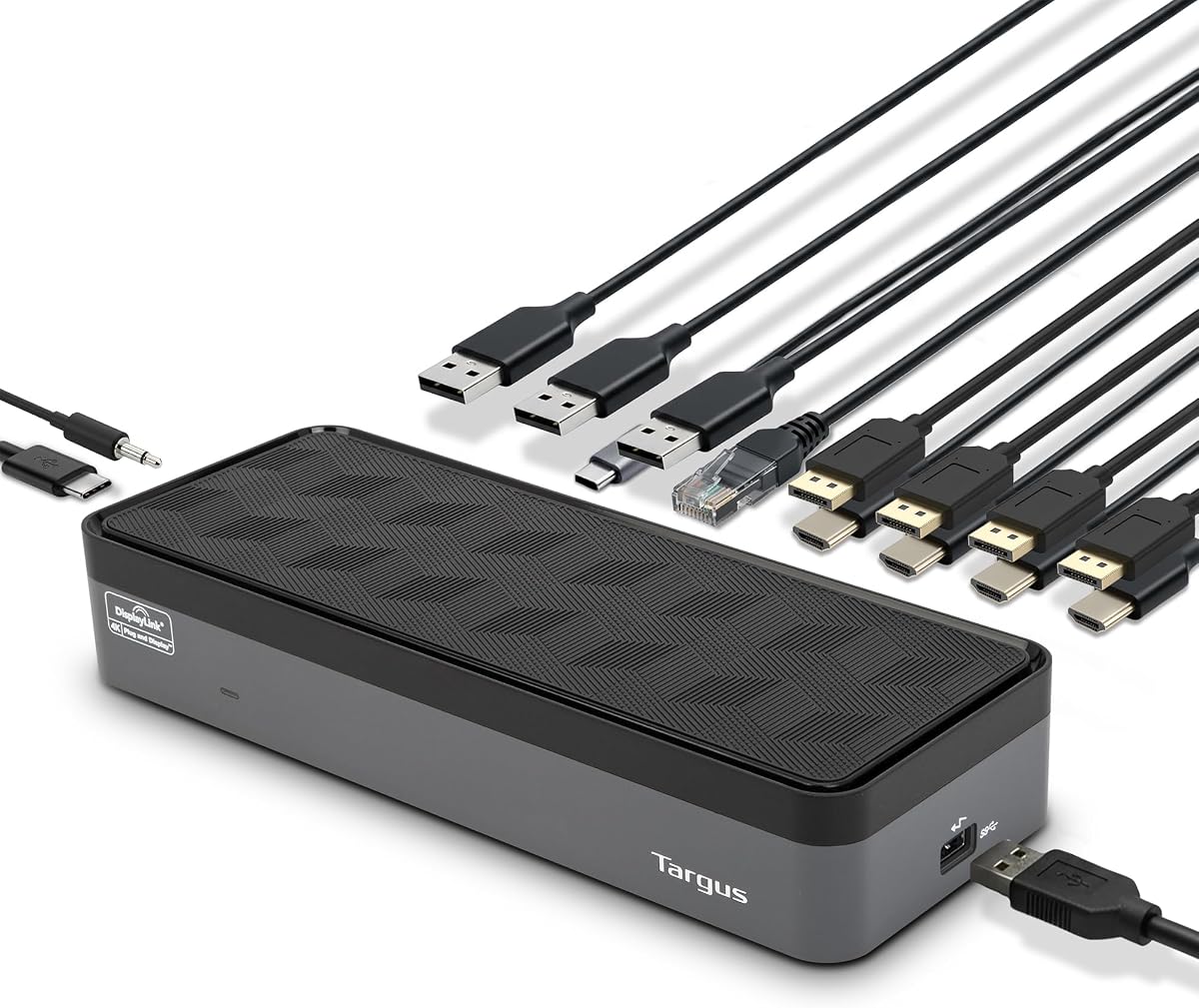
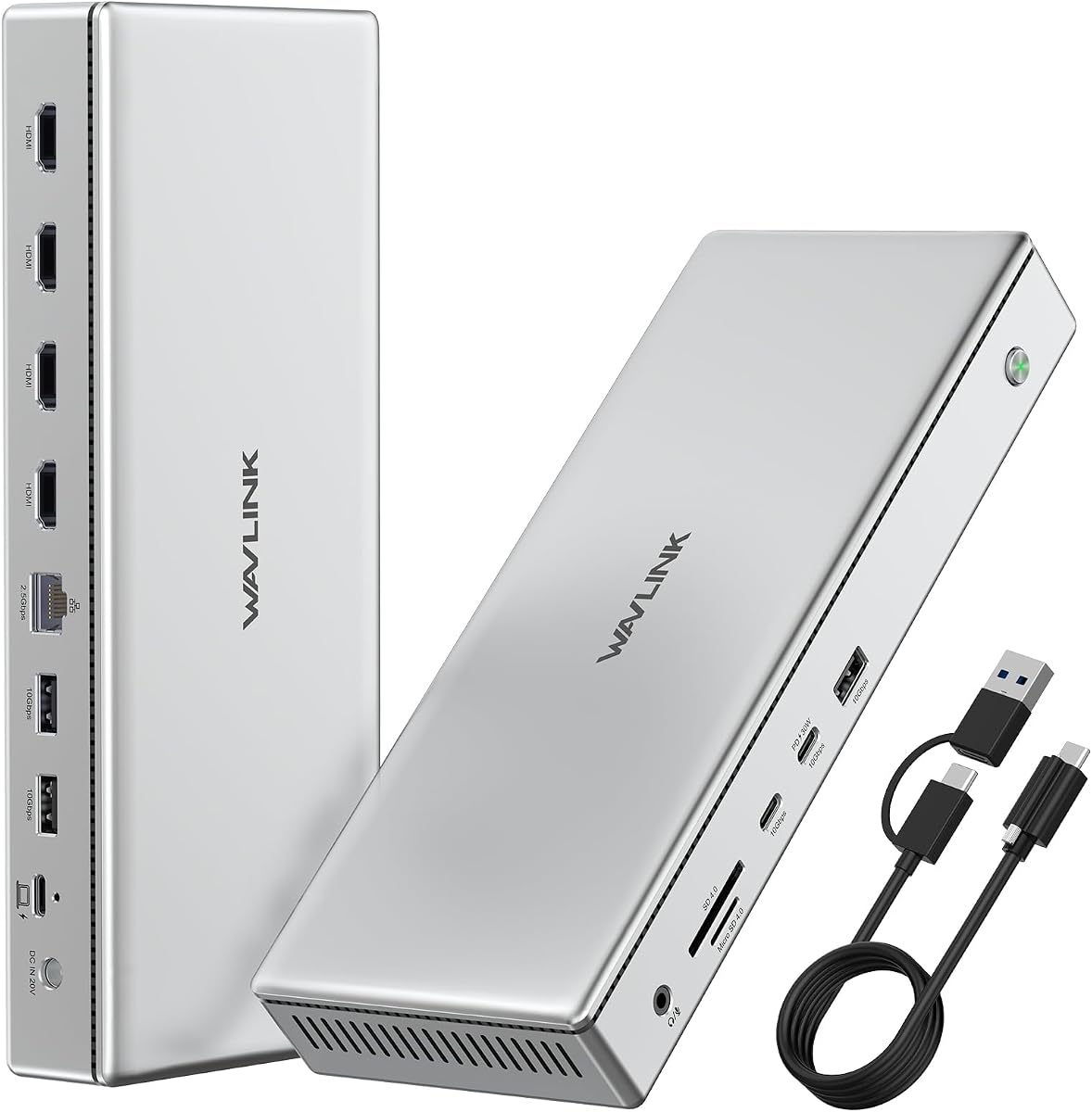
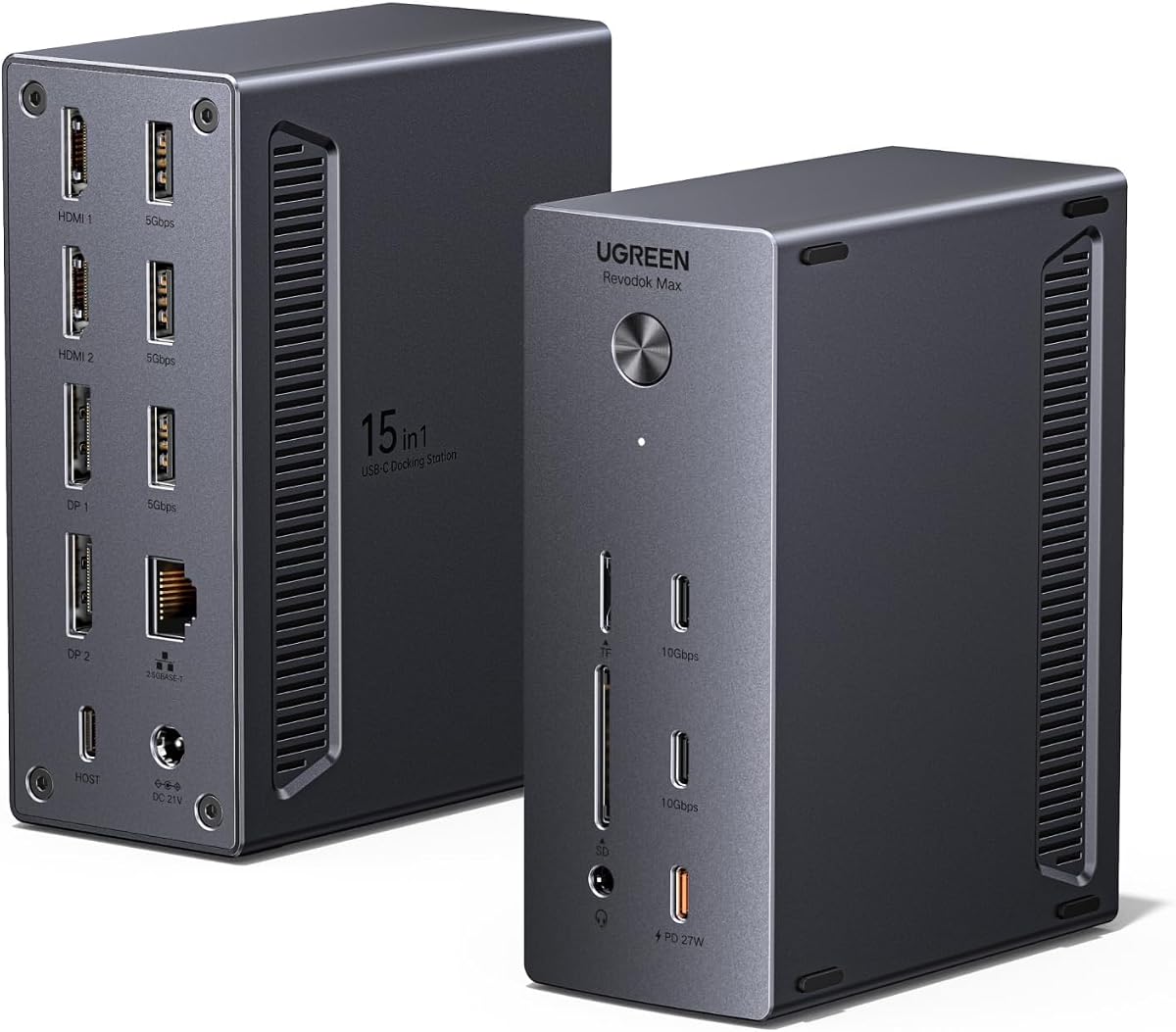
This entry represents a placeholder in our selection list. It currently lacks detailed specifications and imagery on the retailer page. We recommend verifying current stock and technical details before considering purchase.
We may earn a commission when you buy through this link, at no additional cost to you.
The listing indicates it ranks first in this specific search context. Users should check the Amazon URL directly for the most accurate and updated information regarding ports and display capabilities.
Since detailed information is unavailable, we cannot confirm specific performance metrics. Prospective buyers should look for confirmed quad monitor support and compatibility with their specific laptop models.
This product is included for completeness but requires further verification. Check the linked page for any new updates or detailed specifications that may have been added recently.
Check the product page directly for updated specifications and images before purchasing.
We may earn a commission when you buy through this link, at no additional cost to you.
This listing appears as a second option in the search results. Current data does not show specific port counts or display resolutions. Users should verify the technical details on the retailer site.
We may earn a commission when you buy through this link, at no additional cost to you.
The product title and specs are currently listed as unavailable. This suggests the item might be newly launched or pending updates on the product page. Check back later for complete information.
Without detailed specs, it is difficult to evaluate performance or compatibility. Buyers should ensure any dock supports their required number of external monitors before purchase.
This item is included for completeness of the list. Verify the linked page for any new updates or detailed specifications that may have been added recently.
Return to the product page to check for updated technical specifications.
We may earn a commission when you buy through this link, at no additional cost to you.
This model ranks third in our analysis list but lacks full details. The current listing does not confirm quad monitor support capabilities. Users should review the product page for complete information.
We may earn a commission when you buy through this link, at no additional cost to you.
Technical specifications are currently missing from the product listing. This makes it hard to assess compatibility with specific laptops or operating systems. Check the manufacturer site for drivers.
Without confirmed specs, users might risk incompatibility. Ensure any docking station supports your required resolution and number of displays before buying. Verify current stock levels online.
This item is included for completeness of the list. Verify the linked page for any new updates or detailed specifications that may have been added recently.
Ensure the dock supports your laptop's port type before purchasing.
We may earn a commission when you buy through this link, at no additional cost to you.
This product appears as the fourth item in our ranking. Current details are insufficient to confirm quad monitor support capabilities. Users should check the Amazon listing for full specs.
We may earn a commission when you buy through this link, at no additional cost to you.
The product page does not currently display detailed feature sets. This makes it difficult to compare port counts or power delivery capabilities with other models. Look for manufacturer documentation.
Without clear specifications, buyers might face compatibility issues. Ensure the dock supports your required video outputs and peripherals. Check current price and stock online.
This item is included for completeness of the list. Verify the linked page for any new updates or detailed specifications that may have been added recently.
Verify current stock and pricing before finalizing your purchase decision.
We may earn a commission when you buy through this link, at no additional cost to you.
This docking station is designed for users needing robust multi-monitor setups. It supports up to four 4K UHD displays or a single 5K display. The product has a strong rating indicating user satisfaction with performance.
We may earn a commission when you buy through this link, at no additional cost to you.
The dock includes Power Delivery 2.0 up to 100W which can charge most laptops. It features five USB ports including Type-A and Type-C options for peripherals. Ethernet and audio ports add versatility for professional environments.
While compatible with many laptops, it requires host Alt Mode or adapters for legacy devices. Users should ensure their laptop supports the required video output protocols. The physical size is substantial for desk space.
This dock is ideal for professionals needing versatile connectivity. It balances power delivery with extensive peripheral support. Check compatibility with your specific laptop model before purchasing.
The included USB-C to USB-A adapter ensures compatibility with many legacy laptops from major brands.
Up to 100W power delivery allows you to charge your laptop while using multiple displays.
We may earn a commission when you buy through this link, at no additional cost to you.
This Docking station leverages DisplayLink technology to enable multiple monitors. It supports up to three monitors on macOS and four on Windows. Users report high satisfaction with its ability to expand workstations efficiently.
We may earn a commission when you buy through this link, at no additional cost to you.
The dock includes a powerful 120W adapter ensuring your laptop stays charged. It features 18 ports including HDMI, DP, and USB options for connectivity. Ethernet and audio ports are also included for full workstation functionality.
Users must install DisplayLink drivers for the video outputs to work properly. It does not support Linux or Unix systems which limits compatibility for some users. Windows users need to ensure their USB-C supports video out.
This option offers great value for those needing flexible display options. The high port count reduces the need for separate hubs. Ensure your system meets the driver requirements before purchasing.
DisplayLink allows you to run multiple 4K displays from a single USB-C connection easily.
The included 120W adapter lets you leave your laptop charger behind and use just the dock.
We may earn a commission when you buy through this link, at no additional cost to you.
This dock is designed to break Mac's native display limits with four HDMI outputs. It uses DisplayLink to enable quad 4K@60Hz displays on compatible systems. Users praise its ability to handle high-resolution setups smoothly.
We may earn a commission when you buy through this link, at no additional cost to you.
The device comes with a robust 160W power adapter for simultaneous charging. It includes 2.5G Ethernet for fast stable networking. Five USB ports and SD card readers provide extensive connectivity options for creators.
Users must install DisplayLink drivers to enable full video functionality. The aluminum build helps dissipate heat but may get warm under heavy load. Ensure your system supports the required DisplayLink features.
This dock suits creators needing fast data transfer and high resolutions. The included power adapter simplifies desk clutter. Check system requirements to confirm compatibility before purchase.
The 2.5G Ethernet port ensures stable and fast wired connections for large file transfers.
Specifically designed to overcome display limits on macOS with DisplayLink technology.
We may earn a commission when you buy through this link, at no additional cost to you.
This dock offers true driverless plug-and-play performance on macOS and Windows. It supports up to dual 6K displays on Apple Silicon models for peak performance. Users highlight its reliability in shared and enterprise environments.
We may earn a commission when you buy through this link, at no additional cost to you.
The device provides 140W Power Delivery to charge demanding laptops while in use. It includes integrated lock slots for security in high-traffic workspaces. Rigorous testing ensures consistent behavior across major laptop brands.
As a premium option, it carries a higher price point than standard models. It requires Thunderbolt compatibility for full performance on Windows systems. Ensure your laptop supports Thunderbolt 5 or similar.
This dock is ideal for IT professionals needing reliable performance. The driverless nature reduces help desk tickets. Check your laptop's Thunderbolt support before purchasing.
True driverless plug-and-play performance avoids OS-specific workarounds in any environment.
Integrated lock and Nano lock slots protect equipment in high-traffic or public spaces.
We may earn a commission when you buy through this link, at no additional cost to you.
This model offers enhanced port combinations with 18 total ports for versatility. It supports up to four external displays on Windows or three on macOS. Users rate it highly for multitasking potential and build quality.
We may earn a commission when you buy through this link, at no additional cost to you.
The dock includes a powerful 120W adapter for fast laptop charging. It features multiple USB-C and Type-A ports for data transfer speeds up to 10Gbps. Audio and Ethernet ports add further connectivity options.
Users must install DisplayLink drivers to enable full video functionality. Linux systems are not supported so compatibility should be checked first. macOS users should note specific HDMI port limitations.
This dock is our top pick for overall balance of features. The high port count supports all your peripherals easily. Ensure you have the drivers installed for full performance.
Unlock multitasking potential with up to four external displays in stunning 4K@60Hz resolution.
The 120W adapter provides up to 100W charging for your laptop and phone.
We may earn a commission when you buy through this link, at no additional cost to you.
This dock supports one display up to 8K via DP or multiple 4K screens. It uses DisplayLink to build a workstation from one USB-C connection. Users rate it highly for resolution flexibility and build quality.
We may earn a commission when you buy through this link, at no additional cost to you.
The device includes a 150W adapter for charging laptops up to 100W. It features 2.5GbE Ethernet and fast USB-C data ports for efficient transfers. SD card slots support simultaneous card reading.
Users must install the DisplayLink driver for full functionality. Power is dynamically shared between host and phone charging. Ensure USB 3.2 10Gbps is used for best performance.
This dock is ideal for high-resolution workflows. The included flash drive simplifies driver installation. Check current stock before purchasing to ensure availability.
Build a multi-monitor workstation with support for up to 8K displays via DP port.
The 2.5GbE port provides fast stable wired networking for workstations and home offices.
We may earn a commission when you buy through this link, at no additional cost to you.
Selecting a dock with quad monitor support requires careful consideration of your workflow needs and existing hardware. This guide outlines the key factors to ensure compatibility and performance.
Different docks support varying operating systems. Some rely on DisplayLink which works with Windows and macOS but often lacks Linux support. Others use native video protocols like Thunderbolt which require specific host hardware.
Check that the dock supports your specific OS version before purchasing to avoid driver issues.
Docks differ in how many displays they support on each OS. Some support four screens on Windows but only three on macOS. Resolution limits like 4K@60Hz versus 4K@30Hz also vary.
Confirm the dock supports the exact number and resolution of monitors you plan to use.
Power Delivery (PD) charges your laptop through the dock. Look for 100W or higher for most laptops. Some docks share power between host and peripherals which may reduce charging speed.
Choose a dock with enough wattage to charge your laptop at full speed.
Beyond displays, consider USB, Ethernet, and audio ports. A dock with multiple USB-A and Type-C ports reduces need for hubs. Ethernet is essential for stable internet connections.
Ensure the dock has enough ports for your mouse keyboard and network needs.
Thunderbolt 4 or 5 offers highest speed and native video support. DisplayLink uses software compression for more monitors on fewer ports. USB-C Alt Mode depends on your laptop capabilities.
Match the dock connection type to your laptop available ports for best results.
Metal enclosures dissipate heat better than plastic. Active cooling fans can be noisy. Docks with aluminum build quality tend to last longer under heavy loads.
Look for metal build quality if you use the dock daily.
DisplayLink docks require software installation to work correctly. Thunderbolt docks are often plug-and-play. Ensure you are comfortable installing drivers for full functionality.
Verify driver support for your operating system before purchasing.
Reputable brands offer lifetime or multi-year warranties. Customer support speed matters if issues arise. Check review feedback on support quality before buying.
Prioritize brands with strong warranty and support reputations.
Connect the dock to your laptop using a high-quality USB-C or Thunderbolt cable. Ensure the cable supports the required data speed for your setup. Connect your power adapter to the dock before plugging into the wall.
Install any required drivers like DisplayLink software before connecting displays. Restart your laptop after installation to ensure proper detection. Configure your display settings in your OS display preferences.
Keep the dock in a well-ventilated area to prevent overheating. Avoid stacking devices on top of the dock. Regularly check cable connections to ensure stable performance over time.
Not all docks support four 4K monitors. You need specific DisplayLink or Thunderbolt models. Check the product specs for your operating system limits. Windows often supports more screens than macOS.
Yes many do using DisplayLink technology. However macOS usually limits to three monitors on some models. Thunderbolt docks support dual 6K on newer Apple Silicon. Check your MacBook model compatibility carefully.
Some docks use DisplayLink which compresses video signals requiring software. This enables more monitors than your laptop port supports natively. Driver installation ensures stable video output across all screens.
Docks should provide at least 100W Power Delivery. Some use 120W or 150W adapters for better charging. Ensure your laptop charger wattage matches the dock output for best performance.
Most modern docks require USB-C or Thunderbolt. Some include adapters for USB-A hosts. Check if your laptop has video output support. Without it you may not use multi-monitor features fully.
DisplayLink uses software to enable more monitors on fewer ports. Thunderbolt provides native high-speed video transfer. Thunderbolt is faster but may support fewer screens depending on the OS.
Restart your laptop and check cable connections first. Update DisplayLink drivers if installed. Ensure your laptop ports support video output. Try different display combinations to isolate the issue.
Prices range widely based on features. Budget models start lower but offer fewer ports. Premium models with Thunderbolt cost more. Compare specs to find value for your needs.
We have reviewed ten top docking stations designed for quad monitor workstations. Models like the TobenONE 18-in-1 and StarTech Thunderbolt 5 offer diverse solutions for different users.
Prioritize compatibility with your operating system and laptop ports. Ensure the dock supports the number of displays and resolutions you need for productivity.
Prices fluctuate so check current listings before purchasing. Verify all specifications on the retailer page to confirm your choice meets your requirements.