
Canon Color imageCLASS LBP646Cdw
4.1Editor score
Fast 26 PPM output speed
Wireless and duplex printing
Compact single-function design
Discover the top 10 Duplex Color Laser Printer models for 2026. We compare speed, connectivity, and features to help you choose the right office printer.
Finding the right Duplex Color Laser Printer can transform your office workflow significantly. These machines offer fast printing, automatic double-sided output, and vibrant color results for professional documents.
We evaluated ten leading models based on print speed, connectivity options, and overall reliability. Our analysis focuses on features that matter most for home and small business environments today.
Each pick highlights key strengths and trade-offs to guide your decision. Note that prices and availability can change frequently, so verify details before purchasing your new device.
4.1Editor score

4.4Editor score

4.2Editor score
This side-by-side comparison highlights the key specifications and features of the top ten Duplex Color Laser Printer models available on the market today.


The Canon Color imageCLASS MF753Cdw II stands out as a top choice for offices needing versatile functionality. It combines printing, scanning, copying, and faxing into one robust machine with a strong rating.
We may earn a commission when you buy through this link, at no additional cost to you.
Its standout qualities include fast duplex printing and seamless wireless connectivity. You can print from various devices easily while maintaining high-quality color documents for professional use.
Trade-offs include a higher initial cost and toner expenses. However, these are acceptable given the speed and comprehensive features that boost overall office productivity significantly.
Businesses requiring a reliable all-in-one solution should buy this model. It is the final recommendation for those prioritizing speed and multifunctionality in a color laser printer.
The integrated fax and scan features reduce the need for separate machines, saving valuable desk space.
High-resolution printing ensures your marketing materials and reports look polished and professional every time.
We may earn a commission when you buy through this link, at no additional cost to you.
The Brother HL-L3220CDW offers excellent value for small offices or home users needing color duplex printing. It delivers a rating of 3.9 with consistent performance for everyday tasks.
We may earn a commission when you buy through this link, at no additional cost to you.
Key strengths include a generous 250-sheet tray and mobile printing capabilities. You save time refilling paper while printing documents directly from smartphones or tablets effortlessly.
Trade-offs involve slower speed compared to premium models. This is acceptable for users who do not require high-volume printing daily and prioritize cost savings instead.
Budget-conscious buyers should choose this model. It is the final recommendation for those seeking reliable color duplex printing without breaking the bank.
The affordable entry price makes it accessible for startups or small businesses watching their cash flow closely.
A large tray capacity means fewer interruptions during busy workdays when documents are needed urgently.
We may earn a commission when you buy through this link, at no additional cost to you.
The Canon Color imageCLASS LBP646Cdw is an ideal choice for users who prioritize speed and simplicity. It holds a 4.1 rating and focuses purely on high-quality color printing tasks.
We may earn a commission when you buy through this link, at no additional cost to you.
Key strengths include rapid 26 PPM speeds and a user-friendly LCD screen. You spend less time waiting for jobs to complete and enjoy seamless mobile printing from any device.
Trade-offs involve the lack of scanning or faxing features. This is acceptable for dedicated print stations where separate scanners exist or cloud scanning is used instead.
Users needing fast, reliable color printing should buy this model. It is the final recommendation for those wanting a dedicated, efficient duplex printer.
Without extra functions, the machine optimizes resources for printing tasks only, ensuring faster job processing.
ENERGY STAR certification helps reduce electricity costs and supports your organization's sustainability goals.
We may earn a commission when you buy through this link, at no additional cost to you.
The Brother MFC-L3720CDW provides a balanced solution for small teams needing scanning and copying. It achieves a 4.0 rating with solid performance across all core printing functions.
We may earn a commission when you buy through this link, at no additional cost to you.
Key strengths include a touchscreen interface and cloud service integration. You can access Google Drive or Dropbox directly from the device for streamlined document management and sharing.
Trade-offs include average print speeds and a smaller ADF. This is acceptable for offices handling moderate document volumes rather than high-volume daily scanning tasks.
Small teams seeking an affordable all-in-one should buy this model. It is the final recommendation for those wanting connectivity and simplicity.
Direct cloud scanning allows you to send documents to storage services without needing a computer in between.
The color touchscreen simplifies navigation, making it easy for any team member to operate the device quickly.
We may earn a commission when you buy through this link, at no additional cost to you.
The Brother MFC-L8900CDW is a powerhouse for businesses needing speed and security. It leads with a 4.4 rating and offers exceptional performance for demanding professional environments.
We may earn a commission when you buy through this link, at no additional cost to you.
Key strengths include 33 PPM speeds and triple-layer security features. You protect sensitive documents while processing high volumes of color prints and scans efficiently without delays.
Trade-offs involve the higher price point and larger physical size. This is acceptable for organizations prioritizing security and productivity over cost and space constraints.
Enterprise users needing robust security should buy this model. It is the final recommendation for those demanding top-tier performance.
Advanced security protocols safeguard your network and data, ensuring sensitive business info remains protected.
Fast speeds and large paper handling reduce wait times, keeping your workflow smooth and uninterrupted daily.
We may earn a commission when you buy through this link, at no additional cost to you.
The Brother HL-L3280CDW is a solid choice for remote or hybrid work setups. It rates well for its ability to integrate with cloud-based apps for seamless printing.
We may earn a commission when you buy through this link, at no additional cost to you.
Key strengths include support for cloud apps and an Ethernet port. You can print directly from Google Drive or Dropbox while ensuring a stable wired connection for reliability.
Trade-offs involve a lower overall rating and fewer physical features. This is acceptable for users who rely heavily on digital workflows rather than physical document handling.
Remote workers needing cloud printing should buy this model. It is the final recommendation for those prioritizing app integration.
The cloud app integration simplifies printing from digital assets, ideal for teams working with digital files primarily.
Ethernet support offers an alternative to Wi-Fi for users needing a more stable connection during large print jobs.
We may earn a commission when you buy through this link, at no additional cost to you.
The Canon Color imageCLASS MF665Cdw offers a reliable all-in-one experience for small offices. It rates consistently for its balance of speed and multifunctionality features.
We may earn a commission when you buy through this link, at no additional cost to you.
Key strengths include a 26 PPM speed and a useful ADF. You can automate document scanning while maintaining fast print cycles for efficient daily workflow management.
Trade-offs include a slightly lower rating compared to top rivals. This is acceptable for users needing solid performance without the premium price tag.
Offices wanting balanced multifunctionality should buy this model. It is the final recommendation for those seeking value.
The ADF allows batch scanning of multi-page documents, saving significant time during administrative tasks.
A three-year warranty offers better protection against defects, ensuring long-term reliability for your investment.
We may earn a commission when you buy through this link, at no additional cost to you.
The Canon Color imageCLASS MF662Cdw is ideal for smaller spaces needing core functions. It holds a 4.0 rating and delivers reliable performance for scanning, copying, and printing.
We may earn a commission when you buy through this link, at no additional cost to you.
Key strengths include a compact design and a large touchscreen. You fit it easily in tight office areas while navigating features intuitively through the interface.
Trade-offs involve the lack of a fax function and tray size. This is acceptable for modern offices relying less on faxing and more on digital communication.
Small spaces needing compact functionality should buy this model. It is the final recommendation for those prioritizing space efficiency.
The compact footprint fits well on standard desks or side tables, maximizing your available office workspace.
The large touchscreen display simplifies settings access, reducing training time for new employees using the printer.
We may earn a commission when you buy through this link, at no additional cost to you.
The HP Color Laserjet Pro 3201dw is a robust option for small teams needing reliability. It rates for its connectivity features and vivid color output capabilities.
We may earn a commission when you buy through this link, at no additional cost to you.
Key strengths include self-reset Wi-Fi and TerraJet toner. You experience fewer connection drops and enjoy vibrant prints that make business documents stand out clearly.
Trade-offs involve a lower overall rating and strict cartridge policies. This is acceptable for users trusting HP's ecosystem for consistent quality and support.
Teams prioritizing connection stability should buy this model. It is the final recommendation for those seeking trusted reliability.
The self-reset feature resolves common connection issues automatically, minimizing downtime during critical business hours.
TerraJet toner ensures rich, vivid colors that enhance the visual appeal of reports and presentations significantly.
We may earn a commission when you buy through this link, at no additional cost to you.
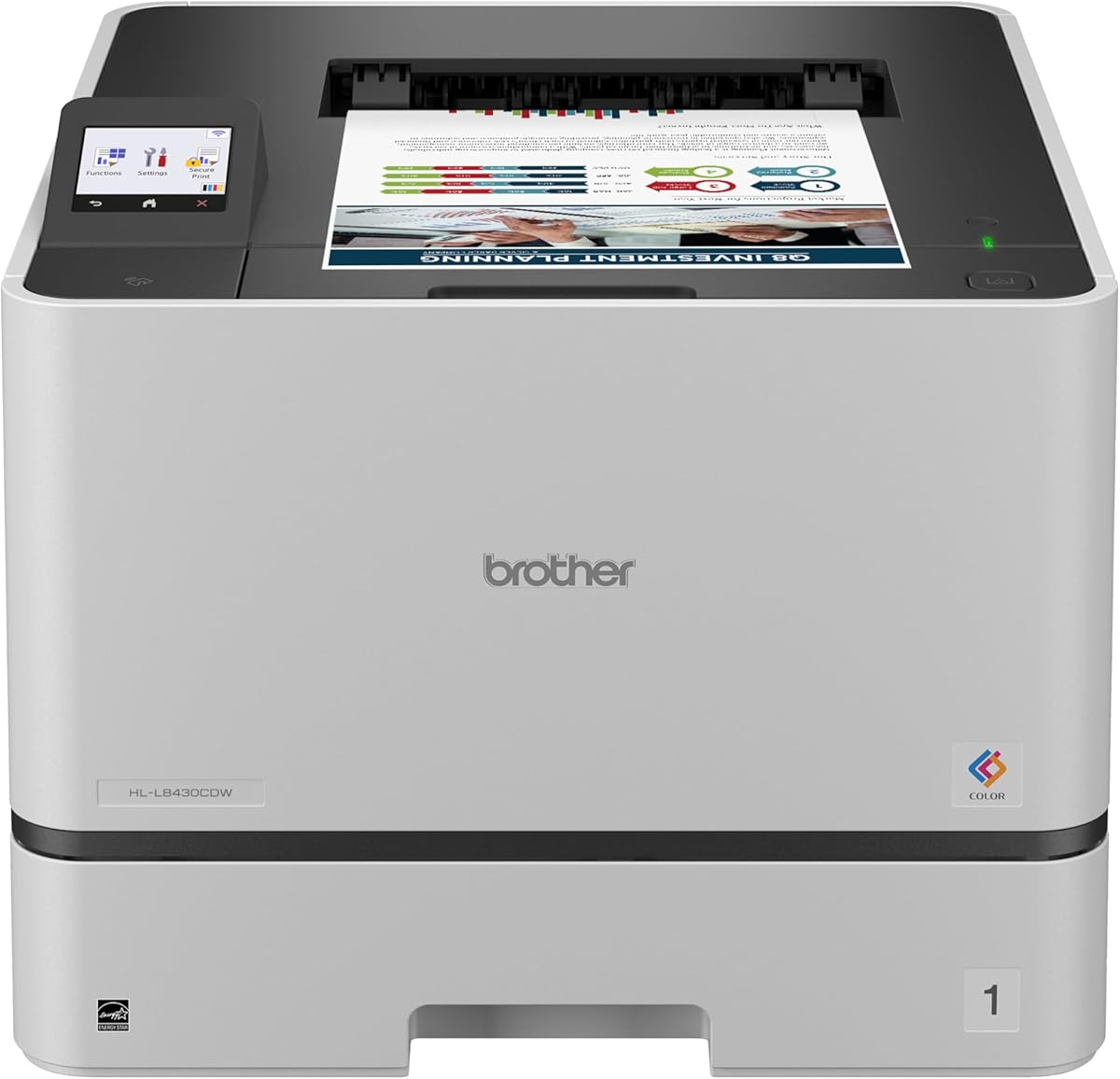
The Brother HL-L8430CDW delivers high speed for business environments focused purely on printing. It rates well for its 33 PPM output and low running costs.
We may earn a commission when you buy through this link, at no additional cost to you.
Key strengths include high yield toner options and NFC card reader. You reduce frequent replacements and enable secure badge authentication for controlled access to print jobs.
Trade-offs involve single function limitations. This is acceptable for setups needing a dedicated printer alongside separate scanners for document digitization.
Businesses needing pure print speed should buy this model. It is the final recommendation for those prioritizing throughput.
High yield toner options significantly lower the cost per page, helping manage operational expenses effectively.
The NFC reader supports badge authentication, ensuring only authorized personnel can release sensitive print jobs.
We may earn a commission when you buy through this link, at no additional cost to you.
Selecting the right printer requires evaluating several factors to match your specific office needs and budget constraints effectively.
Print speed measured in pages per minute (PPM) affects workflow efficiency. Higher speeds reduce wait times for large jobs, making it crucial for busy environments.
Look for at least 20 PPM for general office use and 30 PPM for high-demand scenarios.
Modern printers must offer flexible connectivity like Wi-Fi, Ethernet, and mobile printing support. This ensures all devices in the office can access the printer easily.
Verify dual-band Wi-Fi and mobile app compatibility for seamless operation.
Decide if you need printing only or an all-in-one unit that includes scanning, copying, and faxing. Multifunction units save space but may cost more initially.
Choose all-in-one if you frequently digitize physical documents to reduce desk clutter.
A larger paper tray reduces the need for frequent refills. Standard trays usually hold 250 sheets, but larger capacities help during busy periods.
Select models with adjustable trays to handle various paper sizes and envelopes.
For businesses handling sensitive data, security is vital. Look for encryption, user authentication, and secure printing features to protect confidential information.
Ensure the model supports modern security standards to safeguard your network.
The initial price is just one part of the expense. Toner yield and replacement costs determine the long-term financial impact of using the printer.
Consider models with high-yield toner cartridges to lower cost per page over time.
A touchscreen interface simplifies navigation and setup. High-resolution displays allow for easier menu access and document preview before printing.
Prioritize touchscreens with intuitive layouts to improve user experience.
A comprehensive warranty offers peace of mind against defects. Reliable customer support ensures you can resolve issues quickly without major disruptions.
Check warranty terms and available support channels before purchasing.
Start by installing the printer on a stable surface and connecting it to your network using Wi-Fi or Ethernet. Follow the on-screen prompts to download the necessary drivers and software.
Load the appropriate paper into the tray and ensure the guides are adjusted correctly. Use high-quality paper to prevent jams and ensure optimal print quality for color documents.
Regularly clean the printer rollers and replace toner cartridges as needed. Keep the firmware updated to maintain security and performance features over the device's lifespan.
Duplex printing allows the printer to print on both sides of a sheet automatically. This saves paper and reduces the time required to bind documents manually.
Most modern models offer robust security features like encryption and password protection. Verify specific features like firewall support to ensure safety on your network.
While some models handle photos well, laser printers generally excel at text. For high-quality photo prints, an inkjet printer is usually recommended instead.
Replacement frequency depends on usage volume and the cartridge yield. Check the estimated page count in your printer's settings to track remaining toner levels.
Many printers support AirPrint or Mopria natively without extra apps. However, installing the manufacturer's app often provides advanced features and status monitoring.
High-yield cartridges last longer than standard ones, reducing replacement frequency. They lower the overall cost per page for regular office users significantly.
We reviewed ten top models ranging from budget-friendly single-function units to premium all-in-one solutions. Each offers unique strengths for different office environments and needs.
Prioritize speed and security if you run a high-volume business. Otherwise, cost and simplicity may be more important for smaller home offices.
Prices and availability change often so verify current deals before buying. Ensure you select a model that meets your workflow requirements today.