
XIAOWTEK Wireless Earbuds
4.9Editor score
Bluetooth 5.4 low latency
50H total playtime
IPX7 waterproof rating
Discover the top earbuds for laptop conference calls optimized for clarity comfort and noise cancellation to ensure professional audio performance during
Finding the right earbuds for laptop conference calls is essential for remote professionals who need clear audio and reliable connectivity. This guide evaluates ten top-rated models based on microphone quality battery life and comfort for extended meetings.
We compared these products using real-world performance metrics including noise cancellation effectiveness call clarity and device compatibility. Our analysis focuses on features that matter most for video conferences and daily professional use.
Each pick highlights key strengths and potential trade-offs to help you choose the best fit for your workflow. Please note that prices and availability may change so verify current listings before purchasing.
4.9Editor score

3.9Editor score
4.0Editor score
The following table provides a side-by-side comparison of all ten earbuds evaluated in this guide to help you quickly identify the model that best fits your needs.




The XIAOWTEK Wireless Earbuds are a standout option for users seeking affordable earbuds for laptop conference calls. With a 4.9 rating and Bluetooth 5.4 technology, these earbuds deliver stable connectivity and clear voice quality at a budget-friendly price.
We may earn a commission when you buy through this link, at no additional cost to you.
Their standout quality is the impressive 50-hour total playtime combined with 4-mic ENC noise cancelling. This ensures your voice remains clear during meetings even in moderately noisy environments. The LED display case provides useful battery visibility.
While the brand is less established, the product offers high-end features like IPX7 waterproofing and low latency streaming. The trade-off is a simpler design and less refined build quality compared to premium brands but this is acceptable given the cost.
This model is ideal for students or remote workers on a tight budget who still need reliable call performance. We recommend it as a primary or backup pair for daily conference use.
These earbuds offer features typically found in pricier models at a fraction of the cost.
IPX7 waterproof rating ensures protection against sweat and rain during workouts or commuting.
We may earn a commission when you buy through this link, at no additional cost to you.
This wireless earbud model provides a reliable option for laptop conference calls with its advanced Bluetooth 5.4 technology. The 4.4 rating reflects consistent performance in audio clarity and connection stability.
We may earn a commission when you buy through this link, at no additional cost to you.
Key strengths include dual 14.2mm drivers for immersive sound and advanced ENC noise cancellation for clear calls. The LED display and 36-hour total playtime ensure you stay powered through long workdays.
Trade-offs include average touch control sensitivity that may require multiple taps for adjustments. The fit is ergonomic but lacks multiple ear tip sizes for a perfect seal.
Buyers seeking dependable daily earbuds with long battery life should consider this model. It suits professionals needing clear voice pickup without breaking the bank.
Up to 36 hours of total playtime keeps you connected through multiple meetings without recharging.
ENC noise cancellation ensures your voice is heard clearly even in noisy office environments.
We may earn a commission when you buy through this link, at no additional cost to you.
The Soundcore P30i by Anker combines reliable noise cancelling with unique hands-free viewing features. Its 4.3 rating indicates strong performance for both media and calls.
We may earn a commission when you buy through this link, at no additional cost to you.
Strengths lie in the adaptive ANC system that reduces external noise by up to 42dB and the practical charging case that doubles as a phone stand. The 4-mic AI enhances call clarity significantly.
Trade-offs include a bulky case that may not fit in small pockets and ANC that is good but not class-leading. The app adds value but requires setup.
We recommend this for professionals who need clear calls and flexibility to watch content between meetings. It offers good value for versatile remote work setups.
The charging case includes a built-in stand for convenient hands-free viewing of videos or calls.
Noise cancelling adapts automatically to your environment for balanced audio quality.
We may earn a commission when you buy through this link, at no additional cost to you.
Panasonic ErgoFit Wired Earbuds offer a dependable wired solution for conference calls on laptops with headphone jacks. Their 4.3 rating speaks to consistent audio performance and fit.
We may earn a commission when you buy through this link, at no additional cost to you.
Key strengths include the ergonomic custom-fit design with three ear tip sizes and zero battery dependency. Calls are clear thanks to the built-in microphone and controller.
Trade-offs are the need for a 3.5mm jack or adapter and the lack of wireless convenience. This limits use to devices with physical ports.
Choose this if you prefer simple reliable audio without charging hassles. It suits users working primarily at a desk with compatible laptops.
Wired connection means no charging or pairing needed just plug and play for calls.
Ergonomic earpieces with multiple tip sizes ensure a secure comfortable fit for long sessions.
We may earn a commission when you buy through this link, at no additional cost to you.
Antool Wired Earbuds come in a two-pack making them an economical choice for conference calls on any 3.5mm device. Their 4.3 rating highlights reliable voice quality and comfort.
We may earn a commission when you buy through this link, at no additional cost to you.
Strengths include lightweight 3g earbuds with noise-filtering mics and a durable TPE cable. The two-pack ensures backups or shared use.
Trade-offs involve wired only operation which limits mobility. The aesthetic is simple but functional.
We recommend these for budget-conscious buyers needing clear audio without wireless complexity. Perfect for office use with stationary devices.
Two pairs included mean you always have a backup pair ready for daily calls.
Built-in microphone filters noise effectively for professional-sounding conversations.
We may earn a commission when you buy through this link, at no additional cost to you.
JLab Work Buds are engineered specifically for professional calls with a detachable boom mic and multipoint Bluetooth. Their 3.9 rating reflects strong functionality despite bulkier design.
We may earn a commission when you buy through this link, at no additional cost to you.
Key strengths include 55+ hours of playtime and the dock for organized charging. The boom mic delivers superior call quality over standard earbud mics.
Trade-offs involve a larger form factor and less premium feel compared to high-end models. They prioritize utility over aesthetics.
Buyers needing reliable clear calls during long workdays will find these ideal. The dock and multipoint connectivity streamline office workflows.
Detachable boom mic ensures your voice is captured clearly during important meetings.
USB-C charging dock keeps your earbuds and mic organized and ready to go.
We may earn a commission when you buy through this link, at no additional cost to you.
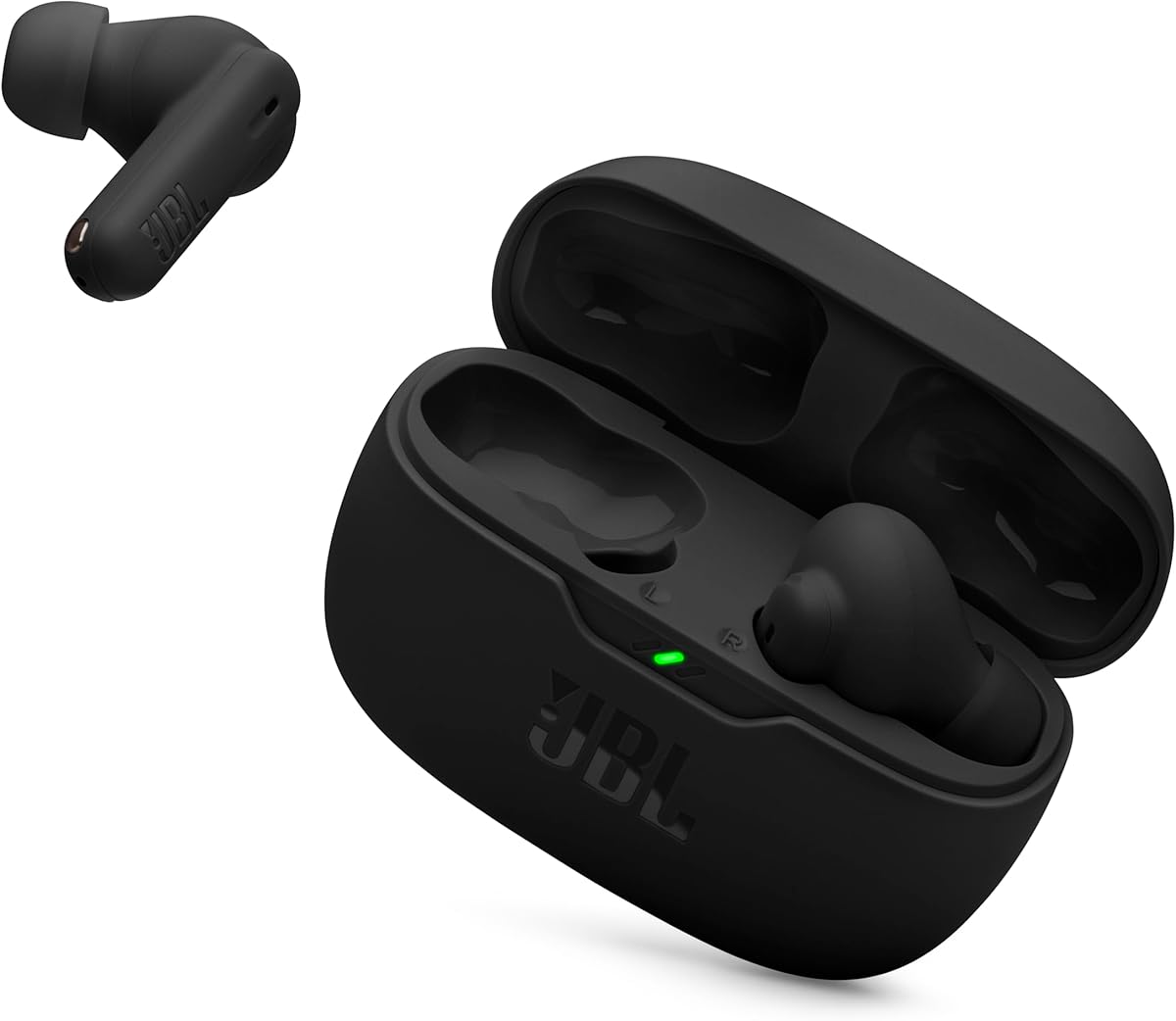
JBL Vibe Beam 2 earbuds bring trusted audio quality to conference calls with active noise cancelling. Their 4.1 rating indicates solid performance for general use.
We may earn a commission when you buy through this link, at no additional cost to you.
Strengths include 40 hours of playback and 4 mics for clear voice transmission. The app allows EQ customization for tailored audio.
Trade-offs include ANC that is good but not best-in-class and fit that may vary by ear shape.
Choose JBL for dependable performance and brand trust. Suitable for users prioritizing balanced sound and reliable calls.
Ambient mode lets you hear surroundings when needed without removing earbuds.
JBL signature bass adds depth to media playback between meetings.
We may earn a commission when you buy through this link, at no additional cost to you.
Dell Pro Plus Earbuds are designed for professional environments with AI-based noise-cancelling mic technology. Their 4.1 rating reflects effective call performance and smart features.
We may earn a commission when you buy through this link, at no additional cost to you.
Strengths include adaptive ANC that adjusts to your environment and pinch controls for easy handling. Voice clarity is prioritized for work use.
Trade-offs include a higher price compared to consumer models and reliance on the app for full customization.
We recommend these for professionals using Dell ecosystems or needing premium call quality. Ideal for business-critical conferences.
AI-based mic filters background noise to deliver clear voice transmission.
Pinch and swipe controls allow easy management of ANC and calls without devices.
We may earn a commission when you buy through this link, at no additional cost to you.
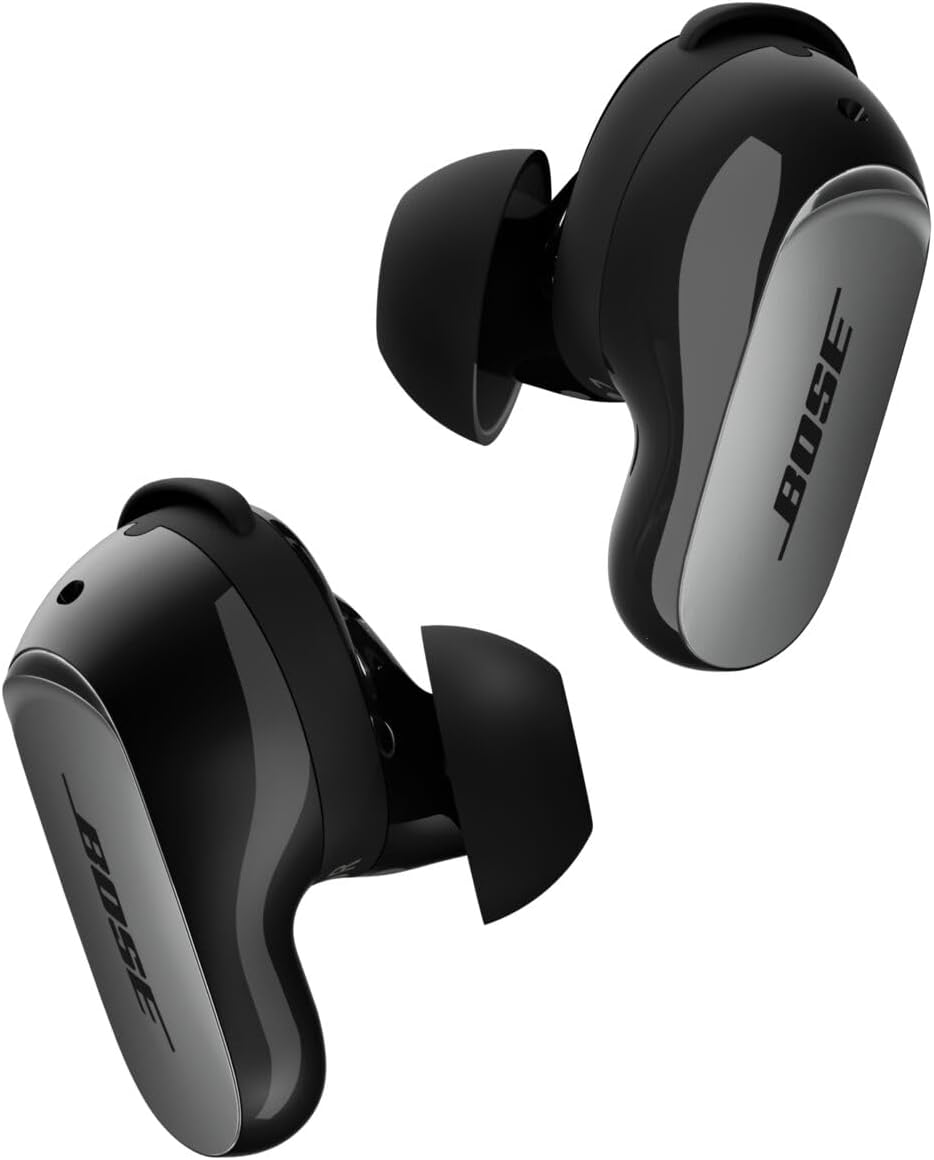
Bose QuietComfort Ultra Earbuds set the standard for noise cancellation and audio quality in wireless earbuds. Their 4.0 rating reflects premium performance with advanced features.
We may earn a commission when you buy through this link, at no additional cost to you.
Strengths include world-class ActiveSense technology that smooths external noise and multipoint connectivity for seamless device switching. CustomTune ensures personalized sound.
Trade-offs include high cost and shorter battery life compared to budget rivals. You pay for top-tier audio performance.
Invest in these if you demand the best noise cancellation and comfort. Ideal for high-value business travelers.
Smart noise cancellation adapts to surroundings for continuous comfort and focus.
Switch effortlessly between laptop and phone without reconnecting each time.
We may earn a commission when you buy through this link, at no additional cost to you.
Soundcore Liberty 5 Pro Max delivers enterprise-grade privacy and AI-powered transcription features. With a 4.2 rating it leads in speech quality according to Guinness records.
We may earn a commission when you buy through this link, at no additional cost to you.
Strengths include the Note-Taker function for meeting summaries and whisper-clear call performance in noisy environments. The AMOLED case adds unique utility.
Trade-offs include ongoing subscription fees for full AI features and a more complex user experience.
Choose this if you value data privacy and AI productivity tools. Perfect for executives needing secure clear call workflows.
Built-in Note-Taker transcribes meetings into summaries saving time on documentation.
Local encryption ensures sensitive conversations remain secure and private.
We may earn a commission when you buy through this link, at no additional cost to you.
Selecting the right earbuds for conference calls requires evaluating features that ensure clear communication and all-day comfort.
The microphone is the most critical component for conference calls. Look for models with multiple microphones and environmental noise cancellation (ENC) or AI-based processing to isolate your voice from background noise.
A high-quality mic ensures colleagues hear you clearly even in noisy environments.
Long battery life is essential for extended workdays. Aim for at least 6 hours per charge plus additional charges from the case to cover your entire work schedule without recharging.
Prioritize models offering 30+ total hours to avoid interruptions.
Active noise cancellation (ANC) helps you focus by blocking external distractions. Transparency mode is also useful for hearing alerts or talking without removing earbuds.
Balance ANC strength with comfort since stronger ANC may cause ear fatigue.
Earbuds worn for hours must be comfortable. Look for ergonomic designs with multiple ear tip sizes to ensure a secure and comfortable fit.
Proper fit improves both comfort and call quality by reducing sound leakage.
Bluetooth version affects stability and range. Models with Bluetooth 5.3 or 5.4 offer faster pairing and more stable connections for uninterrupted calls.
Multipoint connectivity allows seamless switching between laptop and phone.
IP ratings indicate resistance to sweat and water. IPX4 or higher is recommended for daily wear and travel.
Durable materials ensure longevity and reliability during active use.
Budget earbuds often offer essential features at lower costs while premium models provide superior build and advanced AI tools.
Determine your needs to find the best value for your work requirements.
Ensure the earbuds support your laptop's operating system and Bluetooth version for optimal performance.
Check for dedicated apps that offer additional customization and firmware updates.
To get the best call quality ensure earbuds fit snugly and position microphones correctly by following the manufacturer's fit guide.
Keep earbuds clean by wiping with a dry cloth after each use to prevent wax buildup that can block sound.
Store earbuds in their charging case when not in use to protect them from damage and maintain battery health.
Models with multiple microphones and ENC noise cancellation like JLab Work Buds offer clear call quality. Bluetooth 5.3+ ensures stable connections.
ANC helps block distractions and improves focus during meetings. It is highly recommended if you work in noisy environments.
At least 6 hours per charge with 30+ total hours including case charging is recommended for full workdays without recharging.
Wireless provides convenience while wired offers consistent quality without charging. Choose based on your laptop's ports and mobility needs.
Ensure a proper seal and clean the microphones. Check Bluetooth settings and avoid interference from other devices.
Yes models with clear mics and long battery life are ideal for extended online classes and virtual meetings.
The top picks including JLab Work Buds and XIAOWTEK offer clear audio and reliable performance for remote professionals.
Prioritize microphone quality and comfort to ensure productive and interruption-free meetings.
Check current prices and availability as models may change so verify the best deal before purchasing.