
SSK Portable SSD 1TB
4.5Editor score
1050MB/s read speeds
Lightweight 36.6g design
Includes USB-C and USB-A cables
This guide compares the top external SSD for MacBook Neo users, evaluating speed, durability, compatibility, and value for creators and professionals.
Finding the right external SSD for MacBook Neo requires balancing speed, portability, and reliability. Modern workflows demand storage that keeps up with high-resolution video editing, large file transfers, and seamless integration with macOS ecosystems without compromising performance.
We evaluated ten leading external SSDs based on real-world transfer speeds, build quality, encryption features, and compatibility with USB-C interfaces. Our analysis prioritizes drives that offer consistent performance under load and robust protection for valuable digital assets on the go.
Each pick highlights specific strengths for different use cases, from budget-friendly options to premium high-speed models. Prices fluctuate frequently, so verify current listings before purchasing to ensure you get the best value for your specific storage needs today.
4.5Editor score

4.6Editor score

4.6Editor score
This table provides a side-by-side overview of the top external SSDs for MacBook Neo, highlighting key specifications and features to help you compare performance and durability at a glance.






The Samsung T9 Portable SSD stands out as a top choice for MacBook Neo users needing high-speed external storage. With a 4.6 rating from users, it delivers consistent performance for demanding workflows like video editing and large file backups.
We may earn a commission when you buy through this link, at no additional cost to you.
Its standout feature is the sustained read and write speeds of up to 2,000MB/s, which accelerates project loading and file transfers significantly. The Dynamic Thermal Guard ensures the drive stays cool even during extended heavy use, maintaining reliability over time.
While the T9 is a premium option, its advanced thermal solution and seamless compatibility with macOS make the investment worthwhile for professionals. Users should note that achieving peak speeds requires a USB 3.2 Gen 2×2 host port.
For creators and professionals prioritizing speed and durability, the T9 is the recommended pick. Its robust construction and Magician software support provide peace of mind for safeguarding critical digital assets on the go.
The Dynamic Thermal Guard technology actively monitors and controls heat to keep the SSD at ideal temperatures during intense workloads.
Designed to work flawlessly with Mac systems, the T9 supports drag-and-drop transfers and is recognized immediately upon connection.
We may earn a commission when you buy through this link, at no additional cost to you.
The SSK Portable SSD offers an excellent balance of performance and affordability for budget-conscious MacBook Neo users. With a 4.5 rating, it provides reliable storage without breaking the bank, making it ideal for students or casual professionals.
We may earn a commission when you buy through this link, at no additional cost to you.
Featuring read speeds up to 1050MB/s and a lightweight 36.6g design, it handles everyday file transfers efficiently. The aluminum alloy case helps dissipate heat, ensuring the drive remains cool during regular use.
While it lacks premium features like water resistance, the inclusion of both USB-C and USB-A cables adds convenience for cross-platform transfers. The SLC caching technology helps maintain steady performance even when handling large files within cache limits.
For those seeking a cost-effective solution that doesn’t compromise on essential speed, the SSK is a strong contender. It meets the needs of users who prioritize value and portability above advanced ruggedization features.
The package includes both USB-C and USB-A cables, enabling seamless connectivity across a variety of devices and interfaces.
A 2mm thick aluminum case ensures the drive operates reliably without overheating, even during extended file transfers.
We may earn a commission when you buy through this link, at no additional cost to you.
The SanDisk 2TB Extreme Portable SSD is designed for users who need rugged reliability and high security. With a 4.6 rating, it excels in outdoor and professional environments where durability and data protection are paramount.
We may earn a commission when you buy through this link, at no additional cost to you.
Its IP65 water and dust resistance along with up to 3-meter drop protection ensures the drive can withstand harsh conditions. The included 256-bit AES hardware encryption keeps sensitive files secure from unauthorized access.
While it is slightly heavier than ultra-slim drives, the carabiner loop allows for easy attachment to bags or belts for secure transport. The SanDisk Memory Zone app helps manage files efficiently, adding value to the storage solution.
For photographers, videographers, or field professionals, this drive offers peace of mind through its robust construction and security features. It remains a top premium choice for those who demand resilience alongside performance.
Rated for IP65 resistance and up to 3-meter drops, this drive survives tough conditions that would damage standard storage devices.
Built-in 256-bit AES hardware encryption ensures your private content remains protected without relying on third-party software.
We may earn a commission when you buy through this link, at no additional cost to you.
The Lexar ES3 1TB Portable SSD offers a sleek and lightweight solution for MacBook Neo users who prioritize portability. With a 4.4 rating, it fits easily into pockets and bags, making it convenient for daily commutes.
We may earn a commission when you buy through this link, at no additional cost to you.
Its 10.5mm thickness and 42g weight make it one of the slimmest options available. The included Type-C cable ensures immediate plug-and-play functionality without needing additional adapters or accessories for Mac connections.
While it lacks extensive ruggedization features, the Lexar DataShield software provides 256-bit AES encryption to protect sensitive files. This balance of style, security, and portability suits users who need discreet and efficient storage.
For professionals who value aesthetics and convenience, the ES3 delivers reliable performance in a compact form. It is an excellent choice for those needing extra storage without adding bulk to their carry setup.
At just 10.5mm thick and 42g, this drive disappears into your pocket, keeping your setup minimal and organized.
Lexar DataShield software enables 256-bit AES encryption to safeguard your files from unauthorized access on the go.
We may earn a commission when you buy through this link, at no additional cost to you.
The SAMSUNG T7 Portable SSD has earned a high 4.7 rating for its reliable performance and versatile design. It serves as a versatile all-rounder for gaming, students, and professionals needing consistent external storage.
We may earn a commission when you buy through this link, at no additional cost to you.
With speeds up to 1,050MB/s and a sturdy aluminum unibody, it withstands daily wear and drop protection up to 6 feet. Its wide compatibility ensures it works seamlessly with Mac systems, mobile devices, and gaming consoles.
While it lacks IP ratings, the T7’s robust construction offers sufficient protection for most indoor and light outdoor use cases. The compact design makes it easy to carry, fitting comfortably into laptop bags or pockets.
For users seeking a dependable storage solution with proven performance, the T7 is a top recommendation. Its combination of speed, durability, and brand reliability makes it a safe investment for varied workflows.
The aluminum unibody construction provides shock resistance and fall protection up to 6 feet for added peace of mind.
PCIe NVMe technology delivers read and write speeds up to 1,050MB/s, making it twice as fast as previous T5 models.
We may earn a commission when you buy through this link, at no additional cost to you.
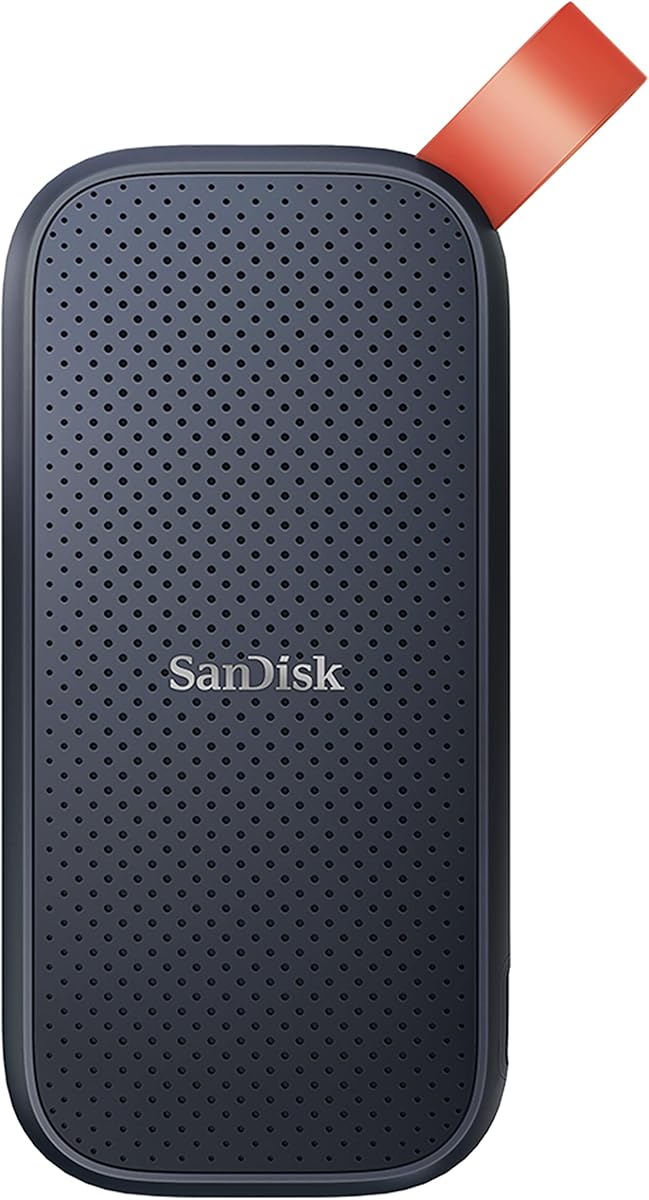
The SanDisk 1TB Portable SSD is an older model that remains a reliable choice for basic external storage needs. With a 4.5 rating, it offers solid performance at a lower cost, ideal for users with less demanding speed requirements.
We may earn a commission when you buy through this link, at no additional cost to you.
Featuring read speeds up to 800MB/s and up to 2-meter drop protection, it handles everyday use effectively. The tough rubber hook allows you to secure it to bags for extra convenience during travel or commuting.
While it lags behind newer drives in speed, its simplicity and durability make it suitable for backup tasks or storing less critical files. SanDisk’s reputation ensures consistent quality even in previous-generation hardware.
For budget users who value brand trust over cutting-edge performance, this drive is a sensible option. It provides reliable storage without unnecessary complexity or premium pricing for modern features.
Designed for seamless integration into mobile lifestyles, this drive helps you back up content quickly and securely.
Withstands drops up to 2 meters, ensuring your data remains safe even if the drive accidentally falls.
We may earn a commission when you buy through this link, at no additional cost to you.
The Lexar 2TB ES3 External SSD provides ample storage for users needing extensive digital workspace expansion. With a 4.5 rating, it supports fast transfers and durability, making it suitable for professionals with large media libraries.
We may earn a commission when you buy through this link, at no additional cost to you.
Its 1050MB/s read speed and built-in double layer graphite sheets ensure efficient heat dissipation during sustained transfers. This thermal management keeps the drive cool and reliable, even when handling massive file volumes.
While it is heavier than 1TB models, the 2-meter drop resistance ensures durability for daily carry. The included 2-in-1 USB-C/USB-A cable simplifies connectivity across different devices without additional adapters.
For creatives needing high capacity without sacrificing speed, this drive offers excellent value. It balances robust construction with performance, ensuring your projects remain accessible and secure during transport.
Double layer graphite sheets conduct heat away from internal components, maintaining optimal performance during long transfers.
The 2-in-1 USB-C/USB-A cable ensures compatibility with modern and older devices for flexible file access anywhere.
We may earn a commission when you buy through this link, at no additional cost to you.
The Lexar D70E 1TB Dual Drive eliminates the need for cables with its unique dual USB-C and USB-A connectors. With a 4.7 rating, it offers a convenient solution for seamless backups across Mac, PC, and mobile devices.
We may earn a commission when you buy through this link, at no additional cost to you.
Supporting USB 3.2 Gen 2×2 speeds up to 2000MB/s read, it delivers high performance for intensive workflows. The metal housing and integrated lanyard loop add durability and ease of carry, weighing only 55g.
While its cable-free design is innovative, ensuring your devices support the required USB specs is essential for maximum speed. The Lexar App further enhances usability by enabling automatic photo and video backups.
For users tired of tangled cables, the D70E provides a streamlined and fast storage experience. Its direct-connect convenience makes it a standout choice for modern professionals and tech enthusiasts.
Dual USB-C and USB-A connectors allow seamless backups across Mac, PC, tablets without any extra cables.
Supports up to 2000MB/s read speeds via USB 3.2 Gen 2×2 for rapid file transfers and workflow efficiency.
We may earn a commission when you buy through this link, at no additional cost to you.
The SanDisk 1TB Extreme PRO Portable SSD combines high-speed performance with rugged durability for field professionals. With a 4.5 rating, it remains relevant for users needing fast and secure storage on challenging assignments.
We may earn a commission when you buy through this link, at no additional cost to you.
With read speeds up to 2000MB/s and a forged aluminum chassis, it dissipates heat efficiently while resisting drops up to 3 meters. IP65 water and dust protection ensures reliability in adverse environmental conditions.
Although it is an older model, its performance specs compete with newer drives. The included 256-bit AES hardware encryption keeps data secure, making it suitable for confidential work on the go.
For photographers and creatives requiring speed and durability, the Extreme PRO is a compelling option. It delivers enterprise-level protection and performance in a portable package trusted by professionals.
The chassis acts as a heatsink to sustain high speeds during prolonged use without thermal throttling or slowdowns.
With IP65 resistance and 3-meter drop protection, this drive is built to survive harsh environments and accidental falls.
We may earn a commission when you buy through this link, at no additional cost to you.
The Western Digital My Passport SSD offers compact storage with strong security features for MacBook Neo users. With a 4.5 rating, it is ideal for those who prioritize data protection and portability in their daily carry.
We may earn a commission when you buy through this link, at no additional cost to you.
It delivers blazing fast NVMe technology with read speeds up to 1050MB/s and drop resistance up to 6.5ft. Password-enabled 256-bit AES hardware encryption ensures your files remain private and secure on any device.
Its cross-compatible design works seamlessly with USB-C and USB-A systems, making it versatile for mixed environments. The sturdy build provides confidence for travel, though it lacks IP ratings for water resistance.
For users seeking a secure and compact SSD, the My Passport is a solid choice. It balances performance with peace of mind through robust encryption and shock-resistant design.
Password-enabled 256-bit AES hardware encryption keeps your files private and secure from unauthorized access on any system.
Shock and vibration resistance with drop protection up to 6.5ft ensures your drive survives everyday bumps and drops.
We may earn a commission when you buy through this link, at no additional cost to you.
Selecting the right external SSD for MacBook Neo involves evaluating several key factors to ensure compatibility, performance, and reliability.
Transfer speed is critical for productivity, especially for video editing and large file backups. Look for USB 3.2 Gen 2 or Gen 2×2 models offering read speeds of 1000MB/s or higher to minimize wait times.
Prioritize drives with sustained write speeds to maintain performance during long file transfers.
Durability ensures your data survives accidental drops or environmental exposure. Drives with IP65 ratings and drop protection up to 3 meters offer better protection for field use.
Aluminum or ruggedized cases help dissipate heat and withstand physical stress.
Storage capacity should match your workload. While 1TB suits most users, 2TB options are better for 4K video or extensive media libraries requiring long-term storage.
Consider future needs to avoid purchasing multiple drives.
Ensure the SSD works seamlessly with macOS via USB-C. Compatibility with mobile devices and gaming consoles adds versatility if you need cross-platform access.
Check for included cables to simplify setup with your MacBook Neo.
Hardware encryption like 256-bit AES protects sensitive data from unauthorized access. Look for drives with password protection or dedicated encryption software.
Secure drives are essential for professionals handling confidential information.
Weight and dimensions matter for on-the-go use. Slim, lightweight drives under 50g fit easily in pockets and do not add bulk to your daily carry.
Compact models with lanyard loops offer added convenience for secure transport.
Reputable brands often provide better firmware support and warranties. Established manufacturers like Samsung and SanDisk offer consistent quality and reliability over time.
Check warranty terms to ensure long-term protection for your investment.
Balance cost against features to find the best value. Budget models may lack ruggedization, while premium ones offer advanced thermal management and encryption.
Invest in drives that match your specific performance needs without unnecessary extras.
When first connecting your external SSD to MacBook Neo, allow macOS to format the drive if needed for optimal performance. Use exFAT or APFS file systems for seamless read-write compatibility across devices.
Always eject the drive safely through Finder before unplugging to prevent data corruption. Ensure cables are secure and avoid bending them sharply to maintain longevity during regular use.
Store the drive in a protective case when not in use to shield it from physical damage. Avoid exposing the SSD to extreme temperatures, moisture, or direct sunlight to preserve its internal components.
Yes, external SSDs offer significantly faster transfer speeds, lower power consumption, and better durability due to no moving parts. They are ideal for workflows requiring quick access to large files like 4K video projects.
MacBook Neo supports USB-C and Thunderbolt interfaces that can handle high speeds. Ensure your drive and cable match your Mac's port capabilities to achieve maximum transfer performance.
Yes, macOS allows you to store and run applications directly from an external SSD. Ensure the drive has enough capacity and uses a compatible file system like APFS or exFAT for full functionality.
Open Disk Utility, select your external SSD, and click Erase. Choose APFS for best Mac performance or exFAT if you need cross-platform compatibility with Windows or other devices.
Most modern external SSDs are bus-powered and draw energy directly from the USB-C port. However, larger capacity models may benefit from a powered hub for consistent performance under heavy loads.
IP65 offers higher protection than IP55, including resistance against low-pressure water jets and complete dust protection. For outdoor or travel use, an IP65 drive provides better environmental safety.
With normal usage, external SSDs can last 5 to 10 years. Their lifespan depends on write cycles and environmental conditions, so maintaining proper care ensures optimal longevity.
Yes, external SSDs are fully compatible with macOS Time Machine. They provide faster backup and restore times compared to traditional hard drives for improved overall workflow efficiency.
Choosing the right external SSD depends on balancing speed, durability, and security for your specific needs. The Samsung T9 and SanDisk Extreme lead in performance and ruggedness for demanding workflows.
Prioritize features like thermal management and encryption if you handle sensitive or large data files regularly. Budget-friendly options like SSK offer solid reliability without sacrificing essential performance for everyday use.
Always check current listings and compatibility before purchasing to ensure the drive meets your MacBook Neo’s port capabilities and performance requirements for seamless operation.