
MOSISO Computer Blue Light Blocking Screen Protector Anti-UV Filter Film
4.4Editor score
Blocks 99% UV rays
Ultra thin acrylic design
Reduces eye strain
Finding the right eye friendly monitor protector can significantly reduce digital eye strain and protect your vision during long work hours. These screens filter harmful blue light and UV rays while maintaining clarity for a comfortable viewing experience.
We evaluated ten top-rated protectors based on filtering efficiency, ease of installation, and overall screen compatibility. Our analysis focuses on models that balance eye protection with minimal impact on image quality and brightness levels.
Each pick highlights key features and real-world performance metrics to help you decide. Note that product availability and pricing may vary over time, so verify details before purchasing to ensure the best fit for your setup.
4.4Editor score

4.2Editor score

4.2Editor score
As an Amazon Associate we earn from qualifying purchases.
Here is a side-by-side comparison of all ten eye friendly monitor protector models reviewed in this guide, highlighting their core specifications and key differentiators.

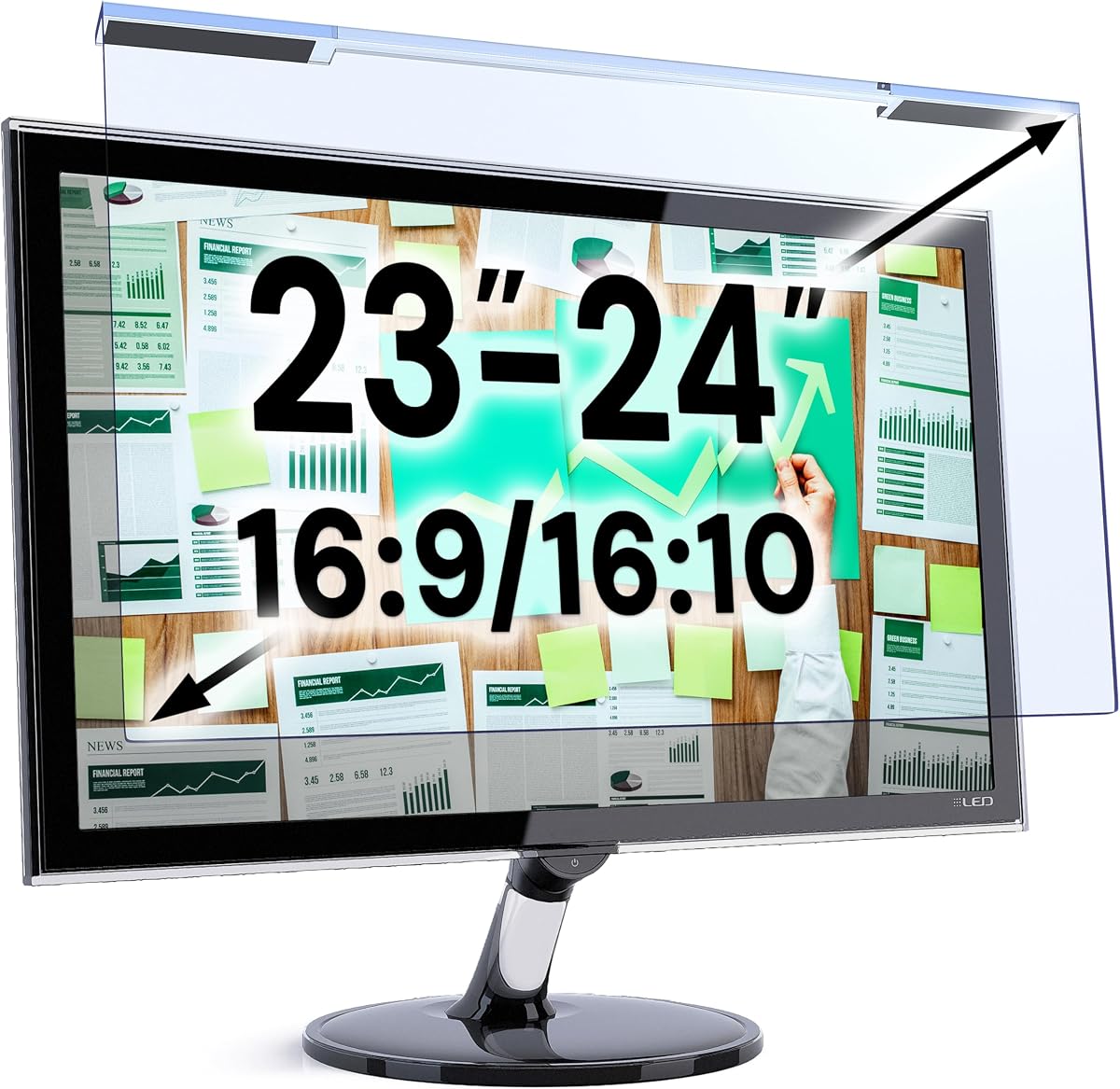


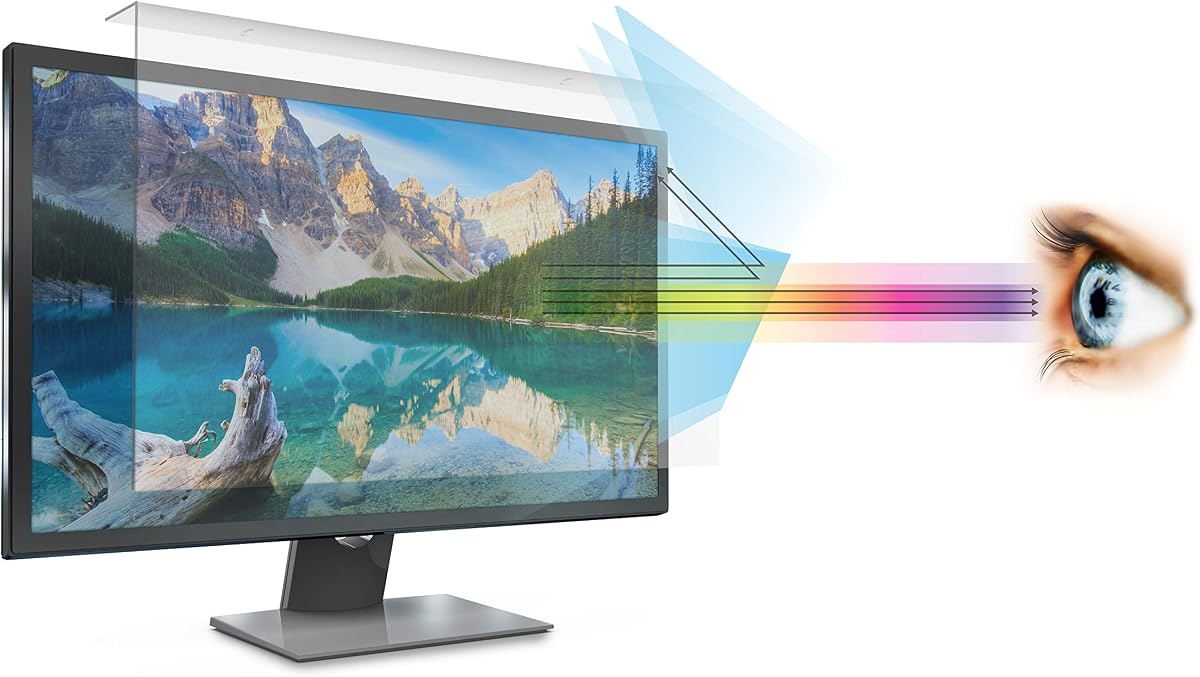

The MOSISO Computer Blue Light Blocking Screen Protector offers a budget-friendly solution for those seeking basic eye protection. With a strong 4.4 rating, users appreciate its ability to filter UV rays effectively while maintaining screen clarity.
We may earn a commission when you buy through this link, at no additional cost to you.
Its acrylic construction ensures durability against scratches and fingerprints without adding bulk. The thin design preserves original brightness and avoids darkening the display, making it suitable for both office and home environments.
While it reduces blue light between 420nm and 460nm by 45 percent, it may not be enough for heavy users needing deeper filtration. However, the ease of installation and transparency make it a practical starting point for eye care.
Ideal for casual users and budget-conscious buyers, this protector balances cost and function. Install it on compatible 24-inch monitors to start reducing UV exposure and screen-related strain immediately.
The protector filters 99% of harmful UV rays while maintaining 95% transparency, ensuring you do not sacrifice visual quality for safety.
Beyond eye safety, the acrylic layer shields your display from dust, fingerprints, and daily scratches, extending the life of your monitor.
We may earn a commission when you buy through this link, at no additional cost to you.
This 2-pack privacy screen delivers dual protection by blocking blue light and securing your data. Rated 4.2 by users, it stands out for its reversible design and robust filtration metrics that address both vision and security needs.
We may earn a commission when you buy through this link, at no additional cost to you.
The microlouver technology hides content at 30 degrees, while the matte side minimizes glare for comfort. It blocks 98% of blue light and 99.9% of UV rays, offering comprehensive eye care during extended sessions.
Users should note that the privacy effect darkens the screen at angles, which may impact side viewing. Ensure precise dimension checks before ordering to avoid fit issues with your specific monitor model.
Choose this for office workers or travelers needing both privacy and eye relief. The washable surface and included adhesive options make it a versatile long-term solution for shared or public workspaces.
By combining microlouver privacy tech with 98% blue light block, this screen guards both your data and your vision from digital hazards.
Switch between matte for reduced glare and glossy for enhanced privacy, adapting the protector to your daily environment and task needs.
We may earn a commission when you buy through this link, at no additional cost to you.
The Peslv privacy screen combines premium materials with advanced surface technology to deliver superior eye and privacy protection. With a 4.2 rating, it is favored for its high-definition clarity and double-sided design options.
We may earn a commission when you buy through this link, at no additional cost to you.
Imported optical materials filter 92% of blue light and 98% of UV rays. The German anti-glare matte side softens strong light, while the glossy side boosts privacy angles to 26 degrees for tighter control.
The package includes cleaning kits and mounting options for both raised and flat bezels. While it comes at a higher price, the lifetime warranty and durable build justify the investment for serious users.
Ideal for professionals in healthcare or finance, this screen ensures data security and visual comfort. Opt for the matte finish to reduce fatigue or the glossy side for maximum confidentiality in open offices.
The matte surface uses German technology to minimize glare and reflections, creating a softer viewing experience during bright daylight hours.
By shielding sensitive data from prying eyes and filtering harmful light, this screen offers dual layers of safety for work and personal use.
We may earn a commission when you buy through this link, at no additional cost to you.
VizoBlueX focuses on eliminating hazardous UV and HEV light without distorting your screen image. Rated 4.4, it is known for maintaining full visible colors while blocking harmful spectrums that contribute to eye fatigue.
We may earn a commission when you buy through this link, at no additional cost to you.
The multi-layer protection targets rays that cause strain and headaches. Users report better sleep and reduced discomfort after installation. It fits 23 to 24-inch monitors including Apple iMac Retina models.
Unlike some models, it does not include an anti-glare coating. This may result in reflections under bright conditions, but the high clarity is a trade-off for accurate color reproduction and sharpness.
Choose this for color-sensitive tasks or Apple users wanting simple protection. Install it quickly by peeling films and hanging it on your monitor to start reducing light-related strain immediately.
The filter maintains full visible colors, ensuring your images and text remain sharp and true without introducing unwanted tints or blurring.
Users report improved sleep patterns and fewer headaches due to the elimination of hazardous UV and HEV light from their screens.
We may earn a commission when you buy through this link, at no additional cost to you.
VINTEZ offers a reliable blue light filter with a strong patent-pending design. With a 4.3 rating, it is appreciated for its lifetime replacement policy and high UV blocking capabilities that ensure long-term peace of mind.
We may earn a commission when you buy through this link, at no additional cost to you.
The filter blocks up to 61% of blue light in the 420 to 460 nm range while filtering 99% of UV rays. This helps reduce eye strain without distorting the image clarity for accurate color viewing.
It lacks an anti-glare function, so reflections might still occur in bright rooms. However, the screen longevity is extended by the protective layer that shields against scratches and dust accumulation.
Best for users needing a durable solution with support. Install it by peeling matte films and positioning it carefully to ensure full coverage and optimal protection for your desktop or laptop.
The proprietary filter tech ensures effective blue light block without compromising image quality, backed by international patent rights.
In case of damage, the brand offers free replacement, extending the product's lifespan and value beyond typical market offerings.
We may earn a commission when you buy through this link, at no additional cost to you.
This 27-inch privacy screen caters to larger monitors needing both data security and visual comfort. Rated 4.1, it uses micro-louver technology to limit viewing angles and reduce eye strain from glare and blue light.
We may earn a commission when you buy through this link, at no additional cost to you.
It blocks 92% of blue light and 98% of UV rays with Japanese optical materials. The reversible design lets you switch between matte for reduced reflections and glossy for enhanced privacy protection.
Installation offers permanent or removable options depending on your monitor bezel. While it darkens content at angles for privacy, the anti-glare matte side keeps the front view clear and comfortable for work.
Select this for travelers or office staff using 27-inch screens. It protects against leaks and reduces visual fatigue, ensuring your sensitive data and eyes remain safe during long sessions.
The screen limits viewing angles to 28 degrees, ensuring only the person directly in front can read your content clearly.
The matte side reduces reflected light and glare, creating a softer viewing environment that minimizes eye damage during bright conditions.
We may earn a commission when you buy through this link, at no additional cost to you.
ZYY provides robust optical protection for 27-inch monitors with a focus on reducing blue light and strain. Rated 4.4, it features multi-layer engineering that blocks significant harmful rays while preserving screen clarity.
We may earn a commission when you buy through this link, at no additional cost to you.
The 5-layer optical protection blocks 90% of blue light and 98% of UV. Constructed from 8H reinforced acrylic, it resists scratches and fingerprints while maintaining a high-resolution view with real colors.
It fits both flat and curved monitors but excludes iMac screens. The ultra-thin 2mm design ensures the screen remains explosion-proof and lightweight without adding noticeable bulk to your desktop setup.
Ideal for gamers and office workers using curved displays. Install it by peeling protective films and hanging it securely to start improving focus and reducing dryness during work hours.
Japanese nano-optical technology ensures effective blue light block while maintaining high resolution and color accuracy for your tasks.
The 8H hardness and anti-fingerprint coating keep the screen clean and scratch-free, preserving image quality over time.
We may earn a commission when you buy through this link, at no additional cost to you.
This protector combines blue light blocking with anti-glare features for enhanced visibility. Rated 3.6, it stands out for being touchscreen compatible and maintaining original screen responsiveness without input lag.
We may earn a commission when you buy through this link, at no additional cost to you.
The anti-glare matte coating reduces visual interference from bright light. It also features an oleophobic coating to repel oil and sweat, ensuring a clean surface that restores easily after daily use.
The 8-layer design blocks 100% of UV light while filtering harmful HEV rays. However, it is laser-cut for specific brands like Dell and HP, so verify your model matches the listing exactly.
Choose this for touchscreen users needing glare reduction. It helps insomniacs and students sleep better by reducing strain, making it a practical choice for interactive or bright workspace setups.
Unlike glass covers, this screen preserves original responsiveness with zero input lag, making it suitable for interactive or touch-based displays.
The oleophobic coating repels oil and sweat, allowing you to wipe the screen clean and keep it looking new with minimal effort.
We may earn a commission when you buy through this link, at no additional cost to you.
Designed for 21 to 22-inch monitors, this filter blocks excessive harmful light to reduce eye strain. With a 4.4 rating, it is valued for its ease of use and inclusion of a blue light testing kit.
We may earn a commission when you buy through this link, at no additional cost to you.
It blocks up to 80% of harmful blue light and radiation using acrylic construction. The bezel attachment requires no adhesives, making it simple to install or remove whenever needed for flexible use.
Users report improved sleep and reduced fatigue after switching to this filter. While it lacks privacy features, it effectively shields eyes from electronic hazards and extends screen life against dust.
Ideal for home office setups with smaller displays. Verify your diagonal size before purchasing to ensure a perfect fit and start reducing digital eye fatigue immediately.
The attach method secures to the bezel without adhesives, allowing you to remove it anytime for cleaning or storage.
Included testing kits let you measure the filter effectiveness, ensuring you get the promised protection for your eyes.
We may earn a commission when you buy through this link, at no additional cost to you.
The IPROKKO protector offers a 2-pack value for 27-inch monitors needing strong blue light filtration. Rated 4.0, it focuses on blocking rays effectively while maintaining high transmission and clarity.
We may earn a commission when you buy through this link, at no additional cost to you.
It filters up to 98% of blue light and 99% of UV rays to reduce fatigue. The anti-glare function helps prevent eyestrain in bright environments, making it suitable for students and office workers.
The design is washable and removable with no air bubbles or residue. However, the high transparency is a trade-off that may mean less privacy compared to dedicated louver models.
Best for budget-conscious users with large screens. Install it to start reducing eye strain immediately while maintaining a clear view of your work and media content.
The protector maintains a 90% transmission rate, ensuring your screen brightness and colors remain clear without significant darkening.
It blocks 95% of reflected light to prevent eyestrain and headaches, creating a comfortable viewing space even near bright light.
We may earn a commission when you buy through this link, at no additional cost to you.
Selecting the right protector requires attention to dimensions, filter quality, and installation method. This guide breaks down the key factors to consider before buying.
Always measure your monitor's visible area without the bezel to find the right fit. Most filters specify width and height, not just diagonal size, so verify these against your device.
Match the aspect ratio like 16:9 to ensure the protector covers the entire display without blocking pixels or edges.
Look for products that specify percentages of blue light and UV rays blocked. High-quality options filter at least 90 percent of UV and significant blue light to reduce strain effectively.
Prioritize models that filter the HEV range between 420 and 460 nanometers as this is where harmful light often peaks.
Matte anti-glare finishes reduce reflections and light interference, making them ideal for bright offices. Glossy options offer better clarity but may reflect more light.
Some protectors are reversible so you can switch finishes based on your daily environment and viewing needs.
If you work in public spaces, choose a privacy filter with microlouver technology. These darken the screen at angles so others cannot read sensitive data.
Note that privacy features may reduce overall brightness for the user directly in front of the screen.
Consider whether you need permanent adhesive or removable slide tabs. Removable options offer flexibility but may be less stable than adhesive ones.
Check if the packaging includes mounting accessories like tape or cleaning cloths to simplify setup.
High transparency ensures you do not lose image quality or color accuracy. Look for specifications mentioning high transmission rates or clear views.
Thinner materials usually preserve original brightness better than thicker acrylic options.
Acrylic or reinforced materials resist scratches and fingerprints better than cheap films. This extends the life of the protector and your monitor.
Washable protectors allow you to clean them over time rather than replacing them frequently.
Some filters are laser-cut for specific brands like Dell or HP. Ensure your model is listed to avoid fit issues.
Curved monitor compatibility should be verified if your screen bends, as flat protectors may not adhere properly.
Start by cleaning your monitor screen thoroughly with a microfiber cloth to remove dust and oils before applying the protector.
Peel off the protective film from both sides carefully to avoid air bubbles, then align the protector with your screen edges.
Clean the protector regularly with a soft cloth and mild solution to maintain clarity and extend its lifespan.
Most quality protectors maintain high transparency rates, typically around 90 to 95 percent. While privacy filters may darken slightly for security, blue light filters aim to preserve original brightness levels for clear viewing.
Yes, many models like the anti-glare protectors are designed to be touchscreen compatible. They maintain zero input lag and respond to touch without interfering with screen sensitivity.
Measure the visible display area from left to right and top to bottom, excluding the frame or bezel. Match these width and height dimensions to the filter specifications rather than relying on diagonal size alone.
Privacy filters may reduce brightness and sharpness when viewed from angles other than straight on. However, modern designs include high-definition light transmission to minimize impact for the primary user.
If the protector becomes scratched, cloudy, or loses adhesion, replace it to maintain effectiveness. Most high-quality acrylic models last for years if handled gently and cleaned regularly.
Yes, by blocking harmful blue light and UV rays, these protectors reduce visual fatigue and strain. Many users report fewer headaches and improved sleep after consistent use.
Installation usually takes just a few minutes. Most models come with peel-and-hang designs or adhesive strips, and some include mounting tabs for removable options without permanent adhesion.
Some specific models are designed to fit curved screens, but many standard flat protectors will not conform. Always check the product listing for curved compatibility before purchasing.
The top picks in this guide offer a range of options from basic blue light filters to advanced privacy shields. The MOSISO, 24 Inch Privacy Screen, and Peslv models stand out for their value, features, and performance.
Prioritize a protector that matches your specific needs such as privacy, glare reduction, or maximum UV blocking. A good choice will balance eye comfort with minimal impact on your display quality.
Always verify your screen dimensions and compatibility before buying since sizes vary widely. Check current availability to ensure the model fits your setup perfectly and offers the best protection available.