
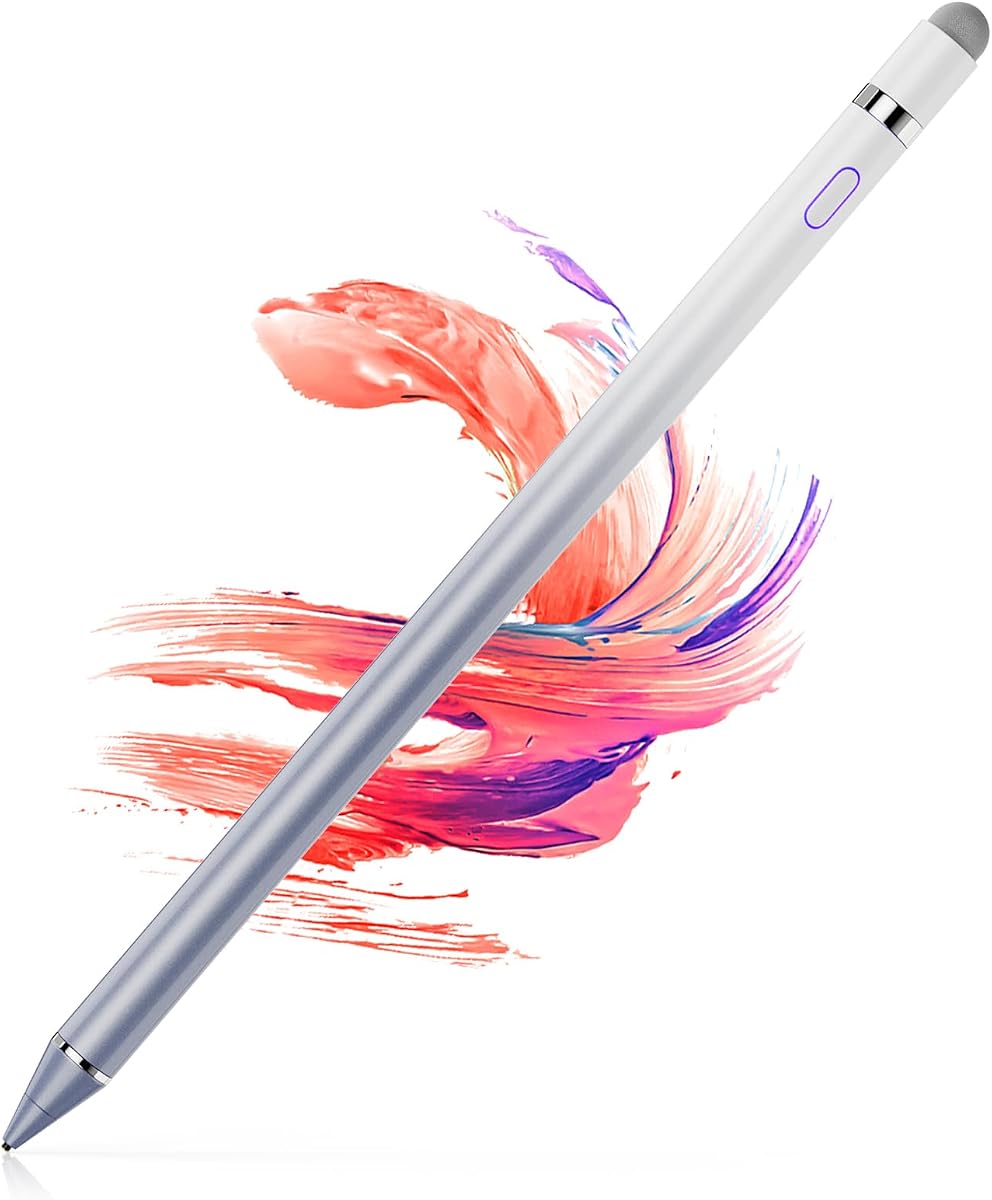
ChaoQ Stylus Pen for Touchscreen
4.6Editor score
Lightweight aluminum body
Dual replaceable rubber tips
Vibrant color options
This comprehensive guide compares the top ten fine tip stylus models available in October 2026 to help you choose the best stylus for your touchscreen device.
Finding the right fine tip stylus can transform how you interact with your touchscreen devices. Whether you are a student taking notes, an artist sketching, or a professional navigating apps, precision matters.
We have analyzed ten highly rated products based on user feedback, compatibility, tip design, and overall value. Each option offers unique features suited for different needs and device types.
This guide walks you through detailed reviews, comparison tables, and buying factors. Prices and availability change frequently, so always check the latest listings before making your final purchase decision.
4.6Editor score

4.6Editor score
4.0Editor score
The following table provides a side-by-side overview of all ten stylus models included in this review, highlighting their key specifications and standout features for easy comparison.


The MEKO Stylus Pen stands out as a top choice for users seeking versatility and accuracy. With a rating of 4.6 stars, it combines a transparent disc tip with dual rubber tips to cover various tasks.
We may earn a commission when you buy through this link, at no additional cost to you.
Its 3-in-1 design allows seamless switching between precise disc input for writing and rubber tips for browsing. The transparent disc provides clear visibility of the contact point, enhancing control during detailed tasks.
While it lacks pressure sensitivity found in active styluses, the disc tip delivers lag-free performance for note-taking and gaming. The flexible writing angle ensures comfort during extended use sessions.
Ideal for students and professionals, this stylus offers exceptional value. It works universally across capacitive screens, making it a reliable tool for anyone needing a fine tip stylus for daily device interaction.
The transparent disc tip allows users to see exactly where they are touching the screen, which is crucial for precise drawing and note-taking tasks.
Dual rubber tips in different sizes cater to different user preferences, providing smooth scrolling and navigation without scratching the screen surface.
We may earn a commission when you buy through this link, at no additional cost to you.
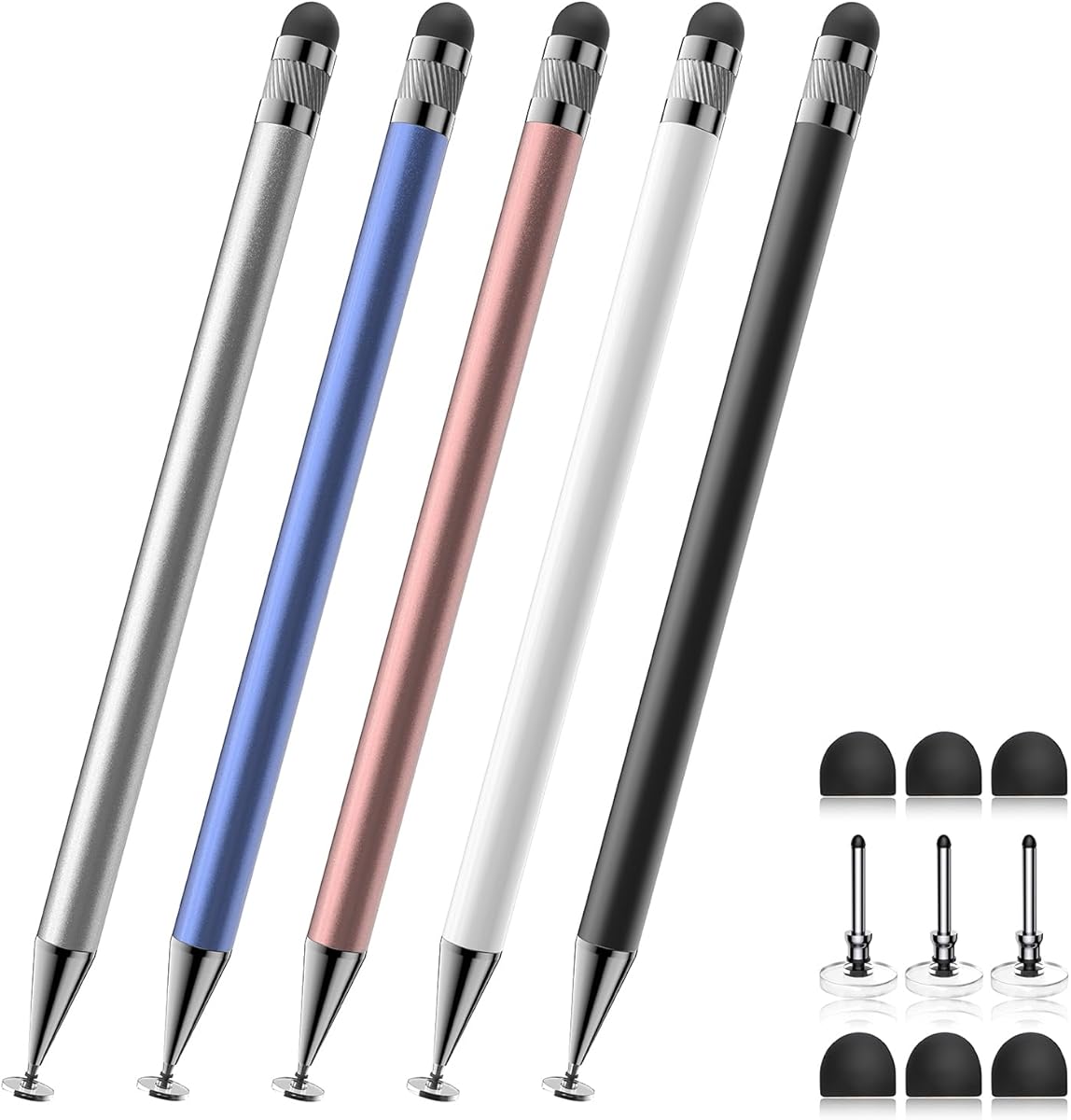
The Bopomofo Stylus offers great value with five pens in one package. Rated 4.6 stars, it features a 2-in-1 design combining a disc tip and rubber tip for versatile touchscreen interaction.
We may earn a commission when you buy through this link, at no additional cost to you.
Its patented design adds a touch of aesthetics, making it a thoughtful gift for students or professionals. The pens are lightweight and ergonomic, ensuring comfortable use during long sessions.
Users can switch between the disc tip for precise writing and the rubber tip for scrolling. The disc tip is fixed in design, but it ensures stable contact with the screen.
This multi-pack is perfect for families or classrooms. With broad compatibility across devices, it provides reliable performance for note-taking, drawing, and everyday navigation tasks.
The stylus boasts a unique US design patent, giving it a refined look that makes it suitable for personal use or as a stylish gift for others.
Five different colored styluses are included, along with replacement nibs, ensuring you have backups for every user or situation.
We may earn a commission when you buy through this link, at no additional cost to you.
Designed for precision, this stylus pen features an upgraded 3-in-1 system. With a 4.5-star rating, it excels in writing and note-taking tasks on various touchscreen devices.
We may earn a commission when you buy through this link, at no additional cost to you.
The transparent disc tip ensures high sensitivity, allowing users to write smoothly without lag. The flexible 180-degree angle reduces hand strain during extended writing sessions.
Replacement tips are easy to swap out without tools, extending the product's life. This makes it ideal for users who rely heavily on digital note-taking daily.
It is also suitable for seniors or those with arthritis due to its ergonomic design. Universal compatibility means it works seamlessly across iPhones, iPads, and Android tablets alike.
The flexible writing angle allows users to hold the stylus naturally, reducing wrist strain during long periods of writing or drawing.
Its ergonomic design makes it especially helpful for users with limited hand movement, providing an easier way to interact with touchscreens.
We may earn a commission when you buy through this link, at no additional cost to you.
This dual-tip stylus is unique for its ability to work on both capacitive and resistive screens. While rated lower at 3.6 stars, it serves a specific niche for older devices.
We may earn a commission when you buy through this link, at no additional cost to you.
The silicone round head is perfect for modern touchscreens like iPhones and iPads, providing smooth navigation. The plastic tip is designed for resistive screens found on GPS units.
Users must be careful not to use the plastic tip on capacitive screens to avoid scratches. This distinction makes it a specialized tool rather than a general-purpose stylus.
For those needing a backup for older tech, it offers value. Its universal design ensures you have the right tip for nearly any touch device you encounter.
This stylus offers both silicone and plastic tips, allowing compatibility with both modern capacitive screens and older resistive devices.
Always ensure you use the silicone tip on modern devices to prevent scratching, as the plastic tip is reserved for resistive screens only.
We may earn a commission when you buy through this link, at no additional cost to you.
This multi-pack offers seven pens in vibrant colors, making it ideal for families or teams. With a 4.6-star rating, these styluses deliver high precision and sensitivity for touch tasks.
We may earn a commission when you buy through this link, at no additional cost to you.
The lightweight alloy body ensures durability without adding bulk. Each pen features a 2-in-1 design, switching easily between disc and rubber tips for different tasks.
Compatibility spans across major operating systems including Android, iOS, and Windows. This universality means every user can find a suitable pen for their device.
For classrooms or offices, this pack provides a cost-effective solution. The styluses are ready to use right out of the box with no pairing or charging required.
The alloy body provides sturdiness and anti-aging properties, ensuring the styluses last longer than plastic alternatives.
No Bluetooth pairing or charging is needed, allowing users to pick up and start writing or navigating instantly.
We may earn a commission when you buy through this link, at no additional cost to you.
ChaoQ offers exceptional value with three styluses in one pack. Rated 4.6 stars, these pens combine affordability with a premium aluminum build and comfortable ergonomic design.
We may earn a commission when you buy through this link, at no additional cost to you.
Each pen features dual rubber tips of different sizes, allowing users to switch between detailed art and bold notes. The tips are replaceable, extending the product's usability over time.
The lightweight aluminum body feels sturdy yet comfortable in hand. This reduces wrist strain during extended use, making it suitable for daily tasks like note-taking and gaming.
Ideal for budget-conscious buyers, this set ensures everyone has a stylus. The bright colors inspire creativity, and compatibility spans across all major touchscreen devices effortlessly.
Despite the budget price, the aluminum body provides a sturdy and comfortable feel that rivals more expensive options.
Switching between two tip sizes allows for versatility, catering to both precise input and broader navigation tasks.
We may earn a commission when you buy through this link, at no additional cost to you.
This stylus stands out for its rechargeable battery and magnetic attachment. Rated 4.4 stars, it offers convenience with a one-touch switch and quick charging capabilities.
We may earn a commission when you buy through this link, at no additional cost to you.
The magnetic adsorption design keeps the stylus secure to your iPad, preventing loss. It charges fully in just 40 minutes and provides up to 10 hours of continuous use.
Precision and sensitivity are key features, ensuring lag-free writing and drawing. It comes with two complimentary nibs, giving users options for different textures.
While it lacks palm rejection, it is ideal for those who want a stylus that stays attached to their device. This makes it a reliable tool for daily creative tasks.
The magnetic design ensures the stylus stays securely attached to the side of your iPad, keeping it within reach and preventing it from getting lost.
A full charge takes only 40 minutes, allowing users to return to their creative tasks quickly without long downtime.
We may earn a commission when you buy through this link, at no additional cost to you.
The OASO stylus features a unique magnetic cap that protects the disc tip. With a 4.3-star rating, it simulates human finger touch for smooth interactions across devices.
We may earn a commission when you buy through this link, at no additional cost to you.
The magnetic cap keeps the disc tip safe when not in use. Inside the pen, an extra replacement tip is stored, ensuring longevity without needing to buy extras.
Users also get a leather pen case for portability. This attention to detail makes it a premium choice for those who carry their stylus frequently.
It works universally with capacitive screens, making it suitable for iPhones, iPads, and Android tablets. The design ensures you always have a backup tip ready.
An extra disc tip is stored inside the pen body, ensuring you have a replacement ready without needing to purchase one separately.
The magnetic cap not only secures the pen but also protects the delicate disc tip from damage when not in use.
We may earn a commission when you buy through this link, at no additional cost to you.
This stylus features a 1.5mm copper tip for lifelike accuracy. Rated 4.0 stars, it is designed for professionals who need precise control for detailed art or signatures.
We may earn a commission when you buy through this link, at no additional cost to you.
The battery lasts up to 12 hours, powered by a quick 60-minute charge. The magnetic cap locks the stylus to the device, preventing loss and keeping it secure.
It works without Bluetooth pairing, allowing instant use. While it lacks palm rejection, the copper tip glides smoothly without scratching the screen.
Ideal for creators and professionals, this stylus delivers portability and precision. It is a powerful tool for taking notes, annotating, and drawing on various devices.
The durable copper tip offers lifelike accuracy, ideal for detailed art, signatures, and precise note-taking on professional devices.
With up to 12 hours of use on a single charge, this stylus keeps pace with your workday without frequent interruptions.
We may earn a commission when you buy through this link, at no additional cost to you.
This active pencil offers a realistic feeling for creation. With a 4.0-star rating, it features a 1.5mm tip that provides precision for drawing and handwriting tasks.
We may earn a commission when you buy through this link, at no additional cost to you.
Powering on within one second without Bluetooth, it offers quick access to creative apps. The battery supports 10 to 12 hours of continuous use on a short charge.
While it lacks pressure sensitivity, it ensures consistent line thickness. This makes it suitable for users who prefer uniform strokes during digital art or note-taking.
Designed for iPhones, iPads, and Android tablets, it is a versatile choice. This stylus provides a reliable experience for those needing an active-style tool without pairing issues.
Power on the stylus within one second without needing a Bluetooth connection, ensuring immediate access to your creative applications.
The fine point design provides a realistic feeling for creation, making digital drawing and handwriting feel more natural.
We may earn a commission when you buy through this link, at no additional cost to you.
Choosing the right fine tip stylus involves considering compatibility, tip design, battery life, and ergonomic features to ensure it meets your specific usage needs.
Ensure the stylus supports your specific device type. Capacitive styluses work on most smartphones and tablets, but some resistive screens require different tips.
Look for transparent disc tips for high visibility and accuracy, or rubber tips for durability. The tip size determines the level of control you have.
Passive styluses need no battery, while active ones require charging. Consider how long the battery lasts if you choose an active model.
The stylus should feel comfortable in your hand during extended use. Lightweight materials and ergonomic grips reduce wrist strain over time.
Some styluses include magnetic caps, extra tips, or replacement cases. These features add value and ensure you have backups when needed.
Choose models made from durable materials like aluminum. Strong construction ensures the stylus withstands daily drops and usage without breaking easily.
Consider multi-packs if you need multiple styluses. These often offer better value per unit compared to single stylus purchases.
Check user ratings and reviews to gauge real-world performance. Brands with high ratings often provide better reliability and customer support.
To ensure optimal performance, clean the stylus tip regularly to remove dust or debris. Use a microfiber cloth to wipe the tip gently before each use.
If your stylus has replaceable tips, swap them when they show signs of wear. Keeping spare tips on hand ensures you never lose functionality mid-task.
Store your stylus in a protective case or attach it to your device using magnetic features. This prevents accidental damage and ensures it is always within reach when needed.
Most fine tip styluses are designed for capacitive screens found on modern smartphones and tablets. However, some older devices may use resistive technology requiring specific tips. Always check the product specifications before purchasing.
Passive styluses require no battery and are ideal for basic navigation. Active styluses often offer advanced features like pressure sensitivity but need charging. The choice depends on your specific needs and usage patterns.
Yes, many fine tip styluses provide excellent precision for drawing and note-taking. Look for models with disc tips for high accuracy, though they may lack pressure sensitivity compared to premium styluses.
If the tip feels rough, drags on the screen, or no longer registers touches accurately, it is likely worn out. Replacing the tip ensures smooth and responsive performance during use.
High-quality styluses with rubber or silicone tips are designed to prevent scratches. However, avoid using metal tips on capacitive screens to protect the display from potential damage over time.
Multi-packs offer great value, especially for families or classrooms. They provide backups if a stylus gets lost or worn out, ensuring everyone has access to a reliable tool.
Active styluses typically last between 10 to 12 hours on a full charge. Charging times vary by model, so check the product specifications to plan your usage accordingly.
Most capacitive styluses work regardless of gloves, but some specialized gloves are designed for touch screens. Passive styluses generally offer better performance when gloves are worn compared to fingers.
The MEKO Stylus Pen leads our list for its versatile 3-in-1 design, making it the best overall choice for most users. Its combination of disc and rubber tips offers precision and durability.
For those on a budget, the ChaoQ Stylus Pen provides exceptional value with durable aluminum build and multiple pens included. It ensures you have reliable tools for daily tasks.
Remember that prices and availability change frequently, so always check the latest listings before purchasing. Selecting the right stylus can significantly enhance your digital writing and navigation experience.