
Time Clock for Small Business H4
4.8Editor score
Standalone operation
No subscription fees
USB export reports
This guide compares the top fingerprint time clocks for employees based on features, security, and ease of use to help businesses find the right attendance
Finding the right attendance system is crucial for modern businesses managing diverse workforces. Fingerprint time clocks offer accuracy and security that traditional methods cannot match. They help eliminate buddy punching and ensure precise records for payroll processing.
We evaluated ten leading models based on reliability, user capacity, and connectivity options. Each product was reviewed for its fingerprint scanning speed, data storage limits, and overall build quality. Our goal is to highlight devices that fit various business needs and budgets.
Each pick in this list highlights specific strengths like cloud access or standalone operation. We focus on features that matter most for daily operations and long-term maintenance. Please note that product availability and pricing can change frequently on retailer sites.
4.8Editor score

4.6Editor score

4.4Editor score
The following table provides a side-by-side comparison of all ten featured products. It highlights key specifications to help you quickly identify which model fits your operational requirements.



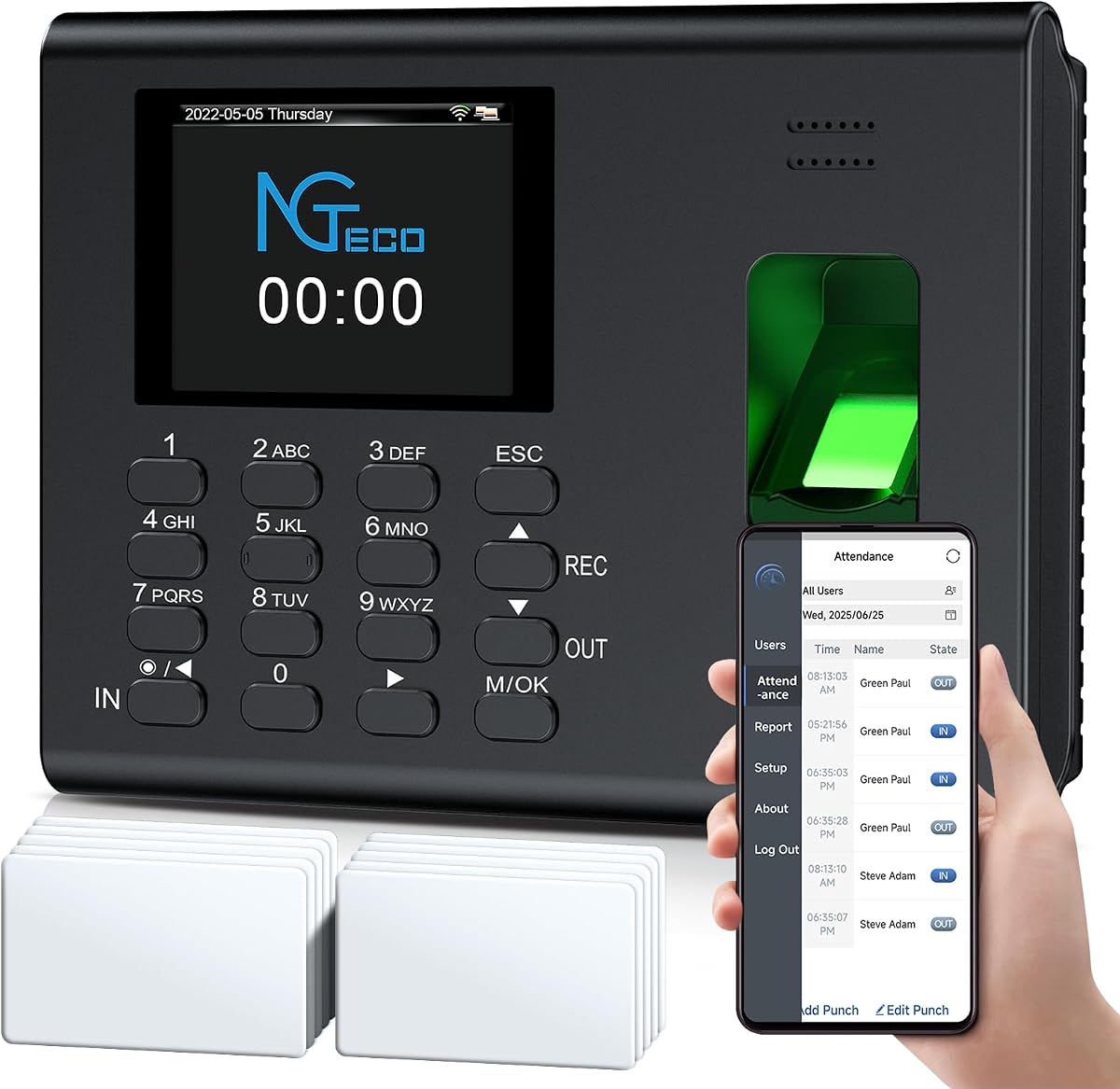
The NGTeco Time Clock stands out as a top choice for small businesses needing modern attendance tracking. With a 4.6 rating it combines speed with user-friendly management tools. The device allows quick clock-ins and provides real-time updates to managers via app.
We may earn a commission when you buy through this link, at no additional cost to you.
Its advanced sensor handles wet or dry fingerprints in under half a second which keeps lines moving. You can export timesheets easily via USB or email to fit any payroll schedule. This flexibility helps administrators save significant time during pay periods.
One trade-off is that editing punches requires being on the same local network as the device. However the instant sync feature ensures accuracy across the system which often outweighs this minor constraint. Most users find the convenience worth the setup requirement.
This clock is ideal for businesses that value connectivity and quick adjustments without complex hardware. If you need reliable tracking with mobile oversight this model delivers strong performance. It balances high tech features with straightforward daily operation effectively.
The sensor authenticates fingerprints quickly reducing wait times during shift changes or breaks.
Flexible sync options allow you to align hours with weekly bi-weekly or monthly cycles easily.
We may earn a commission when you buy through this link, at no additional cost to you.
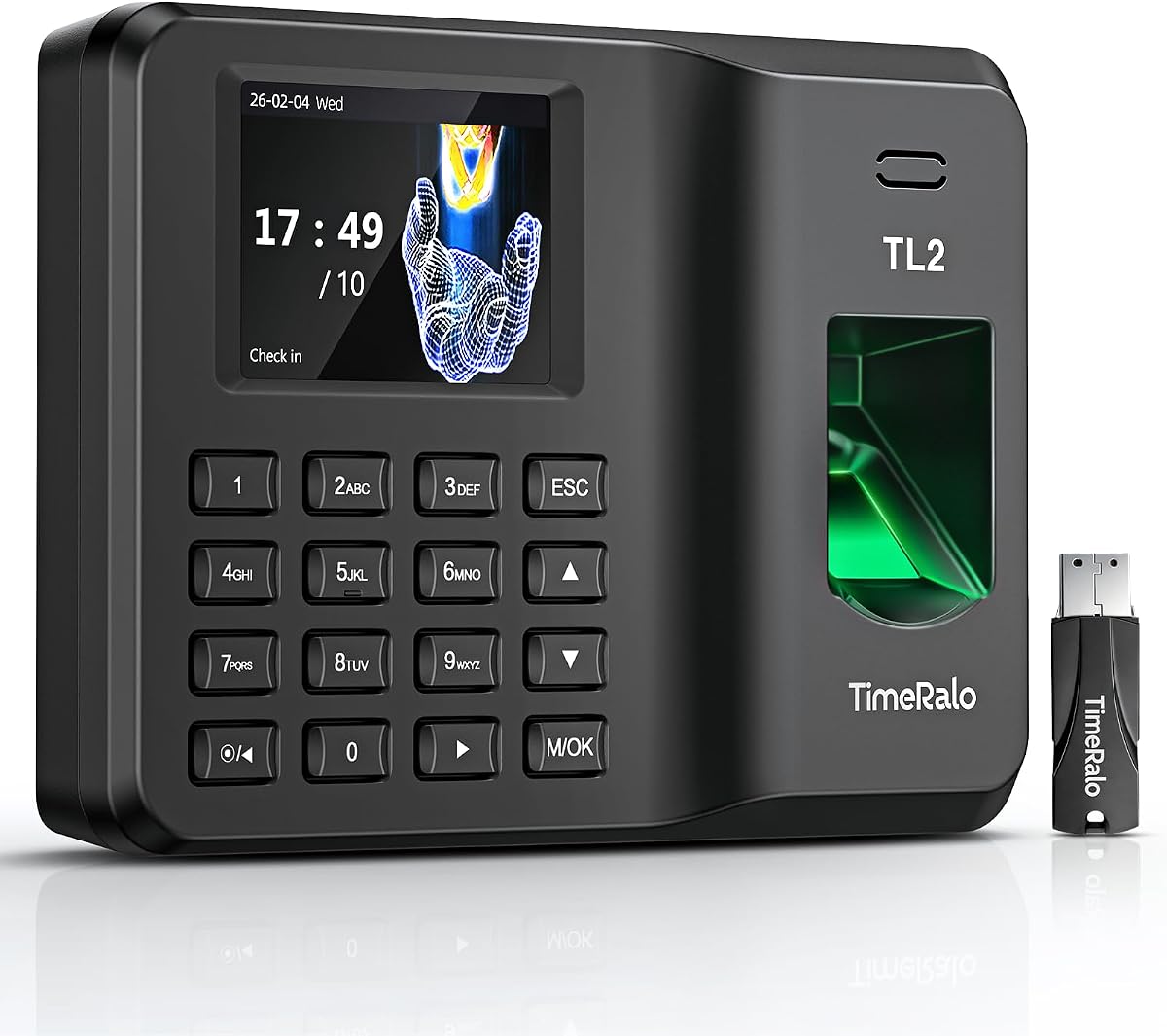
The HapAttend H4 is a highly rated standalone clock designed for businesses without internet access. It holds a 4.8 rating for its simplicity and reliability in tracking employee hours. You can use it immediately out of the box without any complicated software or configuration.
We may earn a commission when you buy through this link, at no additional cost to you.
It supports multiple punch methods including fingerprint RFID and PIN to prevent buddy punching effectively. The automatic hours calculation reduces manual errors and eliminates the need for paper cards. Night shift support ensures that overnight workers are logged correctly on the right day.
The main limitation is that you cannot access data remotely from home or another location. All records are stored locally and require a USB drive for export. This is acceptable for small businesses that prioritize security and lower costs over remote management.
Choose this model if you want a plug-and-play solution that requires zero technical knowledge. It is perfect for warehouses or retail stores where connectivity is unreliable. The one-time purchase model saves money compared to subscription-based systems.
Enjoy full system access with no hidden monthly fees or recurring charges ever.
Attendance data stays private on the device rather than on external servers.
We may earn a commission when you buy through this link, at no additional cost to you.
This NGTeco model offers a premium experience with a high-definition touchscreen interface. It allows four different ways to punch in which suits diverse team needs. The cloud connection provides secure storage and remote access for managers who travel frequently.
We may earn a commission when you buy through this link, at no additional cost to you.
You can set revision zones to prevent early punches and define specific overtime rules. This level of customization helps enforce company policies accurately across all departments. The dual-band WiFi ensures a stable connection for uninterrupted data transmission.
While the upfront cost is higher than basic models the advanced features justify the investment. The touchscreen reduces physical wear and tear compared to button-heavy interfaces. However it does require more initial setup time to configure all the custom rules.
Businesses with complex shift structures will appreciate the flexible rule configuration. It is a strong choice for growing companies needing professional-grade management tools. The robust security features keep your workforce data safe from unauthorized access.
The HD display makes navigation intuitive and simplifies the clock-in process.
AWS servers store your records securely with end-to-end encryption for privacy.
We may earn a commission when you buy through this link, at no additional cost to you.
The NGTeco Standalone model focuses on reliability and capacity for growing teams. It handles up to 500 user profiles and 50,000 punch records without lag. The zero setup design means you can install it without needing internet or software installation.
We may earn a commission when you buy through this link, at no additional cost to you.
Exporting data via USB allows you to get ready-to-use Excel reports for payroll. This paperless approach saves money on supplies and helps reduce environmental waste. The industrial-grade materials ensure it withstands daily use in busy environments.
Lack of remote features is a trade-off for those needing to monitor staff off-site. You will need to physically access the device to download reports or adjust settings. However this enhances local security and reduces dependency on network stability.
It is an excellent fit for expanding small businesses needing consistent performance. The cost-effective nature keeps operating expenses low while improving accuracy. Choose this if you prefer simple independent tools over connected systems.
Onboard memory supports growth without needing upgrades or replacements soon.
Digital tracking eliminates paper cards and ribbons to save costs and waste.
We may earn a commission when you buy through this link, at no additional cost to you.
This standalone clock offers a solid balance of price and performance for small teams. It stores 500 fingerprints and handles shift schedules without frequent data management. The setup requires no WiFi making it perfect for locations with poor connectivity.
We may earn a commission when you buy through this link, at no additional cost to you.
Data security is ensured through a built-in backup system that protects records during power loss. You do not need to reset the machine after an outage which keeps operations smooth. The industrial-grade plastic construction supports long-term durability on walls or desks.
The main limitation is that reports are basic compared to cloud solutions with advanced analytics. You must manually transfer data to see detailed insights which takes extra time. Still the simplicity and cost make it a great entry point for digital tracking.
Consider this option if you need a reliable tool without complex software dependencies. It fits well in offices schools or retail stores needing accurate hour tracking. The multi-angle installation allows you to place it where it fits best.
Built-in backup ensures zero data loss during unexpected electrical failures.
Install on wall or desktop to match your workspace layout easily.
We may earn a commission when you buy through this link, at no additional cost to you.
This cloud-connected clock allows managers to monitor attendance from any location. You can use mobile apps or a web portal to track punch-ins in real time. Dual-band WiFi ensures a stable connection which prevents lag during peak hours.
We may earn a commission when you buy through this link, at no additional cost to you.
AWS cloud storage keeps your data secure with end-to-end encryption standards. Flexible overtime rules and shift types help you adapt to various workforce needs easily. The battery backup ensures data is not lost even during unexpected power cuts.
Access to full features requires a separate subscription which adds to ongoing costs. The setup is also more complex than standalone models requiring network configuration. However the convenience of remote oversight often justifies the extra investment.
This unit is best for businesses with managers who work off-site regularly. It provides control over attendance without needing physical presence at the office. The detailed reporting helps maintain transparency and accuracy across shifts.
Monitor clock-ins and generate reports without being tied to the office.
AWS servers protect your business information with top privacy standards.
We may earn a commission when you buy through this link, at no additional cost to you.
The uAttend JR2000 offers a comprehensive solution with cloud-based attendance and payroll. It supports fingerprint RFID and PIN to prevent buddy punching effectively. The system automates tasks like tax filings to simplify the complete payroll process.
We may earn a commission when you buy through this link, at no additional cost to you.
You can view and manage attendance from any device ensuring flexibility for management. In-depth reports provide insights into productivity and labor costs over time. Cloud backups ensure data is always available and secure against local hardware failure.
Users note a lower rating compared to other models which may indicate user experience issues. The requirement for a subscription service adds ongoing costs to your budget. However the integrated features can save significant admin time monthly.
Businesses seeking a unified HR tool might find this system efficient. It handles multiple aspects of workforce management in one place. If you prefer an all-in-one setup this option provides strong automation capabilities.
Automate tax filings and switching with built-in system tools.
View employee attendance instantly from any device anywhere.
We may earn a commission when you buy through this link, at no additional cost to you.
This NGTeco model supports 7+ languages making it great for diverse workforces. It offers free cloud services for core features like basic reports. The offline functionality ensures no data loss even when the network is temporarily down.
We may earn a commission when you buy through this link, at no additional cost to you.
Security compliance with global standards keeps sensitive workforce records protected. Customizable shifts and OT rules align with diverse company policies. You can connect via LAN or WiFi for stable operation across sites.
The low rating suggests potential usability or feature limitations for some users. It supports up to 200 users which is less than other models. However the free access to features makes it a cost-effective choice for smaller teams.
If you need language diversity and offline reliability this clock is useful. It balances security with accessibility for international businesses. The free core features reduce initial subscription needs significantly.
Supports multiple languages to serve international teams effectively.
Syncs automatically to cloud once network is restored preventing data loss.
We may earn a commission when you buy through this link, at no additional cost to you.
This cloud clock promotes transparency by letting staff view timesheets on their phones. Employees can verify their hours directly reducing delays and admin hassle. The app provides direct access to data without needing a web portal.
We may earn a commission when you buy through this link, at no additional cost to you.
Smart scheduling handles flexible shifts and cross-day transfers automatically. Visual reports are sent to your email which simplifies payroll review. The one-time purchase means no recurring fees or hidden costs over time.
Reliance on the mobile app means employees need smartphones to view data. If WiFi is unstable some offline features may be limited. Despite this the transparency and automation improve trust within the team.
Ideal for high-turnover teams needing quick access to records. The lack of subscriptions makes it budget-friendly for small businesses. Use this to boost efficiency and cut paperwork effectively.
Employees view timesheets directly reducing disputes and admin tasks.
One-time purchase saves money on long-term monthly costs.
We may earn a commission when you buy through this link, at no additional cost to you.
The NGTeco APP Time Clock features a large 2000mAh battery for reliability. It supports fingerprint PIN and card modes to prevent buddy punching. You can manage attendance remotely via the local network app for quick edits.
We may earn a commission when you buy through this link, at no additional cost to you.
Flexible shift management allows you to adjust rules for various operations. The one-time purchase includes lifetime support and zero hidden fees. USB and App export modes ensure you can retrieve data multiple ways.
Network dependency means it works best in areas with stable internet. The interface is basic compared to premium touchscreen models. However the strong battery and flexibility make it a solid option for many.
Consider this if you want a balance of features and cost. It is suitable for warehouses or offices needing simple digital tools. The dual export options keep you secure if one method fails.
2000mAh battery ensures operation during power outages.
Export data via USB or App for full data security.
We may earn a commission when you buy through this link, at no additional cost to you.
Selecting the right time clock involves evaluating several critical factors. This guide outlines what to prioritize based on your business needs.
Decide between standalone units that work offline and cloud models that need internet. Standalone clocks are better for remote sites while cloud models offer remote access.
Check the maximum user profiles the device can store. Some support 200 users while others go up to 500 or more. Ensure it matches your current team size.
Look for export options like USB email or direct payroll integration. Visual reports and overtime calculations save time during processing. Complex businesses need more detailed analytics.
Verify if the device has internal backup for power outages. Cloud storage should use encryption for data protection. Security prevents loss of critical attendance records.
Choose models that support fingerprint RFID and PIN codes. Multiple methods reduce the risk of buddy punching effectively. Consider which method fits your workforce best.
Compare one-time purchases against subscription models. Some cloud services charge monthly fees while others are free. Calculate total cost of ownership over several years.
Begin by mounting the device on a wall or desk at a convenient height for staff. Connect it to power and if required to your local network or WiFi.
Register employee fingerprints by guiding them to place their finger on the sensor. Enter names and details to identify each record accurately. This process ensures everyone is set up before the first shift.
Regularly clean the sensor with a soft cloth to maintain accuracy. Perform data exports to external drives to back up records. Check for software updates to keep the system running smoothly.
Yes many models operate as standalone devices without internet. You can store data locally and export it via USB later. Cloud models require connectivity for remote access.
Most advanced sensors detect wet or dry fingerprints quickly. However extreme moisture might slow down recognition. Wiping the finger ensures faster and more accurate results.
Devices with built-in backup batteries continue recording punches. Internal backups preserve data so records are not lost. Ensure your model has this feature for reliability.
Many units export timesheets in Excel format for payroll. Some offer direct sync or email export options. This simplifies the process of paying employees.
Capacity varies by model with limits from 200 to 500 users. Check specs to ensure it fits your current team size. Upgrading may be needed if you grow significantly.
Some cloud models require subscriptions for full features. Others offer free access to basic reporting. Always check if monthly fees apply before buying.
The top picks highlight options for standalone simplicity and advanced cloud management. Consider your specific needs like remote access or offline reliability when selecting.
Prioritize features that match your workforce size and budget constraints. A device with secure backup and flexible reporting will save time monthly.
Always check current availability and details before making a final decision. Prices and offers change so verify specs at the time of purchase.