
Seagate 8TB BarraCuda Internal Hard Drive
4.7Editor score
190MB/s sustained transfer rate
20 years of proven reliability
Ideal for PC gaming and editing
Finding the right hard drive for RAID 0 is essential for users who need maximum speed and performance from their storage systems. This configuration stripes data across multiple drives to significantly boost read and write speeds compared to single drive setups.
We compared ten top rated drives based on capacity, speed, reliability features, and specific optimizations for RAID environments. Each model was selected for its ability to handle high throughput demands while maintaining stability in multi drive configurations.
Each pick shows key specifications like cache size, RPM, and interface speed to help you match the drive to your specific needs. Remember that prices change frequently so always check the current listing before making your final purchase decision today.
4.7Editor score

4.5Editor score

4.6Editor score
As an Amazon Associate we earn from qualifying purchases.
The following table provides a side by side comparison of all ten selected hard drives highlighting their key specifications capacities and unique features to help you choose the best option for your specific RAID 0 setup requirements and budget constraints.






The Seagate 8TB BarraCuda stands out as the top pick for budget conscious users building a RAID 0 array. With a 4.7 rating and 8TB of storage this drive offers exceptional value for high performance desktops and workstations requiring fast access to large media files.
We may earn a commission when you buy through this link, at no additional cost to you.
Its sustained transfer rate of 190MB/s ensures smooth data streaming which is critical when stripping data across multiple drives in RAID 0. The proven reliability backed by 20 years of innovation means you can depend on this drive for continuous operation without frequent failures.
While it lacks the specialized vibration sensors found in NAS specific drives the BarraCuda is robust enough for many RAID 0 setups. The only trade off is the frustration free packaging which means no box or cables but this does not affect the drive performance or durability.
This drive is perfect for PC gaming music video and photo editing applications where speed and capacity matter most. We recommend it for users who need massive storage without breaking the bank while still maintaining good performance levels for everyday tasks.
The 190MB/s sustained rate handles large file transfers smoothly ensuring no bottlenecks during RAID 0 operations.
Backed by 20 years of innovation this drive offers confidence in long term storage performance.
We may earn a commission when you buy through this link, at no additional cost to you.
The Seagate IronWolf Pro 4TB is specifically built for NAS environments where performance and reliability are paramount. With speeds up to 214MB/s and optimized for RAID storage it delivers consistent performance even under heavy multi user loads without lag or downtime.
We may earn a commission when you buy through this link, at no additional cost to you.
It features a high 1.2M hours MTBF rating ensuring long term reliability for critical data storage. The integrated IronWolf Health Management system allows easy monitoring of drive health which helps prevent failures before they impact your RAID 0 array.
The five year limited warranty and three year Rescue Data Recovery Services provide peace of mind for valuable data. While the price is higher than standard drives the extra protection and performance justify the cost for professional environments.
This drive is ideal for up to 24 bay multi user NAS server environments demanding powerhouse performance. We recommend it for users who need maximum reliability and speed for shared storage and critical business applications in RAID 0.
Integrated system protects data with prevention intervention and recovery recommendations for peak health.
Built to minimize noise and vibration ensuring quiet operation in multi drive enclosures.
We may earn a commission when you buy through this link, at no additional cost to you.
The Seagate IronWolf Pro 16TB offers enterprise grade performance with massive capacity for demanding RAID 0 configurations. Its All-CMR portfolio enables consistent 24×7 performance allowing users to access data anytime anywhere without interruptions or speed drops.
We may earn a commission when you buy through this link, at no additional cost to you.
With a workload rating of up to 550TB per year and 2.5M hours MTBF it is built for the most intense multi user environments. The optimized AgileArray technology with dual plane balancing ensures top RAID performance in multi bay setups.
Complimentary three year Rescue Data Recovery Services add significant value for protecting critical data. The five year limited warranty further enhances total cost of ownership making it a smart investment for professional users.
This drive is perfect for NAS systems that require ultra high capacity and maximum reliability. We recommend it for enterprises and power users who need to store huge amounts of data with top tier performance and durability.
Unparalleled TCO with high MTBF and warranty ensuring long term reliability.
Rotational vibration sensors and TLER deliver top performance in multi-bay environments.
We may earn a commission when you buy through this link, at no additional cost to you.
The Western Digital 12TB WD Red Plus is designed for small and medium business NAS systems operating in 24×7 environments. It supports up to 8 bays and offers a robust workload rate of 180TB per year for consistent business operations.
We may earn a commission when you buy through this link, at no additional cost to you.
NASware firmware ensures compatibility with various NAS systems optimizing performance and reducing failures. The CMR technology guarantees reliable data recording which is essential for RAID 0 setups where data integrity is critical.
With a 3 year limited warranty this drive provides standard protection for business data. While the rating is slightly lower it remains a solid choice for users prioritizing capacity and brand reliability over maximum speed.
This drive is best for businesses needing reliable storage that works seamlessly with their NAS enclosures. We recommend it for organizations that require consistent performance and capacity without the complexity of enterprise drives.
Specifically tested for optimum performance with NAS systems to ensure compatibility.
Supports up to 180TB per year for heavy daily business data transfers.
We may earn a commission when you buy through this link, at no additional cost to you.
The Western Digital 16TB WD Red Pro is designed to handle the demands of high intensity 24×7 multi user NAS environments. It is rated for up to 550TB per year workload and supports an unlimited number of bays for scalable storage.
We may earn a commission when you buy through this link, at no additional cost to you.
Partnerships with NAS system vendors ensure extensive testing for compatibility with most enclosures. The CMR technology provides reliable performance while the 512MB cache helps manage data transfers efficiently in RAID 0 configurations.
Although the rating is moderate this drive is built for professional environments where downtime is not an option. The 16TB capacity offers substantial storage for large scale operations needing high throughput.
This drive is perfect for users needing maximum bays and high workload performance. We recommend it for power users and professionals who demand reliability and scalability for their RAID 0 storage solutions.
Partnered with vendors to ensure compatibility with most NAS enclosures.
Designed for RAID optimized NAS systems with unlimited number of bays.
We may earn a commission when you buy through this link, at no additional cost to you.
The Western Digital Ultrastar DC HC580 offers class-leading 24TB capacity perfect for hyperscale environments and big data applications. Its 2.5M hours MTBF ensures enterprise class durability and data dependability for demanding server workloads.
We may earn a commission when you buy through this link, at no additional cost to you.
Featuring 7200 RPM and SATA 6Gb/s interface with large 512MB cache it delivers fast predictable performance. Conventional Magnetic Recording technology provides consistent reliability across various workloads essential for RAID 0 setups.
Designed for massive scale-out and high-density data centers this drive is built for speed and capacity. The renewed option offers enterprise performance at a potentially lower cost than new units.
This drive is best for users needing massive storage without sacrificing speed. We recommend it for hyperscale environments and data centers requiring top tier performance for critical operations.
High MTBF ensures long-term data dependability in demanding server workloads.
Engineered for massive scale-out and cloud storage applications.
We may earn a commission when you buy through this link, at no additional cost to you.
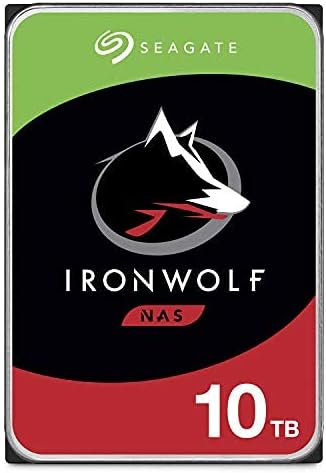
The Seagate IronWolf 10TB NAS is built for 24×7 usage with optimization for RAID environments through AgileArray technology. It delivers high performance with 7200 RPM and 210MB/s sustained data transfer for fast file access.
We may earn a commission when you buy through this link, at no additional cost to you.
Designed for multi-user NAS workloads up to 180TB per year it handles shared storage efficiently. The enhanced reliability features including RV sensors and load/unload cycles ensure smooth operation in multi-drive setups.
It includes a 3-Year Rescue Data Recovery Service with a 95% recovery success rate for added peace of mind. This service makes it a strong choice for users prioritizing data protection.
This drive is ideal for multi-user environments requiring consistent performance. We recommend it for users needing reliable 24×7 storage with excellent recovery options.
Optimized with AgileArray for RAID, dual-plane balancing, and error recovery.
Includes 3-Year Rescue Data Recovery Service for industry-leading recovery success rate.
We may earn a commission when you buy through this link, at no additional cost to you.
The Seagate IronWolf 10Tb NAS is ideal for up to 8-Bay multi-user NAS environments craving powerhouse performance. It offers 10TB ultra-high capacity and up to 256MB cache for rapid data access.
We may earn a commission when you buy through this link, at no additional cost to you.
Purpose built for NAS enclosures it delivers less wear and tear and little to no noise or vibration. This ensures a smooth experience for file sharing and access without lag or downtime.
The integrated IronWolf Health Management system makes monitoring drive health easy and reliable. With 1M hours MTBF this drive provides long-term reliability for your storage infrastructure.
This drive is best for users needing high capacity in a standard NAS setup. We recommend it for those wanting reliable storage for multi-bay environments.
Purpose built for NAS enclosures delivering less wear and tear.
Integrated system allows easy monitoring of drive health.
We may earn a commission when you buy through this link, at no additional cost to you.
The Seagate IronWolf 10TB is the ideal solution for up to 8-bay multi-user NAS environments requiring robust performance. It delivers ultra-high capacity and a 256MB cache for improved data handling.
We may earn a commission when you buy through this link, at no additional cost to you.
Purpose built for NAS it ensures less wear and tear and no lags for efficient file sharing. The integrated IronWolf Health Management system helps maintain peak system health without user intervention.
With 1M hours MTBF and a three-year protection plan this drive ensures long-term reliability. The CMR technology guarantees consistent performance for critical data storage.
This drive is best for environments needing standard capacity with high reliability. We recommend it for users requiring stable NAS storage for multi-user access.
Purpose built for NAS enclosures delivering increased file-sharing performance.
Integrated system helps maintain peak system health.
We may earn a commission when you buy through this link, at no additional cost to you.
The Western Digital 14TB WD Red Plus offers 14TB storage capacity with 5400RPM performance class for quieter operation. It supports up to 8 bays and is ideal for small or medium business NAS systems.
We may earn a commission when you buy through this link, at no additional cost to you.
It uses NASware firmware for compatibility ensuring optimum performance in 24×7 environments. The CMR technology guarantees reliable data recording essential for RAID 0 setups.
With a 3 year limited warranty this drive provides standard protection for business storage. The 180TB/yr workload rating ensures consistent performance for daily transfers.
This drive is best for users needing high capacity with lower power consumption. We recommend it for those prioritizing capacity and reliability over maximum speed.
5400RPM performance class reduces noise and power usage.
Uses CMR technology for reliable recording and consistent performance.
We may earn a commission when you buy through this link, at no additional cost to you.
Selecting the right drive for RAID 0 requires understanding key technical factors that impact performance and reliability. This guide explains the most important aspects to consider before buying.
Rotational speed measured in RPM determines how fast the drive can access data. For RAID 0 7200 RPM drives are recommended over 5400 RPM for faster throughput and lower latency.
Always prioritize 7200 RPM models if speed is a priority for your workload.
Cache acts as a buffer for frequently accessed data improving overall performance. Larger cache sizes like 256MB or 512MB help manage data transfers more efficiently.
Look for at least 256MB cache for optimal RAID performance.
Workload rating indicates how much data the drive can handle yearly. NAS drives often have higher workload ratings like 180TB or 550TB per year for continuous operation.
Choose a drive with workload rating matching your usage intensity.
MTBF or Mean Time Between Failures is a key reliability metric. Enterprise NAS drives often offer 2.5M hours MTBF compared to consumer models.
Higher MTBF ratings ensure better long-term stability for RAID arrays.
Features like AgileArray or TLER ensure consistent performance in multi-drive environments. These features help prevent drive timeouts during error recovery.
Select drives specifically optimized for RAID or NAS use.
Warranty length varies from 3 to 5 years. Enterprise drives often include longer warranties and data recovery services for peace of mind.
Prioritize drives with longer warranties for better protection.
SATA 6 Gb/s is standard for most modern drives. Ensure your RAID controller supports the same interface speed for maximum throughput.
Match interface specs to your controller capabilities.
Choose capacity based on current and future storage requirements. RAID 0 stripes data so total capacity is sum of all drives.
Calculate total capacity needs carefully before buying.
Install drives in compatible RAID controllers ensuring proper connection to SATA ports. Use cables that support 6Gb/s speed for optimal data transfer rates.
Regularly monitor drive health using manufacturer tools like IronWolf Health Management or WD Dashboard. Early detection of errors prevents data loss and failure.
Maintain proper cooling and ventilation to prevent overheating which can reduce drive lifespan. Ensure your enclosure provides adequate airflow for sustained performance.
For RAID 0 setups the best hard drive speed is typically 7200 RPM. This rotational speed ensures faster data access and better throughput compared to slower 5400 RPM drives.
While not strictly required NAS drives are recommended for RAID 0 due to features like vibration sensors and TLER. These features improve reliability in multi-drive environments.
Mixing different drives is not recommended as it can cause performance issues and failure. All drives should have matching capacity speed and firmware for stability.
MTBF or Mean Time Between Failures indicates drive reliability. Higher MTBF means fewer failures over time which is crucial for RAID 0 data protection.
Yes data recovery services are valuable for critical data. Many NAS drives include recovery plans that can help restore data without costly downtime.
Use manufacturer provided tools like IronWolf Health Management or WD Dashboard. These apps alert you to potential issues before they become critical failures.
The Seagate BarraCuda and IronWolf Pro series offer top choices for budget and performance needs respectively. Each drive brings unique strengths to RAID 0 environments.
Prioritize drives with high MTBF ratings and workload specifications matching your use case. These factors ensure stability and longevity for your storage array.
Always check current listings for availability before making your purchase decision. Prices and stock can change frequently based on market conditions.