
Philips 24 Inch Computer Monitor
4.6Editor score
100Hz Refresh Rate
VA Panel Contrast
VESA Mount Ready
Finding the right display can transform your workspace or gaming setup significantly. An HDMI LED Monitor offers vibrant colors and fast refresh rates suitable for both work and play. You need reliable connectivity and eye comfort features for daily use.
We evaluated ten leading models to find the best options available this year. Our comparison focuses on screen size, resolution, connectivity ports, and overall build quality. Each product was analyzed for its unique strengths and target audience suitability.
Each pick below highlights key features and potential trade-offs to help you decide. Prices and availability change frequently so check current listings before purchasing. Use this guide to narrow down your choices based on your specific needs and budget.
4.6Editor score

4.7Editor score

4.6Editor score
As an Amazon Associate we earn from qualifying purchases.
This table provides a quick side-by-side look at the key specifications for each model reviewed in this guide to help you compare features at a glance.






The Dell 24 Monitor SE2426H stands out as a top choice for users needing fluid visuals without breaking the bank. Its high rating reflects consistent performance in gaming and productivity tasks alike. This model excels with a 144Hz refresh rate that eliminates tearing during fast-paced scenes.
We may earn a commission when you buy through this link, at no additional cost to you.
Key strengths include IPS technology ensuring colors remain accurate even from wide angles. The 1ms MPRT keeps motion crisp which is vital for competitive gaming. TÜV certification helps reduce eye strain during long work sessions effectively.
Trade-offs include a basic tilt-only stand that limits ergonomic flexibility compared to pricier models. Users wanting height adjustment will need a VESA mount to adapt it fully. These compromises are acceptable given the competitive price and high screen performance.
Buyers prioritizing refresh rate and color consistency should choose this model first. It fits well in setups where budget meets premium visual demands. Check current listings for availability and bundle deals to maximize value.
The 144Hz refresh rate ensures smooth transitions during gaming or video playback reducing motion blur effectively.
TÜV 3-star certification reduces harmful blue light while maintaining image quality for extended viewing sessions.
We may earn a commission when you buy through this link, at no additional cost to you.
This Philips monitor delivers impressive value for users seeking a reliable display without overspending. Its high rating indicates strong satisfaction among buyers who appreciate its visual clarity and cost efficiency. The VA panel provides deep blacks that enhance media consumption significantly.
We may earn a commission when you buy through this link, at no additional cost to you.
Standout features include a 100Hz refresh rate that smooths out general use and casual gaming. The virtually bezel-free design creates a modern look ideal for multi-monitor setups too. Flicker-free technology helps reduce fatigue during long document editing sessions effectively.
Trade-offs involve a slightly slower response time compared to gaming-specific monitors which may affect competitive play. Audio options are minimal so external speakers are recommended for better sound quality. These issues are minor considering the low cost and solid build.
Budget-conscious buyers looking for a reliable daily driver will find this model ideal. It balances performance and price well for home offices or dorm rooms. Check current stock for potential seasonal discounts on this popular unit.
The VA panel produces brighter whites and deeper blacks creating vivid images with true-to-life gradients.
Minimal bezels on three sides allow for seamless multi-monitor setups that enhance workflow productivity.
We may earn a commission when you buy through this link, at no additional cost to you.
The Dell P2425H targets professionals needing robust ergonomics and reliability for daily tasks. Its high rating underscores consistent quality in build and display performance over time. This model is designed for office environments where comfort and stability are priorities.
We may earn a commission when you buy through this link, at no additional cost to you.
Key strengths include a stand that allows height tilt swivel and pivot adjustments for perfect positioning. The contrast ratio ensures text remains sharp and clear during document-heavy work. It supports multiple connectivity options fitting various workstation setups easily.
Trade-offs include a higher price compared to consumer models and a standard refresh rate not suited for gaming. Users prioritizing visual flair over ergonomic adjustability might find it less exciting. These factors are acceptable given its target professional use case.
Businesses or power users needing adjustable comfort should choose this monitor for reliability. It supports long hours of work without compromising posture or clarity. Check current inventory for bulk purchase options if equipping a team.
Full ergonomic adjustments including height and pivot help maintain healthy posture throughout the workday.
Durable build and stable performance make it ideal for professional environments needing consistent reliability.
We may earn a commission when you buy through this link, at no additional cost to you.
This Sceptre model offers strong visual performance at an entry-level price point appealing to students and casual users. Its rating reflects satisfaction with color reproduction and speed for everyday tasks. The 99% sRGB coverage ensures images look vibrant and true to life.
We may earn a commission when you buy through this link, at no additional cost to you.
Standout features include built-in speakers which save desk space and eliminate the need for external audio. Multiple HDMI and VGA ports provide flexibility for connecting various devices easily. A 100Hz refresh rate keeps motion smooth during typical usage scenarios.
Trade-offs involve a basic stand with limited tilt adjustments which may require a wall mount for better ergonomics. Audio quality is functional but not immersive compared to dedicated speakers. These limitations are acceptable given the low cost and feature set.
Users wanting a versatile display with audio without extra clutter should consider this option. It fits well in small setups or budget gaming stations. Check current pricing for deals that might bundle accessories with it.
Built-in speakers deliver robust sound allowing you to save desk space without sacrificing audio.
99% sRGB coverage offers a wider color gamut than conventional monitors for deeper and defining features.
We may earn a commission when you buy through this link, at no additional cost to you.
The Sceptre E275W expands the visual real estate to 27 inches making it suitable for multitasking and media. Its rating suggests solid reliability for users needing more screen space without premium costs. The larger format enhances productivity by allowing more windows side by side.
We may earn a commission when you buy through this link, at no additional cost to you.
Key strengths include a 100Hz refresh rate that reduces screen tearing during dynamic content. Built-in speakers and multiple HDMI ports support diverse connectivity needs effectively. The display maintains 99% sRGB coverage ensuring accurate colors for design work.
Trade-offs include a tilt-only stand and 1080p resolution which may appear less sharp at 27 inches compared to 1440p. Users needing fine pixel density for text might find it slightly soft. These compromises are acceptable for the size and price balance.
Buyers seeking a larger monitor for casual office or entertainment use will find it fitting. It offers good value for those prioritizing screen size over high pixel density. Check current listings for availability in your preferred color option.
The 27 inch display provides extra screen real estate for multitasking and media consumption.
Ports accelerate refresh rate up to 100Hz providing the visual edge needed for gaming adventures.
We may earn a commission when you buy through this link, at no additional cost to you.
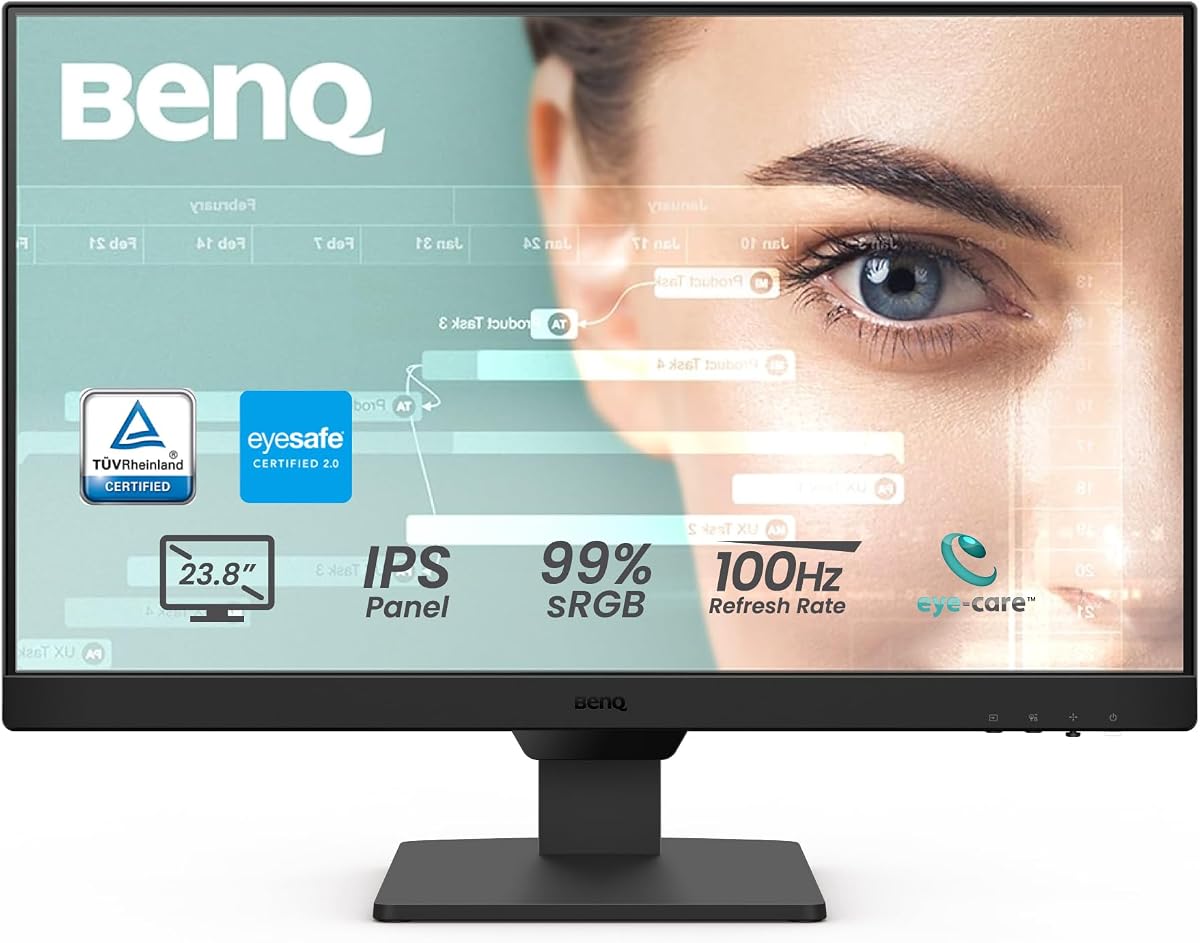
The BenQ GW2490 focuses heavily on eye health while delivering strong visual performance for daily tasks. Its rating reflects appreciation for comfort features that reduce strain during long use. The IPS panel ensures colors remain vivid and accurate across wide viewing angles.
We may earn a commission when you buy through this link, at no additional cost to you.
Standout features include Low Blue Light Plus technology which filters harmful radiation without dulling color. Adaptive brightness adjusts screen light based on ambient conditions automatically. A 100Hz refresh rate smooths motion for a more immersive viewing experience.
Trade-offs include a basic stand and a price slightly higher than generic budget options. Users needing full ergonomic movement will need a VESA mount. These minor drawbacks are outweighed by the superior eye protection features.
People working long hours on documents or browsing should choose this for comfort. It balances health features with solid visual performance well. Check current stock for potential bundle deals with cables or mounts.
Low Blue Light Plus filters harmful blue-violet radiation while maintaining vivid color quality.
Adaptive brightness ensures the screen adjusts to ambient light for optimal viewing.
We may earn a commission when you buy through this link, at no additional cost to you.
The BenQ BL2490 garners a perfect user rating for its reliable performance in office and home environments. It offers a balanced mix of speed and visual clarity that suits daily tasks well. The anti-glare coating helps reduce reflections in bright rooms effectively.
We may earn a commission when you buy through this link, at no additional cost to you.
Key strengths include HDMI and DisplayPort inputs offering flexibility for laptops and PCs alike. A 100Hz refresh rate ensures fluid motion during scrolling or video playback. The screen supports consistent colors from various viewing angles due to quality panel technology.
Trade-offs include a standard tilt stand and moderate contrast ratio compared to premium VA panels. Users needing deep blacks or extensive ergonomic adjustment may need add-ons. These are acceptable trade-offs given the high satisfaction and functional design.
Office workers or home users wanting a dependable daily screen should consider this model. It handles text and media well without unnecessary bells and whistles. Check current listings for availability and potential discounts on this high-rated unit.
The anti-glare coating reduces reflections ensuring clear visibility in well-lit workspaces.
HDMI and DisplayPort support provide flexible connectivity for a wide range of devices.
We may earn a commission when you buy through this link, at no additional cost to you.
This LG monitor offers HDR10 support and a fast 120Hz rate suitable for media and gaming users. Its rating indicates solid performance in rendering vibrant visuals and smooth motion effectively. The IPS panel ensures consistent colors from almost any viewing angle.
We may earn a commission when you buy through this link, at no additional cost to you.
Key strengths include Reader Mode which adjusts the screen to a paper-like look for documents. Dynamic Action Sync reduces input lag enhancing responsiveness in games. A 1ms Motion Blur Reduction keeps fast gameplay crisp and clear.
Trade-offs include a standard tilt stand and audio that is basic compared to dedicated speakers. Users needing ergonomic flexibility will need a VESA mount solution. These limitations are acceptable given the media features and visual performance.
Buyers wanting HDR support and smooth motion on a budget will find it suitable. It fits well in entertainment setups or gaming stations needing extra fluidity. Check current stock for deals or bundle offers with mounts.
HDR10 support delivers richer and more vivid color across a wide spectrum for immersive gaming.
120Hz refresh rate ensures smoother frame transitions for less screen stutter and motion blur.
We may earn a commission when you buy through this link, at no additional cost to you.
The Acer KB220Q offers a compact yet fast display ideal for smaller desks or secondary setups. Its rating reflects strong user satisfaction with its smooth performance and modern aesthetic. The ZeroFrame design makes the screen feel larger than its physical size.
We may earn a commission when you buy through this link, at no additional cost to you.
Key strengths include Adaptive-Sync support which matches refresh rates to reduce tearing and stuttering. A 100Hz refresh rate and fast response time deliver smooth motion for gaming and tasks. The near bezel-less design allows seamless multi-monitor setups easily.
Trade-offs include a smaller 21.5 inch screen which may not suit main workstations needing more space. Stand adjustments are basic requiring a mount for full ergonomic positioning. These are acceptable given the low cost and compact design.
Users with space constraints or needing a secondary monitor will find this model ideal. It delivers high refresh performance at a low cost effectively. Check current listings for availability in your preferred color option.
ZeroFrame design allows you to see more and do more on a compact desktop.
Fast response time and high refresh rate enhance gameplay by minimizing smearing and ghosting.
We may earn a commission when you buy through this link, at no additional cost to you.
The Dell S2425HSM combines high refresh speed with a fully adjustable stand for maximum comfort. Its rating highlights strong performance in both visual clarity and ergonomic design. This model stands out for users who need flexibility without buying a separate stand.
We may earn a commission when you buy through this link, at no additional cost to you.
Key strengths include height tilt pivot and swivel adjustments allowing perfect screen positioning. Dual 3W speakers provide a wider range of frequencies for immersive sound. The 144Hz refresh rate ensures a smooth tear-free viewing experience across work and play.
Trade-offs include a higher price and limited color options compared to standard models. Users wanting more audio depth might still prefer external speakers. These are acceptable trade-offs given the superior adjustability and performance features.
Buyers prioritizing ergonomic flexibility and integrated audio should choose this model for premium comfort. It delivers excellent visual quality with comprehensive adjustability. Check current stock for availability and potential bundle deals.
Adjust height tilt pivot and swivel to suit your preference throughout the day comfortably.
Integrated dual 3W speakers deliver a wider range of frequencies for immersive sound.
We may earn a commission when you buy through this link, at no additional cost to you.
Selecting the right HDMI LED Monitor involves weighing several key factors to match your specific usage needs.
Screen size determines how much visual real estate you have while resolution impacts pixel density and clarity. A 24 inch 1080p display offers a balance for general use but larger screens benefit from 1440p for sharp text and detail.
Choose a size based on desk space and distance from your eyes to ensure comfortable viewing angles and productivity.
Refresh rate measured in Hertz dictates how many times the screen updates per second which directly affects motion smoothness. A 100Hz rate is great for general tasks while 144Hz is preferred for gaming to reduce tearing and stuttering.
Response time indicates how quickly pixels change color and a lower number like 1ms helps minimize ghosting and blur.
Panel types like IPS VA and TN each offer different strengths regarding color accuracy viewing angles and contrast ratios. IPS panels provide the best color consistency and viewing angles while VA panels offer deeper blacks and better contrast.
Select a panel type based on whether you prioritize color fidelity for creative work or deep blacks for media consumption.
Modern monitors should offer multiple HDMI ports to connect various devices like consoles PCs and laptops simultaneously. Additional ports like DisplayPort or USB hubs add flexibility for docking stations or audio peripherals.
Ensure the monitor supports the specific HDMI version required for your devices to achieve desired refresh rates and resolutions.
Extended screen time can lead to eye strain so features like low blue light filters and flicker-free technology are essential. These technologies reduce harmful emissions and maintain brightness without rapid fluctuations that tire the eyes.
Prioritize monitors with certifications like TÜV Rheinland for proven eye comfort benefits during long working or gaming sessions.
A stand that allows height tilt swivel and pivot adjustments helps maintain healthy posture and reduces neck strain. Fixed tilt only stands can limit positioning and may require a separate VESA mount for better flexibility.
Look for full ergonomic adjustability if you work long hours or need to share the screen with multiple users.
Built-in speakers save desk space and eliminate cable clutter for basic audio needs like system alerts or casual media. However their sound quality is often limited and external speakers or headphones provide a superior audio experience.
Consider the audio needs of your setup and whether external sound systems are necessary for immersive media consumption.
Reputable brands often provide better build materials and longer warranties which protect your investment against defects and wear. A solid warranty of three years or more suggests confidence in the monitor durability and component longevity.
Review warranty terms and customer support reputation to ensure you are covered for repairs or replacements if issues arise.
Connect the monitor securely using high-quality HDMI cables to ensure stable video transmission and avoid signal dropouts. Adjust the brightness and color settings to match your room lighting for comfortable viewing over long periods.
Clean the screen regularly with a soft microfiber cloth to remove dust and fingerprints without scratching the panel. Avoid using harsh chemicals or paper towels which can damage the anti-glare coating or leave lint on the display.
Position the monitor at eye level or slightly below to prevent neck strain and keep it at an arm's length distance. Ensure cables are managed neatly to reduce clutter and prevent tripping hazards around your workspace.
A higher refresh rate allows the screen to update images more frequently resulting in smoother motion and reduced screen tearing. This is especially beneficial for gaming where fast action needs to be tracked clearly without blur or lag effects.
Yes many models offer 99% sRGB color accuracy and IPS panels which are suitable for design tasks. Look for models with good factory calibration and VESA support for mounting on ergonomic arms to optimize workflow efficiency.
Most HDMI LED Monitors function as plug-and-play devices under modern operating systems without additional drivers. Some specific features like built-in speakers or eye care modes may require installing proprietary software for full control and settings.
HDMI is widely used for TVs and general peripherals while DisplayPort often supports higher refresh rates and resolutions for PC setups. Both can be used for gaming but DisplayPort is typically preferred for high-performance PC graphics card connections.
Most modern LED monitors include energy saving modes and comply with energy standards like Energy Star for reduced power consumption. Adjusting brightness settings manually or enabling adaptive brightness can further decrease power usage during regular daily use.
Check that the HDMI cable is securely plugged into both the monitor and the source device. Ensure the monitor input source is set to HDMI and verify that the computer or console is powered on and sending a signal.
Yes most PCs support multi-monitor setups provided the graphics card has enough ports or supports docking solutions. Ensure each monitor is connected correctly and configured through display settings to extend or duplicate the desktop.
The Dell SE2426H leads our list with a balance of high refresh rate and color accuracy perfect for mixed usage. The Philips 24 Inch Monitor offers exceptional value for budget buyers needing reliable performance and contrast. The Dell P2425H remains the top premium pick for those prioritizing ergonomic flexibility and build quality.
Your decision should depend on your primary needs whether it is gaming speed office ergonomics or media fidelity. Consider factors like refresh rate eye care features and adjustability to find the perfect fit for your desk setup.
Prices and availability change frequently so check current listings and reviews before making your final purchase decision. These models offer strong value and performance ensuring you get a reliable display for your specific workflow and needs.