
Moread HDMI to VGA Adapter
4.6Editor score
Five Year Warranty Coverage
Advanced IC Chipset
Wide Device Compatibility
This guide compares the top HDMI to VGA converter adapters for reliability, resolution, and compatibility to help you choose the right one for your display
Finding the right HDMI to VGA converter adapter is essential for connecting modern devices to legacy displays. These compact tools bridge the gap between digital HDMI outputs and analog VGA inputs, ensuring your presentations and media playback work seamlessly across different screen types.
We evaluated ten leading models based on build quality, signal stability, resolution support, and overall compatibility. Our analysis focuses on active converters that handle the digital to analog signal conversion reliably, ensuring you get clear video output without frustrating connection issues or flickering screens.
Each pick highlights specific strengths like audio support, power requirements, and warranty coverage. While prices may fluctuate over time, these models represent the best value and performance available today for anyone needing to connect HDMI sources to VGA monitors or projectors.
4.6Editor score
4.6Editor score

4.5Editor score
The following table provides a side-by-side comparison of all ten selected models to help you quickly identify the right adapter for your specific setup and requirements.


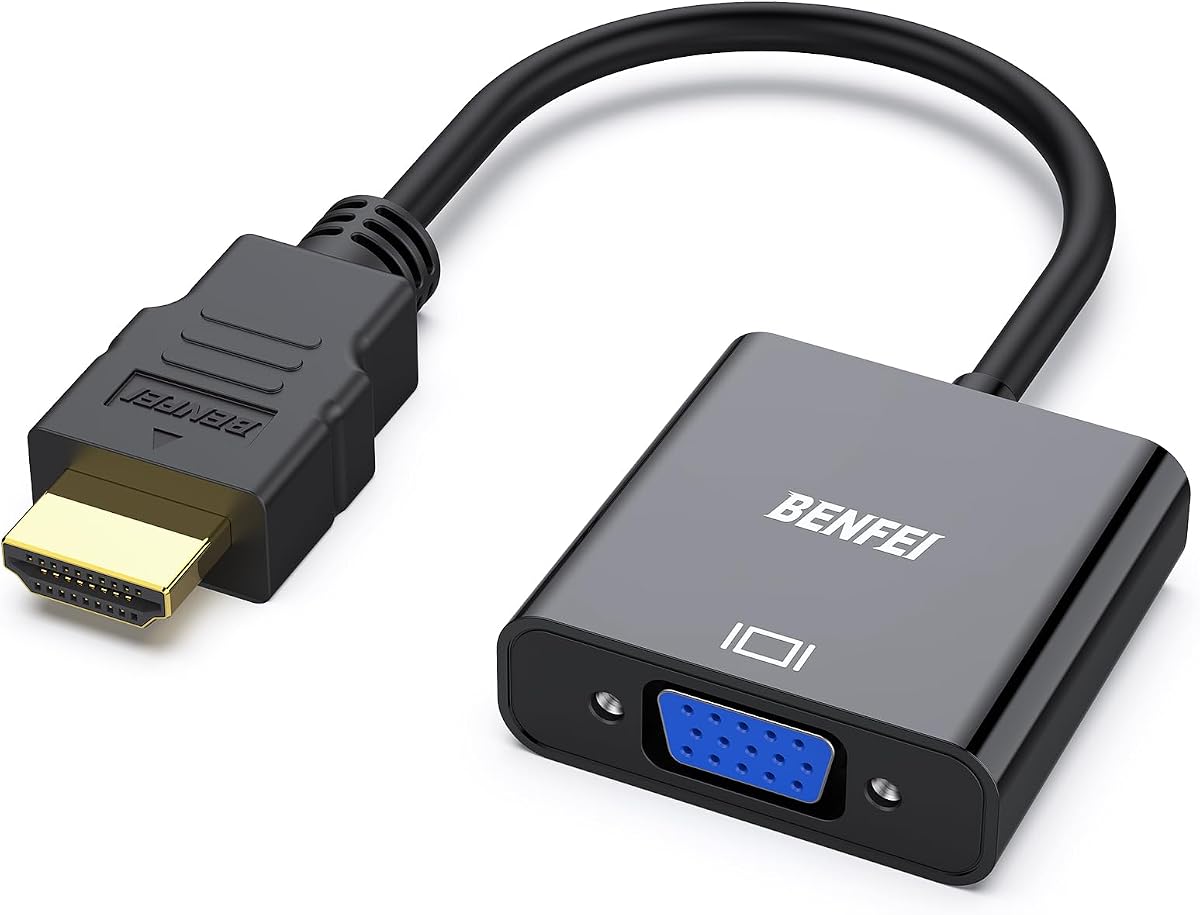
The BENFEI HDMI to VGA adapter stands out as a reliable solution for connecting modern laptops to legacy monitors. It boasts a high customer rating and features a gold-plated connector that ensures corrosion resistance and stable signal transmission over time.
We may earn a commission when you buy through this link, at no additional cost to you.
Its compact design makes it perfect for travel and business presentations. The built-in IC chip efficiently converts digital HDMI signals to analog VGA, supporting resolutions up to 1920×1080 at 60Hz for clear and sharp visuals on standard displays.
While it does not output audio, it is designed strictly for video transmission which reduces complexity. The mold strain relief adds durability to the cable connections, preventing wear from frequent plugging and unplugging during presentations.
This adapter is ideal for professionals who need a trusted, plug-and-play solution without extra features. If you need audio, consider a model with a jack, but for pure video reliability, this is a top-tier choice.
The gold-plated connector resists corrosion and abrasion, ensuring a stable signal connection even after extensive use over several years.
Its small footprint allows you to easily tuck it into a laptop bag, making it essential for mobile professionals and students.
We may earn a commission when you buy through this link, at no additional cost to you.
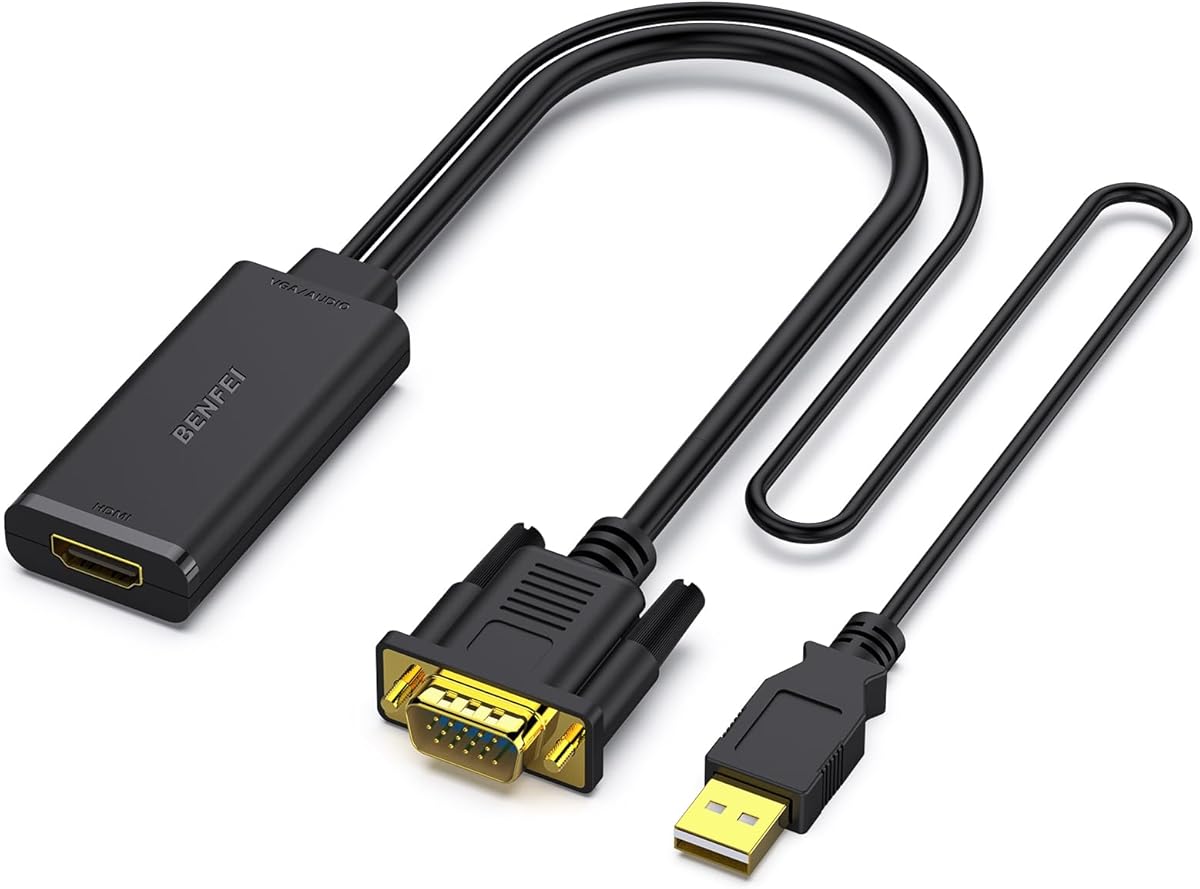
This adapter reverses the standard conversion by taking a VGA input from an older laptop and outputting it to an HDMI display. It is perfect for upgrading older presentation equipment to modern projectors or HDTVs.
We may earn a commission when you buy through this link, at no additional cost to you.
The integrated USB cable embeds audio with the video signal, which is a significant advantage over standard video-only converters. You can configure audio output easily through the Windows Sound menu for a complete multimedia experience.
It supports 1080p resolution and works with any computer that has a VGA port. The setup is straightforward with no drivers required, ensuring quick deployment for presentations or home theater connections.
Consider this if your source device is older and only has VGA output. While it lacks bidirectional support, it fills a specific niche that standard HDMI to VGA adapters cannot address.
The embedded USB cable handles audio separately from video, allowing you to output sound to your display without needing extra adapters.
Ideal for older laptops or desktops that lack HDMI ports, allowing you to connect them to modern screens easily.
We may earn a commission when you buy through this link, at no additional cost to you.
The Moread adapter distinguishes itself with an impressive five-year warranty, offering long-term peace of mind that exceeds most competitors. It delivers the same core functionality as top brands with reliable 1080p video conversion.
We may earn a commission when you buy through this link, at no additional cost to you.
Users report consistent performance across various devices including laptops and gaming consoles. The active conversion chip ensures that the digital signal is correctly processed into an analog format that your monitor can understand and display correctly.
Like most in this category, it does not carry audio, so you will need separate speakers for sound. However, for video tasks like document editing or slideshows, this adapter is a robust and cost-effective choice.
If warranty protection is your top priority, this model offers the best coverage in its price range. It is a strong alternative to more expensive brands without sacrificing performance or durability.
The exclusive unconditional five-year warranty ensures satisfaction and protects your purchase for a much longer period than standard offerings.
The built-in advanced IC chip ensures that your digital signal is converted cleanly and reliably for clear image display.
We may earn a commission when you buy through this link, at no additional cost to you.
StarTech is known for enterprise-grade peripherals, and this adapter maintains that standard with robust build quality. It stands out by not requiring an external USB power connection, simplifying your setup significantly.
We may earn a commission when you buy through this link, at no additional cost to you.
The adapter supports resolutions up to 1920×1200, which is slightly higher than the standard 1080p limit found on many competitors. This makes it suitable for high-density monitors or specific business displays that need extra vertical space.
It includes support for VGA screw-locking cables, preventing accidental disconnects during critical presentations. This feature is particularly useful for environments where stability is paramount, such as conference rooms or classrooms.
While it is priced higher than basic options, the reliability and lack of power requirements make it a premium choice. It is ideal for users who want a clean, professional setup without extra cables hanging around their workstation.
The adapter draws enough power directly from the HDMI port, eliminating the need for a bulky USB power cable.
Compatible with locking VGA cables to ensure your connection stays secure during transport or use.
We may earn a commission when you buy through this link, at no additional cost to you.
This product is a complete cable solution rather than a dongle, offering a fixed six-foot length that includes the active conversion chip. This is perfect for situations where the monitor is farther away from your computer or laptop.
We may earn a commission when you buy through this link, at no additional cost to you.
It simplifies your setup by requiring only one cable to connect your HDMI source to a VGA display. The gold-plated connectors ensure durability and stable performance, while the active chipset handles the signal conversion internally.
The molded strain relief at both ends protects the cable from bending and breaking over time. This durability is key when cables are frequently coiled or moved between different locations for work or presentations.
Choose this if you want to avoid extra power adapters or short dongles. It provides a clean connection path with the convenience of built-in conversion, though it does not carry audio signals.
The integrated six-foot cable provides extra reach, making it easier to connect devices that are separated by distance.
The conversion chip is built directly into the cable, ensuring seamless signal processing without needing a separate adapter.
We may earn a commission when you buy through this link, at no additional cost to you.
This variant includes a dedicated 3.5mm audio jack, solving the common problem of missing sound when converting video signals. It is specially designed to work well with power-sensitive devices like streaming sticks and set-top boxes.
We may earn a commission when you buy through this link, at no additional cost to you.
It includes a Micro USB port to ensure stable power delivery, which is crucial for active converters to avoid signal loss. This power source helps the adapter maintain consistent performance across various input devices.
The adapter supports high-definition resolutions up to 1080p and works with any display that has a VGA female port. It allows you to connect modern content sources to older monitors while still enjoying audio through external speakers.
If you need audio without buying a separate splitter, this is a convenient all-in-one option. Just ensure you have the power cable handy to keep the conversion active and stable during use.
An independent audio port allows you to connect external speakers for sound playback alongside your video output.
The Micro USB power input ensures stable operation even when connected to devices with limited power output capabilities.
We may earn a commission when you buy through this link, at no additional cost to you.
UGREEN is a reputable brand known for quality cables and adapters, and this model follows that tradition. It offers a solid solution for connecting HDMI sources to VGA displays while keeping audio options open.
We may earn a commission when you buy through this link, at no additional cost to you.
The adapter converts digital signals to analog using an active chipset to ensure sharp image quality. It supports 1080p resolution and is designed to work seamlessly with MacBooks, laptops, and streaming devices like Apple TV.
Audio is available through a separate 3.5mm line-out jack, giving you flexibility in how you play sound. You will need to supply your own audio cable, but this allows you to choose speakers that best suit your environment.
This is a well-rounded choice for users who want reliable video with sound capabilities. The micro USB power requirement is a minor trade-off for the flexibility and performance this adapter provides.
The built-in chipset ensures high-quality signal conversion for clear and stable video output on older displays.
Separates audio from the video signal so you can connect external speakers or headphones easily.
We may earn a commission when you buy through this link, at no additional cost to you.
The JideTech adapter is built with a focus on stability and reliability, making it suitable for conference rooms and industrial applications. It uses a dedicated DC 5V power supply to ensure consistent performance over long periods.
We may earn a commission when you buy through this link, at no additional cost to you.
The active conversion chipset ensures reliable signal processing even over longer cable runs. This makes it ideal for setups where the monitor is far from the source computer or when signal degradation might otherwise occur.
It includes a 3.5mm audio output port, allowing for simultaneous audio and video playback through external speakers. This feature is essential for presentations that require both visual and auditory components to be effective.
If you need a robust solution for professional environments, this adapter provides the stability and features required. Its external power design might be less convenient for travel, but it guarantees performance in fixed setups.
Powered by a 5V DC input to provide stable performance for long-distance transmission and compatibility with diverse HDMI sources.
Built-in active chipset ensures reliable HDMI to VGA signal conversion with support for resolutions up to 1080P Full HD.
We may earn a commission when you buy through this link, at no additional cost to you.
This StarTech adapter is designed for seamless connectivity with Apple devices and other HDMI sources. It features an integrated audio port, allowing you to connect a VGA monitor to speakers for optimal sound quality.
We may earn a commission when you buy through this link, at no additional cost to you.
It supports high resolutions up to 1920×1200, providing sharp image quality that matches modern display standards. The compact design ensures it fits easily into a laptop case for portable presentations on the go.
Setup is simple with no installation software or drivers required. This plug-and-play functionality works well with various devices including Apple TV and standard VGA projectors, ensuring broad compatibility.
Ideal for users who need a simple solution with audio capability. While it may have a higher price point, the convenience of integrated audio and broad support makes it a strong contender for professional environments.
The built-in audio port lets you connect speakers directly to the adapter for easy sound playback without extra splitters.
Supports resolutions up to 1920×1200 for crisp, crystal-clear picture quality on compatible monitors.
We may earn a commission when you buy through this link, at no additional cost to you.
Dell offers an OEM-quality adapter that is trusted for reliability in corporate environments. It features a compact dongle design that is easy to carry and integrates seamlessly with Dell laptops and other HDMI sources.
We may earn a commission when you buy through this link, at no additional cost to you.
The adapter is built for plug-and-play functionality, requiring no additional drivers or software installations. This simplicity ensures quick setup in various operating systems, making it a reliable choice for IT deployments.
While specific features like audio support may vary, the build quality focuses on durability and consistent performance. The compact form factor makes it ideal for professionals who need a trusted accessory in their travel gear.
Consider this option if you prefer branded accessories with a track record of reliability. It may be priced higher than generic brands, but the assurance of quality and support can be worth the extra cost.
The small footprint fits easily in a laptop bag, making it perfect for travelers and professionals on the go.
Works seamlessly with any HDMI source without requiring driver installation or configuration on your system.
We may earn a commission when you buy through this link, at no additional cost to you.
Choosing the right adapter requires understanding your device ports, display capabilities, and power requirements. This section breaks down the key factors to consider for a successful connection.
HDMI to VGA adapters are generally unidirectional, meaning they only convert HDMI sources to VGA displays. Ensure your source device has an HDMI output and your display has a VGA input. Using a bidirectional converter incorrectly can result in no signal or hardware damage.
Active adapters contain a chipset to convert digital HDMI signals to analog VGA signals. Passive cables do not work because HDMI and VGA use fundamentally different signal types. Always look for active adapters to ensure proper conversion and stable image quality.
Most adapters support 1080p Full HD resolution at 60Hz. Check your monitor's maximum resolution to ensure the adapter can handle it without signal loss or flickering. High-resolution displays may require adapters with advanced chipsets for better processing.
Some adapters draw power directly from the HDMI port while others need a USB or external power source. Power needs vary based on display distance and source device power output. Ensure your setup can meet the power requirements for stable performance.
VGA ports do not carry audio signals, so you will need separate audio connections for sound. Some adapters include a 3.5mm audio jack to simplify this process. Check if audio support is included based on your presentation needs.
Adapter cables vary in length, which can impact where you place your display. Longer built-in cables reduce the need for extension cables that may degrade signal quality. Consider your room layout when choosing a model.
Look for adapters with gold-plated connectors and reinforced strain relief. These features prevent corrosion and physical damage from frequent use. A sturdy build ensures your connection remains reliable over years of presentations.
Manufacturer warranties vary from one year to five years. A longer warranty period indicates confidence in product durability and quality. Check the terms of the warranty before purchasing to ensure protection for your investment.
To start, connect the HDMI end of the adapter to your source device like a laptop or console. If the adapter needs power, plug in the USB or external power cable before connecting the display.
Next, connect a VGA cable from the adapter to your monitor or projector. Ensure the screw locks on the VGA connectors are tightened securely to prevent accidental disconnection during use.
For care, keep the adapter in a protective case when not in use. Avoid bending the connectors sharply and clean the gold-plated ends with a soft cloth to prevent dust buildup.
VGA ports do not carry audio signals, so standard adapters only output video. Some models include a 3.5mm audio jack to split audio from HDMI. Check your adapter specifications to see if audio support is included.
It depends on your specific model and display setup. Some adapters draw power from HDMI while others need USB. If your display is far away or your laptop has low-power HDMI ports, external power is often recommended for stability.
Most consoles output 1080p which these adapters support. However, some low-power HDMI ports on devices like the PS4 may require external power for the adapter to function correctly.
MacBooks with HDMI ports work directly with these adapters. Older Macs without HDMI need a separate adapter first. Ensure your Mac supports 1080p output for best results.
Active adapters have a built-in chip to convert digital signals to analog. Passive adapters do not have this chip and will not work with HDMI sources. Always use active adapters for reliable HDMI to VGA connections.
Most support up to 1080p at 60Hz. Some advanced models support 1920×1200 but higher resolutions may cause flickering or loss of signal if the adapter cannot handle the bandwidth.
The BENFEI HDMI to VGA adapter leads as the best overall choice due to its reliability and gold-plated durability. It offers consistent performance that meets most professional needs without requiring external power.
For users needing audio output, models with 3.5mm jacks like the UGREEN or JideTech provide excellent versatility. Consider your specific environment and whether a compact design or robust build is your highest priority.
Remember that prices and stock can change frequently on retailer sites. Always check current listings to confirm features and warranty details before purchasing the right adapter for your specific setup.