
Tapo 1080P Indoor Security Camera C100 4-Pack
4.4Editor score
Four camera value pack
Basic motion alerts
MicroSD storage support
Compare the top 10 indoor wireless IP cameras for 2026. This guide reviews video quality, smart features, and privacy to help you secure your home.
Securing your home requires reliable monitoring tools that fit your lifestyle. Indoor wireless IP cameras offer flexibility and clarity without complex wiring. They allow you to check on pets, family, or valuables from anywhere using your smartphone. Choosing the right model depends on resolution, smart alerts, and storage options.
We evaluated ten leading models based on video fidelity, app usability, and privacy controls. Each device was assessed for night vision performance, motion detection accuracy, and connectivity stability. Our comparison highlights strengths in battery life, subscription needs, and integration with smart home ecosystems to help you decide.
Every pick includes detailed specifications and real-world usage scenarios for diverse households. You will find options for renters, tech enthusiasts, and budget-conscious buyers alike. Please note that product availability and promotional offers change frequently. Always verify the latest details before making your final purchase decision today.
4.4Editor score
4.6Editor score

4.4Editor score
The following table provides a side-by-side overview of key specifications for each model listed in this guide. We focus on resolution, mounting style, and storage capabilities to highlight differences at a glance.



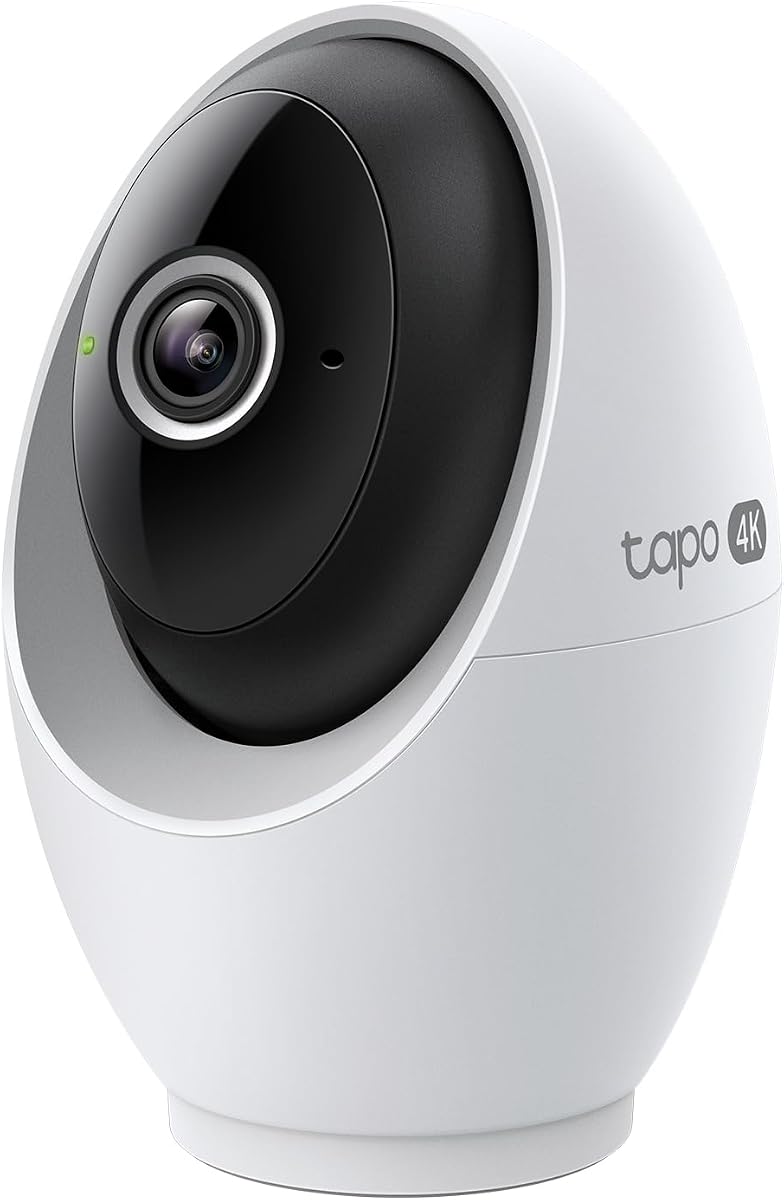
The Tapo C260 stands out as a top-tier option for those prioritizing high-resolution monitoring. With its 4K capability, it captures fine details that standard 1080p models often miss. The camera integrates well into modern homes due to its sleek design and comprehensive app features.
We may earn a commission when you buy through this link, at no additional cost to you.
Its standout feature is the on-device AI processing which enhances security by keeping sensitive data local. Users can detect people, pets, or baby cries without relying heavily on cloud subscriptions. The 360-degree pan and tilt function ensures no corner goes unmonitored effectively.
While the need for a wired power source limits placement options slightly, the reliability it offers is unmatched. Installation is straightforward for most users with minimal setup time required. The local storage option allows for continuous recording without ongoing monthly fees.
This model is ideal for homeowners seeking detailed surveillance without compromising privacy. It fits well in living rooms or nurseries where high clarity is essential. For those valuing autonomy and image quality, the C260 remains a strong recommendation in the market.
The 4K resolution ensures that small details like license plates or facial features remain visible even when zoomed in. This level of clarity is crucial for effective identification during critical events.
By processing AI detection locally on the device, you reduce the risk of cloud data breaches. This approach gives users peace of mind knowing their footage stays within their control.
We may earn a commission when you buy through this link, at no additional cost to you.
The Tapo C100 4-pack offers a practical solution for users needing wide coverage on a budget. Four cameras allow you to monitor multiple rooms simultaneously without significant cost. It serves well for general home security and pet monitoring needs alike.
We may earn a commission when you buy through this link, at no additional cost to you.
Each unit provides clear 1080p video which is sufficient for everyday observation tasks. The night vision range extends up to forty feet ensuring visibility in dark rooms. Two-way audio lets you communicate with family members or pets remotely with ease.
While it lacks advanced zoom or premium smart features, it covers the essentials effectively. The motion alerts work well for detecting activity in common areas. Setup is intuitive and requires no technical expertise to get started quickly.
This set is perfect for renters or those covering multiple entry points. You get broad security coverage without complex installation requirements. For basic peace of mind, this affordable pack delivers solid performance across the home.
Having four cameras allows for comprehensive monitoring of living spaces. You can place one in each major room to ensure nothing goes unnoticed during the day or night.
The interface is straightforward focusing on core features like recording and alerts. This simplicity makes it accessible for anyone looking to secure their home without technical overhead.
We may earn a commission when you buy through this link, at no additional cost to you.
The eufy S350 brings a unique dual-lens design that changes how you view your home. It combines a wide-angle and telephoto lens for simultaneous room and detail views. This innovation makes it a standout choice for premium home monitoring.
We may earn a commission when you buy through this link, at no additional cost to you.
You can track moving subjects automatically while keeping the full room in frame. The hybrid zoom allows for detailed checks without losing image quality significantly. Privacy remains a priority with local storage options preventing cloud reliance entirely.
While the price point is higher than average, the elimination of subscription fees balances it out long term. You need a compatible HomeBase unit for full functionality which adds to the setup. However the flexibility it offers is unmatched in the category.
Ideal for tech-savvy users wanting cutting-edge monitoring capabilities. It shines in environments where detailed verification is necessary regularly. If you prioritize quality and autonomy, this model delivers a sophisticated experience.
The dual-lens system provides a panoramic view alongside a close-up shot. This ensures you never miss context while focusing on specific actions in the room.
By avoiding monthly subscriptions, you save money over time despite the higher upfront cost. Local storage ensures your data remains private and accessible without recurring charges.
We may earn a commission when you buy through this link, at no additional cost to you.
The Ring Indoor Cam is a staple for those already invested in the Amazon ecosystem. It offers reliable 1080p video and integrates smoothly with other Ring devices. The physical privacy cover adds a layer of trust for indoor use.
We may earn a commission when you buy through this link, at no additional cost to you.
Motion detection is accurate and alerts are delivered promptly via the app. The color night vision helps distinguish activities in low light conditions better. You can also view feeds on Echo Show devices for convenient hands-free checking.
However full features like video history depend on a subscription plan which increases cost. Without it the functionality is somewhat limited compared to standalone models. The design is utilitarian but fits well in most modern interiors seamlessly.
This camera is best for users wanting unified security management. If you use Alexa heavily it simplifies monitoring significantly. It is a solid choice for general indoor surveillance needs.
The physical cover allows you to visually confirm the camera is off when at home. This feature addresses common privacy concerns regarding always-on indoor cameras.
Integration with Alexa enables voice commands and automated routines. This connectivity streamlines daily usage and enhances overall home automation capabilities.
We may earn a commission when you buy through this link, at no additional cost to you.
The Amcrest 4MP camera delivers high detail without the premium price tag of top models. Its resolution captures more pixels than standard 1080p units for clearer identification. This makes it suitable for monitoring small objects or specific areas.
We may earn a commission when you buy through this link, at no additional cost to you.
Pan and tilt capabilities allow you to adjust the view remotely as needed. The wide field of view reduces blind spots effectively in most room layouts. Night vision reaches up to 32 feet ensuring coverage in dark spaces.
Software updates are regular which keeps security patches current. However the app lacks some intuitive features found in newer brands. Setting up requires attention to network settings to ensure stable connection.
This option is great for tech-savvy users who value raw specs. If you want high detail without spending heavily it fits well. It serves as a reliable workhorse for indoor monitoring.
The 4MP sensor provides significantly more detail than standard HD. This helps in identifying faces or items that are further away from the lens.
H.265 compression reduces file sizes allowing more hours of recording on the same SD card. This efficiency helps manage storage costs over time.
We may earn a commission when you buy through this link, at no additional cost to you.
Amcrest has a long history of producing robust surveillance hardware. This model continues that tradition with stable performance and clear video. It is a straightforward choice for those who want dependable monitoring.
We may earn a commission when you buy through this link, at no additional cost to you.
The pan and tilt mechanism works smoothly and responds quickly to commands. Night vision provides clear black and white imagery even in total darkness. You can store footage locally or via the cloud depending on preference.
Setup involves connecting to a 2.4GHz network which is standard for security devices. The app allows basic playback and recording functions without complexity. It lacks advanced AI detection but covers essential needs effectively.
This camera is ideal for users prioritizing stability over bells and whistles. It is a solid pick for basic indoor security without extra cost. Its simplicity makes it easy to maintain over years.
Known for consistent uptime this camera minimizes connection drops. This reliability is key for continuous monitoring without interruptions.
Options for both SD card and cloud storage provide versatility. You can choose the method that best suits your data retention needs.
We may earn a commission when you buy through this link, at no additional cost to you.
The eufy E30 combines high resolution with practical family-friendly features. Its 4K recording ensures every moment is captured in detail for review. The color night vision adds clarity during dark hours compared to standard infrared.
We may earn a commission when you buy through this link, at no additional cost to you.
Auto tracking follows movement automatically keeping subjects in frame consistently. This is useful for monitoring pets or active children without manual adjustment. Local storage ensures data remains private without recurring costs.
The design is sleek and unobtrusive fitting well in living spaces. App controls allow quick focus on areas of interest with a tap. However full functionality may require connection to a HomeBase hub for optimal use.
This model fits families needing reliable and detailed monitoring capabilities. It balances resolution and privacy effectively. For those wanting high quality without monthly fees it is a strong contender.
The spotlight allows for color viewing even in low light conditions. This helps distinguish clothing or objects better than standard black and white feeds.
Footage is stored locally which prevents cloud vulnerabilities. This approach aligns with growing concerns over data security in smart homes.
We may earn a commission when you buy through this link, at no additional cost to you.
The Tapo C120 is designed for both indoor and outdoor environments. Its weatherproof rating means it can handle rain or dust in covered areas. The magnetic base offers flexible mounting without drilling holes in walls.
We may earn a commission when you buy through this link, at no additional cost to you.
Video quality is sharp with 2K resolution providing clear details of activity. Color night vision enhances visibility at night with built-in spotlights. It is a practical choice for garages or entryways needing monitoring.
Person and pet detection helps filter out irrelevant notifications effectively. You can set specific zones to focus alerts on areas that matter most. This flexibility makes it a versatile tool for diverse settings.
This camera is best for those needing a rugged unit. It bridges the gap between indoor convenience and outdoor durability. If you need coverage in multiple environments it serves well.
The magnetic base allows quick adjustment of camera angles. This makes repositioning easy when coverage needs change.
With an IP66 rating it stands up to harsh conditions. This durability ensures it operates reliably in covered outdoor spaces.
We may earn a commission when you buy through this link, at no additional cost to you.
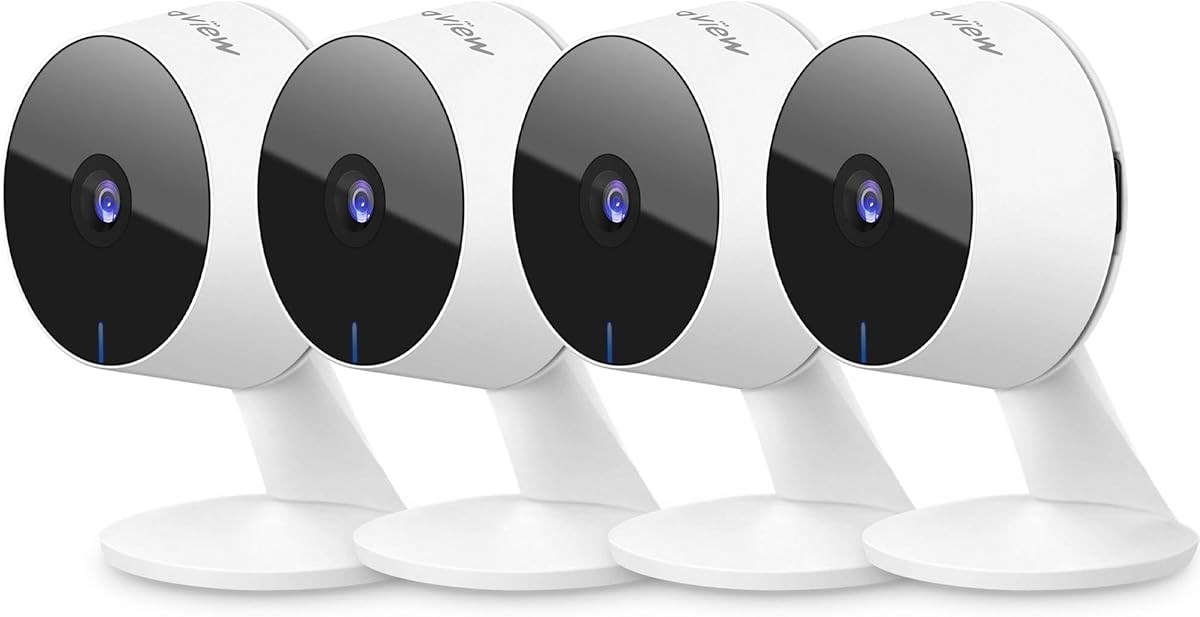
This four-camera set from LaView provides extensive coverage for the whole house. Each unit delivers clear 1080p video suitable for general monitoring tasks. It is designed for ease of use with standard motion alerts.
We may earn a commission when you buy through this link, at no additional cost to you.
Two-way audio allows communication through the app which is useful for pets. You can access feeds through a web browser for desktop viewing. This adds convenience for those without mobile devices nearby.
Night vision covers up to 33 feet ensuring visibility across larger rooms. Sharing access with family members is supported to keep everyone informed. It is a practical solution for comprehensive home security.
The kit is ideal for users needing multiple units without individual purchases. It offers a cost-effective way to secure multiple rooms. If you want broad coverage without complex systems this fits.
The four cameras allow coverage of living, kitchen, and hallway areas. This ensures no major zone is left unmonitored during your day.
Support for web browsers means you can view feeds on a PC. This flexibility helps if you often check security from a desk.
We may earn a commission when you buy through this link, at no additional cost to you.
The youkey S320 is perfect for renters who cannot drill holes for wires. Its magnetic design allows instant placement on any metal surface in your home. This flexibility makes it easy to move as your needs change.
We may earn a commission when you buy through this link, at no additional cost to you.
It runs on a rechargeable battery which lasts months between charges. The built-in storage holds footage without needing external SD cards. This simplifies setup significantly for temporary installations.
Video quality is sharp enough for daily monitoring tasks. You can communicate with family or pets using the two-way audio feature. Privacy mode allows instant off switching via the app for convenience.
This model is best for those needing portable security. It avoids the hassle of wiring and provides freedom of movement. If you need a quick setup it serves the purpose well.
The wire-free design allows moving the camera from room to room easily. This adapts to changing security needs without technical setup work.
Long battery life reduces maintenance and frequent recharging. This ensures consistent monitoring without constant attention to power sources.
We may earn a commission when you buy through this link, at no additional cost to you.
Selecting the right camera involves balancing resolution, power, and smart features to fit your space.
Resolution determines how clear your footage is during playback. Higher resolutions like 4K offer more detail than standard 1080p. Consider if you need to identify faces or license plates for your security goals.
Aim for at least 2K resolution to ensure usable video quality. Lower resolutions may be sufficient for general motion tracking without much detail.
Cameras are either wired or battery-powered which affects where they can sit. Wired models require outlets near your placement spots for continuous recording. Battery models offer flexibility but need periodic recharging.
Choose wired for permanent spots and battery for temporary needs. Ensure your chosen location has a stable power source or battery access.
Storage impacts how you save and retrieve video recordings. Local options like SD cards avoid monthly fees but can be limited by capacity. Cloud storage provides off-site security but requires subscriptions.
Check if the camera supports free SD card recording. This helps keep costs down while maintaining access to your video history.
Smart features help distinguish between real threats and false alarms. AI detection can recognize people or pets specifically to reduce notifications. Some models offer customizable zones for better alert control.
Look for cameras that allow you to tune sensitivity settings. This ensures you only get notified when actual events occur in your home.
Night vision allows monitoring in low-light or dark environments. Standard infrared is common but color night vision provides better detail. Ensure the range covers your intended viewing area fully.
Check the foot coverage for dark monitoring. A wider range ensures better security across larger indoor spaces effectively.
Privacy features ensure your footage and presence remain safe. Options like physical covers or app-based toggles help manage access. Secure transmission protocols protect data during streaming.
Prioritize models with strong encryption and physical privacy options. These ensure your indoor space remains private when you need it.
Integration allows your camera to work with other smart devices. Compatibility with Alexa or Google Assistant enables voice control and automation. This adds convenience to your security setup.
Check if the brand supports your preferred ecosystem. This ensures seamless operation with your existing smart home tools.
Some brands require subscriptions for full features like cloud storage. This adds to the total cost over time significantly. Others offer local storage for free without ongoing fees.
Calculate the long-term cost of any required subscriptions. Opt for models with free tiers if you want to minimize recurring expenses.
Start by downloading the official app for your camera model from your device store. Follow the on-screen instructions to connect the camera to your home network securely.
Position the lens at a height that avoids glare from windows or direct sunlight. Ensure the area is stable to prevent shaky video during recording.
Regularly update the camera firmware to maintain security and performance. Check for any physical obstructions or dust on the lens that might blur the image.
Most models need a stable Wi-Fi connection to stream video and send alerts. Some allow local recording via SD cards without internet. Check the specific requirements of your chosen model.
Clean the lens once a month to maintain clear video quality. Use a soft cloth to remove dust or smudges gently. Avoid harsh chemicals that might damage the coating.
Many cameras support viewing on smart TVs via casting apps. Some offer web interfaces for accessing feeds on computers. Check if your model supports these specific platforms.
Local storage may continue recording offline until internet returns. Alerts and remote viewing typically stop during outages. Always verify the offline capabilities of your camera.
Modern cameras use encryption to protect data streams effectively. Still change default passwords and update software regularly. Using strong network security adds extra protection layers.
Indoor cameras are not weatherproof for outdoor use. Always check the IP rating before placing them outside. Some models like the Tapo C120 support indoor and outdoor use.
We covered ten top models that offer different strengths for home monitoring. From high-end 4K clarity to affordable multi-camera sets there is a pick for every need.
Prioritize resolution and storage options based on what you value most. Balancing features with cost ensures a practical solution for your space.
Always check current availability and compatibility before buying. Product features and offers may change so verify details directly with retailers.