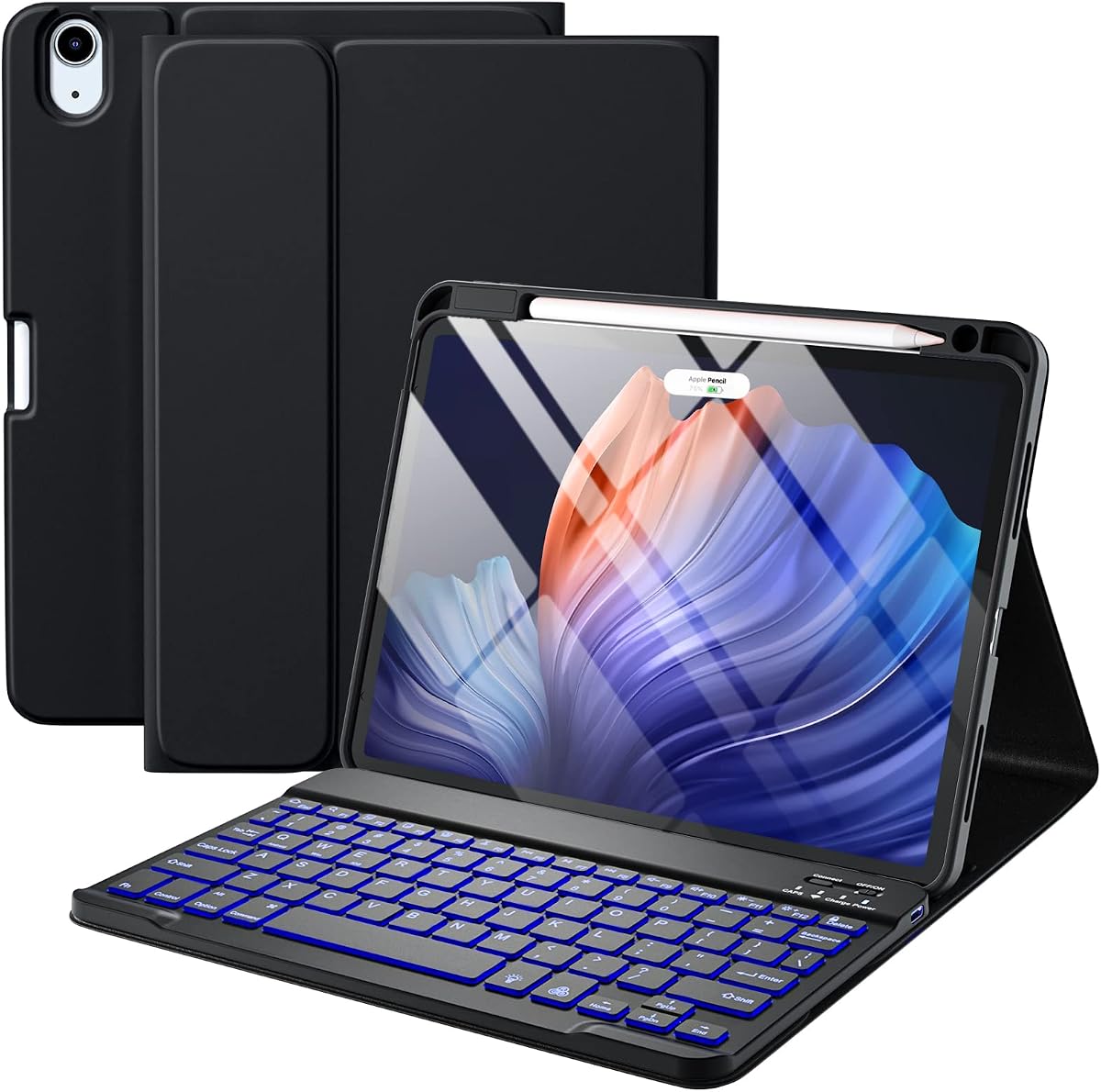
Harvopu Case with Keyboard
4.3Editor score
Detachable backlit keyboard
Adjustable viewing angles
Pencil holder included
Discover the top iPad Air Folio Case with Keyboard options for 2026. We compare features, compatibility, and performance to help you choose the right one.
Finding the right iPad Air Folio Case with Keyboard transforms your tablet into a powerful productivity machine. These accessories combine protection with typing comfort, making them essential for students, professionals, and creatives alike. With so many options available, selecting the best fit can be overwhelming without expert guidance.
We carefully evaluated ten top-rated models based on build quality, keyboard layout, trackpad responsiveness, and overall value. Our analysis focuses on real-world usability, compatibility across different iPad Air generations, and unique features like backlighting and magnetic detachment. This list ensures you find a case that matches your specific workflow needs.
Each pick highlights key strengths and potential trade-offs to help you make an informed decision. Whether you prioritize premium materials or budget-friendly prices, our guide covers diverse options. Please note that availability and specific model compatibility may change, so always verify your device number before purchasing.
4.3Editor score

4.5Editor score

4.5Editor score
This side-by-side comparison highlights the key specifications and unique features of each top contender. Use this table to quickly identify which model aligns with your specific iPad Air generation and usage requirements for optimal productivity.


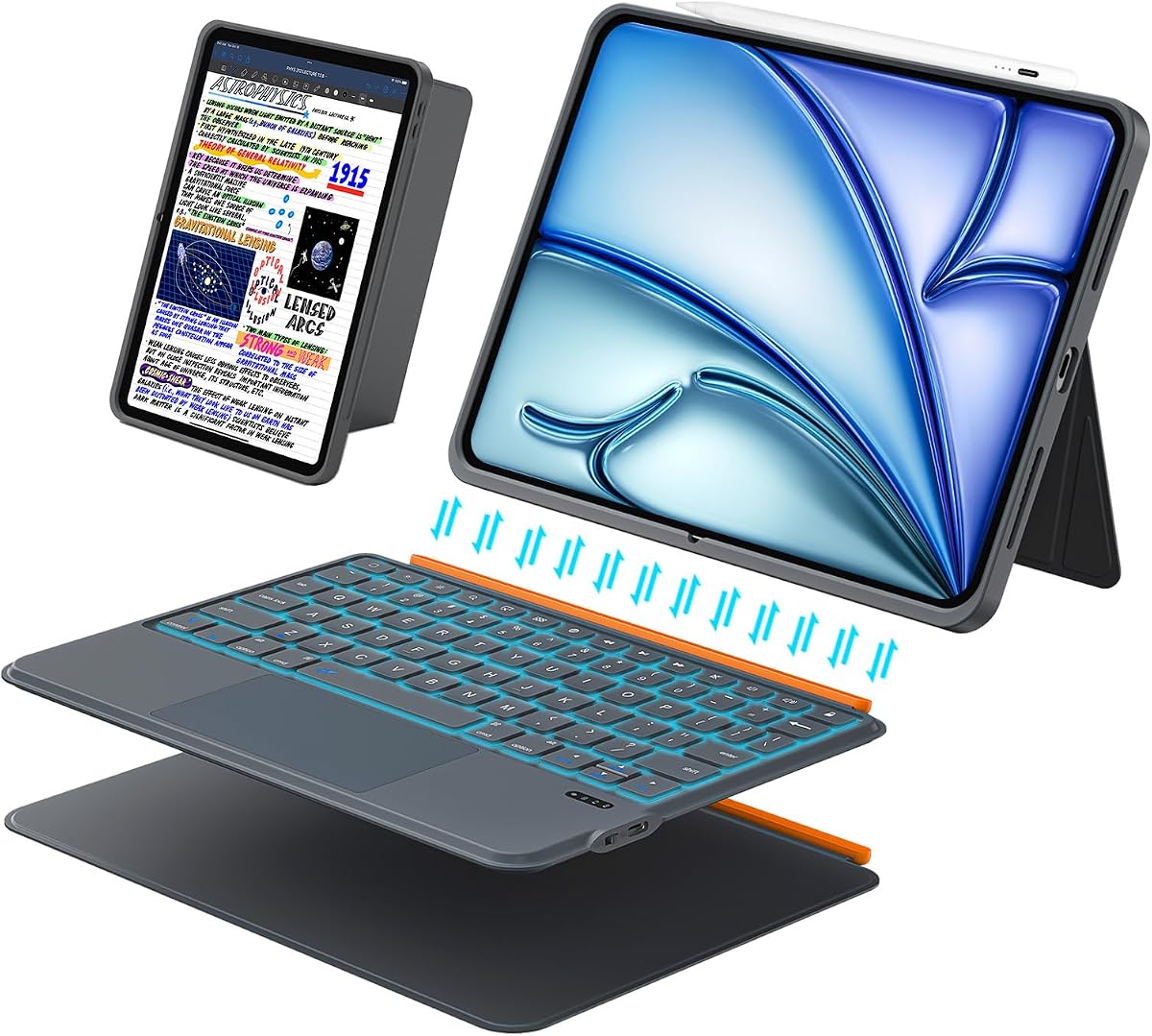


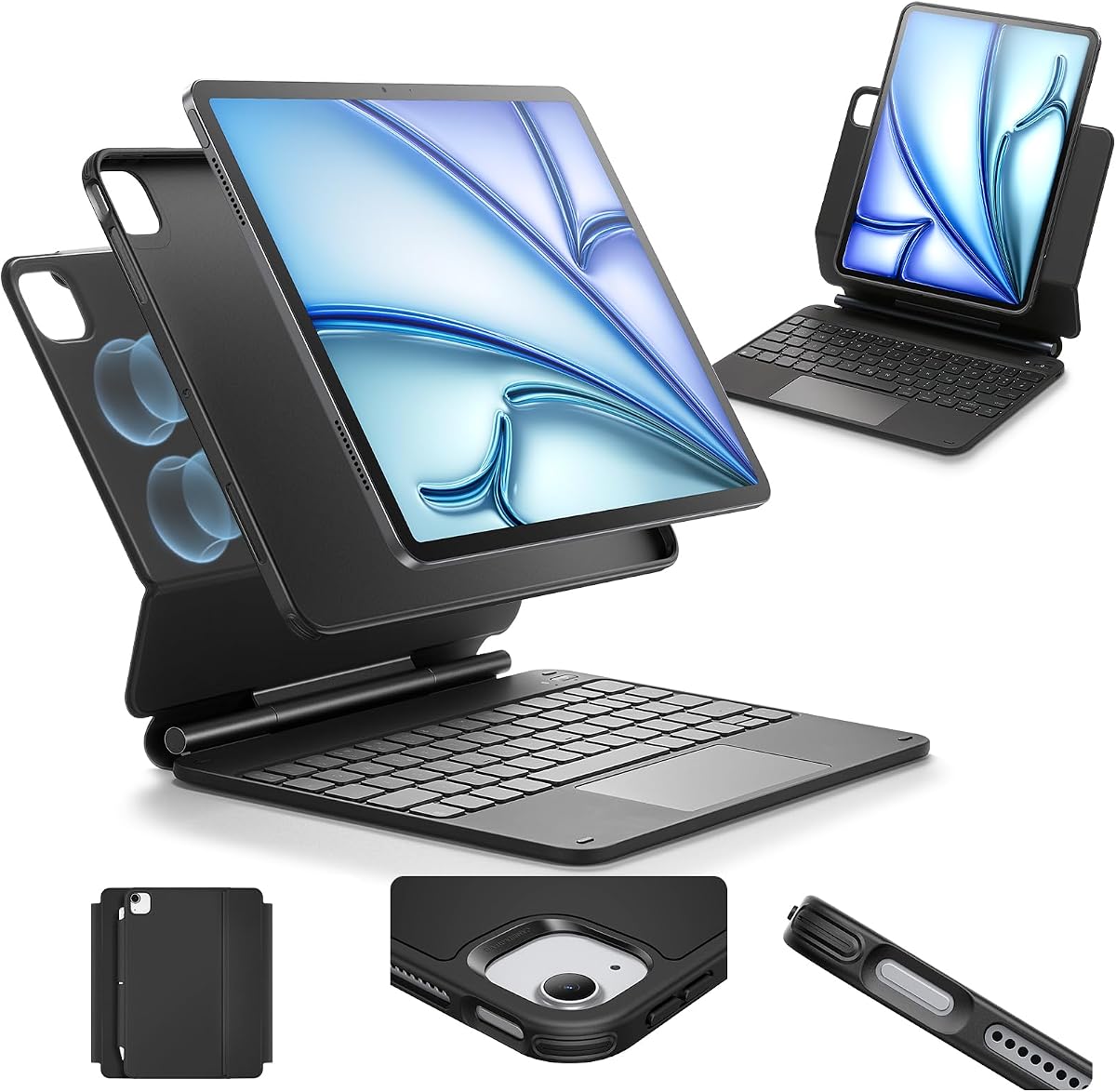
The Logitech Flip Folio Keyboard Case stands out as a top-tier option for iPad Air users seeking a seamless laptop-like experience. With a 4.5 rating from countless satisfied customers, it combines robust protection with advanced input features that enhance productivity significantly.
We may earn a commission when you buy through this link, at no additional cost to you.
Its standout feature is the high-precision trackpad which supports multi-touch gestures for intuitive navigation without touching the screen. The backlit keys automatically adjust to your environment, ensuring comfortable typing in any lighting condition while the Smart Connector ensures you never need to charge the keyboard separately.
While the price is higher than budget options, the military-grade drop protection and secure magnetic latch justify the investment for those who travel frequently. The four versatile use modes allow you to switch between typing, sketching, and viewing effortlessly.
If you prioritize build quality and seamless connectivity, this case is the ideal choice for your iPad Air. It transforms your tablet into a reliable workstation while keeping your device safe from bumps and scratches during daily use.
Power sources directly from iPad Air so you never have to charge separately.
Choose from type, sketch, view, and read modes to suit different tasks.
We may earn a commission when you buy through this link, at no additional cost to you.
The Harvopu iPad Air Case offers exceptional value for users who need a functional keyboard solution without breaking the bank. Rated 4.3 stars, it delivers essential features like a detachable keyboard and backlighting that compete well with more expensive alternatives.
We may earn a commission when you buy through this link, at no additional cost to you.
Its detachable design allows you to use the keyboard remotely via Bluetooth, offering flexibility for reading or sketching. The backlit keys feature seven colors and adjustable brightness, making it easy to work in dimly lit environments during late-night sessions.
While Bluetooth connection might take a second to establish compared to Smart Connector options, the long-life battery ensures you can use it for weeks on a single charge. The pencil holder is a convenient addition for Apple Pencil users who need quick access.
This case is perfect for students or casual users who want a versatile setup on a budget. It provides solid protection and typing comfort, making it a top contender in the affordable category for iPad Air 11-inch and 10.9-inch models.
Use it remotely when typing then detach for pure tablet mode easily.
Built-in 400mAh battery offers worry-free use with fast Type-C charging.
We may earn a commission when you buy through this link, at no additional cost to you.
The Apple Magic Keyboard is the ultimate premium choice for iPad Air users who demand the best typing experience and design. With a 4.5 rating, it offers a floating cantilever design that feels incredibly refined and provides an ergonomic viewing angle for extended use.
We may earn a commission when you buy through this link, at no additional cost to you.
Its built-in trackpad supports intuitive multi-touch gestures, allowing you to navigate macOS-like efficiently directly on your iPad. The physical keycaps use a scissor mechanism for comfortable and accurate typing, while the USB-C pass-through ensures your tablet stays charged while in use.
Although it is the most expensive option on this list, the seamless integration and high-quality materials justify the investment for professionals. The design is thin and portable, fitting well into a professional workflow without adding unnecessary bulk or complexity.
If you are looking for a luxury accessory that elevates your iPad Air to a full laptop replacement, this is the model to choose. It provides unmatched stability and comfort, making long work sessions far more productive and enjoyable.
Two-cantilever hinge design for smooth adjustable viewing angles for comfort.
Full 14-key function row and scissor mechanism for versatile typing.
We may earn a commission when you buy through this link, at no additional cost to you.
ESR delivers a reliable and lightweight solution for iPad Air users who prioritize portability without sacrificing essential features. With a 4.4 rating, this model is designed to be slim enough to carry anywhere while still offering a large precision trackpad for smooth navigation.
We may earn a commission when you buy through this link, at no additional cost to you.
The magnetic detachable design allows you to instantly remove the keyboard for pure tablet mode, making it versatile for reading or watching videos. Two viewing angles ensure you can find the perfect position whether you are typing or sketching on the screen.
While it lacks a backlight, which might be a downside for night users, the ultra-light construction makes it ideal for travel. The reinforced Air Guard corners provide solid protection against drops and scratches without adding bulk to the device.
This case is an excellent choice for those who want a simple, effective keyboard setup that keeps their iPad Air lightweight. It balances functionality and portability well, making it a strong contender for daily commuters and students.
At just 6.9 mm thick this keyboard is super slim and easy to carry.
Use it remotely when typing then detach for pure tablet mode easily.
We may earn a commission when you buy through this link, at no additional cost to you.
This Magic-Style Keyboard Case offers a robust feature set including a multi-touch trackpad and adjustable backlight levels for versatile use. With a 4.3 rating, it mimics the premium feel of higher-end models at a more accessible price point for general users.
We may earn a commission when you buy through this link, at no additional cost to you.
The easy-set magnetic stand transforms your iPad into a highly performant laptop quickly, perfect for travel or business settings. The premium keyboard features a 750mAh battery that allows you to work longer on a single charge without needing frequent recharging.
The vegan leather case adds a touch of elegance while providing enhanced protection against accidental knocks or falls. Although it is slightly heavier, the structural integrity ensures your device remains secure in any environment you take it to.
For users who want a balance of style and function without a high price tag, this case is a solid choice. It supports a wide range of models, ensuring compatibility with both older and newer iPad Air generations for flexible use.
750mAh battery lets you work for months or weeks on a single charge.
Sturdy keyboard base and synthetic vegan leather case for unmatched protection.
We may earn a commission when you buy through this link, at no additional cost to you.
This versatile case covers an impressive range of iPad models including the latest Air 11-inch and Pro 11-inch devices. With a 4.5 rating, users appreciate its quick Bluetooth 5.3 pairing and stable connection that lets you get to work in seconds.
We may earn a commission when you buy through this link, at no additional cost to you.
The larger precision trackpad supports full multi-touch gestures, making navigation smooth whether you are editing documents or browsing the web. The scissor structure keys offer quiet and comfortable typing, which is essential for shared spaces or focused work.
Its 160-degree adjustable stand in landscape mode ensures you can find a stable position for any task, including portrait mode for FaceTime. The skin-friendly PU leather cover protects your tablet from drops and scratches while providing a soft touch feel.
If you need a case that adapts to various iPad models without compromising on features, this is an ideal option. It combines robust connectivity with protective design, making it a reliable tool for both home and office environments.
Works with Air 11 M4/M3/M2 and 11th/10th Gen iPad for flexibility.
Supports both vertical and horizontal placement with stable angle adjustment.
We may earn a commission when you buy through this link, at no additional cost to you.
The Apple Smart Keyboard Folio offers an official solution for iPad Air users who prefer direct integration with Apple's ecosystem. With a 4.6 rating, this renewed model provides the same reliability as new units while offering potential cost savings for budget-conscious buyers.
We may earn a commission when you buy through this link, at no additional cost to you.
It attaches via the Smart Connector, ensuring no pairing or charging is required for uninterrupted use. The full-size keyboard layout makes typing efficient, and the fabric cover doubles as a protective layer when folded into a stand mode.
However, it lacks a trackpad and backlight, which may be limiting for power users who need gestures or night typing. The renewed condition means it has been inspected but might show minor signs of previous use depending on the seller.
For those who value brand consistency and basic typing functionality without extra features, this is a practical choice. It simplifies your workflow by keeping setup to a minimum while still providing essential protection and input capabilities.
No charging or pairing required for instant reliable access to keyboard.
Doubles as cover and folds into stand for simple setup and protection.
We may earn a commission when you buy through this link, at no additional cost to you.
This renewed Logitech Folio Touch combines premium features like backlit keys and a high-precision trackpad at a reduced cost. With a 4.1 rating, it is an excellent choice for users who want advanced capabilities without paying full retail price for new items.
We may earn a commission when you buy through this link, at no additional cost to you.
The Smart Connector ensures instant pairing and power from the iPad, so you never have to worry about charging the keyboard separately. The adjustable kickstand allows you to switch between four versatile use modes including type sketch view and read easily.
Military-grade drop protection means your device is well-protected from bumps and scratches even when traveling. The secure magnetic latch keeps it shut on the go, ensuring your iPad Air stays safe in your bag or backpack.
If you are comfortable buying refurbished products to save money while getting top-tier features, this case is a smart pick. It offers the same core benefits as the new version, making it a great option for students and professionals alike.
Instantly pairs via the Smart Connector and powers directly from iPad Air.
Kickstand with 40-degree range combines with foldable keyboard for modes.
We may earn a commission when you buy through this link, at no additional cost to you.
The Harvopu iPad Air Keyboard Case is a strong contender for users who want a customizable and responsive input experience. With a 4.3 rating, it features a high-sensitive touchpad that enhances productivity by allowing precise navigation without needing to touch the screen.
We may earn a commission when you buy through this link, at no additional cost to you.
The magnetic detachable keyboard ensures stability while typing but can be removed easily when you need a different viewing angle. The 7-color backlit keyboard with three brightness levels allows you to customize your experience for late-night work sessions or dim environments.
Its adjustable viewing positions help you find the perfect angle for typing, watching videos, or drawing. The strong magnetic adsorption ensures the keyboard stays in place while you work, providing a reliable laptop-like setup anywhere you go.
This case is ideal for users who value customization and flexibility in their typing setup. It balances functionality and design well, making it a practical option for daily work and leisure activities on your iPad Air.
Built-in high sensitive touchpad makes editing documents and browsing efficient.
7-color backlit keyboard with three brightness levels for any lighting.
We may earn a commission when you buy through this link, at no additional cost to you.
The ESR iPad Air 11/Pro 11 Case Keyboard transforms your device into a portable productivity machine ready for work anywhere. With a 4.2 rating, it offers a quick-set magnetic stand that combines case and tablet seamlessly for optimal viewing angles.
We may earn a commission when you buy through this link, at no additional cost to you.
The multiple view modes let you set up the case in raised screen view for better posture or portrait mode for FaceTime. The extended ultra-sensitive multi-touch trackpad allows you to navigate your iPad with perfect precision using tap pinch and swipe gestures.
The detachable case design provides instant hands-on access with full-body protection, making it easy to use the iPad as a standalone tablet when needed. This flexibility helps you switch between typing and browsing quickly without losing protection.
For users who need a versatile case that adapts to different work modes and provides solid protection, this is a good option. It combines magnetic efficiency with extended input features to support a smooth and productive workflow for various tasks.
Ultra-strong magnets seamlessly combine case and tablet for easy opening.
Back case detaches for instant hands-on access with full-body protection.
We may earn a commission when you buy through this link, at no additional cost to you.
Selecting the right iPad Air Folio Case with Keyboard requires evaluating several key factors to ensure compatibility and usability. Here are the essential aspects you should consider before making a purchase decision.
Always verify that the case matches your specific iPad Air generation and model number. Newer models may have different connector types or button placements that older cases cannot accommodate.
Check the product description for supported model numbers starting with A followed by digits to ensure a perfect fit.
Smart Connector keyboards connect directly to the iPad via magnetic pins and do not require battery charging. Bluetooth keyboards pair wirelessly and have their own rechargeable batteries which need regular maintenance.
Smart Connector is preferred for convenience while Bluetooth offers more flexibility for non-compatible iPad models.
A high-precision trackpad supports multi-touch gestures like scrolling and zooming which enhance navigation significantly. Look for trackpads that offer palm rejection to prevent accidental clicks while typing.
Trackpads vary in size and sensitivity so reviews often provide the best insight into real-world responsiveness.
Backlit keys are essential for typing in low-light environments and adjustable brightness levels offer better control. Some models also feature multiple color options to personalize your setup.
If you work at night or in dimly lit offices, a keyboard with backlighting is a crucial feature to consider.
A durable case should offer full coverage including reinforced corners and secure latches to protect against drops and scratches. Materials like military-grade plastic or PU leather provide varying levels of ruggedness and style.
Ensure the case includes cutouts for all ports and cameras so you do not lose access to essential hardware functions.
Adjustable kickstands allow you to find comfortable viewing angles for both typing and media consumption. Look for cases that offer multiple stable positions rather than just a single angle.
A stable stand is critical if you use your iPad for sketching or presentations where the device must remain steady.
Some cases include built-in holders or charging ports for Apple Pencil which keeps your stylus secure and powered. This feature is especially useful for creatives who rely on drawing tools daily.
Check if the pencil holder allows charging without removing the case to maintain continuous workflow.
If you travel frequently, a lightweight and slim design prevents added bulk and strain on your hands. Ultra-light cases may sacrifice some features like backlighting but offer superior ease of transport.
Consider how much extra weight you can comfortably carry before deciding on a heavier more robust option.
To ensure optimal performance, clean the keyboard and trackpad regularly with a dry microfiber cloth to remove dust and debris. Avoid using liquids or harsh chemicals that could damage the sensitive components or protective coatings.
If your keyboard uses Bluetooth, remember to charge it periodically using the provided cable to prevent sudden power loss. For Smart Connector models, simply ensure the metal contacts on the iPad are clean to maintain a stable connection.
Store your device in a cool dry place when not in use to preserve the battery life of the keyboard. Avoid exposing the case to extreme temperatures or humidity which can degrade the materials over time.
No, each case is designed for specific generations. Always check the model number starting with A to confirm compatibility. Using the wrong model may prevent the keyboard or Pencil from functioning correctly.
Many modern cases include dedicated holders or charging ports that allow Pencil access without removal. Verify this feature in the product description if you frequently use drawing tools.
No, Smart Connector keyboards draw power directly from the iPad through magnetic pins. This eliminates the need for separate charging or pairing processes.
A trackpad allows for smooth navigation and multi-touch gestures without touching the screen. This enhances productivity especially when editing documents or browsing extensively.
If you often work in low-light conditions, a backlit keyboard is essential for visibility. The adjustable brightness ensures comfortable typing during night sessions or dim offices.
Use a soft dry microfiber cloth to wipe the surface gently. Avoid harsh chemicals or excessive moisture to protect the touch sensors and internal components.
Military-grade plastic and PU leather are common durable materials. Reinforced corners provide better shock absorption compared to standard plastic covers.
Yes, most detachable cases allow you to remove the keyboard for pure tablet mode. This lets you use the iPad for media or sketching without extra weight.
Choosing the right iPad Air Folio Case with Keyboard can dramatically improve your productivity and device protection. Our top picks including the Apple Magic Keyboard and Logitech Flip Folio offer premium features while options like Harvopu provide excellent value.
Prioritize your specific needs such as backlighting, trackpad precision, or budget constraints when making your selection. Ensuring compatibility with your exact iPad model is the first critical step before purchasing any accessory.
Always verify current availability and compatibility before buying since product specifications and model support may change over time. Check retailer sites for the latest details to ensure you get the perfect match for your workflow.