
SUPVAN E11 Keyboard
4.5Editor score
Bluetooth app connectivity
Minimal margin printing
Rechargeable battery included
This guide compares the top label printer with clear tape options for home and office organization, focusing on versatility, print quality, and ease of use for
Finding the right label printer with clear tape can transform how you organize your home, office, or workshop. Clear labels blend seamlessly into surfaces while providing essential information that is easy to read. Whether you need to tag files, jars, or electronics, a reliable machine ensures your labels last.
We have evaluated ten top-rated models based on their printing technology, tape compatibility, and user-friendly features. Our analysis considers battery life, app integration, and the ability to print crisp text on transparent backgrounds. This list helps you find a device that fits your specific labeling needs and budget constraints.
Each pick below highlights key strengths and potential limitations to help you make an informed decision. We review portability, font options, and the included tape varieties to ensure you get started quickly. Please note that availability and specific bundle contents may vary over time as manufacturers update their product lines.
4.5Editor score

4.6Editor score

4.5Editor score
The following table provides a side-by-side comparison of all ten models to help you quickly identify the best fit for your organization tasks. We highlight key specifications like tape width, connectivity options, and included accessories to streamline your selection process.





The SUPVAN E11 stands out as a versatile label printer with clear tape capabilities, earning a solid 4.5-star rating from users. It combines a physical keyboard with a smart app to offer flexibility in how you create and print labels for various needs.
We may earn a commission when you buy through this link, at no additional cost to you.
Its standout feature is the minimal margin printing which saves material while maintaining high quality. The rechargeable battery provides up to a month of use per charge making it ideal for frequent tasks. The app supports over 30 fonts and 660 icons allowing for customized designs.
While the app offers great features it may require some time to master for new users. The physical keyboard ensures quick printing for simple tasks without needing a phone. This trade-off is acceptable given the cost efficiency and flexibility it provides.
This device is best for home and office users who need both speed and customization. We recommend it for those who want to minimize waste while keeping their labeling organized. It balances performance and price better than many competitors in this category.
The minimal margin design allows you to print labels that use less tape per item. This is particularly useful for high-volume labeling projects where saving costs matters.
The companion app lets you create complex labels with icons and frames. It supports multiple languages which is helpful for diverse environments.
We may earn a commission when you buy through this link, at no additional cost to you.
The DYMO LetraTag Bundle is a reliable choice for those seeking a label printer with clear tape without complex app requirements. It features a standard QWERTY keyboard that makes typing fast and straightforward for all ages.
We may earn a commission when you buy through this link, at no additional cost to you.
This bundle includes black on clear labels which are essential for labeling transparent containers or dark surfaces. The printer supports multiple font sizes and box styles giving you enough variety for most home or office tasks.
One limitation is the reliance on AA batteries which may need replacement over time. However the auto-off feature helps conserve power during periods of inactivity. The included tapes ensure you can start labeling immediately after purchase.
Ideal for basic organization needs this model offers excellent value for the price. It is perfect for parents or office managers who need quick tags for supplies or files. The simplicity of use makes it accessible for everyone.
The package comes with black on clear labels ready for immediate use. This saves the hassle of buying compatible tape separately right away.
The QWERTY layout allows for quick text entry without learning codes. This speeds up the labeling process significantly.
We may earn a commission when you buy through this link, at no additional cost to you.
The DYMO 100H is a compact handheld model designed for ease of use in tight spaces. It comes with three tapes including one clear plastic option which is perfect for labeling jars or clear storage bins.
We may earn a commission when you buy through this link, at no additional cost to you.
Its graphical display allows you to preview labels before printing reducing errors and wasted material. The device is very light making it easy to carry around your house or office for quick labeling tasks on the fly.
The small display might be hard to read for those with vision issues but the print quality remains sharp. The auto-off function ensures the battery lasts longer when not in use. This reliability makes it a staple for daily organization.
We recommend this for anyone needing a no-fuss solution for labeling. It is particularly good for students or home users who need to tag books or containers. The included tapes provide immediate value without extra purchases.
The graphical display lets you see exactly how your label will look. This prevents mistakes and saves tape.
You get paper and clear tapes in the box. This variety allows you to test different surfaces immediately.
We may earn a commission when you buy through this link, at no additional cost to you.
The SUPVAN T50M Pro offers a robust app interface for creating detailed labels with clear tape compatibility. It connects via Bluetooth allowing you to design complex items like QR codes and logos on your phone.
We may earn a commission when you buy through this link, at no additional cost to you.
This model is ideal for small businesses that need product tags or address labels. The app supports high-resolution image processing ensuring that graphics print clearly. It supports a wide range of label shapes including round and square for specific uses.
You do need a smartphone to use this which limits its utility if your phone is unavailable. However the lack of registration makes it quick to start using. The free app ensures you can edit designs without extra costs.
Best for tech-savvy users this printer combines portability with powerful editing tools. It fits well in educational settings or retail shops. The clear tape option helps labels blend into modern packaging styles.
Support for QR codes and barcodes makes it great for inventory. You can print professional tags directly from your phone.
The app includes over 660 icons and frames. This lets you create custom branding without expensive software.
We may earn a commission when you buy through this link, at no additional cost to you.
The Brother P-Touch PT-N20 focuses on personalization with its Btag tape system. While it uses specific colored tapes it offers a clear option for those who want text to stand out on transparent backgrounds.
We may earn a commission when you buy through this link, at no additional cost to you.
This desktop model features a built-in cutter that ensures every label has a smooth edge. You can save up to 10 labels in memory for quick reprinting which is useful for recurring needs. The 16-character display lets you verify content before printing.
The tape width is limited to half an inch which may not suit large surface labeling. However it is perfect for small items or tags. The colorful options make it a great choice for creative home organization.
Ideal for students or hobbyists this printer adds a creative touch to organizing. The easy peel backing makes application simple. It balances fun and function effectively for personal use.
The machine cuts labels automatically to the desired length. This ensures clean edges every time.
Saving frequently used labels speeds up workflow. You can reprint favorites without retyping.
We may earn a commission when you buy through this link, at no additional cost to you.
The Brother P-Touch PTD220 is a premium everyday labeler designed for consistent and professional results. It supports Brother genuine TZe tapes which are known for durability and resistance to fading and abrasion.
We may earn a commission when you buy through this link, at no additional cost to you.
With the built-in memory you can store up to 30 labels. This is helpful for offices where standard tags are used repeatedly. The 25 pre-set templates help you create formatted labels without design skills.
The unit is robust but may take up more desk space than handhelds. However the print quality is crisp and clear on all surfaces. This justifies the slightly higher cost for quality-focused users.
Perfect for home offices and small businesses this model delivers reliability. It handles clear tape well for labeling bins and files. The premium build ensures it lasts for years of use.
Store up to 30 labels for fast access. This is efficient for frequent labeling tasks.
Pre-set templates cover common uses quickly. You can create a label in seconds.
We may earn a commission when you buy through this link, at no additional cost to you.
The Dymo LetraTag LT-100H is a straightforward handheld device perfect for beginners. The starter kit includes clear plastic tape which is essential for labeling jars or glass surfaces where you want the item to show through.
We may earn a commission when you buy through this link, at no additional cost to you.
It features a simple navigation system with quick access buttons. The thermal printing technology means you never need ink or toner. This keeps ongoing costs low compared to other printing methods.
While it lacks advanced features it covers all basic labeling needs well. The date stamp function is useful for food storage or inventory. The auto-off feature helps manage power usage effectively.
We recommend this for those new to label makers who want a complete package. It is reliable and easy to carry. The clear tape option ensures versatility for various storage types.
Print dates directly on labels for food or files. This helps with tracking expiration.
No ink required reduces ongoing costs. This makes it a cost-effective solution.
We may earn a commission when you buy through this link, at no additional cost to you.
The Phomemo D30 is an ultra-portable Bluetooth printer that fits easily in a pocket. It comes with clear tape making it ready for tagging transparent items immediately after unboxing.
We may earn a commission when you buy through this link, at no additional cost to you.
This model supports advanced features like OCR and voice recognition. You can print from various sources without manual typing. The battery lasts a long time so it is ideal for travel or field work.
The print is monochrome which is standard for thermal printers but limits color options. However for text labels it is highly readable. The compact size makes it superior for on-the-go needs.
Best for students or travelers this device offers convenience at a great price. It is useful for labelling cables or temporary signs. The included tape saves you time on setup.
Its mini design allows you to carry it anywhere. It is great for mobile labeling tasks.
Voice and OCR allow for easy text entry. This speeds up the creation process.
We may earn a commission when you buy through this link, at no additional cost to you.
This version of the Dymo LetraTag LT-100H includes three rolls of tape offering maximum versatility. The clear plastic tape allows you to label items where visibility of the object is key.
We may earn a commission when you buy through this link, at no additional cost to you.
With a 4.7 rating it is a highly trusted choice for general household organization. The graphical display ensures you see exactly what will print before you finish. The clear backing helps labels adhere smoothly to surfaces.
Lack of app connectivity means you rely on the device keyboard. But the simplicity ensures reliability and ease of use for older users. It is robust enough for daily heavy-duty tasks.
Perfect for families needing a quick labeling solution this kit saves money on tapes. The variety ensures you are ready for any surface. It is a solid workhorse for home offices.
Get paper and clear plastic in one package. This covers almost all home needs.
See fonts and effects clearly before printing. This reduces waste and errors.
We may earn a commission when you buy through this link, at no additional cost to you.
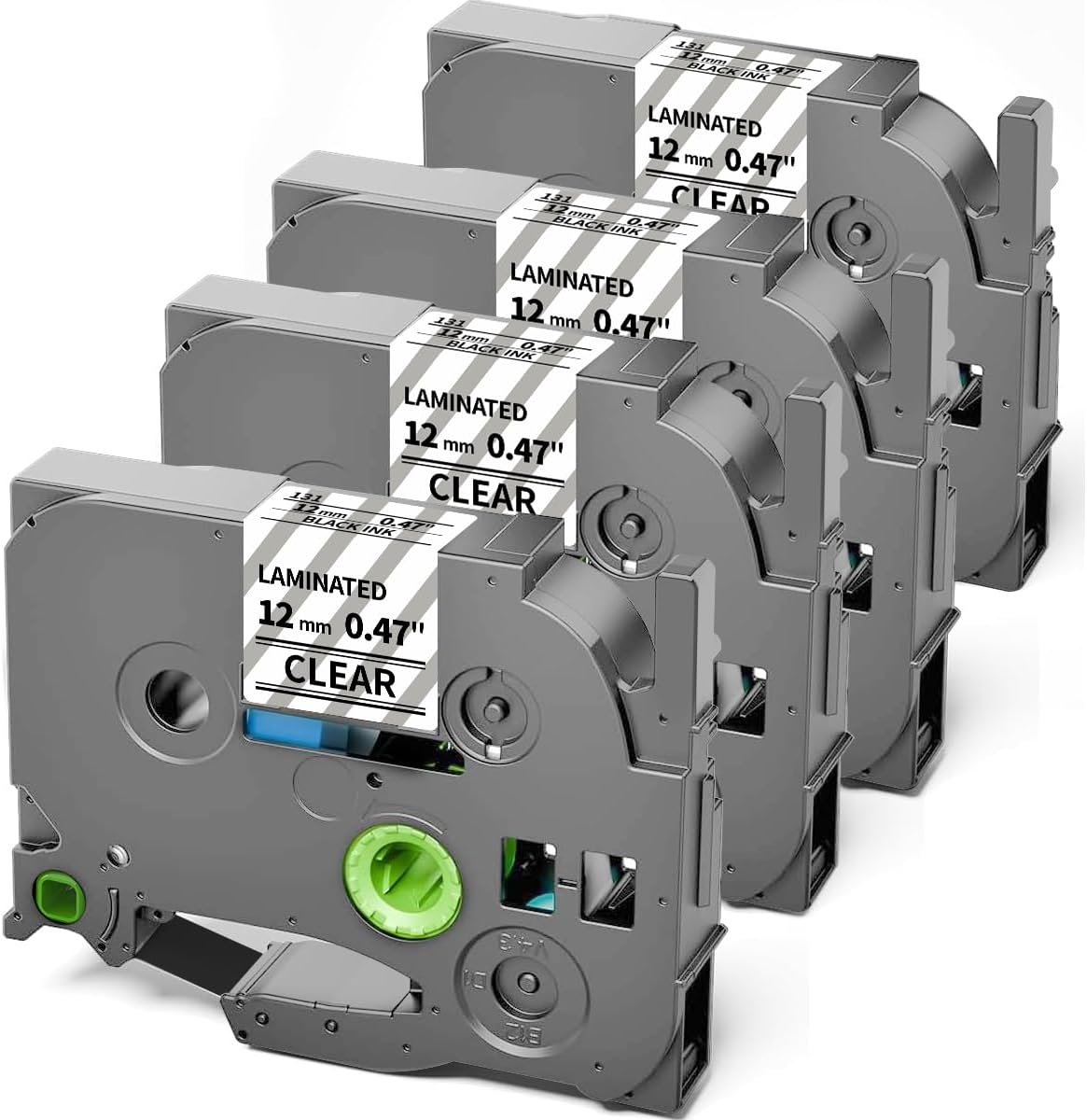
The TZe TZ Tape is a high-quality refill for those who already own a compatible Brother label printer. This clear laminated tape is resistant to cold hot temperatures and spills ensuring labels last long.
We may earn a commission when you buy through this link, at no additional cost to you.
Its split backing system makes it easy to peel and apply cleanly. This reduces the hassle often associated with labeling tasks. It fits many Brother models making it a convenient choice for existing users.
It provides clear output that is perfect for transparent containers or dark surfaces. While it does not include a printer it offers the tape quality needed for professional results. The length is generous for regular use.
We recommend this for office workers who need clear labels quickly. It is a cost-effective way to continue using your current machine. The lamination ensures your tags remain readable over time.
The laminated finish resists moisture and wear. This protects your text from damage.
Split backing makes applying easier. You can peel and stick without struggle.
We may earn a commission when you buy through this link, at no additional cost to you.
Selecting the right label printer with clear tape involves considering several technical factors that impact usability and performance. This guide breaks down the most important features to evaluate before making a purchase.
Most modern label printers use thermal technology which means they do not require ink or toner. This saves money over time and reduces maintenance. However thermal prints can fade under direct sunlight so look for models with high-contrast output if you are labeling items that will be exposed to light.
Choose thermal printing for cost-efficiency but consider lamination features if long-term durability is a priority.
Ensure the machine accepts clear tape specifically since not all label printers support transparent media. Some models only work with white paper while others support clear plastic and white tape. Verify that the model offers clear tape that is easy to peel and adheres well to smooth surfaces.
Check for clear tape options that resist peeling and fit your printer model to avoid future frustration.
Connectivity determines how you input text into the device. Handheld models often feature physical keyboards which are fast for simple labels while Bluetooth models connect to smartphones for complex designs. App-based printing allows for icons and images but requires a compatible mobile device and sometimes setup time.
Select physical keyboards for speed or Bluetooth for creative flexibility depending on your workflow needs.
Power sources vary between rechargeable batteries and disposable AA or AAA cells. Rechargeable models are eco-friendly and reduce long-term costs but require charging time. Disposable batteries are easy to replace but add ongoing costs. Look for auto-off features to conserve power during idle periods.
Prioritize rechargeable batteries for heavy use or disposable ones for infrequent quick labeling tasks.
The display screen lets you preview your label before printing which reduces mistakes. Handheld devices often have small screens that may be hard to read while desktop models usually have larger displays. Consider your vision needs and how much detail you need to see on screen.
Opt for larger screens if you struggle with small text to ensure label accuracy.
If you plan to move between rooms or offices portability is key. Handheld models are lightweight and easy to carry while desktop units stay in place. Consider the weight and size of the machine against how often you plan to move it.
Choose handhelds for on-the-go labeling and desktops for dedicated home office spots.
Some printers support various shapes like round square or file labels. This versatility allows you to match the label to the item. For clear tape options check if the printer handles standard widths or special formats. More variety means more use cases for your organization.
Look for multi-shape support if you need to label diverse items like cables or bottles.
The interface should be intuitive for all users including those not tech-savvy. Simple menus and quick access buttons save time. Complex app setups might be frustrating for basic needs. Balance advanced features with simplicity based on your technical comfort level.
Prioritize models with simple navigation if you value speed over customization features.
Start by inserting the clear tape roll into the designated slot ensuring the film is flat and aligned properly. Close the lid until it clicks to secure the tape in place. This step is crucial to prevent jamming and ensure a clean cut when you print your label.
Type your text using the keyboard or mobile app and preview the content on the screen. Adjust font sizes or styles as needed before printing. Use the cut function immediately after printing to get smooth edges. This keeps your workspace tidy and labels professional.
Store the printer in a cool dry place to avoid battery drain or tape sticking. Replace batteries promptly if the device shows low power warnings. Clean the printer head occasionally with a dry cloth to maintain print clarity. These steps ensure your device lasts for years.
Yes clear tape works well on dark surfaces because the printed black text contrasts against the dark background. Ensure the tape is opaque enough so the text remains readable. Some models come with black on clear tape specifically for this purpose.
To clean the print head gently wipe it with a dry lint-free cloth. Do not use liquids or solvents as they may damage the component. This simple maintenance helps keep your labels crisp and dark.
Thermal labels vary in water resistance. Standard paper labels may not hold up well against moisture but clear plastic tapes often have better durability. Look for laminated options if you need labels for kitchen or bathroom items.
Bluetooth printers rely on a smartphone app for design and print commands. You need a compatible device to set up the label. Handhelds with physical keyboards do not need a phone and work independently.
Printing too dark can sometimes be caused by old batteries or high density settings. Replace batteries and check the printer settings for density adjustments. Clear tape usually needs standard settings to show black text clearly.
Some app-enabled printers support images but they print in monochrome. You can create black and white photo labels but true color images require specific color tapes. Check if your model supports image printing before purchasing.
We have reviewed ten top models ranging from portable handhelds to robust desktop units. The DYMO LetraTag Bundle and SUPVAN E11 stand out for their clear tape value and versatility respectively. Each option offers distinct strengths for different labeling tasks.
Prioritize connectivity and tape compatibility based on your specific needs. If you need speed go for physical keyboards but choose Bluetooth for complex designs. Consider battery type and display clarity for daily use convenience.
Always check current availability and specific bundle contents as they change frequently. The right printer will help you keep your home and office organized efficiently. Choose the model that fits your budget and usage frequency.