
HP 14 Student-Laptop Back to School, Quad-Core Processor (Beat i3) 4GB RAM 128GB SSD, Laptops for Student with 1-Year Office 365 Copilot AI Win11, Natural Silver
4.0Editor score
Quad Core Processor
4GB DDR4 RAM
128GB UFS Storage
Choosing the right laptop for back to school is a critical decision that impacts your academic success and daily productivity. Students need devices that balance performance with portability, ensuring they can handle coursework, research, and multimedia tasks without breaking the bank or weighing down their backpacks.
To compile this comprehensive list, we evaluated numerous models based on processor speed, memory capacity, storage options, display quality, and battery endurance. We focused on laptops that offer reliable connectivity, durable builds, and software compatibility with common educational tools like Microsoft Office and cloud platforms.
Each pick in this guide highlights specific strengths tailored to different student needs, from budget-conscious buyers to those requiring robust multitasking capabilities. Please note that product availability and pricing can fluctuate frequently, so verify current details before making your final purchase decision for the upcoming semester.
4.0Editor score

4.7Editor score
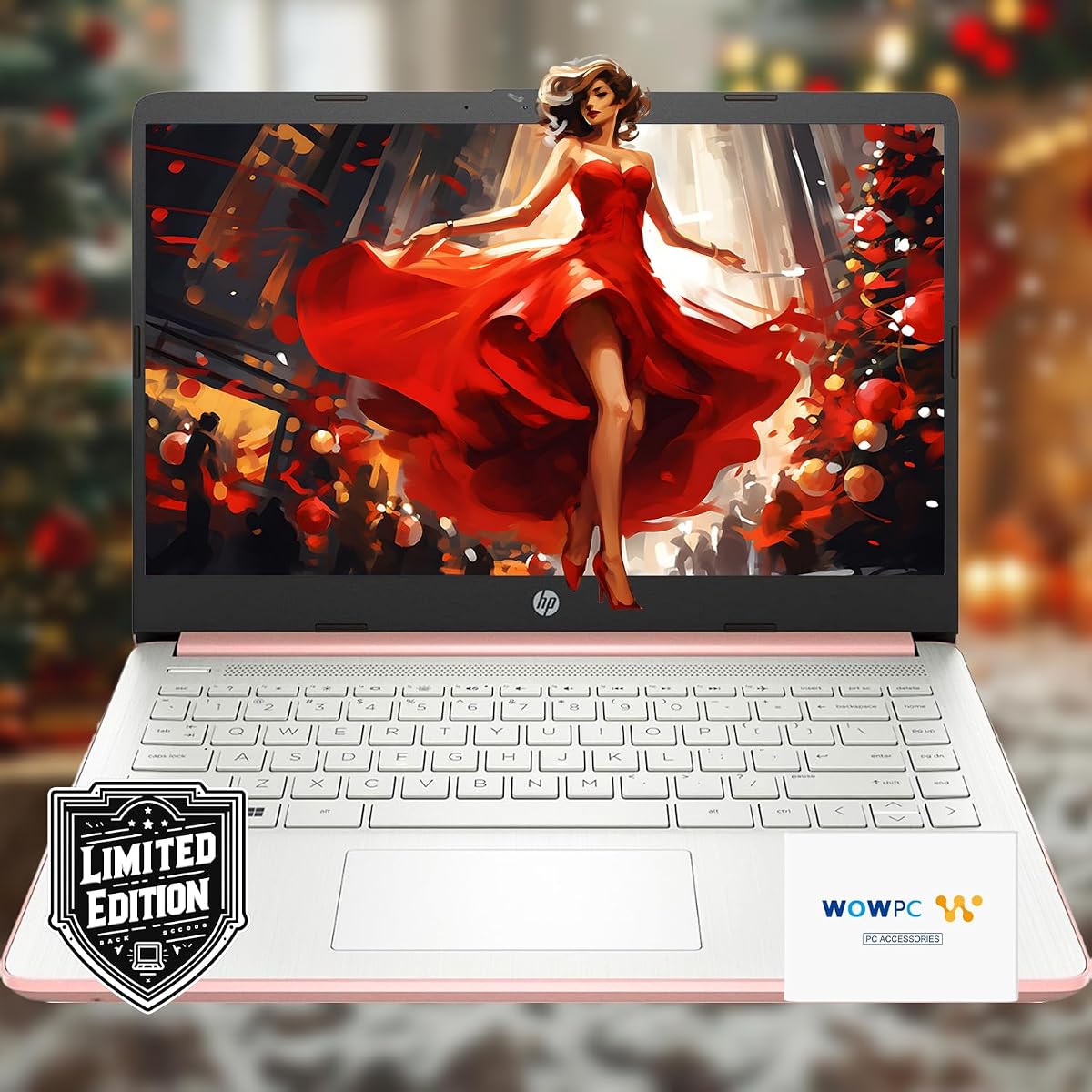
4.7Editor score
As an Amazon Associate we earn from qualifying purchases.
The following comparison table provides a side-by-side overview of all ten selected laptops, highlighting their key specifications, operating systems, and unique features to help you quickly identify the model that best fits your academic requirements.




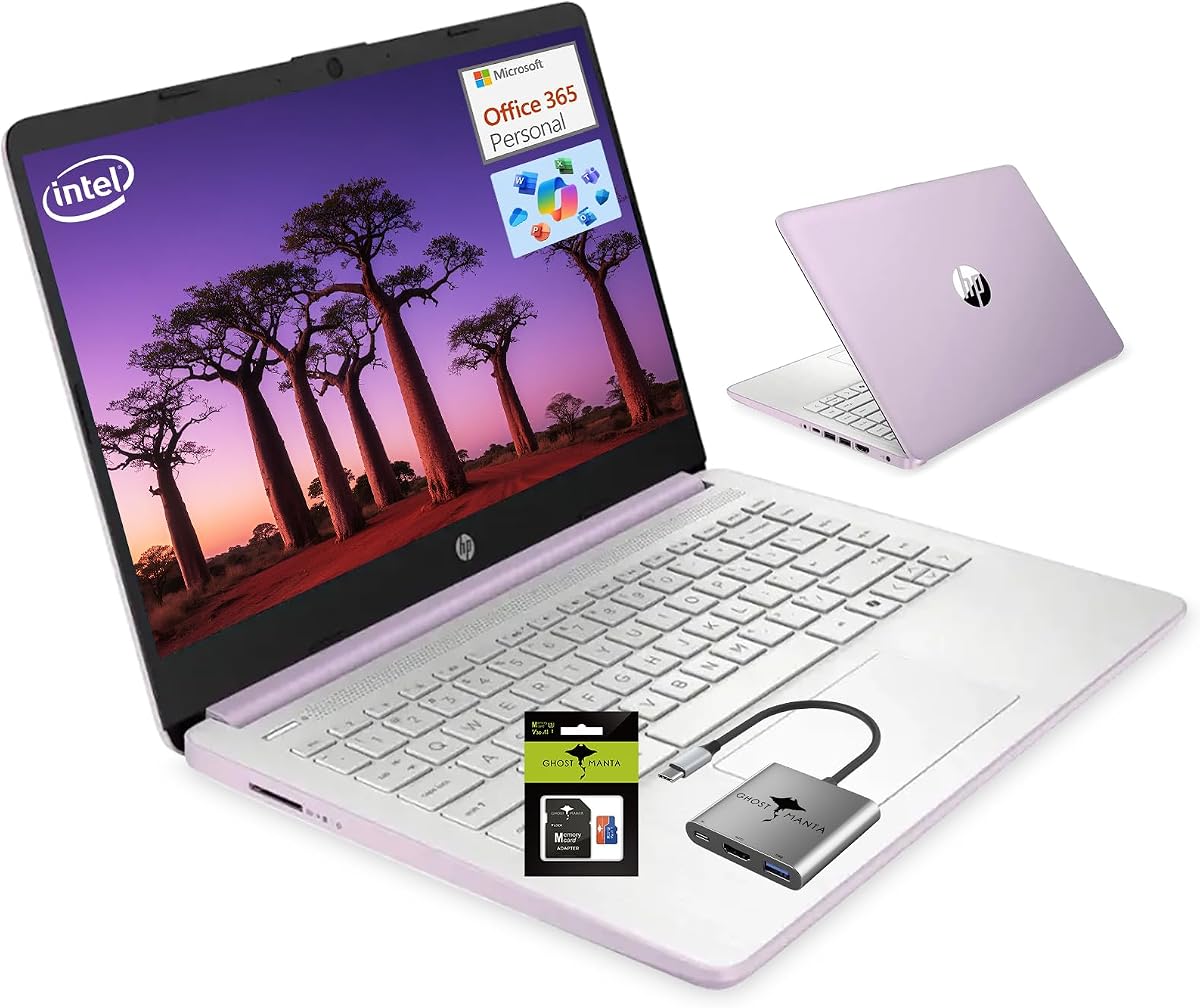
This HP laptop stands out as a top contender for students needing robust storage and memory without sacrificing portability. With 16GB of RAM and a massive 1TB storage solution including an external drive, it handles multitasking and file-heavy coursework efficiently. The inclusion of Microsoft 365 ensures immediate productivity upon unboxing.
We may earn a commission when you buy through this link, at no additional cost to you.
The Intel Core Quad-Core processor provides reliable speed for everyday tasks like web browsing, document editing, and media consumption. The 15.6-inch HD display offers a comfortable workspace for writing papers or studying online materials. Connectivity options like USB-C and HDMI allow easy connection to projectors and external monitors in class.
While the display resolution is standard HD, the screen size compensates by providing ample real estate for split-screen workflows. The external storage ensures you never run out of space for lectures, assignments, or media files. The accessory bundle adds value by providing practical tools for maintaining the device and boosting productivity.
Students who prioritize storage capacity and memory over cutting-edge graphics will find this laptop ideal for their academic journey. It balances performance with convenience, making it a strong choice for those managing complex projects. We recommend this model for anyone needing a reliable workhorse for the school year.
The inclusion of a Microsoft 365 subscription simplifies the setup process for students, granting immediate access to Word, Excel, and PowerPoint for assignments and presentations.
With 512GB internal and 512GB external storage, this device offers significant space for storing research papers, multimedia projects, and essential course materials without constant cloud reliance.
We may earn a commission when you buy through this link, at no additional cost to you.
The HP Chromebook 14 is designed for students who value mobility and simplicity. Running Chrome OS, it offers a streamlined experience focused on web-based applications and cloud storage. Its thin and lightweight design makes it easy to carry between classes or study sessions.
We may earn a commission when you buy through this link, at no additional cost to you.
Battery life is a standout feature, lasting up to 14 hours on a single charge, which is crucial for all-day campus use without needing a power outlet. Fast charging technology ensures quick top-ups during breaks. The display supports 4K streaming, making it great for research involving multimedia content.
However, local storage is limited to 64GB, requiring reliance on cloud services or external drives for large files. The processor is adequate for web tasks but may struggle with heavy software. Despite these limitations, it remains a practical choice for basic computing needs.
Ideal for students who work primarily in a browser and prioritize battery life and portability. It reduces maintenance and offers security features inherent to Chrome OS. This model is best suited for those seeking an affordable and easy-to-use device.
With up to 14 hours of battery life and fast charging capabilities, this Chromebook keeps students connected throughout long school days without interruption.
Chrome OS provides a user-friendly interface with built-in security updates and access to Android apps via the Google Play Store, simplifying the digital workflow.
We may earn a commission when you buy through this link, at no additional cost to you.
This HP 14-inch laptop combines modern hardware features like DDR5 RAM with substantial cloud storage to offer exceptional value. The Intel N150 processor handles daily tasks efficiently, while the 1TB of cloud storage ensures files are accessible anywhere. The anti-glare display reduces eye strain during long study sessions.
We may earn a commission when you buy through this link, at no additional cost to you.
The slim and lightweight chassis makes it easy to slip into a backpack, fitting comfortably for students who commute or travel frequently. Connectivity options including USB-C and HDMI provide versatility for connecting peripherals and external displays. Windows 11 ensures compatibility with the latest software updates.
Local storage is limited to 128GB, which may require external drives for large offline projects. However, the cloud inclusion mitigates this issue for most users. The combination of DDR5 memory and cloud integration offers a forward-thinking approach to student computing needs.
Best suited for students who rely on cloud services and need a lightweight, reliable device for everyday academic tasks. It balances performance and cost effectively, making it a smart choice for budget-conscious buyers who want modern features.
Equipped with DDR5 RAM, this laptop ensures faster data transfer rates and better energy efficiency compared to older memory generations.
Including 1TB of cloud storage allows users to store vast amounts of data securely online, reducing the need for physical storage management.
We may earn a commission when you buy through this link, at no additional cost to you.
Targeted at business and student productivity, this model features Windows 11 Pro for advanced security and management tools. The integration of Copilot AI assists with tasks, boosting efficiency for complex assignments. DDR5 RAM and Wi-Fi 6 ensure fast performance and connectivity speeds.
We may earn a commission when you buy through this link, at no additional cost to you.
The bundled external drive expands storage significantly, providing ample room for projects and media files. The anti-glare display offers clear visuals for presentations and video calls. The design prioritizes functionality with a full range of ports for versatile connectivity options.
While the base internal storage is modest, the external drive makes up for it effectively. The Pro version of Windows may have a steeper learning curve but offers robust features for managing data. This makes it a strong choice for those planning to use the device professionally later.
Recommended for students looking for a device that bridges the gap between academic use and professional readiness. The AI tools and Pro features add significant value, making it a versatile option for diverse workflows.
Copilot AI assists in automating routine tasks and providing intelligent suggestions, streamlining workflows for students and professionals alike.
Windows 11 Pro offers enhanced security and remote desktop capabilities, suitable for advanced users managing sensitive data or remote work.
We may earn a commission when you buy through this link, at no additional cost to you.
The HP Essential Laptop 2026 focuses on efficiency with LPDDR5 RAM for better power management and speed. It includes a dedicated Copilot key for instant AI access, enhancing user experience during study sessions. The noise reduction audio ensures clear communication during online meetings.
We may earn a commission when you buy through this link, at no additional cost to you.
Portability is key with a lightweight design and up to 11 hours of battery life. The micro-edge bezel provides a modern look and larger screen area relative to size. Connectivity includes USB-C and USB-A ports for versatile peripheral support.
Storage is limited to 128GB, necessitating reliance on cloud services or external drives for larger files. However, the performance for web-based tasks remains solid. The AI enhancements and battery life make it a reliable choice for daily academic use.
Ideal for students who prioritize battery life and AI features over raw storage capacity. It is well-suited for coursework that relies heavily on cloud apps and web tools, ensuring productivity wherever you are.
The dedicated Copilot key provides quick access to AI assistance, helping users get answers or automate tasks faster during work.
Built-in AI noise reduction filters background sounds during calls, ensuring clear communication in noisy environments like libraries or coffee shops.
We may earn a commission when you buy through this link, at no additional cost to you.
Featuring 8GB of RAM, this laptop offers smooth multitasking capabilities for students running multiple applications simultaneously. The Intel N150 processor delivers reliable performance for everyday tasks and light creative work. Wi-Fi 6 ensures fast internet speeds for research and streaming.
We may earn a commission when you buy through this link, at no additional cost to you.
The 11-hour battery life supports all-day use without frequent charging. With Office 365 included, productivity tools are ready out of the box. The lightweight frame makes it easy to transport between lectures and study locations.
Storage remains limited to 128GB, requiring cloud management for larger files. However, the RAM boost significantly improves stability over lower-memory models. This makes it a solid option for students who run many browser tabs and apps at once.
Recommended for students who need consistent performance for multitasking and web-based productivity. The balance of RAM and battery life ensures you can work efficiently throughout the day without interruption.
8GB of RAM allows for running multiple applications and browser tabs smoothly without slowdowns or crashes during heavy use.
A one-year Microsoft Office 365 subscription is included, providing access to essential tools like Word and Excel for assignments.
We may earn a commission when you buy through this link, at no additional cost to you.
This model prioritizes portability with a lightweight design that fits easily into bags. The 14-inch display offers a comfortable viewing experience with anti-glare coating for reducing eye strain. Wi-Fi 6 provides reliable connectivity for online classes and research.
We may earn a commission when you buy through this link, at no additional cost to you.
Battery life is sufficient for a typical school day. The secure microcontroller enhances data protection, which is important for students handling sensitive information. It runs on Windows 11, ensuring compatibility with standard educational software.
Performance is limited by the dual-core processor and small storage capacity, making it best for basic web browsing and document editing. It is not ideal for heavy multitasking or media production. However, for simple tasks, it serves as an affordable and mobile option.
Best for students who prioritize light weight and cost over high performance. It is a practical choice for writing papers, online research, and attending virtual lectures without heavy baggage.
Weighing just over 3 pounds, this laptop is easy to carry around campus, reducing fatigue during long commutes or busy days.
Enhanced security features include a hardware-based controller to protect personal data and online activities from potential threats.
We may earn a commission when you buy through this link, at no additional cost to you.
Designed specifically for students, this laptop combines a quad-core processor with modern AI features to enhance productivity. The anti-glare screen provides a better visual experience for reading and writing. It includes Office 365, ensuring students have the tools they need immediately.
We may earn a commission when you buy through this link, at no additional cost to you.
Battery efficiency is a strong point, supported by a fast charger that quickly replenishes power during breaks. The lightweight design aids in carrying it across campus. Connectivity options allow for easy hookup to external monitors for presentations.
Memory and storage are modest, limiting heavy usage scenarios. However, for typical student needs like web browsing and document creation, it performs adequately. The integration of AI tools adds a unique layer of assistance for writing and organization.
Ideal for students who value ease of use and AI assistance in their workflow. It balances basic performance with smart features to support educational tasks effectively.
Copilot AI helps streamline workflows and assists with tasks, making it easier to complete assignments and projects efficiently.
A 45W PD fast charger ensures you can get back to work quickly with minimal downtime during your day.
We may earn a commission when you buy through this link, at no additional cost to you.
This laptop offers an impressive storage solution combining onboard and external drives for a total of 1600GB. With 16GB of RAM, it handles demanding workloads effortlessly. The Rose Gold design adds a stylish touch while maintaining a sleek profile for daily use.
We may earn a commission when you buy through this link, at no additional cost to you.
The included external drive and OneDrive subscription ensure your data is safe and accessible. Microsoft 365 integration provides essential tools for productivity. Battery life supports long days, making it reliable for classes and study sessions.
While it costs slightly more, the value provided by the extensive storage and accessories justifies the investment. It removes the stress of managing limited disk space. This makes it a premium choice for those who want a complete package.
Best for students who need significant storage capacity and prefer a ready-to-use bundle. The combination of RAM and storage ensures smooth operation and peace of mind regarding file management.
With 1600GB of total space across internal, external, and cloud storage, you can keep all your projects and media without worrying about running out.
Includes valuable accessories like an external drive and cleaning cloth to enhance your experience right out of the box.
We may earn a commission when you buy through this link, at no additional cost to you.
This laptop stands out with its unique Honey Lavender color and solid performance specs. 8GB of RAM and a quad-core processor handle multitasking well for daily use. The inclusion of an SD card slot adds flexibility for storage expansion.
We may earn a commission when you buy through this link, at no additional cost to you.
Office 365 and Copilot AI provide helpful tools for school work. The anti-glare screen reduces eye strain, making it comfortable for long study sessions. Battery life is designed to last through a full day of classes.
Internal storage is balanced with the expandable SD option, allowing users to manage files effectively. The design combines practicality with aesthetic appeal. It serves as a reliable tool for students who want a bit of personality in their device.
Recommended for students looking for a balance of performance and style. It offers a versatile package that supports academic needs while standing out visually from standard options.
Support for SD cards allows easy expansion of storage capacity, giving flexibility for storing additional files and media.
The Honey Lavender finish provides a unique look, making it easy to identify your device in a crowd.
We may earn a commission when you buy through this link, at no additional cost to you.
Selecting the right laptop involves evaluating several critical factors that align with your academic needs and budget constraints.
The processor is the brain of your laptop and dictates how well it handles multitasking and intensive applications. For general school work like writing papers and web browsing, entry-level quad-core processors are sufficient. However, if you plan on running heavy software or virtual machines, look for more robust options.
Prioritize processors that offer good energy efficiency to maintain battery life while ensuring smooth performance.
RAM determines how many applications you can run simultaneously without slowdowns. 8GB is generally recommended for smooth multitasking during class and study sessions. Models with 4GB may struggle if you keep many browser tabs open while running office applications.
Always check if the RAM is upgradable to extend the lifespan of your device as software demands increase.
Solid State Drives (SSD) offer faster boot times and file access compared to traditional hard drives. Look for a minimum of 128GB, though 256GB or more is preferable for storing media and course materials. External drives or cloud storage can supplement local storage if needed.
Consider a model with both internal storage and external options for flexibility in data management.
A good display reduces eye strain during long hours of reading and writing. Anti-glare coatings are essential for viewing in bright classrooms. Resolution should be at least HD (1366×768) to ensure text remains clear and legible.
Screen size affects portability; 13 to 14-inch laptops are usually the best balance between viewing area and weight.
For students moving between classes, long battery life is crucial to avoid being tethered to an outlet. Aim for a device that offers at least 8 to 10 hours of real-world usage. Fast charging capabilities add convenience for quick top-ups between lectures.
Review independent tests or manufacturer claims to understand typical usage times before purchasing.
A lightweight laptop fits easily into backpacks and reduces physical strain during commutes. Models under 4 pounds are ideal for daily carry. The build quality should be durable enough to withstand regular handling in busy campus environments.
Thinner designs often correlate with better portability but ensure they still offer necessary ports and keyboard comfort.
Ensure the operating system supports the software required by your educational institution. Windows 11 is widely compatible with most academic tools. Chrome OS offers simplicity but may have limitations with offline software requirements.
Check with your university IT department for specific software needs before finalizing your choice of OS.
Modern connectivity includes Wi-Fi 6 and Bluetooth for seamless networking. Ports like USB-C and HDMI are vital for connecting to projectors and external monitors during presentations. Ensure the device supports modern standards for faster data transfer speeds.
A variety of ports reduces the need for dongles and adapters during daily use.
Proper maintenance starts with regular software updates to keep your device secure and performing at its best. Use disk cleanup tools to manage storage space and prevent slowdowns caused by temporary files and cached data over time.
Protect your laptop physically by using a padded sleeve or case in your backpack to prevent scratches and impacts during transport. Avoid exposing the device to extreme temperatures or moisture which can damage internal components and affect battery health.
Optimize battery life by adjusting screen brightness and closing unused applications when not in use. Use the power management settings to ensure the laptop enters sleep mode during breaks to conserve energy for later tasks.
For most academic tasks like writing papers and research, integrated graphics are sufficient. Unless you are studying graphic design or video editing, a dedicated GPU is unnecessary. Integrated options often provide better battery life which is critical for students.
Students typically need between 128GB and 256GB for system files and local documents. However, relying on cloud storage can reduce local needs significantly. If you store large video or project files locally, aim for at least 512GB to avoid running out of space quickly.
Chrome OS is excellent for students who work primarily in a browser and use Google Workspace tools. However, it may not support all specialized software required by certain departments. Always verify software requirements with your university before choosing a Chromebook.
Ideally, a student laptop should offer at least 8 hours of battery life to last through a full day of classes. This prevents the need to carry chargers everywhere. Look for models that include fast charging features to regain power quickly during breaks.
Windows 11 is the current standard and supports newer security features and software updates. Windows 10 may still work but is nearing end-of-life support. Purchasing a device with Windows 11 ensures better long-term compatibility and security.
Yes, many students balance school and casual gaming. However, gaming laptops often have shorter battery life and are heavier. For general use, a standard ultrabook is better. If gaming is a priority, look for models that offer both performance and reasonable battery efficiency.
Choosing the right laptop for your educational journey involves balancing performance, portability, and budget. The models highlighted in this guide offer a range of options tailored to different needs, from lightweight Chromebooks to powerful Windows machines with high storage.
Prioritize features that align with your specific academic tasks, such as long battery life for all-day classes or robust memory for multitasking. Ensuring compatibility with required software and reliable connectivity is just as important as raw processing power.
Always verify current prices and availability before purchasing as deals fluctuate frequently. Investing in the right device now can save time and money in the long run by supporting your productivity throughout the school year.